

CORSAIR PC case, Frame 5000D RS ARGB
Product description
Technical details
The perforated, three-dimensional Y-pattern front panel is built to let cooling air pass with less obstruction. That makes airflow a central part of this case’s design, rather than an afterthought.
The Frame modular system also gives you options to change parts of the case over time, including the motherboard tray, front I/O panel and front intake panel.
Four RS ARGB fans come pre-installed. The case is white and uses an InfiniRail mounting system for flexible fan placement.
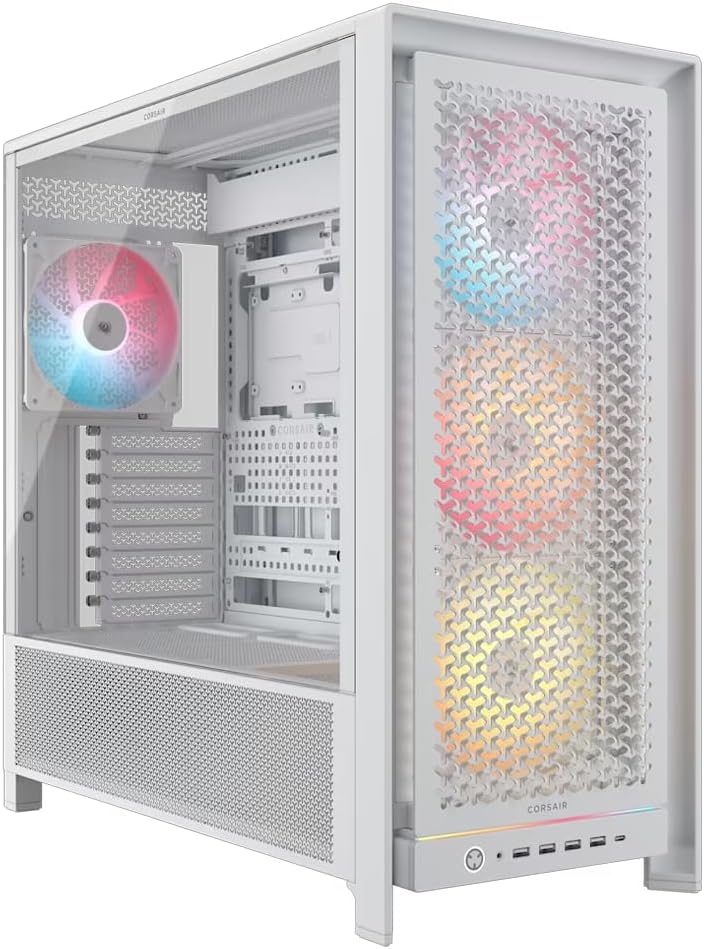
The mid-tower supports a radiator up to 420 mm at the top, or 360 mm at the front or side. Its side panel near the motherboard tray can serve as a cable cover, remove it to make room for side-mounted fans instead. The listing describes room for up to 14 120 mm fans, with InfiniRail mounts adjustable for 140 mm or 200 mm fan positions.
What it works with
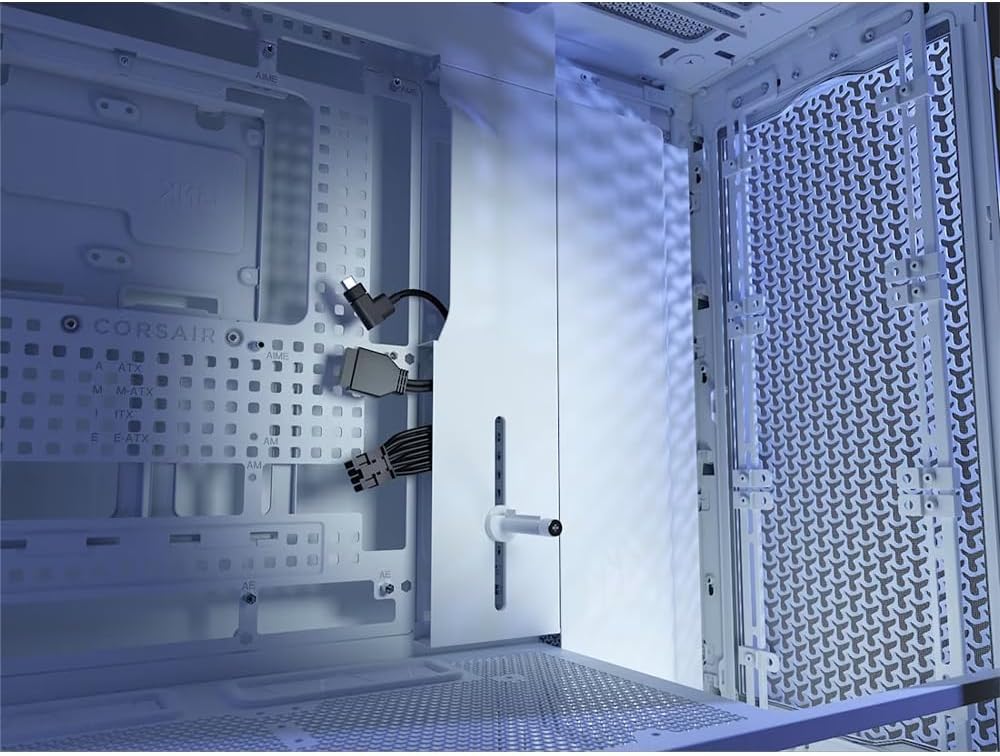
The product name identifies support for ASUS BTF, MSI Project Zero and Gigabyte Project Stealth motherboard designs. That makes it worth considering if you’re planning a build around one of those named layouts. Still, the listing doesn’t specify board sizes or clearances, so confirm that the case suits your exact parts before settling on a build.
For cooling, the choice is between a more conventional arrangement and a more involved fan setup. You can keep the side panel in place for tidier cable coverage, or use that area for additional airflow. The case’s radiator positions also give you alternatives to a top-mounted setup.
It suits you if you want a case that leaves room to adjust fan placement and appearance as your build changes. A typical use could be setting up the included fans for airflow, then choosing whether the side area is better used to hide cables or mount more fans. It may not be the best choice if you want a simple case with few configuration decisions, or if you need confirmed clearance details before choosing other components.
Usage tips
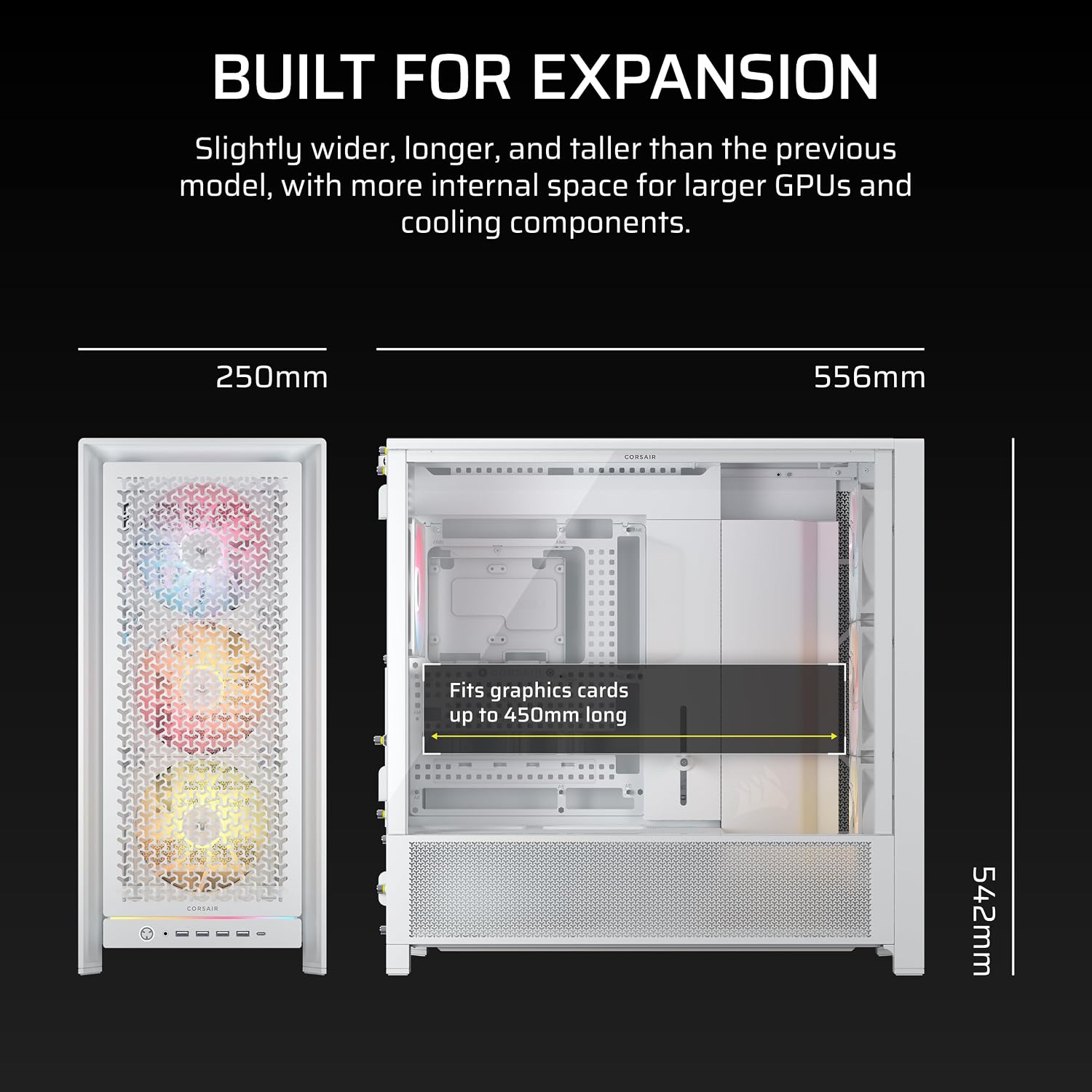
Plan the cooling layout around the parts you intend to install. For example, a top radiator up to 420 mm is one option, a 360 mm radiator at the front or side is another. The listing doesn’t provide further fit measurements, so don’t assume every radiator or fan combination will suit your components.
If a clean-looking build matters more than adding side fans, keep the panel near the motherboard tray in its cable-cover role. If airflow is the priority, removing it gives you the option of mounting fans there. The modular design may also be useful if you expect to change the front panel or I/O setup later, though the listing doesn’t specify which replacement parts are included.
Buying questions
How many fans are included? Four RS ARGB fans are listed as pre-installed. The case also supports additional fan positions, but the listing doesn’t say those extra fans are included.
What radiator sizes are supported? The stated options are up to 420 mm at the top and 360 mm at the front or side.
Can the case be reconfigured? The Frame system is described as allowing changes to the motherboard tray, front I/O panel and intake panel. The listing doesn’t detail the availability or contents of individual upgrade parts.
Before buying
This CORSAIR is a more configurable choice than a basic airflow-focused tower: it combines four included fans with adjustable mounting options and modular panels. That flexibility is useful if you’re planning a build that may evolve, but it also makes component planning more important. Based on the listed details, the main trade-off is that exact clearances and which modular parts are supplied aren’t stated. Choose it for the airflow options and named motherboard-layout support, look elsewhere if you need detailed fit information up front or prefer a case with fewer setup choices.