

HP multifunction printer LaserJet Pro MFP 3101fdw
Product description
Technical details
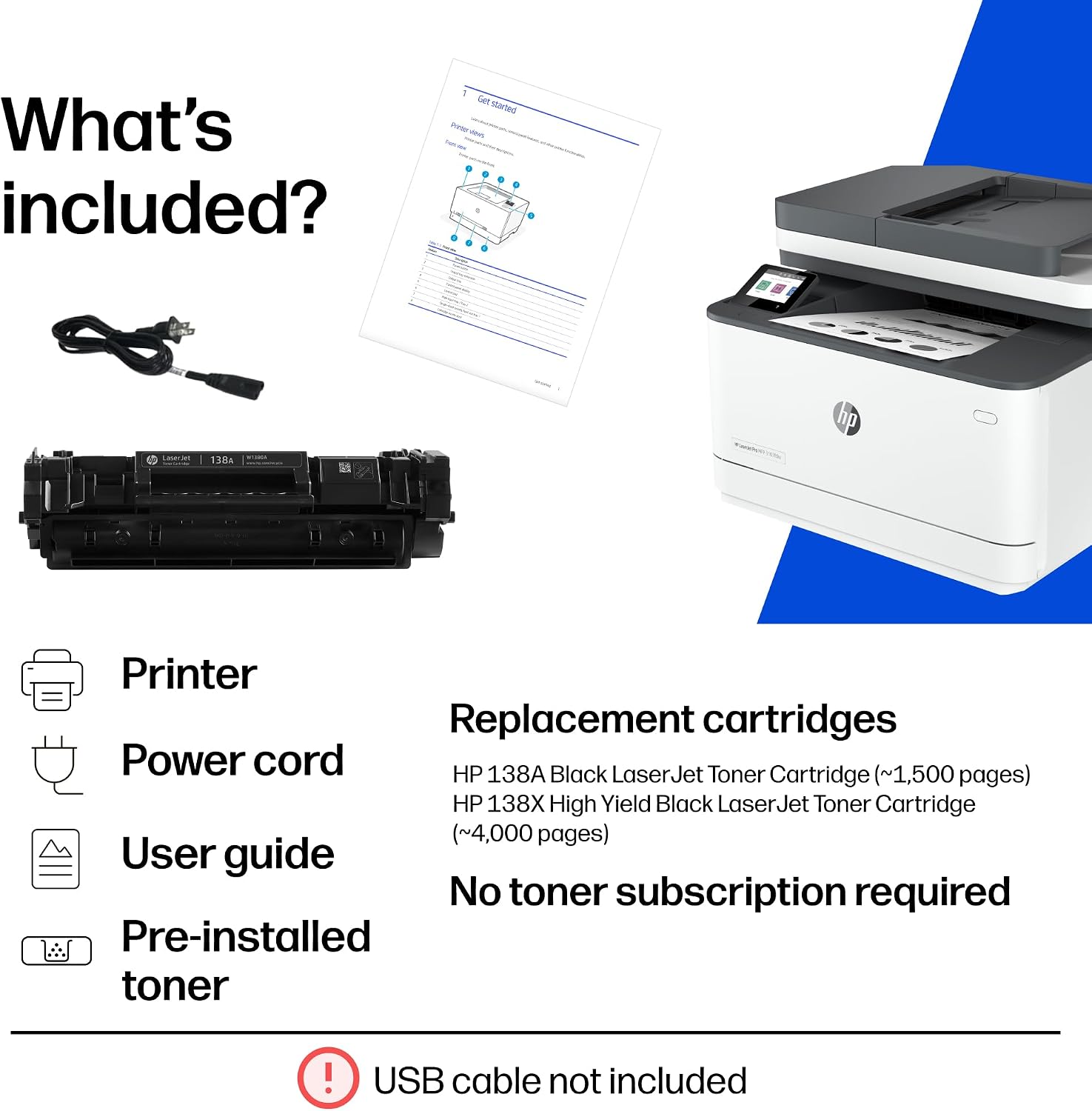
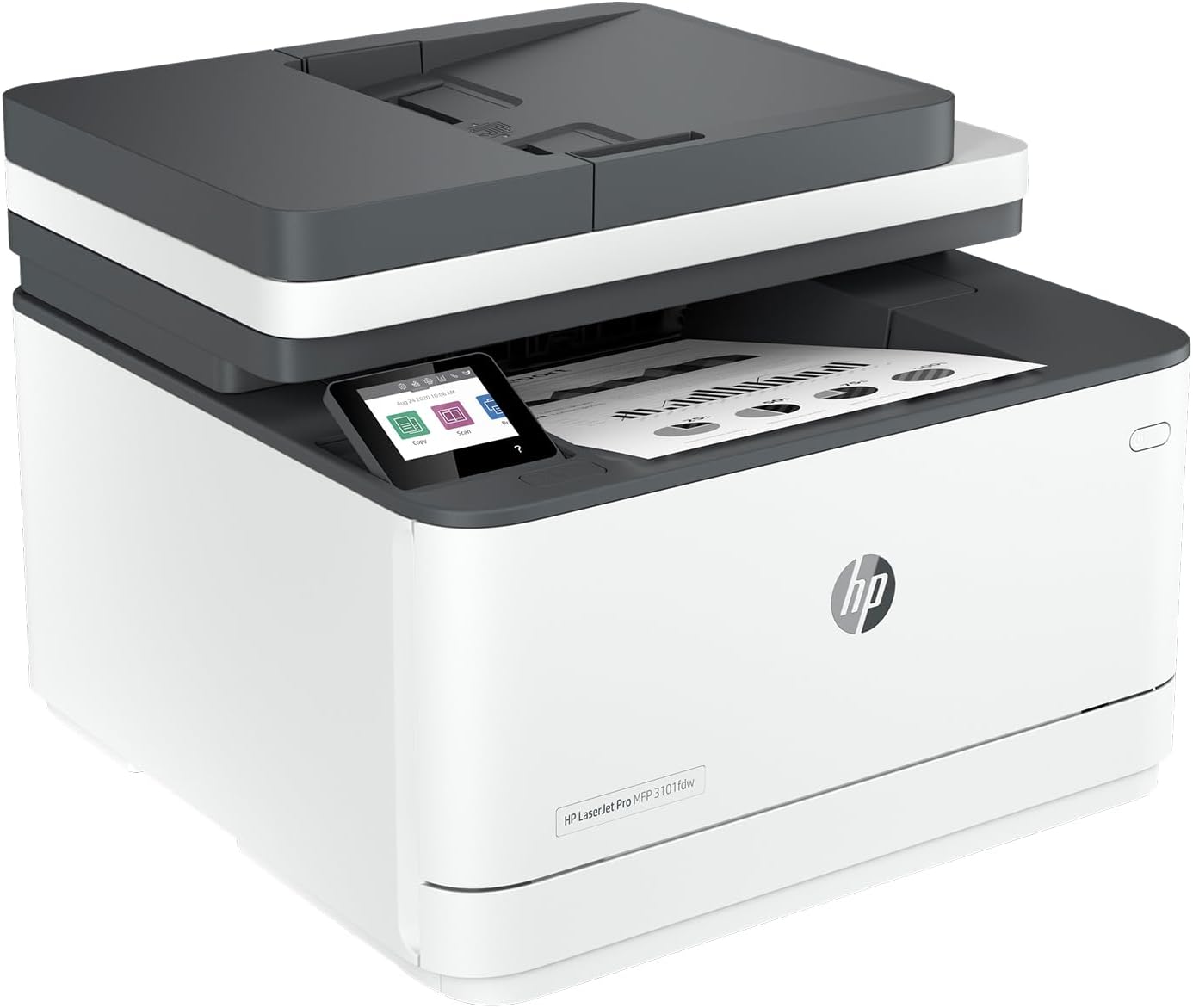
Keeping a small team moving can mean juggling print jobs, scans and routine paperwork across the day. The HP LaserJet Pro MFP 3101fdw is designed for workgroups of up to 7 users, combining printing and scanning with automatic two-sided printing. That setup can reduce the need to flip pages by hand and makes it easier to handle common office tasks from one shared printer.
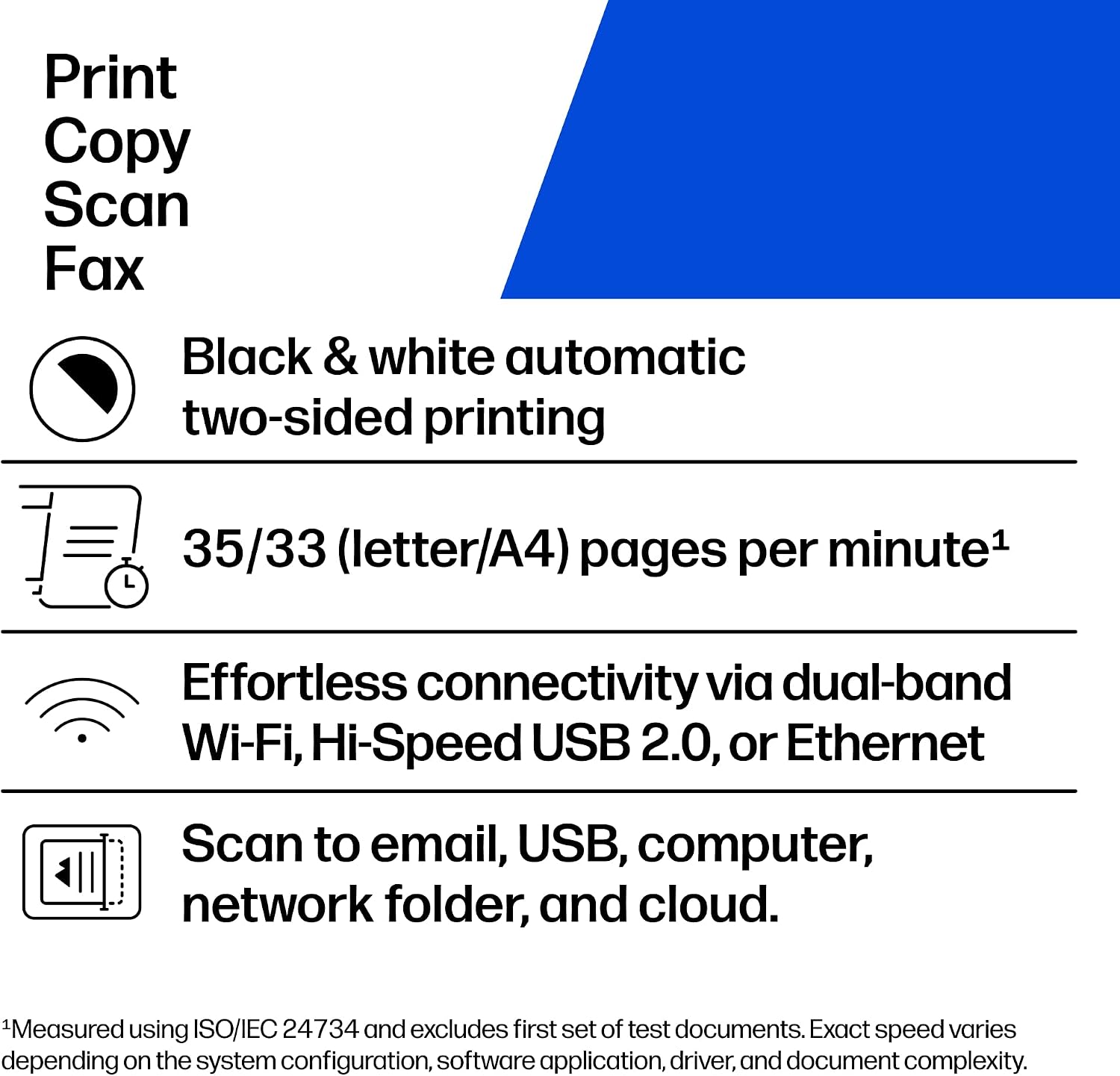
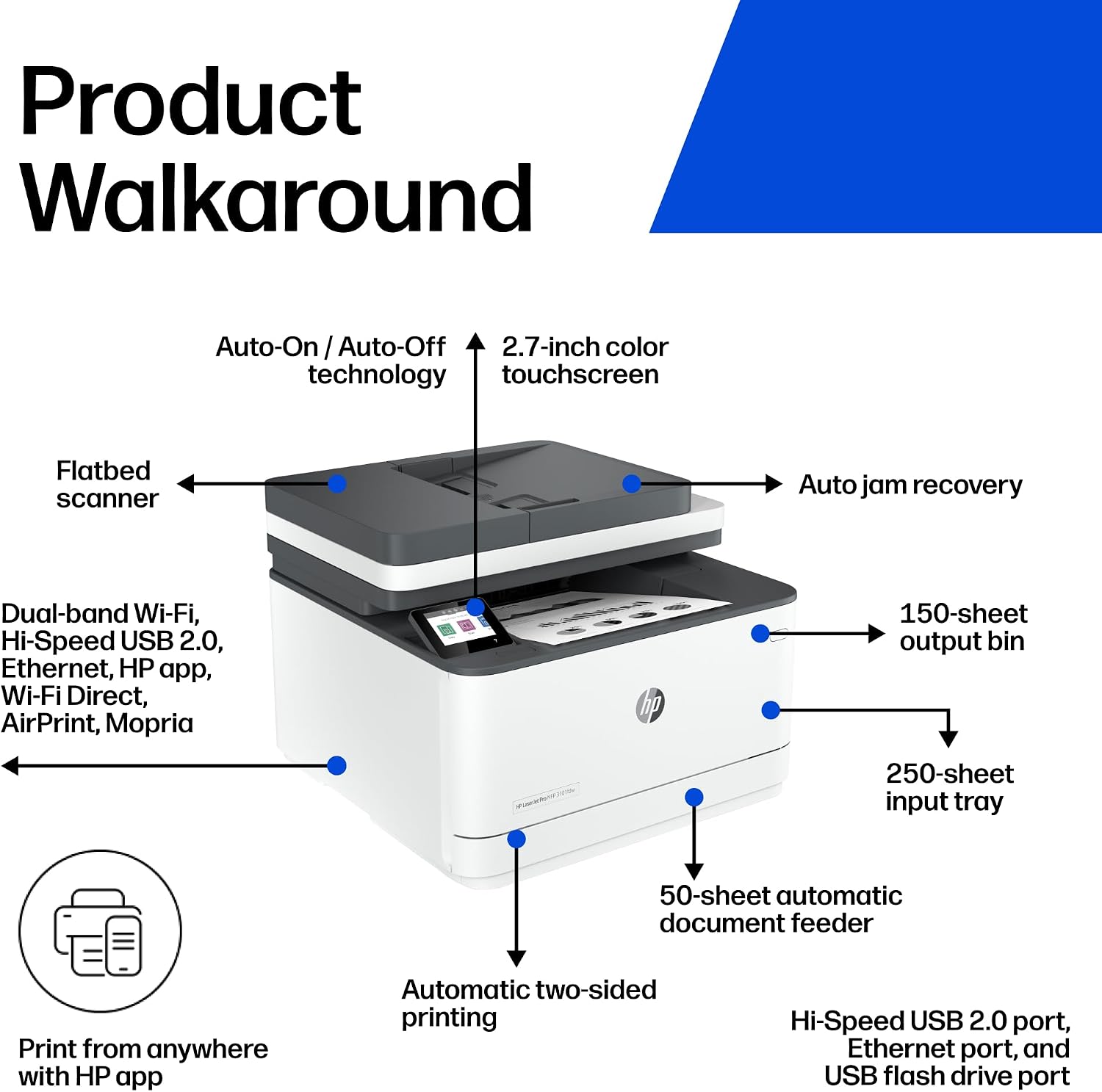
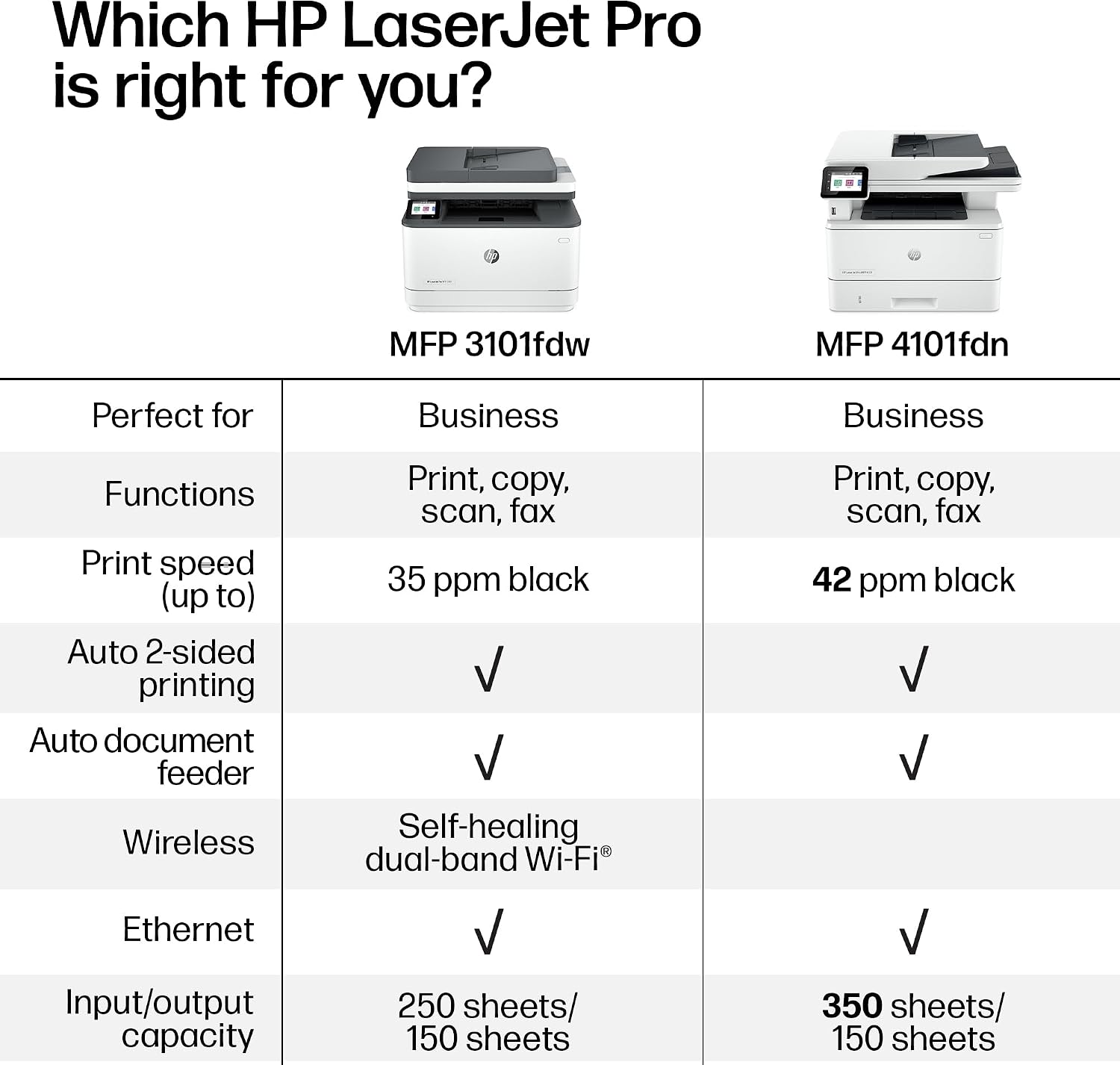
Simple shortcuts are intended to let employees complete familiar tasks with a touch, while print management can be centralized for the business. The supplied details don’t include print speed, paper capacity or connectivity information, so those needs deserve a closer look before choosing.
Getting the most from it
This is aimed at a shared work setting rather than a printer for one person’s occasional documents. For example, a team member could send a multi-page document to print on both sides, then use the printer for a scan without switching to separate equipment. Shortcuts may also help when several people repeat the same everyday tasks, though the exact shortcut options aren’t specified.
It suits you if your team needs printing and scanning in one device and would make regular use of automatic two-sided printing. If you’re comparing it with a more basic printer, the extra workflow features may matter most when several people share it. The central management feature is presented for enterprise use, but the available information doesn’t explain how it is set up or what controls it includes.
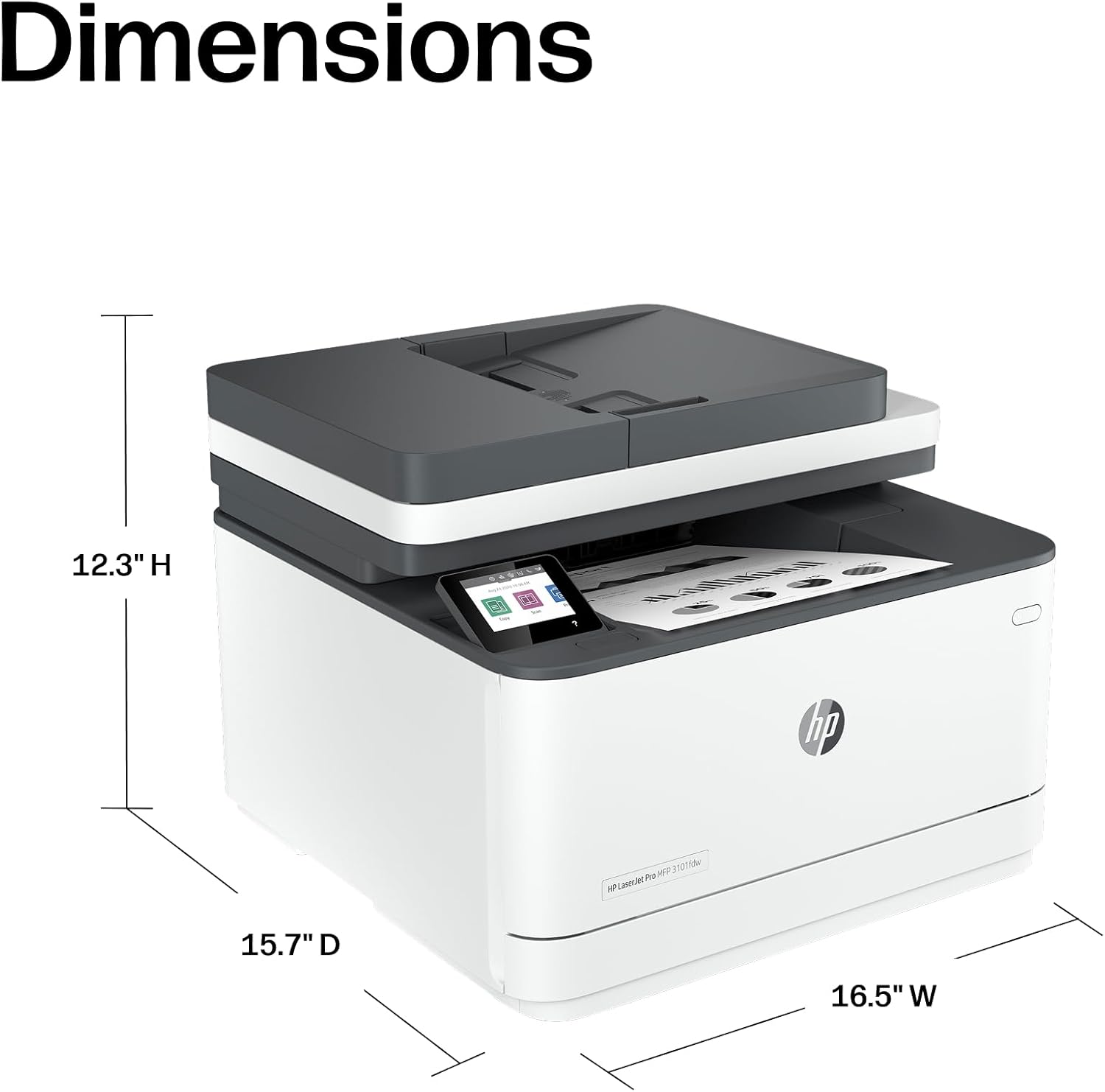
Usage tips
Set up the shortcuts around the tasks your employees actually repeat, rather than adding steps for occasional jobs. Automatic two-sided printing is useful for documents where printing on both sides is appropriate, for one-sided forms or pages that must remain separate, check the print settings before sending a batch. In a shared office, agree on simple naming or collection habits so finished pages are easier to identify.
The printer is described for teams of up to 7 users, which gives a useful sense of its intended scale. If your office has heavier or more specialized demands, the supplied details don’t establish whether its speed, paper handling or management tools will be sufficient. Those are practical differences to weigh against a simpler device focused mainly on basic printing.

Purchase questions
How many users is it designed for? It is described as suitable for small workgroups of up to 7 users. That is an intended team size, not a stated print-volume rating.
Can it scan as well as print? Yes. Printing and scanning are both listed, along with automatic two-sided printing. The description does not specify scan speed or scan destinations.
Does it include shortcuts for routine tasks? Yes, simple shortcuts are described as a way to complete common tasks with a touch. The specific tasks and customization options aren’t provided.
Before you buy it
The appeal here is shared-office convenience: print, scan, use automatic two-sided printing and streamline repeated tasks from a single device. Given its design, it’s a sensible match when those functions answer a real team need, not just because the printer supports several people. It may not suit you if your decision depends on confirmed speed, paper capacity, connectivity or detailed management controls, since those specifications aren’t included. Check those requirements against the full product details before settling on this model.