


CORSAIR PC Case 2500X
Product description
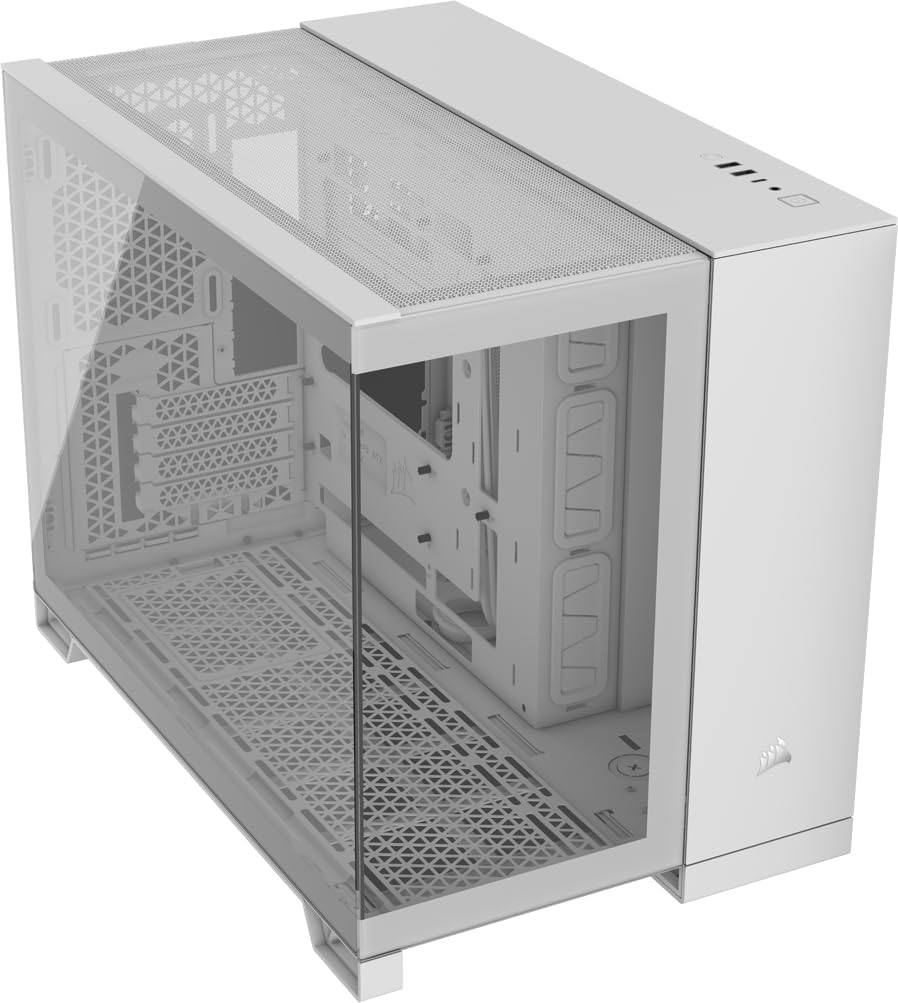
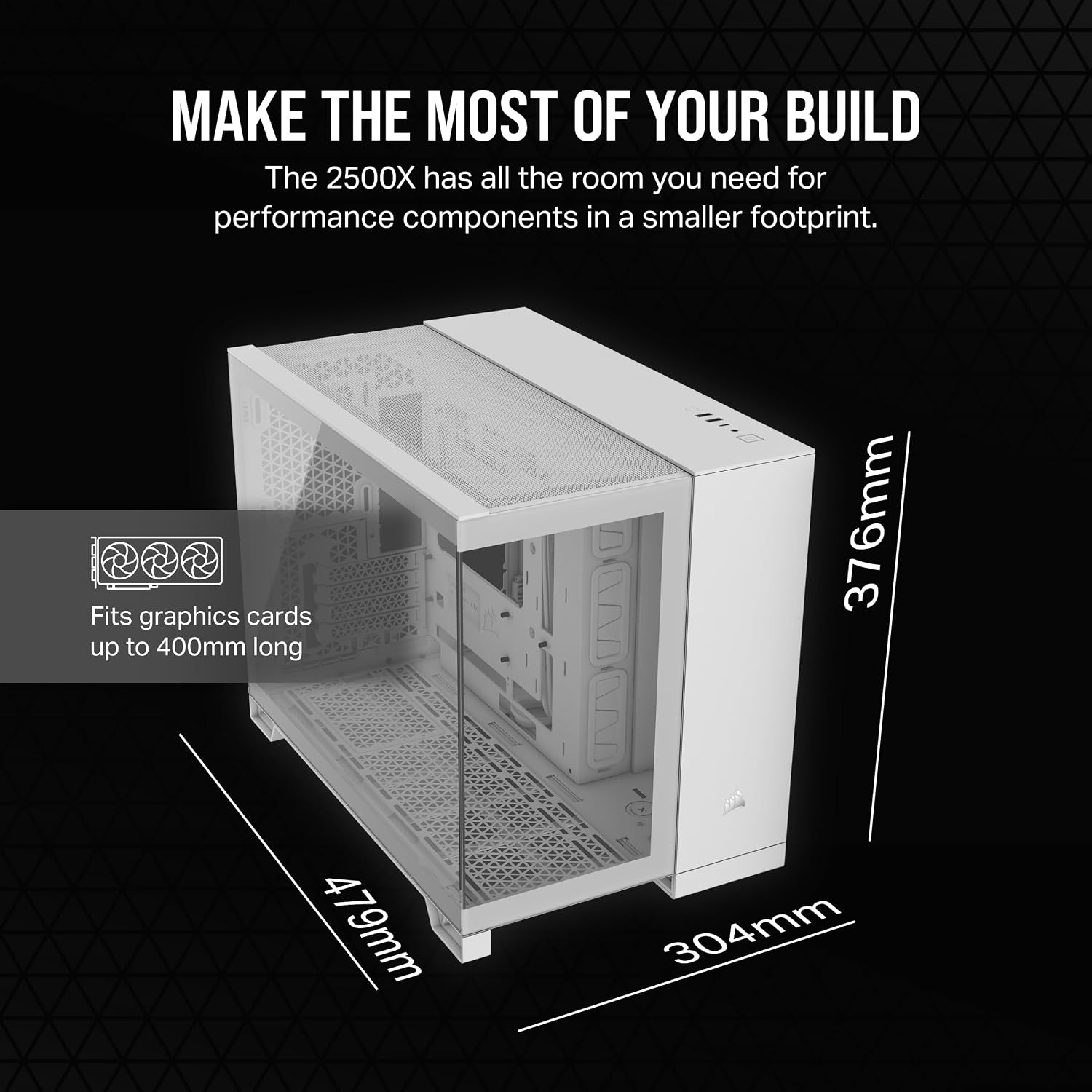
For a compact PC build that you want to put on display, the CORSAIR 2500X pairs wraparound tempered-glass front and side panels with a dual-chamber layout.
It gives components a visible showcase while moving cable routing, drive storage and the power supply into a separate chamber.
One practical detail to plan around: fans are not included, so cooling components need to be chosen separately.
Key specifications
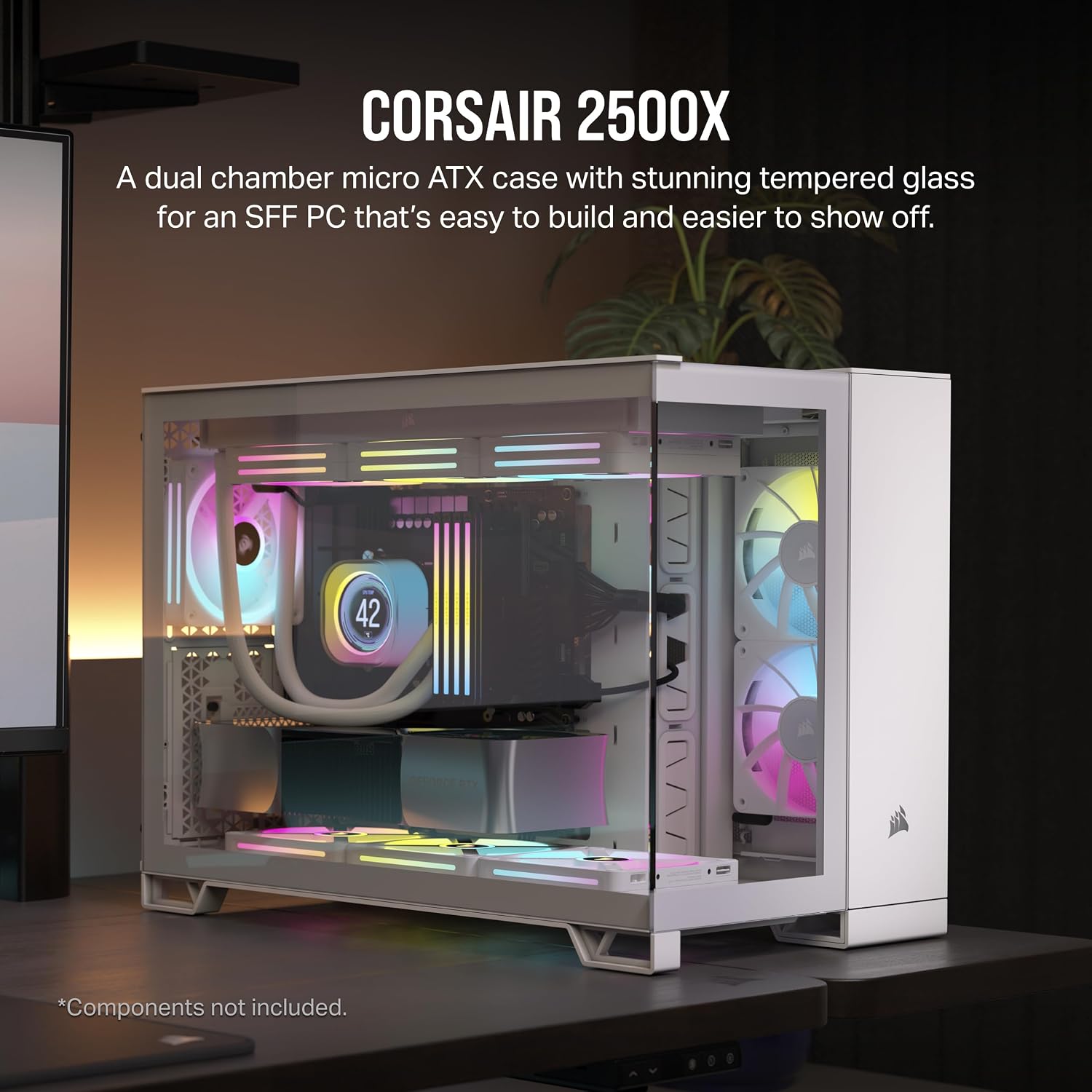
The 2500X is an mATX PC case with a two-chamber design. The main chamber is arranged for components and cooling, while the second provides space for cables, drives and the PSU. Keeping those connections out of the main view can make a finished build look less cluttered through the glass.
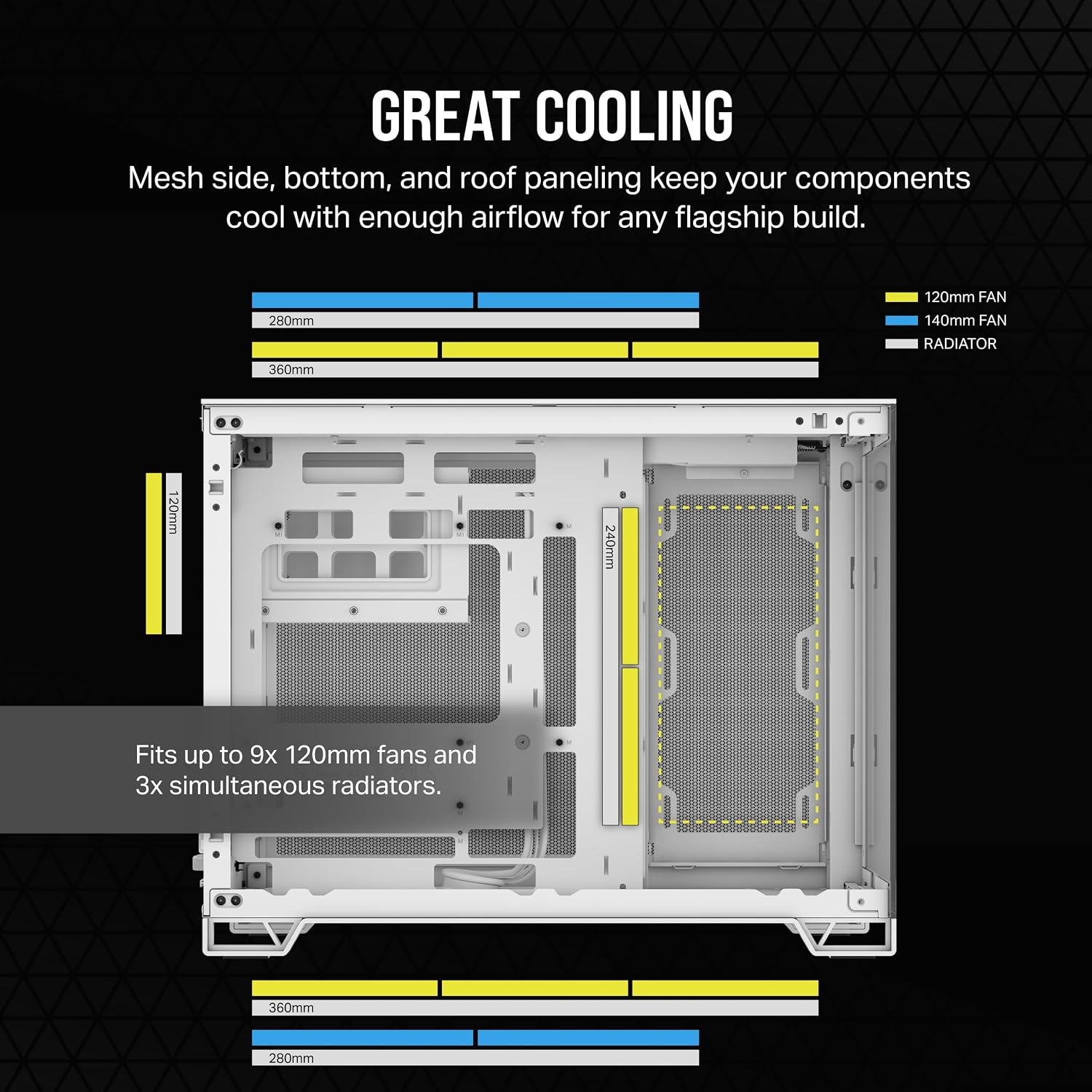
Cooling support is broad for a case of this format: it accommodates up to 9x 120mm or 4x 140mm fans. Radiator positions include support for up to 360mm in the roof and bottom, plus 240mm on the side. Those options let you plan around different cooling layouts, but the case itself does not supply fans.
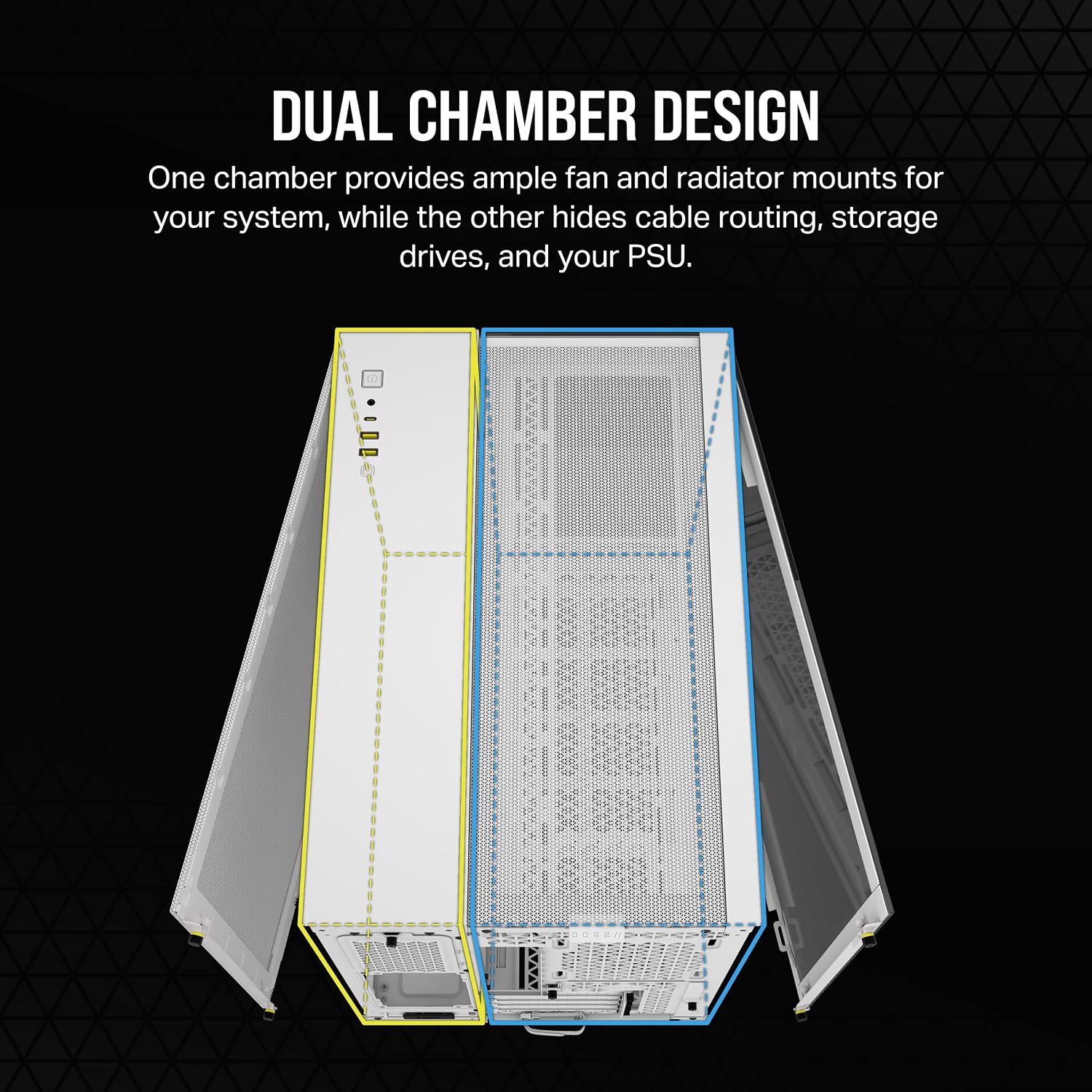
It is also validated for reverse-connection motherboards, including ASUS BTF and MSI Project Zero models. With compatible boards, the connectors sit at the back rather than interrupting the view with cables across the visible side. That compatibility is useful to know before choosing components, it does not mean every motherboard has rear connections.
Who it’s for
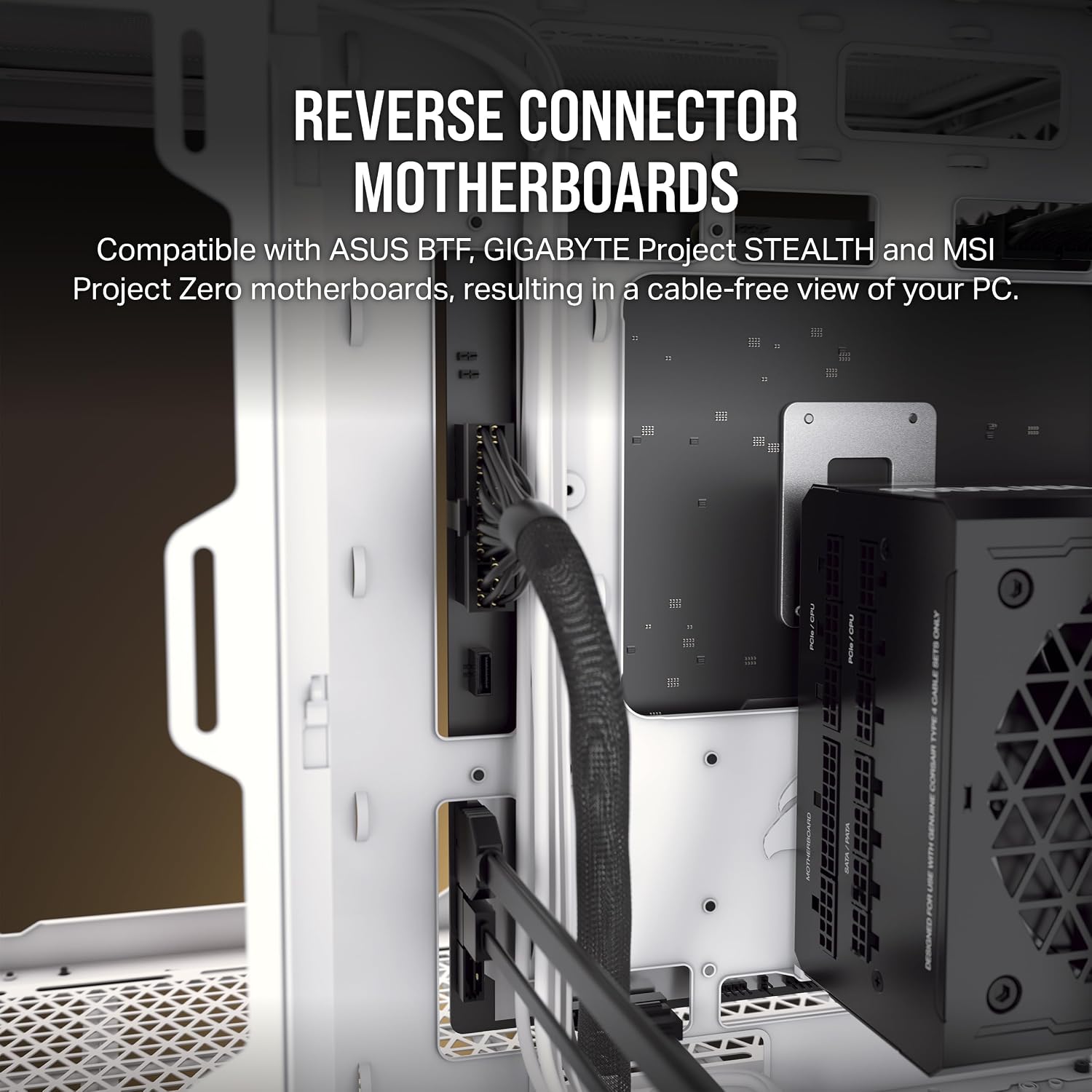
It suits you if you are building an mATX system and care about the appearance of the finished PC as much as the parts inside. Picture a build on a desk: the glass shows the components, while the separate chamber keeps much of the cable work out of sight. The multiple fan and radiator mounting positions also give you room to plan a cooling setup instead of relying on a basic, fixed layout.
By design, the 2500X puts presentation and flexible cooling at the centre. Compared with a more straightforward case chosen mainly to house components, its glass panels and cable-concealing layout make more sense when the build will be visible. It may not be the best choice if you want a ready-to-use cooling setup in the box, since fans are not included, or if you have no interest in showcasing the interior.
Everyday use
During a build, the two chambers offer a practical division of tasks: install the PSU and organize cables away from the visible components, then arrange the cooling hardware in the main chamber. That separation can help keep the view through the front and side panels tidy, though it still takes some planning to route and arrange the wiring.
The case is most compelling when you will make use of its appearance or cooling options. If you only need a place to install an mATX system and would rather avoid selecting fans separately, a simpler case with cooling hardware already included may suit your priorities better.
Before you decide
Are fans included? No. The product listing specifies that fans are not included, so plan to source them separately.
What radiator positions are listed? The roof and bottom support radiators up to 360mm, while the side supports 240mm.
Does it support reverse-connection motherboards? It is validated for ASUS BTF and MSI Project Zero motherboards with connections on the back of the board. Check that your chosen motherboard is one of these compatible designs.
Final verdict
The CORSAIR 2500X is a considered fit for an mATX build where visible components, cleaner cable presentation and a choice of cooling positions matter. Its dual chambers and wraparound glass serve that purpose directly. The trade-off is straightforward: fans are not provided, and the case’s display-focused features are less useful if appearance is not part of your decision. Choose it when you want to plan a showcase build, look elsewhere if you expect cooling hardware to come with the case.