

TP-Link Deco S4 Whole Home Mesh WiFi System (Deco S4 2-Pack) — AC1900, up to 3,800 sq. ft. coverage
Product description
If your current Wi‑Fi works “most of the time” but falls apart in certain rooms, the Deco S4 is built to solve that kind of frustration. Instead of relying on one router and hoping signal reaches everywhere, this whole home mesh system uses two Deco units to create a single Wi‑Fi network across your space.
The bigger question is whether you’ll benefit from mesh in your actual layout—because mesh helps most when you have dead zones or inconsistent speeds from one corner to another. Over the paper, the Deco S4 aims for more consistent coverage, smoother roaming, and practical parental controls, with an easy app setup.
What it is and what problem it’s meant to fix
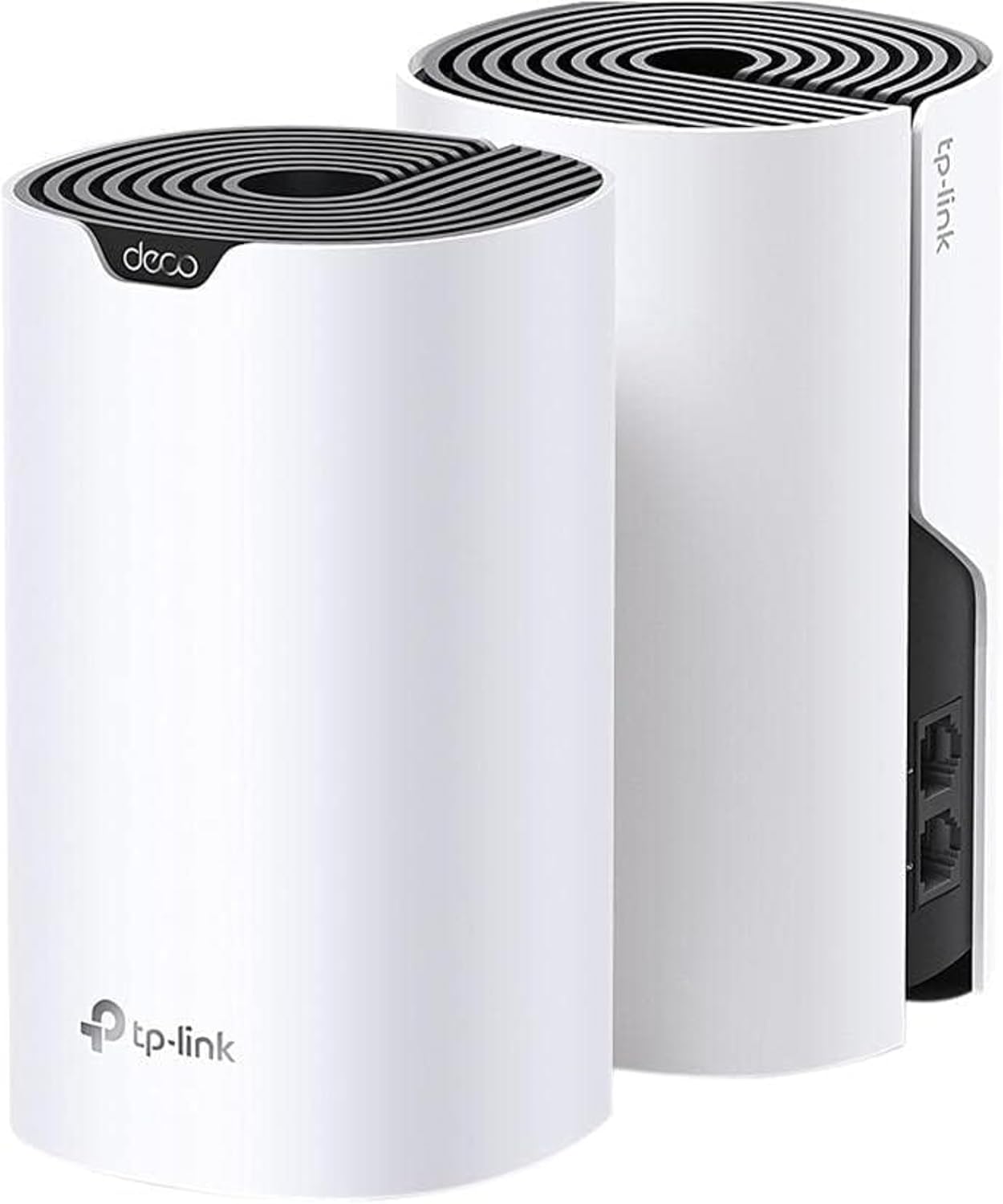
The TP-Link Deco S4 is a mesh WiFi system designed to cover whole homes with fewer dead zones. A 2‑pack works together to form a unified network, so your devices can automatically switch between Deco units as you move around.
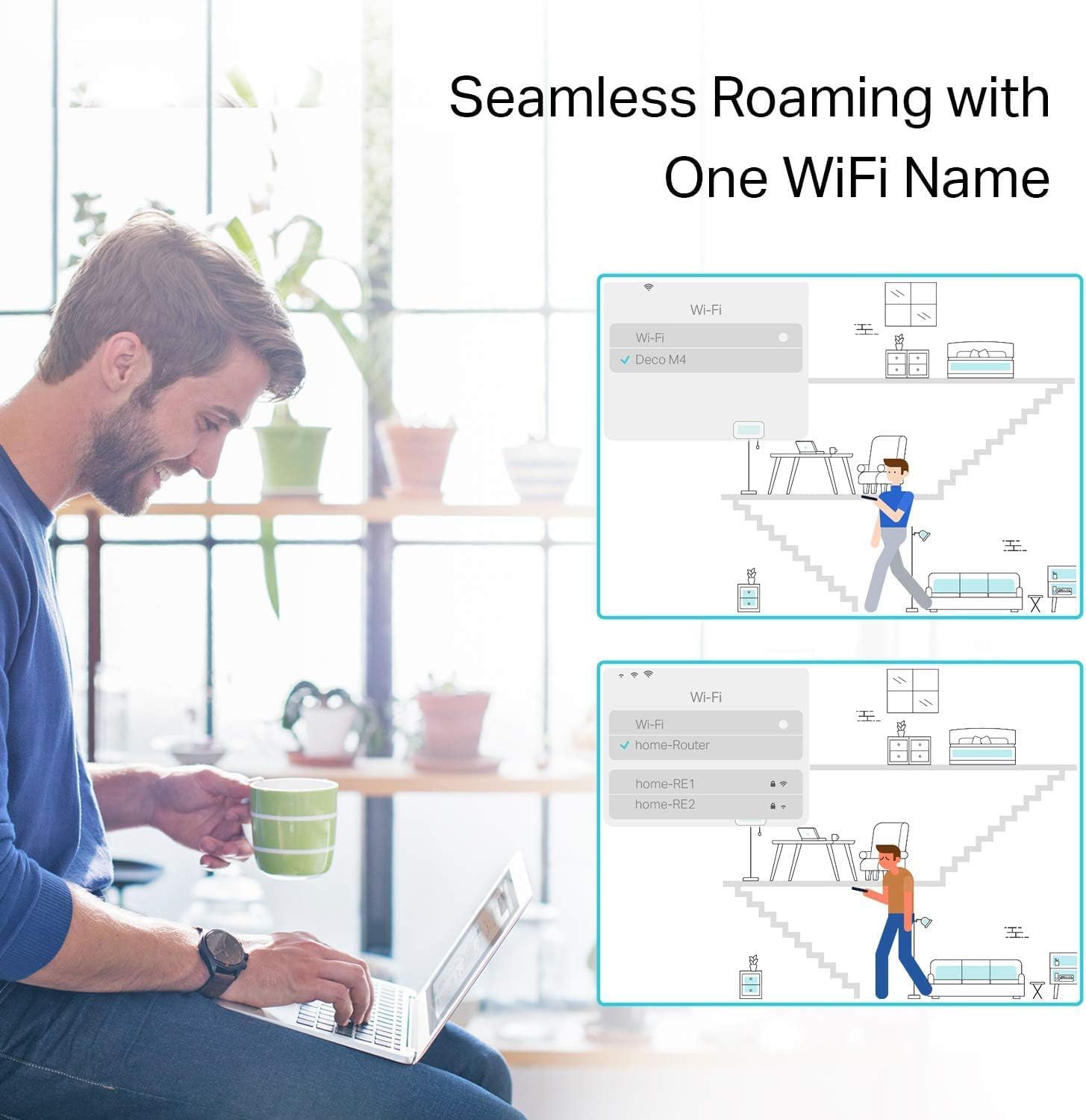
That matters if you’ve ever streamed in one room, walked toward another, and watched the connection stumble—mesh is meant to keep you from manually reconnecting to a different extender network and password. It’s also positioned as an alternative to traditional range extenders, which often require multiple network names and can feel less seamless.
Key points about coverage, roaming, and device support
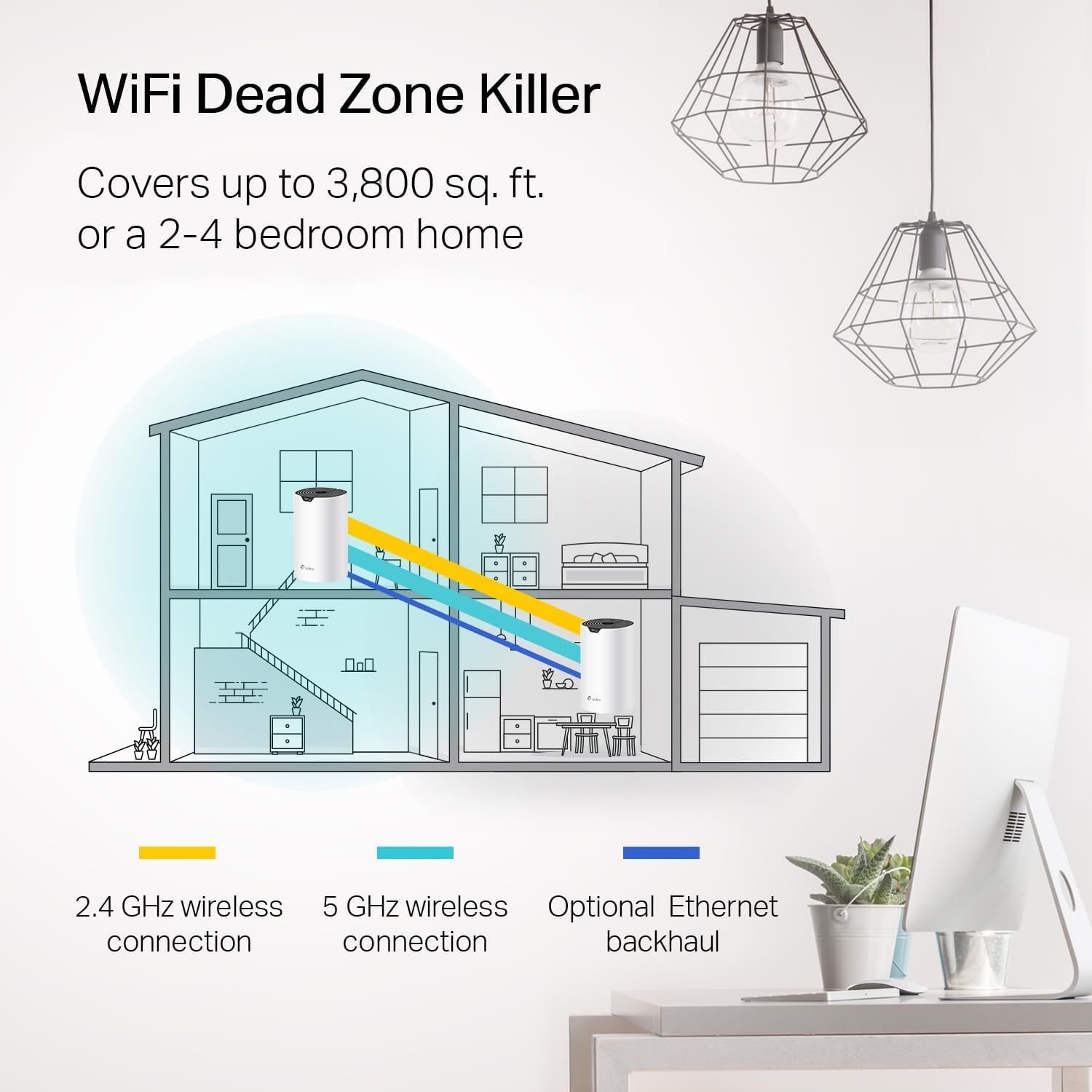
TP-Link rates the Deco S4 2‑pack for up to 3,800 sq. ft. of coverage, and it’s built around AC1900 WiFi (with “3×3 6Stream” mentioned in the product details). The idea is straightforward: distribute coverage across multiple units so you get a stronger signal where you actually use your devices.
On the roaming side, Deco Mesh technology is described as enabling seamless and stable mesh connectivity with a single network name and password. So instead of juggling two or three Wi‑Fi names, your phone or laptop stays on one network and just hands off to the best Deco as you walk through the house.
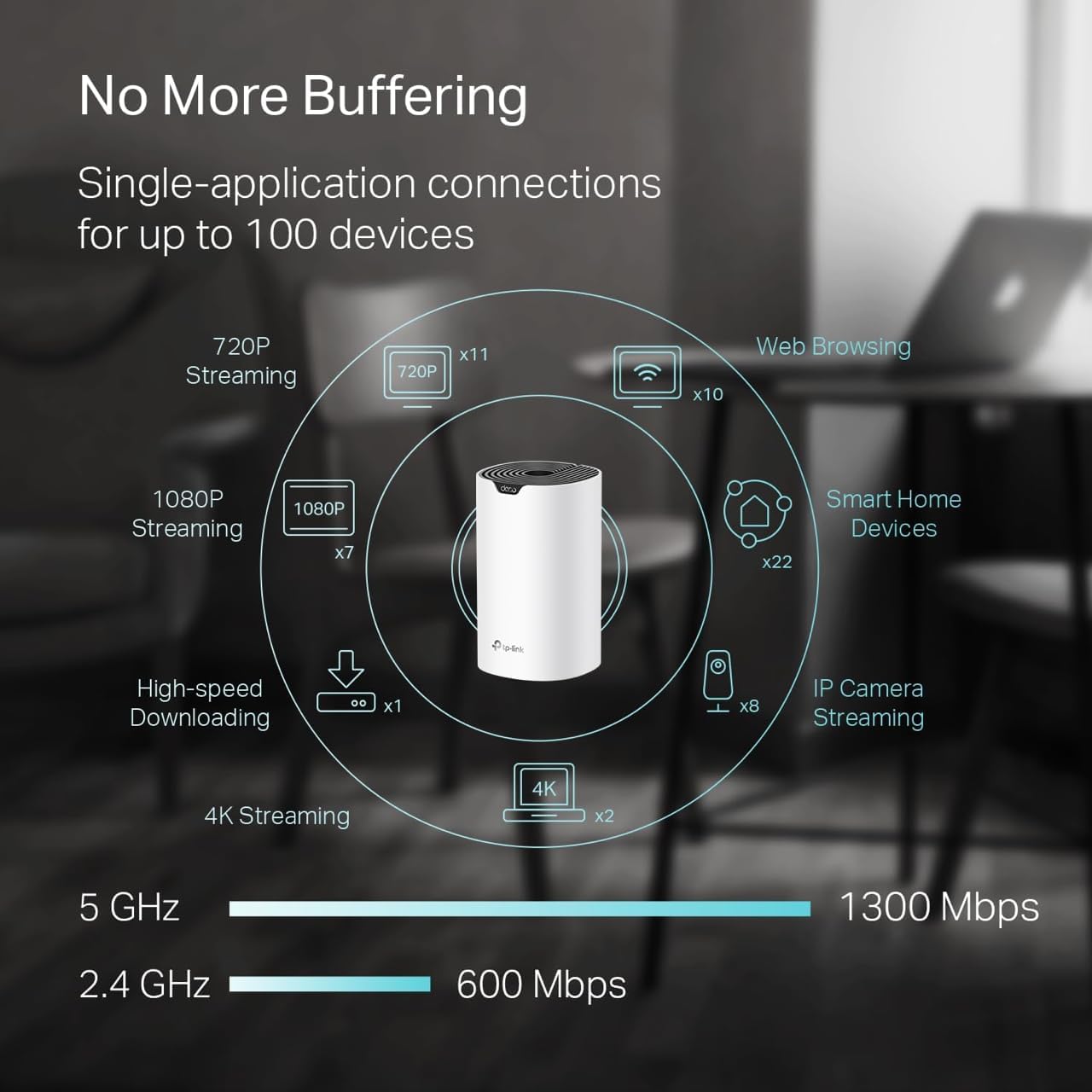
One more practical detail: it’s designed to support up to 75 devices (as stated). That doesn’t mean you’ll always hit the ceiling—real-world performance depends on what those devices are doing—but it gives you room for the typical mix of phones, laptops, streaming, smart home gear, and more.
What you’ll notice day to day: controls and setup
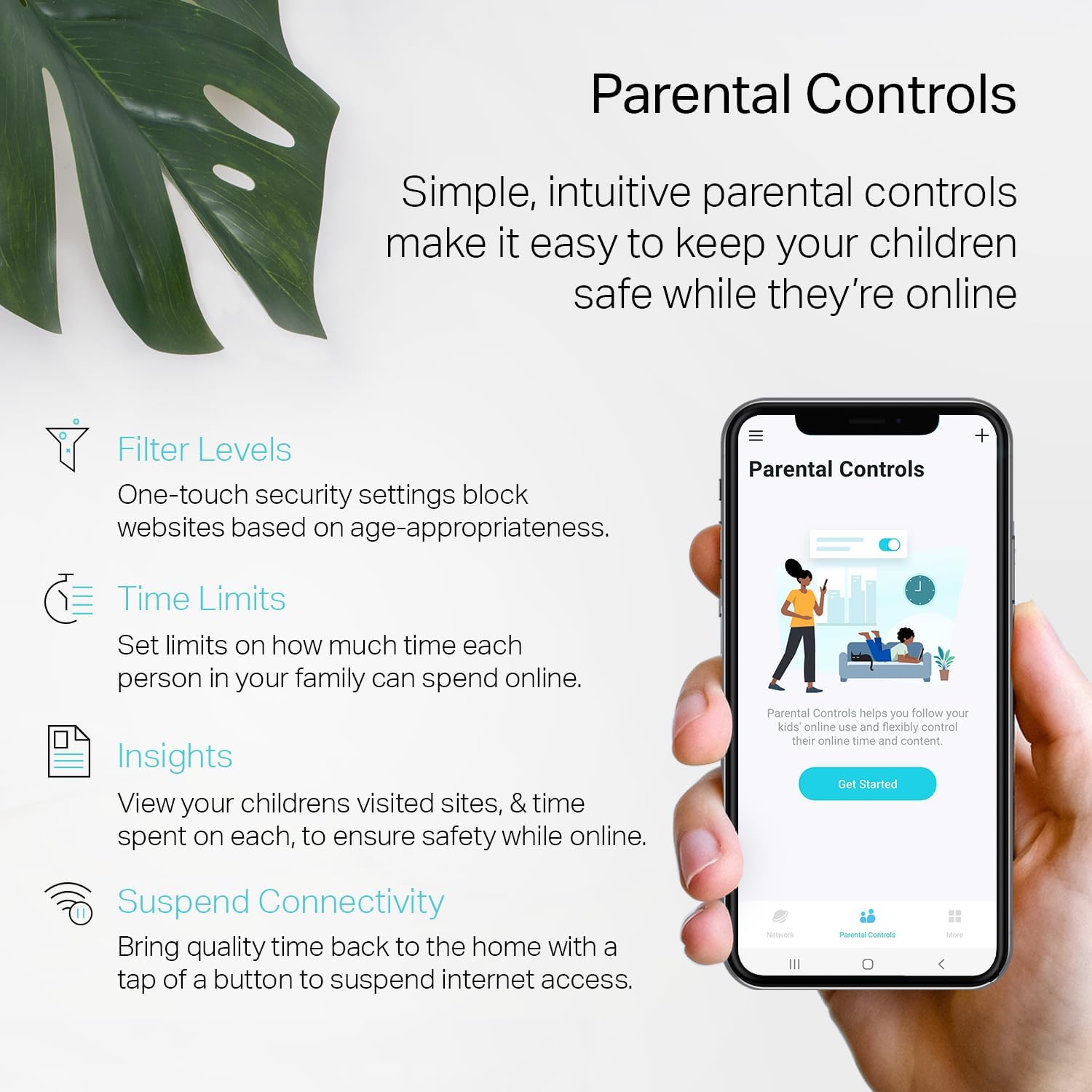
Where this system gets a lot of everyday usefulness is parental controls. The product details call out the ability to limit online time and block inappropriate websites using unique profiles for each family member. If you’ve ever tried to manage screen time the “hard way,” having profiles you can adjust through the app can be the difference between theory and actually keeping kids on track.
Setup is described as a breeze using the Deco app on Android or iOS. There’s also an Alexa voice command option to turn guest Wi‑Fi on or off, which is handy if guests come and go.
It’s not perfect, though. Parental controls and guest features are great, but if your real priority is maximum gaming-grade performance or extreme throughput for heavy use, you may find this stays more in the practical/whole-home category than a “push-the-limits” option.
Ports and backhaul options (and why it can matter)
Each Deco S4 unit includes 2 Gigabit Ethernet ports, so you get 4 in total with the 2‑pack. The product also mentions support for wired Ethernet backhaul, which can help improve speeds when you can connect the units with Ethernet.
Also, one of the units can work as a Wi‑Fi router—useful if you’re setting up in a straightforward way and want flexibility in how you place things.
If you can’t run Ethernet between locations, mesh still works, but wired backhaul is one of those “if you can, you should” features. It’s a real lever for better performance, and the lack of it can be a limiting factor depending on your home.
Who it suits best (and who should think twice)
It suits you if you want a single-network, whole-home experience without the pain of multiple extender SSIDs and passwords. It’s a solid match when your home has areas that reliably lag—like bedrooms far from the router, basements, or rooms separated by thick walls.
It might not suit you as well if your home is tiny and you’re trying to cover a very small distance. In those cases, you might not need multiple units. Also, if you’re expecting the absolute fastest possible performance regardless of environment, this AC1900-class setup may feel like it’s staying in a comfortable middle lane.
Tech specs
- Type: Whole home mesh WiFi system (2‑pack)
- Coverage: Up to 3,800 sq. ft.
- WiFi class/speed: AC1900 (3×3 6Stream)
- Device support: Up to 75 devices
- Ethernet ports: 2 Gigabit Ethernet ports per unit (4 total for 2‑pack)
- Parental controls: Limit online time and block inappropriate websites via profiles
- Backhaul: Supports wired Ethernet backhaul
- Network behavior: Single network name and password with seamless roaming
- Setup: Deco app for Android or iOS
- Voice control: Guest Wi‑Fi on/off with Alexa voice commands
- Internet service provider support: Works with major ISP types mentioned, a modem is required for most ISPs
In practice: a simple setup scenario
Imagine you set up the first Deco near your modem and internet connection, then place the second Deco in a hallway or living area roughly halfway to the rooms that usually struggle—like a home office at the far end.
After setup in the Deco app, both units share one network name and password. As you move from room to room—say, from the living room to the bedroom—your devices can switch to the best signal automatically. It’s not a perfect guarantee of “no slow moments” in every home, but the goal is to reduce those dead-zone dropouts that usually force manual reconnects.

Should you buy it?
Buy the TP-Link Deco S4 2‑pack if you want whole-home mesh coverage (up to 3,800 sq. ft. as stated), easier roaming with a single network name, and parental controls you can actually manage per profile. It’s especially compelling if your current Wi‑Fi creates dead spots or inconsistent performance and you want a more seamless experience than traditional extenders.
You may want to skip it if your home doesn’t really need multiple coverage points, or if you can’t take advantage of wired Ethernet backhaul and your layout is unusually challenging. Also, if your expectations are purely about extracting maximum performance for the most demanding workloads, it may feel more like a practical, family-and-coverage solution than a “top-tier speed” gamble.
Mini FAQ
Does it require a modem?
The product notes that a modem is required for most internet service providers, so you’ll typically connect the Deco system to your modem.
Will it work with different ISPs?
It states compatibility with major ISPs (the list includes providers like AT&T, Verizon, Xfinity, Spectrum, and others), so it’s aimed at being broadly usable as long as you have the right modem setup.
Does it use one Wi‑Fi name or multiple?
Deco S4 is described as using a single network name and password, with devices switching between Deco units as you move.
Can I control guest Wi‑Fi with voice?
Yes—guest Wi‑Fi can be turned on or off with Alexa voice commands (as mentioned in the product details).