

TP-Link Deco 7 Elite BE85 Tri-Band WiFi 7 Mesh System (2-Pack)
Product description
What it is and what problem it solves
The TP-Link Deco 7 Elite BE85 is a two-pack mesh WiFi 7 system designed to cover large homes with a single, unified network. It targets households that see buffering, dead zones, or a growing number of devices across multiple rooms. By leveraging WiFi 7 technology and a tri-band setup, the system aims to deliver faster, more reliable wireless connections while supporting wired backhaul for even greater stability.
Core performance on paper
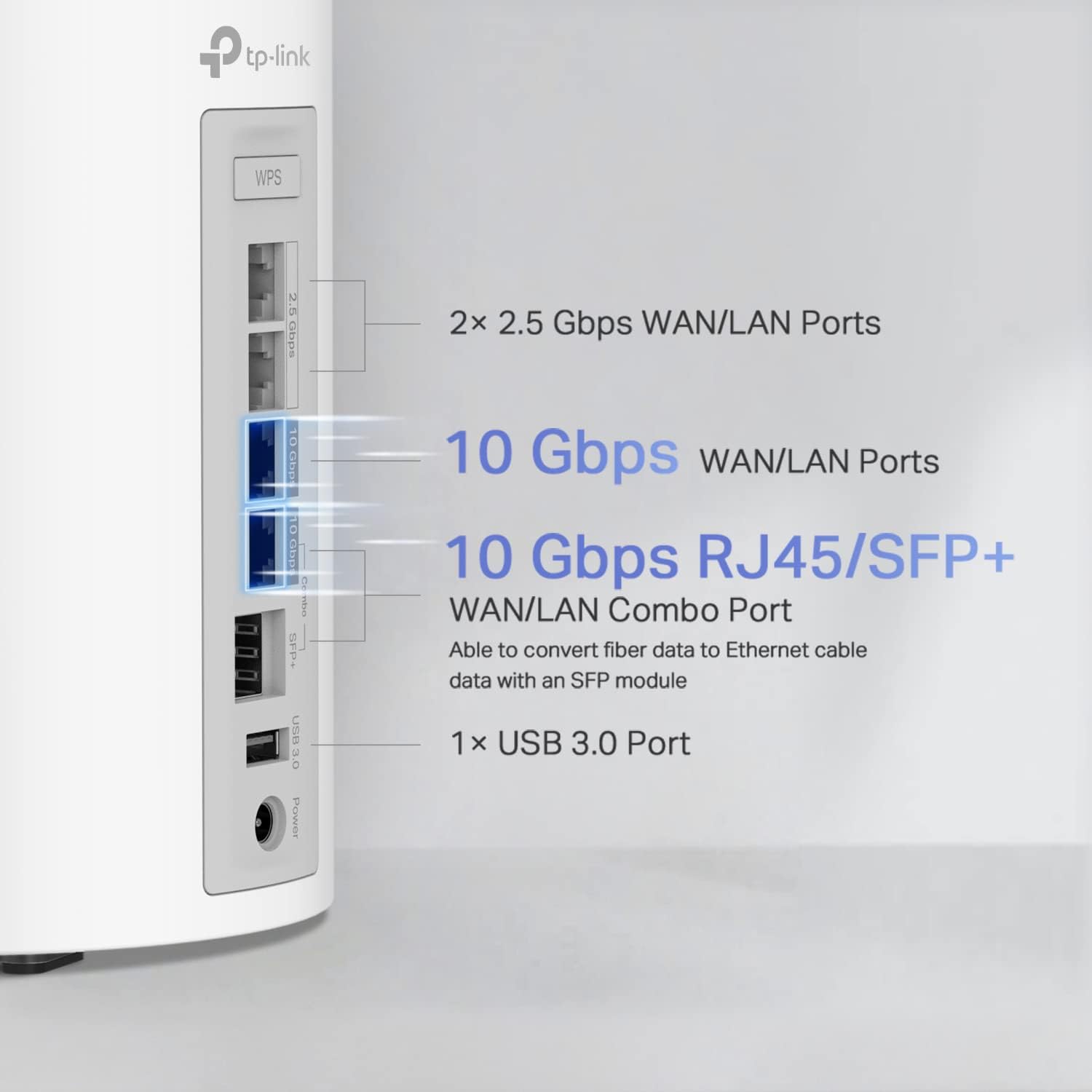
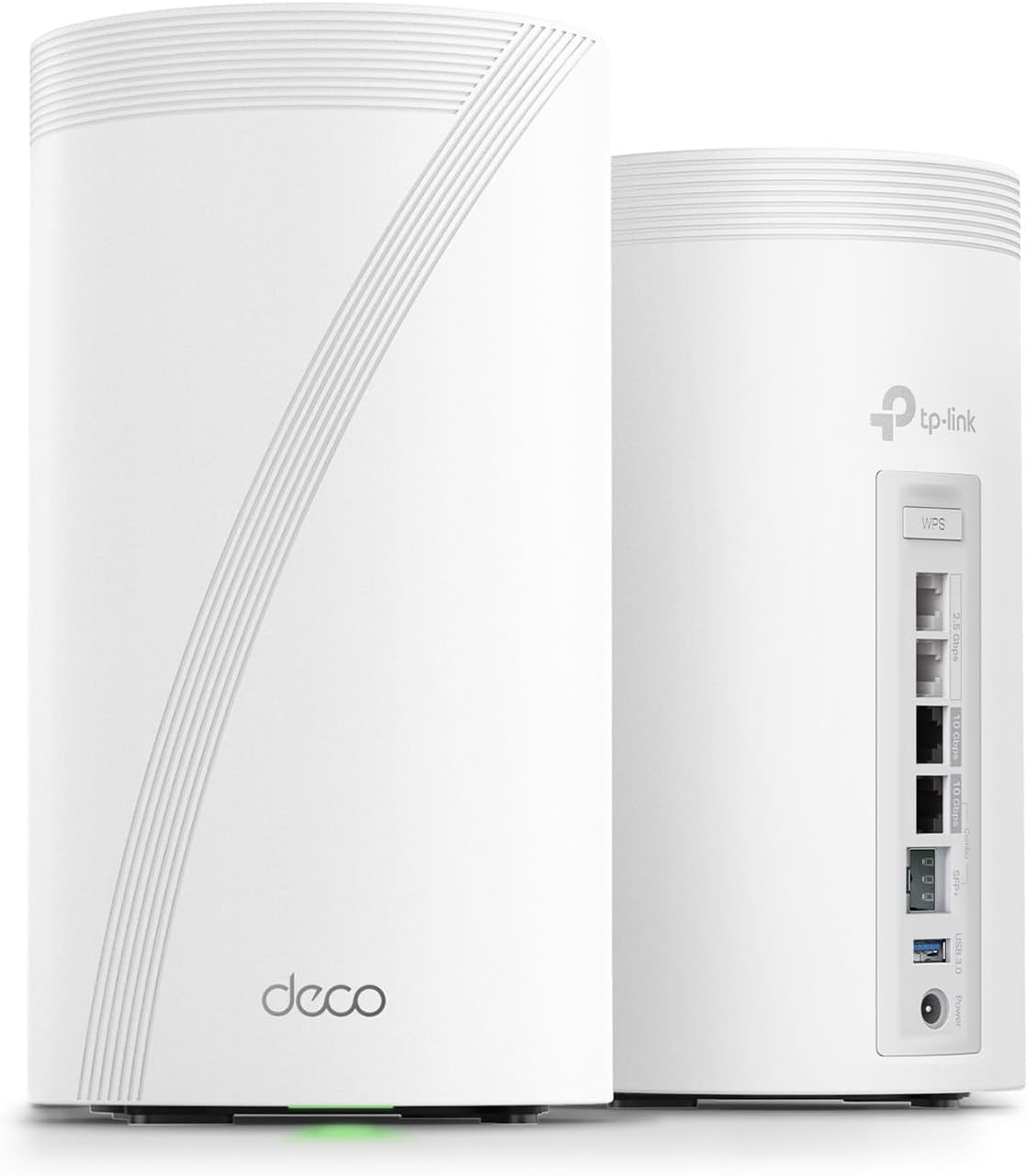
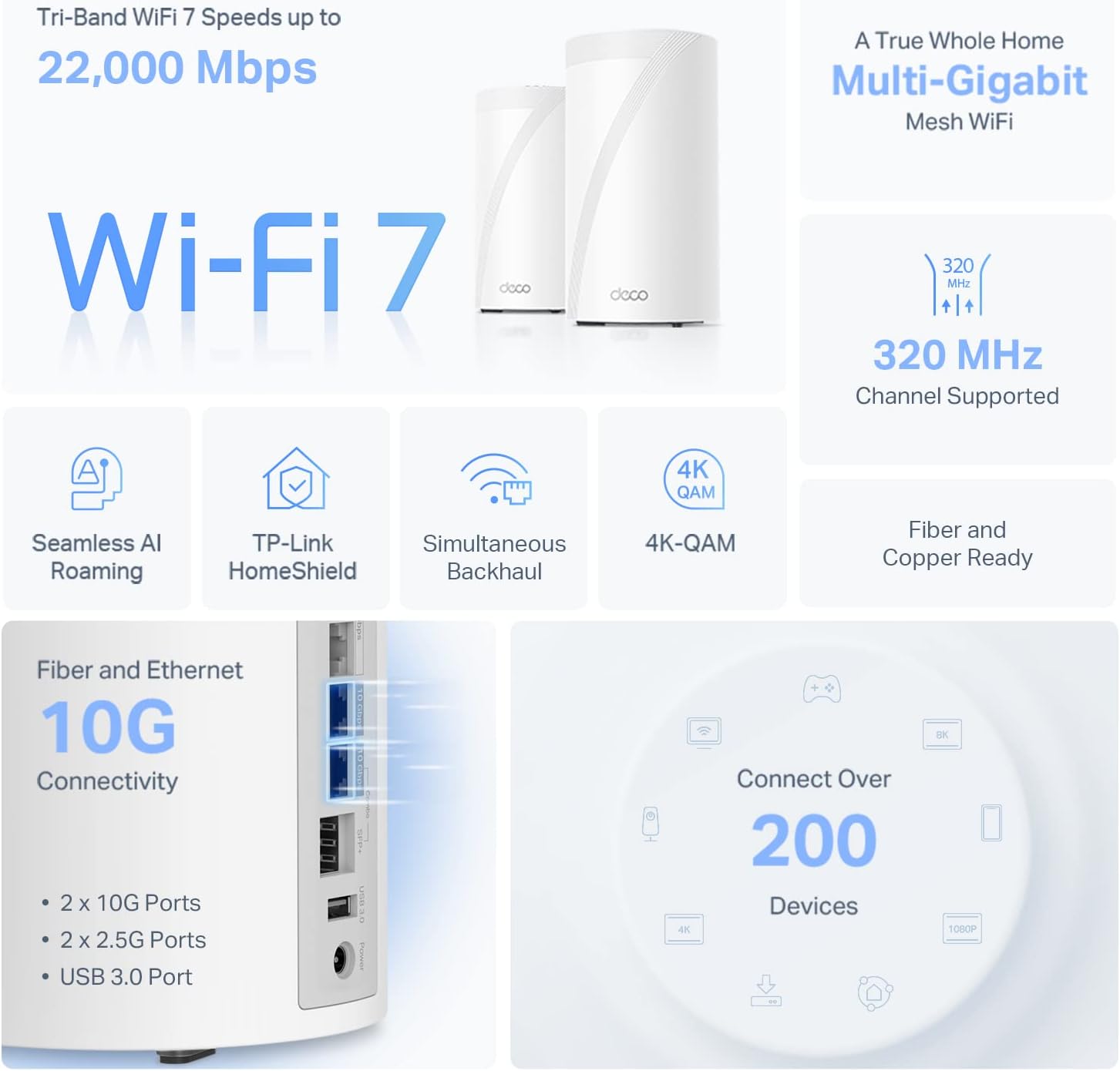
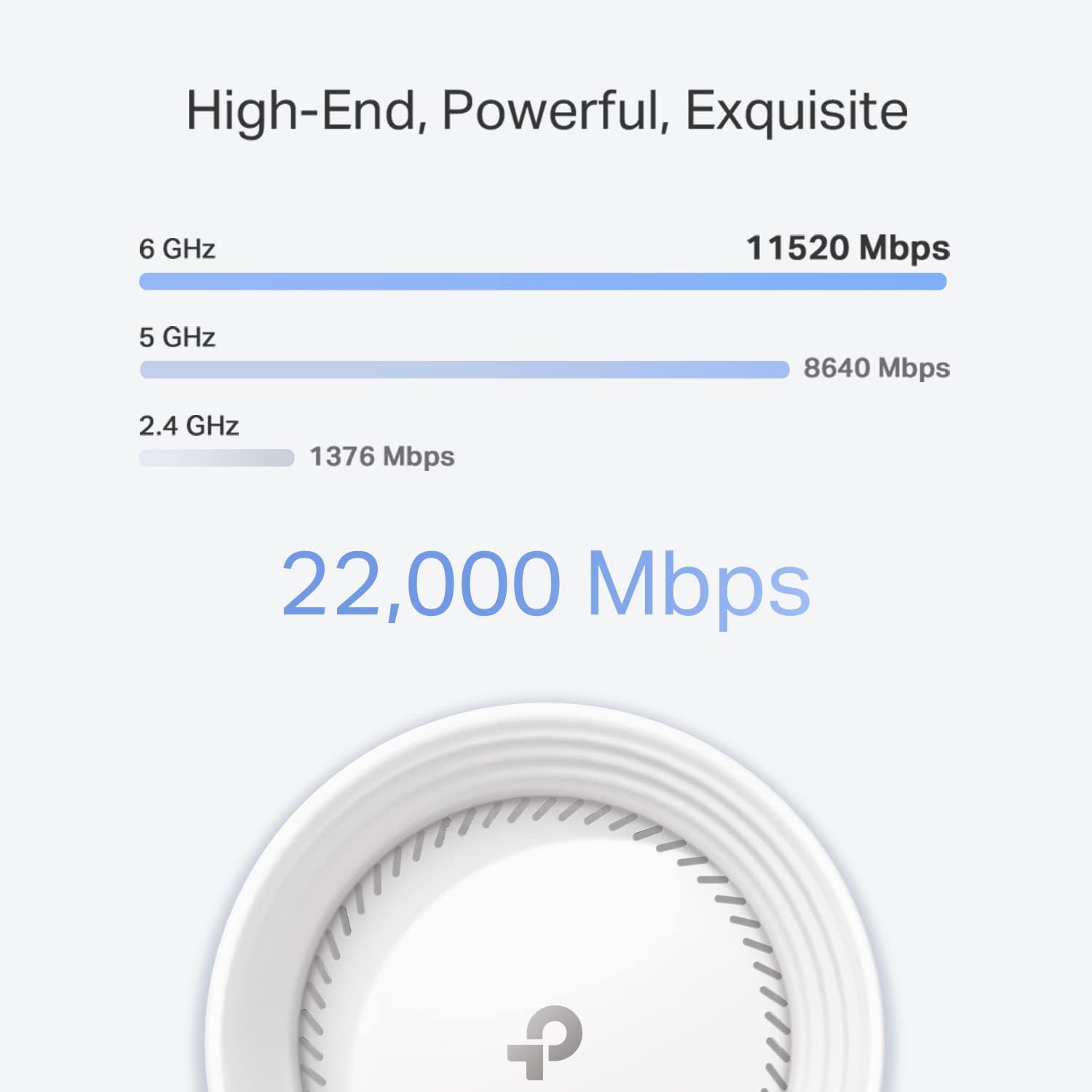
On paper, the Deco 7 Elite BE85 offers three bands with substantial theoretical speeds: a 6GHz band at up to 11520 Mbps, a 5GHz band at up to 8640 Mbps, and a 2.4GHz band at up to 1376 Mbps. The system is designed to handle more than 200 devices without significant slowdowns, using Multi-Link Operation and 320 MHz channel support. The two included 10G WAN/LAN ports (one RJ45 and one SFPplus Fiber/RJ45 combo) plus two additional 2.5G ports and a USB 3.0 port add flexibility for future-proofing and wired connections.
How it connects and what that means in practice
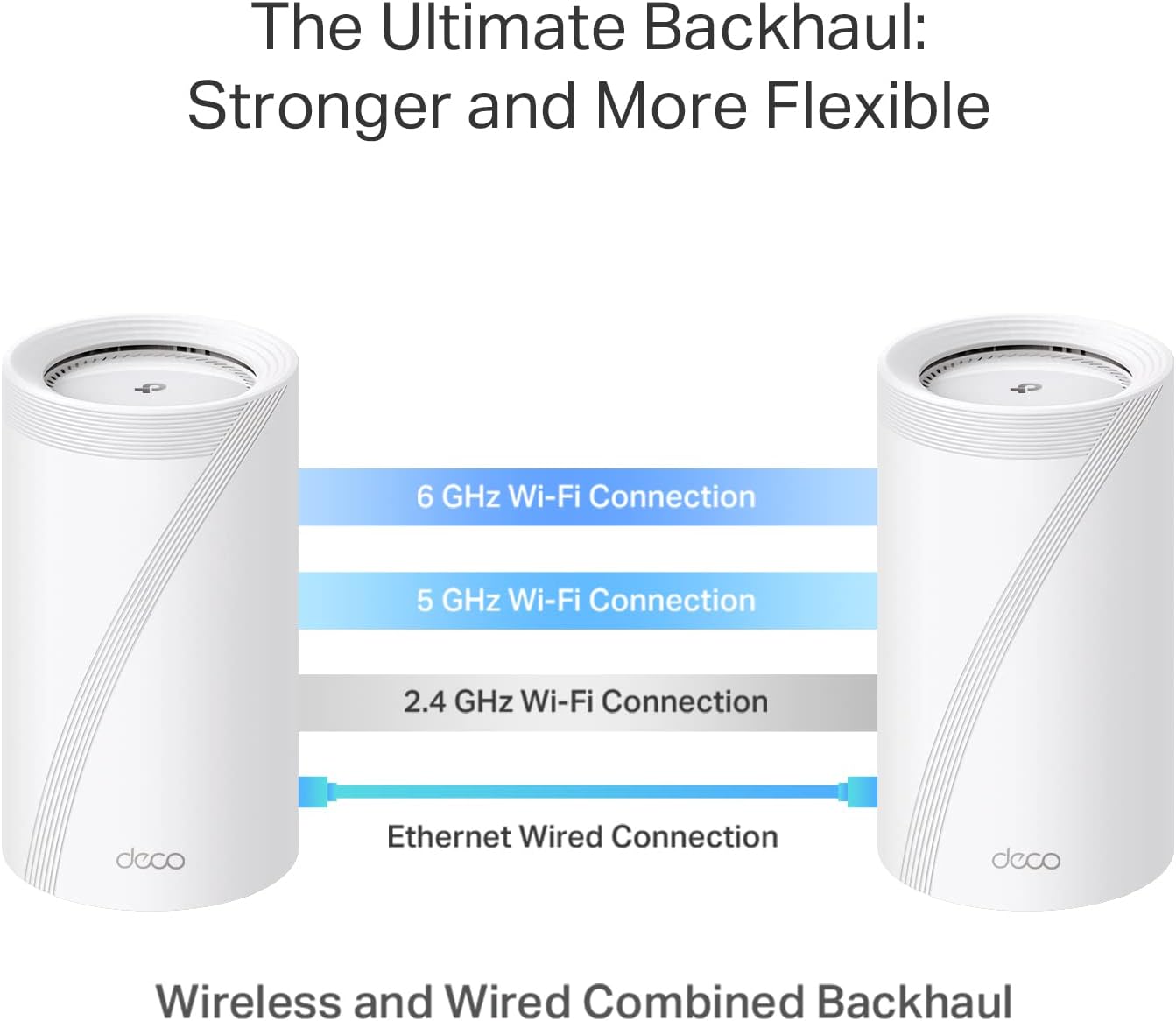
The Deco BE85 supports simultaneous wireless and wired backhaul, which means you can run some nodes wirelessly while others connect via Ethernet or fiber. In practical terms, this can translate to stronger coverage in hard-to-reach areas without sacrificing throughput in rooms closer to the main unit. The presence of two 10G ports is a forward-looking feature for fiber or copper-based internet plans, while the extra 2.5G ports offer additional throughput for devices that crave speed.
AI-driven roaming and network management
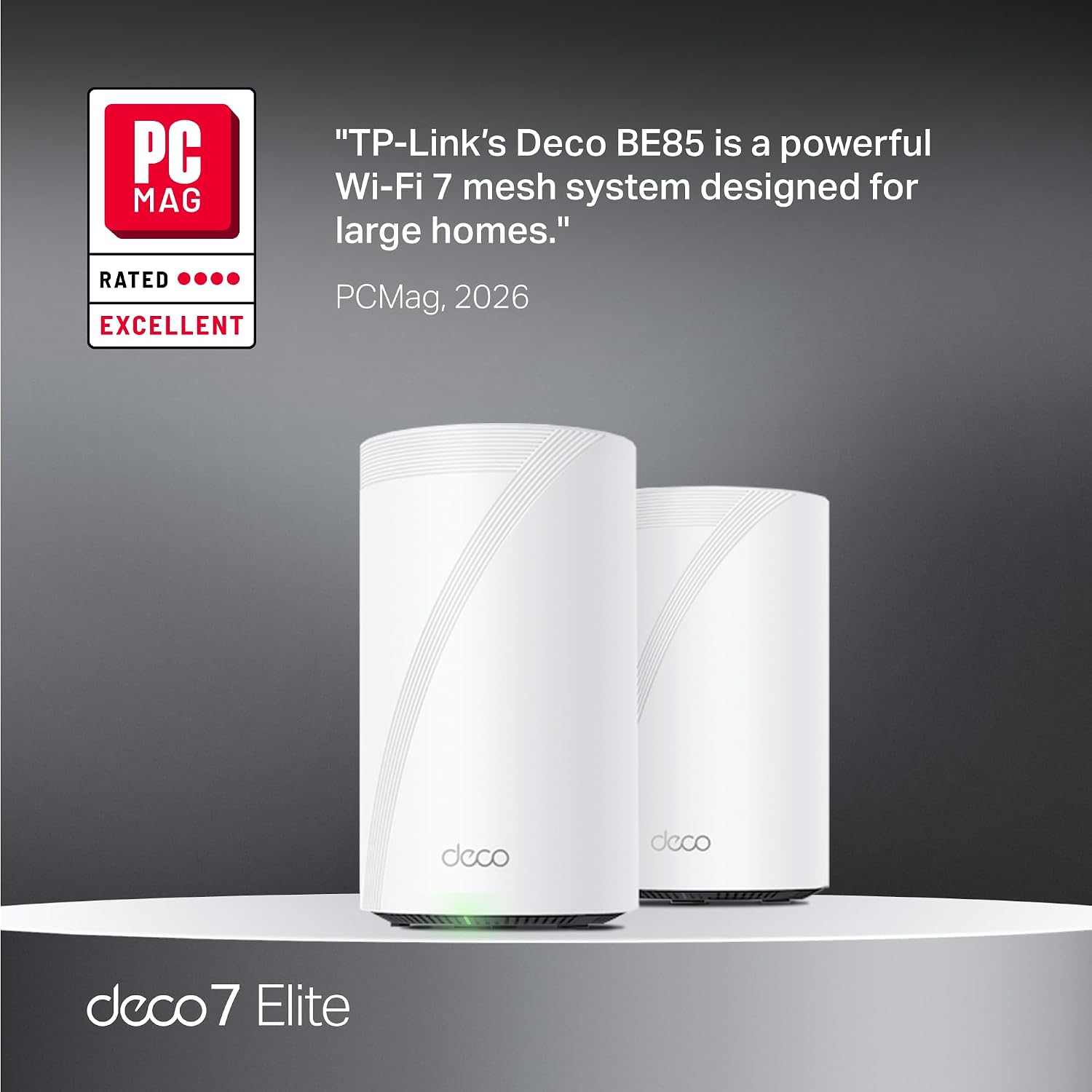
A standout claim is AI-Roaming, which aims to provide seamless transitions as you move through your home. The idea is a single network name that lets devices switch to the strongest signal automatically. In real-world terms, you might notice fewer hiccups when moving through a large house with multiple floors, especially for streaming or video calls.
Security and privacy considerations
TP-Link includes HomeShield as a built-in layer of security, offering basic network protections, IoT device identification, parental controls, QoS, and reporting. It’s important to note that some features are labeled as basic, with more advanced protections potentially available via subscription. If security and device visibility matter every day, HomeShield provides a straightforward baseline without additional setup.
VPN support and what that enables
The system supports VPN clients and servers, enabling devices on your network to access remote VPN servers without installing VPN software individually. This can be convenient for remote work or accessing home resources securely, though performance will depend on your VPN configuration and internet connection.
Setup and ongoing management
Setup is designed to be quick and beginner-friendly via the Deco App for Android and iOS. Once in place, the app can help manage devices, run speed tests, and adjust settings. If you’re used to standard consumer routers, the app-based approach should feel familiar and reduce the friction of setting up a multi-node mesh.

What stands out and where it might fall short
On the plus side, the BE85 emphasizes future-proofing with 10G and 2.5G wired options, WiFi 7’s theoretical bandwidth, and a scalable mesh design that can cover larger homes. The AI roam and a unified network name are appealing for easier daily use. However, there are practical caveats: the actual speeds you experience depend on your internet plan, home layout, interference, and how aggressively you enable features like QoS or security scans. If you prioritize absolute, peak per-port throughput in a basement workshop or a home theater with multiple 8K streams, you may still encounter ceilings that come with real-world conditions. The balance here is between a strong, modern mesh system and the need to invest in proper placement and potential wired backhaul to truly maximize performance.
Who it’s for
This system is well-suited for large homes, households with many devices, or users who want high-speed wireless across multiple rooms with the option of robust wired backhaul. It’s a strong fit if you value ease of use, a modern WiFi 7 feature set, and a security layer through HomeShield. If you live in a smaller apartment with modest device counts or prioritize the absolute lowest latency for a single gaming PC, a smaller or less feature-heavy setup might be a more cost-efficient choice.
When it makes sense to buy
Consider Deco 7 Elite BE85 if you’re planning to upgrade to a WiFi 7 ecosystem and you expect device density to remain high as you add smart devices, cameras, and home office gear. The wired backhaul options and 10G ports can be attractive for future-proofing. If you already have a reliable wired backbone or you’re building a smart-home setup that benefits from centralized management and easier remote access, this system could justify the investment.
What to review before purchasing
- Confirm your internet plan and whether your current router bottlenecks are due to wireless range or backhaul. If you’re bottlenecked by your internet speed, ensure your plan aligns with the system’s potential gains.
- Plan node placement to maximize coverage: central locations, elevated spots, and areas with prior weak signals tend to benefit most from mesh expansion.
- Decide on wired backhaul usage: if you can run Ethernet drops, the 10G and 2.5G ports can significantly improve performance in key areas.
- Consider security needs and whether you’ll rely on HomeShield’s free features or subscribe for more advanced protections.
Practical usage snapshot
Imagine streaming 4K content from a home theater while someone else is on a video conference in a distant room, with a dozen smart devices quietly operating around the house. In that scenario, the Deco BE85’s unified network and AI-Roaming help keep devices on a single name while wired backhaul paths keep throughput stable where you need it most. It’s not a guarantee of flawless performance in every metric, but it’s a thoughtful approach to maintaining reliability across a busy home.
FAQ snapshot
- Does it require a complex setup? Not really—the Deco App guides most users through a straightforward setup. If you already use TP-Link devices, the ecosystem should feel familiar.
- Can I expand later with more Deco units? Yes, a multi-node expansion is typically supported, which helps scale coverage as needed.
- Is HomeShield free to use? The base features are included, with potential upgrades via subscription for enhanced protections. Check the latest details on TP-Link’s site.
Is it worth it?
Is it worth it? If you need robust coverage across a large home with many devices and want a modern WiFi 7 system with wired backhaul options and AI roaming, this model makes sense to consider. If your home is smaller or you’re budget-conscious and don’t require the latest standard, you might explore more compact, lower-cost options or rely on a single-router upgrade.