

J-Tech Digital HDMI Extender Splitter 1x4 Over Single CAT5e/6 Cable with PoC, IR, and EDID Switch
Reviews
Price
Product description
What it is
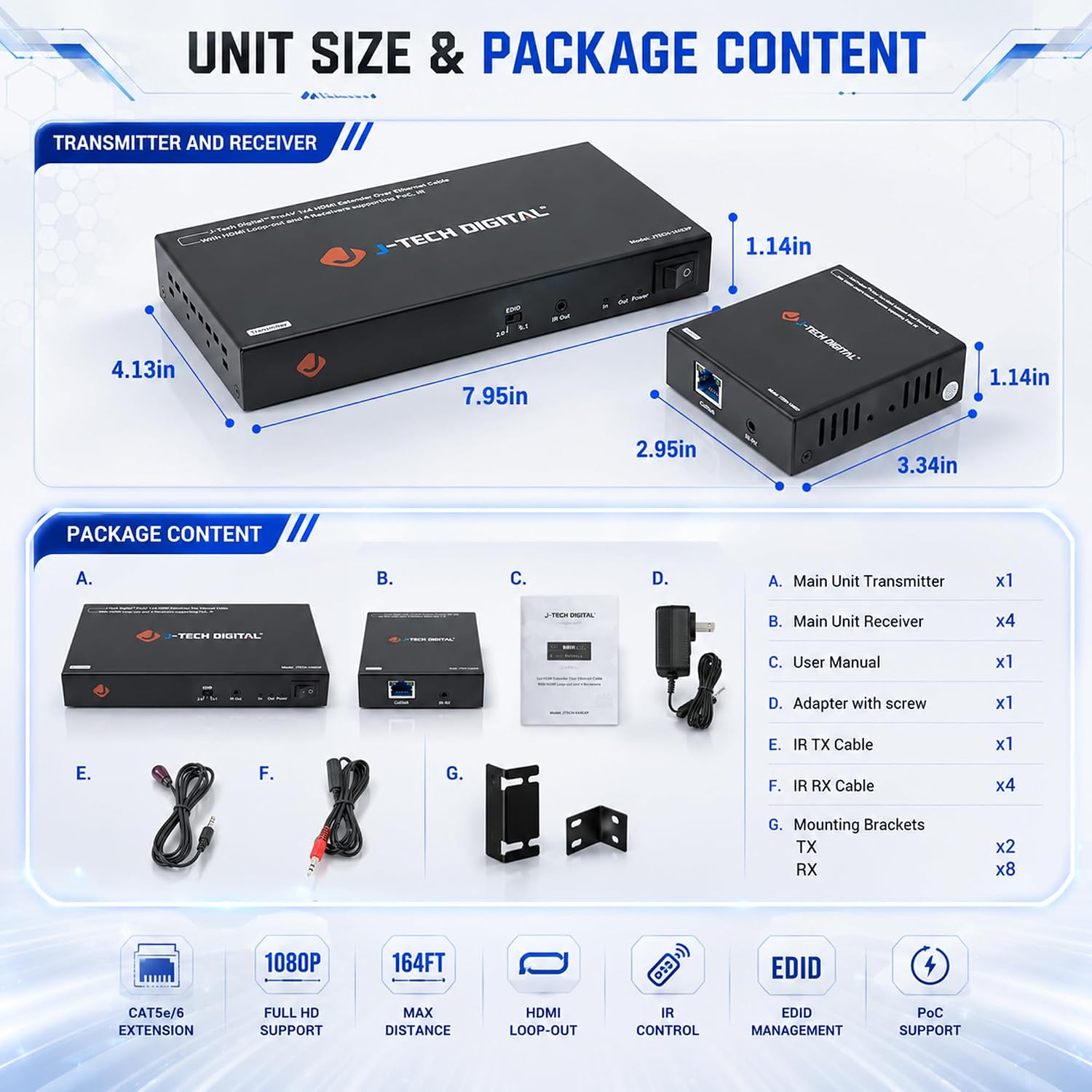
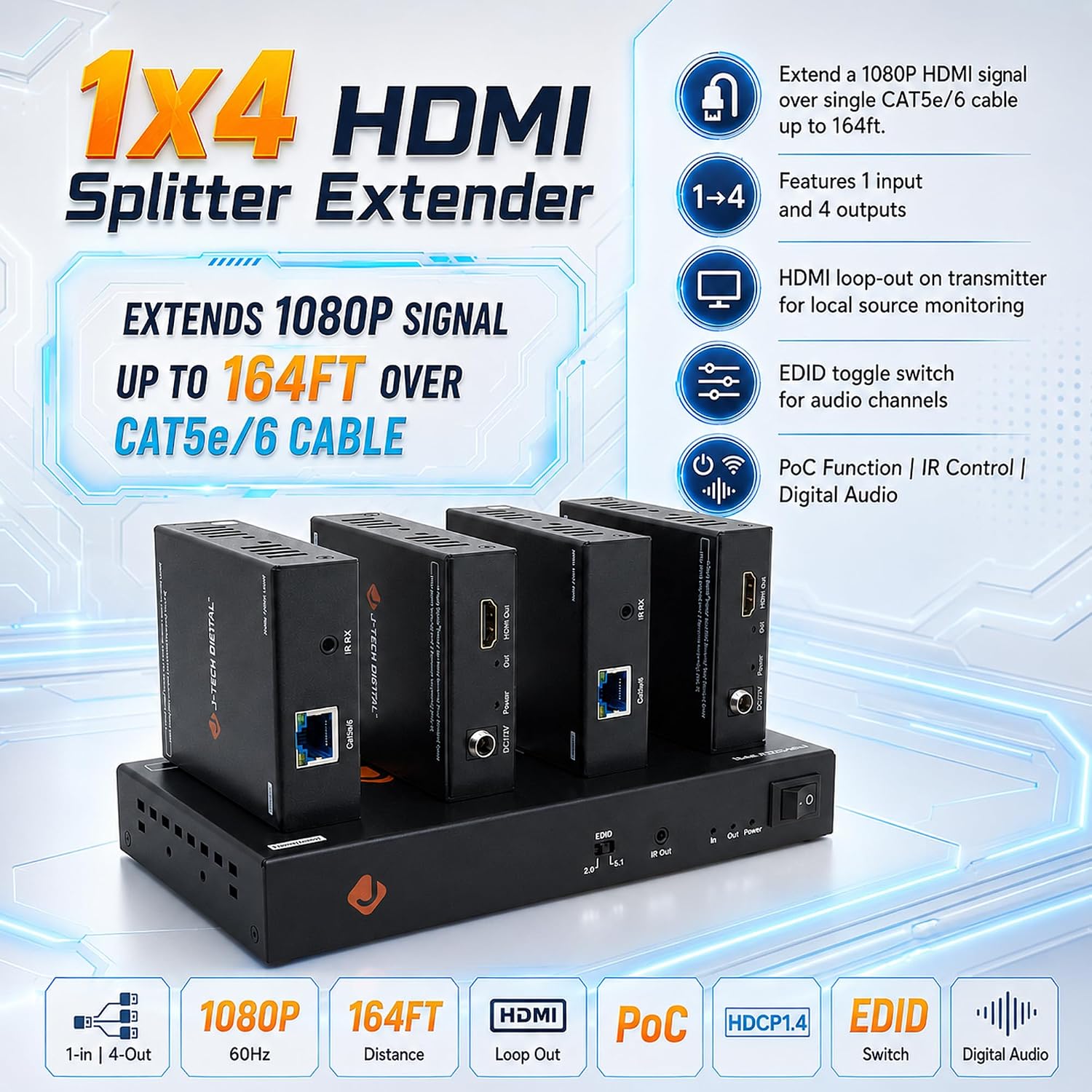
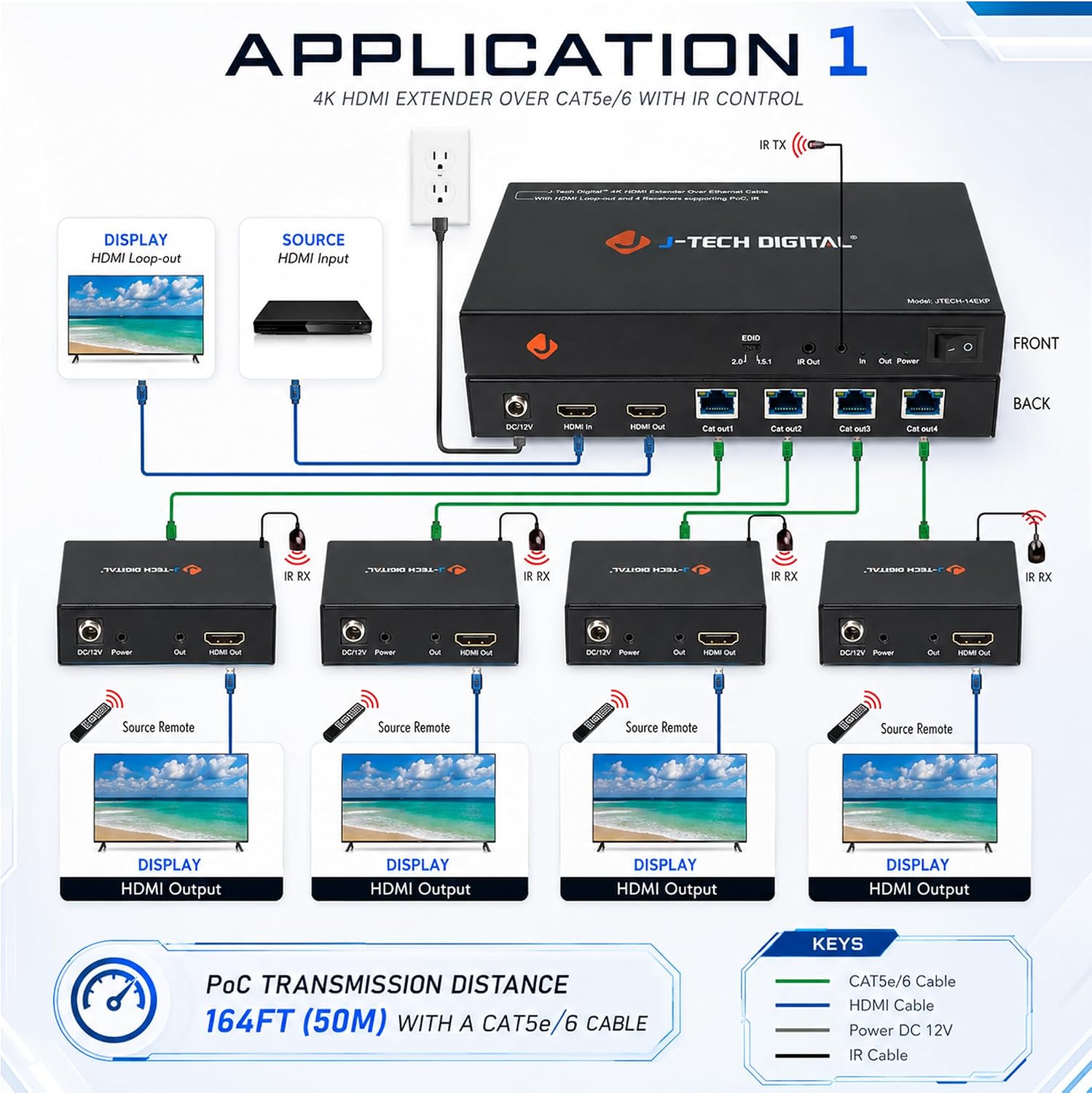
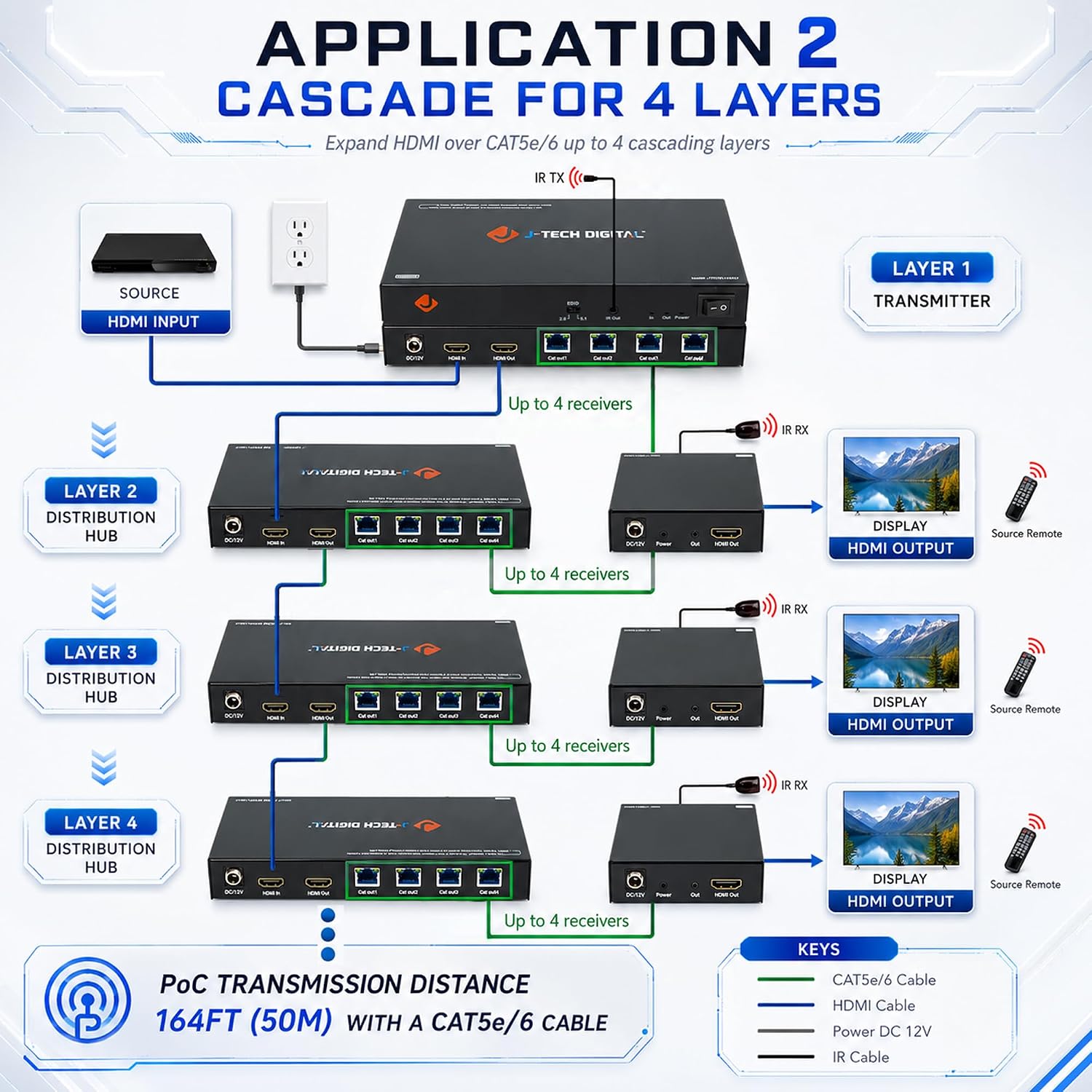
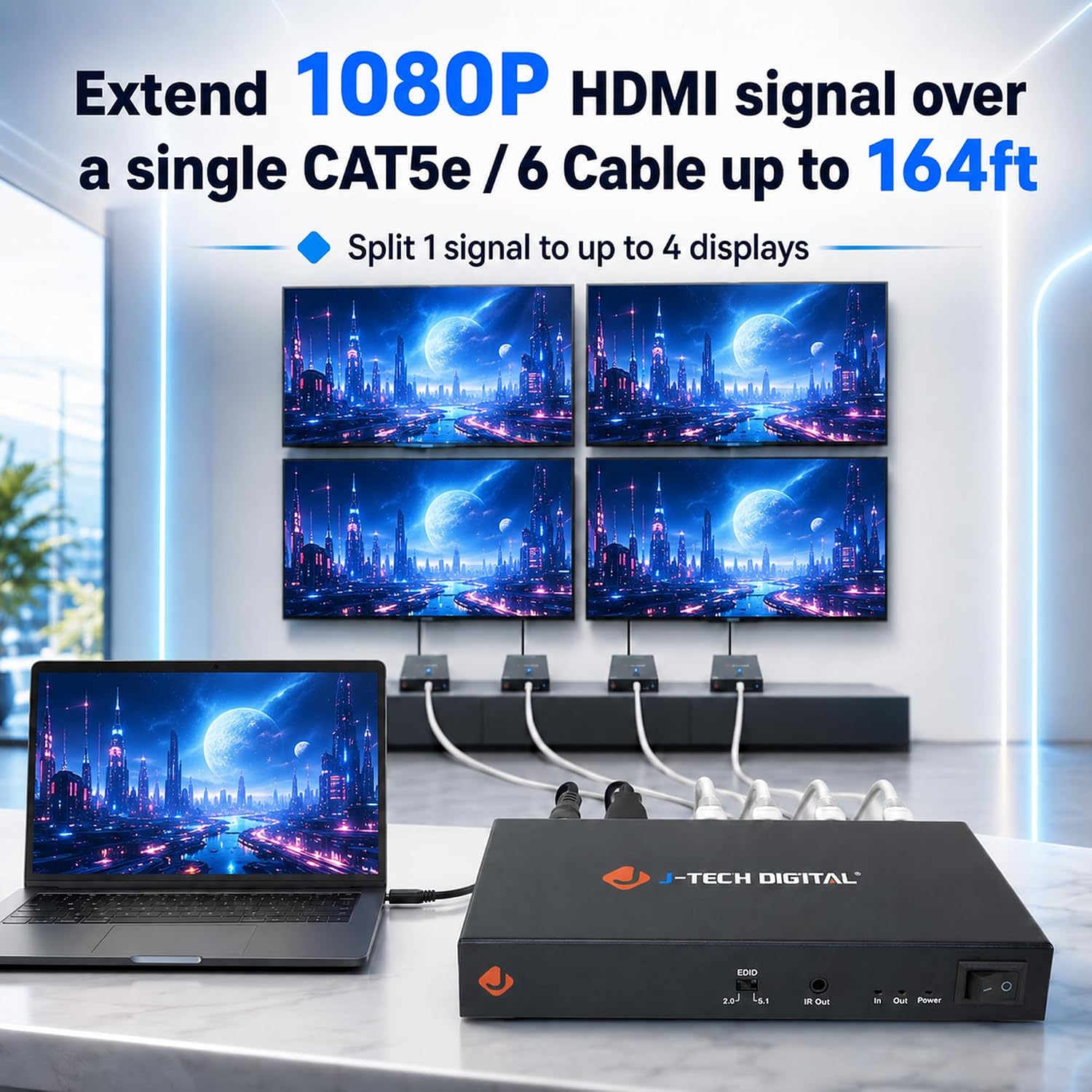
The J-Tech Digital HDMI Extender Splitter 1x4 is a multi-display solution that takes one HDMI source and mirrors it to four displays over a single CAT5e/6 cable. It supports 1080P at 60Hz, delivering a clean, synchronized image across all connected screens up to 164 feet away. Included are four receivers and a transmitter with a local HDMI loop-out for real-time monitoring on a fifth display.
How it helps in real setups
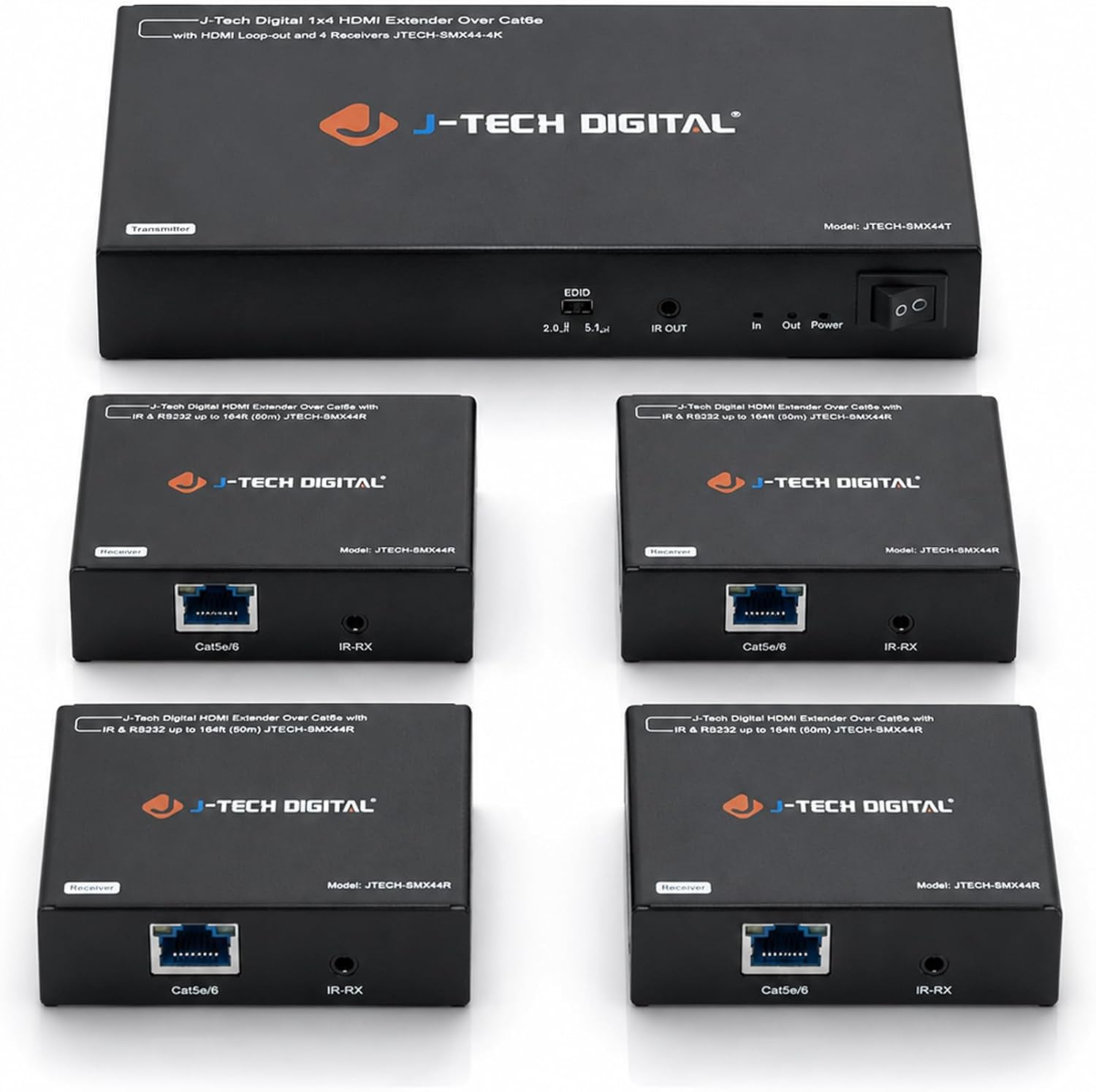
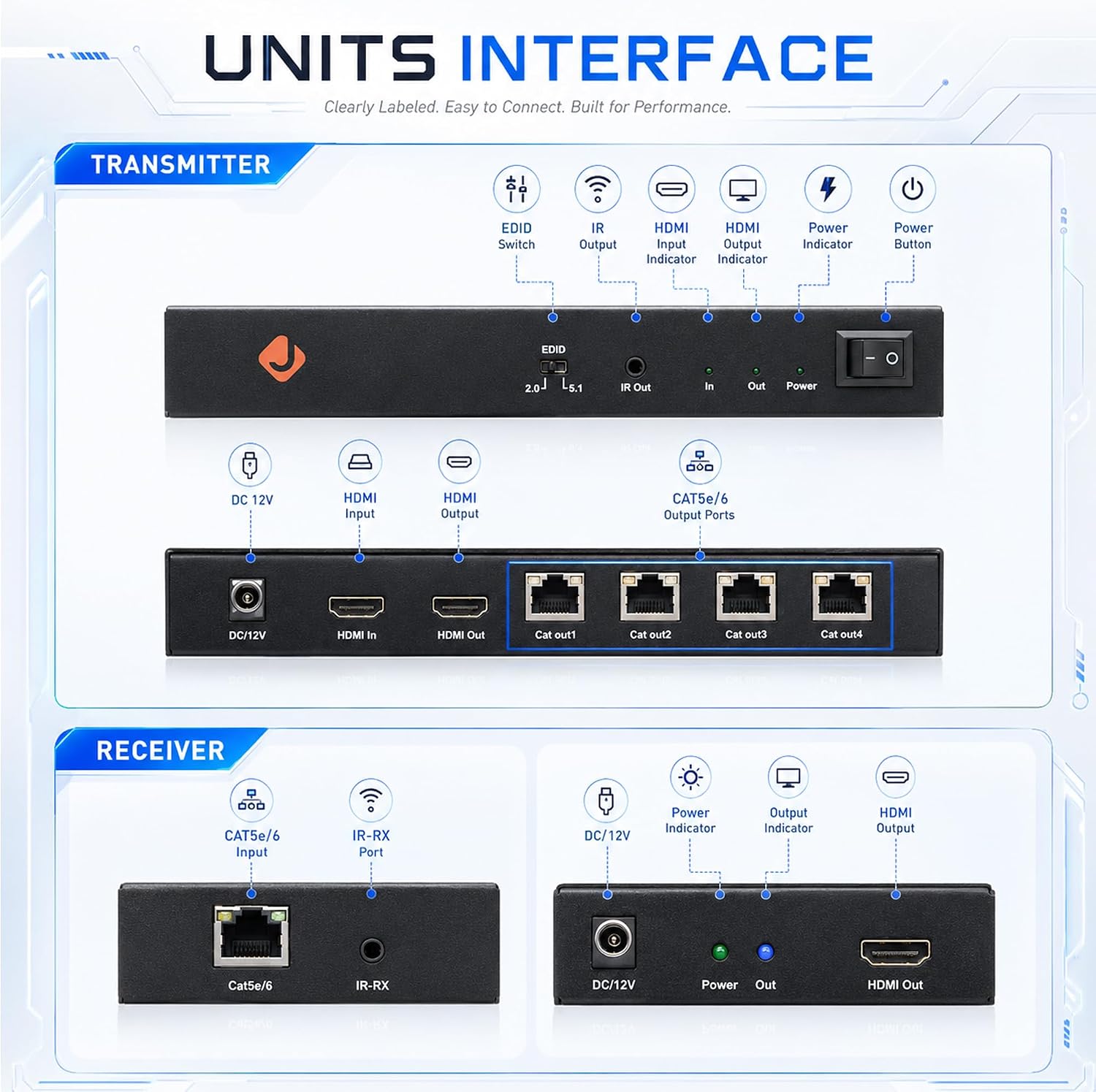
If you’re coordinating content across multiple rooms or a showroom, this extender makes it possible to keep all displays in sync without running multiple HDMI cables. The PoC (Power over Cable) design powers the receivers through the Ethernet line, reducing clutter from extra power adapters and simplifying installation. An IR control feature lets you manage the source from the display area, which is handy in wall-mounted setups or classrooms.
Key strengths you’ll notice while using it
The core benefit is straightforward: one source, four in sync. You get reliable 1080P@60Hz across all displays, with a convenient local loop-out for monitoring. The EDID switch helps ensure the best audio compatibility with your source, which can reduce lip-sync or format mismatches in mixed environments.
Limitations and what to watch for
On paper, it delivers up to 164 feet via CAT5e/6, but actual performance can depend on cable quality and environmental factors. If you’re aiming for higher resolutions or longer runs, you may need to verify compatibility with your exact source and displays. Also, while PoC reduces clutter, ensure your networked receivers are within reach of the transmitter's PoC capabilities.
Who it’s for
This setup is well-suited for small-to-medium display walls in retail, classrooms, gallery spaces, or digital signage where you want uniform content without juggling multiple sources. It’s particularly appealing if you want centralized control (IR) and a neat installation with fewer power adapters.
Who it isn’t ideal for
If you require higher-than-1080P resolution or ultra-long runs beyond 164 feet, this model may not be the best fit. Also, if you need independent content on each screen (four different inputs), a splitter won’t meet that need since it mirrors a single source.
When it makes sense to buy
Consider this system when you need synchronized content across several displays at a reasonable distance, with simple setup and minimal cabling. It’s a practical solution if you value PoC to cut down on power bricks and want convenient remote control from the display area.
When to look elsewhere
If your workflow demands 4K or multi-source simultaneous content, or you have very long cable runs beyond the stated distance, you might want to explore higher-end extenders or alternative distribution methods.
What to review before purchasing
- Confirm your source and displays support 1080P@60Hz.
- Check that CAT5e/6 cables used meet the distance requirements and are in good condition.
- Decide if a local monitor (loop-out) is important for real-time checks.
- Understand your IR control needs and placement to ensure line-of-sight or reliable reception.
Practical use example
Imagine a small showroom where a single media player needs to drive four displays showing the same product demo. You install the transmitter near the player, run one CAT5e/6 cable to the receivers, and place the loop-out HDMI on a wall for a quick QA check. IR from the display area controls the source, so content updates can be tested without running back to the equipment rack.
Final decision
Should you buy it?
It’s worth considering if you need a simple, cost-effective way to mirror one source across several displays with minimal cabling and centralized power. It’s not the strongest option for 4K or independent content across screens, but it offers a tidy setup with PoC power and practical remote control.
FAQ
- How many displays can it drive simultaneously? Four displays plus a local loop-out for monitoring the transmitter.
- Does it require extra power adapters for the receivers? No, Power over Cable powers the receivers via Ethernet where supported.
- What resolution is supported? The system supports 1080P at 60Hz across connected displays.