

Smart Digital Calendar 21.5-Inch WiFi Touchscreen Wall & Desk Planner with Shared Chore Chart
Product description
If your family schedules feel like they’re living in five different places, this Smart Digital Calendar tries to bring it onto one screen. It’s a 21.5-inch WiFi-connected electronic wall calendar and chore chart with a shared, color-coded planner concept, plus an accompanying mobile app for managing updates away from home.
It’s not perfect for everyone—depending on how you prefer to plan and how “hands-on” you want chores to be—but for busy households that want a central daily view, the setup and shared scheduling approach is the main draw.
What it is and why people buy it
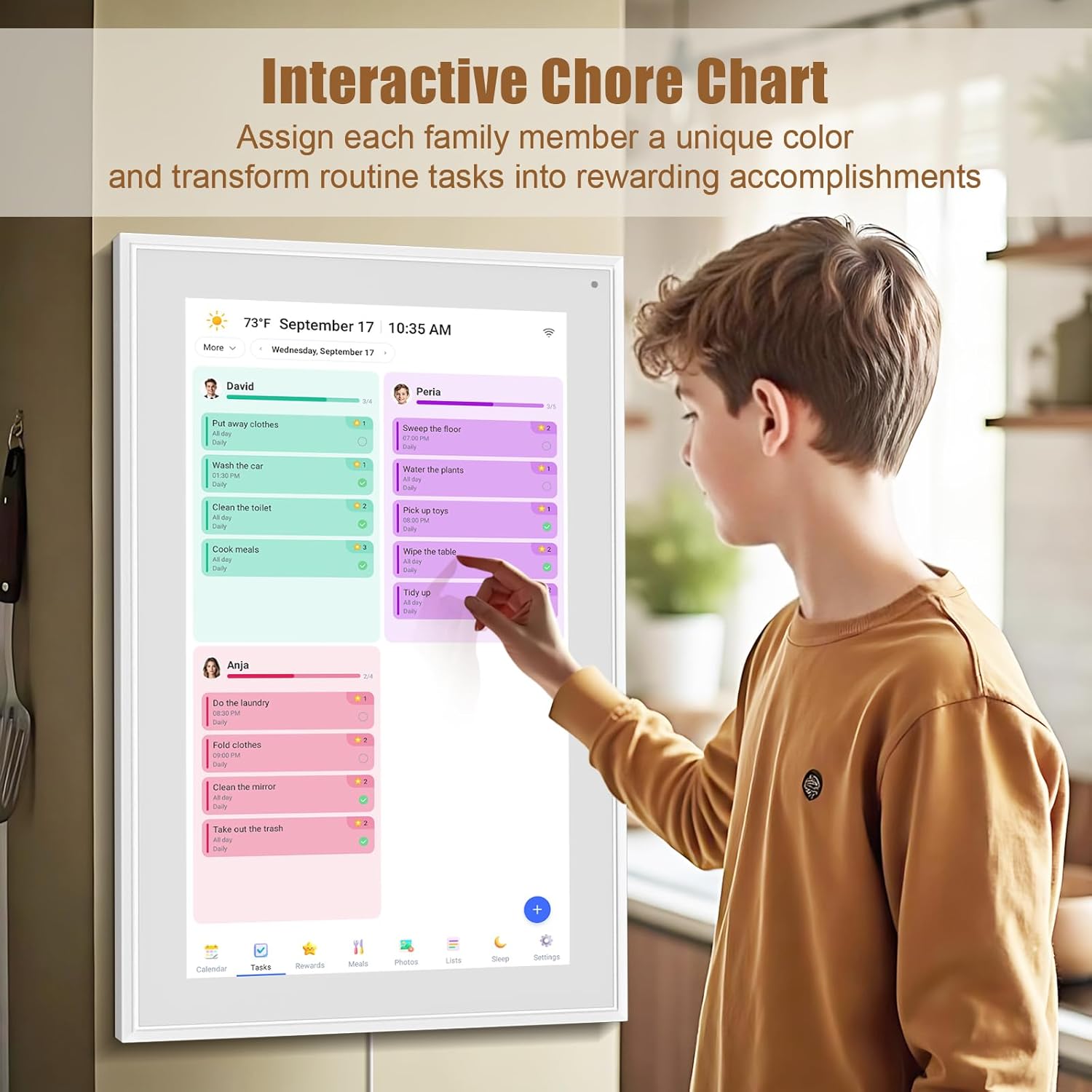
This is an all-in-one smart family planner that combines a digital calendar with an interactive chore chart. Each family member can be assigned their own colors and chores, and the idea is that the schedule stays visible and editable on the same display. The product is also positioned around time management: scheduling, task tracking, and goal setting.
On top of that, it includes meal planning support so routines don’t vanish into the usual “what’s for dinner?” cycle. If you’ve ever had to text everyone to confirm plans, this targets the opposite problem: making the household calendar easier to check and maintain.
The essentials: display, touch controls, and views
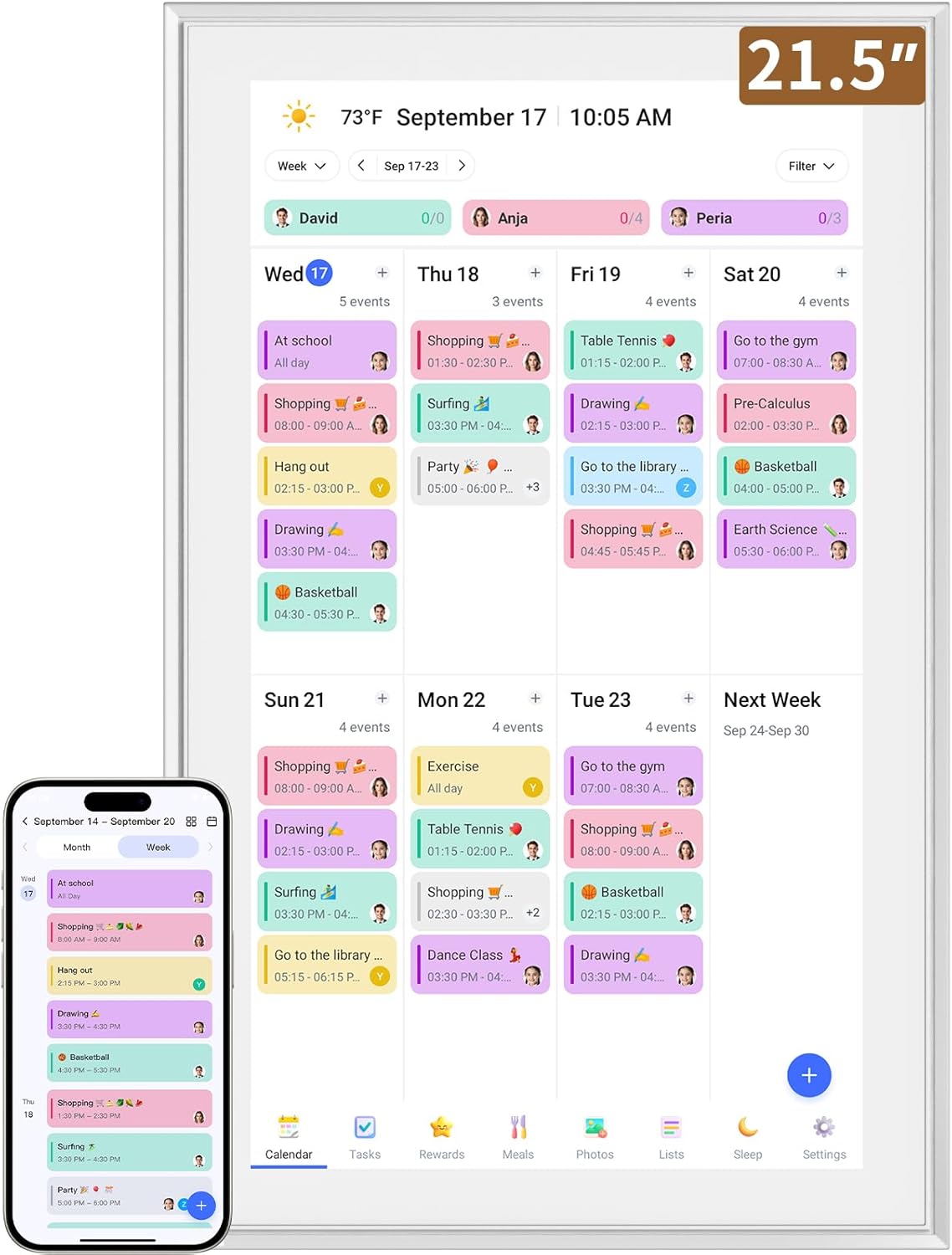
The 21.5-inch interactive touchscreen uses an IPS smart display with a 1980×1080 resolution. It supports gesture operation, including swipe to switch between day/week/month views and pinch to zoom for detail.
What you’ll likely appreciate here is readability and day-to-day usability: customizable color-coding and adjustable fonts are mentioned as the way to keep it understandable for all ages. There’s also theme/interface switching, which can help if you don’t want the same look all the time.
Still, keep expectations realistic: a touchscreen planner is only as helpful as how consistently your household updates it.
Scheduling away from home with WiFi + the mobile app
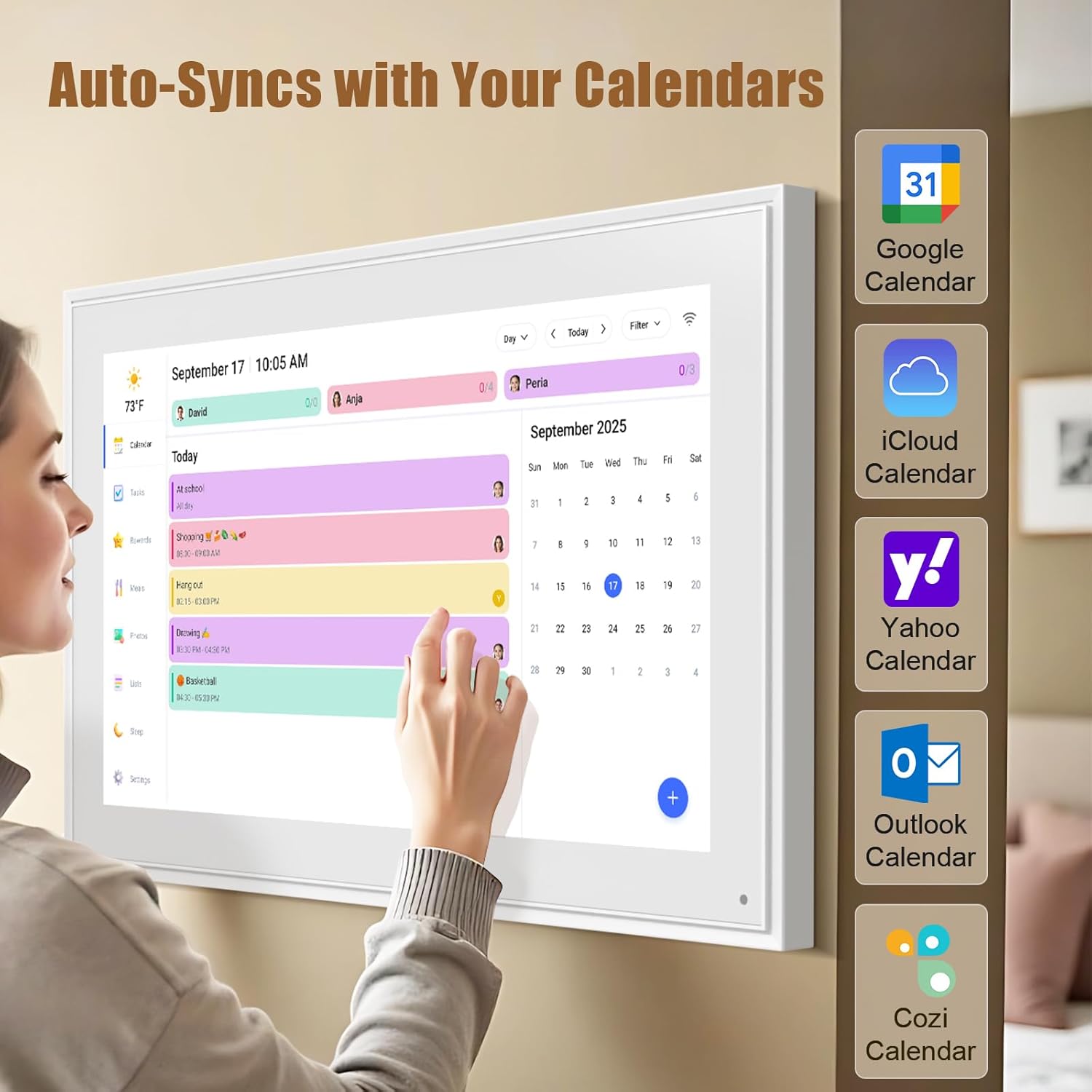
The calendar connects over WiFi. The setup is described as straightforward: plug in, connect to Wi‑Fi, and sync your calendars so events can automatically populate and sync.
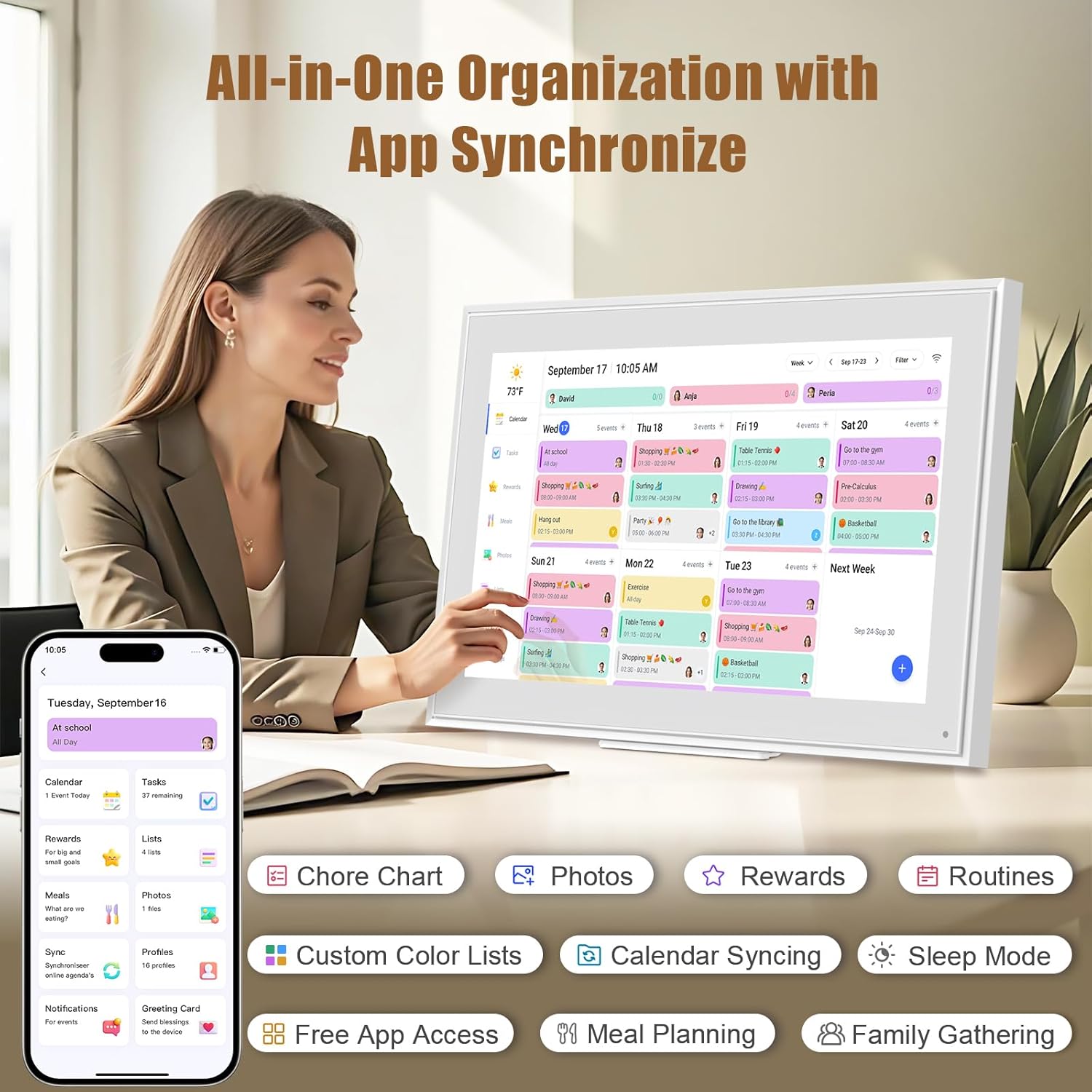
For managing changes outside the house, the eCalendar app is included. Based on the description, you can add tasks, update schedules, and coordinate from anywhere you have access to the app. It can also sync with common calendar services, including Google Calendar, iCloud Calendar, Outlook Calendar, Cozi, and Yahoo.
One important note to consider: automatic syncing and shared editing only work smoothly if you’re comfortable managing accounts and permissions through the same ecosystem.
Interactive chore chart, meal planning, and shared routines
This is where the product leans beyond “just a calendar.” The interactive chore chart lets you add, edit, and track chores using customizable colors and tags. The goal is independence and consistency—chores stay organized and visible rather than getting lost in messages.
Meal planning is also supported so the plan is visible, not buried. For a real-life example, imagine the display in the kitchen: Monday chores appear under each person’s color, and the week’s meal plan sits right there. When someone asks what’s next, the answer is on the wall rather than a new group chat thread.
It’s a strong concept for households that like routine. But if your household prefers flexible, last-minute planning—or you don’t want chores tracked digitally—this feature set may feel like overkill.
Setup and placement: wall mount or desk-friendly
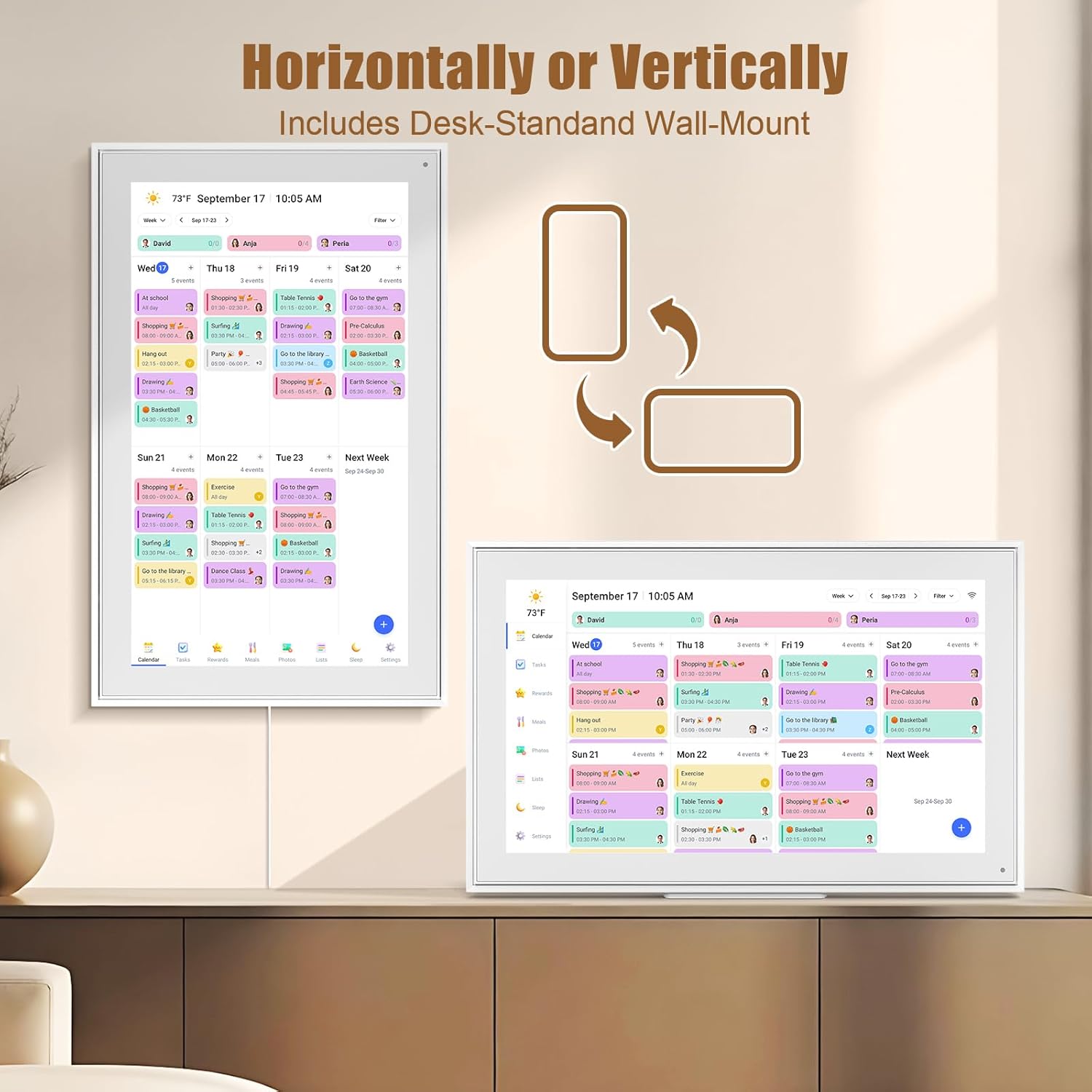
You can mount it to the wall or place it on a countertop with a removable stand. The stand supports both landscape and portrait mode, and there’s also a wall mount hole on the back for a more permanent setup.
This flexibility matters because a 21.5-inch touchscreen calendar works best where people naturally pass by and check it. A hallway, kitchen, or home office can make it feel like a daily planning hub instead of a device you forget about.
What stands out (and where it may fall short)
What you’ll notice most on paper is the “shared family” approach: color-coded assignments, a chore chart, and scheduling that’s meant to be edited and viewed from one screen. Add in WiFi + app management, and it targets the friction between “who has the latest plan?” and “can I make quick updates?”
Where it may not fully satisfy everyone: - If your family won’t consistently update chores and appointments, the calendar becomes a snapshot, not a planning tool. - If you’re looking for extremely advanced automation (beyond syncing, tasks, and chore tracking), the description doesn’t emphasize deeper AI-style features.
If you’re shopping mainly for a simple digital display that mirrors your phone calendar, you may want to weigh whether the chore and meal planning focus matches your household habits.
When it makes sense
This Smart Digital Calendar is a good fit if you want a single, central place to manage family schedules and routines, especially when multiple people need to coordinate. It also makes sense if you’re already using supported calendar services and want a touchscreen view with day/week/month navigation.
It’s also worth considering as a gift for family-oriented milestones, since the product is positioned as a multi-function planner.
Final verdict
Should you buy it?
Buy it if your main goal is shared scheduling for a busy household—one screen for calendar views, plus an interactive chore chart and meal planning that stays visible. The WiFi syncing and mobile app management are the backbone of the idea: update when you’re away, keep everyone aligned when you’re home.


Skip it if your planning style is more casual or last-minute, or if you don’t want chores tracked digitally. For families that love structure and visibility, it has the right features on paper. For everyone else, it could feel like more device and setup effort than you need.
Mini FAQ
Does it work with Google Calendar and other services?
Yes. The description states compatibility with Google Calendar, iCloud Calendar, Outlook Calendar, Cozi, and Yahoo.
Can multiple people view or edit the calendar?
The description says it can be shared so friends, family, or colleagues can coordinate plans, and it also mentions permission classification and assigning tasks to multiple people.
How do you control it day to day?
It supports gesture operation, including swipe for day/week/month views and pinch to zoom for details.
Can it be mounted to a wall?
Yes. It supports wall mounting and also includes a removable stand for countertop placement in landscape or portrait mode.
Can you manage it from your phone?
Yes. The eCalendar app is described as a way to add tasks and update schedules from anywhere.