

llano RGB Laptop Cooling Pad (White) with 14cm Turbofan, Quiet Cooling & Touch Controls, 15-19in Laptops
Product description
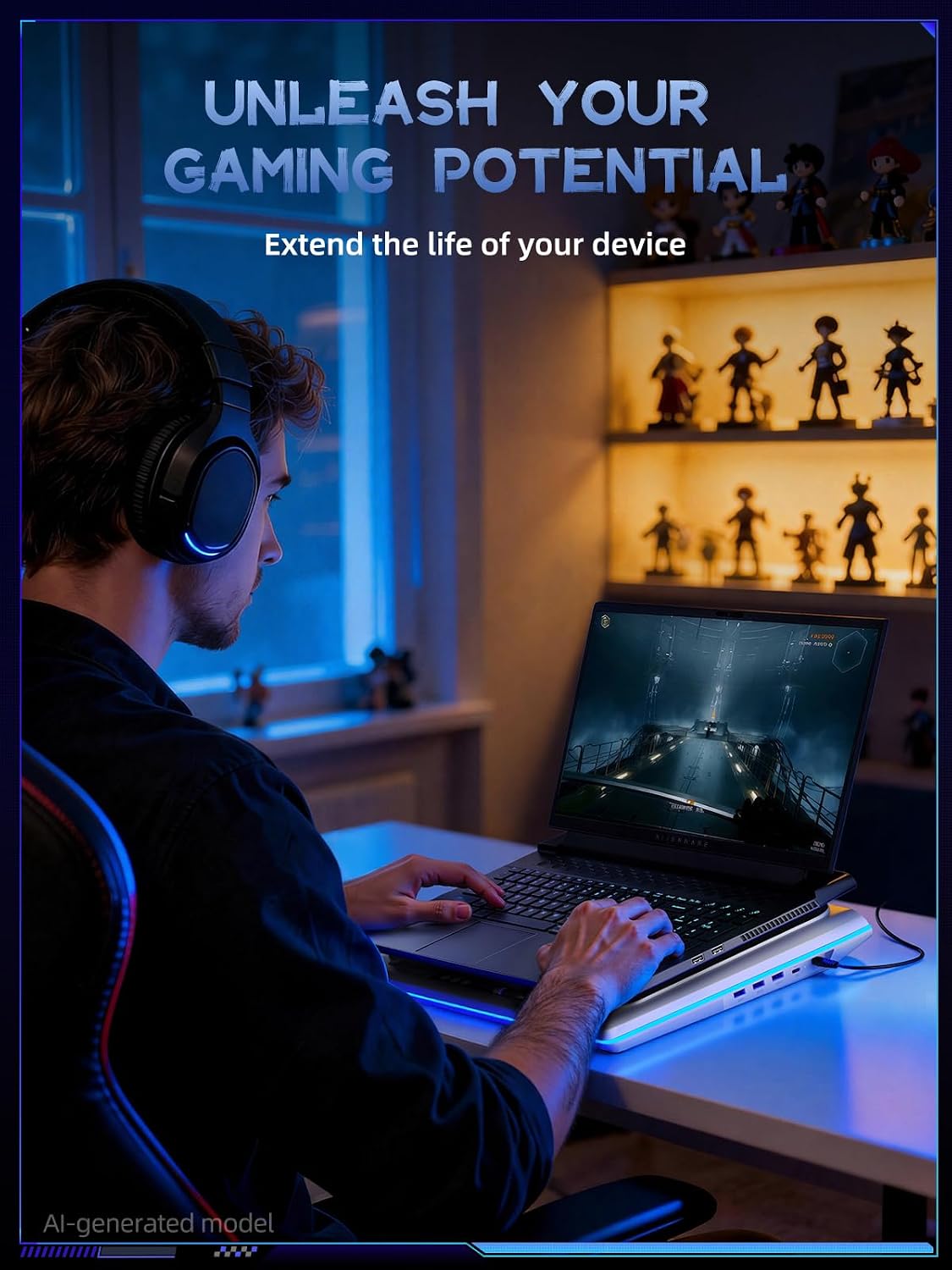
If your laptop runs hot during gaming or demanding work, a cooling pad can be the difference between smooth sessions and frustrating throttling. The llano RGB Laptop Cooling Pad is built around a large-diameter external turbofan, plus a touch-controlled experience so you can adjust performance without taking your eyes off the screen.
On paper, it’s aiming for two things at once: stronger cooling and less audible distraction. But it’s also a practical hub for desk setups, with a USB-A to C cable included and extra ports to plug in accessories. Where it may not fit perfectly is if you’re extremely noise-sensitive—manufacturers can claim “quieter,” yet any fan under load can still be noticeable depending on your laptop and your environment.
The essentials (what it is and what it solves)
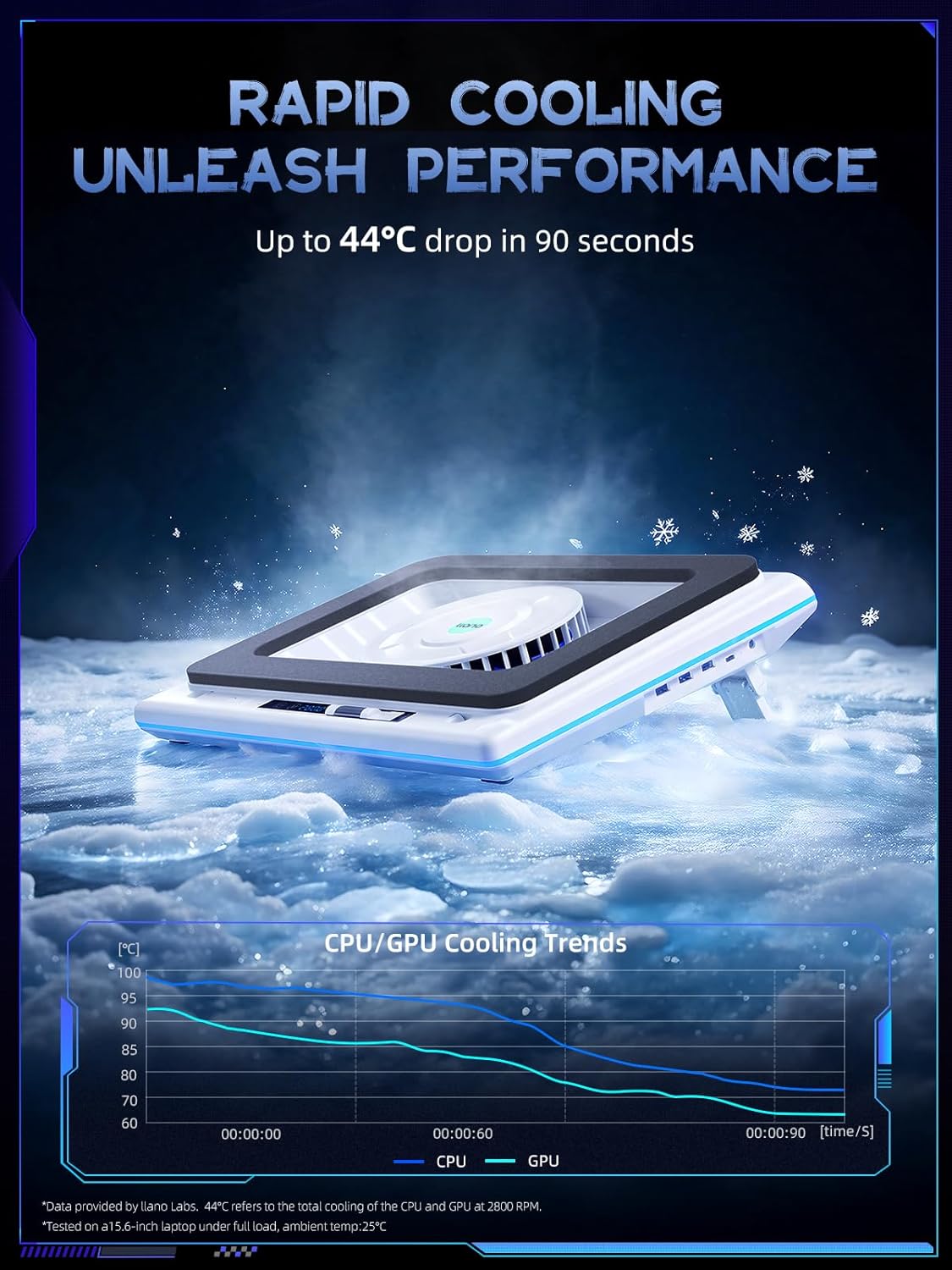
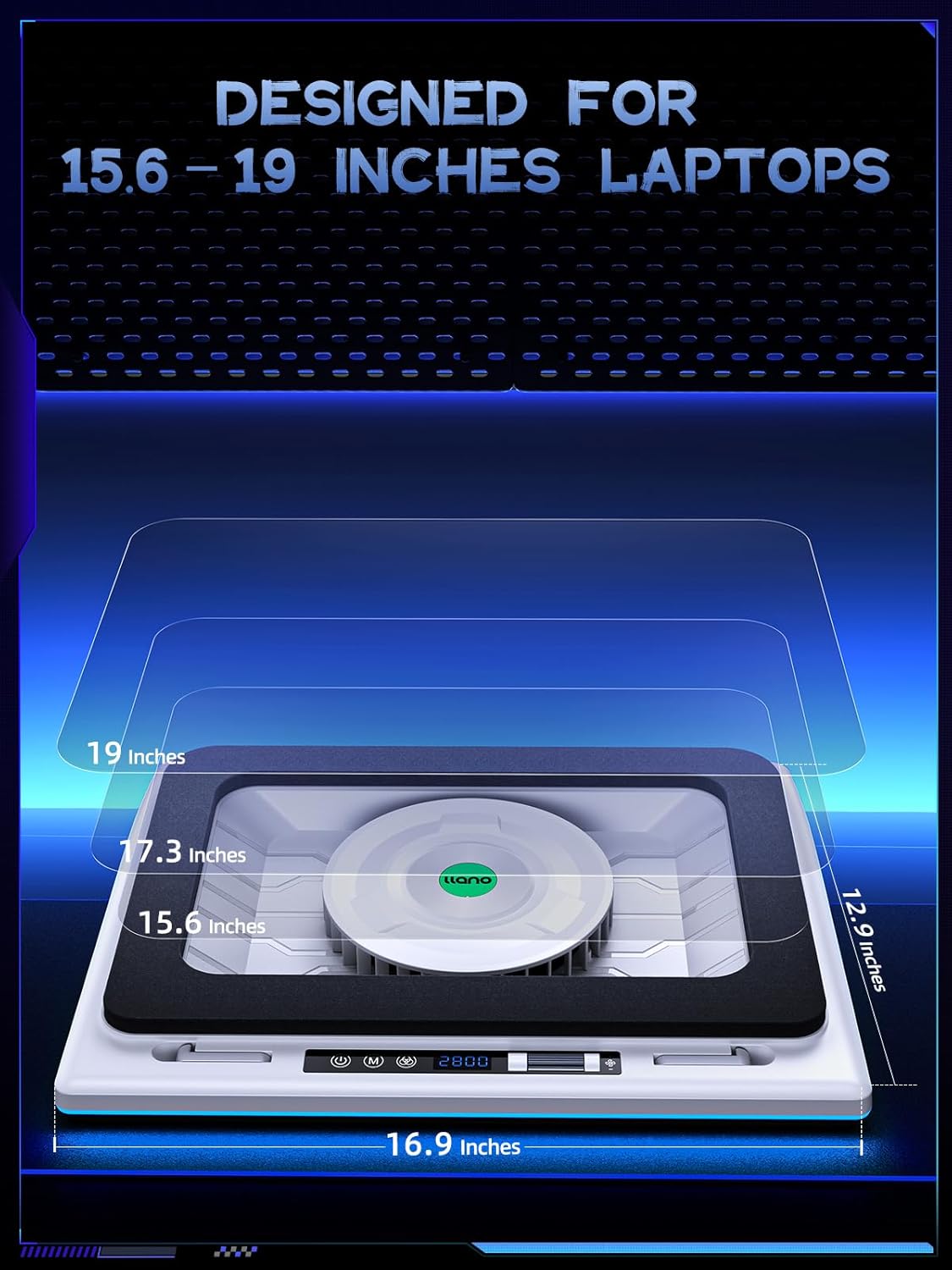
This is a laptop cooling pad designed to support 15–19in laptops, using an external fan to pull air and help reduce heat buildup around the laptop’s CPU and GPU. The brand emphasizes a quick temperature drop—specifically, a 44℃ temperature drop (CPU+GPU) in 90 seconds—paired with sealed foam and a “perfect cooling effect” approach.
A real-world way to think about it: you place the pad under your laptop, start a heavy workload (or jump into a game), and let the fan ramp to maintain a cooler baseline. If you often feel your laptop getting warmer within the first few minutes of intense use, that “fast cooling” goal is exactly what you’re shopping for.
Key takeaways (what you’ll notice day to day)
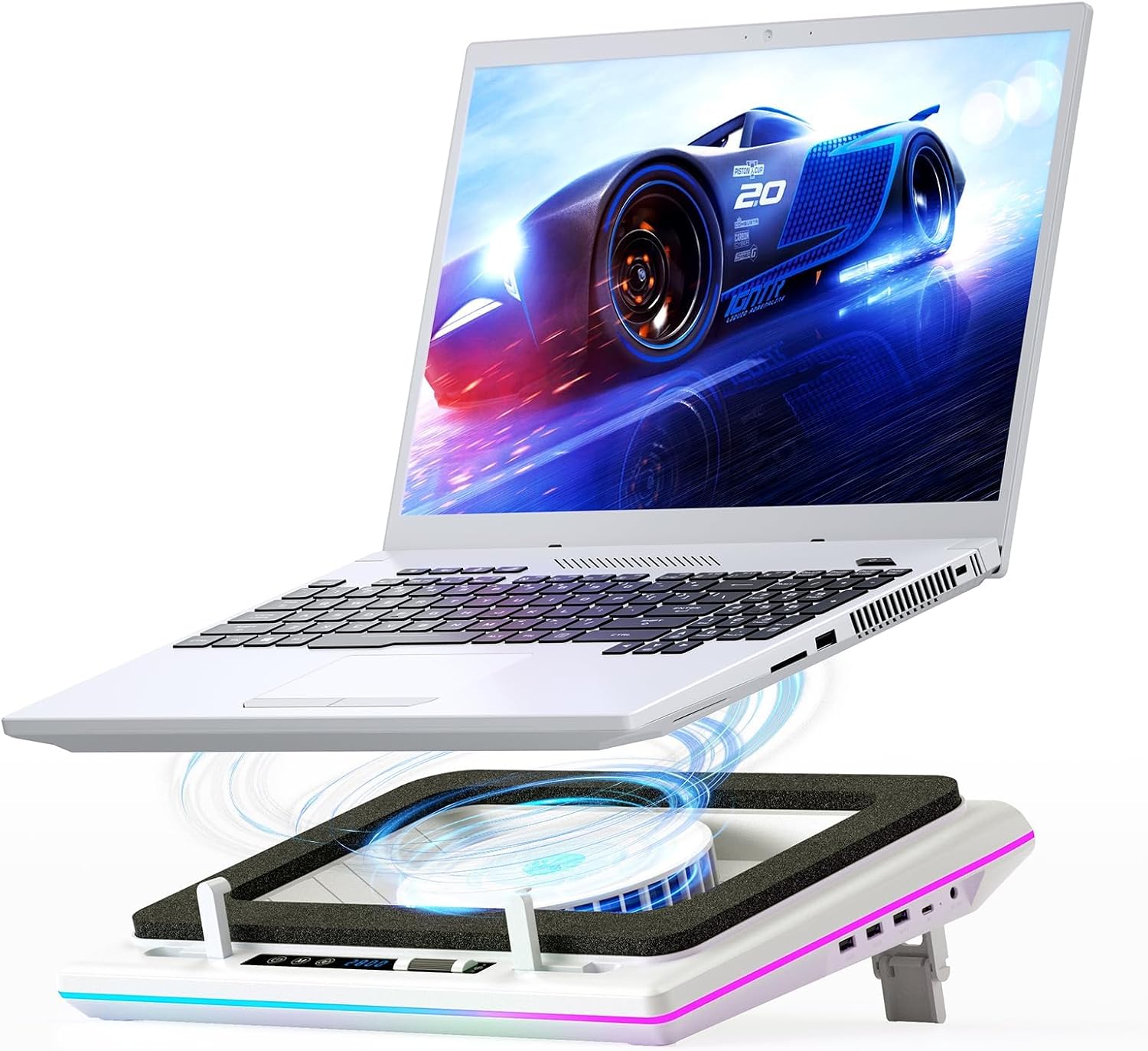
The most distinctive part here is the control style. You get touch control buttons and an LCD-style display that shows fan speed and lighting adjustments. Instead of reaching to move the fan housing every time you want to change settings, the design includes touch actions and a bottom touch-mute button so you can tweak cooling while staying focused on gameplay.
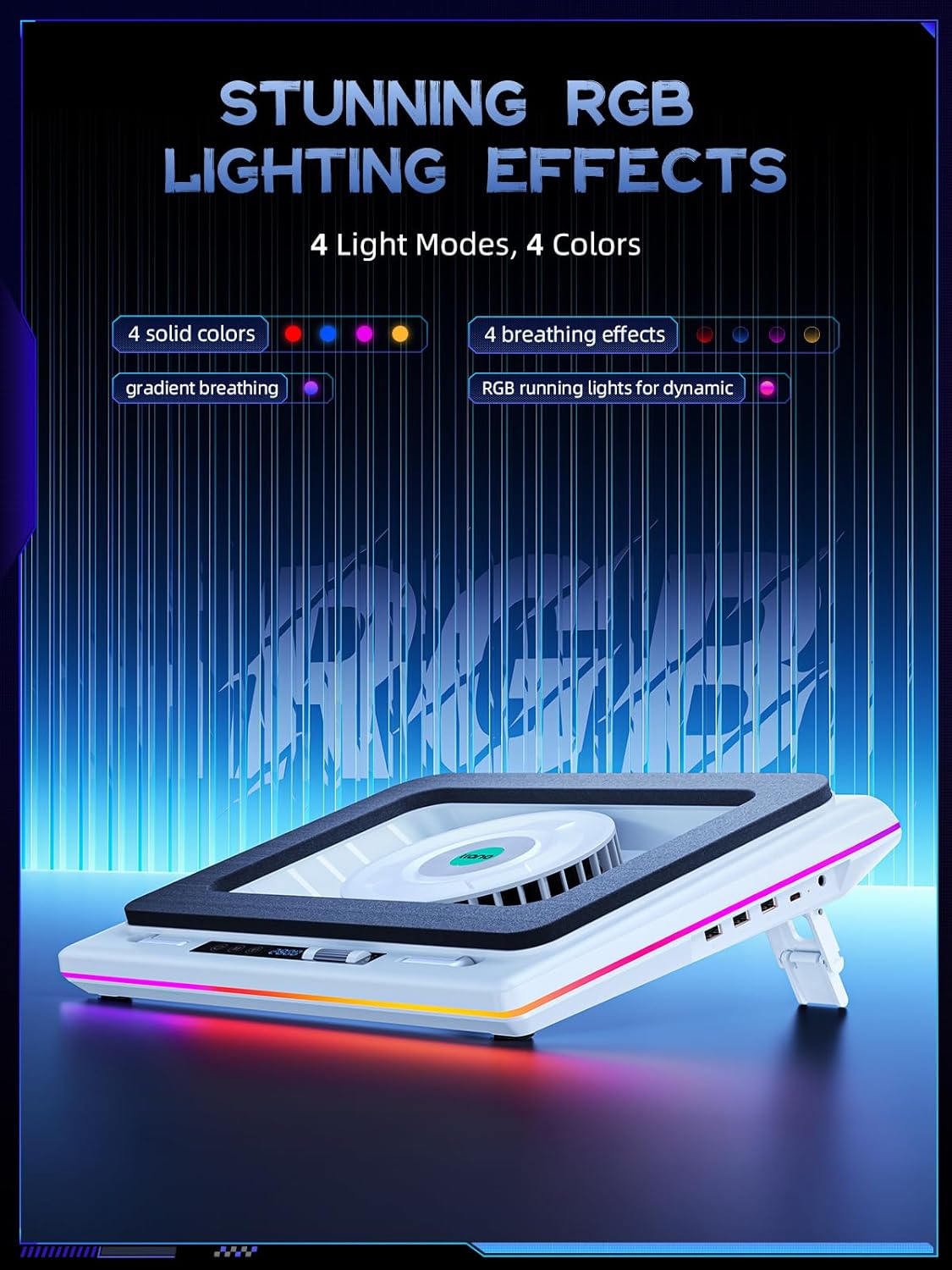
There’s also the RGB lighting bar with multiple modes and more than 10 light colors, plus touch controls for the lighting scheme. It even mentions a memory function for the RGB so you don’t have to reselect your preferred look after powering on.
It’s not just about looks, though. The fan and airflow are the point, and the pad also includes non-slip baffles and an adjustable height to improve your viewing posture.
Tech specs (quick look at the build)
- Name: llano RGB Laptop Cooling Pad (White)
- Fan size/type: 5.5inch (14cm) large-diameter turbo booster external fan
- Cooling claim: 44℃ temperature drop (CPU+GPU) in 90 seconds
- Power output: 36W
- Display: LCD screen (real-time display of fan speed and lighting adjustments)
- Ports/features: 1 in 3 out USB hub
- Height/positioning: adjustable height + two non-slip baffle
- Included: laptop cooler, 36W power adapter, dust filter, memory foam seal, USB-A to C cable
Where it shines (and where it can fall short)
Where it shines: If you care about fast cooling during high-intensity tasks—gaming, rendering, or long CPU/GPU sessions—the combination of a large-diameter external fan and sealed foam is aimed at delivering cooling without waiting around. The touch control plus the LED/LCD display also makes it easier to fine-tune fan speed versus noise balance, at least in principle.
Where it can fall short: The brand notes it’s “far silent than other cooler fan,” but it also says it would be better to buy carefully for noise-sensitive users. That’s a pretty clear signal: if silence is your top priority, you may want to set expectations and consider how loud a 36W cooling pad fan can be in your exact setup.
Usage tips (how to get the best results)
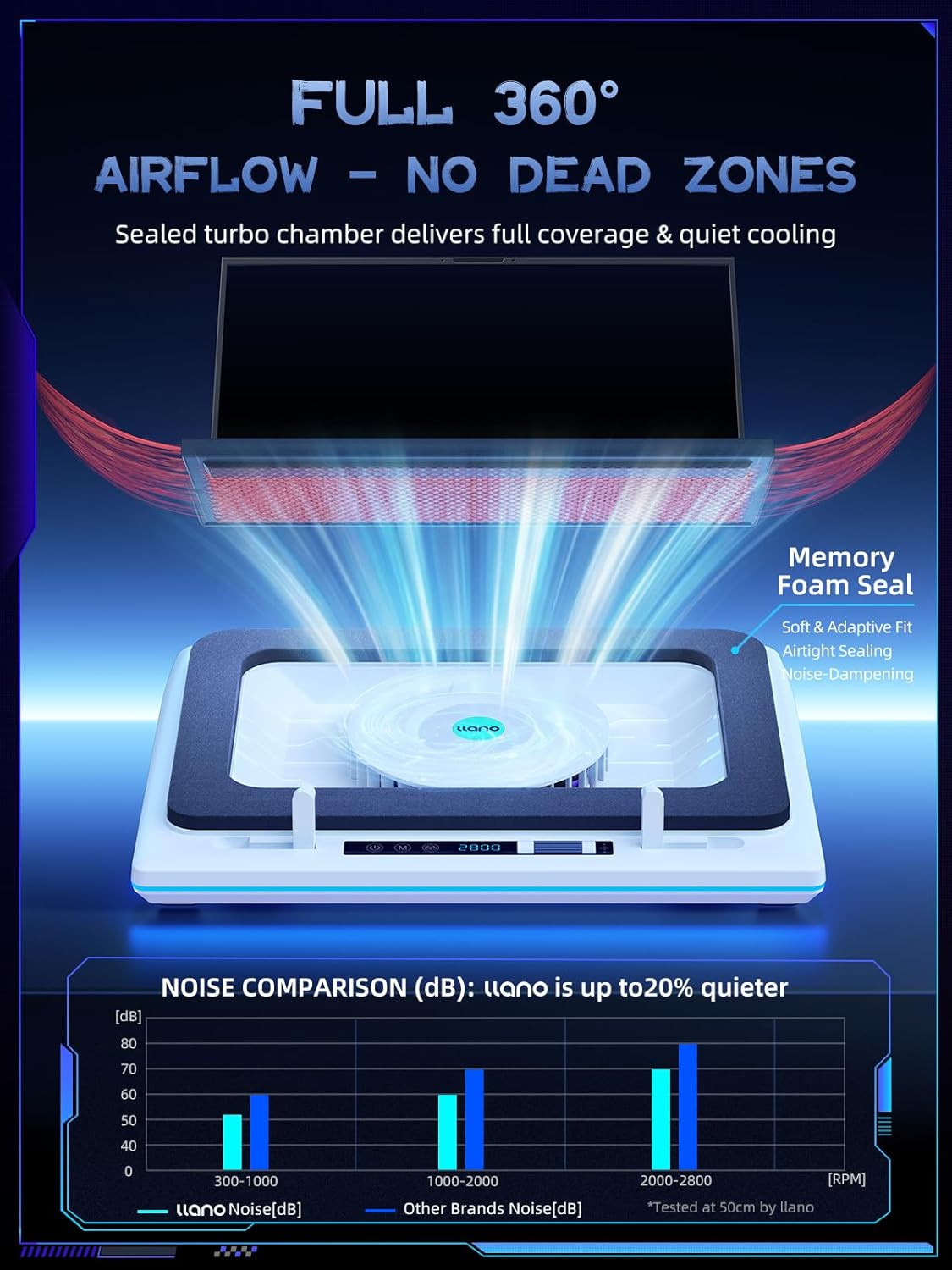
Start with the basics: place the pad on a flat surface and use the adjustable height so the laptop sits securely against the cooling area. The sealed foam and airflow path matter—if the laptop isn’t positioned correctly, cooling can be less effective than the marketing suggests.
Then set your fan speed based on your moment: - For lighter tasks, try a lower speed to keep things more comfortable. - For demanding sessions, increase speed and let the cooling action catch up quickly.
For the controls, the touch-mute button on the bottom is designed for one-finger use, and a long touch (2s) toggles the radiator/fan on or off. The RGB lighting can also be closed with a long touch on the M button for 2s.
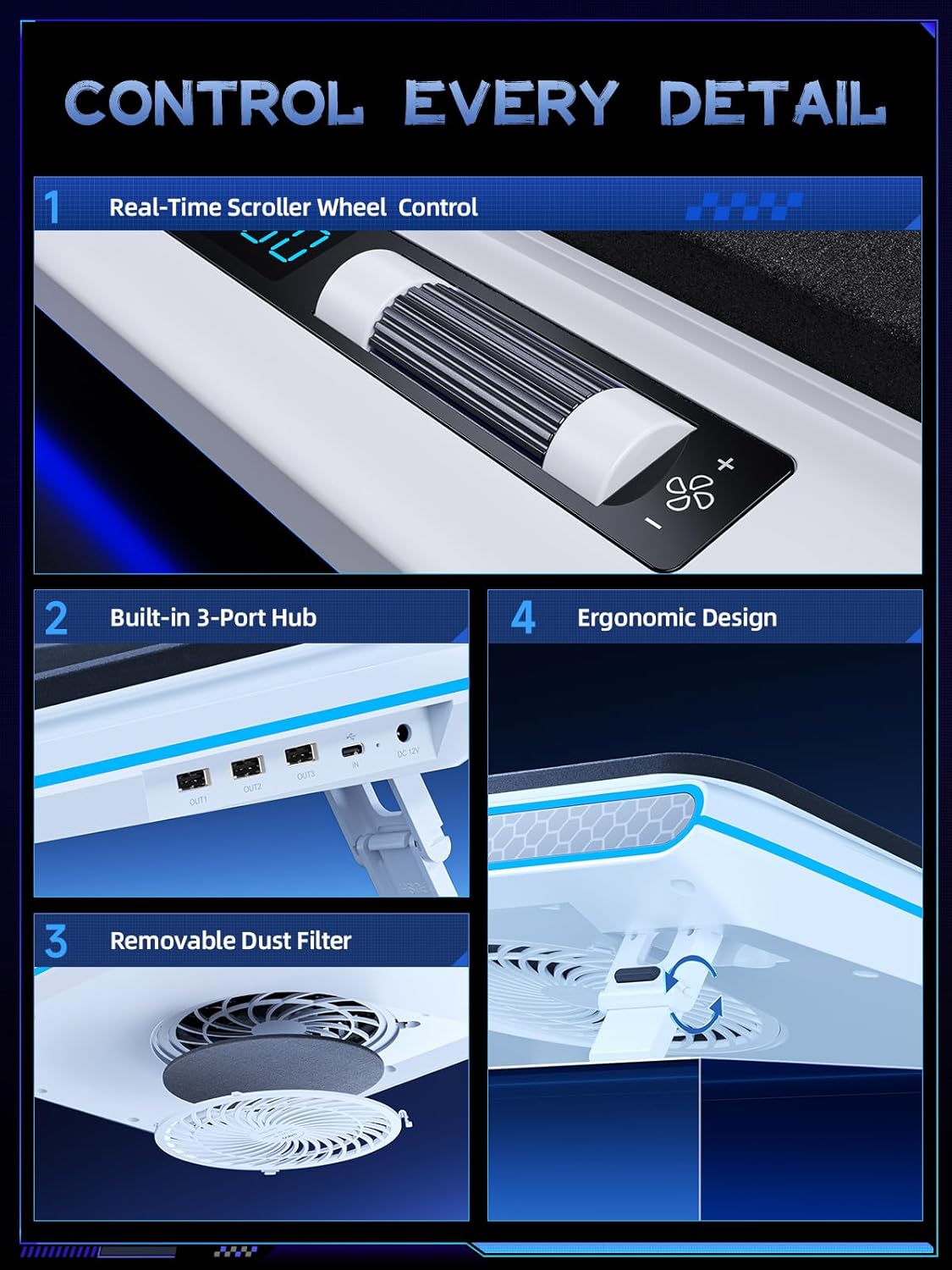
And if you like an organized desk, the 1 in 3 out USB hub can be handy for peripherals like a mouse or keyboard while your laptop is in the pad.
What to check before you buy
Because the product is targeted at 15–19in laptops, confirm your laptop size falls in that range. Also, pay attention to your expectations for noise: “quieter” is not the same as “silent,” especially during sustained high RPM periods.
Finally, consider whether you’ll actually use the touch controls and display. If you prefer the simplest “plug in and forget it” style, the LCD and touch adjustments might be more features than you need.
Is it worth it?
Worth buying if you want a cooling pad that prioritizes rapid cooling (the stated CPU+GPU temperature drop claim), includes sealed foam for airflow effectiveness, and gives you touch controls plus an LCD readout for managing fan speed and RGB without fiddling around.
Better avoided if you’re extremely noise-sensitive, because even with “quieter” positioning, a powerful 36W turbofan cooling pad can still be noticeable depending on the room and your usage.
It makes sense for people who do regular gaming or high-intensity work and want a more hands-on way to balance cooling and noise. If you just need minimal assistance for occasional light use, the added controls and power may feel like overkill.
Mini FAQ
Can I control the RGB lighting without removing my hands from the laptop?
Yes. The pad includes touch control keys for RGB lighting, and it also notes an RGB memory function so your lighting preferences don’t always reset each time you power on.
Does the cooling pad help with gaming or work heat?
The description specifically frames cooling performance for gaming and high-intensity tasks, with a cooling claim tied to CPU+GPU temperature drop in 90 seconds.
Is there a mute-style button?
There’s a touch-mute button on the bottom that you can tap with one finger. The instructions also mention long-touch behavior (2s) to turn the radiator/fan on or off.
What connections are included for adding devices?
It includes a USB-A to C cable and mentions a 1 in 3 out USB hub, intended to support connecting accessories like keyboards and mice.
Does it come with a dust filter and seal foam?
Yes. The box contents list a dust filter and memory foam seal, which are intended to support the cooling setup.