

GravaStar Mercury K1 Lite 75% Gaming Keyboard (Tri-Mode Wireless + Wired) with Crystal Aurora RGB
Product description
The essentials (what you’re really buying)
If you’re shopping for a 75% mechanical gaming keyboard that also looks like it belongs in a sci‑fi setup, the GravaStar Mercury K1 Lite is built around two ideas: standout lighting and a smooth, lighter typing feel. On paper, it’s aiming at people who want a cleaner desk footprint than a full-size board, without sacrificing a “premium” sound/feel thanks to its gasket mount approach.
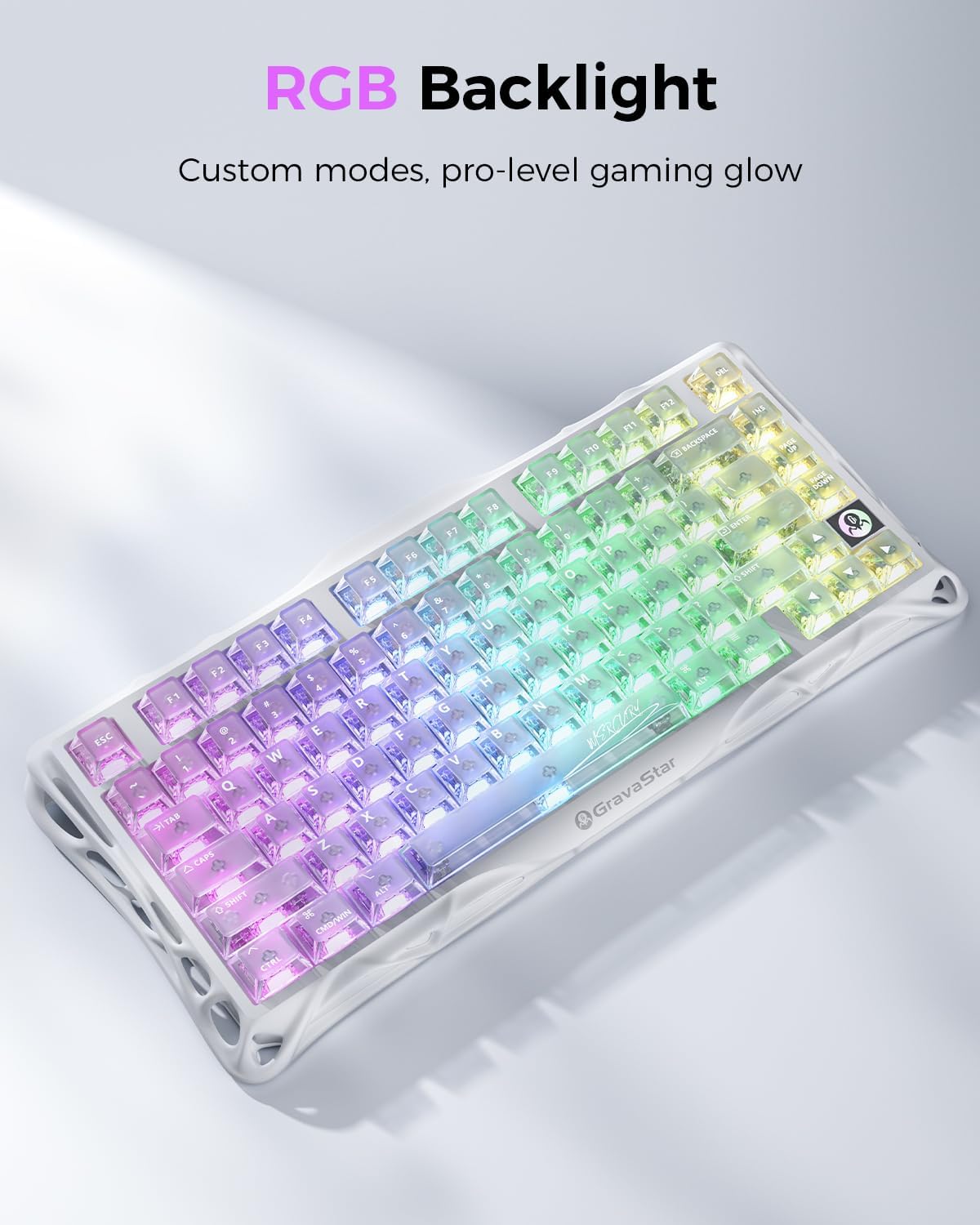
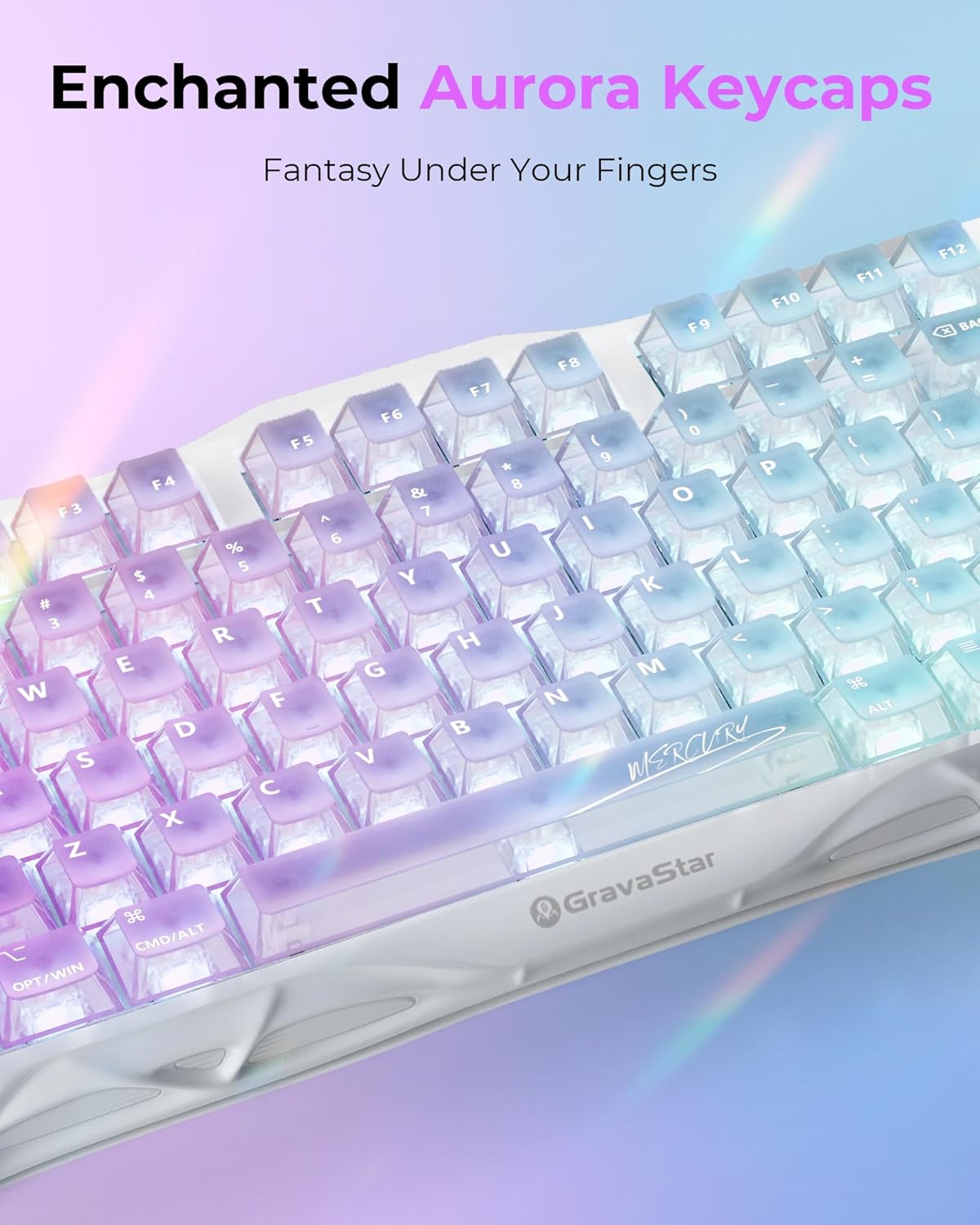
The Crystal Aurora theme is the headline. You get a white base, a sculpted open-frame / hollow look, and keycaps that refract RGB into a purple‑green gradient effect. It’s the kind of keyboard that’s more than functional—it’s a centerpiece.
What matters most for daily use
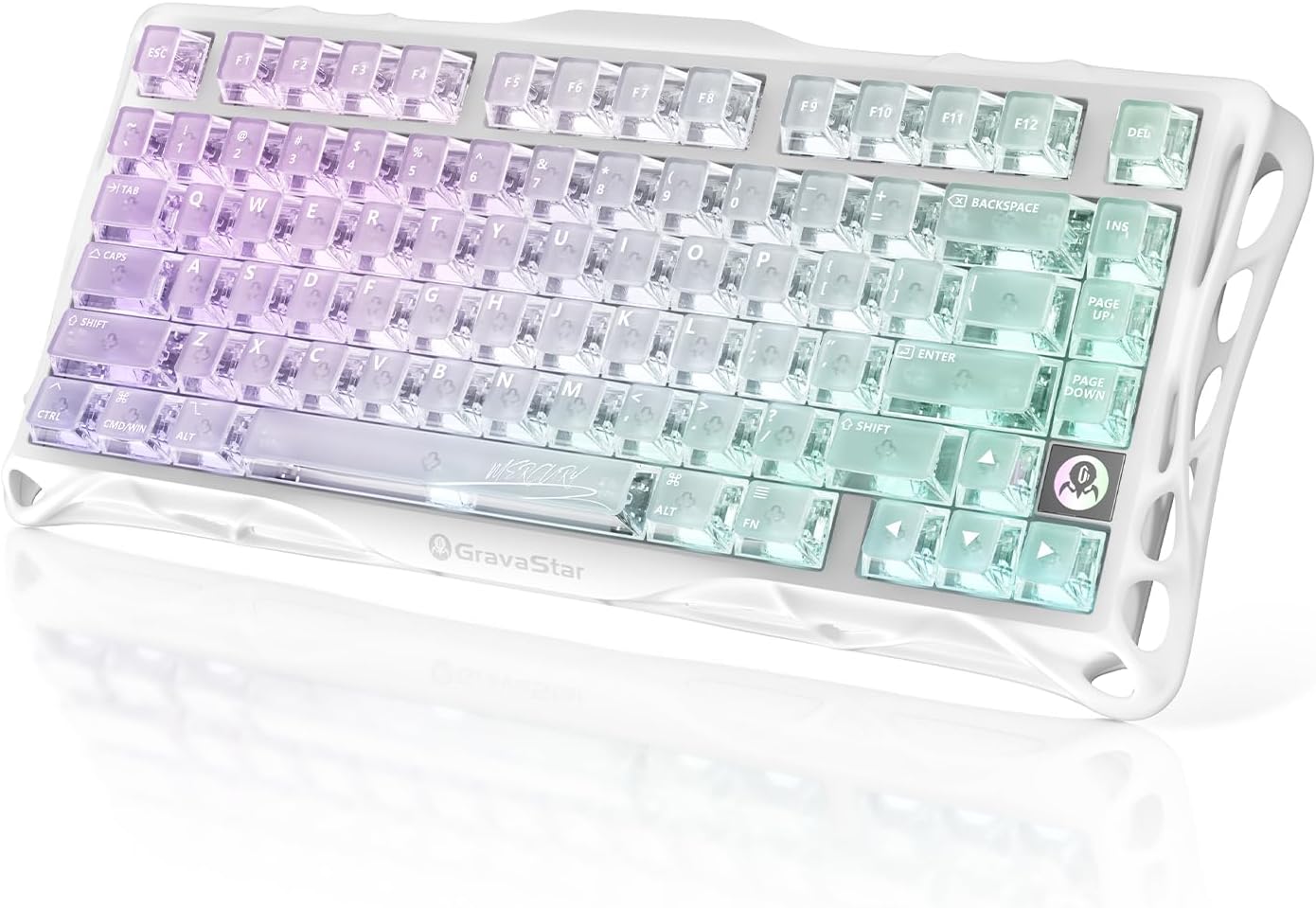
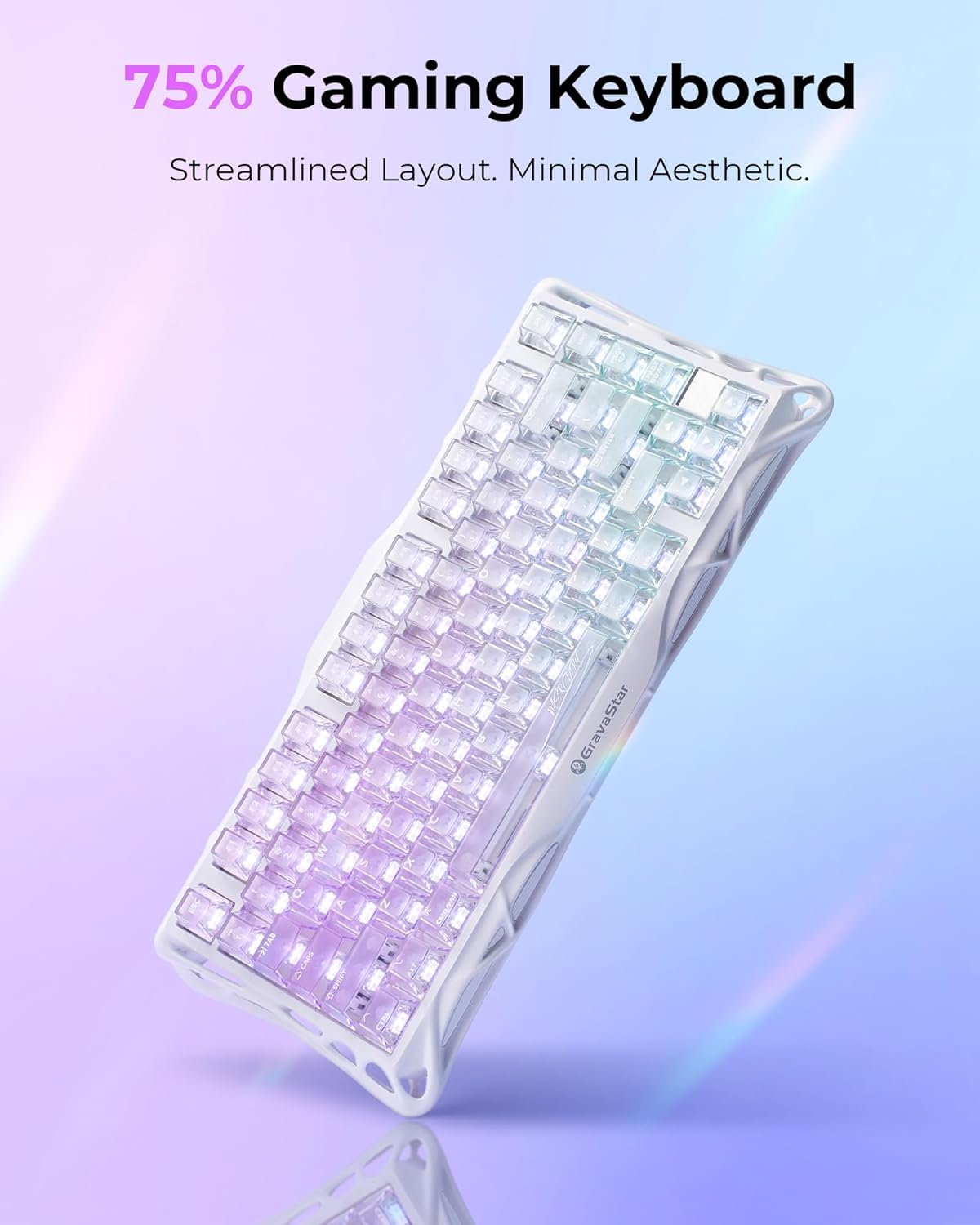
A 75% layout usually lands well if you want arrows and a compact right-side without the extra bulk of a tenkeyless or full-size keyboard. The Mercury K1 Lite leans into that convenience while still being marketed as a gaming keyboard, especially because it supports tri‑mode connectivity.
The practical win here is switching between devices. The description indicates you can pair with up to three devices at once and toggle between them, which is the sort of workflow upgrade that matters if you bounce between a gaming rig and a laptop (or work machine). In real life terms: you can keep playing on one device, then hop to the other for a call or task without reaching for extra cables or going through messy re-pairing.
Key takeaways on typing feel and sound
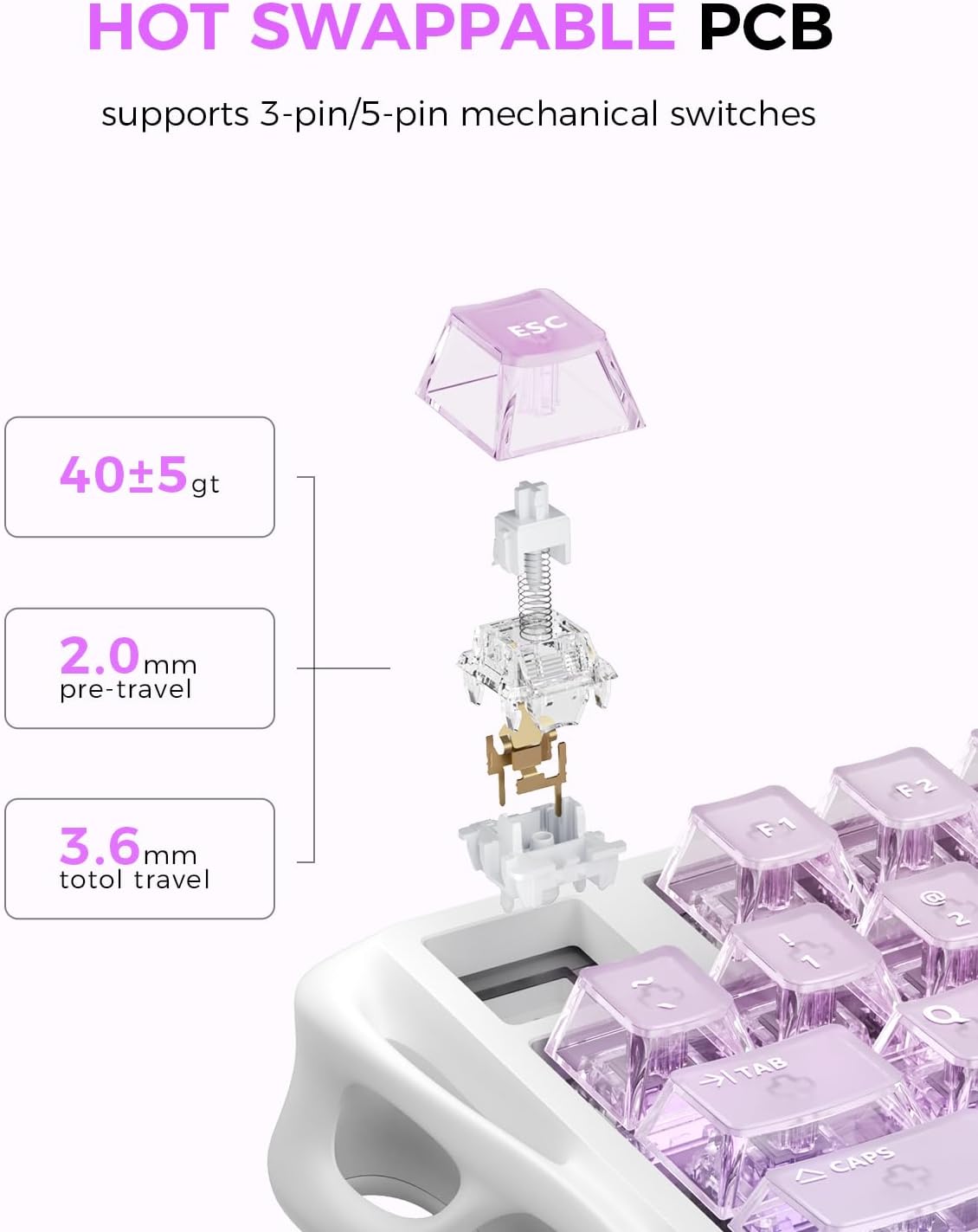
This board uses custom linear switches from GravaStar x BSUN, with specs listed as 40gf actuation, 2mm pre-travel, and 3.6mm total travel. Those numbers point to a lighter, quicker press style rather than a heavy, deliberate key.

It’s also described as having a five-layer gasket mount system. That’s a meaningful feature for how keys respond and how the board sounds—gasket mounts often help with that softer “cushioned” feel compared with harder-mounted designs. It’s not guaranteed to match your exact taste (sound preferences are super personal), but the intent is clear: responsive keystrokes and a crisp profile.
One nuance to keep in mind: linear switches can be a love-it-or-leave-it choice. If you strongly prefer tactile feedback, you may find the feel too smooth for your style.
Connectivity and battery: the tri-mode pitch
The Mercury K1 Lite is positioned as tri‑mode: 2.4GHz wireless, Bluetooth 5.0, and wired USB‑C. The listed 2.4GHz polling rate is 1kHz, which is relevant if you care about responsive gaming over basic office latency.
Battery-wise, the description states a built-in 4000mAh battery designed to support weeks of continuous use on a single charge, with USB‑C charging while you keep typing or gaming.
This is one of those “works the way you expect” designs: if you forget to charge, you’re not completely stuck waiting. Still, if you’re the type who plays with your keyboard disconnected for long stretches, you’ll want to keep an eye on real usage with your own lighting level—RGB can move the needle.
The Crystal Aurora design (and why it’s not just looks)
The open skeletal / hollow frame design is meant to improve airflow and enhance lighting effects. More importantly, it helps the RGB “spill” across your desk the way the gradient keycaps are designed to refract the backlight.
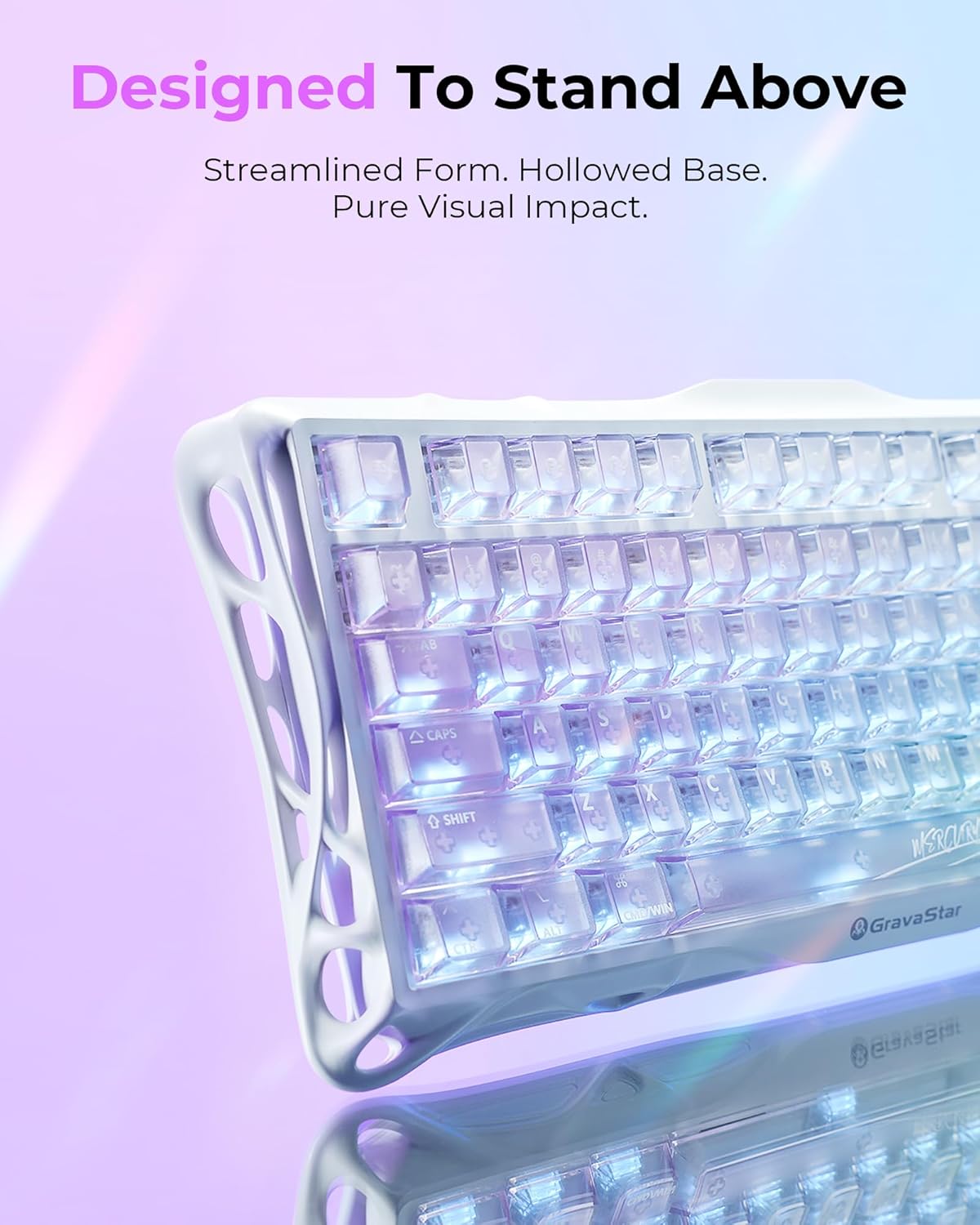
If your current keyboard lighting feels trapped or flat, this open-frame concept is designed to fix that. It can also look great in setups where you already have light sources—because the hollow structure turns the keyboard into part of the room lighting rather than a single rectangle of glow.
The tradeoff is simple: open designs tend to be a bit more exposed visually, and depending on your desk, you might notice more visual “space” around the board. It’s a style choice as much as a feature.
Tech specs
- Name: GravaStar Mercury K1 Lite 75% Gaming Keyboard
- Type: Tri-Mode Wireless Keyboard (2.4GHz / Bluetooth / Wired)
- Size: 75%
- Material: Premium PC chassis (open-frame construction)
- Wireless: 2.4GHz with 1kHz polling rate
- Bluetooth: Bluetooth 5.0
- Connection: USB-C wired
- Switches: GravaStar x BSUN custom linear switches
- Actuation: 40gf actuation
- Pre-travel: 2mm
- Total travel: 3.6mm
- Mount: Five-layer gasket mount system
- Battery: 4000mAh built-in battery
- Backlighting: RGB backlit (Crystal Aurora design with gradient keycaps)
Is it worth it?
This keyboard is worth considering if you want a 75% mechanical layout, like a smoother linear switch feel, and care about tri‑mode convenience—especially pairing with up to three devices. The gasket mount system and the listed switch travel specs suggest it’s tuned for easy, light keystrokes with a more refined, cushioned response.
You may want to skip it if you strongly prefer tactile switches or you only want the simplest, least “statement” style. Also, if you’re sensitive to how a keyboard’s sound profile lands in your room, remember that sound is subjective—even with the gasket design.
Mini FAQ
Is this keyboard good for switching between multiple devices?
Yes, the description says you can pair with up to three devices and toggle between them, which is the core benefit of tri‑mode for multitask setups.
What kind of switches does it use?
It uses GravaStar x BSUN custom linear switches, with the specs provided for actuation and travel. They’re linear, so the feel is smooth rather than tactile.
Does it support wired use while charging?
The description says you can connect via USB‑C and keep typing or gaming, so you’re not forced to stop when the battery needs power.
How important is the RGB/open-frame design?
It’s central to the product concept. The open-frame construction is intended to enhance airflow and make lighting effects spill across your desk.