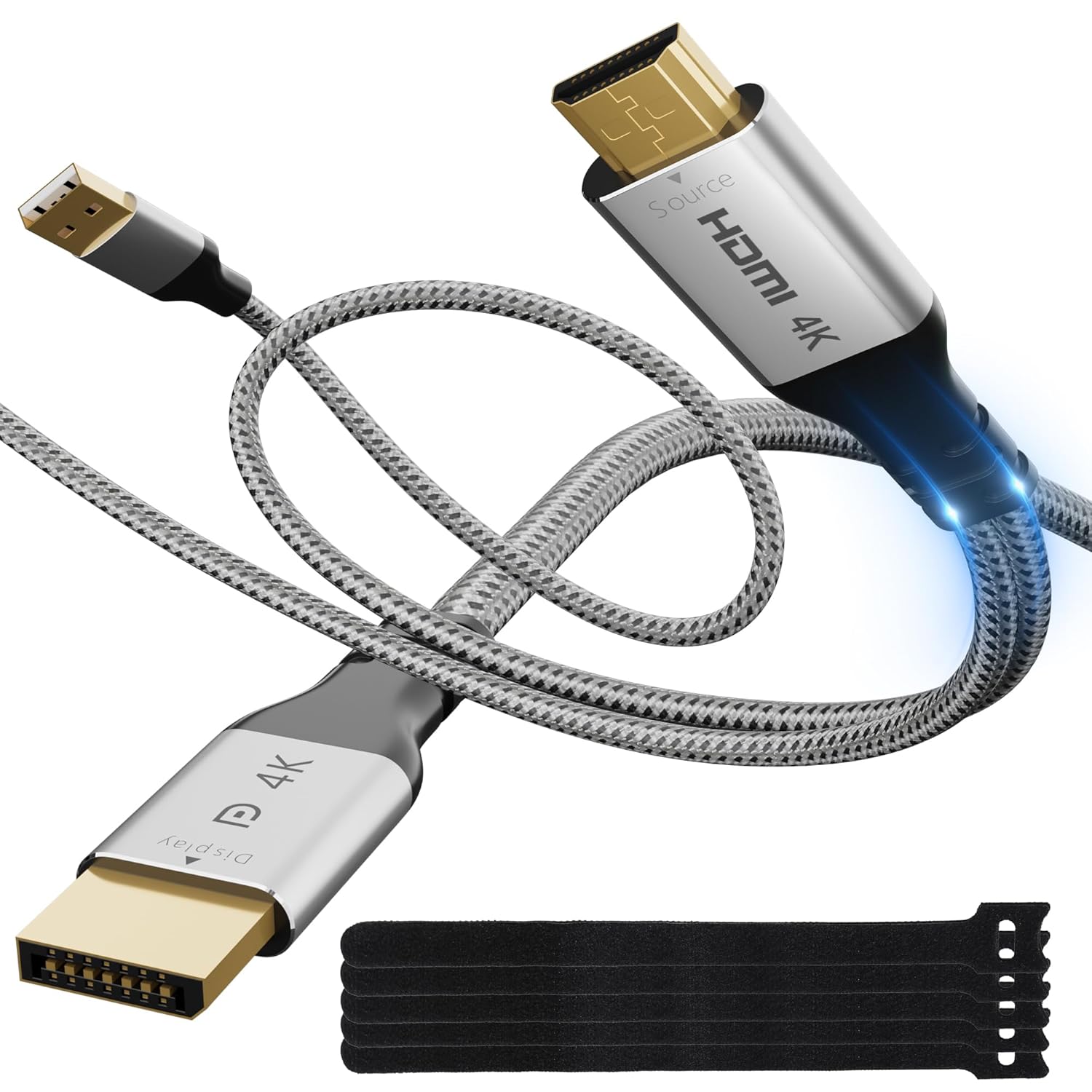
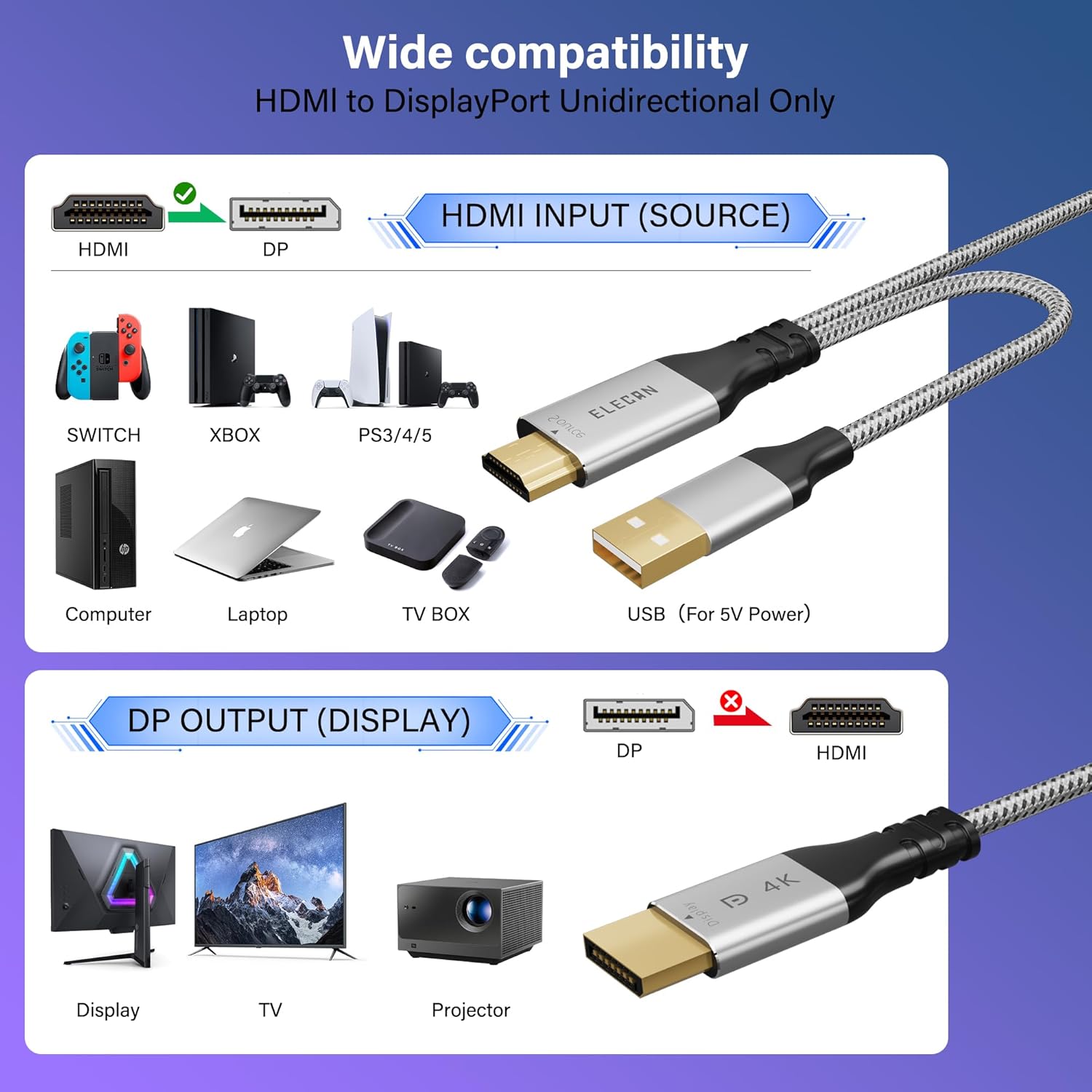
What it is and what problem it solves\nIf you’re looking to connect an HDMI source to a DisplayPort-enabled monitor or projector, this Elecan Uni-Directional HDMI to DisplayPort adapter is designed to bridge that gap without replacing devices. It’s purpose-built to take an HDMI output and convert it to DisplayPort, so you can reuse existing displays with HDMI-equipped computers, consoles, or media players. On the surface, the idea is simple: a compact, one-way adapter that handles video (and audio) from HDMI to DP.\n\n## Build quality and durability\nThe adapter has gold-plated connectors to bolster durability and signal stability, plus a premium nylon braided exterior that resists tangling and stands up to daily use. The aluminum alloy casing aids heat dissipation, helping the unit stay cooler during longer sessions. A compact connector design helps it fit into tight spaces, such as behind a MacBook Pro with a case or near a game console.\n\n## Performance and compatibility\nOn paper, it supports up to 4K@60Hz when sending HDMI output to a DisplayPort display, with backward compatibility to lower resolutions like 2K and 1080p. It’s compatible with HDMI 2.0b input and DisplayPort 1.4 output, which translates to stable frames and reliable color reproduction for most setup scenarios. It supports extended or mirrored display modes, which covers both productivity and entertainment use cases. It’s plug-and-play and is USB-powered (up to 5V 1A), so no driver installation is required. Do keep in mind it is strictly one-way: HDMI (source) to DisplayPort (display).\n\n## What to expect in real use\nIf you’re wiring a PS5 or a PC to a DP monitor, you’ll likely notice clean video and audio transfer when your source is HDMI. The compact form factor helps when you’re working with crowded desks or behind entertainment centers. In practice, the setup is straightforward: connect HDMI from the source device, connect the USB power cable, and attach the DP cable to the display. If you’re hoping to convert a DisplayPort input to HDMI output, that’s not what this adapter does, and you’d need a different solution.\n\n## Pros and cons in context\nWhat stands out: the one-way HDMI-to-DP design, robust build with gold-plated connectors, and a heat-dissipating aluminum shell. The trade-offs: this is not a universal adapter for every direction of signal flow, you’ll need a DP monitor that accepts DisplayPort input, and you won’t get HDR or other HDMI features that some newer sources may advertise. If your goal is to reuse an HDMI-only device with a DP-only display, this is a practical fit.\n\n## Who it’s for\nThis product suits gamers, content creators, or daily users who want to leverage a DisplayPort monitor or projector without buying a new display. It’s especially relevant when you already own HDMI-equipped sources like consoles or laptops and you prefer using a DP display for its bandwidth or color characteristics.\n\n## Who it isn’t the best option for\nIf you need bidirectional conversion (DP to HDMI) or if your display is HDMI-only, this adapter won’t satisfy those needs. Also, if you expect features like native USB-C power delivery or higher levels of HDR, you may want to look for alternatives with those specifications.\n\n## When to buy this\nConsider this adapter when you want to connect an HDMI source to a DisplayPort monitor and you already own a DisplayPort-equipped display, with a need for a clean, one-way signal path and a compact design. It’s a sensible option if you’re budgeting for a display upgrade without changing all your source devices.\n\n## What to check before purchasing\n- Confirm your source device outputs HDMI (not DP).\n- Ensure your display accepts a DisplayPort input.\n- Verify you have a dedicated USB power source to run the adapter if your setup requires it.\n- Consider cable management in tight spaces where the slim connector helps.\n\n## Practical usage example\nImagine you’re gaming on a PS5 and want to display gameplay on a DP monitor with reliable color and motion. This adapter can transmit the HDMI signal from the PS5 to the DP monitor, keeping a clean setup and avoiding the need for a new display.\n\n## FAQ (brief)\n- Q: Does it support 4K at 60Hz? A: Yes, up to 4K@60Hz from HDMI to DisplayPort, per specifications.\n- Q: Is it reversible? A: No, this is uni-directional (HDMI to DisplayPort only).\n- Q: Do I need drivers? A: No, it’s plug-and-play and USB-powered.\n\n## Final decision\nIs it worth it? If you need to connect an HDMI source to a DP monitor and value a compact, durable build with simple setup, this adapter offers a practical, no-frills solution that keeps costs down while preserving image quality.