

CMSTEDCD GMXUS-SW219S-Grayish Black HDMI KVM Switch, 4K@60Hz
Reviews
Price
Product description
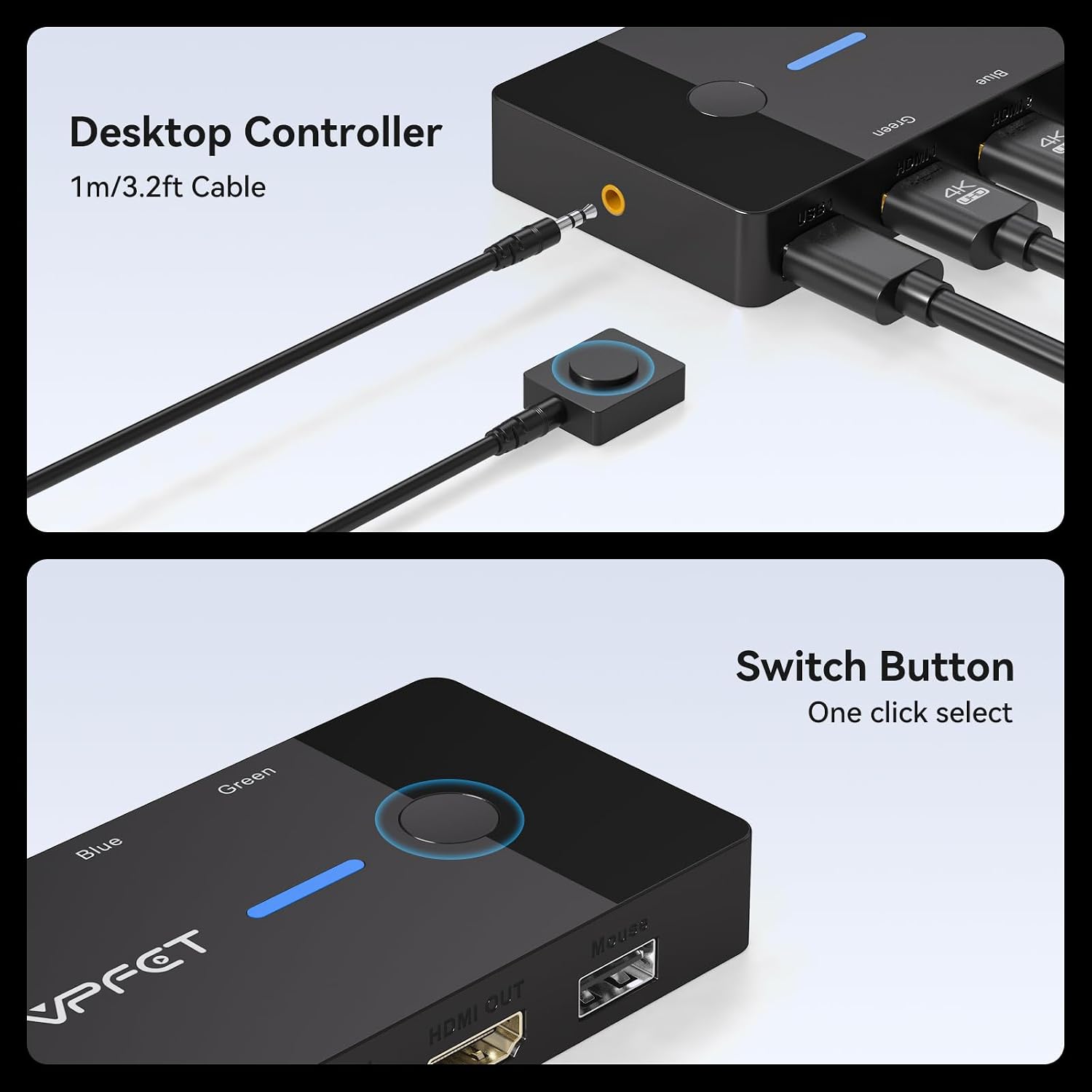
Choosing a KVM switch is about whether you need to share a screen and peripherals between computers, or need a broader docking setup. This CMSTEDCD model connects two computers to one HDMI monitor and lets you switch the shared keyboard and mouse. It offers a wired desktop controller as well as a button on the unit. It requires HDMI connections, using adapters may cause intermittent display or connection problems.
Getting the most from it
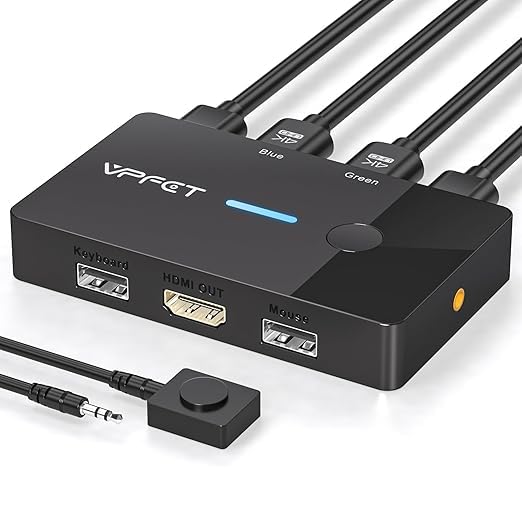
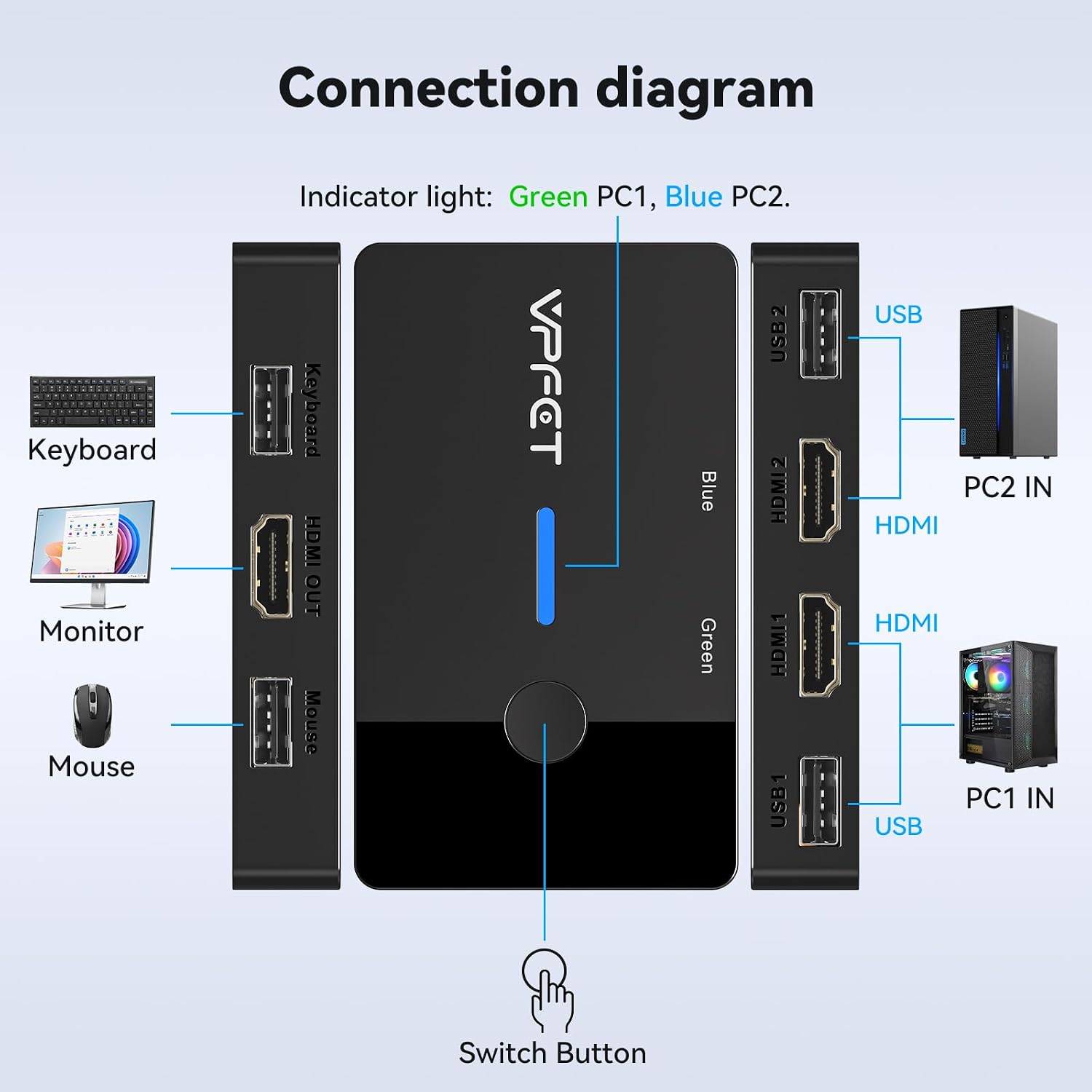
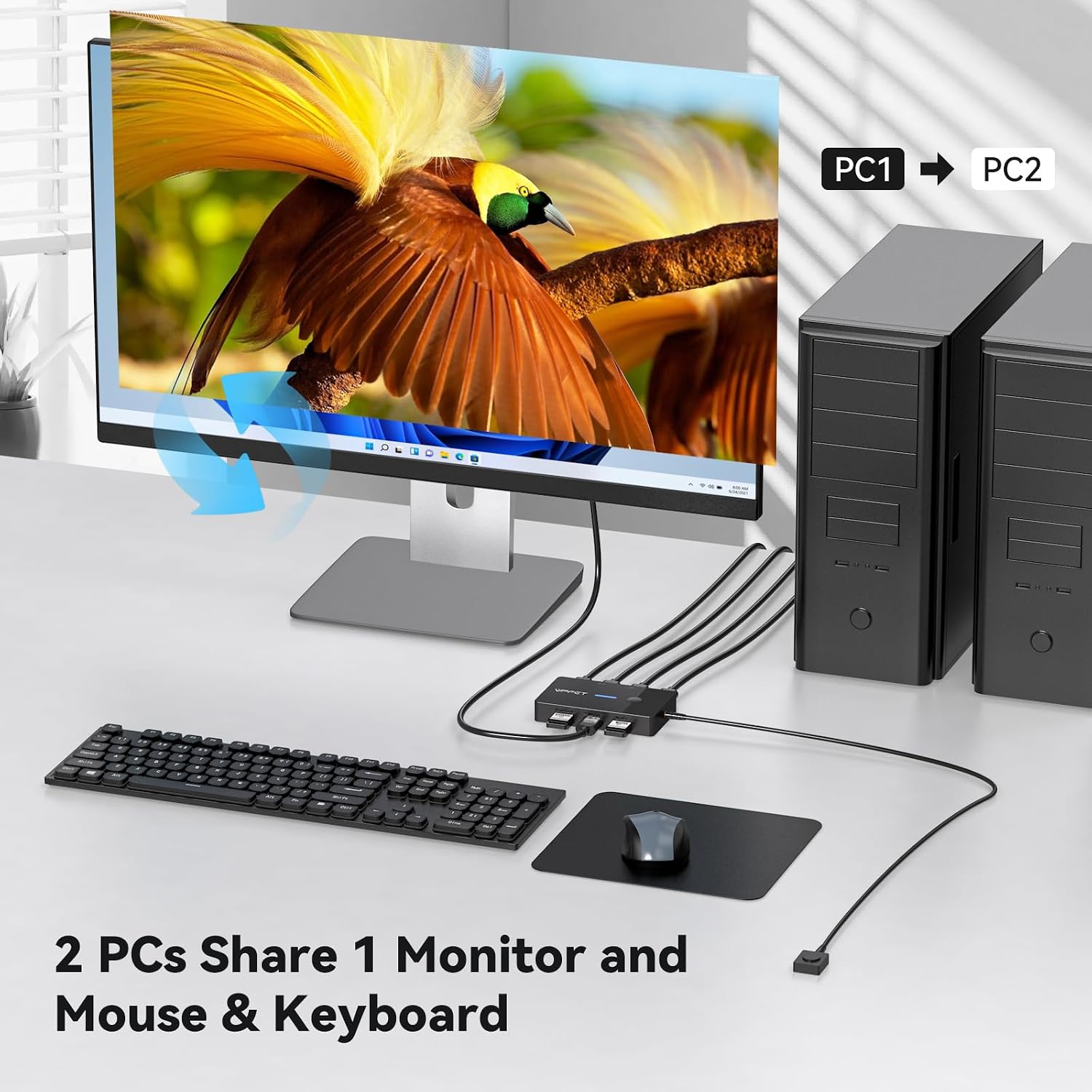
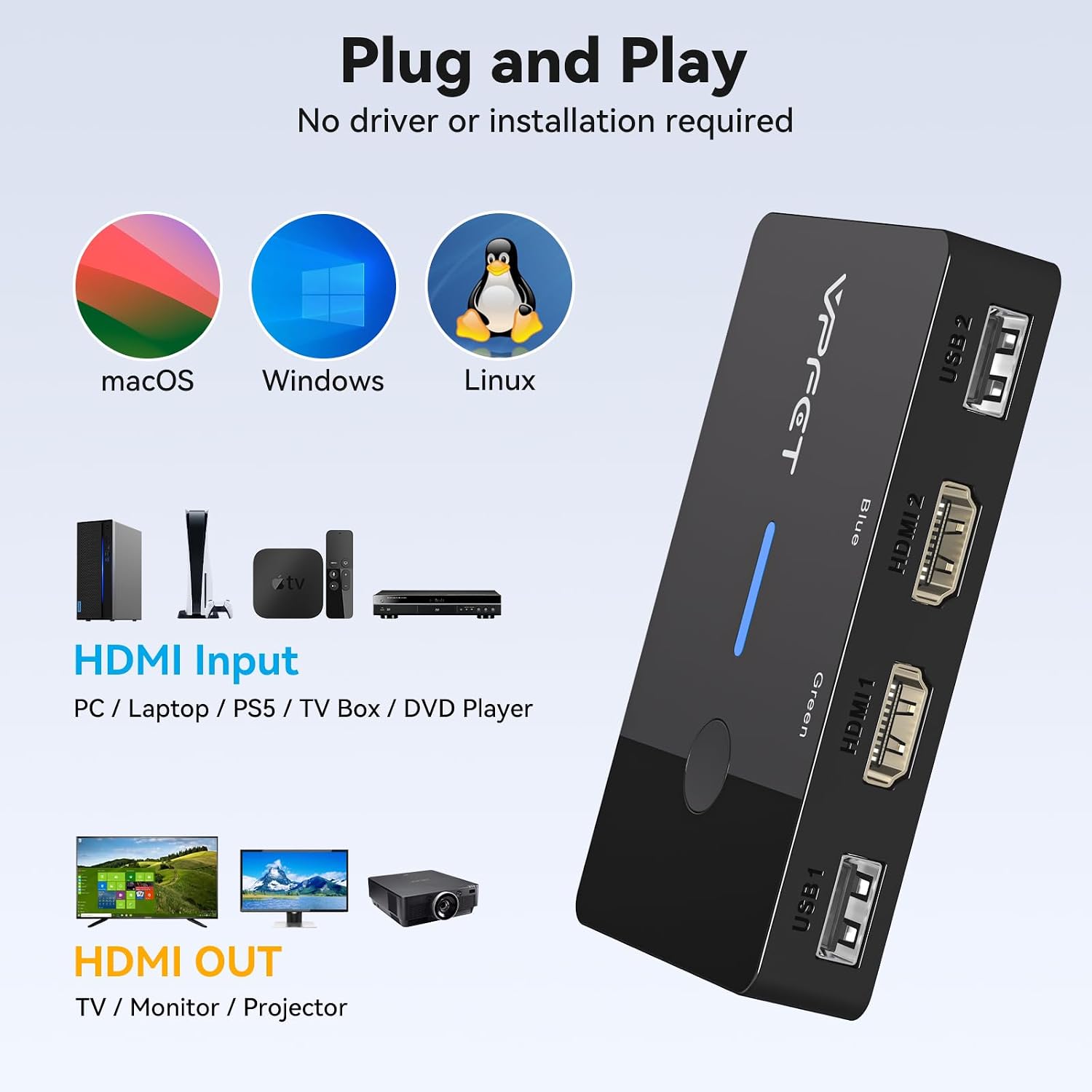
Connect both computers and the monitor through HDMI, then attach a wired keyboard and mouse to the switch’s USB 2.0 ports. Press the switch’s button or use the included wired controller to move between computers. For a home desk shared between a work PC and a personal PC, that means you can keep one monitor and input devices in place instead of reconnecting them whenever you change machines.
The product is specified for resolutions up to 4K at 60Hz, with lower listed resolutions also supported. That result depends on the computers, monitor, and HDMI cables: the listing calls for a high-quality HDMI 2.0 cable no longer than 3.3 feet and says the connected devices must support 4K. HDMI cables are not included. The listing also warns that adapters can lead to flickering or failed transmission, so a setup with native HDMI ports is the more straightforward fit.
What you’ll notice day to day
The practical distinction from a basic video switch is that this unit also shares USB peripherals. Two USB 2.0 ports are provided, with a stated data-transfer speed of up to 480Mbps, indicator lights show which computer is active. The compact metal unit can sit on a desk, while the wired controller gives you another place to switch if you want the main unit out of the way.
Buyers describe the switching and setup as easy, though reports on compatibility and display results are mixed. Some say they get a 4K picture, while others report not getting 4K at 60Hz or having issues with their particular setup. Treat the stated resolution as a capability to confirm across your full HDMI chain rather than a guarantee for every configuration. The switch does not support hotkey switching, and the manufacturer’s product information does not recommend it for Mac devices.
It suits you if both computers and the monitor have HDMI ports and you want to share a keyboard and mouse with button-based switching. Better avoided if you need keyboard shortcuts to change computers or rely on adapters for video connections.

Technical details
- Type: HDMI KVM switch for two computers and one monitor
- Resolution: Up to 4K@60Hz, as specified
- Connectivity: HDMI and two USB 2.0 ports
- Control: Unit button or wired desktop controller, no hotkey switching
- Material: Metal
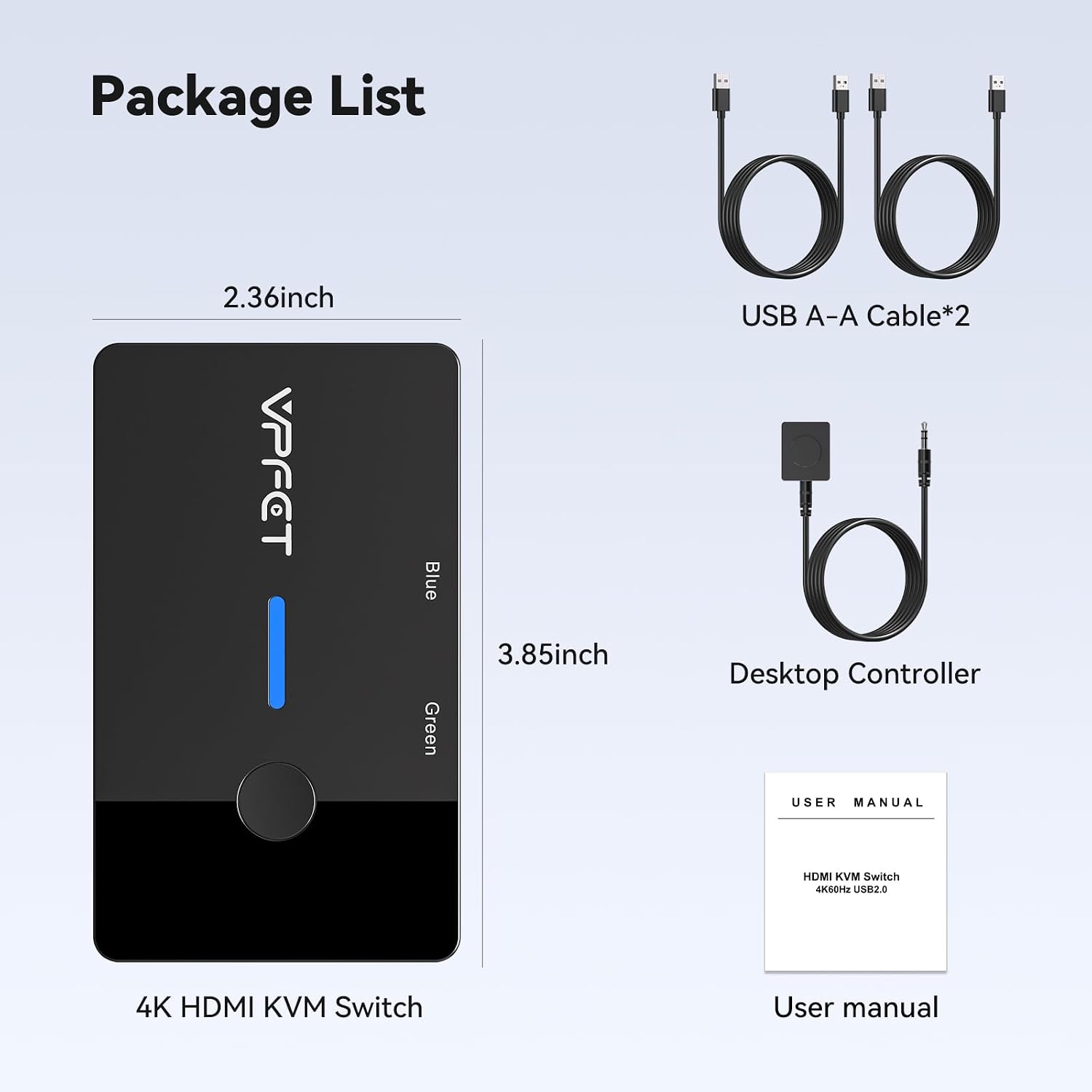
- Dimensions: 3.86 x 2.36 x 0.63 inches
- Weight: 0.06 kg
- What’s included: Wired controller, two USB 2.0 cables, user manual, and service card, HDMI cables are not included
- Reference: GMXUS-SW219S-Grayish Black
Before you decide
Does it need a separate power supply? The product information says no external power supply is required.
Can it switch between computers with a keyboard shortcut? No. Switching is done with the button on the unit or the wired desktop controller.
Are HDMI cables included? No. The package information lists USB cables and a wired controller, but not HDMI cables.
Should you buy it?
Choose this switch if your goal is a simple two-computer, one-monitor setup with shared USB peripherals and you can connect the devices directly over HDMI. Its two switching methods are useful when you want the unit tucked away or prefer a button at hand. If your setup depends on adapters, needs hotkey control, or uses a Mac, the product information gives reasons to consider a different connection approach. For 4K at 60Hz, confirm that the source, display, and specified HDMI cable all support the intended signal.