

AULA F99 Pro Wireless Mechanical Keyboard with Knob (Tri-Mode BT5.0/2.4GHz/USB-C, Hot-Swappable) — Creamy Sound + RGB
Product description
The essentials
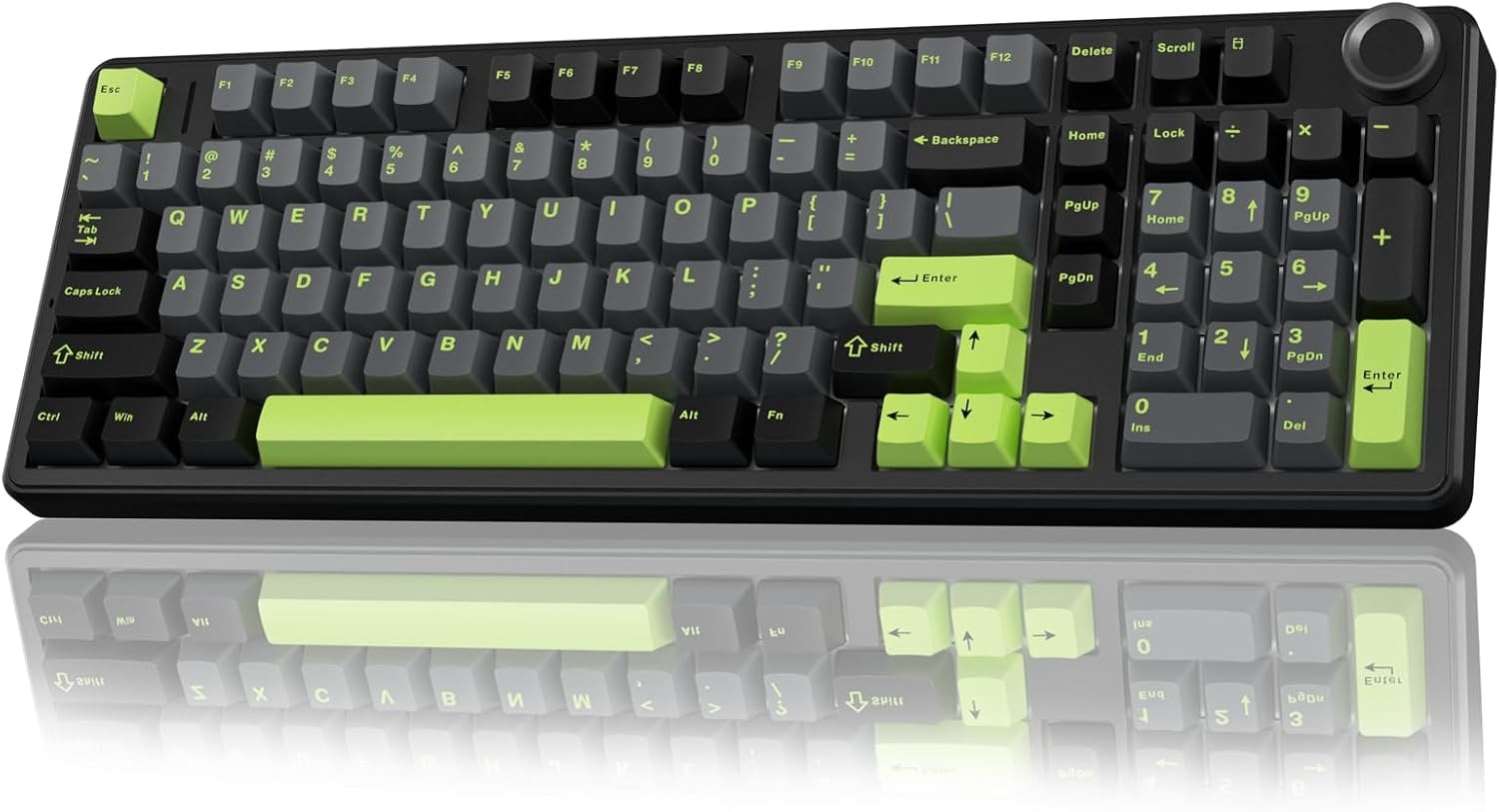
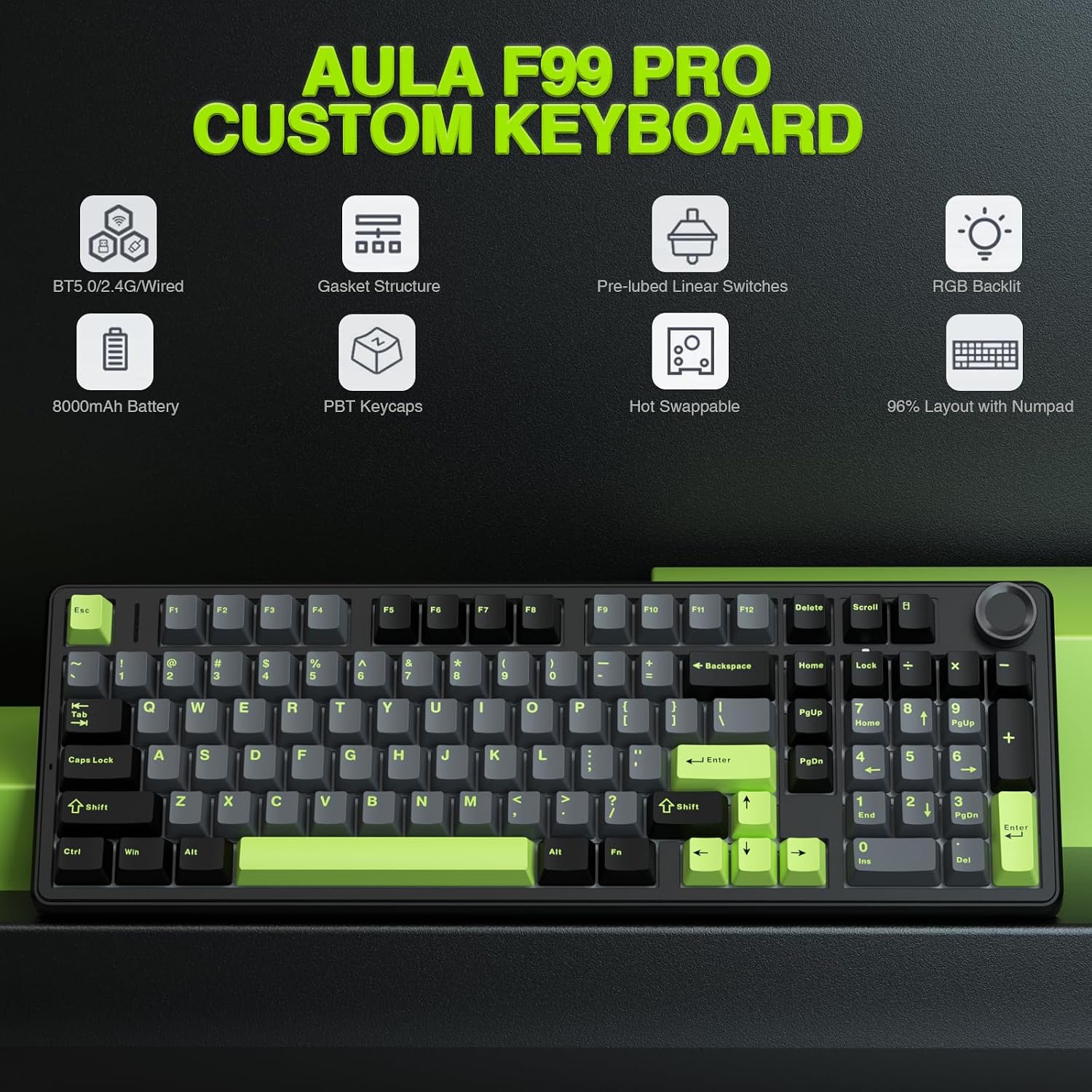
The AULA F99 Pro is a wireless mechanical keyboard built around flexibility: tri-mode connectivity (BT5.0, 2.4GHz wireless, and USB-C) plus hot-swappable switches. On paper, that’s a strong combo if you want one board for work, study, and gaming, without feeling stuck with a single switch feel forever.
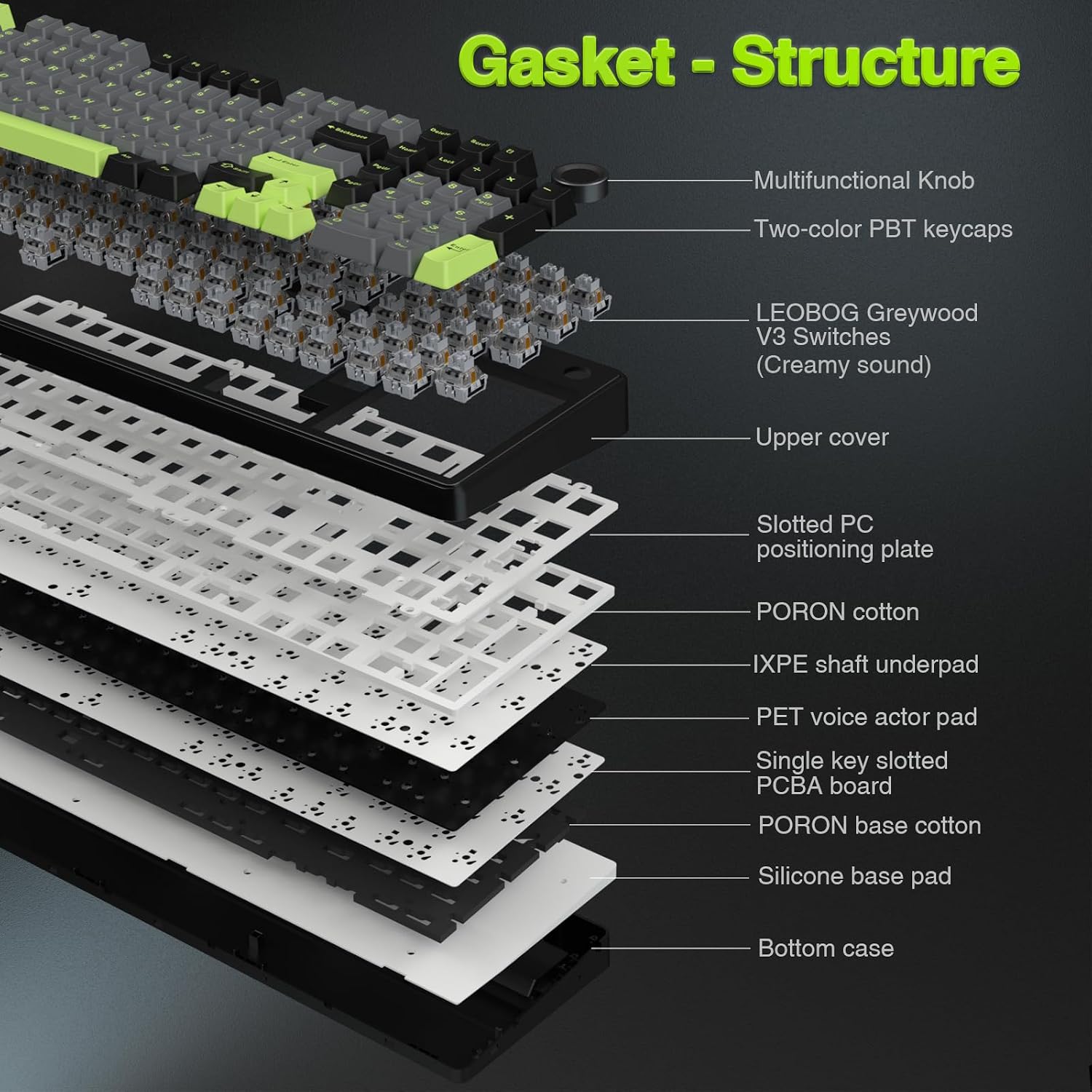
It also leans into a “creamy sound” direction with prelubed linear switches, and it wraps everything in a gasket-style mounting approach designed to reduce harsh resonance. Add the multi-function knob for lighting and media control, and you’ve got a keyboard that’s meant to be used every day—not just set on a desk and ignored.
That said, it’s still worth being realistic about fit: the feature set is broad, but the overall “top-tier” feel will depend on your preferences for linear switch sound, gasket feel, and how much you’ll actually tweak switches/keycaps/macros.
Key features that matter in daily use
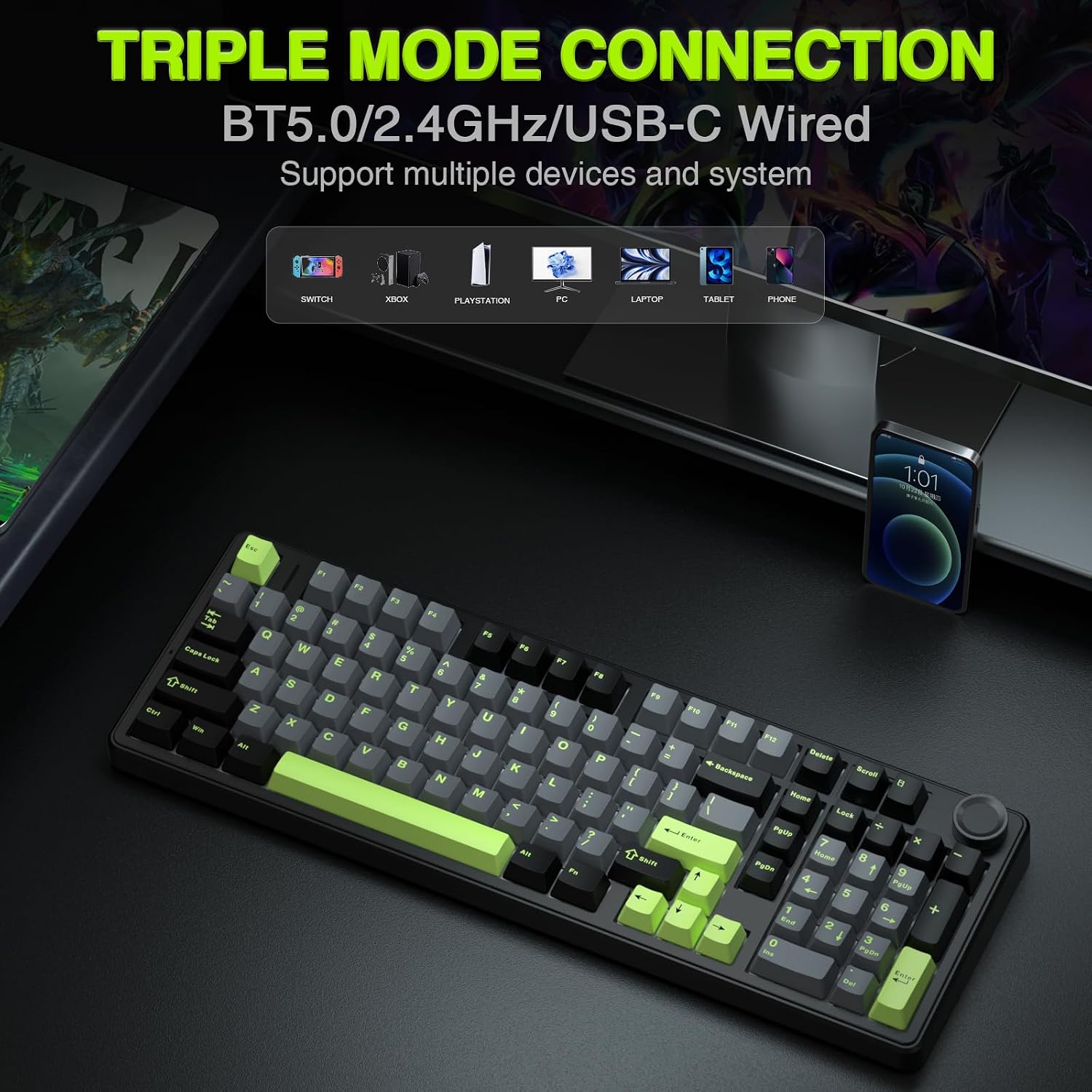
One of the biggest practical wins here is the tri-mode setup. You can connect to multiple devices at once—up to five, based on the provided description—and switch between them using FN/combination keys plus a side button. If you bounce between a work laptop, a desktop, and a tablet, that kind of multi-device switching is the difference between “nice keyboard” and “actually convenient.”
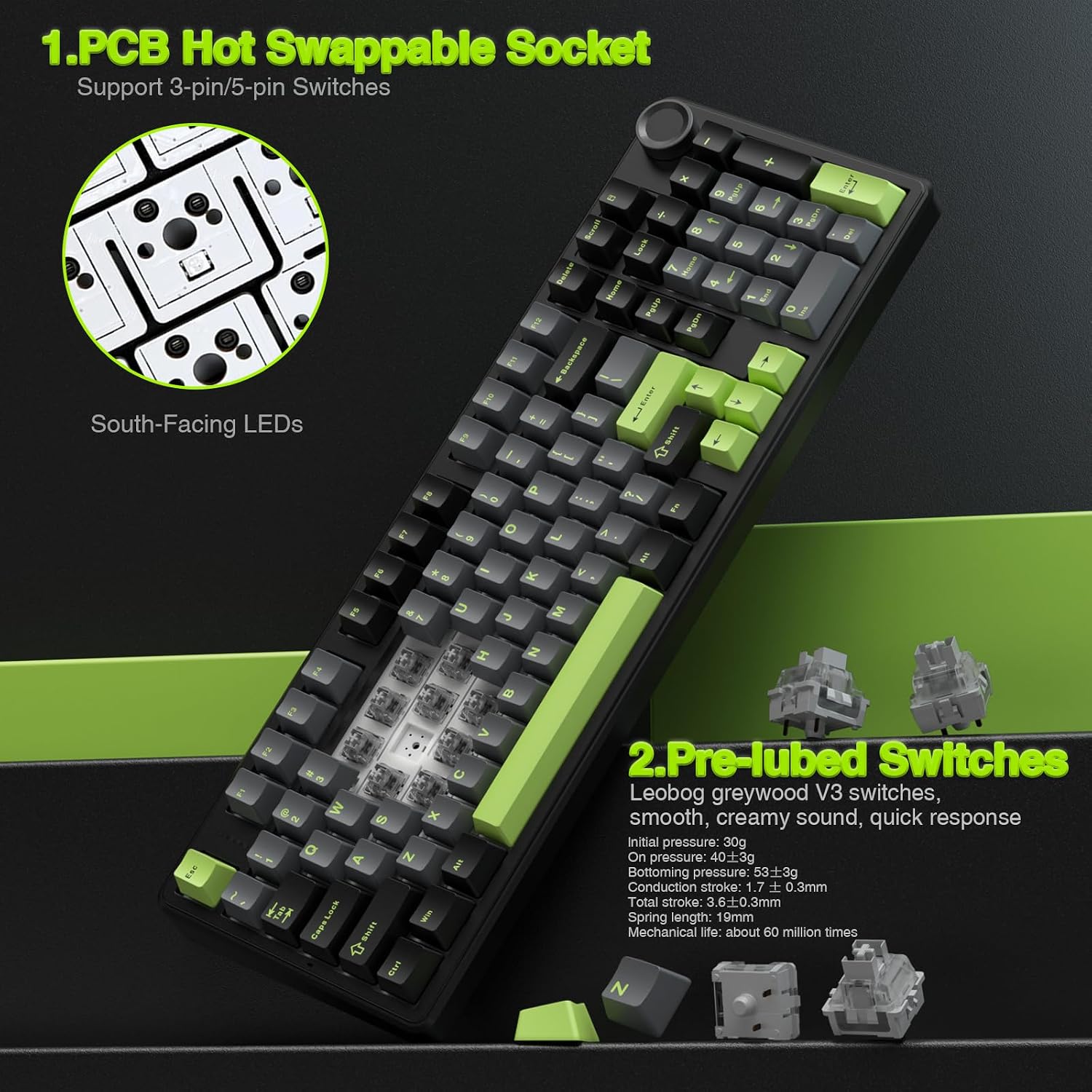
The board’s physical approach is also clearly aimed at comfort. It uses an integrated, extended silicone pad and a single-key PCB plate-slot style design, which is meant to improve stability and soften the typing feel. On top of that, the description mentions five layers of sound-dampening filler placed between the PCB, the positioning plate, and the stem area—intended to counter cavity noise when stems hit the plate.
For gaming, the F99 Pro supports multiple key presses at the same time (as stated), which is exactly what you want when you’re doing fast real-time inputs.
What you’ll notice about sound and feel
If you like linear switches and want the “creamy” sound profile this model promises, the prelubed linear switches are the headline detail. Instead of aiming for a sharper or louder character, the design tries to give a smoother, more consistent result—especially paired with the gasket-style structure and the internal sound-dampening layers.
In a realistic usage example: you might hear a deeper, less pingy tone during quick bursts of typing or a gaming session, and your fingers should feel a bit more cushioned compared to stiffer, plate-only mounts. It’s not magic—no dampening system fully removes sound—but this is clearly tuned to be more pleasant for close-quarters use.
Customization without being a project
Hot-swappable is the feature that makes this keyboard easier to own long-term. According to the description, the switches and keycaps can be replaced freely, and a keycap/switch puller is included in the package. It also mentions compatibility with 3-pin/5-pin switches “without soldering,” which matters if you want to experiment without taking the keyboard apart with a soldering iron.
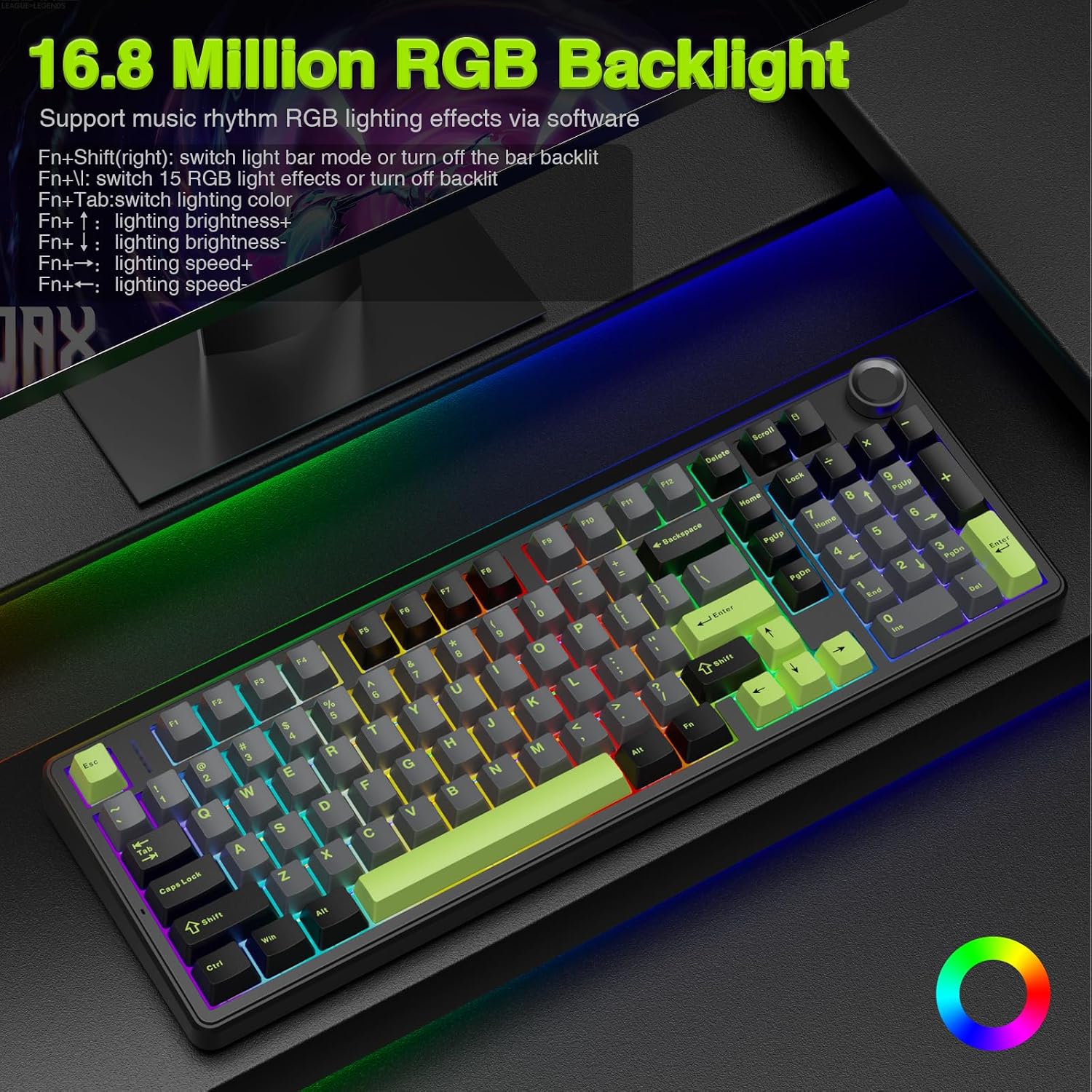
There’s also macro support for recording and editing macros, plus RGB backlighting with 16-color lighting effects. The description also references music-rhythm lighting effects controlled via a controller.
One limitation to keep in mind: the provided details confirm hot-swapping, but they don’t specify any deeper software workflow, so if you’re expecting a very polished customization suite experience, you may want to check what control options you’ll actually get after setup.
The knob, RGB, and what it’s really for
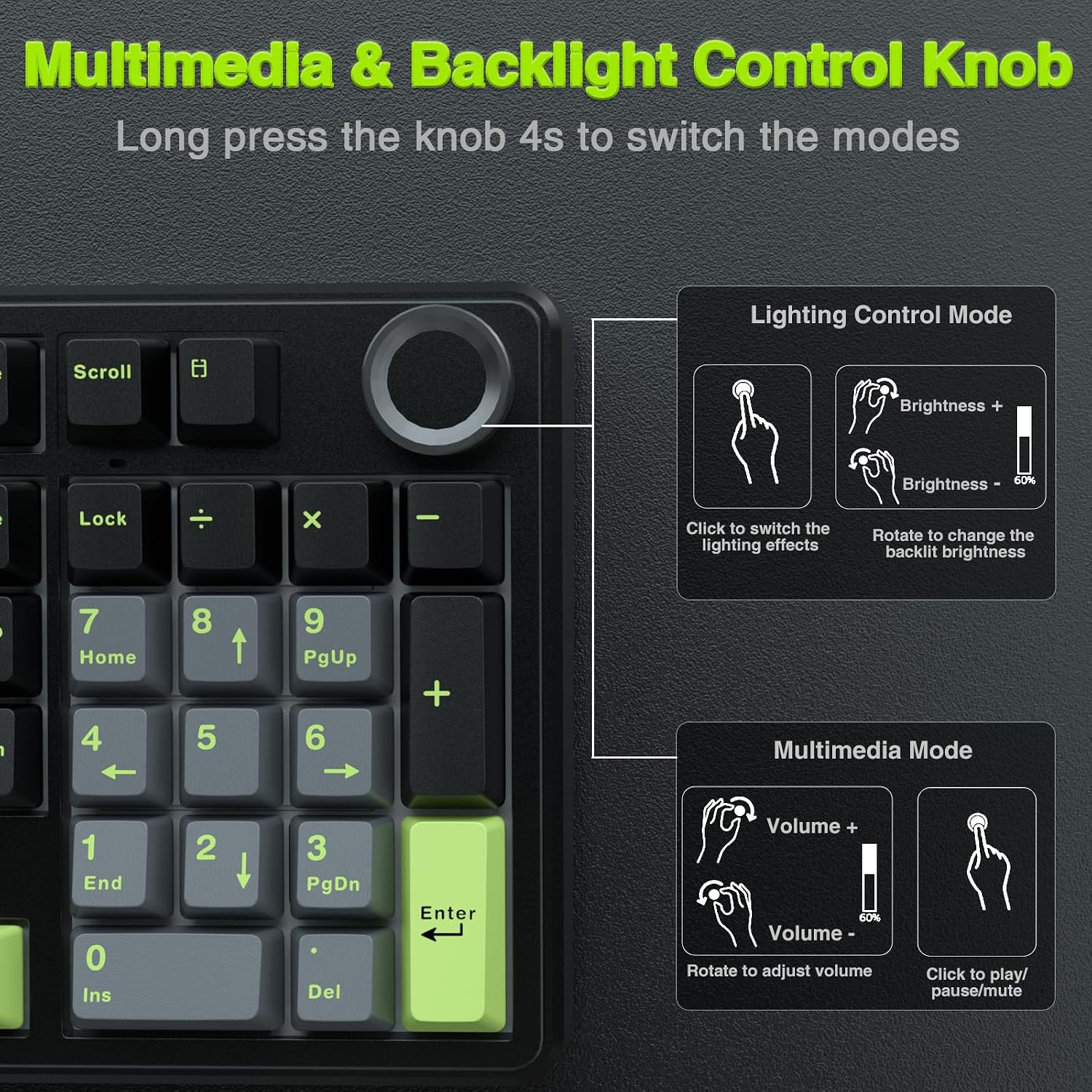
The included multi-function knob is one of those features that feels small until you use it. In lighting mode, turning the knob adjusts brightness, and clicking changes lighting effects. In multimedia mode, turning adjusts volume and clicking plays/pauses. The description also notes pressing and holding the knob for around 5 seconds to change modes.
In other words: it’s not just aesthetic RGB. It’s meant to let you adjust lights or control playback quickly, without hunting through key combinations.
Tech specs (quick overview)
Tech specs
- Connectivity: Tri-mode (BT5.0, 2.4GHz wireless, USB-C wired)
- Multi-device support: Up to five devices simultaneously
- Battery: Rechargeable 8000 mAh
- Layout: 96% compact layout (99 keys)
- Switch style: Hot-swappable, prelubed linear switches (as described)
- Mounting/structure: Gasket structure, integrated extended silicone pad, sound-dampening filler mentioned
- Key materials (partial): PBT keycaps are mentioned
- Backlighting: RGB, 16 lighting effects referenced, 16.8 million colors mentioned
- Power/lighting control: Multi-function knob for lighting and media
What to check before buying
If you’re considering the AULA F99 Pro, here are the practical things to verify so you’re happy once it arrives:
- Switch preference: The keyboard is oriented toward prelubed linear switches and a “creamy” sound target. If you prefer a different switch feel (for example, a more tactile experience), hot-swapping can help, but your starting point is still linear.
- Keycap material expectations: PBT keycaps are mentioned, but the exact set details aren’t fully spelled out here. If keycap profile/color consistency matters to you, it’s worth double-checking the listing details.
- Software/macros workflow: Macro recording and editing are mentioned, but the depth of macro organization or onboard vs. software behavior isn’t described. If macros are a major deal for your workflow, look for confirmation on how you’ll manage them.
- Noise sensitivity: The gasket + multi-layer dampening approach should reduce unpleasant cavity noise, but it won’t make any mechanical keyboard silent.
Is it worth it?
The AULA F99 Pro is worth considering if you want a wireless mechanical keyboard that’s genuinely flexible: tri-mode connectivity for multiple devices, hot-swappable switches for future changes, and a knob that makes day-to-day lighting/media adjustments simple. The gasket-style build and sound-dampening layers are a clear signal that it’s tuned for a smoother, less harsh typing experience—especially with its prelubed linear switches.
It may not be the best match if you only want the simplest “plug it in and forget it” experience, or if you’re very picky about customization software, because the details provided don’t fully cover how customization will feel in practice. And if you’re not interested in tinkering with switches/keycaps or using macros, you might be paying for features you won’t use.
Mini FAQ
Does the AULA F99 Pro support multiple connection types at the same time?
It supports tri-mode connections (BT5.0, 2.4GHz wireless, and USB-C wired). The description also states you can connect to up to five devices and switch between them.
Are the switches actually hot-swappable?
Yes—based on the description, switches (3-pin/5-pin) can be replaced without soldering, and a switch/keycap puller is included.
What does the knob control?
In lighting mode it adjusts brightness and changes lighting effects. In multimedia mode it adjusts volume and controls play/pause, and holding it for about 5 seconds changes modes.
Is it good for gaming?
The keyboard is positioned as gaming-capable, and it supports multiple simultaneous key presses (as stated). The compact 96% layout also keeps the arrow/numpad-style area for work and games.
Will it be quiet?
It’s designed to reduce cavity noise using gasket structure and multi-layer sound dampening. Still, no mechanical keyboard is completely silent, so if you need near-silent typing, you’ll want to set expectations accordingly.