

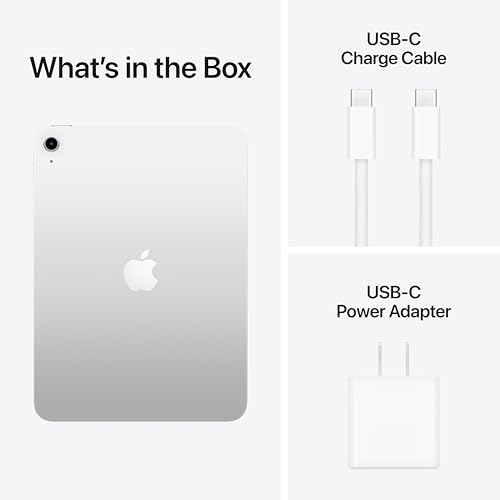
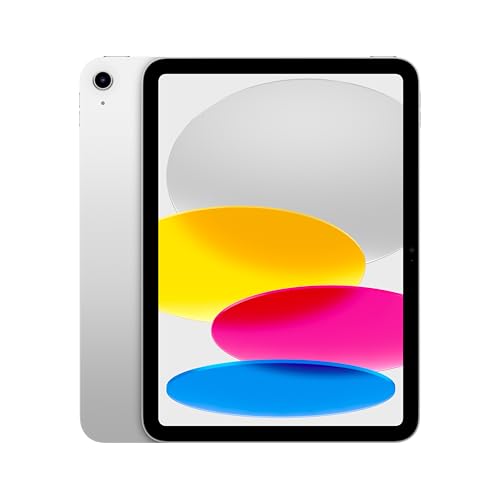
Apple iPad 11-inch (A16) with 128GB, Wi‑Fi 6, Liquid Retina, Touch ID — Silver
Reviews
Price
Product description
What it is and who it’s for
The Apple iPad 11-inch here centers on a balance between power, portability, and a capable display. It’s a tablet designed for everyday productivity, media consumption, light creative work, and staying connected on the go. If you’re after a device that can handle multitasking with multiple apps, comfortable note‑taking, photo and video work, and a strong app ecosystem, this iPad aims to cover those bases without committing to a larger, more expensive model.
Performance and storage in practice
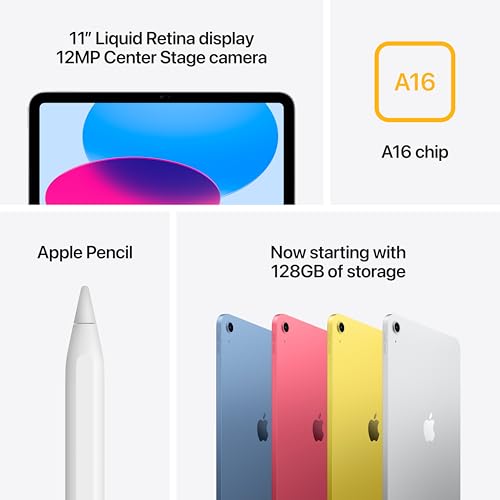
On paper the A16 chip signals solid performance for typical iPad tasks—efficient app switching, smooth scrolling, and responsive UI. With 128GB of base storage, you’ll have room for documents, photos, and a growing library of apps. It’s not marketing fluff to say you’ll notice a smoother experience when editing photos or doing time‑sensitive tasks, the real test is daily use: juggling Safari, video calls, and creative apps without frequent slowdowns. If you push hard with large files or heavy 4K video editing, you may notice the ceiling sooner than a higher‑end model, but for many users this configuration sits in a comfortable power band for everyday workflows.
Display and how it feels day to day
The 11‑inch Liquid Retina display offers crisp visuals, good color, and a natural drawing experience for casual artists or students. True Tone helps adjust color temperature to lighting, which reduces eye strain during long sessions. It’s not a pro‑tier OLED panel, but it’s more than adequate for watching videos, editing photos, and noting ideas on the fly.
Connectivity, input, and ecosystem
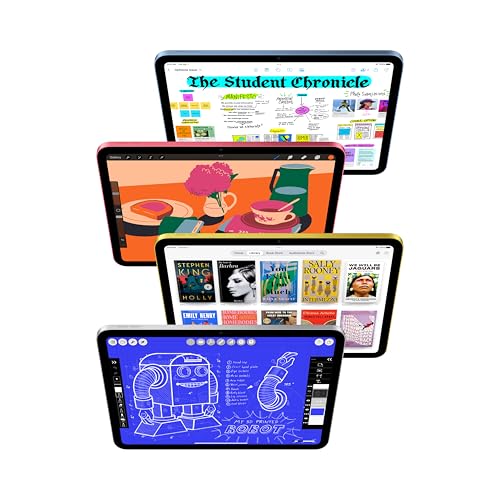
Wi‑Fi 6 ensures faster local network access, faster uploads/downloads, and smoother streaming when you’re on a supported network. The inclusion of a USB‑C port keeps charging and accessories flexible, which matters if you’re syncing files or attaching compatible peripherals. You’ll also benefit from iPadOS features like multitasking, Scribble, and a broad App Store ecosystem that supports both basic and moderately demanding tasks. If you rely on cellular data, you’ll want to confirm whether Wi‑Fi only suits your typical usage or if you’d benefit from a cellular variant.
Cameras and video calls in everyday life

A 12MP front camera with Center Stage helps with video calls, while the 12MP back camera with True Tone flash can capture documents, photos, or short clips. For many users, the cameras are solid for everyday capture, quick scans, and casual filming, though professionals with higher‑end needs may look for more advanced options.
What stands out and where it falls short
On the upside, the combination of a capable chip, decent display, and strong app ecosystem makes this iPad a versatile daily driver for students, remote workers, and casual creators. It also benefits from a familiar Apple experience, strong software support, and reliable battery life. On the downside, you may hit performance ceilings if you push into heavy video editing, 3D work, or large multitasking sessions with very demanding apps. Battery life is advertised as all‑day, but real‑world endurance depends on brightness, app mix, and network activity.
Is this the right fit for you?
It’s a good fit if you want a compact, capable tablet for note‑taking, media, light editing, and casual creative tasks. It’s also worth considering if you prioritize a robust app ecosystem and a smooth iPadOS experience in a portable form factor. If you’re after top‑tier display specs, 1TB storage, or cellular connectivity, this model may feel mid‑range relative to those needs.
What to check before you buy

- Confirm your primary use case: drawing and note‑taking, or media consumption and light editing.
- Consider storage needs, 128GB works for many, but if you collect large videos or work with big files, plan for cloud storage or higher capacity if available.
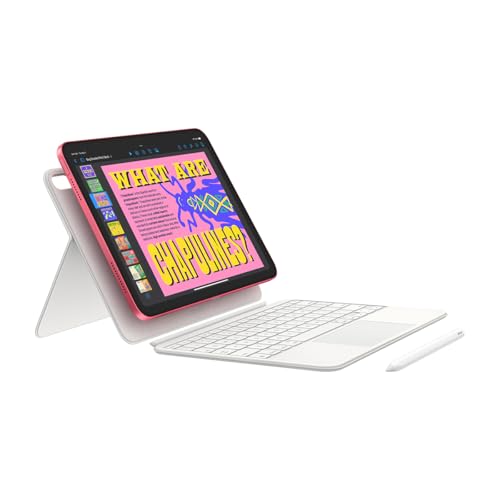
- Think about peripherals: the iPad is compatible with Apple Pencil and various keyboards through USB‑C, plan for the setup you want.
- Be mindful of the Wi‑Fi only setup vs. cellular, if you’re often away from reliable Wi‑Fi, a cellular model could be worth the extra cost.
Practical usage snapshot
Imagine grabbing the iPad for a bright, sunny morning commute. You jot notes with Scribble in a Keynote presentation, switch to Safari to pull sources, and a quick photo edit on the back camera lets you share a project from the plane. The display remains readable, colors stay pleasant, and you’re not fighting lag during routine tasks.
Alternatives and how this compares
If you don’t need all‑out performance, a smaller, cheaper model or an older generation might suffice. If you want more power for multitasking and creative work, you’d likely look toward higher storage tiers or a model with more robust display specs. In short, this iPad sits between entry to mid‑range power and higher‑end tablets, it’s aimed at everyday productivity and light creative use rather than heavy professional workloads.
Final verdict
Is it worth it? It’s a solid choice if you want a portable, well‑supported tablet for daily tasks, education, or casual content creation, and you’re comfortable with its mid‑range performance envelope. It may not be the best option if your workflow demands maximum raw compute, ultra‑high storage, or cellular connectivity as a default requirement.
FAQ
- Does it come with Apple Pencil or keyboard? The base description mentions compatibility with Apple Pencil and Magic Keyboard Folio accessories, but availability and bundled options depend on the retailer. Check current listing details.
- Can I run professional video editing apps smoothly? It handles light to moderate editing, but heavier workloads may stress the A16 chip and storage limits over time.
- Is this model suitable for students? Yes, for note‑taking, browsing, research, and light coursework, consider storage and accessory setup to enhance productivity.
Decision: Is it worth it?
Worth considering if you value a well‑rounded, portable tablet for everyday tasks, drawing and note‑taking, and you’re invested in the iPad ecosystem. It may not be the best pick if your priorities include heavy multitasking with large files, or if you require cellular connectivity by default.