

Apple iPad 11-inch with A16 Chip (Wi‑Fi) – 128GB, Liquid Retina, Touch ID, 12MP Cameras, blue
Reviews
Price
Product description
What this iPad is and the need it serves
The 11-inch iPad with the A16 chip sits at the intersection of portability and performance. It’s built for people who want a capable all‑around tablet that can handle tasks from streaming and video calls to light photo and video editing, all without lugging around a bigger device. With a 128GB starting point, Wi‑Fi 6, and a modern USB‑C connection, it’s aimed at everyday productivity, entertainment, and creative workflows on the go. If you prize a solid middle ground between a compact form factor and enough horsepower to run multiple apps smoothly, this model is worth considering.
How the A16 impacts everyday use
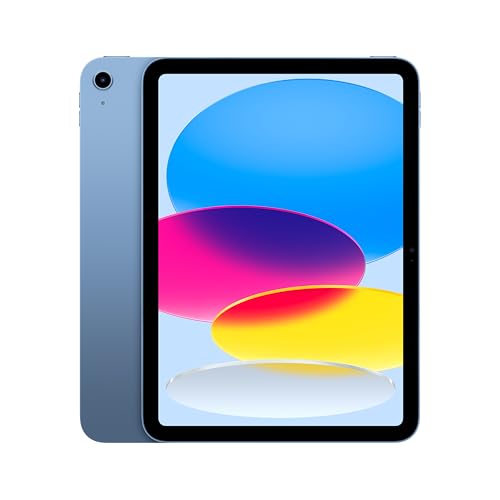
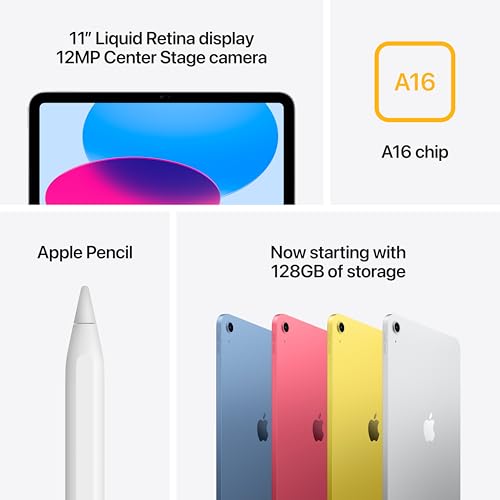
On paper, the A16 delivers a noticeable boost in performance for tasks users run most: quick multitasking, app switching, and handling demanding apps for photo and video work. The result is a more fluid experience compared with prior generations, especially for those who keep several apps open or edit media in real time. However, it’s important to recognize that this is still a tablet designed for mainstream workloads, not a desktop‑class workstation. If your day‑to‑day relies on heavy, sustained rendering or advanced 3D projects, you may want to evaluate whether the on‑screen real estate and thermal limits align with your needs.
Display and visuals: what you’ll notice
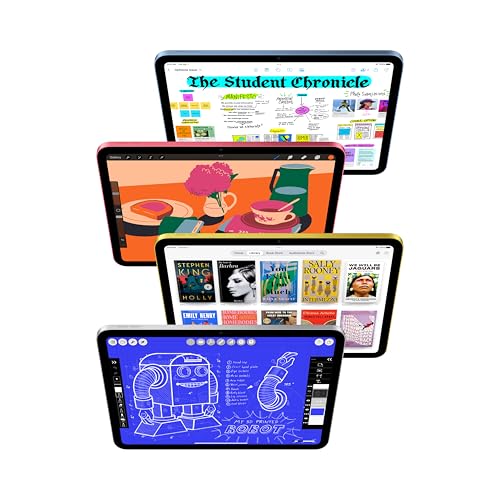
The 11‑inch Liquid Retina display delivers sharp text, vibrant colors, and wide viewing angles that are great for streaming, drawing, or reading. True Tone helps adapt the color balance to your room lighting, reducing eye strain during long sessions. It’s a solid canvas for sketching with the Apple Pencil and for light photo/video work, though advanced color grading or high‑end color accuracy demands may push you toward higher‑end displays.
Storage, performance, and battery in daily life
Starting at 128GB, storage is enough for most casual to moderate users who sync photos, documents, and apps across devices. The combination of a capable processor and USB‑C expands how you move data between devices, attach accessories, or use external storage in supported workflows. Battery life is described as all‑day, which aligns with typical daily routines—commuters, students, and remote workers who rely on a full day’s work from a single charge will likely appreciate this.
Connectivity and accessories: flexibility matters

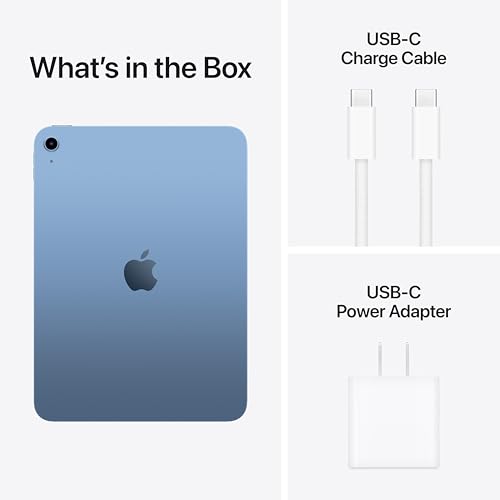
Wi‑Fi 6 enhances wireless speed and reliability in busy networks, which helps with streaming, cloud backups, and video calls. The USB‑C port opens up accessory options, from external drives to displays, depending on what you pair with it. Apple Pencil support (via USB‑C version) expands the creative and note‑taking capabilities, while the Magic Keyboard Folio option adds a tangible typing experience and protection for travel. If you value the ability to sketch, annotate, or take notes naturally, this iPad supports those workflows well.
Cameras and video: everyday capture and communication
The 12MP front camera with Center Stage is designed to make video calls feel more engaging, keeping you in frame as you move. The 12MP wide back camera with True Tone flash is practical for document capture, quick photos, and 4K video. For many users, these cameras cover standard needs like remote work, classroom participation, and casual content creation. If you’re chasing very high‑end photography or precision videography, you’ll likely find limits in the camera system here.

Who this is for and who should think twice
This iPad suits students, professionals who need a portable device for note‑taking, content consumption, light editing, and general productivity, plus anyone who appreciates a smooth multitasking experience on a dedicated tablet. It may not be the best fit if your work demands sustained, heavy multimedia editing, advanced color grading, or if you require the maximum possible battery headroom for marathon workflows without a break. Also, if you already own accessories designed for older iPad models, compatibility and optimal performance with newer Pencil or keyboard setups should be verified before purchase.
What to review before buying
- Confirm the configuration: 128GB is the base, higher storage tiers may better fit your library and app loadouts.
- Consider your accessory plan: if you want a keyboard or pencil experience, check which Apple Pencil version and keyboard folio are officially supported and how they attach.
- Evaluate wireless needs: Wi‑Fi 6 is solid for most homes and offices, but if you rely on ultra‑high‑speed wireless networking, ensure your environment and network setup align with expectations.
- Think about your typical use: streaming, light photo/video work, and note‑taking benefit from the Liquid Retina display and multiapp capabilities, while more demanding editing might push you toward higher‑performance devices.
Practical usage example
Imagine you’re a remote worker who starts the day with a video call, takes notes in a meeting, switches to a design app for quick adjustments, and ends with light photo editing. The iPad’s smooth multitasking, responsive display, and the pencil/keyboard ecosystem can help you move between tasks without leaving your workflow. It’s not a full desktop replacement, but it’s a capable companion for everyday productivity on the go.
Compare this approach to alternatives
If you’re deciding between a compact tablet and a larger laptop, this iPad prioritizes portability and immediate app usability, with a robust app ecosystem for both creativity and productivity. For users who need sustained heavy computing or specialized software, a more powerful laptop might make more sense. If you prefer a device that’s easy to carry and quick to set up for casual work and media, this model offers a balanced path forward.
What stands out
- A16 chip brings noticeable speed for daily multitasking and media tasks.
- Liquid Retina display with True Tone for comfortable viewing across environments.
- Strong front and back cameras, suitable for video calls and quick captures.
- Flexibility with accessories (Pencil, keyboard) to shape how you work and create.
Cons and caveats
- 128GB base storage can fill up quickly if you store a lot of media or install many large apps, upgrading storage is worth considering if you anticipate heavy app libraries.
- It’s a tablet focused on versatility rather than desktop‑grade performance, intense, sustained workloads may reveal its limits.
- Some creative pros may prefer higher‑end color accuracy or processing power found in premium devices.
Final decision: Is it worth it?
Is it worth it? If you want a portable, capable tablet that balances performance with everyday productivity and a strong ecosystem for drawing, note‑taking, and media consumption, this iPad is a solid choice. It suits daily tasks, light editing, and on‑the‑go creativity without the bulk of a laptop. It may not be the best fit if your work demands sustained, heavy editing or the absolute highest color accuracy and performance in a single device. For users who value a smooth, familiar iPad experience with modern connectivity and optional accessories, this model offers real utility.