

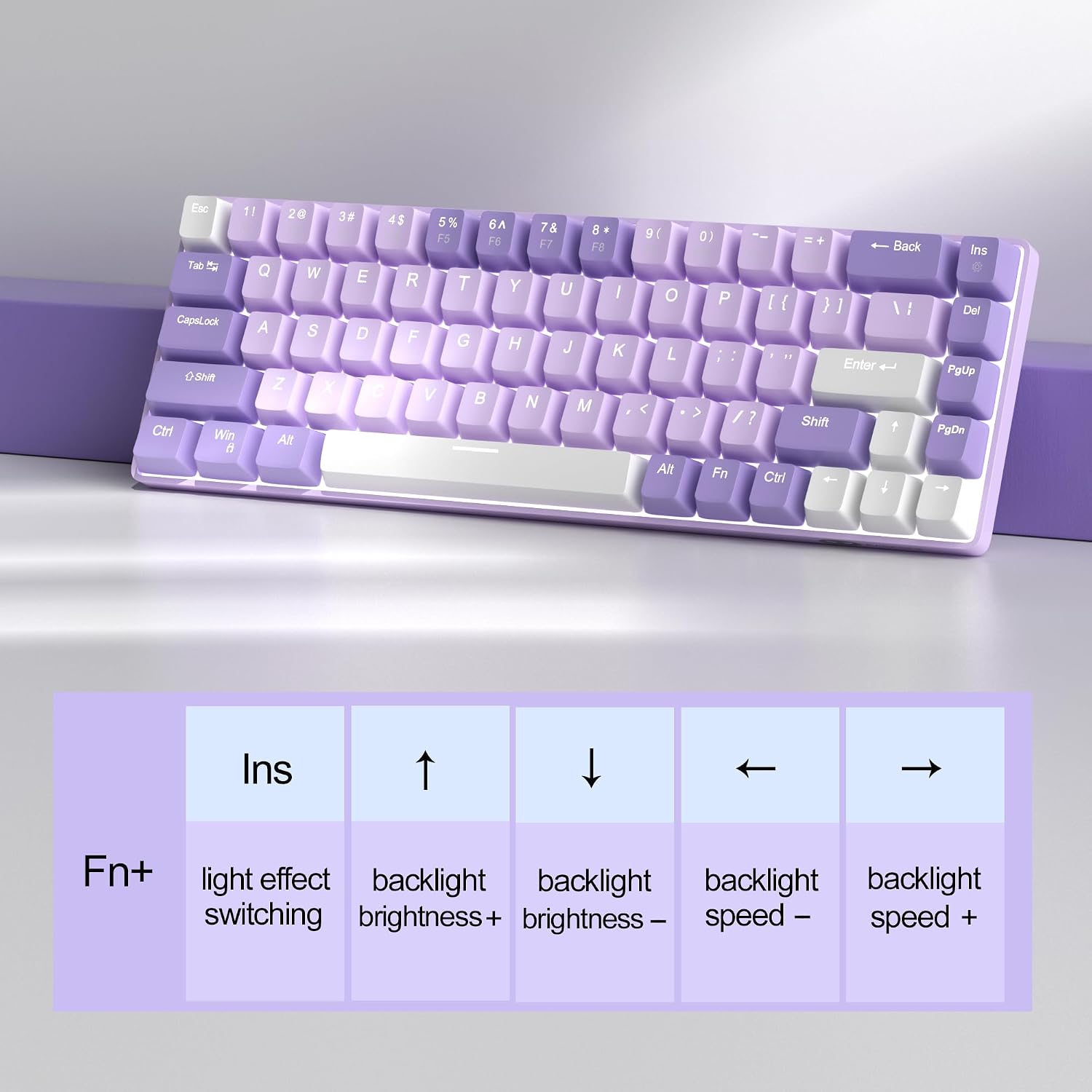
MageGee Portable MK-BOX 60% Mechanical Keyboard (68 keys, Red switch, RGB backlit) – purple
Product description
The essentials
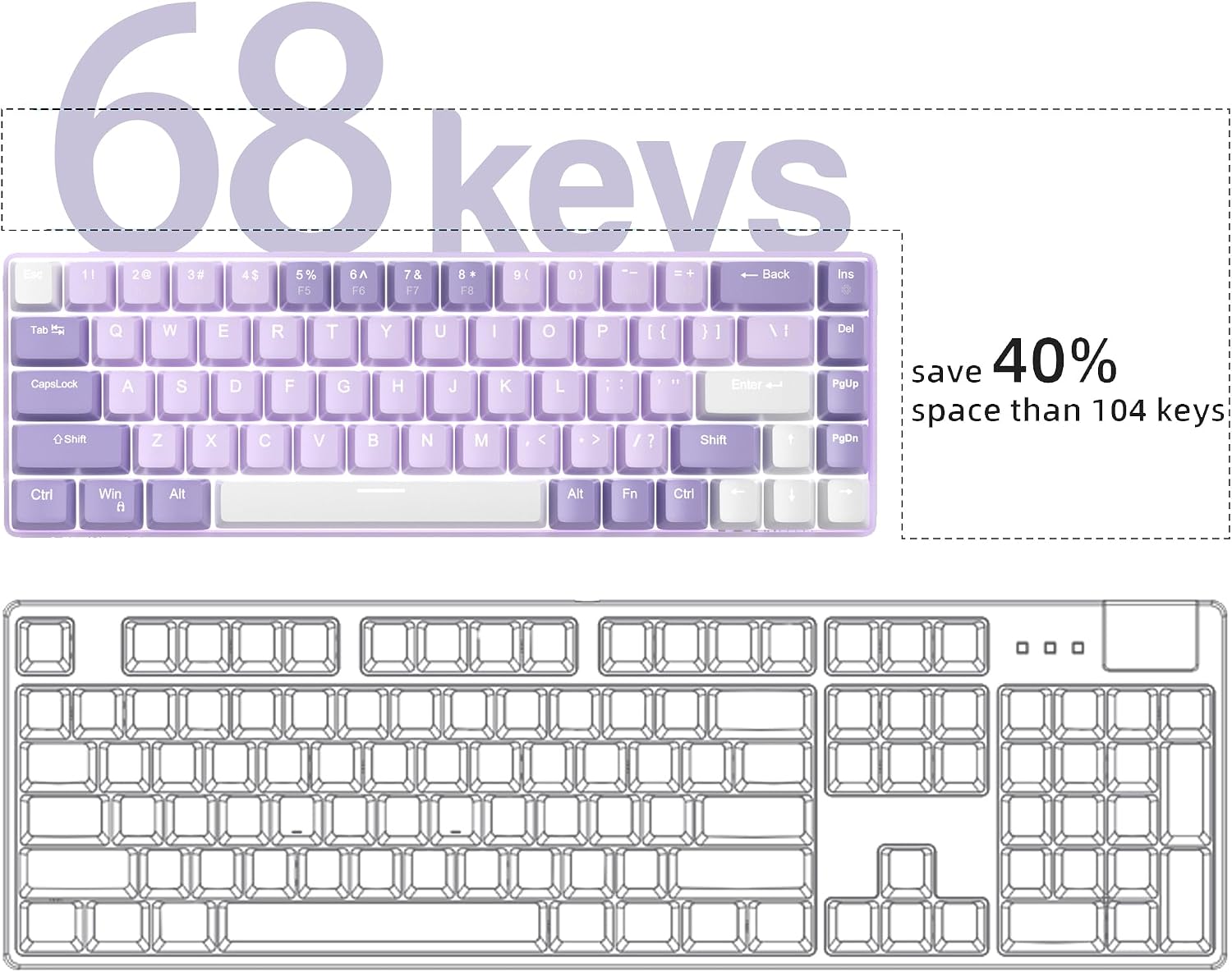
A 60% keyboard is basically the sweet spot for people who want a compact desk setup without giving up navigation and function controls. The MageGee Portable MK-BOX is a wired 68-key mechanical keyboard with a minimalist 60% layout, designed to be small enough to live on a laptop-style workspace yet still useful for work and gaming. The idea here is clear: save space, keep the keys you actually reach for, and get mechanical switch feel in a portable format.
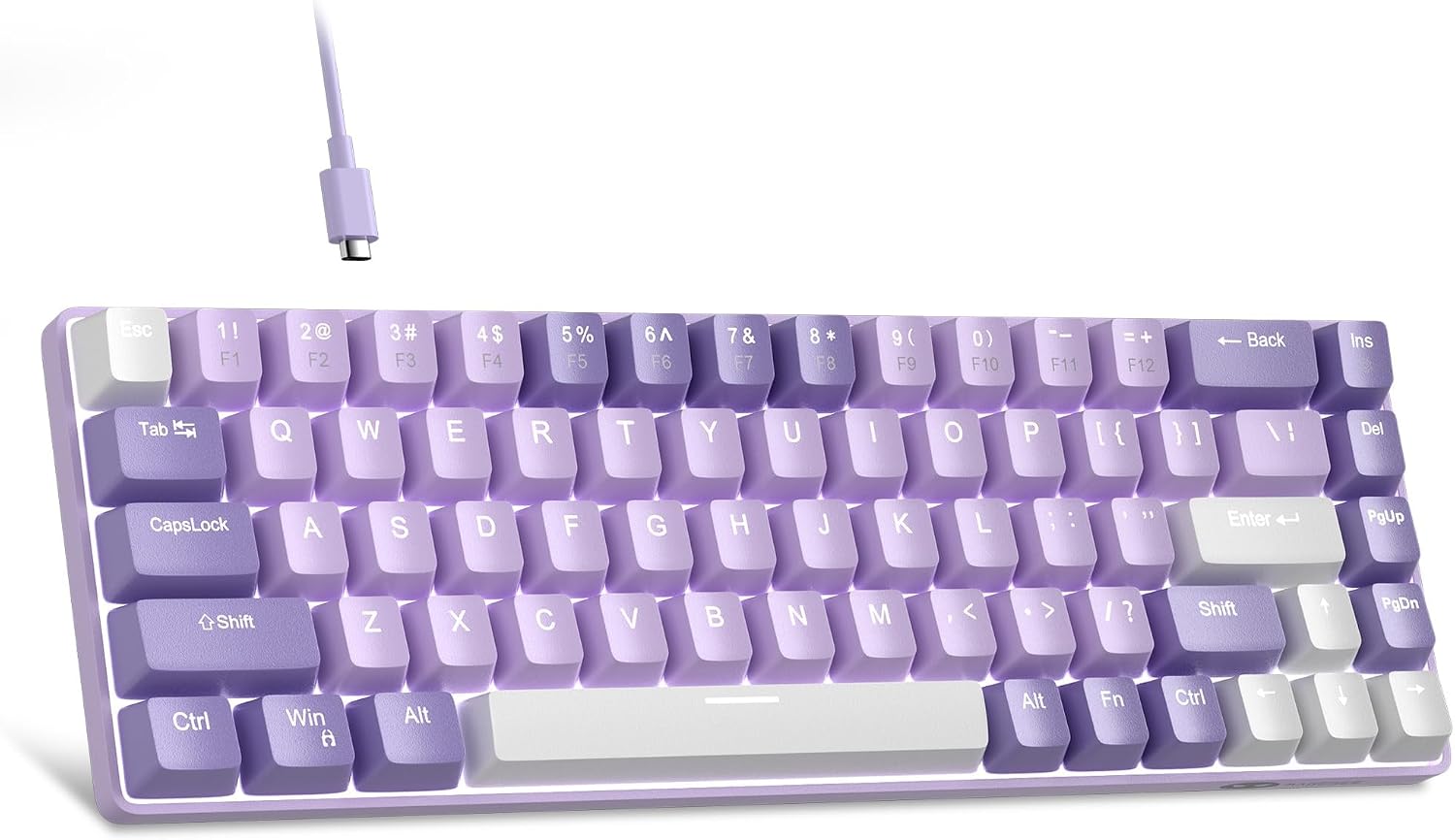
In day-to-day use, the layout matters. This MK-BOX keeps separate arrow keys and F1–F12 keys, and uses an Fn layer for the extra controls. That’s the trade-off of many 60% boards—some do away with those keys entirely—so this one feels more “complete” for mixed use. It’s also wired and meant to be plug-and-play with USB, which keeps setup fuss low.
There’s a lot going on under the hood on paper: full anti-ghosting across the 68 keys, multiple RGB backlight modes, and a detachable USB cable. None of that guarantees you’ll love it, of course, but it does shape the profile into something more than a basic office mini keyboard.
Key features that you’ll actually notice
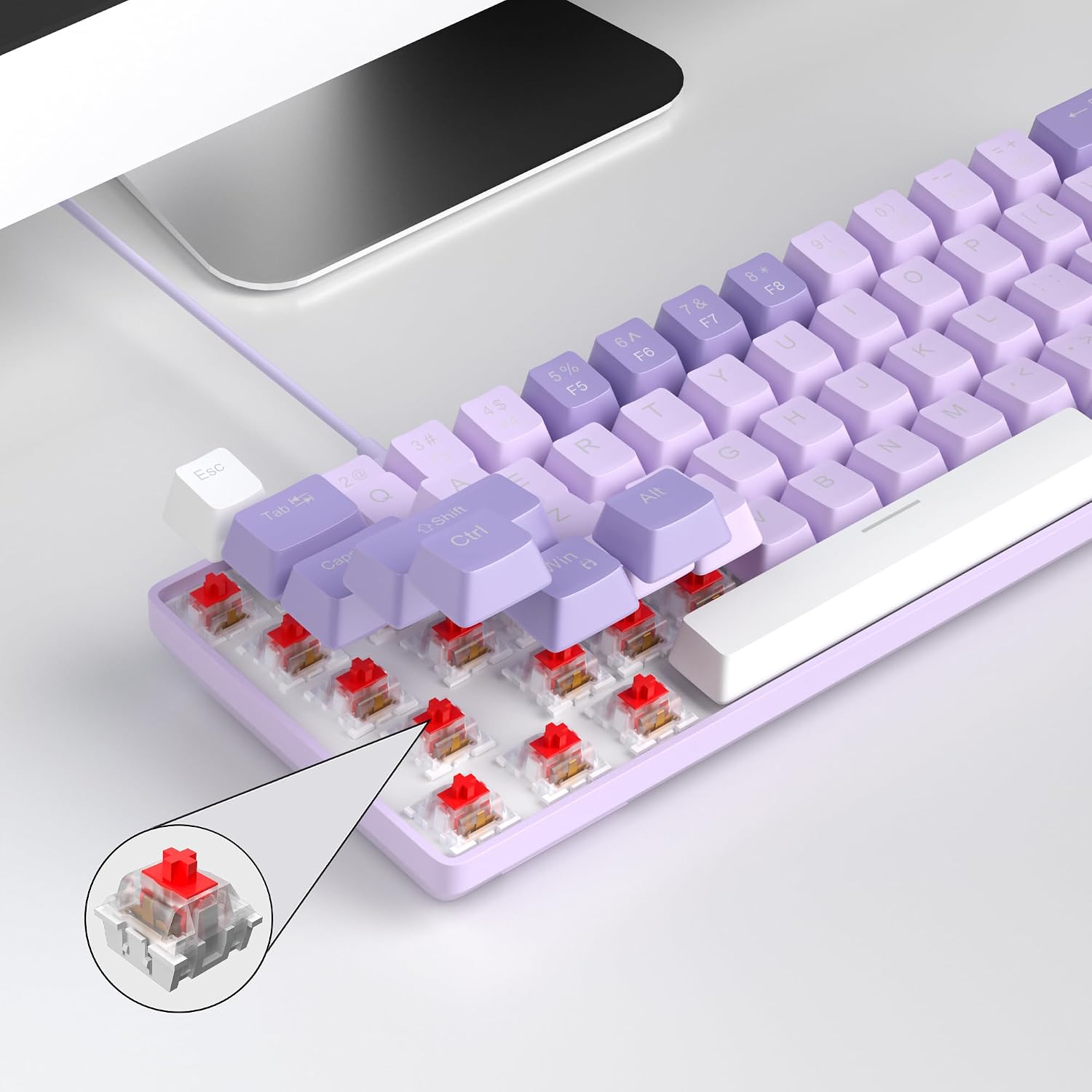
The standout day-to-day element is the switch type. The included “red switch” is described as linear and smoother, with less resistance and no tactile bump feel—plus fast action for easier tapping. If you prefer crisp clicks or a heavy tactile “step”, this might feel a bit different. If you mainly do repeated keystrokes, fast input, or you just like a lighter feel, it could suit your typing rhythm.
On the lighting side, the “classic charming white LED backlit” is paired with RGB light effects and is said to support around 16 backlight modes. There are also Fn shortcuts for controlling speed (Fn + Ins) and brightness/speed using Fn + arrow keys. In practice, this means you can quickly change the look without diving into software—handy if you’d rather just plug in and get on with it.
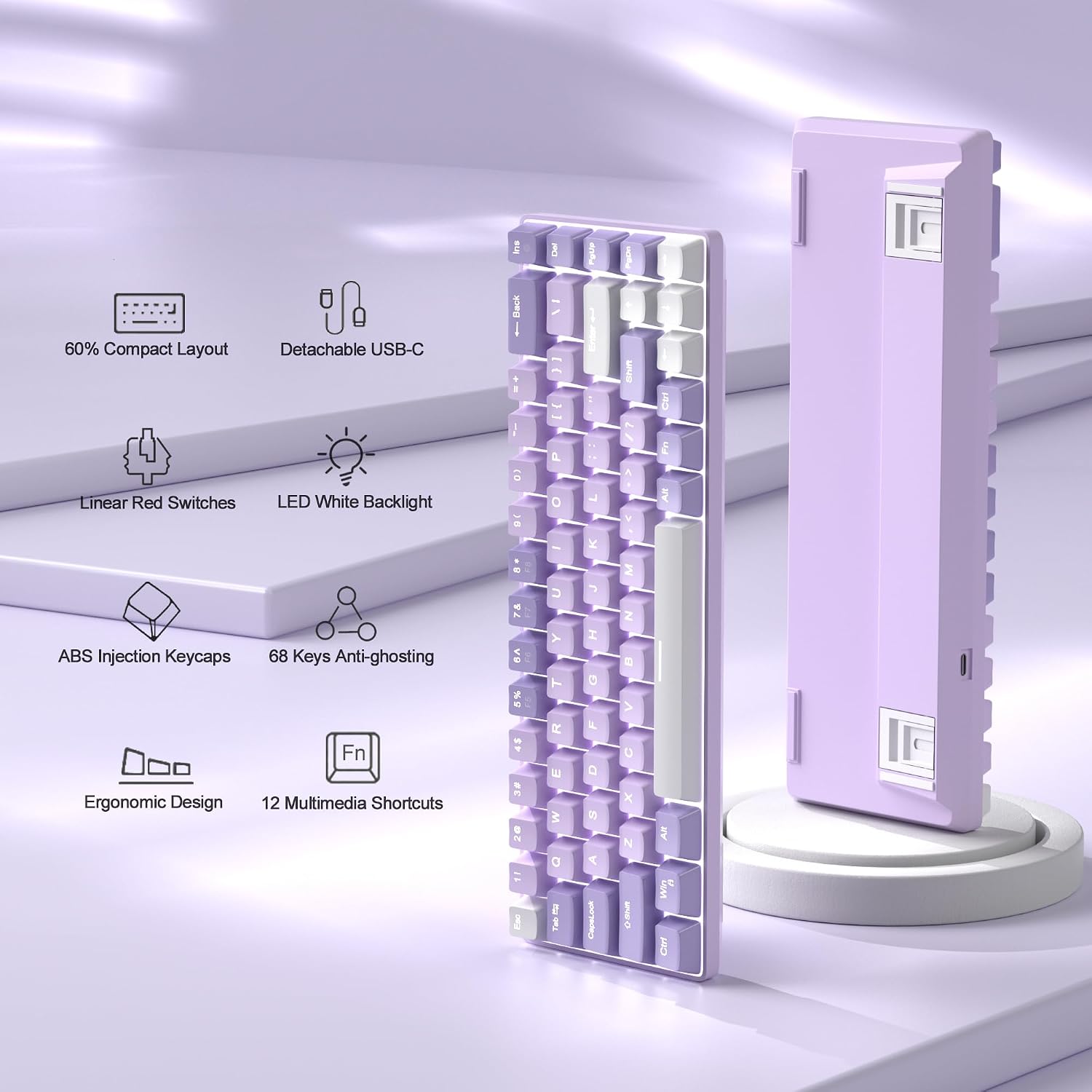
The board also promises full anti-ghosting. Over a typical gaming session, that matters most when you’re pressing multiple keys at once (for example, moving while triggering an action). If your current keyboard misses inputs, this spec is exactly the sort of thing you’d want to look for in a compact gaming-capable option.
Size-saving layout (and where it can be limiting)
This keyboard is “cute” and small, built around a 60% concept, but with 68 keys and dedicated arrow/F1–F12 sections. That’s a sensible compromise for anyone switching between office work and gaming. You’re less reliant on memorising layers, and you don’t have to constantly hunt for navigation.
That said, it’s still compact. If you rely heavily on a full-size numpad or frequently use every single function key without Fn, you may find yourself wanting a larger layout. The detachable cable is convenient, but it also means you’ll want to keep track of it if you travel with your setup.
Worth considering if you want a portable keyboard that keeps important keys close, perhaps skip it if your workflow truly depends on a full layout with dedicated number pad and everything in front of you.
Compatibility and setup
The MK-BOX uses a USB 2.0 connector and is positioned as compatible with Windows (including Windows 2000, XP, ME, Vista, 7, 8), Linux and Mac, with plug-and-play and no drivers or software required. For buyers, the practical takeaway is that it should be easy to move between laptop and desktop environments without hunting for configuration tools.
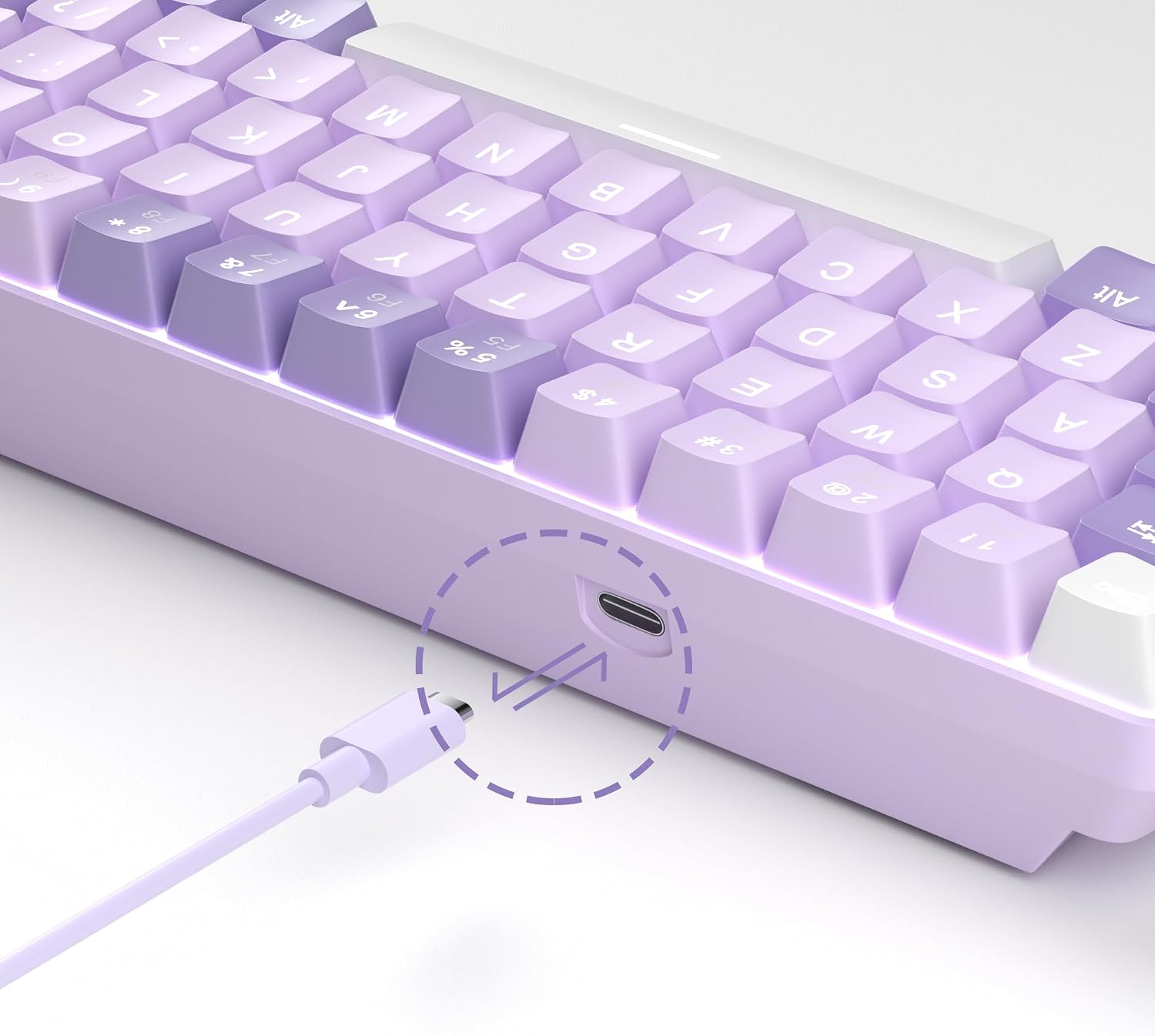
However, because it’s wired, your freedom is still tied to cable length and where you can place your laptop/PC. If you regularly sit at a distance from your workstation, that’s something to factor in before you commit.
What’s included and how it’s built for real use
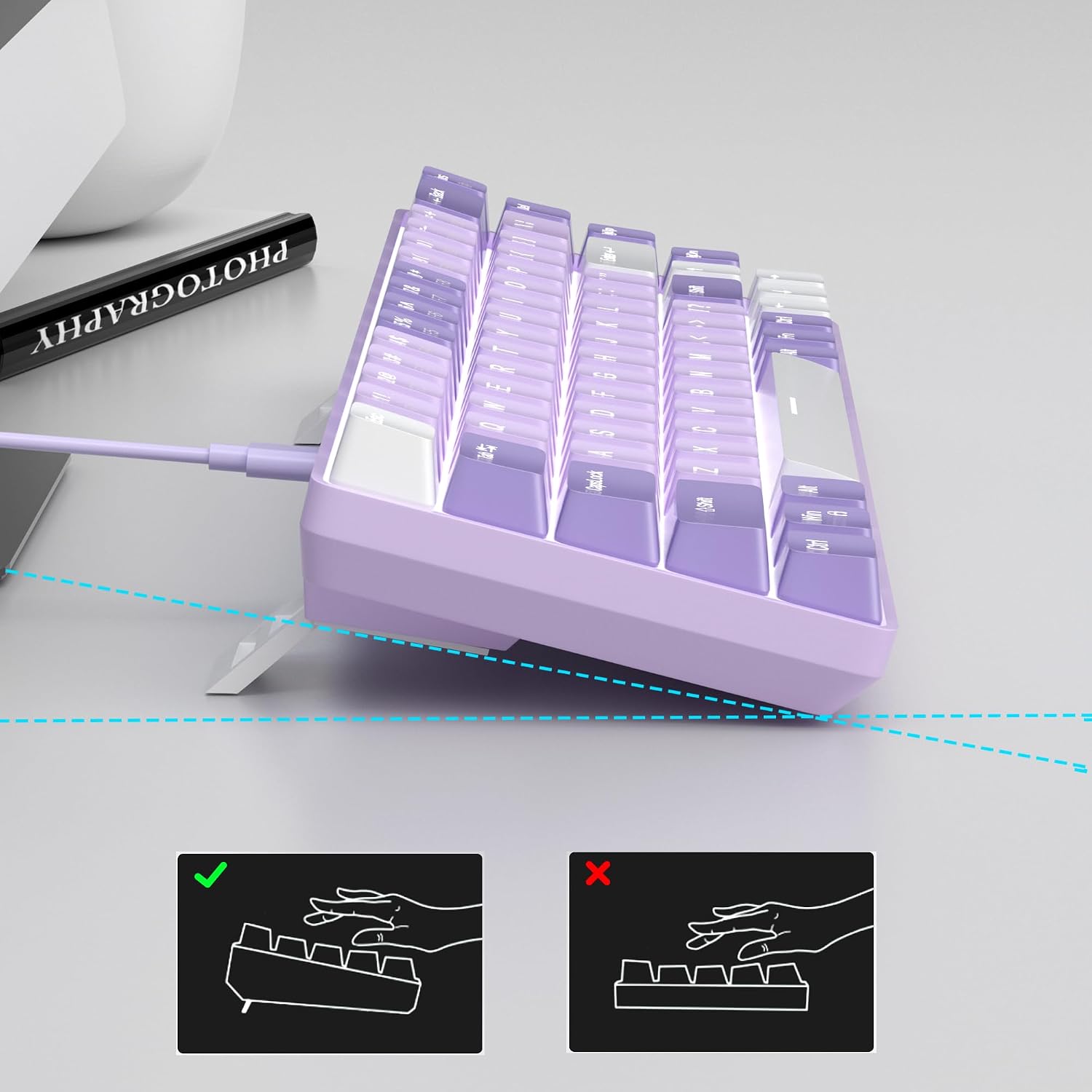
The keyboard includes a double kickstand with adjustable typing angle, and the keycaps are described as using an “ergonomic suspension double-colour injection” design. It also uses “double-color injection keycap” language on the layout side, and it’s listed as having a “unique violets mash up design” (so you’re getting a distinct look rather than plain minimalism).
There’s also an emphasis on a detachable USB cable and practical portability. On a typical setup, this can mean: leave the board at your desk for everyday use, but unplug it quickly when you bring your laptop into a different room.
One limitation to keep in mind: the description mentions “slight key sound” and a linear feel with minimal resistance. If you’re in a quiet office environment where you need near-silent typing, you may want to treat the sound level as a potential downside rather than a non-issue.
Who it’s for (and who should skip it)
It makes sense if you want a compact mechanical keyboard for a desk that’s shared between work and games, and you like the red switch style (linear, smoother, lighter feel). It also suits you if you care about quick lighting control without software, and you want compatibility via USB plug-and-play.
It may not suit you if you strongly prefer tactile (bumpy) switches, if you need a full-size layout with a numpad, or if you need a wireless travel keyboard. Since it’s wired, mobility is more about convenience than freedom.
And if you’re expecting top-tier enthusiast features beyond what’s described (for example, deeper customisation via software), you may find the “no drivers required” approach a bit basic—though that’s also exactly why setup stays straightforward.
Quick mini FAQ
Is this keyboard suitable for gaming? The red linear switch and full anti-ghosting are both pointed at fast, reliable input. It’s designed for “gaming or work” use, but your preference will depend on how you like red switch feel.
Does it need software to work? The listing says no drivers or software are required, with plug-and-play via USB.
How do you control the backlight? Backlight control is described via Fn shortcuts, including Fn + Ins for control and Fn + arrow keys for speed/brightness.
Will it fit the keys I need for work? It includes separate arrow keys and F1–F12, which helps if you often use those functions. If you need a numpad, you’d likely want a different layout.
Is it worth it?
This MageGee Portable MK-BOX looks like a sensible value-for-money pick if you want a small 60% style mechanical keyboard that still includes the arrow keys and F1–F12, offers full anti-ghosting, and comes with RGB/LED backlight modes you can control using Fn shortcuts. It’s the kind of keyboard that should slot neatly into a laptop+desk routine because setup is plug-and-play across Windows, Linux and Mac.
But don’t buy it on autopilot: compact layouts can be a deal-breaker if you need a numpad, and red linear switches are not everyone’s cup of tea if you prefer tactile feedback. If your priorities are space saving, straightforward USB setup, and linear fast keystrokes, then yes—on paper, it fits the brief.