

WIWU 3-in-1 Magnetic Keyboard Case for iPad Air 13-inch (M2/M3/M4) & Pro 12.9-inch (Gen 6/5/4/3) – Backlit Keys, Trackpad & Adjustable Stand (Grey)
Product description
The essentials
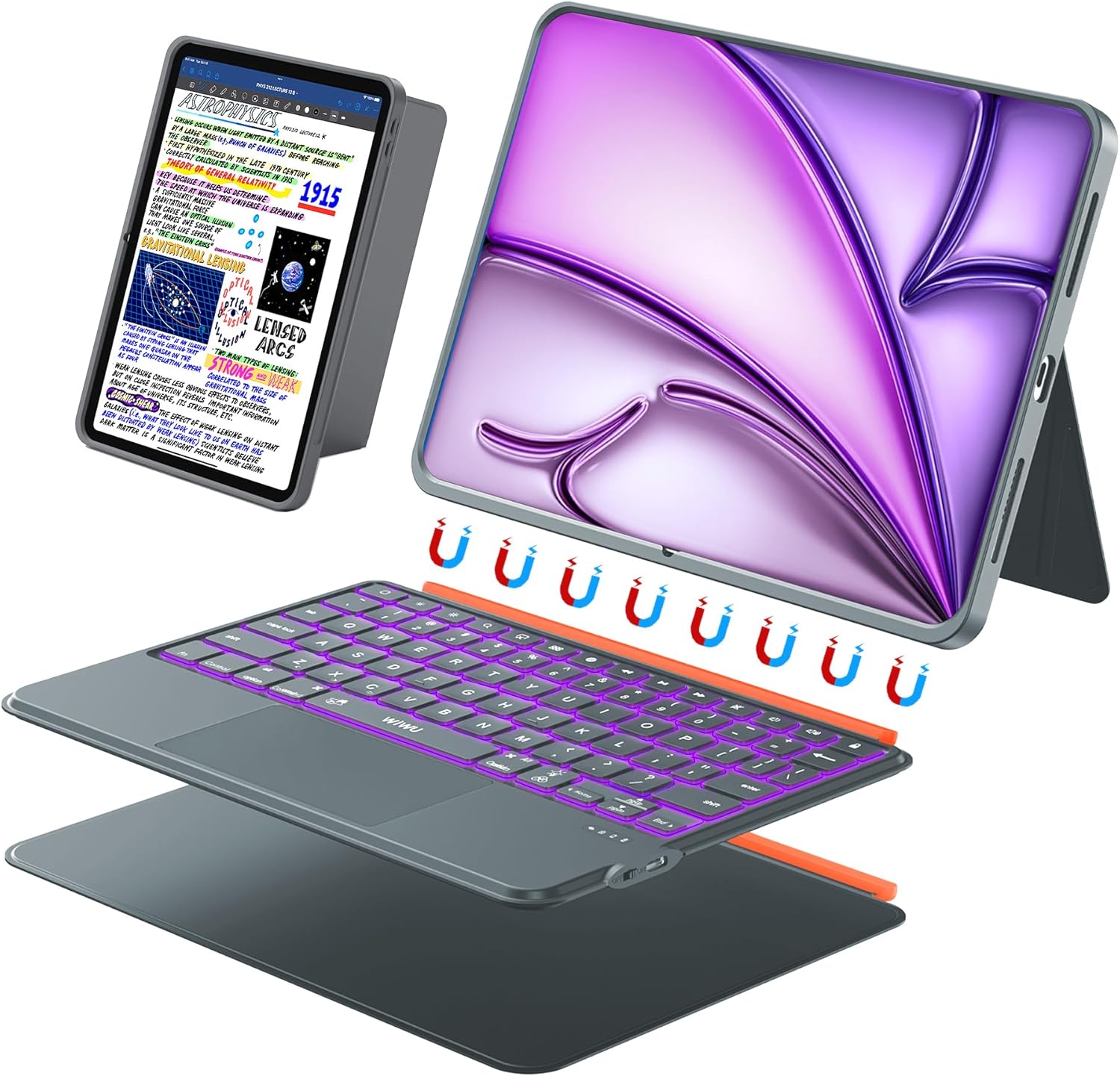
If you’re looking to turn your iPad into something closer to a laptop, a keyboard case can make a noticeable difference. This WIWU 3-in-1 Magnetic Keyboard Case is designed to work as a protective cover plus a detachable Bluetooth keyboard, with an adjustable stand for typing, viewing and video calls.
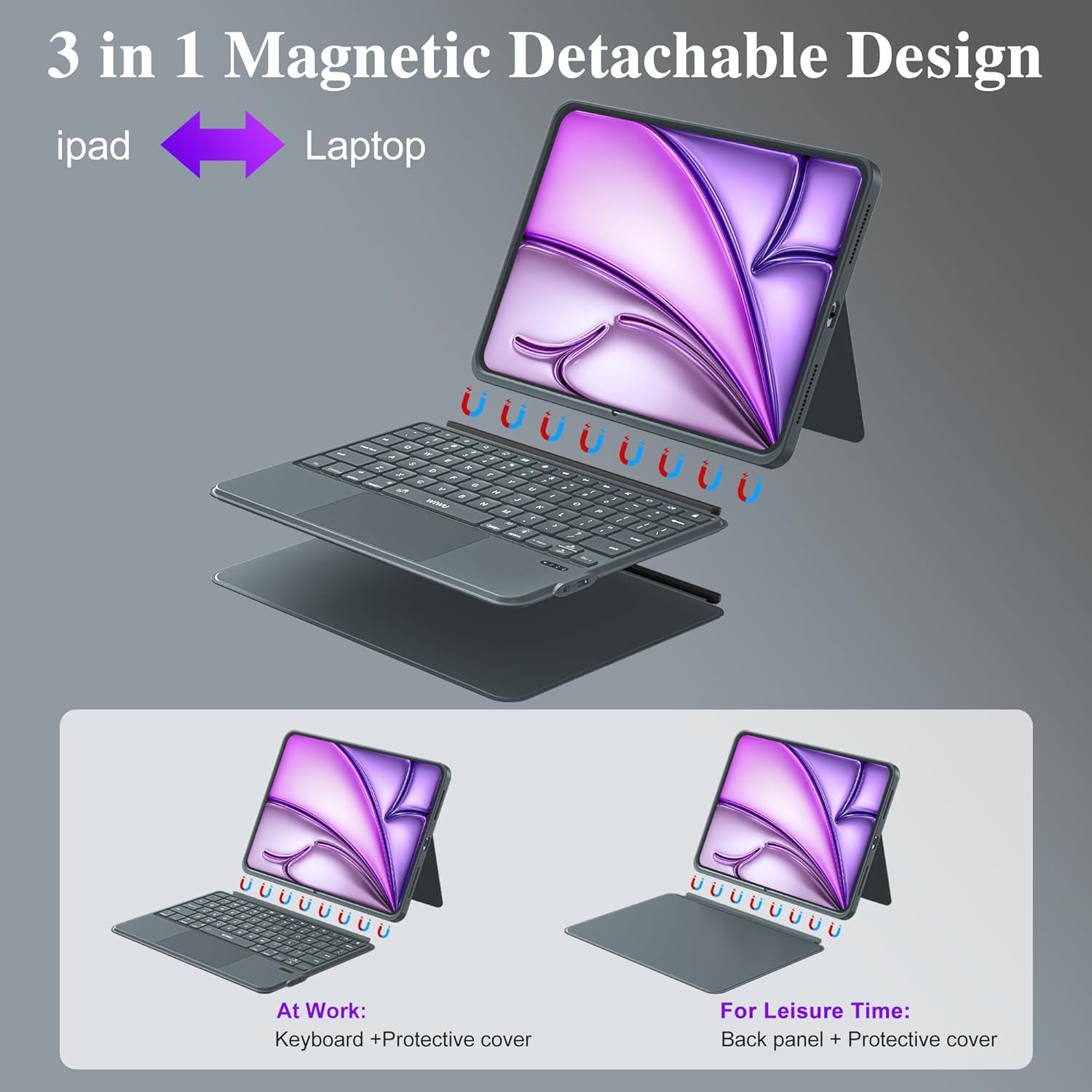
On paper, it’s aimed at people who use their iPad for writing, meetings, studying or travel, and who want one case that can switch between modes rather than juggling separate accessories. The detachable magnetic design is the key idea: you can attach the keyboard when you need it, then remove it for more lightweight use.
That said, it won’t suit everyone—keyboard cases are always a trade-off between bulk and functionality, and this one specifically depends on getting the correct iPad model matching right before you buy.
Key takeaways
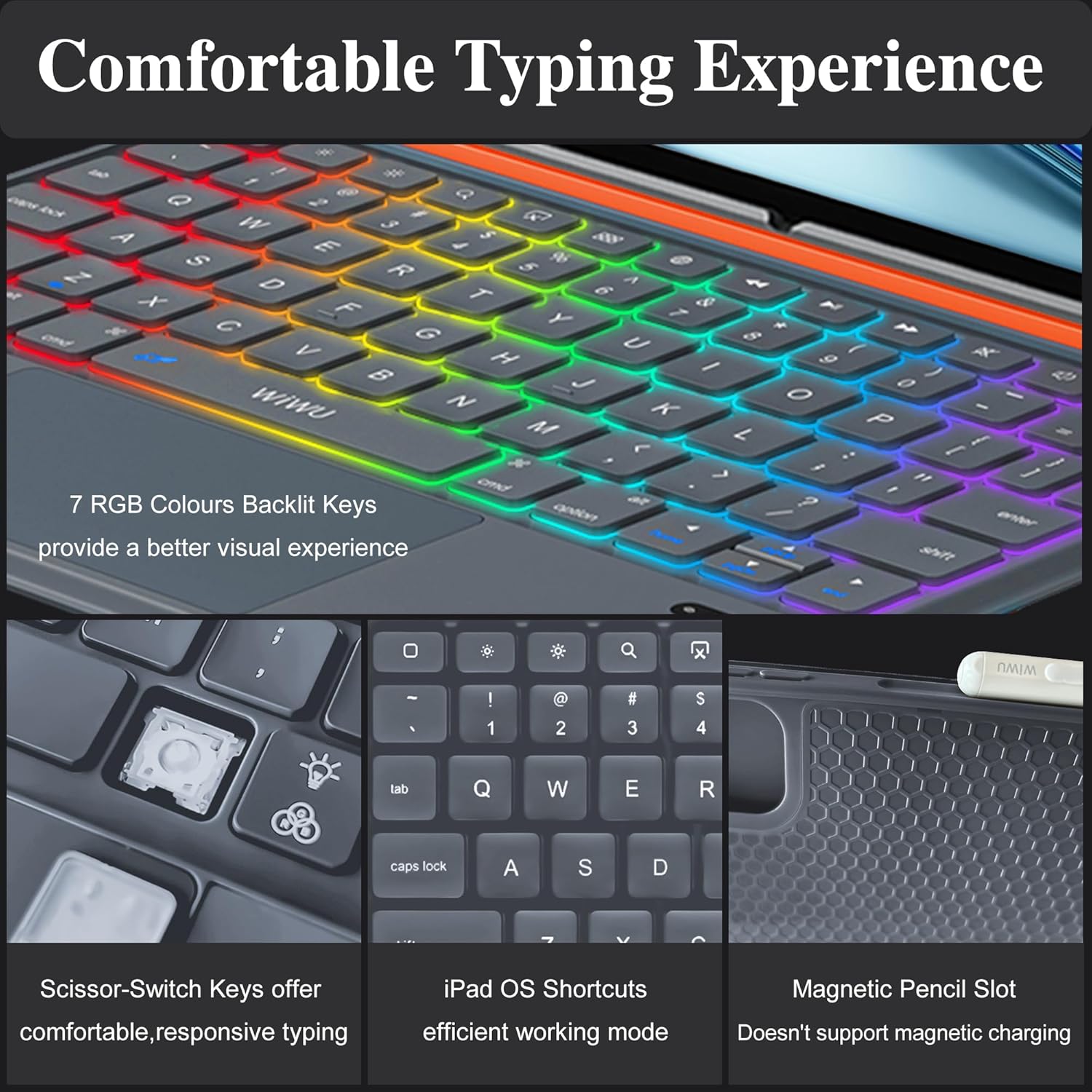
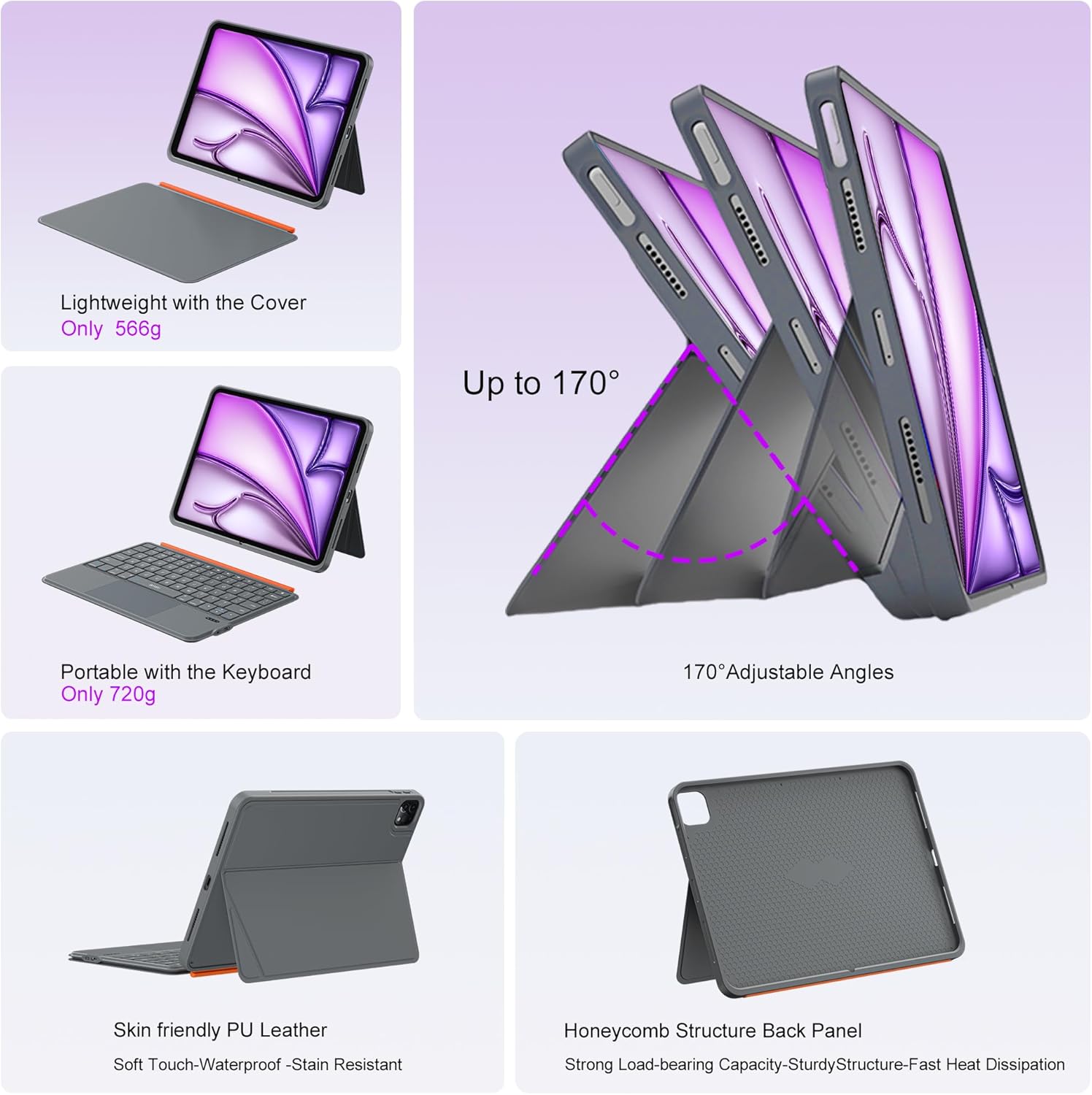
What you’ll likely notice day to day is the way the case supports different situations: - Typing comfort is supported by scissor-switch keys with quiet, around 1mm travel (useful for libraries and office settings where you’d rather not sound like a machine gun). - There’s a trackpad built in, with multi-touch gestures and palm rejection, plus iPad OS shortcuts aimed at faster switching and editing. - The stand adjusts from 0° up to 170°, which should cover everything from lap use to a flatter viewing angle for films or calls. - Backlit keys with 7 RGB colours help in darker rooms, though if you prefer no distractions, you may want to consider whether you’ll actually use the lighting.
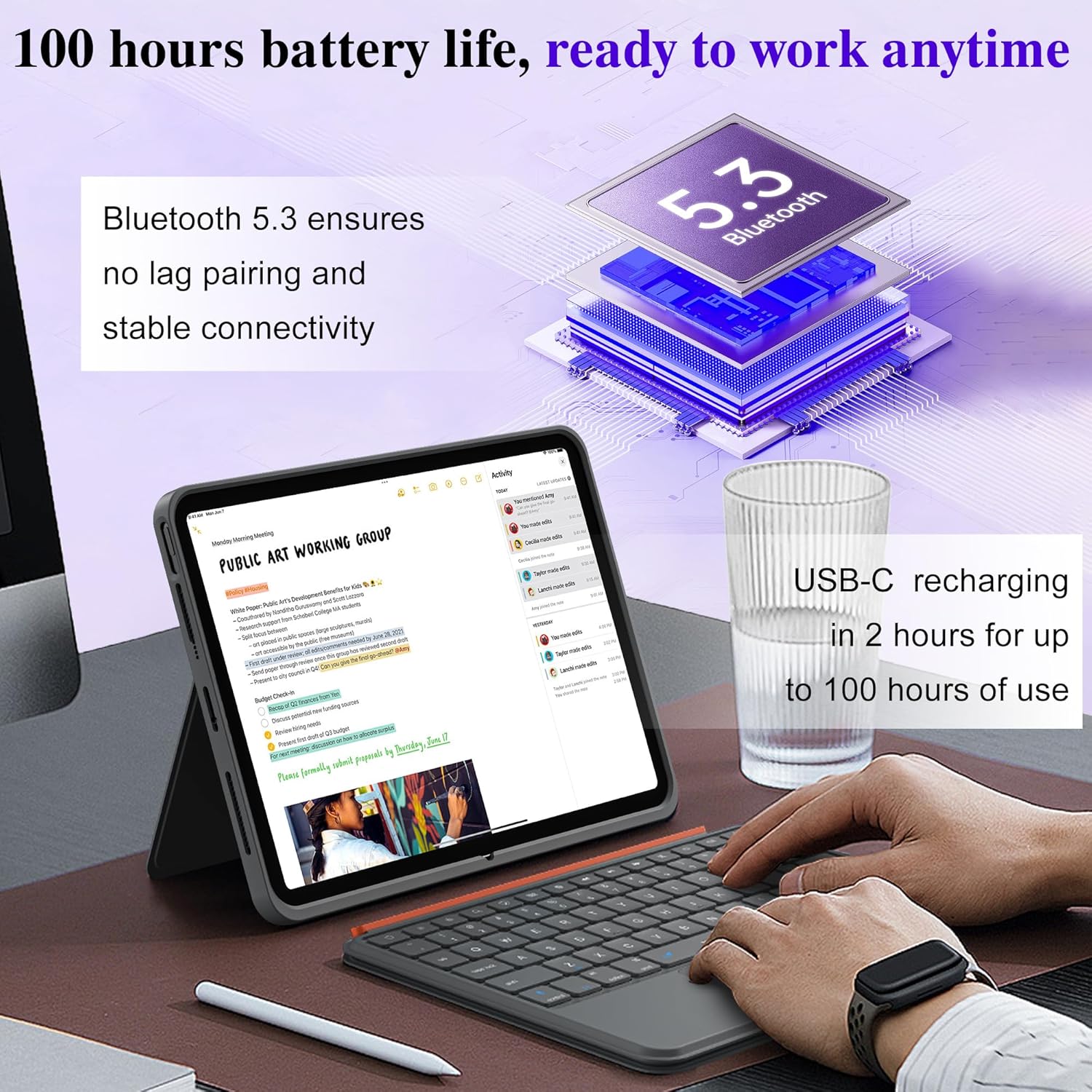
The Bluetooth 5.3 connection is described as instant and stable, and the keyboard recharges via USB-C.
What’s worth considering before buying
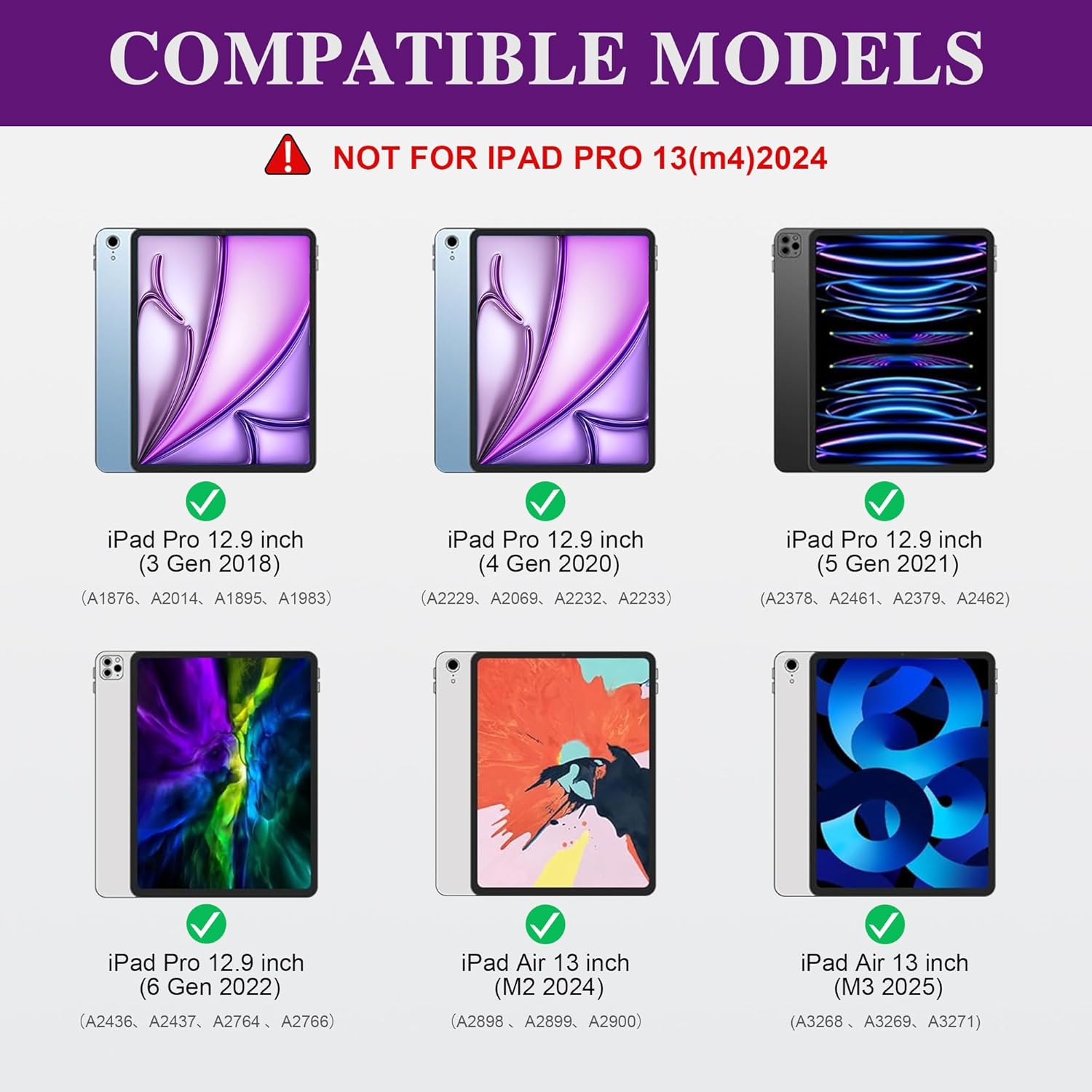
Before you commit, the biggest practical limitation is compatibility. The listing is clear that it’s tailor-made for specific iPad Air 13-inch models (M2/M3/M4) and for iPad Pro 12.9-inch generations (6/5/4/3). You’re also told to check your model number against a long list of supported identifiers. If you pick the wrong variant, you’re likely to end up with poor fit (or it simply won’t line up as intended).
Also, take the “3-in-1” framing realistically: it’s not replacing a laptop keyboard and trackpad setup, but it can cover everyday tasks like drafting documents, responding to emails, browsing and presenting. If your workflow depends on professional-level input devices for lots of long-form typing, you may still find you want more typing-focused hardware.
Finally, the foldable stand adjustment is helpful, but extreme angles can take a bit of getting used to—especially if you’re using it on uneven surfaces when travelling.
Tech specs
- Type: 3-in-1 magnetic detachable keyboard case
- Keyboard: backlit keys (7 RGB colours)
- Key travel: ~1mm (silent, scissor-switch)
- Stand adjustment range: 0° to 170°
- Bluetooth: 5.3
- Battery (claimed): up to 100 hours of use (recharge stated as 2 hours)
- Charging: USB-C
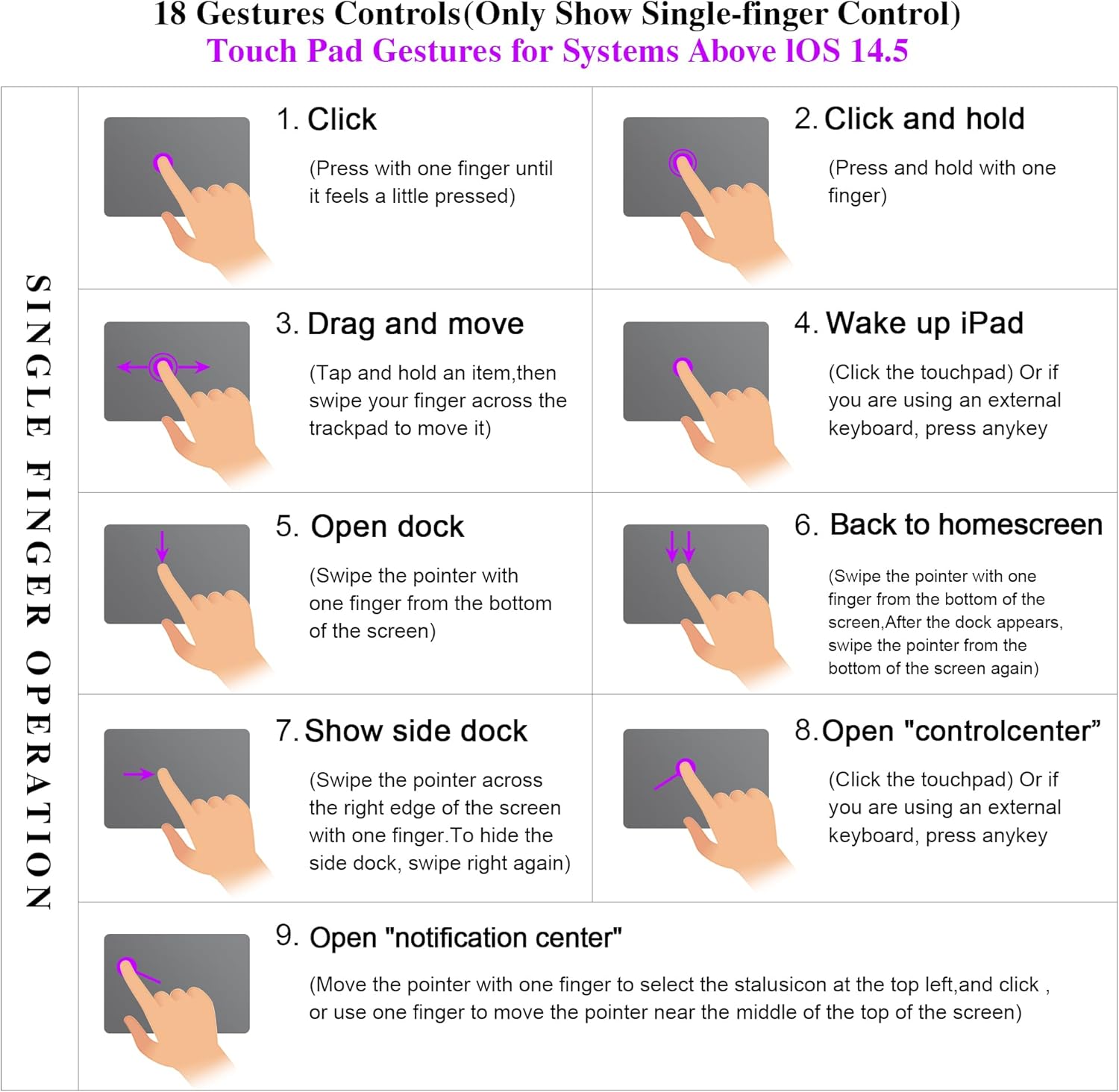
- Trackpad: multi-touch with palm rejection, 18 gestures supported (as described)
Where it shines in everyday use
This is the kind of case you’d bring to a train, a café, or a work desk because it’s meant to switch modes fast. For example: start with it folded as a viewing stand during a video call, then detach or shift the keyboard to type replies and notes. In a library or office, the quiet keys are a small but real benefit compared with louder mechanical-feel alternatives.
For film watching, the adjustable stand should help you find a comfortable angle without propping the iPad up with random objects. And when you’re moving around, the magnetic attachment concept is designed to keep the keyboard where you want it rather than forcing you to handle a separate accessory all day.
Should you buy it?
It makes sense if you want a single case that offers protection plus a detachable Bluetooth keyboard with trackpad, and you’ll actually benefit from adjustable viewing angles for calls, video and meetings. It’s also a solid fit if quiet typing matters and you’d like backlit keys for dim environments.
You may want to skip it if you’re not confident about your iPad model number (double-checking compatibility is explicitly part of the buying advice), or if you’re expecting a laptop-like experience rather than a practical iPad setup. It can also feel less appealing if you mainly use your iPad in tablet-only mode, because keyboard cases are inherently more bulky than slim covers.
Mini FAQ
Quick overview: does it need Bluetooth?
Yes—this keyboard case uses Bluetooth 5.3 pairing (the listing states it’s instant and stable).
Can I use it for video calls and meetings?
That’s one of its stated use cases, helped by the adjustable stand range.
How long does it last on a charge?
The listing claims up to 100 hours of use, with USB-C recharging taking around 2 hours.
Is the keyboard removable?
The design is described as detachable and magnetic, so you can transform the setup depending on whether you need typing.
What should I check before ordering?
Check your exact iPad model and model number first, because the case is listed as specific to iPad Air 13-inch (M2/M3/M4) and iPad Pro 12.9-inch generations (6/5/4/3).