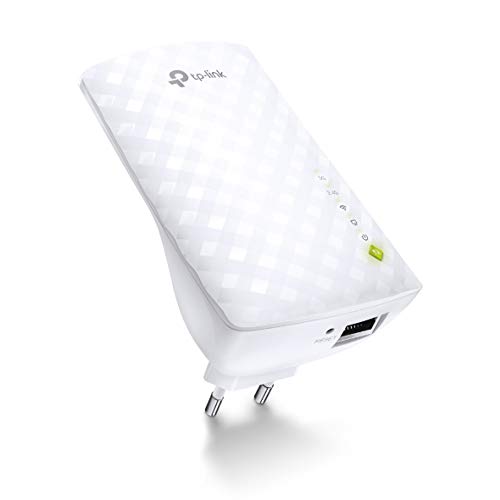
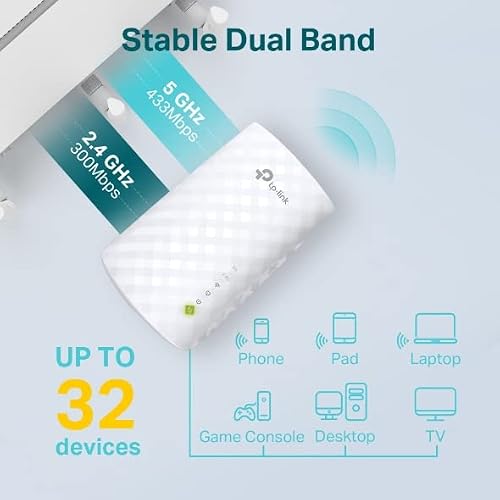
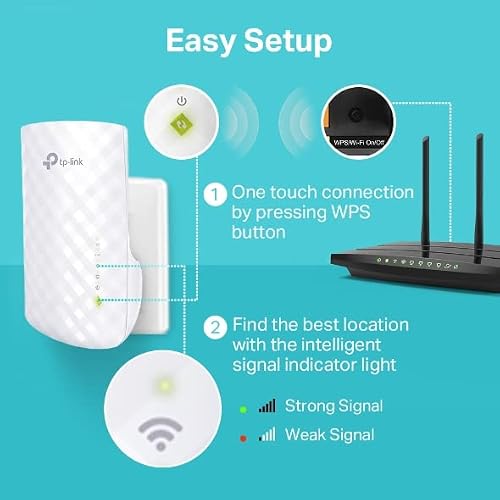
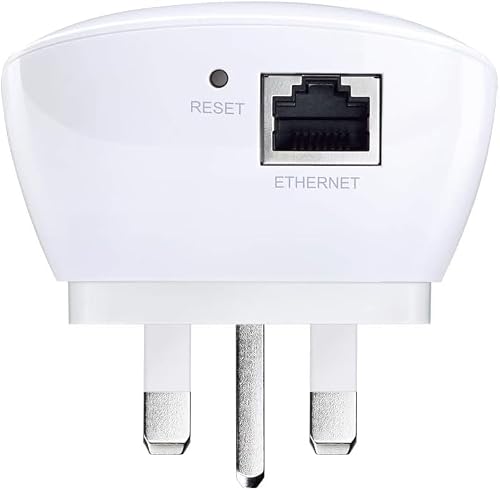
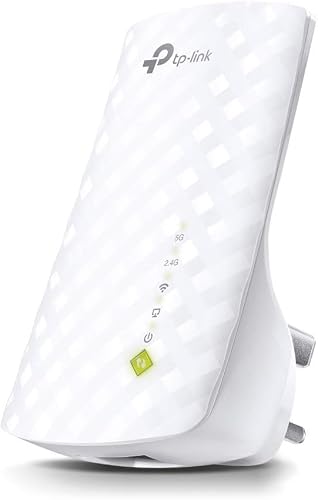
What this is and what it solves\nThe TP-Link RE220 AC750 WiFi Extender is a compact device designed to extend wireless signal into areas of your home or small office where Wi‑Fi struggles. If you’ve ever stood in a dead zone with buffering, this kind of extender promises to fill gaps by repeating the existing router’s signal. On paper, the RE220 supports dual bands with up to 750 Mbps combined speeds, and the idea is simple: place the unit mid‑way between your router and the weak spot, then let it broadcast a refreshed network with a stronger signal in rooms that would otherwise suffer from poor connectivity.\n\n## How it fits into typical home setups\nFor many households, a single router covers common living spaces, but stairwells, kitchens or home offices may still experience weak coverage. This extender aims to reduce multiple Wi‑Fi dead zones without the need for new cabling. The compact form and wall‑plug design make it convenient to relocate as your layout or device needs change. Additionally, an Ethernet port offers a route to convert the extender into a wired adapter for devices like smart TVs or desktops, which can be useful if wireless reception remains flaky in one room.\n\n## What you’ll notice in day‑to‑day use\nIf your experience involves streaming media, video calls, or online gaming in a specific room, you may see steadier connections and fewer interruptions. The dual‑band approach lets devices that depend on 2.4 GHz and those that benefit from 5 GHz operate with less interference, subject to the usual caveats about distance and walls. It’s worth noting that some Vodafone or SKY routers might use custom WPS signals, which isn’t a fault of the extender but a quirk of setup, a manual configuration via the TP‑Link Tether app or web interface can sidestep this.\n\n## Strengths that stand out\n– Compact, wall‑mounted design easy to place for better coverage.\n– Dual‑band operation with 750 Mbps total bandwidth provides flexibility for different devices.\n– Ethernet port adds a straightforward wired option for select gadgets.\n– Broad compatibility with common Wi‑Fi standards means it should work with most existing routers and devices.\n\n## Potential limitations to note\n– The stated speed is contingent on factors like distance, walls and interference, real‑world speeds may be lower.\n– It may not be the best solution if you have very large properties or complex layouts where multi‑room mesh could offer more consistent coverage.\n– Some setups may require manual configuration, particularly with certain ISP provided gateways.\n\n## Who it’s for\nThis extender is well suited for small to medium homes or offices where the main router’s signal is strong in one area but weak elsewhere. It helps if you have a few rooms demanding better streaming or browsing performance without committing to a larger mesh system.\n\n## Who it isn’t best for\nIf you’re chasing top‑tier wireless speeds across a sizeable property, or you rely on many devices across many rooms with simultaneous high consumption, you might prefer a more robust mesh solution or a faster extender. It’s also less ideal if your primary concern is a seamless hand‑off between rooms rather than simply boosting signal strength.\n\n## What to check before buying\n– Ensure there’s a suitable power outlet at a midpoint between your router and the farthest room.\n– Consider whether you need an Ethernet port for a device that benefits from a wired connection.\n– Be prepared to go through a quick setup via the TP‑Link app or web interface if you encounter a non‑standard router setup.\n\n## A practical comparison in your mind\nIf you’re weighing a single extender against a full mesh system, the RE220 offers a cost‑effective upgrade for improving coverage in a few rooms without reconfiguring your entire network. It won’t replace a dedicated mesh in larger properties, but for steady mid‑range needs it can be a sensible compromise.\n\n## The decision moment\n### Is it worth it?\nIt’s worth considering if you want to extend coverage to a couple of rooms with a straightforward setup and you don’t require network‑wide seamless roaming across many zones. It’s a pragmatic option when budget and space constraints point away from a full mesh upgrade.\n\n## Quick FAQ\n- Can I use it with any router? Yes, it’s designed to work with most standard Wi‑Fi routers.\n- Do I need to know technical details to set it up? A basic setup via the TP‑Link app or web interface is typically sufficient.\n- Will it speed up every device? It can improve reliability in weak areas, but actual speeds depend on distance and obstacles.\n- Is it suitable for homes with very thick walls? It may help, but the improvement may be limited by the physical barriers.\n- Can I connect a gaming console or smart TV via Ethernet? Yes, the built‑in Ethernet port can be used for wired devices.