

TP-Link Archer TX20UH AX1800 WiFi adapter
Reviews
Price
Product description
This USB Wi‑Fi 6 adapter brings faster, more reliable wireless to a desktop or laptop, reducing lag for gaming and smoothing everyday browsing. As a compact dongle with a 1.2 metre cable, it suits rooms where the built‑in wireless struggles and helps keep connections stable. Use it when you need a quick upgrade to modern Wi‑Fi standards and lower latency. The long‑range design with beamforming aims to improve reception across a larger area, but ten en cuenta that range always depends on the local environment and router placement.
Key features
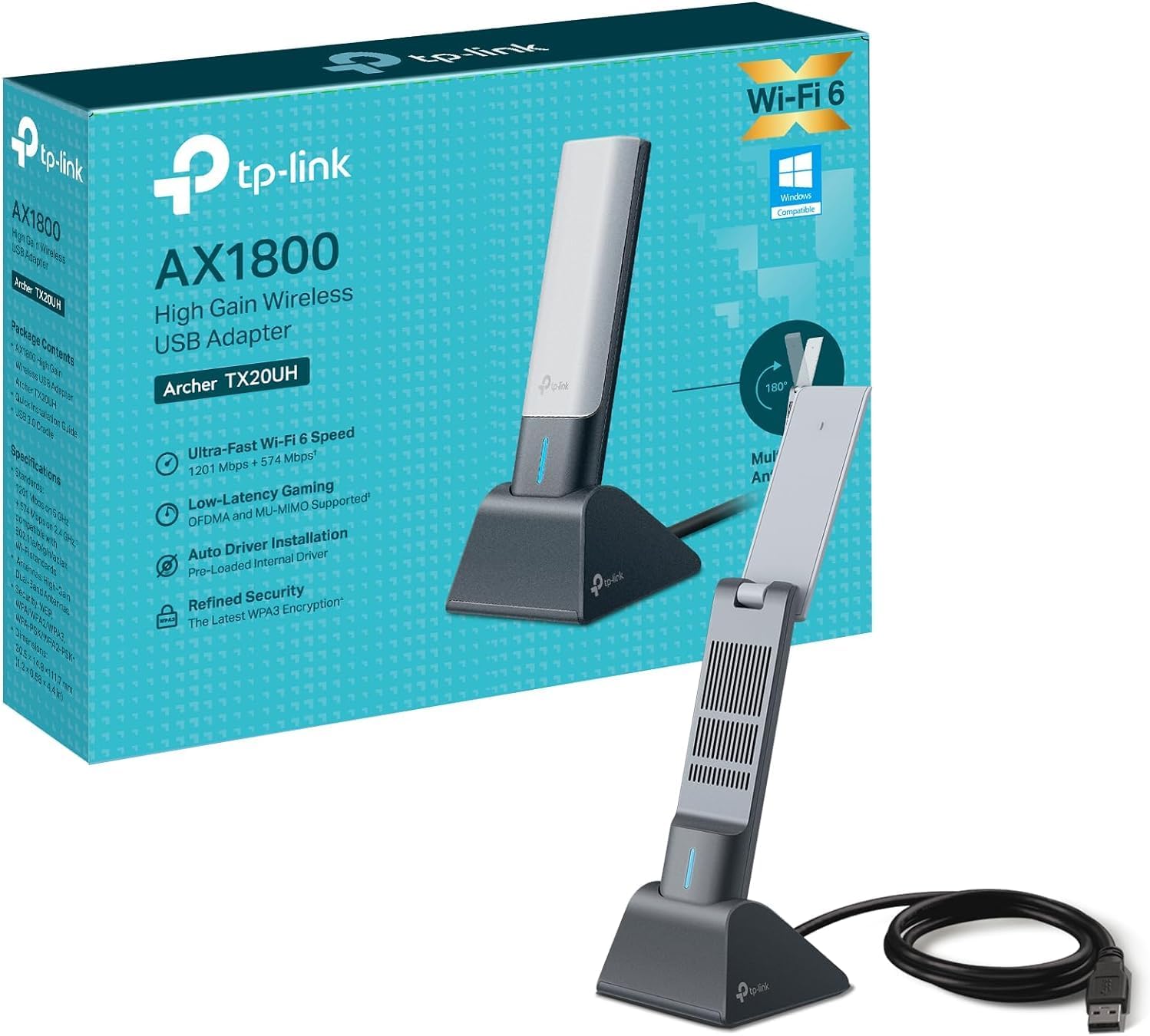
The Archer TX20UH aims to balance speed and coverage for home PC users. It offers dual band operation with 5 GHz and 2.4 GHz, letting you choose performance or range depending on the task. For online gaming and video calls the adapter relies on WiFi 6 technologies such as OFDMA and MU‑MIMO to reduce contention and improve throughput. Security is updated too, with WPA3 for improved password protection. If you have an older USB port, the SuperSpeed USB 3.0 connection helps ensure the dongle can reach its potential speeds when used with a compatible port. 📶
Tech specs
- Name: TP‑Link Archer TX20UH AX1800
- Reference: TX20UH
- Format: USB 3.0
- Display: Dual band 2.4 GHz and 5 GHz
- Dimensions: 1.2 metre cable
Getting the most from it
Plug the dongle into a USB 3.0 port for best results and position the antenna end clear of obstructions to help beamforming work effectively. It suits users who need a simple hardware upgrade without changing routers, and it can make a noticeable difference for streaming or online play when the internal adapter is weak. For peace of mind, WPA3 gives an extra layer of protection when connecting to modern home networks. 🔒
Where it shines
TP‑Link Archer TX20UH brings a straightforward route to faster wireless on a PC, offering AX1800 class throughput for mixed tasks and a flexible cable that helps with placement. It is a practical pick for those who want improved latency and broader coverage without a large installation. Note that actual speeds vary by network conditions and router capability.