

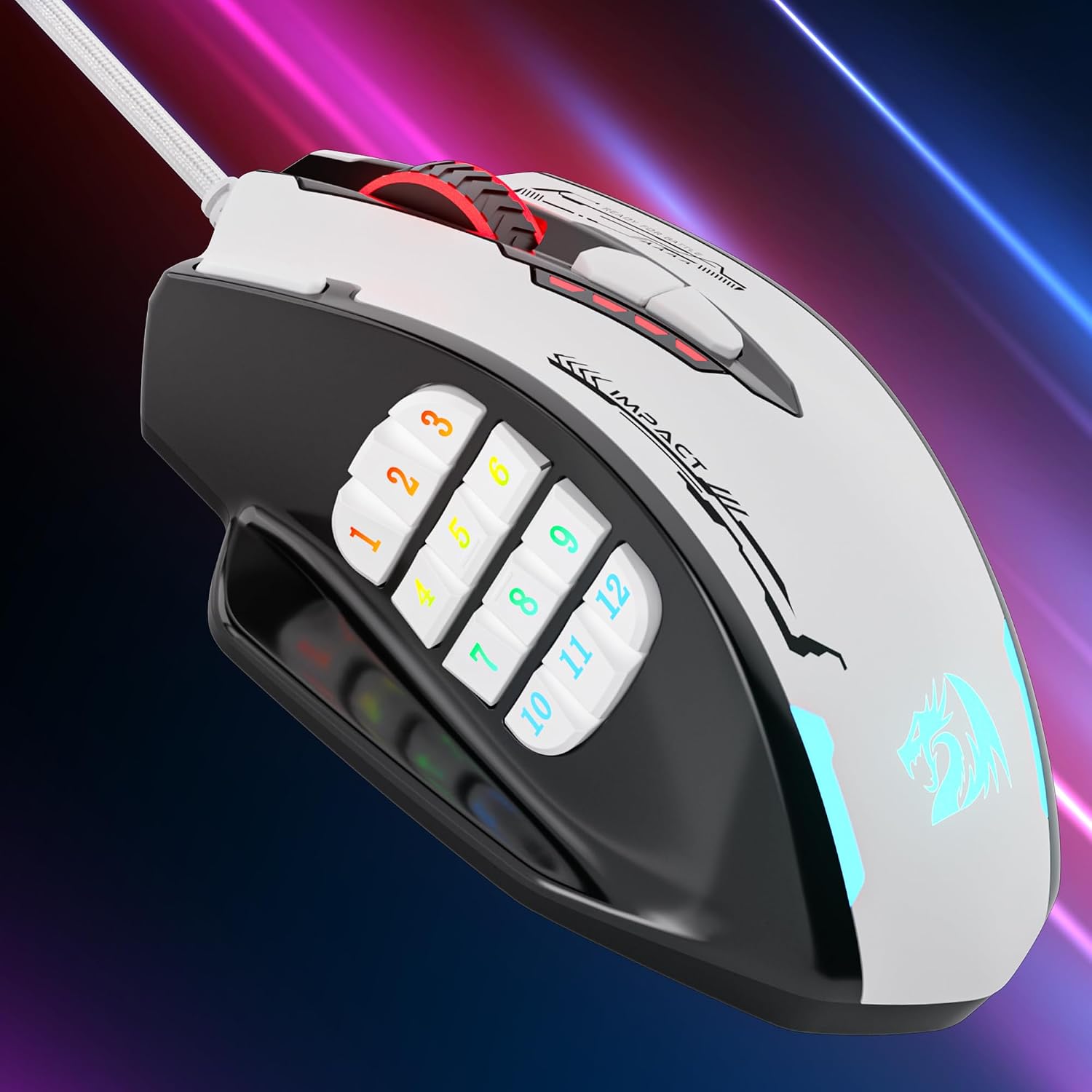
Redragon M908WB Impact RGB gaming mouse with 12 side buttons, up to 24,000 DPI and programmable macros
Product description
What it is and why you’d consider it
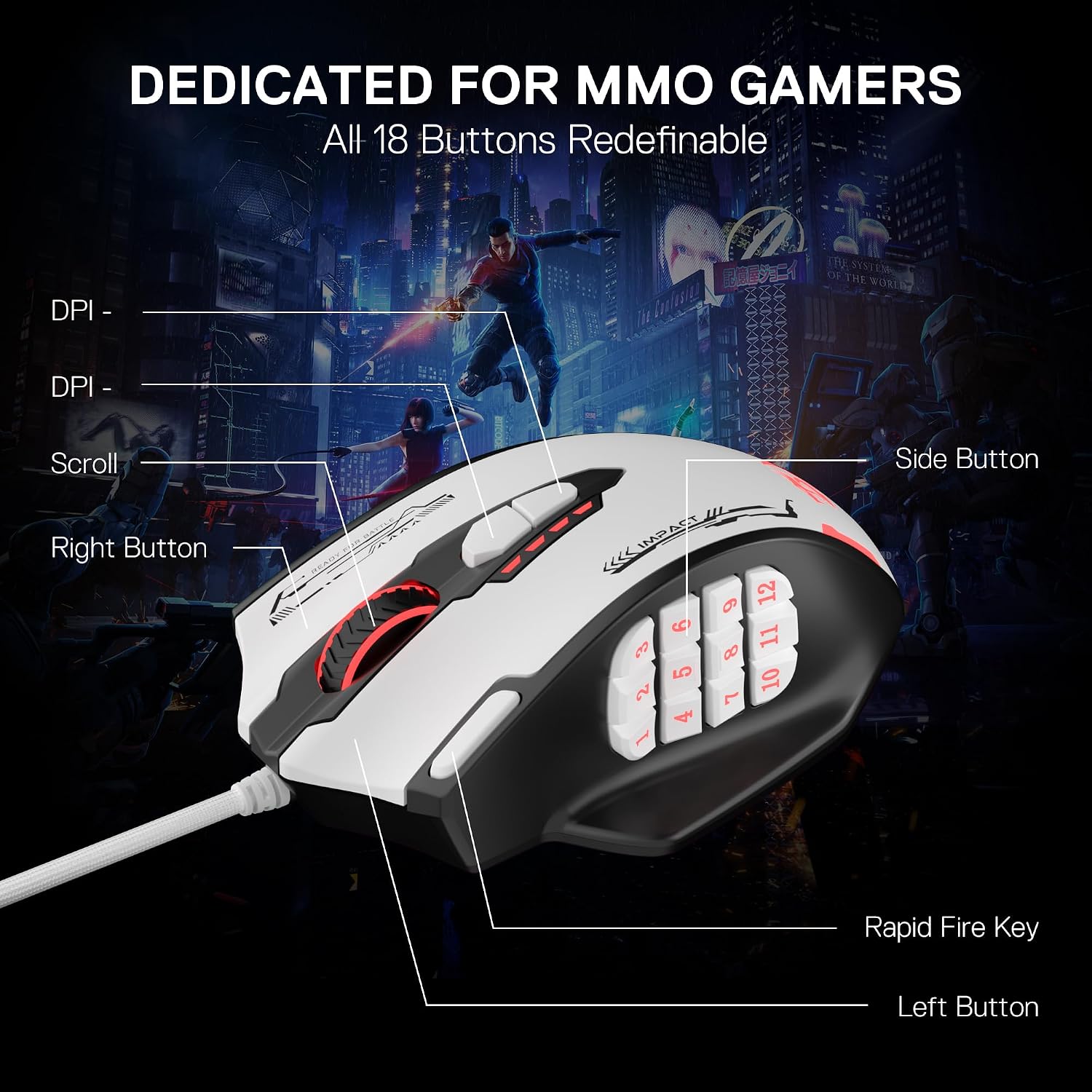
The Redragon M908WB Impact is an optical, wired gaming mouse built around MMO-style control. The headline, on paper, is the balance between high adjustability (up to 24,000 DPI with software control) and a lot of physical inputs for complex keybinds—especially the 12 MMO programmable side buttons plus additional programmable buttons.
It’s aimed at players who want more than just a basic “two-click-and-scroll” setup. If you regularly map abilities, item slots, or movement-related actions, having dedicated buttons close to your thumb can feel more natural than reaching for the keyboard every time. At the same time, it’s also positioned for everyday use: the mouse supports multiple DPI levels and a comfort-focused grip for day-to-day sessions.
There’s one limitation to keep in mind: it’s a wired mouse, and it sounds obvious but it does matter for desk setups and cable management. Also, the very high DPI ceiling doesn’t automatically mean it’ll feel perfect for every hand and playstyle—DPI can be adjusted, but preference is still individual.
The essentials: control, comfort and onboard convenience
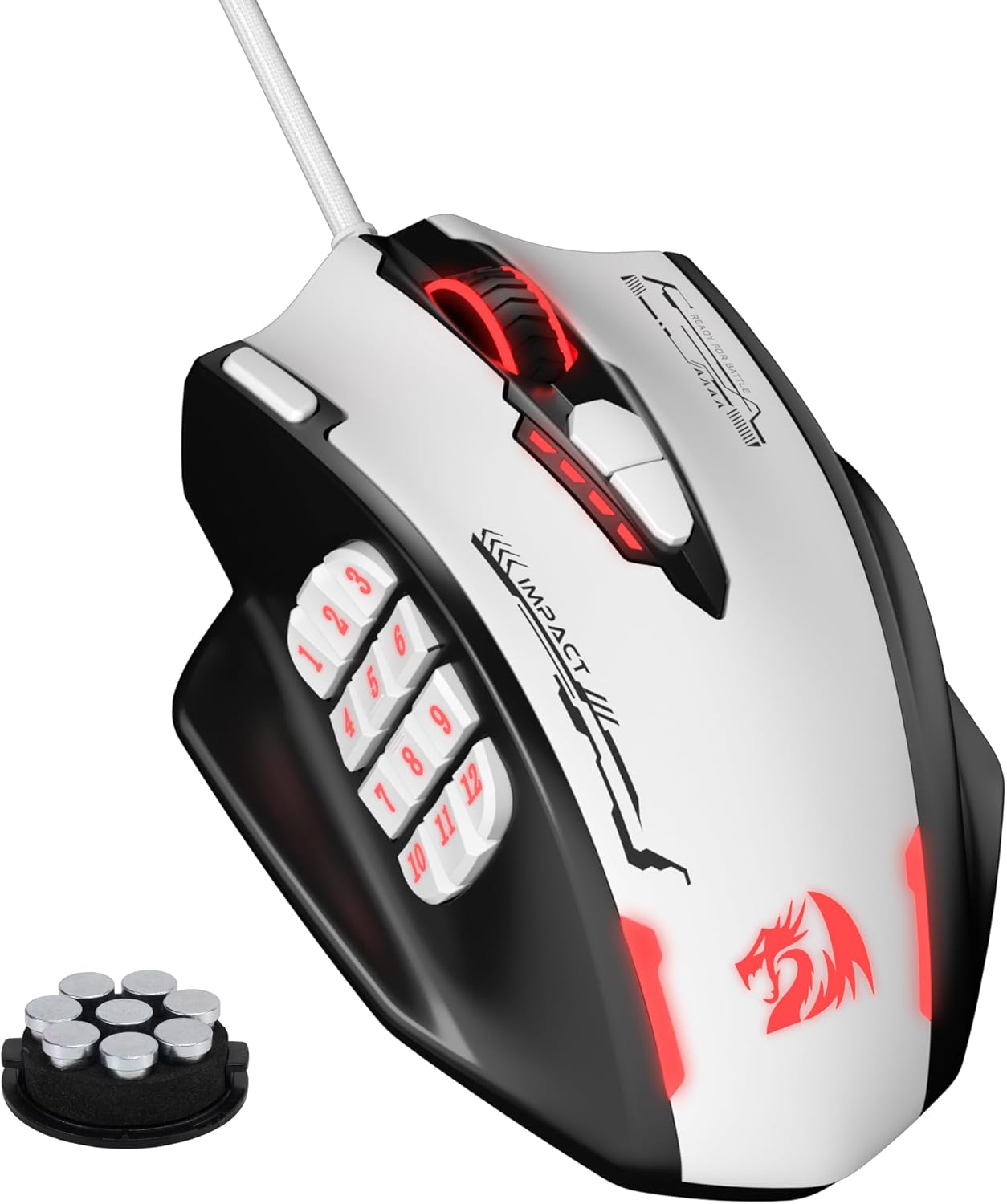
What stands out is the way the M908WB Impact combines high precision claims with practical usability. You get up to 24,000 DPI via an optical sensor (with adjustable DPI levels listed as 400/800/1,600/2,400/3,200), plus the option to adjust freely from 100 to 24,000 using software. For many gamers, this means you can tune sensitivity for different games without swapping hardware.
On the input side, it’s clearly not trying to be minimalist. In addition to the main buttons, there are 12 MMO programmable side buttons, and the mouse also includes 18 programmable macro shortcuts overall. The idea is straightforward: fewer actions need to be “remembered” through awkward key combinations.
Another handy touch is that it has 5 memory profiles, and each profile can use a dedicated light colour for quick identification. That’s a small quality-of-life feature if you swap between different games or between gaming and work-related setups.
Key points for day-to-day feel
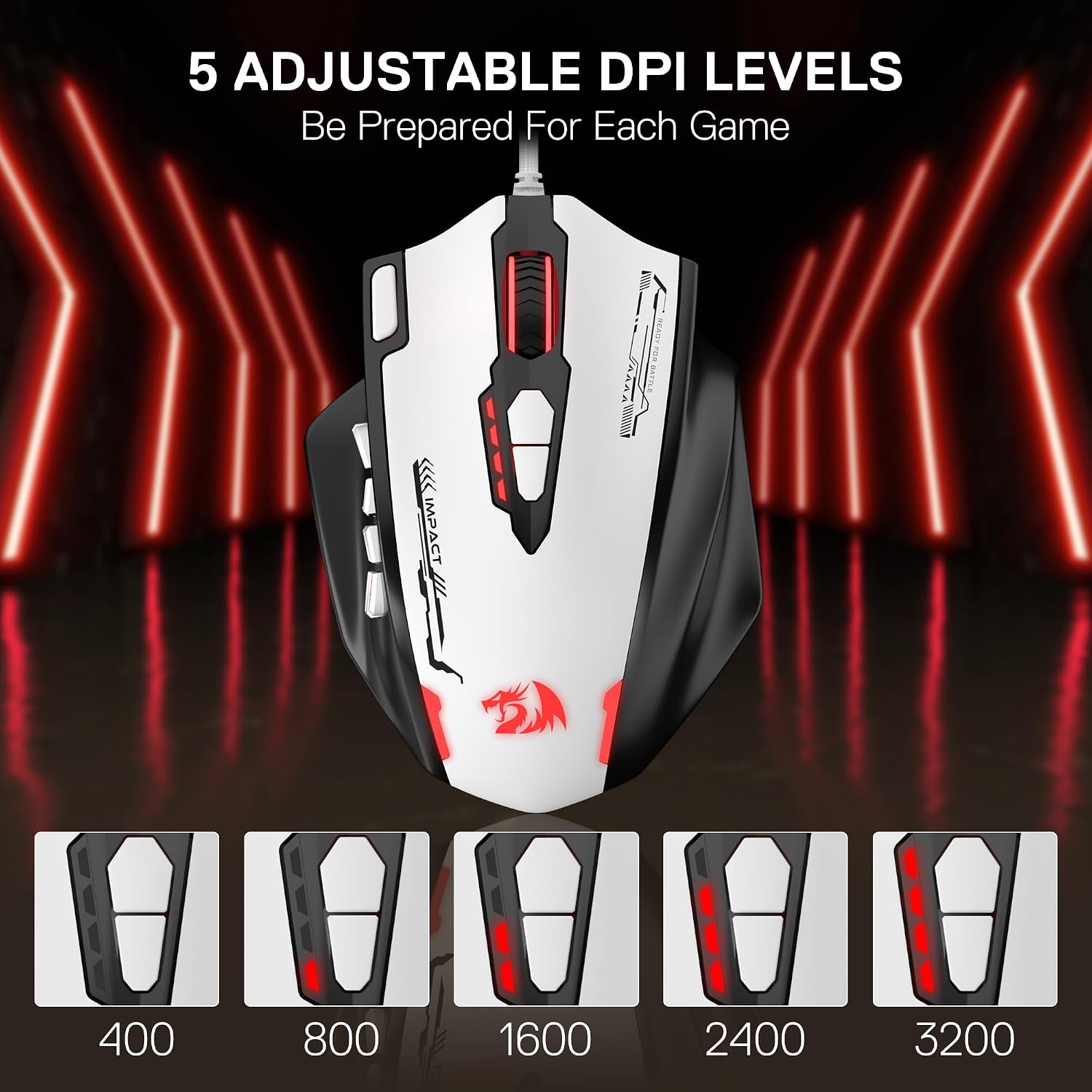
In use, a mouse like this tends to shine when you need quick access to repeated actions—think of MMO rotations where spells come in a certain order, or shooters where you might want consistent sensitivity while using multiple buttons for weapon switching and utility.
A concrete example: imagine binding your frequently used abilities to the side buttons, then keeping aiming steady with lower DPI while using a different profile for faster movement in a different scenario. If your thumb placement is comfortable with a crowded side layout, you’re likely to get that “muscle memory” effect sooner.
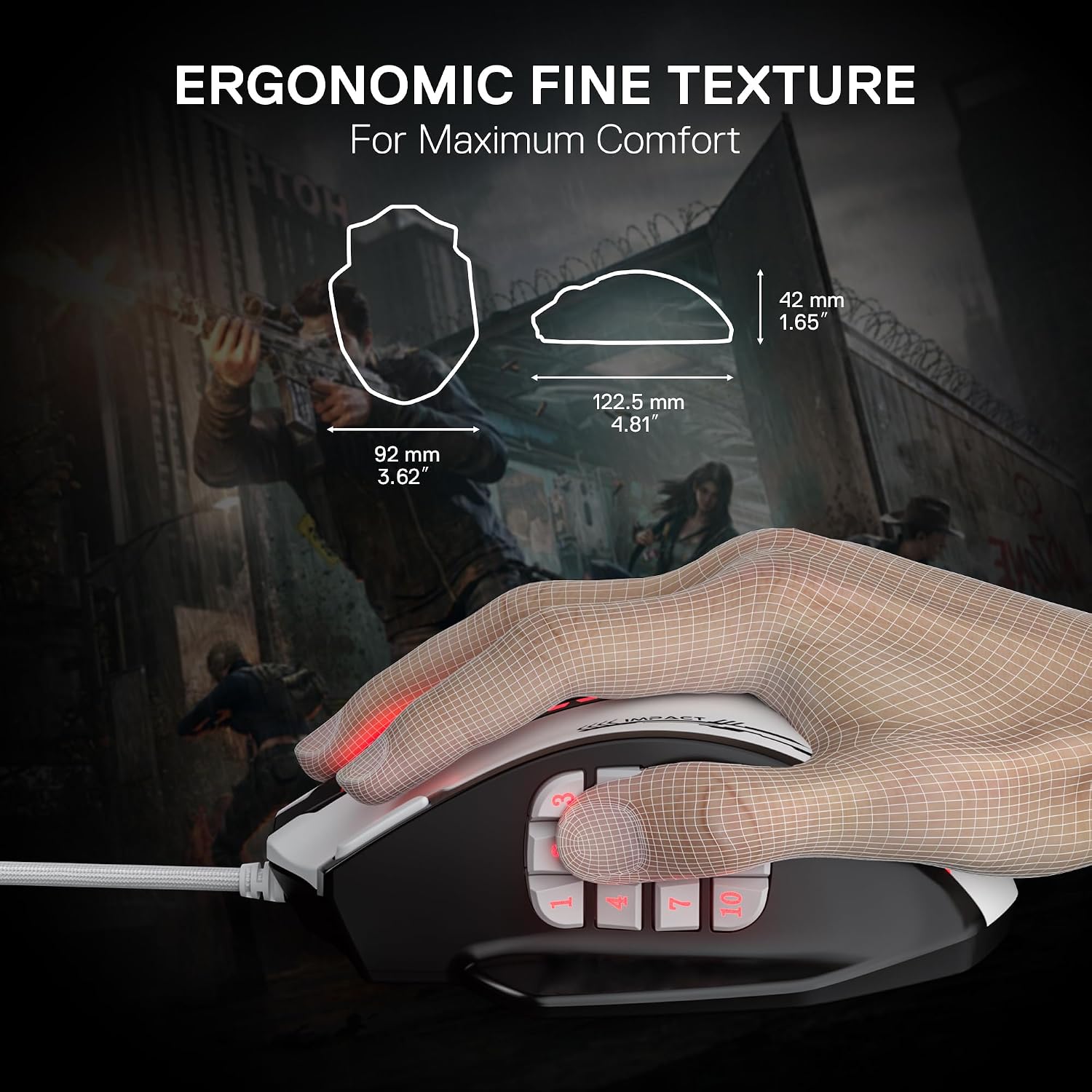
Comfort matters too. The description emphasises an ergonomic, comfort-grip approach and a durable build. It also includes TEFLON feet pads for smoother control and a braided-fibre cable with a gold-plated USB connector, which, in real-world terms, is the sort of thing you’ll notice if you move your mouse a lot and want the cable to stay flexible.
Tech details that matter (and what to watch)
The mouse uses an optical sensor described as an SG8960 high-precision sensor and supports a 1,000 Hz polling rate. Acceleration is listed as 80G.
It also includes RGB backlighting with 16.8 million colour options. The backlight can be disabled, which is useful if you prefer a cleaner look or if you game in a low-light room and don’t want constant light.
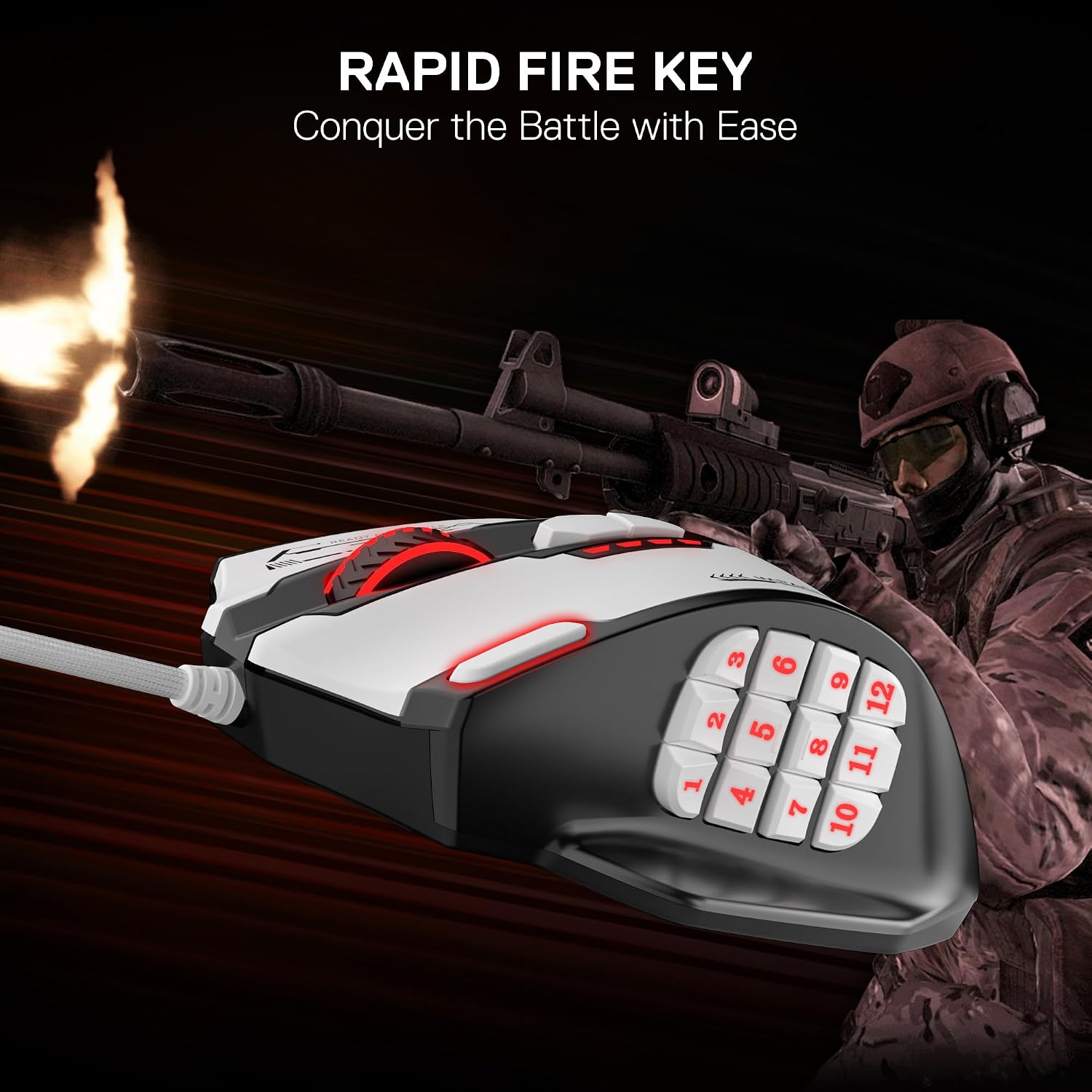
On the DPI side, you should pay attention to how you prefer to set sensitivity. You get listed adjustable levels (400/800/1,600/2,400/3,200), plus broader software adjustment from 100 to 24,000. If you’re the type who likes precision fine-tuning, the software range may be what you’ll actually use most.
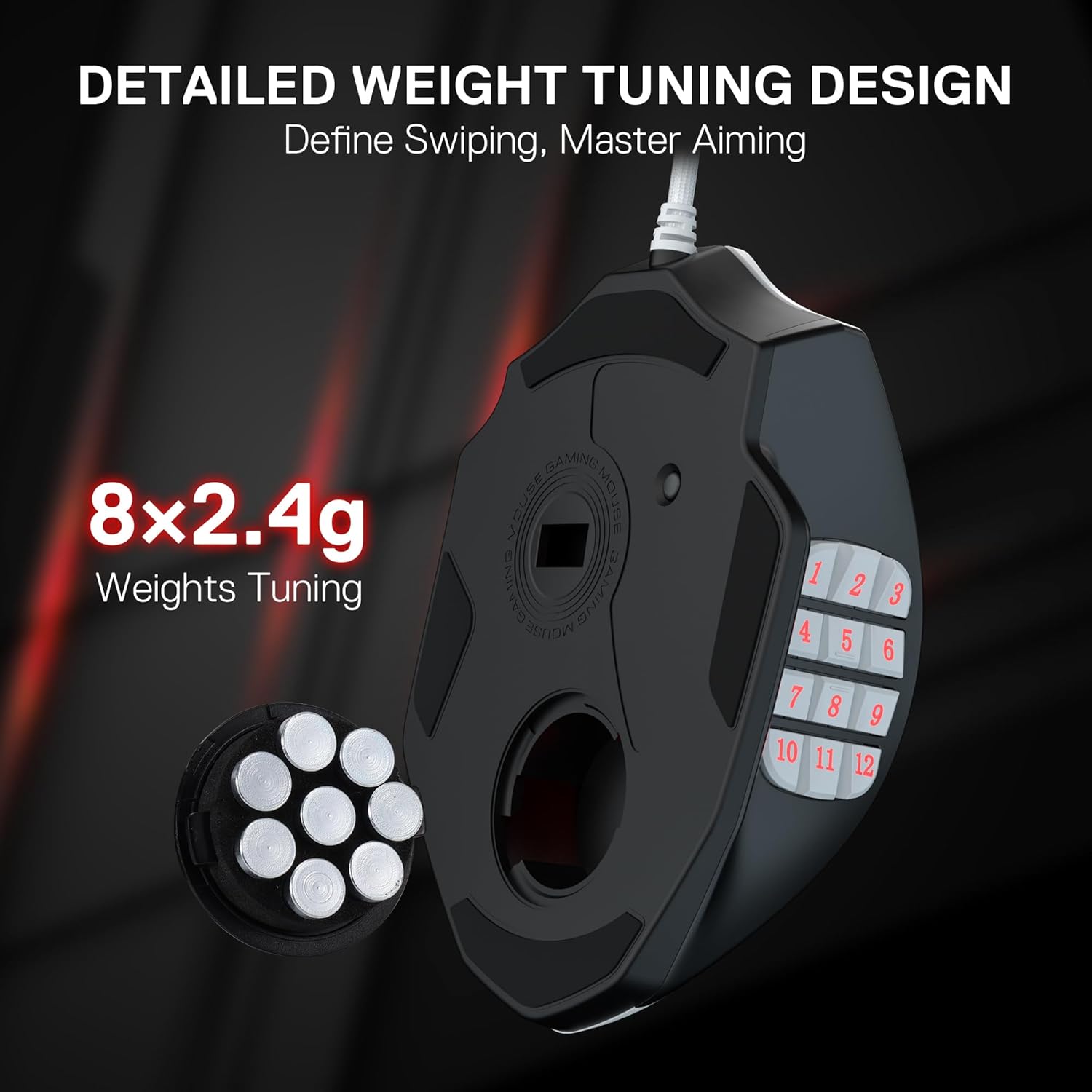
Worth noting: this isn’t presented as a lightweight, esports-only “ultra-minimal” mouse. The aggressive MMO-style design suggests it’s more about control and button access than being the lightest thing on the desk.
Where it shines, and where it may fall short
Pros
- Lots of programmable inputs for MMO-style gameplay, including 12 side buttons
- High DPI range with software adjustment and multiple DPI levels to switch between feels
- 5 memory profiles with colour identification can help you change setup quickly
- RGB backlight can be disabled if you want it more subtle
- Braided-fibre cable and TEFLON feet pads are aimed at durability and smooth control
Cons
- It’s wired, so you’ll need to manage the cable and you won’t get the freedom of a wireless setup
- With this many buttons, it may feel like overkill if you mostly play games that don’t benefit from heavy keybind mapping
- It’s more mid-gaming focussed than “plug-and-forget”, you’ll likely want to set profiles and binds through software for the best experience
Usage tips and compatibility notes
The M908WB Impact is described as compatible with Windows 2000/ME/XP/03/VISTA/7/8/10 for programmable features, and Mac OS for normal use. If you rely on macros, profile switching, or software-based DPI adjustment, it’s sensible to check you’re on a supported Windows version.
If you’re new to MMO mice, don’t assume you’ll use every button straight away. Start with a smaller set of binds you’ll actually press in matches, then expand once you’re confident about thumb placement. And if the RGB is distracting, disabling the backlight can make it easier to focus—sometimes less visual noise is the real performance upgrade.
FAQs
Is the Redragon M908WB wired only?
Yes, it’s described as a wired gaming mouse, with a 6ft braided-fibre cable.
Can I turn off the RGB lighting?
The description says the LED backlight can be disabled.
Does it support different DPI settings?
Yes. There are multiple listed adjustable DPI levels, and DPI can be adjusted freely from 100 to 24,000 via software.
How many programmable buttons are there?
It’s described as having 18 programmable macro shortcuts, plus 12 MMO programmable side buttons.
Will it work on Mac?
It’s stated to be compatible with Mac OS for normal use, while the programmable aspect is tied to supported Windows versions.
Final verdict
It’s a strong choice if you want an optical, wired MMO-style mouse with lots of side controls, high adjustability for DPI, and the option to save multiple profiles with quick colour identification. The comfort-grip design and TEFLON feet are also the kind of practical touches that make a difference during long sessions.
You may want to skip it if you prefer wireless freedom, or if you mainly play games that don’t benefit from heavy keybind mapping. And if you’re buying primarily for plug-and-play simplicity, remember that the value here depends fairly on setting up profiles and macros to match how you play.