

HP 430 Programmable Wireless Keypad: Customisable Numpad for Chrome, PC and Mac
Product description
What it is
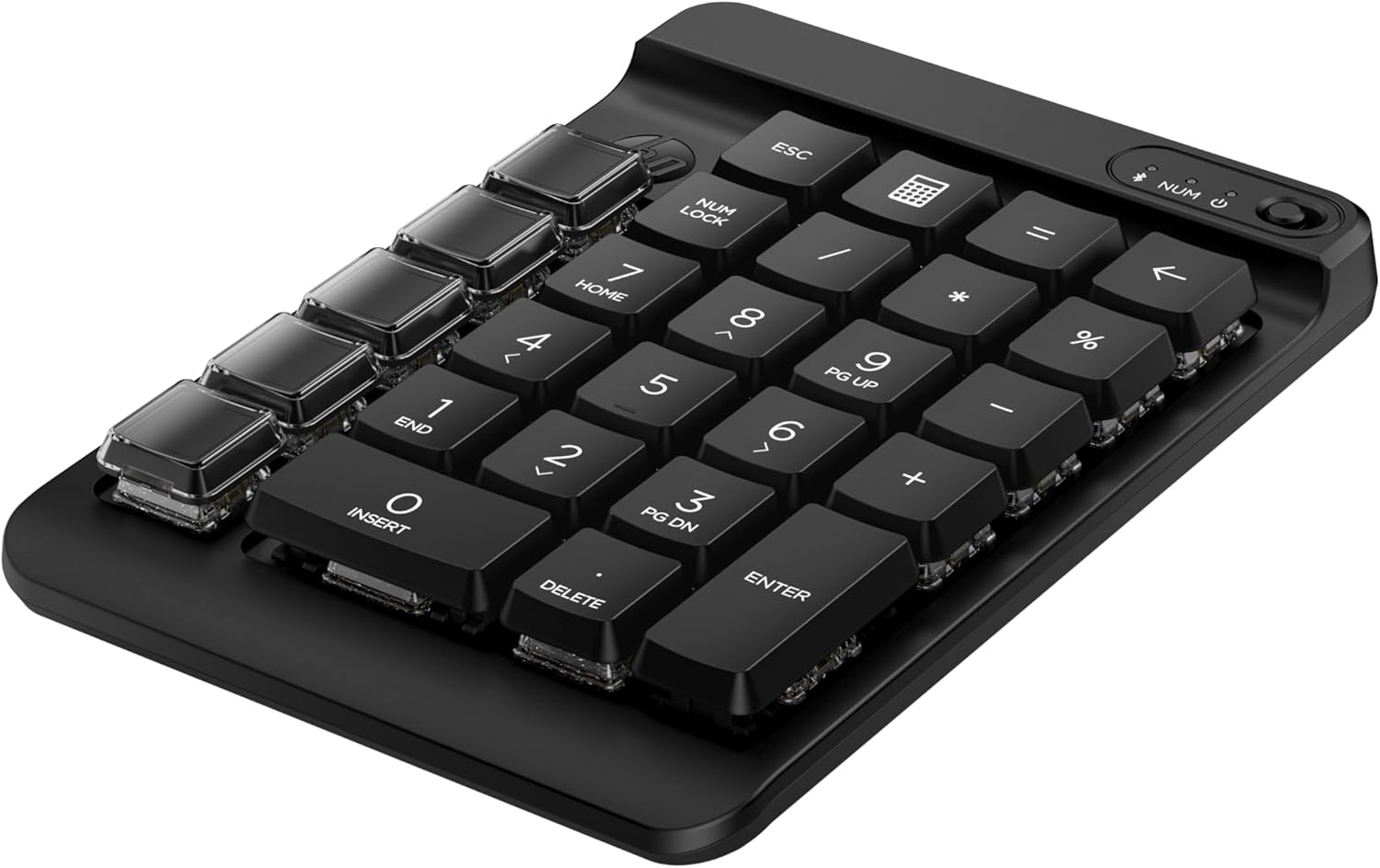
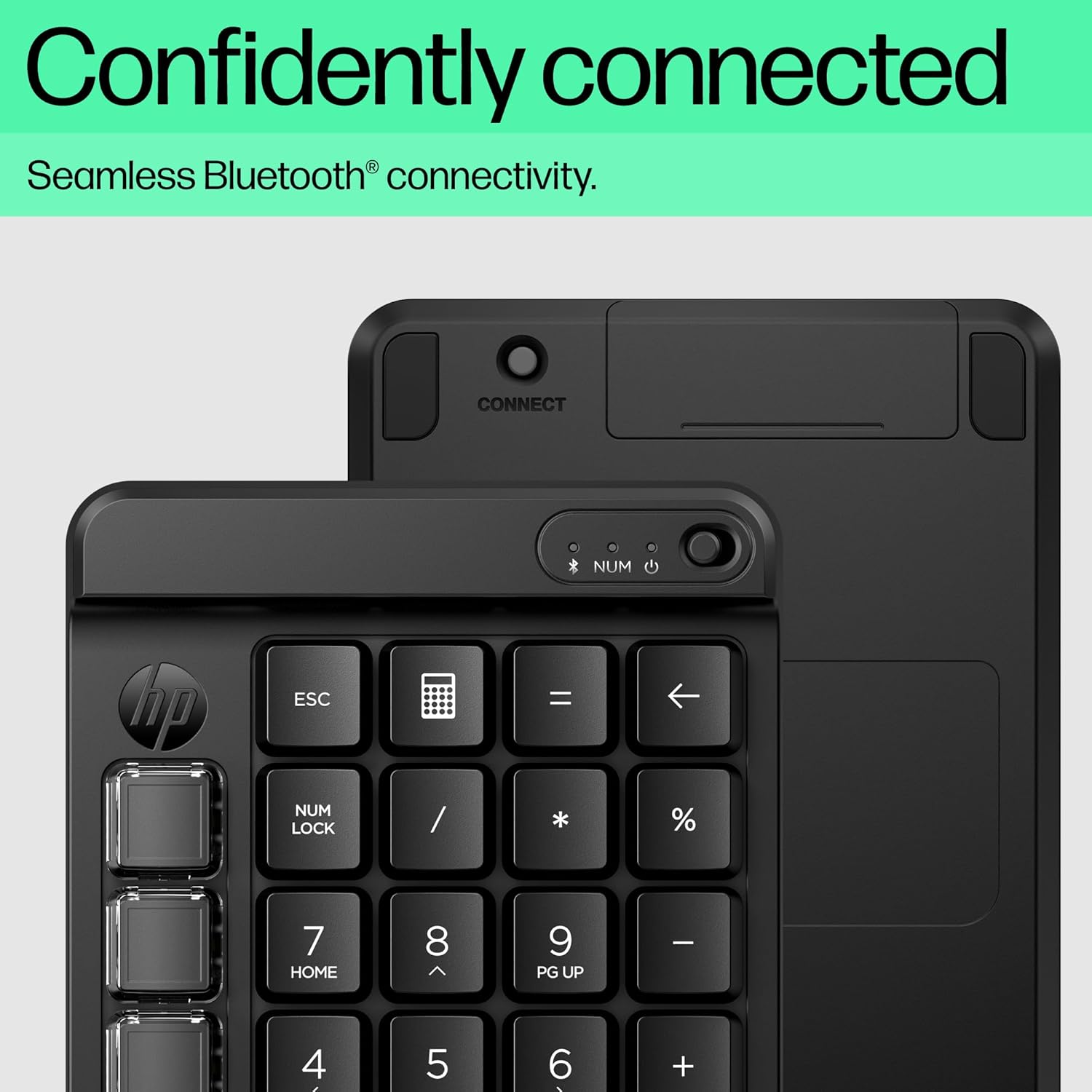
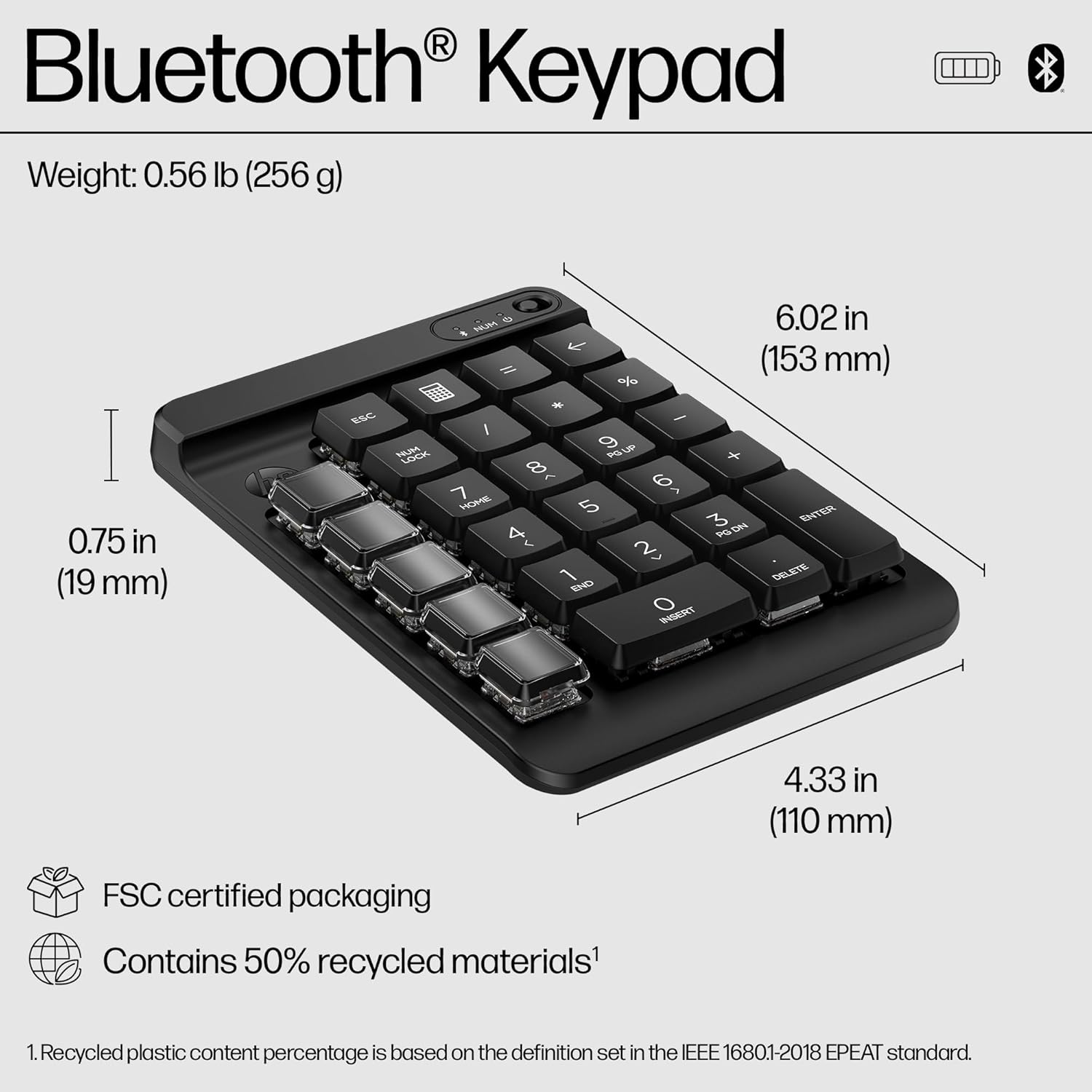
The HP 430 Programmable Wireless Keypad is a compact, Bluetooth-connected number pad with nine programmable keys and swappable keycaps. Designed to sit alongside your main keyboard, it aims to speed up daily tasks and simplify complex keystrokes without taking up much desk space.
Who it’s for
If you rely on keyboard shortcuts, macros or frequent repetitive keystrokes, this keypad can help you compress workflows into a few taps. It’s likely to appeal to people who need quick access to customised commands while working with spreadsheets, data entry, design apps or coding environments. It’s also a practical companion for hot-desking or remote work setups where you want to optimise a compact workspace.
What stands out on paper
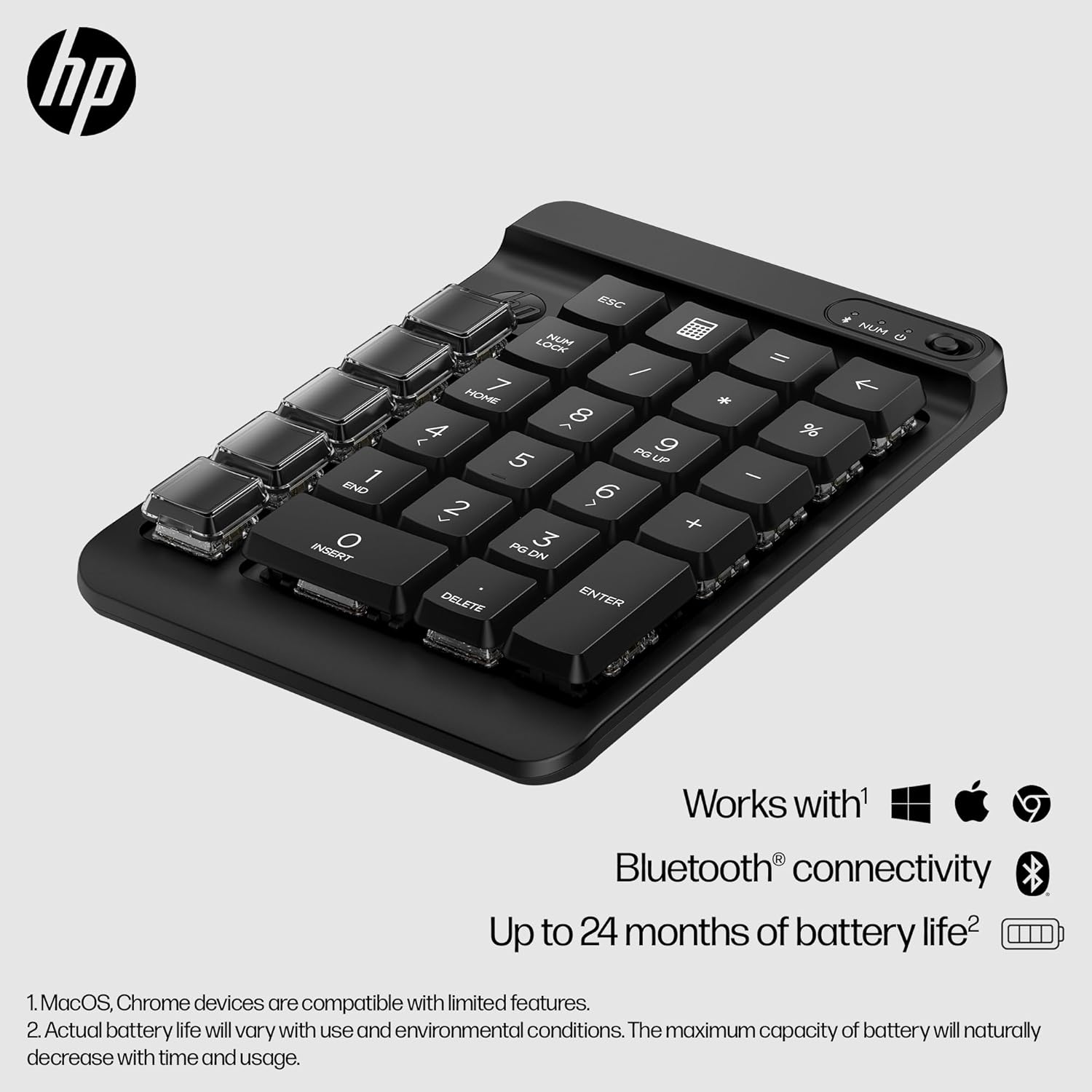
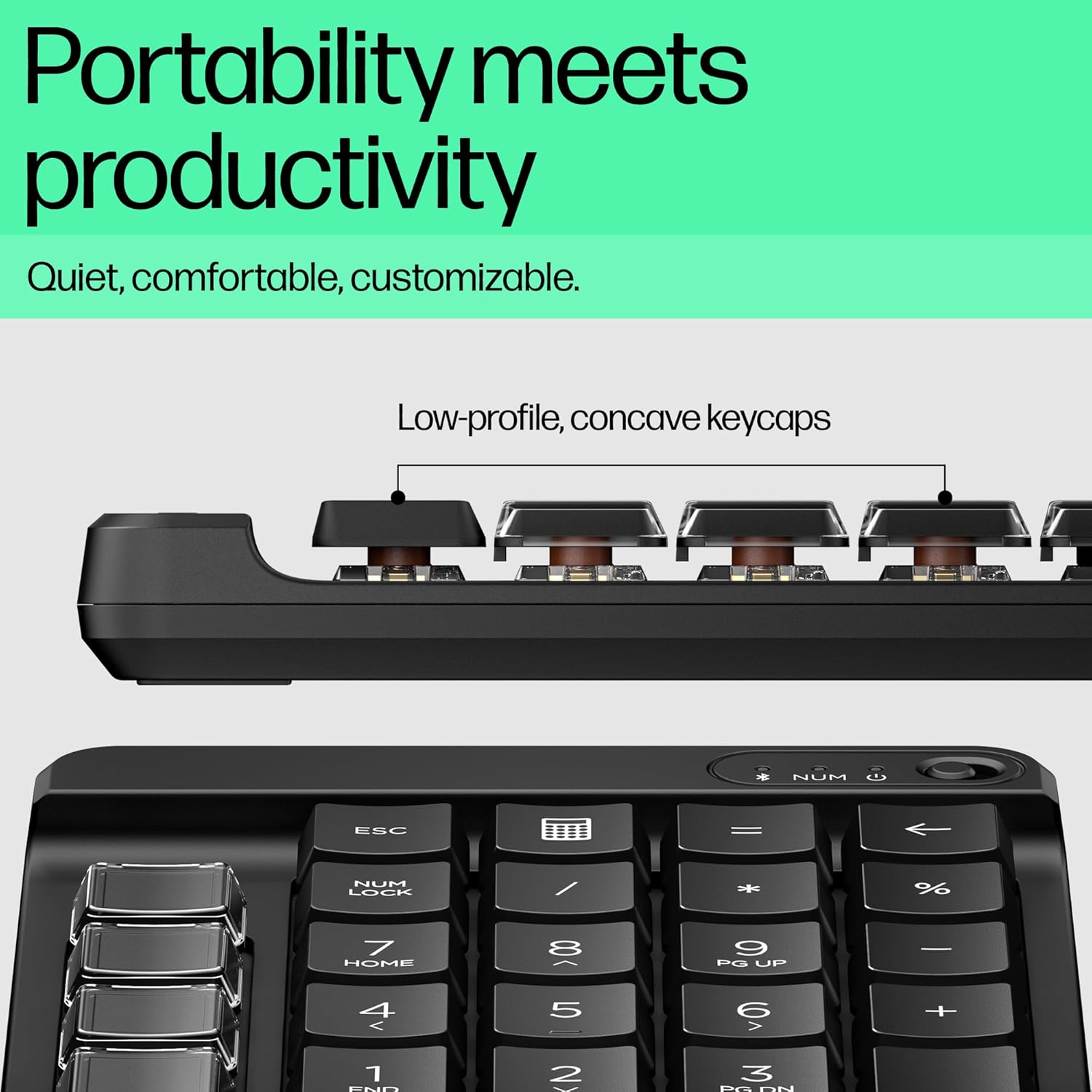
On the positive side, you get nine programmable keys with swappable keycaps, which enables custom shortcuts and easier visual labelling. The Swift Pair Bluetooth connectivity promises quick setup across devices, and the spill-resistant, sanitisable design adds a bit of resilience for day-to-day use. Battery life is claimed up to 24 months from a single AA, which reduces maintenance and charging interruptions.
Things that may hold you back
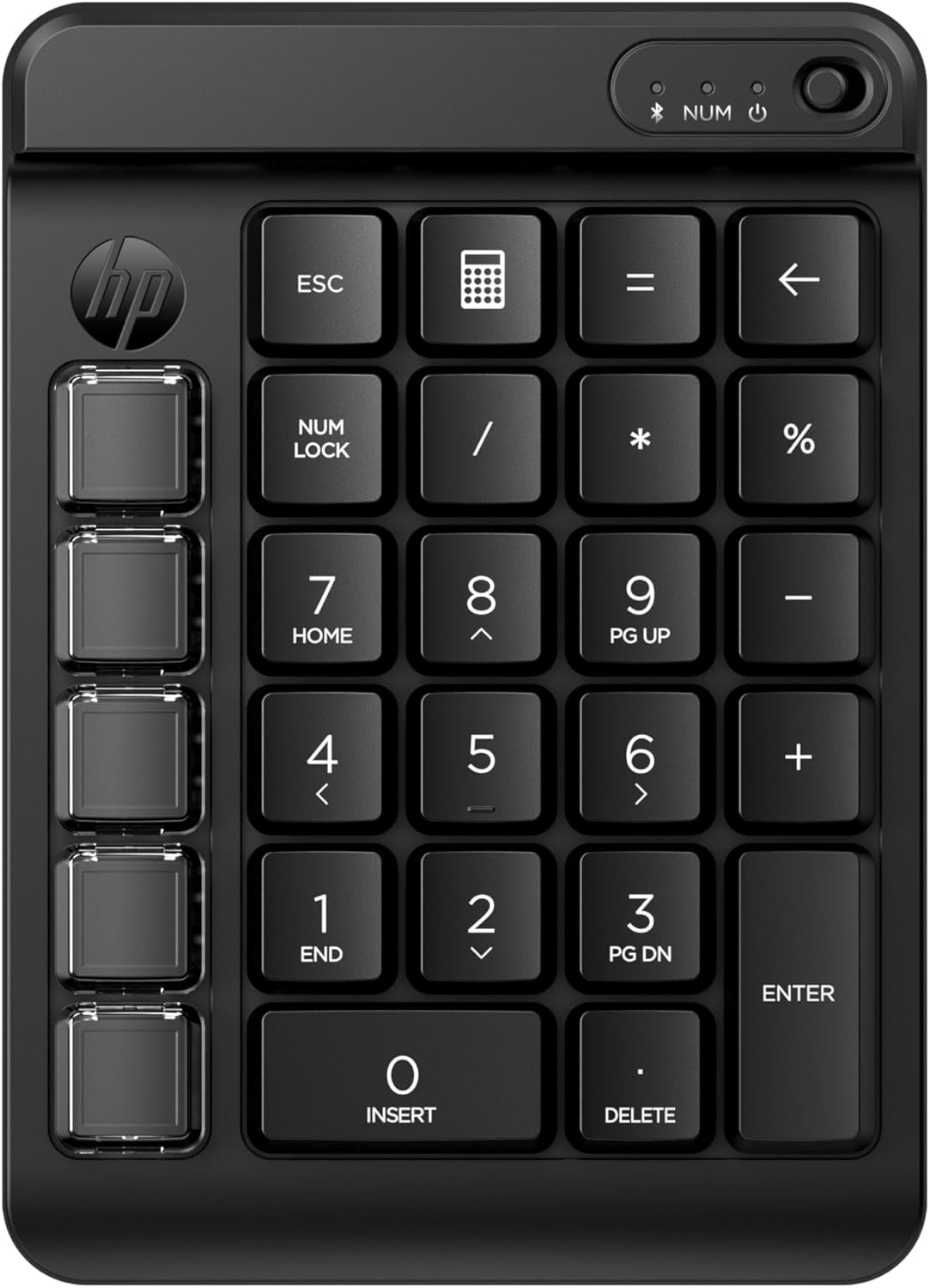
As a dedicated keypad, it won’t replace a full numeric keypad for everyone. The layout includes a column of five blank keys that you must configure yourself, which adds initial setup time. While the product promises compatibility with Chrome, PC or Mac, you may still want to confirm that your essential shortcuts align with HP Accessory Centre’s workflow management if you rely on very niche commands. Some users might find the low-profile, concave keycaps comfortable for quiet typing, but others could prefer a different tactile feel or snap for high-pressure tasks.
How it fits into everyday use
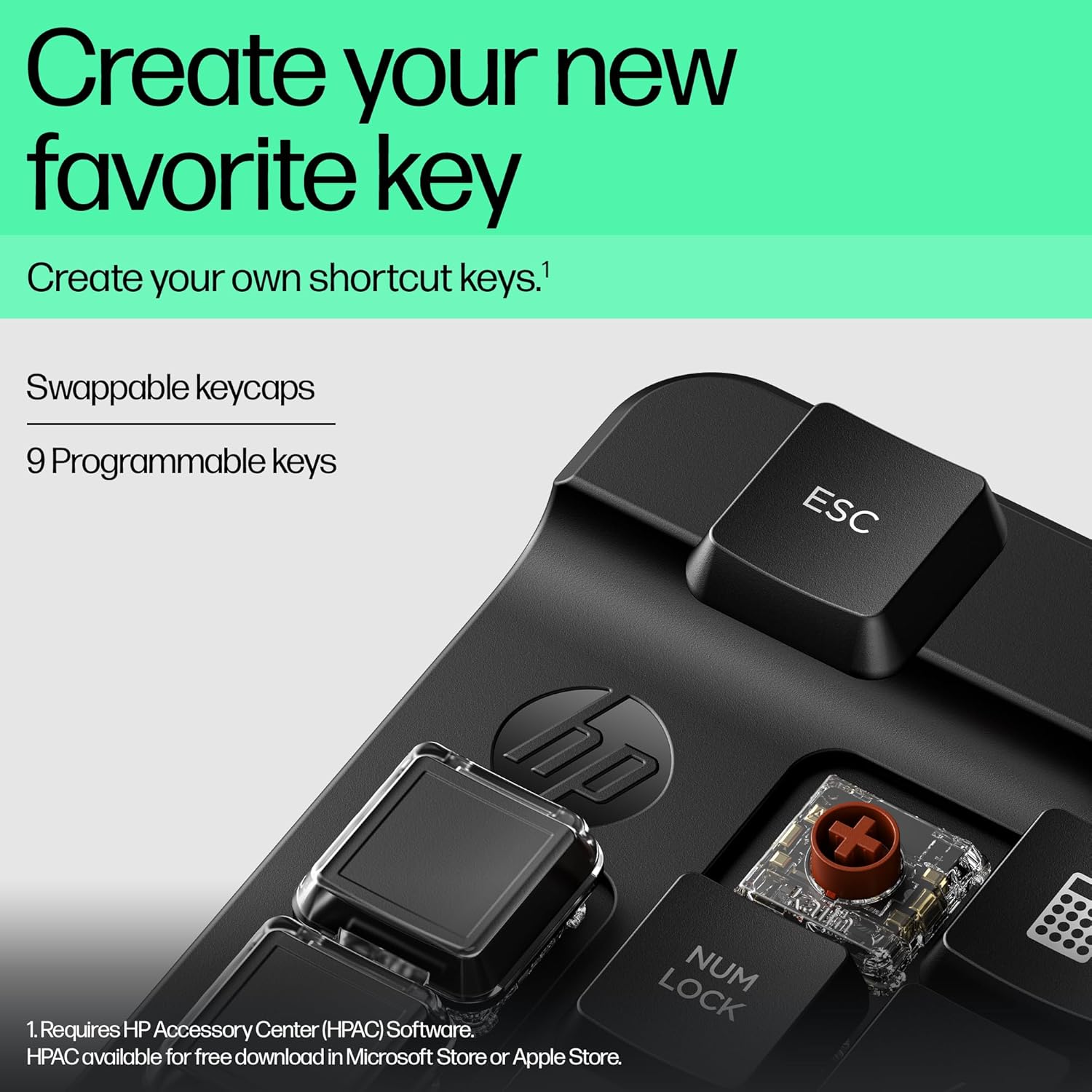
If you value portability, the keypad’s compact footprint lets you position it on either side of your keyboard, or tuck it into a small work setup. The swappable keycaps mean you can label frequently used shortcuts clearly, which is handy for ongoing projects or shifting workflows. For remote workers and travellers, Bluetooth with quick pairing is a sensible convenience, provided you have a suitable Bluetooth-enabled device nearby.
What to check before buying
- Confirm that your primary tasks can leverage nine programmable keys and a dedicated blank-key column.
- Consider your current keyboard layout and how you’d position the HP 430 for the most ergonomic use.
- Check that your operating system and apps support custom shortcuts through HP Accessory Centre or related configuration tools.
- If you expect heavy spill-prone environments, assess whether the keypad’s spill resistance is enough for your setting.
How this compares to simpler approaches
For users who only occasionally need extra shortcuts, a software-based macro setup on the main keyboard might suffice. If你 prioritise dedicated physical keys with clear labelling and a separate layout, the HP 430 offers a tangible step up. It’s a middle-ground option—more specialised than a standard numeric pad, but not as feature-rich as some gaming or workstation keypads. In practice, it suits those who want physical shortcuts without a large peripheral footprint.
Practical example of use
Imagine editing a data sheet: you map common operations (copy, paste, paste values, run a formula, navigate to a specific cell) to the nine programmable keys. A quick tap triggers the sequence, saving seconds and reducing repetitive strain across a busy work session.
Final decision
Is it worth it?
Worth considering if you value a compact, customisable shortcut row that travels well with your laptop and can run on Bluetooth-enabled devices. If your work depends on complex keystroke sequences, the nine programmable keys and swappable caps offer tangible convenience. It may not be essential if you rarely use extra shortcuts or if your preferred workflow relies on software macros rather than physical keys.
FAQ
- How easy is the initial configuration? You can configure shortcuts using HP Accessory Centre, expect a setup phase to label keys and assign functions.
- Will it work with my Mac or PC without cables? Yes, via Bluetooth with Swift Pair support for quick pairing on compatible devices.
- How durable is the keypad for everyday use? It’s described as spill resistant and sanitisable, with a compact design to fit alongside a main keyboard. Real-world durability will depend on handling and environment.