

MOKiN USB C Docking Station 3 Monitors with 150W Power – Triple 4K USB-C/DP Hub
Product description
What it is
This is a USB C docking station designed to extend a compatible laptop to a triple-display setup, with a 150 W power supply and a rich mix of ports. It targets users who want a single, straightforward way to connect multiple screens, data devices and a wired network from a single hub.
What problem it solves
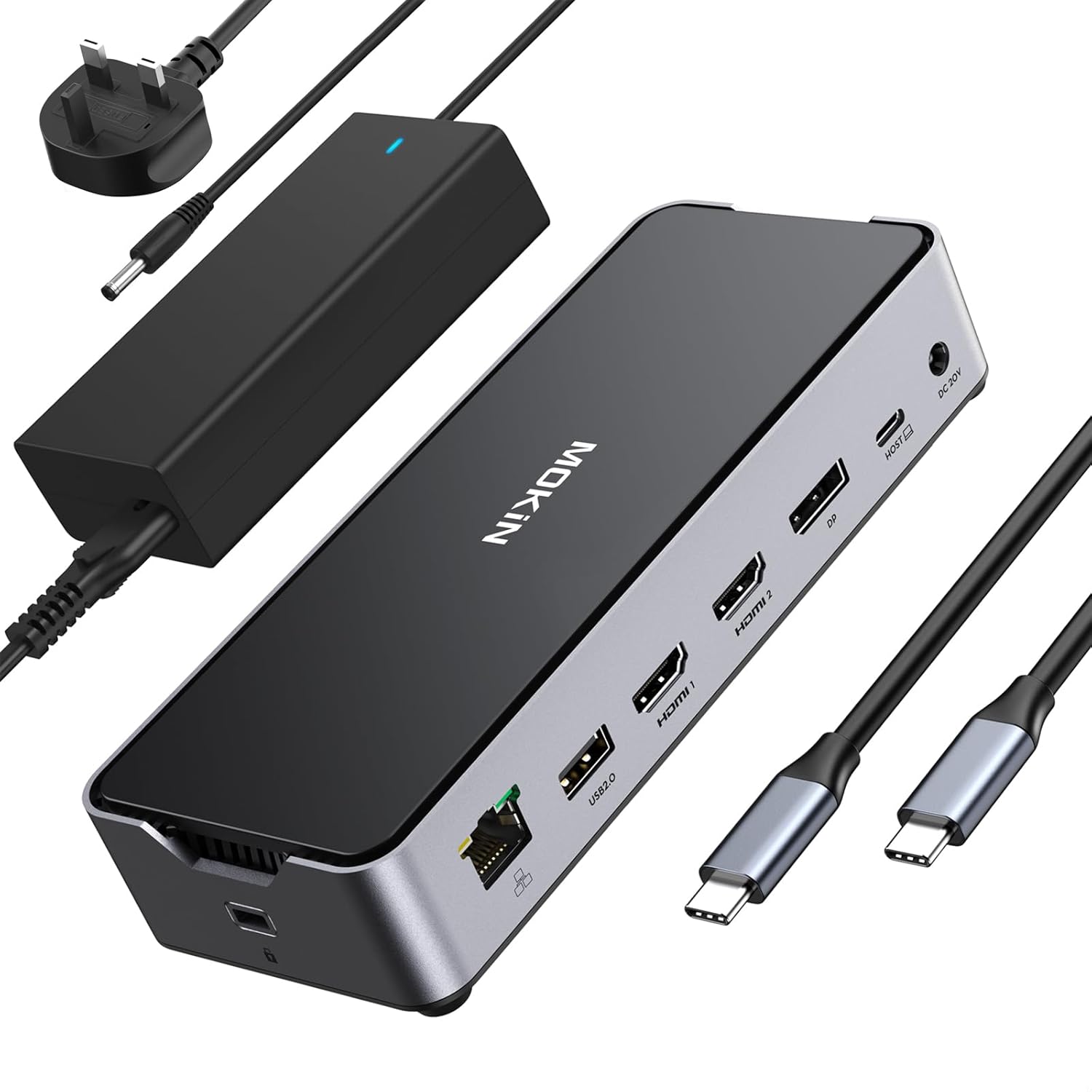
If you regularly use a laptop at a desk and need more screen real estate, a stable wired connection, fast data transfers and convenient charging, this dock brings those needs together. It’s particularly handy for multi-monitor workflows, light-to-mid workload editing, presentations and typical office tasks where fewer USB adapters are desirable.
How it performs on paper
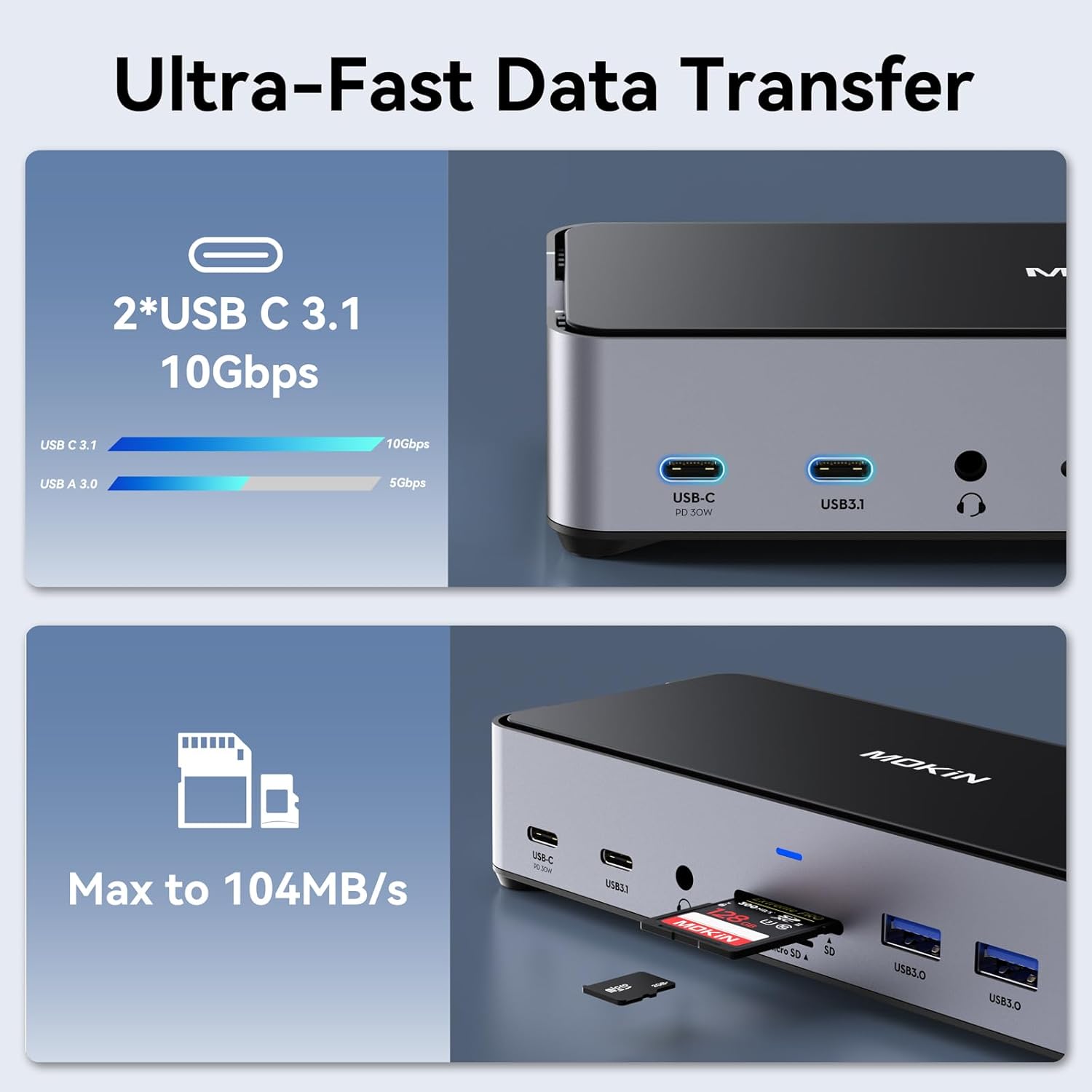
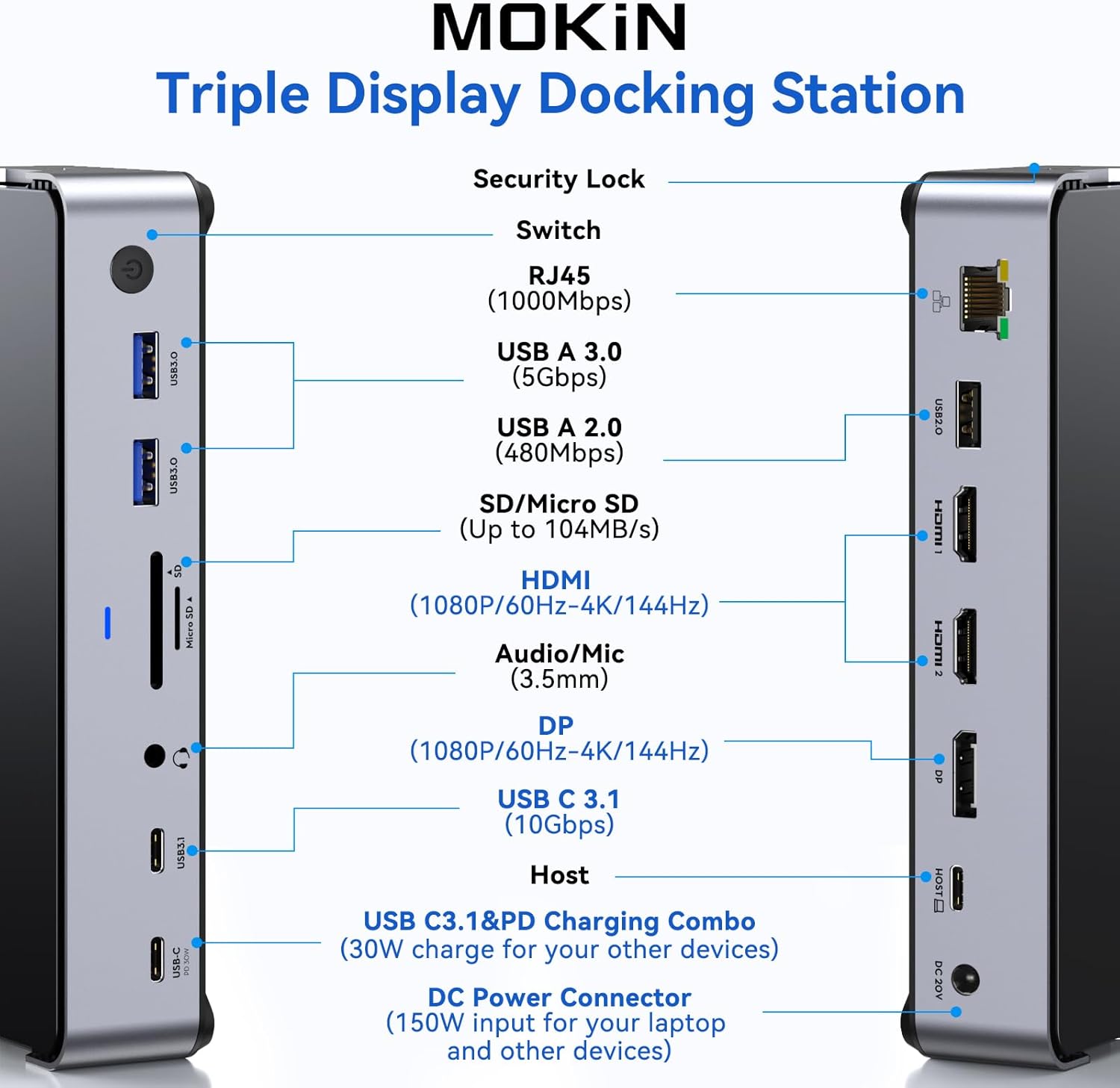
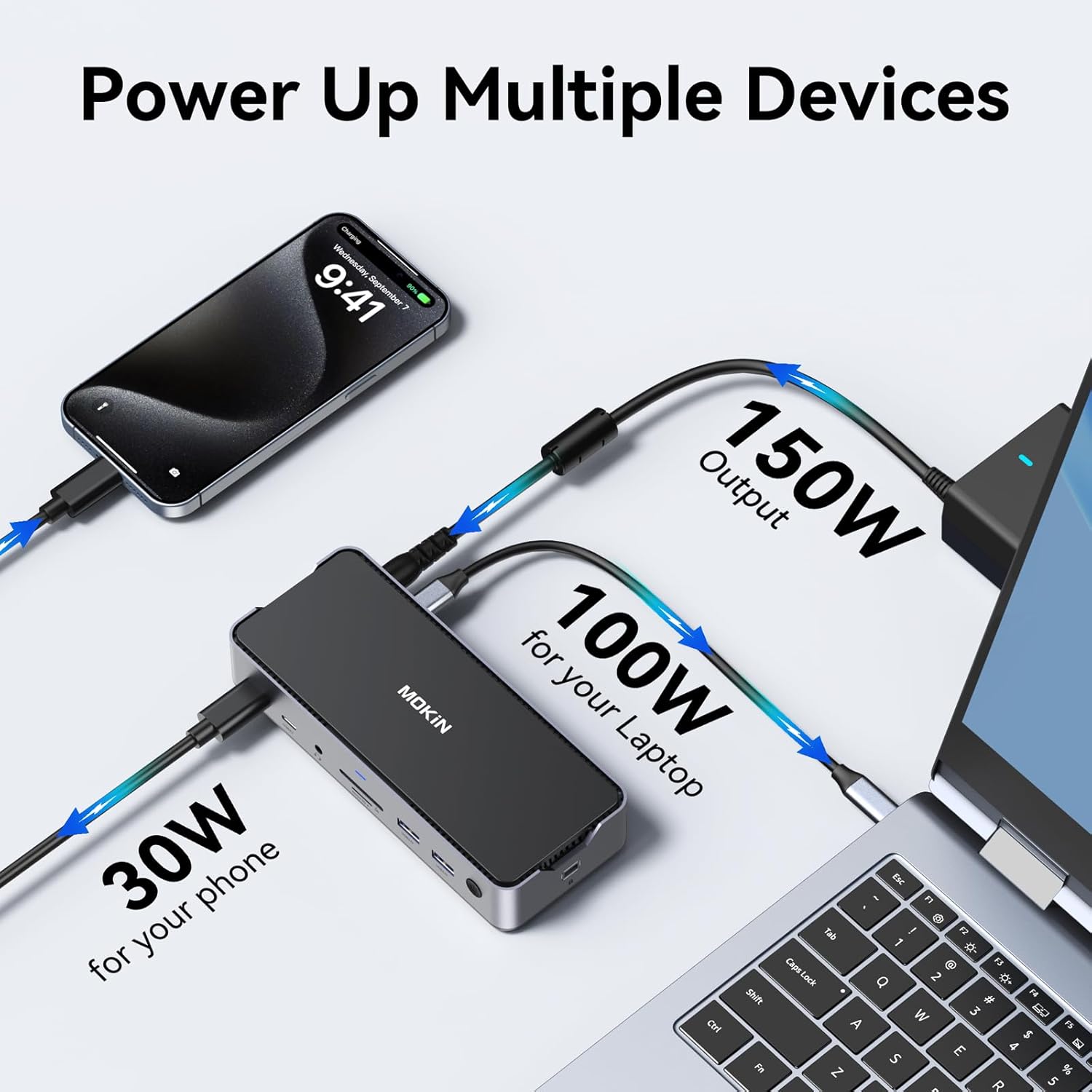
The base supports triple display output (two HDMI, one DisplayPort) and can run 4K at 60 Hz across multiple displays under DP1.4. It also offers a dedicated high-speed data path with up to 10 Gbps transfers, included SD/MicroSD card slots, USB-A and USB-C data/PD ports, a Gigabit Ethernet socket and a 3.5 mm audio jack. The 150 W external supply allocates up to 100 W for a connected laptop plus additional 30 W for peripherals via USB-C PD, which is roughly enough for many modern laptops, subject to manufacturer limits.
Strengths you’ll notice in use
- Broad connectivity in one unit reduces cable clutter and desk clutter. It’s quite practical if you regularly dock and undock from a workstation.
- The high-speed data channels (up to 10 Gbps) along with USB-C 3.1/USB-A 3.0 ports provide decent performance for external drives and peripherals.
- Built‑in SD/TF slots add convenient media transfer from cameras or cards without needing extra readers.
- The 150 W PSU and 100 W laptop charging capability can simplify power management on busy days.
What may hold it back
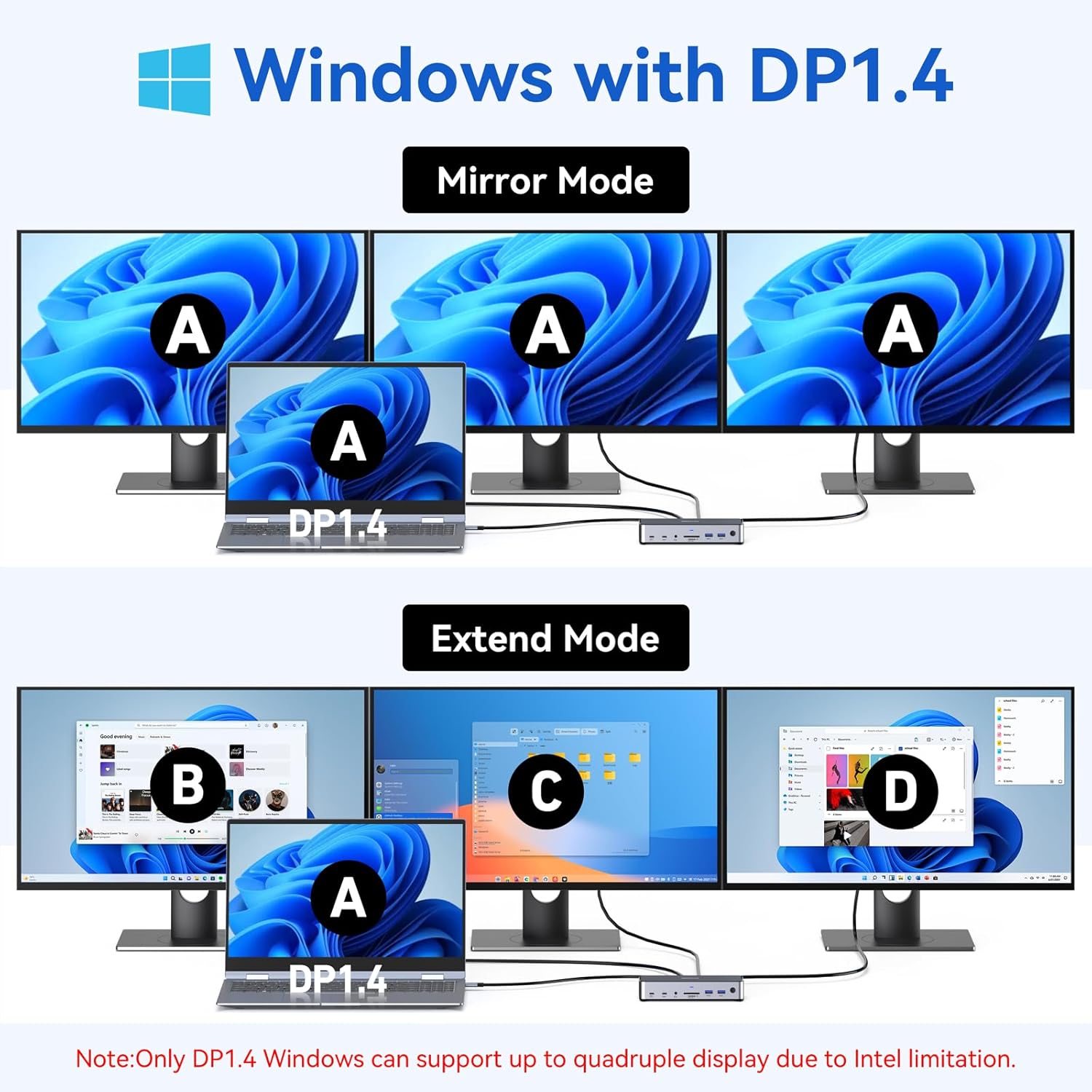
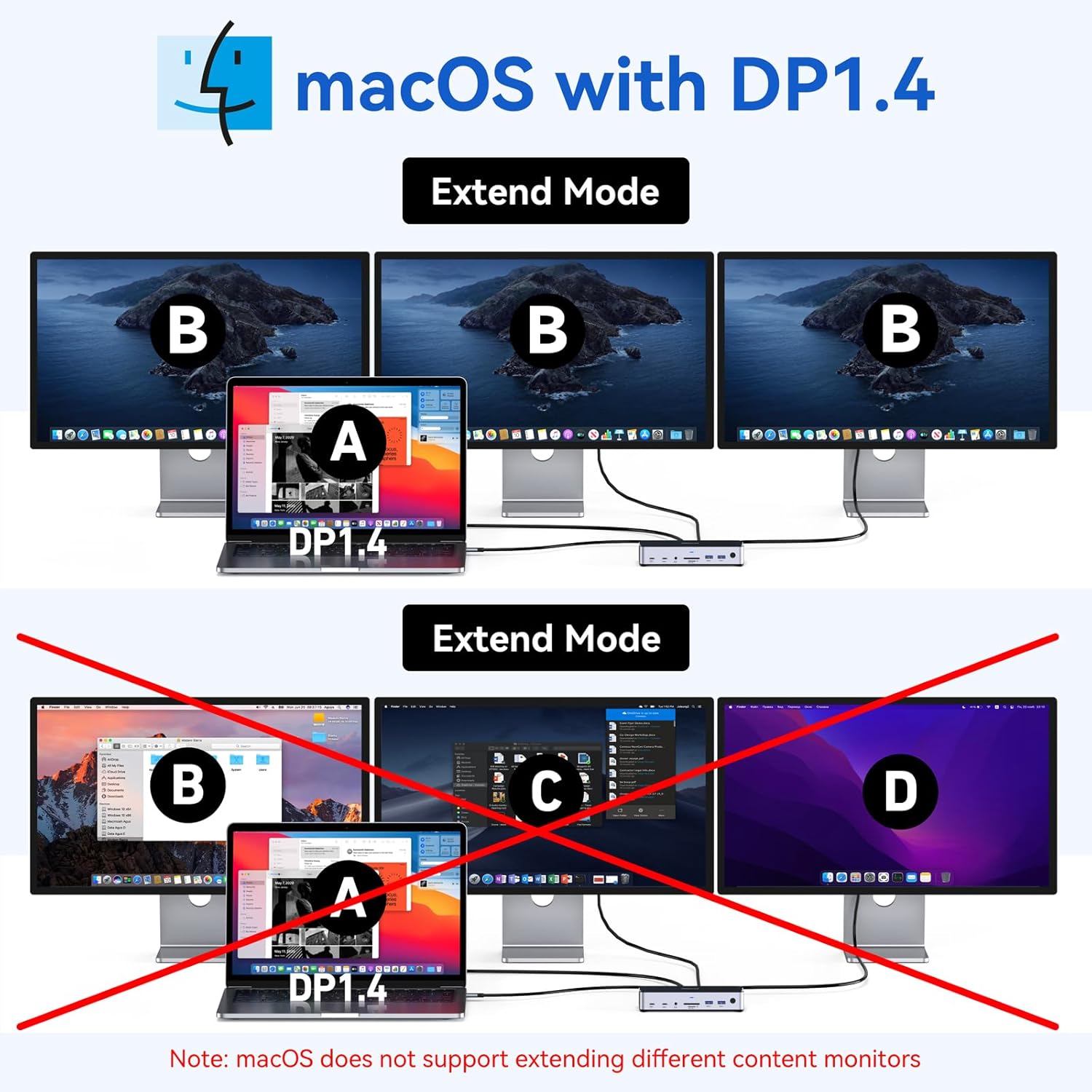
- For macOS, the triple-monitor arrangement is subject to system limitations (SST mode and DPAlt mode behaviours) and may require acceptable resolution trade-offs when expanding to multiple displays.
- In mixed usage (gaming or intensive visual workloads), some users report that running three external displays can be at the edge of what certain laptops can power, depending on GPU and power configuration.
- As with many multi‑display hubs, certain host devices or firmware combinations may impact compatibility, and you may need to adjust display order or refresh rates.
Who this is for
- Professionals who want a compact, single-dock solution for a multi-monitor desk setup.
- Creators or engineers who work with documents, code, design software, or media on a laptop but need larger screen real estate.
- Anyone wanting wired Ethernet in addition to a broad array of USB peripherals from a laptop with limited ports.
Who it isn’t ideal for
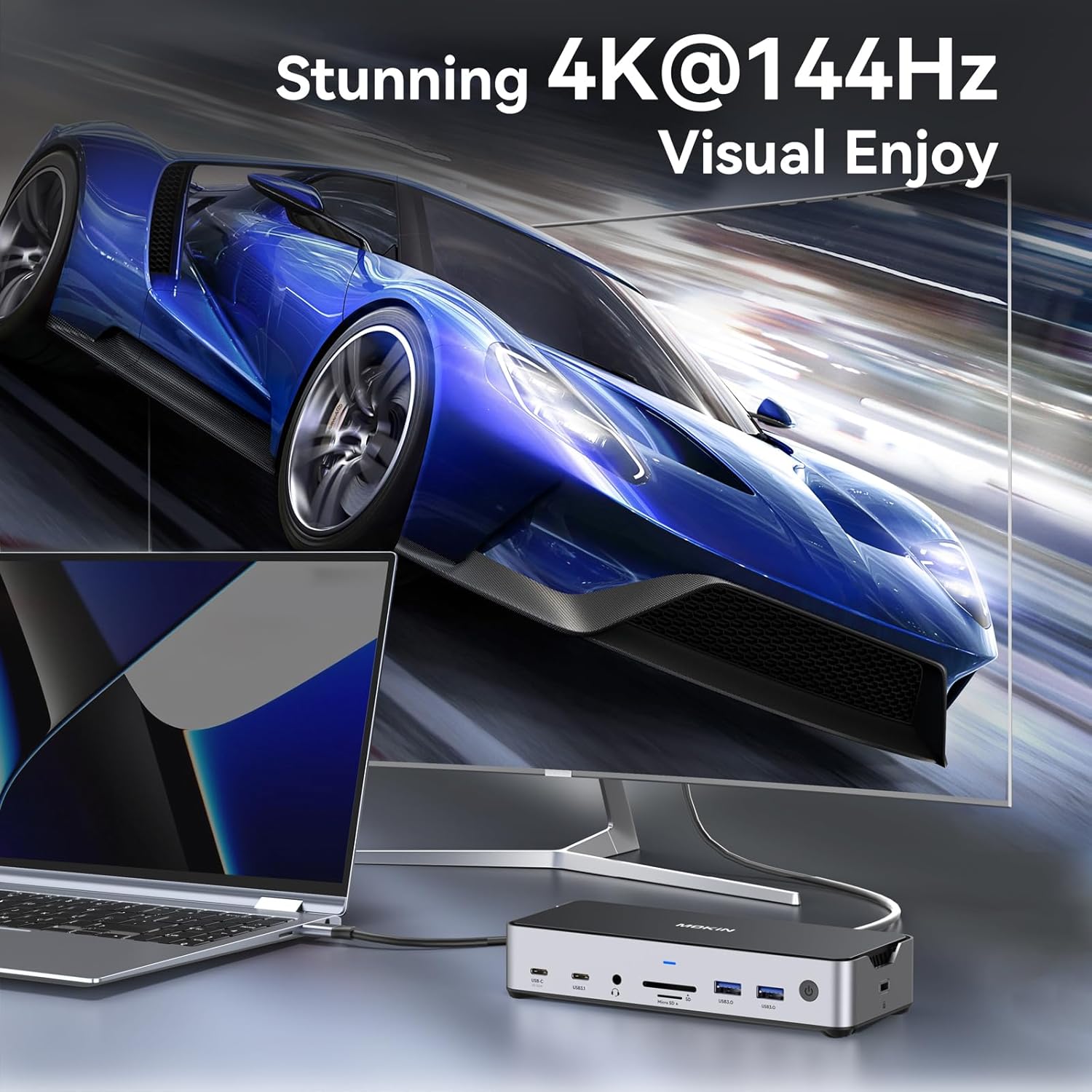
- If you rely on macOS for heavy multi-monitor tasks and require the highest possible 4K/144 Hz output on all screens simultaneously, you may encounter platform-specific limits.
- If you frequently push the laptop to its power limits with high-end GPUs or very power-hungry peripherals, you might require an even bigger power budget or a more specialised solution.
When it makes sense to buy
- You own a USB-C/Thunderbolt 3/4 capable laptop and want a single docking station that handles displays, data, SD cards and network with a single charger attached.
- You value a tidy desk setup with triple-monitor capability and quick access to SD/TF, Ethernet and multiple USB ports.
Before you buy: what to verify
- Check that your host device supports DP Alt/Thunderbolt 4 or USB-C with video output and the DP1.4 standard for the expected display configuration.
- Confirm your laptop’s power needs and whether the 150 W PSU and 100 W USB-C PD distribution meet your device’s charging requirements.
- Consider the desired monitor arrangement (HDMI1/HDMI2/DP) and the supported resolution/refresh rate for each display to avoid conflicts.
Practical example of use
Imagine a designer drafting in a primary 4K 60 Hz display while two auxiliary screens run reference materials and communications apps, all while a portable SSD is connected through USB-C for fast file transfers. Work remains smooth thanks to the dock’s high data throughput and SD card compatibility, plus you’re not juggling multiple dongles.
Tech overview (brief)
- Triple display support with 2 HDMI + 1 DisplayPort, 4K at 60 Hz (DP1.4) and 4K 144 Hz on a single HDMI/DP path for Windows setups.
- High-speed data: USB-C 3.1 and 2x USB-C 10 Gbps, plus USB-A 3.0/2.0 ports.
- Storage/media: MicroSD/SD card slots.
- Networking: Gigabit Ethernet.
- Audio: 3.5 mm combo jack.
- Power: 150 W DC input, with up to 100 W for laptop charging and 30 W for peripherals.
FAQ (illustrative, based on available data)
- Will it run three 4K monitors at once? It supports triple-display output with DP1.4, note that the exact resolutions/refresh rates depend on host capabilities and protocol configuration.
- Is it compatible with my MacBook Pro? It is designed to work with devices offering Thunderbolt 4/3, USB4 and full USB-C function, macOS users should plan for SST mode limitations and potential refresh-rate constraints.
- Do I need to supply a separate power brick? Yes, the dock includes a 150 W supply, but ensure your laptop’s charging needs align with the 100 W/30 W split.
Final pick: Should you buy it?
Is it worth it? Worth considering if you prioritise a single, versatile dock for a three-monitor setup, wired networking and comprehensive peripheral support in a compact form. It’s a sensible choice for desk-based work where a tidy setup and reliable multi‑display output matter more than the last ounce of gaming performance. If you prioritise maximum compatibility across every OS and brand, or you require top-tier 4K/144 Hz performance on all displays at all times, you may want to compare alternative approaches or expect some trade-offs.