

Inateck Detachable Keyboard Case for iPad Air 11 inch (M4 2026/M3 2025/M2 2024) with Trackpad
Product description
Overview: a detachable keyboard case for daily productivity
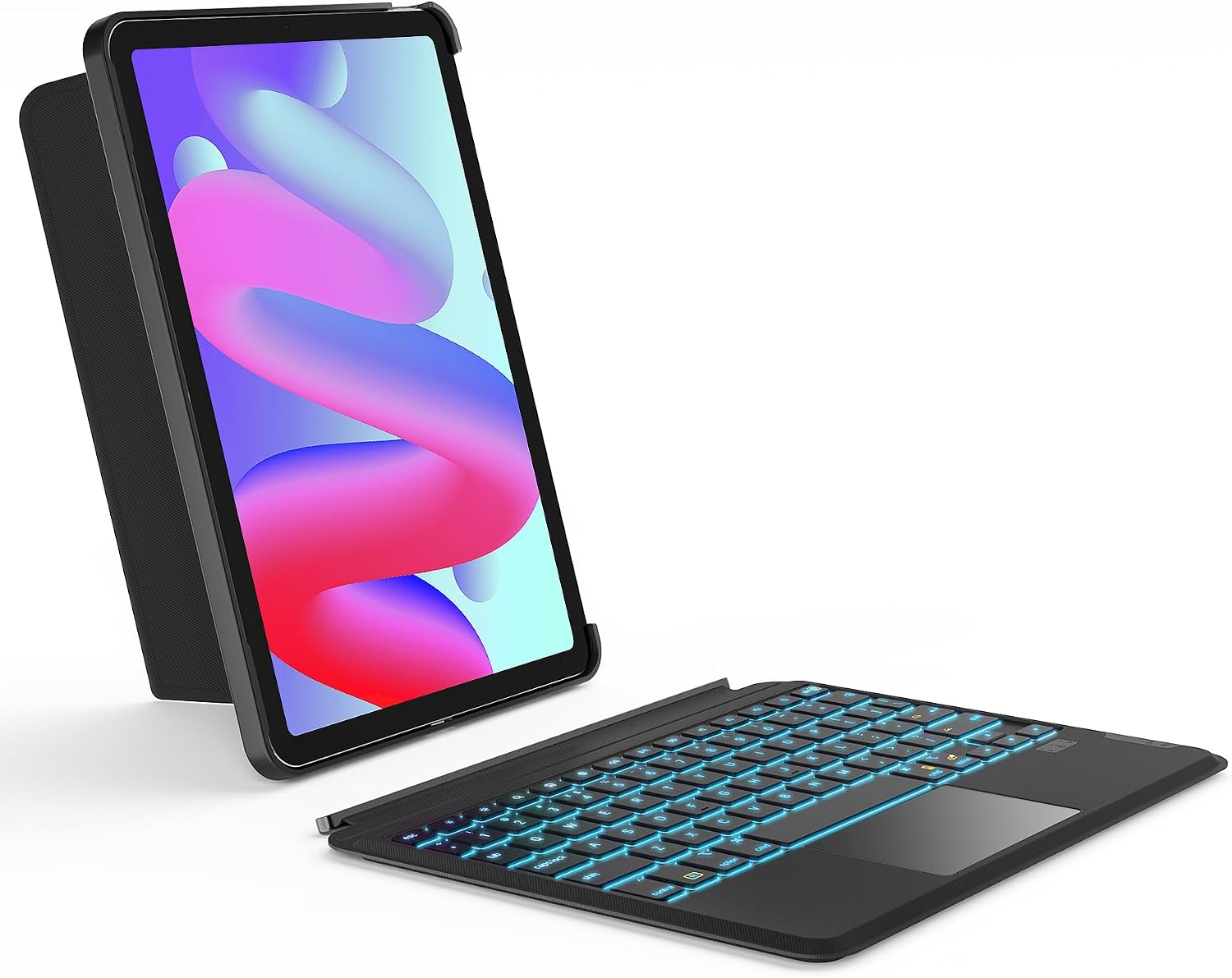
If you’re using an iPad for work, study, or just that “proper computer” feeling, a detachable keyboard case is often the most practical upgrade. The Inateck Detachable Keyboard Case is built to turn your iPad into something closer to a laptop, while still letting you detach the keyboard when you don’t need it. On paper, that flexibility is the main appeal: you get a keyboard with a trackpad, plus a stand that supports different viewing angles.
It’s also aimed at people who use their iPad in both orientations. Being able to switch between vertical and horizontal layout is genuinely useful for browsing, typing, and watching, and it avoids the “one-size-only” annoyance some cases bring.
Compatibility: models and sizes you should check first
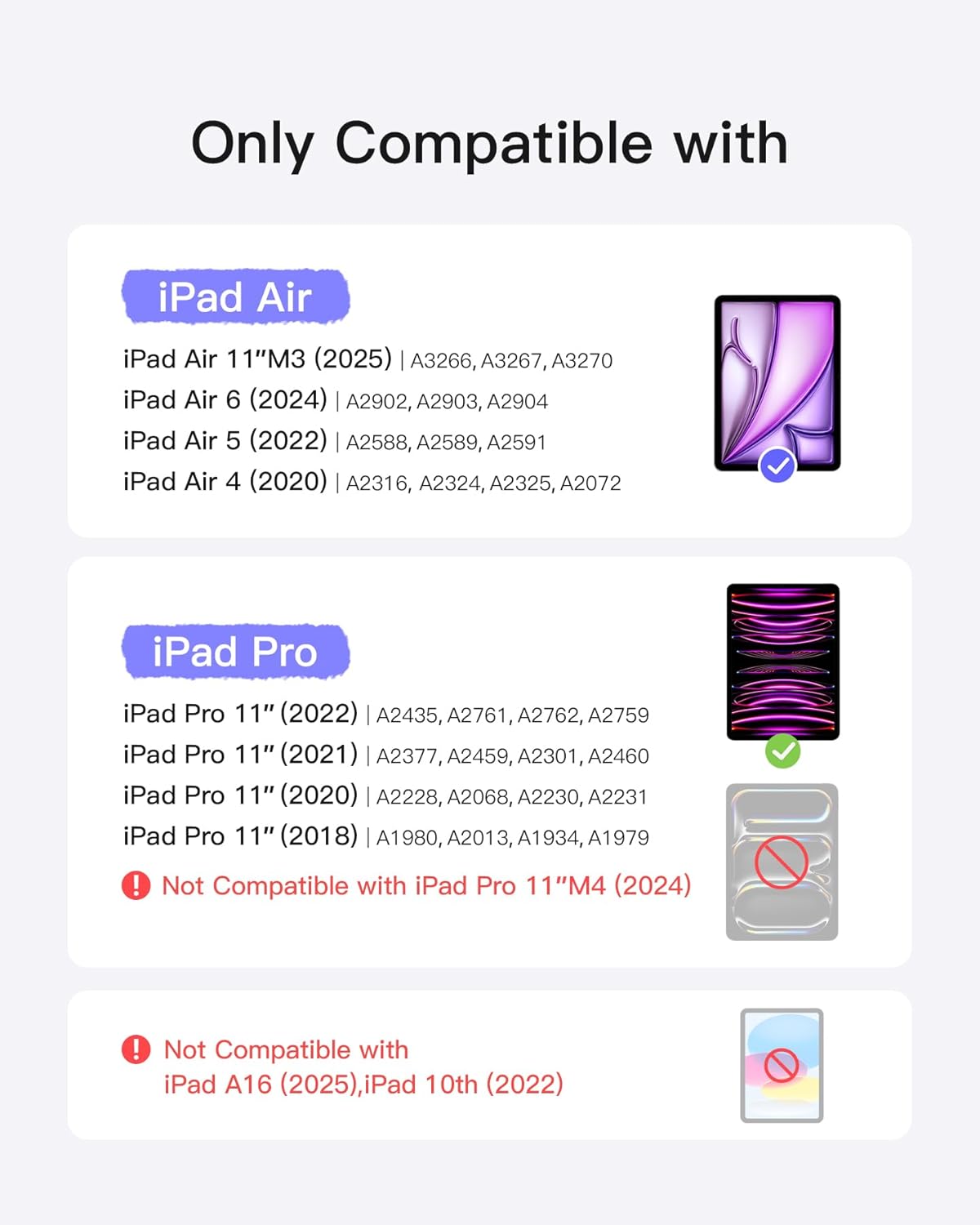
This case is designed for multiple 11-inch iPad models and specific iPad generations/part numbers. It’s stated as suitable for iPad Air 11-inch models (including iPad Air M3 2025 and M2 2024), as well as iPad Air 4th/5th generation (11.9-inch), and a range of iPad Pro 11-inch generations (1st through 4th).
Because cases like this are very model-specific, it’s worth taking a moment to match the iPad generation/part number to the ones listed in the product description. If your device isn’t in that list, it may not fit as intended—so don’t assume all “11-inch” iPads are automatically compatible.
Key features that matter in use
The headline features are a detachable keyboard, a trackpad, and multi-angle support.
A pressure-sensitive trackpad for gesture navigation
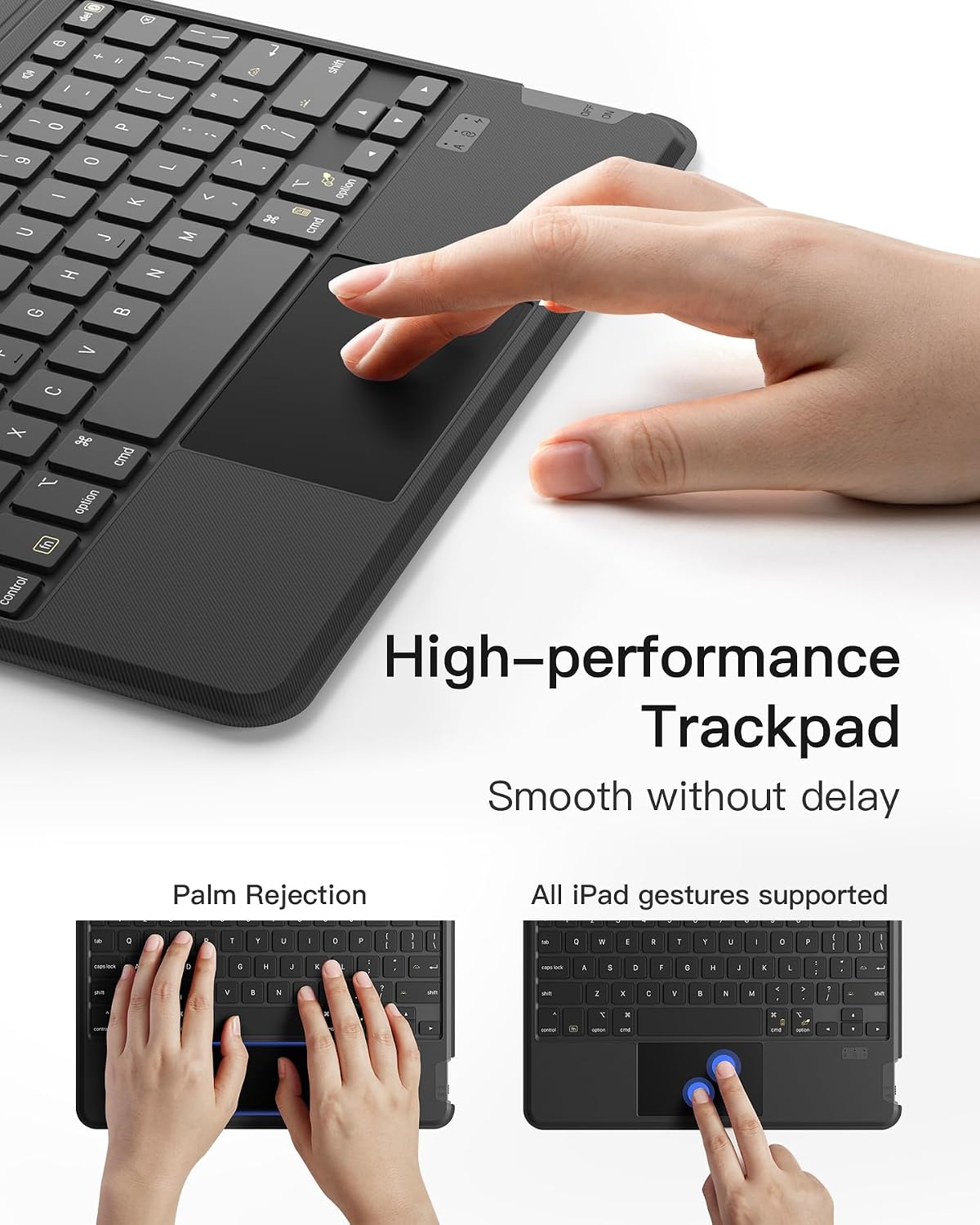
The trackpad is described as pressure-sensitive and supports iPad gestures. It’s also positioned as being “more surface” and multitouch-oriented, which should make navigation feel faster than using only the on-screen controls. If your routine involves lots of swiping, cursor-style movement, or quick selections, this is the part you’ll likely notice first.
Typing in low light with 7-colour backlight
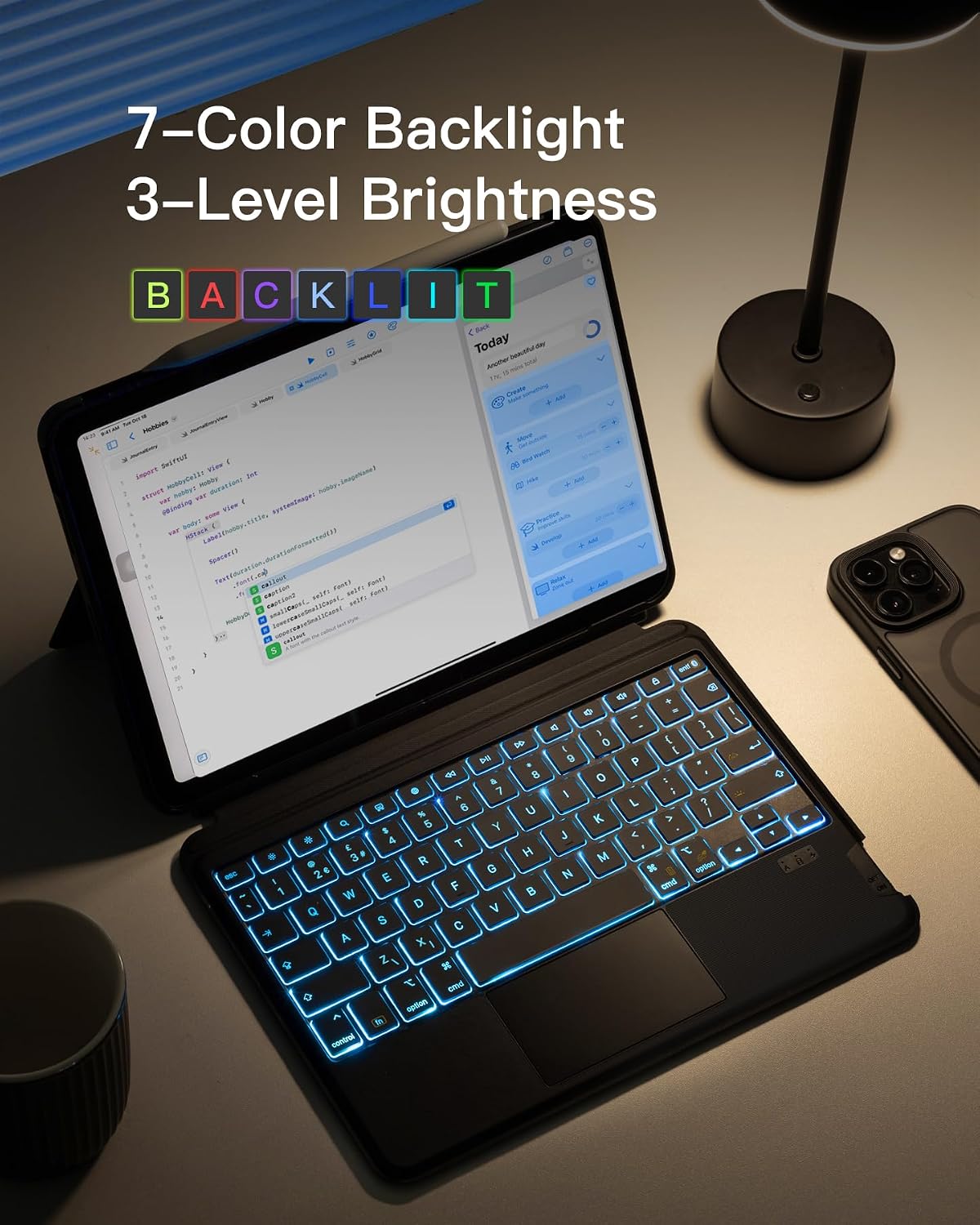
There’s 7-colour backlight with three brightness levels. That’s aimed at making keys easier to see in dim rooms, without the keyboard being overwhelmingly bright. It’s a nice touch for late study sessions or evenings on the sofa—though if you prefer fully distraction-free setups, backlighting is still something you’ll want to adjust or avoid.
Switching between portrait and landscape
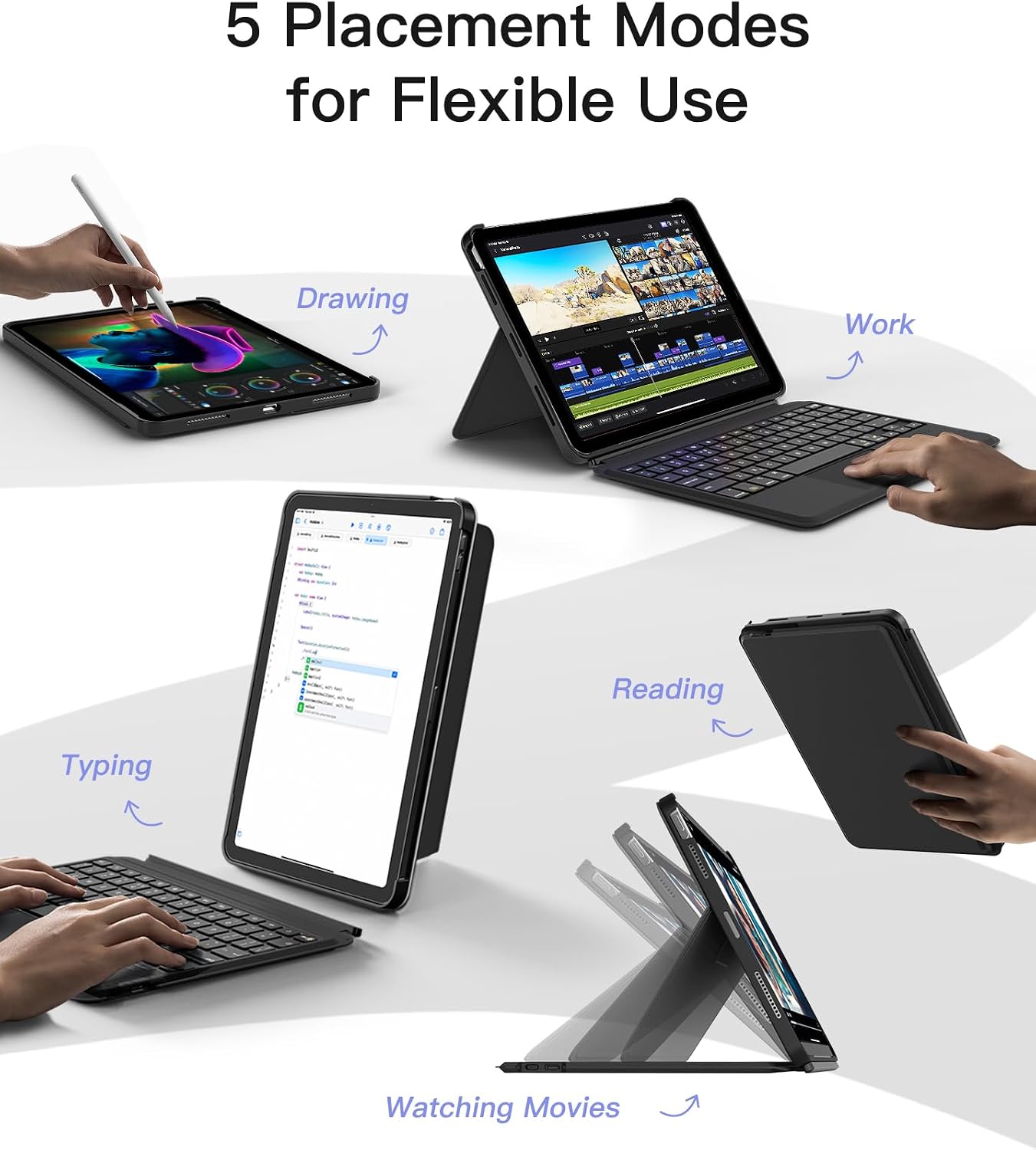
The case supports both vertical and horizontal screen formats, so you can type and work in the orientation that suits the task. In practical terms, that can mean keyboard-on for email and documents in portrait, then switching to landscape for reading, spreadsheets, or watching content.
Stand modes: where the flexibility shows up
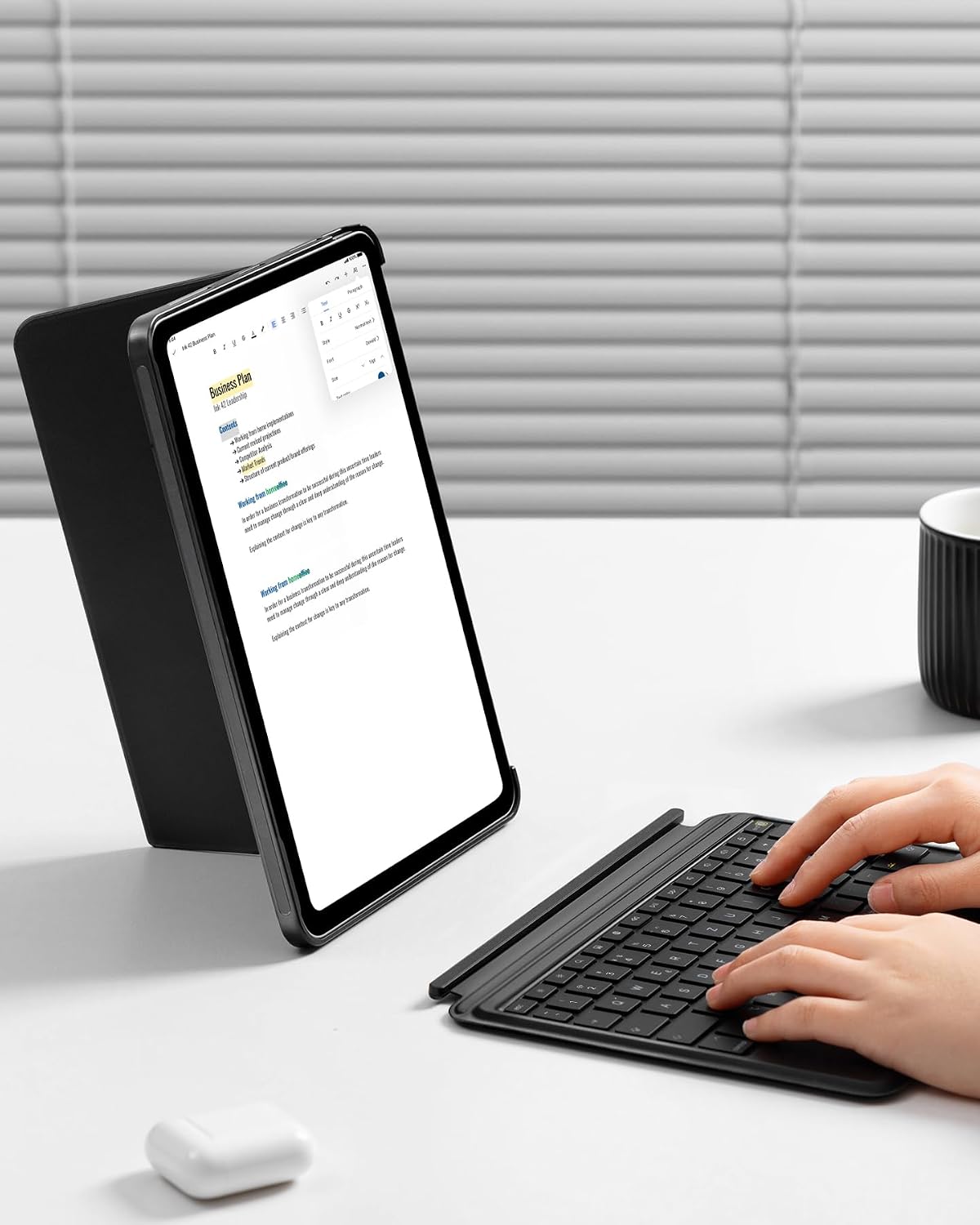
The keyboard case includes five support modes, connected magnetically, with the keyboard designed to disconnect easily. The listed modes are geared towards different activities: work, study, films, drawing, and reading.
This kind of variety is most useful if your iPad lives in more than one scenario—e.g., you’re typing at a desk, then later shifting to a couch position for reading or watching. It’s also helpful if you’re sharing the device with someone else who prefers a different viewing angle.
What stands out (and what could feel limiting)
What you’ll notice day to day
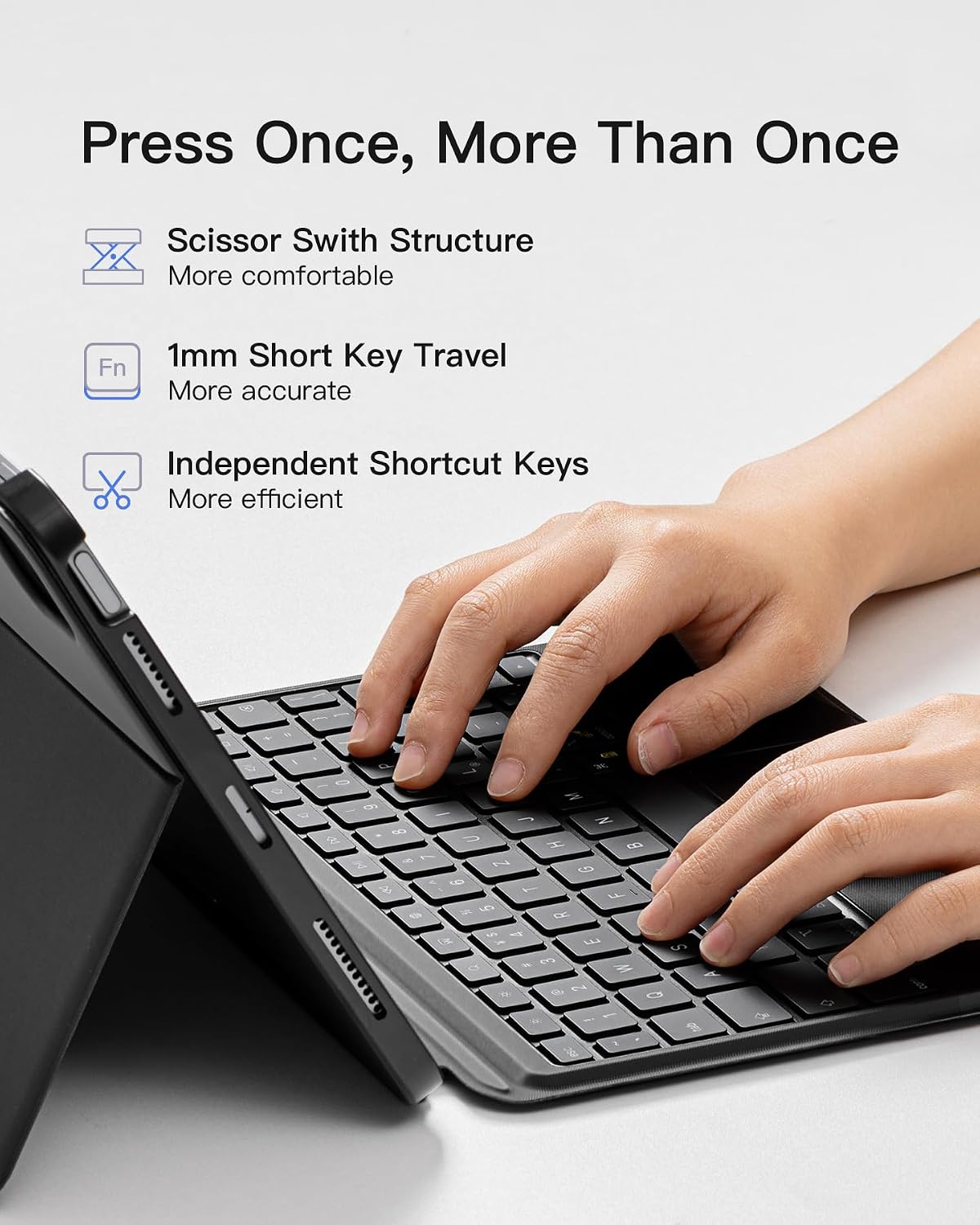
- Detachable keyboard means you’re not stuck using it all the time.
- Trackpad + full gesture support is a strong “laptop-ish” improvement over touch-only use.
- Portrait and landscape switching is built-in, not an afterthought.
- Backlight gives real visibility control with 7 colours and 3 brightness steps.
A limitation to keep in mind
This is a keyboard case first and a protective case second. So if your priority is maximum minimal bulk, or if you rarely type on your iPad, you may find you’re paying for features you don’t use often—especially the keyboard/trackpad setup.
Who it suits best (and who should think twice)
It makes sense if you want a more productive iPad experience: student notes, email and documents, light content creation, or general browsing where a trackpad helps you move around quickly.
It may not suit you as well if you mainly use your iPad for apps where typing is occasional, you prefer using a separate keyboard already, or you don’t want the added case hardware in your bag.
It also depends quite a bit on correct compatibility: given the model/generation and part-number list, it’s worth confirming your exact iPad variant before ordering.
Is it worth it?
The Inateck detachable keyboard case is a sensible buy if you’ll actually use both typing and trackpad navigation, and you value being able to switch orientations and angles for different activities. The backlit keys with multiple colours/brightness are a practical bonus for low-light use.
You should probably skip it if you’re mostly after a slim cover, don’t need keyboard/trackpad control, or your iPad model doesn’t match the specific generations/part numbers listed. In other words: it’s not “just a case”, it’s a productivity add-on, and it works best when that’s what you’re trying to achieve.
Mini FAQ
Does the keyboard detach?
Yes—it's described as detachable and magnetically connected, with an easy disconnect.
Can the iPad be used in both portrait and landscape?
Yes. The case supports switching between vertical and horizontal formats.
Is there backlighting for the keys?
Yes, with 7 colours and three brightness levels.
How does the trackpad work?
It’s described as pressure-sensitive and supports iPad gestures.
What should I check before buying?
Confirm your specific iPad model/generation (and part number where applicable) matches the list provided, because these cases are designed for particular devices.