


Samsung LS27D300GAUXXU 27" Full HD monitor
Reviews
Price
Product description
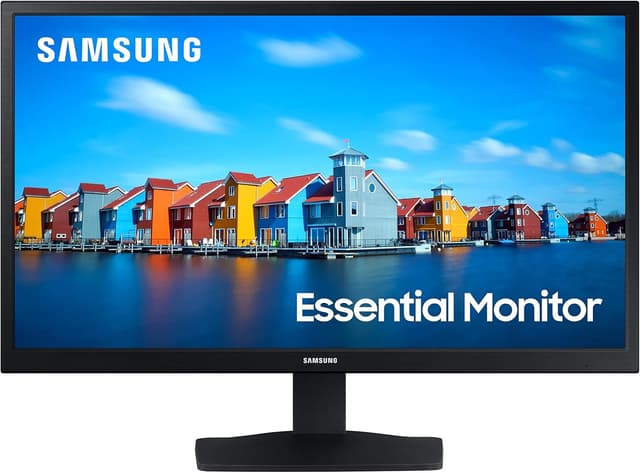
This 27-inch Samsung IPS monitor combines clear colours and wide viewing angles with a smooth 100 Hz refresh rate, making it suitable for everyday work, content consumption and casual gaming. Its slim bezels and clean profile fit desktop setups, while Eye Saver Mode and reduced flicker aim to make longer sessions more comfortable.
Key Points

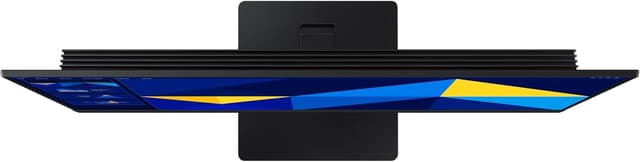
The IPS panel keeps colours consistent across different viewing angles, which helps when sharing the screen or working with media. With a 100 Hz refresh rate, motion appears smoother than standard 60 Hz displays, and the monitor includes a game mode with optimised settings to reduce input lag and sharpen fast-moving scenes. The design is notably slim with ultra-thin bezels that create a modern look on the desk. Eye Saver Mode and reduced flicker work to lessen eye strain during extended use, according to the manufacturer.

Technical Specifications
- Name: Samsung LS27D300GAUXXU
- Size: 27 inches
- Resolution: 1920 x 1080 (Full HD)
- Panel type: IPS
- Refresh rate: 100 Hz
- Inputs: VGA, HDMI
- Eye care features: Eye Saver Mode, reduced flicker
Benefits
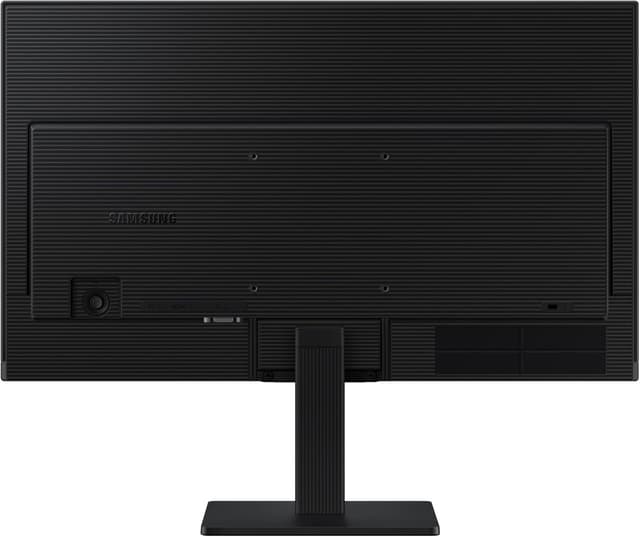

For those who alternate between spreadsheets, video playback and light gaming, the balance of an IPS panel and higher refresh rate improves both colour fidelity and motion handling. The slim-bezel styling helps create a near-seamless multi-monitor array if you ever expand your setup. Eye-focused features reduce the harshness of blue light and screen flicker, which can be noticeable during long afternoons or evening sessions. The presence of both VGA and HDMI inputs provides compatibility with older and newer devices alike.
Usage Recommendations
Place the monitor at eye level and maintain a comfortable viewing distance to make the most of the IPS viewing angles. Use the Eye Saver Mode during prolonged work to reduce blue light, especially in low-light conditions. For gaming, enable the monitor’s game mode to take advantage of the 100 Hz refresh rate and reduced motion blur. If you connect older equipment, VGA remains available, while newer graphics sources can use HDMI for a straightforward digital connection.
Note a few practical nuances. The Full HD resolution on a 27-inch screen results in larger pixels than on smaller displays, so if you prefer extremely sharp text or high pixel density for detailed photo editing, a higher-resolution panel may be preferable. According to the manufacturer, the monitor focuses on everyday performance and comfort rather than specialised professional colour calibration or high-end gaming features.