

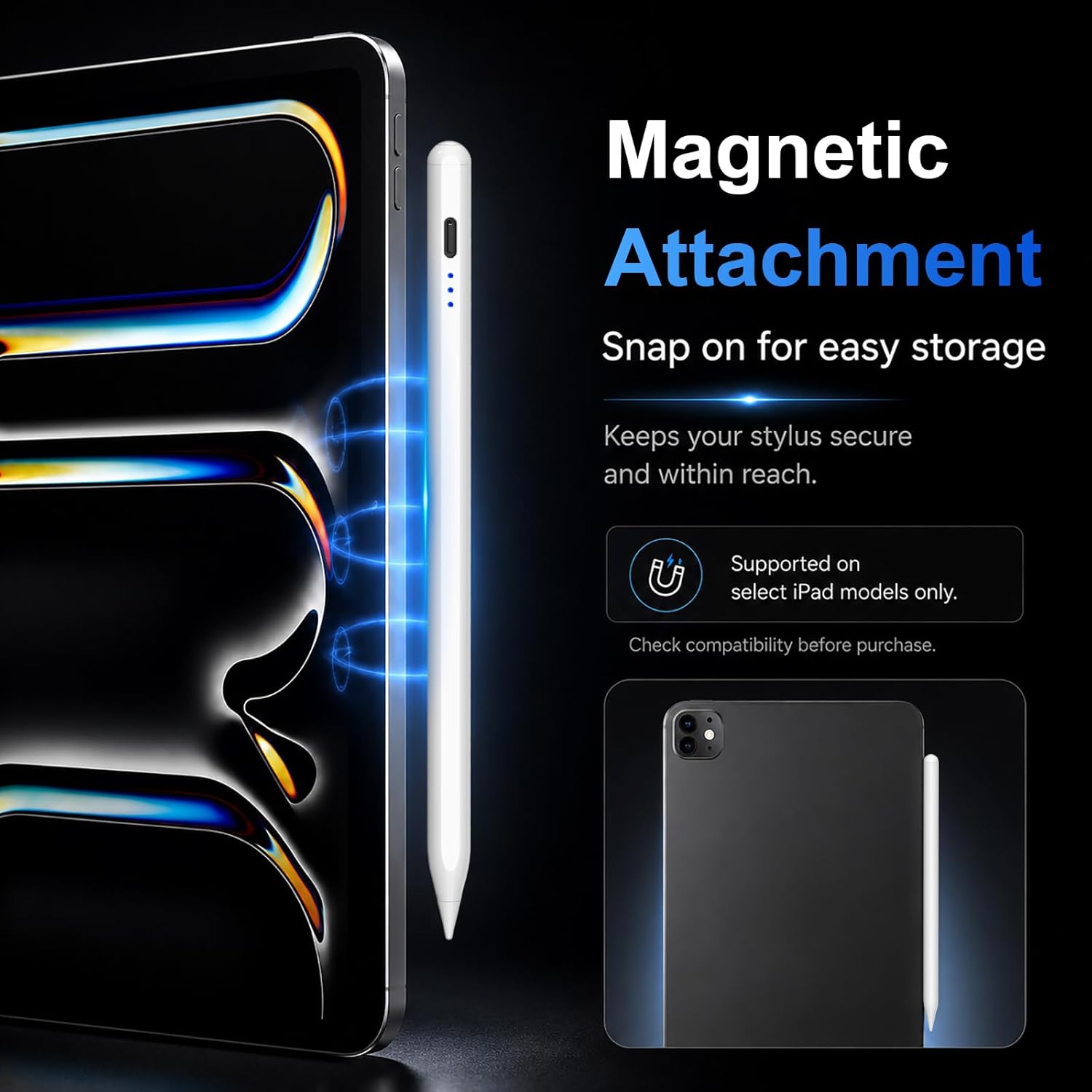
HATOKU Pencil 1st Generation for iPad (2018–2025) with Tilt & Palm Rejection
Product description
If you’ve got an iPad from the 2018–2025 era and want a simple stylus setup, the HATOKU Pencil 1st Generation is built around that idea. It’s a pen-style accessory aimed at everyday note-taking, sketching and marking, without the usual faff of Bluetooth pairing.
That said, it’s not a universal fit for every iPad model—so the compatibility notes matter as much as the features. If you match the model correctly, this is the kind of pencil that feels straightforward rather than fiddly.
The essentials
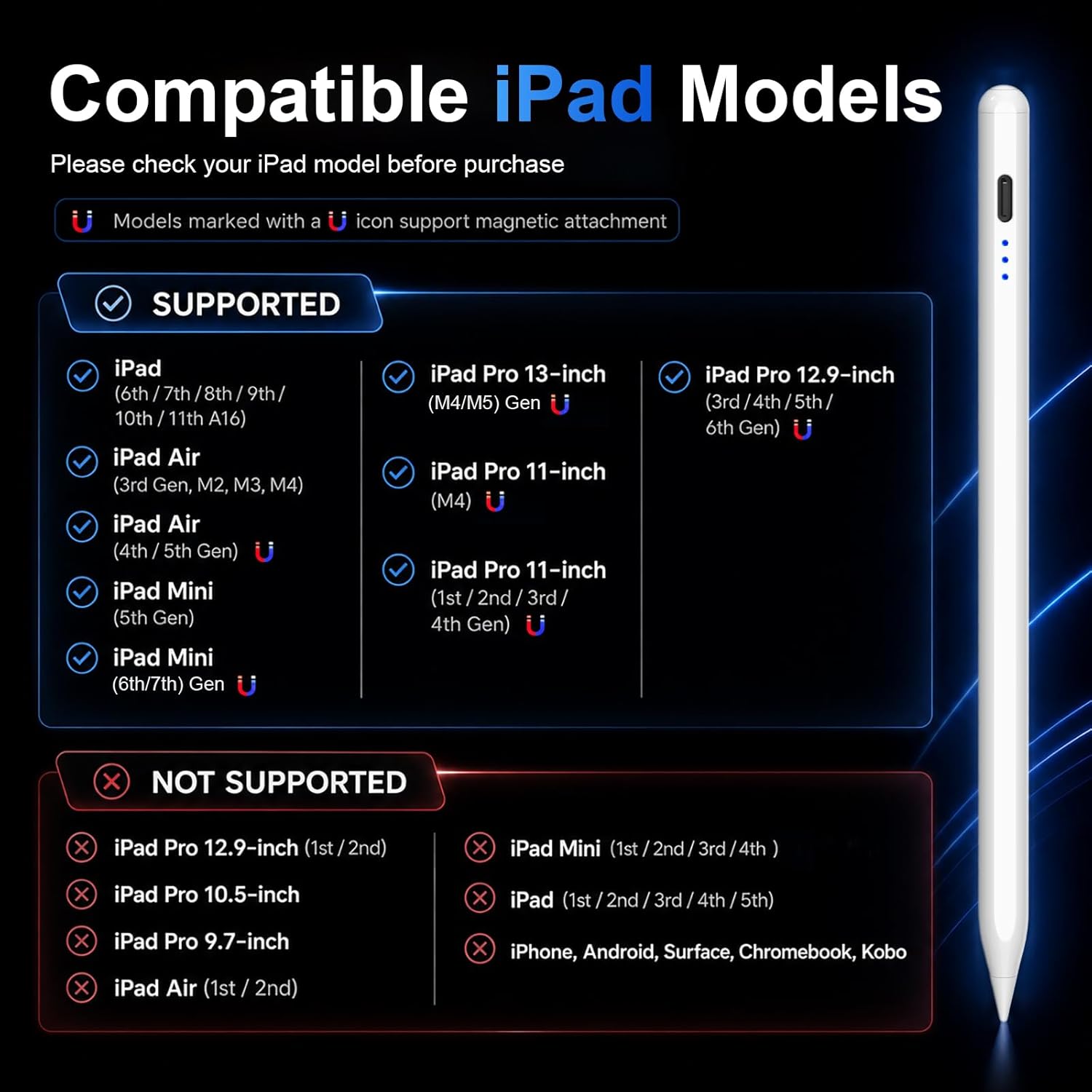
The HATOKU Pencil is designed for a range of iPads that use first-generation Apple Pencil support, covering many iPad, iPad Air, iPad Pro (selected sizes/years), and iPad mini models listed by the manufacturer. It supports writing and drawing with tilt sensitivity and palm rejection, and it uses a tap-to-activate approach (no app and no Bluetooth required).
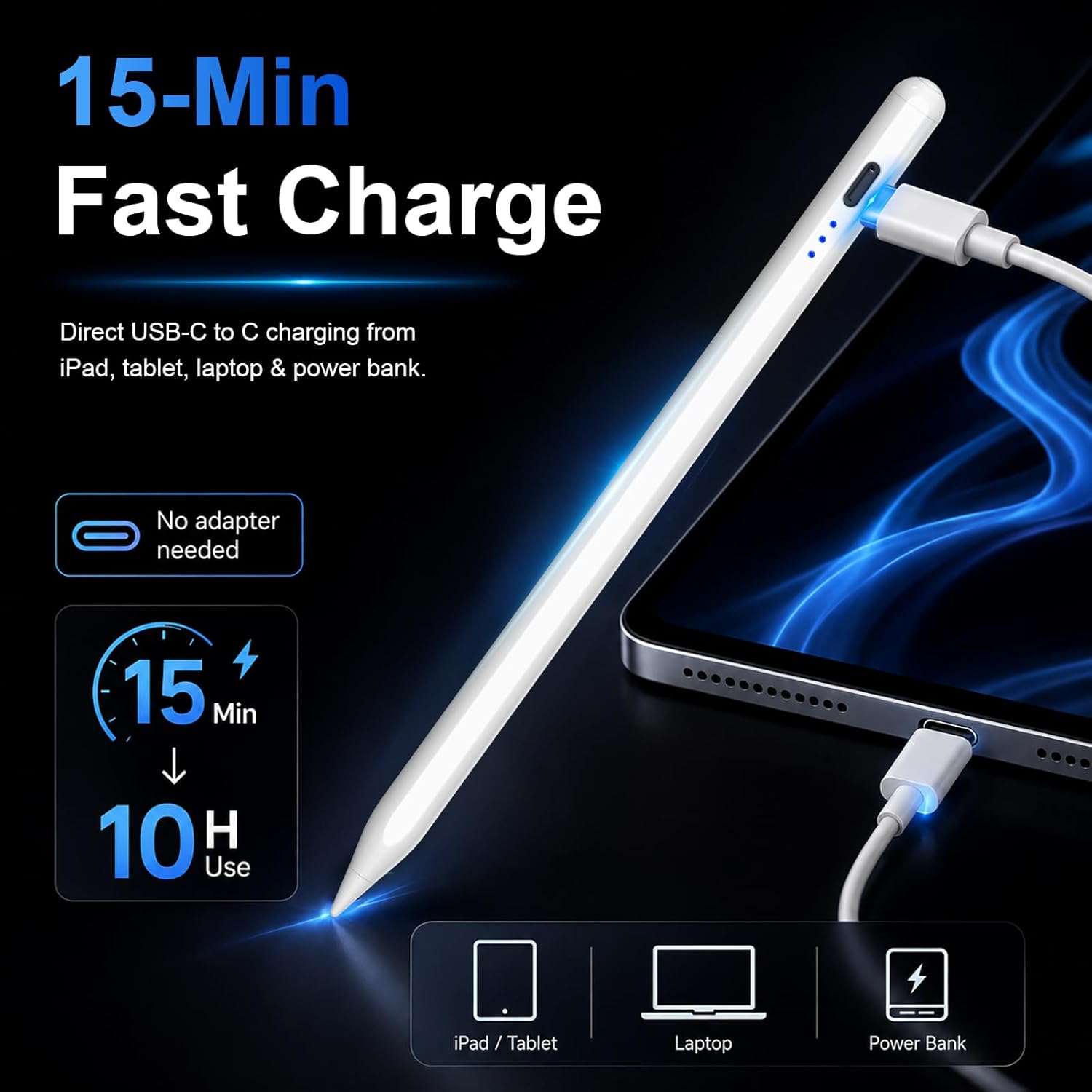
For power, it’s described as “fast charging” with a full charge in 15 minutes for up to 10 hours of continuous use (on paper, that’s the kind of claim that suits people who top up quickly before work or study). It also includes an energy indicator and an auto shut-off after 5–10 minutes of inactivity to save battery.
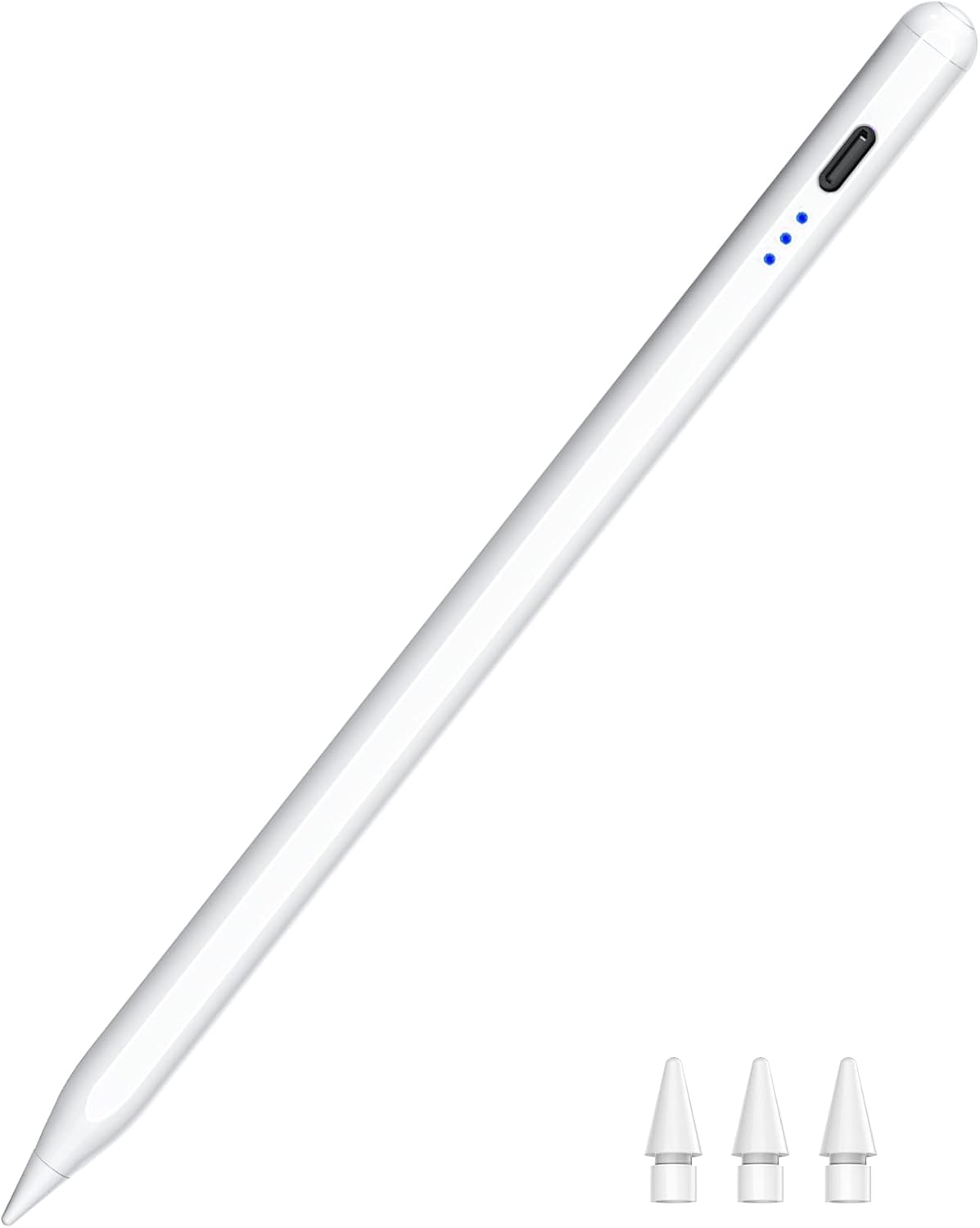
A practical detail worth noting is the magnetic attachment feature, intended to help with carrying and reducing loss. The input here is a bit specific though: magnetic suction only works with certain iPad Pro / iPad Air / iPad mini models (the product notes those limits), so don’t assume it behaves the same on every supported tablet.
What you’ll notice day to day
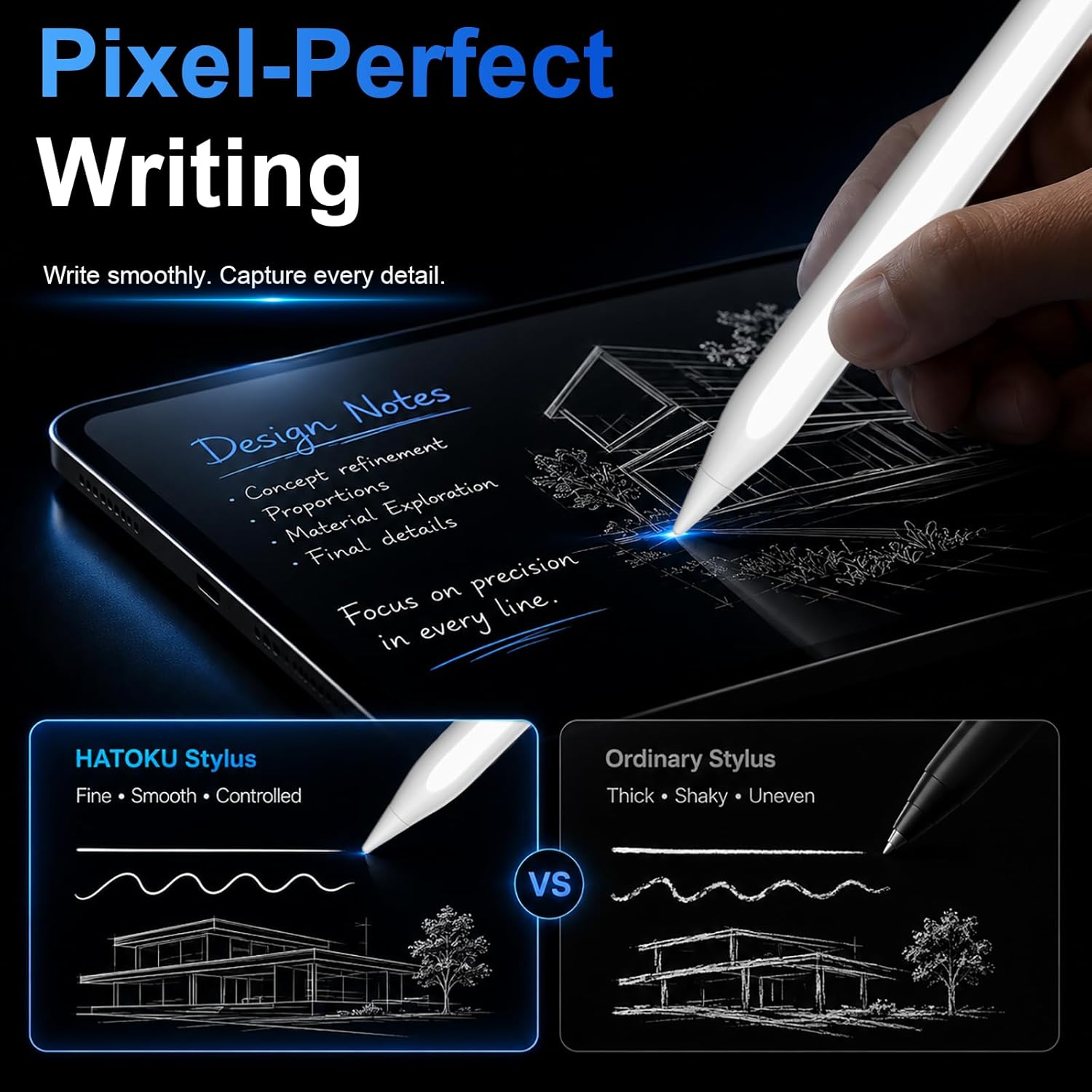
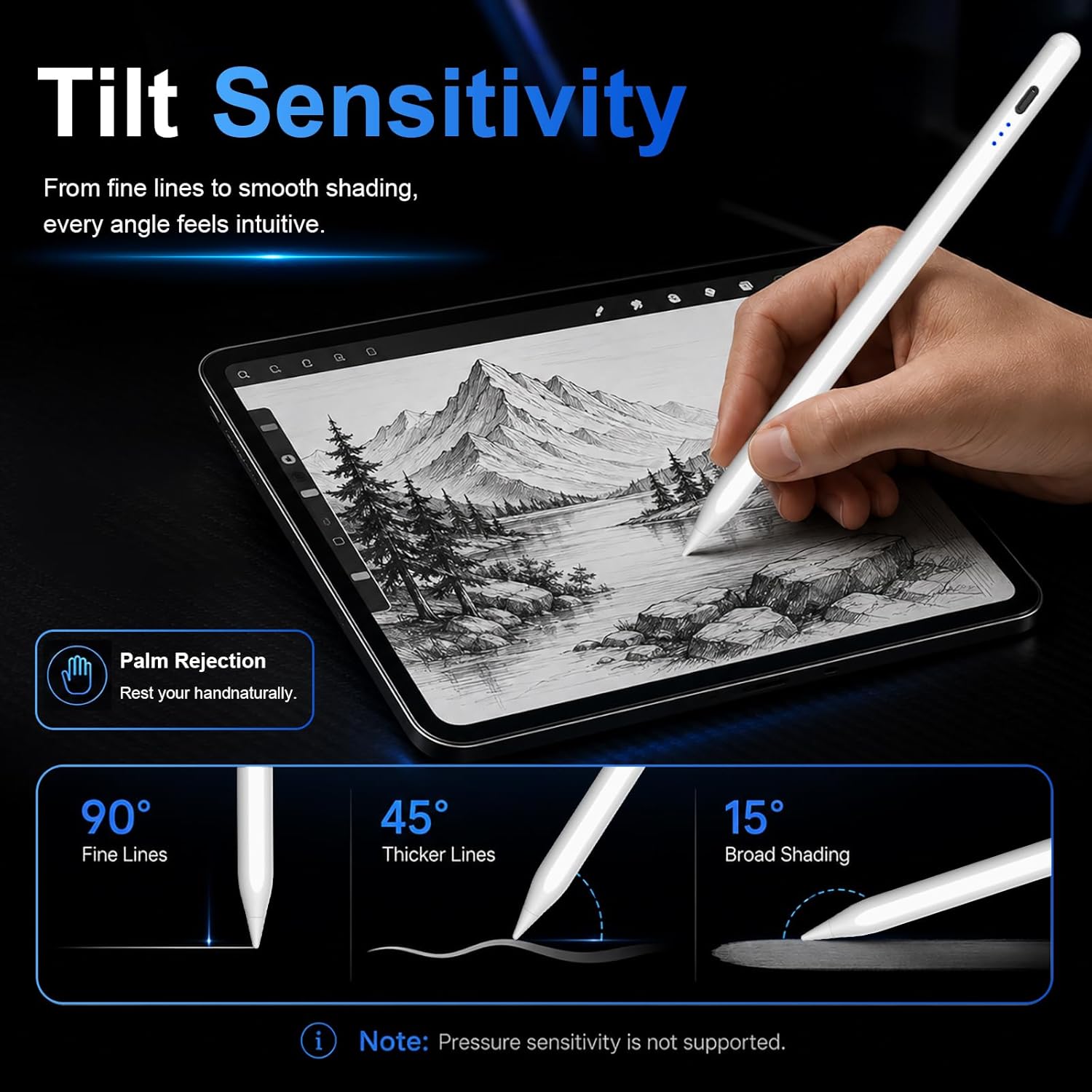
Tilt sensitivity and palm rejection are the two features that usually make the difference between “it sort of works” and “I can actually write comfortably”. With palm rejection, your hand shouldn’t trigger unwanted marks while you rest it on the screen—helpful when you’re annotating documents or writing longer notes.
There’s also a 1.5 mm thick POM tip described as conductive and abrasion resistant, aiming to reduce resistance between the tip and touchscreen. The pitch here is smooth, paper-like feel “without delays, shifts, or breaks”. No product is perfect in real life, and the only honest limitation is that screen protectors and case thickness can affect the feel—so it’s worth checking your setup if you already use glass.
A micro example
Say you’re doing a weekly study plan: you tap the top button to wake the stylus, jot down a few bullet points, then switch to highlighting tasks and circles. With palm rejection, you can rest your hand without the iPad constantly “registering” your palm. That kind of friction-free flow is exactly where this accessory makes sense.
Compatibility: where it fits (and where it doesn’t)
This pencil is explicitly intended for iPad models from 2018 through 2025 within the categories listed (iPad 6/7/8/9/10/11, iPad Air M2/M3 and certain generations, iPad mini 5/6/7, and selected iPad Pro sizes/years including 11" and specific 12.9"/13" configurations).
It also includes a clear set of “not work for” examples. You’ll want to double-check your exact iPad model—especially if you own an older Pro variant like the listed 10.5"/9.7" models, certain iPad mini generations, or the specific 12.9" Pro 1st/2nd gen exclusions.
In short: if your iPad matches their list, you’re in the sweet spot. If not, you may end up with a stylus that looks right but simply won’t be the right match.
Specs that matter for purchase decisions
- The pen uses tilt sensitivity and palm rejection, with no Bluetooth or app connection required.
- Fast charging is claimed: fully charged in 15 minutes for up to 10 hours of continuous use.
- Auto shut-off is stated after 5–10 minutes of inactivity.
- Charging and tip replacements are part of the package, with a Type-C charging cable included.
- Tip details: a 1.5 mm POM tip, plus replaceable leads are included (quantity and replacement count are given as 3 spare tips).
One more small nuance: it features an energy indicator with three lights, mapped to power ranges from about 70% to full, 30% to 70%, and 5% to 30%. That’s useful if you want to avoid the “did it die mid-session?” moment.
In the box and day-to-day convenience
The bundle includes the stylus pen itself, 3 replaceable pen tips, a Type-C charging cable, and a user manual. That’s a sensible setup if you plan to use it regularly rather than treat it as a one-off gadget.
Customer service is also mentioned, including a 1-year after-sale service from the date of purchase and “hassle-free” support if you have questions. That doesn’t replace real-world compatibility checking, but it’s reassuring if you hit a snag.
One limitation to keep in mind: the magnetic attachment is model-specific (it’s not universal across all the compatible iPads in their list). So, if you like the idea of storing the pencil on the tablet magnetically, verify your exact iPad model first.
Is it worth it?
This is worth considering if you want a first-generation style iPad pencil for 2018–2025 iPads, you care about palm rejection and tilt for natural writing, and you prefer a no-Bluetooth, tap-to-use approach.
You may want to skip it if your iPad is one of the explicitly excluded models (especially certain older iPad Pro and older iPad mini/Air generations) or if you specifically rely on magnetic storage across multiple devices—because the magnetic suction support is limited to certain models.
If you’re buying for school notes, meeting scribbles, handwriting annotations, or quick sketching, this sits in a practical value lane: features aimed at smooth use, plus spare tips and fast top-up charging. Just don’t underestimate how important model compatibility is with styluses—double-check before you commit.
Quick FAQ
Quick FAQ
Who is the HATOKU pencil for?
It suits people using compatible iPad models who want a simple stylus for writing, drawing, marking and signing without Bluetooth pairing.
Does it need an app or Bluetooth?
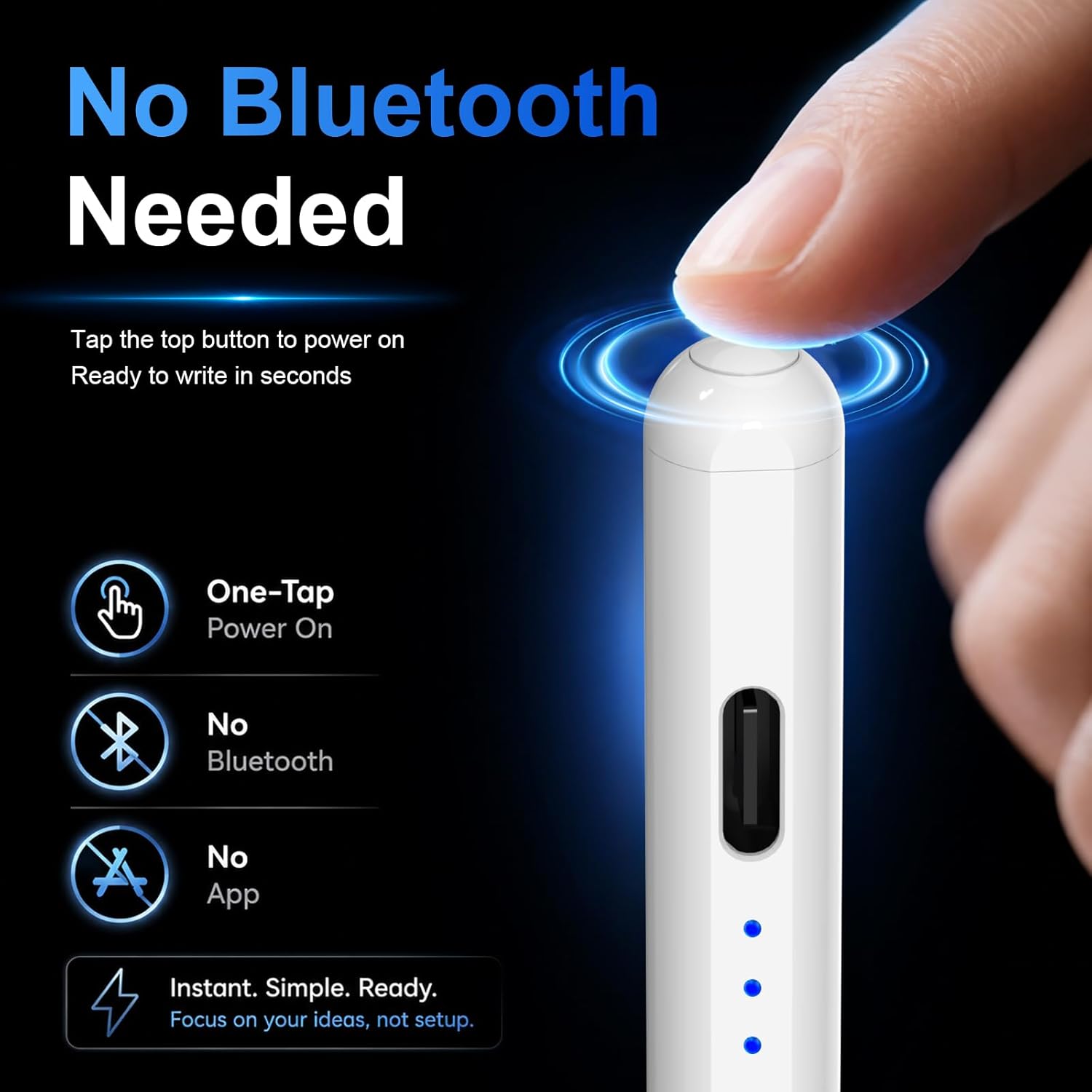
No. The product notes that no Bluetooth or app connection is required.
Does it support palm rejection?
Yes, palm rejection is specifically mentioned, alongside tilt sensitivity.
How long does the battery last and how fast does it charge?
The description claims up to 10 hours of continuous use after a full charge, and a full charge in 15 minutes.
Is the magnetic attachment available on all supported iPads?
No. The notes say magnetic suction only works with certain models within the broader compatibility list.