

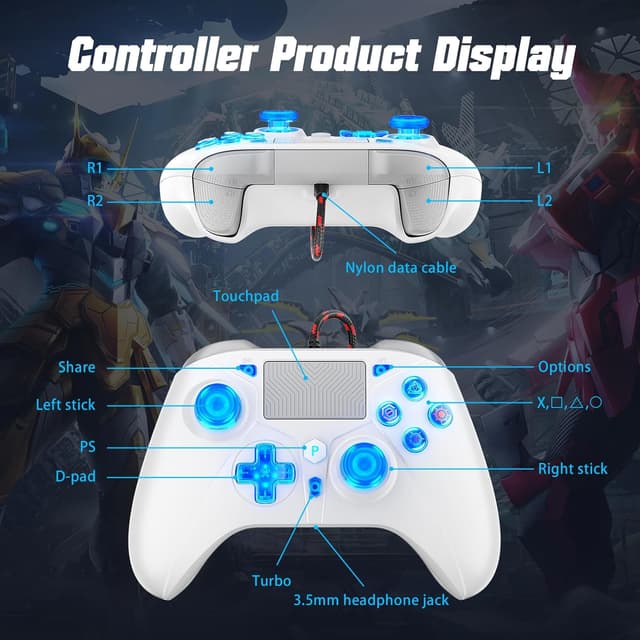
GGiking RGB Wired Controller for PS5, PS4 & PC with Turbo & Macro, Dual Motor Rumble, 3.5mm Audio
Product description
If you want a controller that stays responsive without charging batteries, a wired setup is often the simplest route. This GGiking RGB Wired Controller leans into that idea, adding features many people only expect on more expensive pads: turbo/macro support, dual-motor vibration, a 6-axis sensor, and even a 3.5mm audio jack.
That said, it’s still a general-purpose controller, so the “does it do everything I need?” question depends on how you plan to use it—especially around compatibility and the wired connection. Worth considering if you’re happy to plug in and play, but you may want to look elsewhere if you specifically need a fully wireless experience.
The essentials
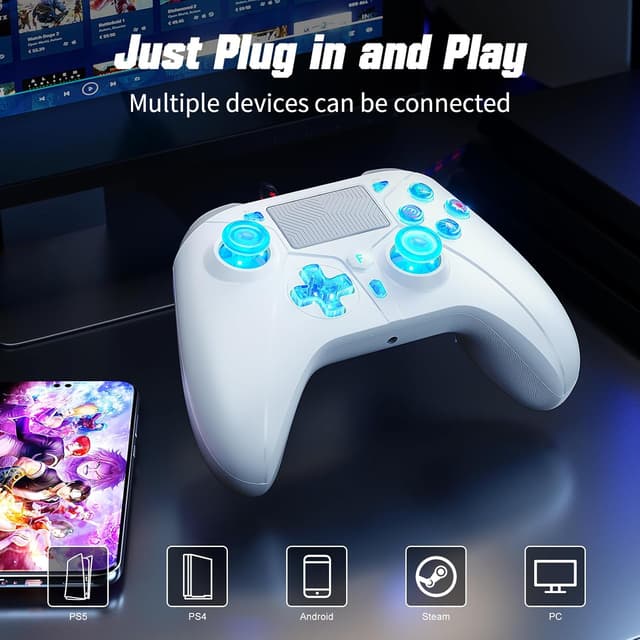
This GGiking wired gamepad is designed for PS5, PS4, and Windows PC, with the brand also stating compatibility for Switch, iOS, and Android. It connects via a 3m USB cable, which is presented as plug-and-play for lag-free performance and a practical choice for couch or a gaming chair setup.
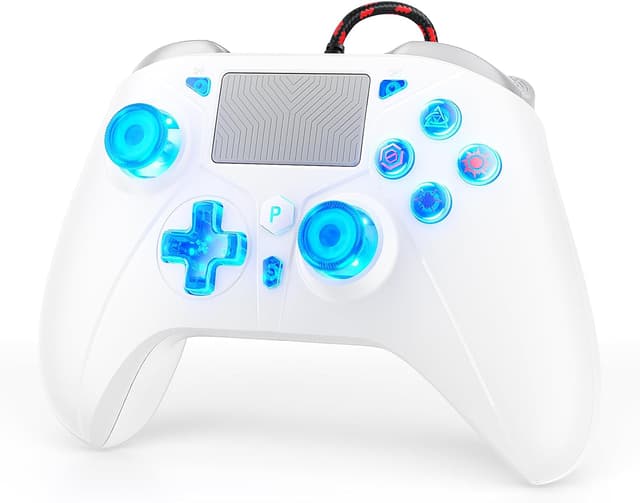
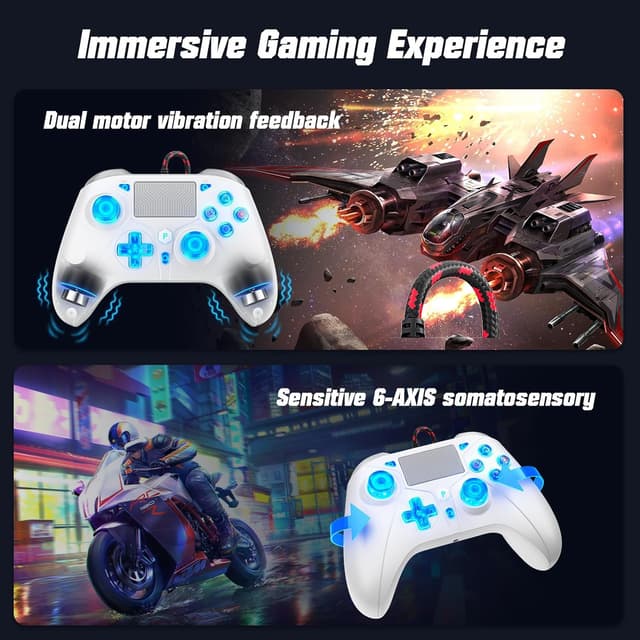
On the gameplay side, it brings a 6-axis gyroscope for motion sensing and “immersive feedback” through dual impact motors. There’s also a touchpad, plus a 3.5mm stereo audio output for using wired headphones for voice chat and audio.
Key points you’ll notice
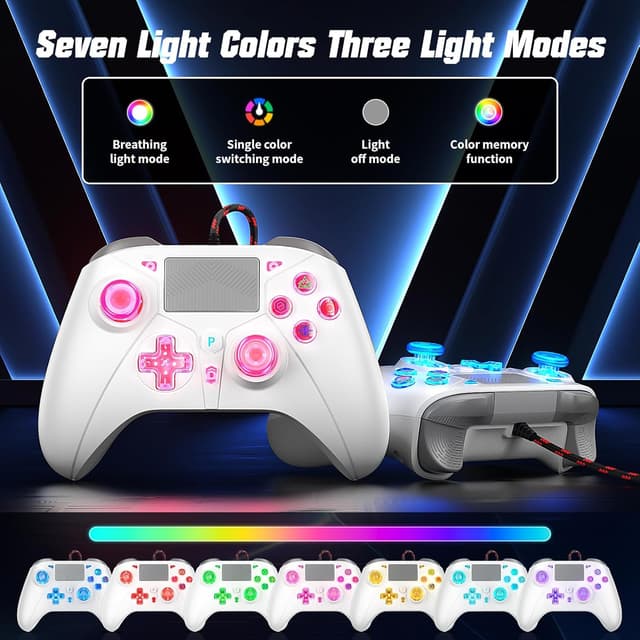
RGB lighting is built in with 7-colour switching and three modes (single colour always on, off, and a breathing effect). There’s also a colour memory function, so your preferred lighting can stick for the next session.
The controller is shaped for comfort over longer sessions: asymmetrical contours for your hand, and a thumb-friendly joystick design aimed at reducing drift and lag. The layout is classic—dual analog sticks and shoulder buttons—so it’s not reinventing the wheel while you’re playing.
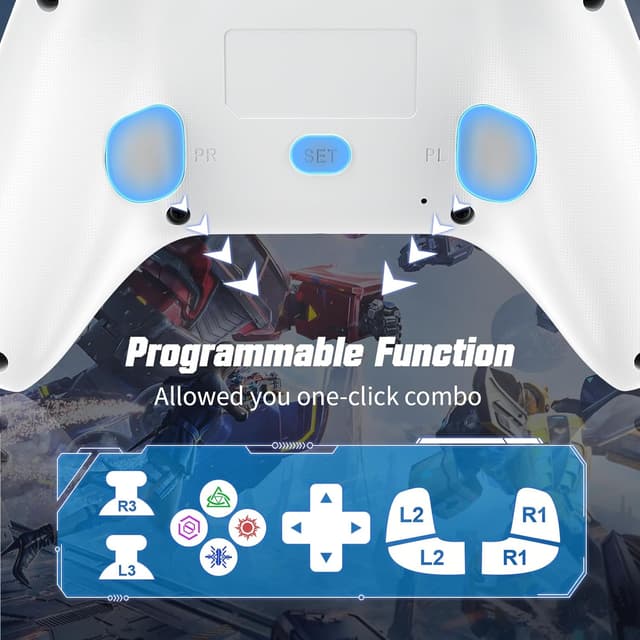
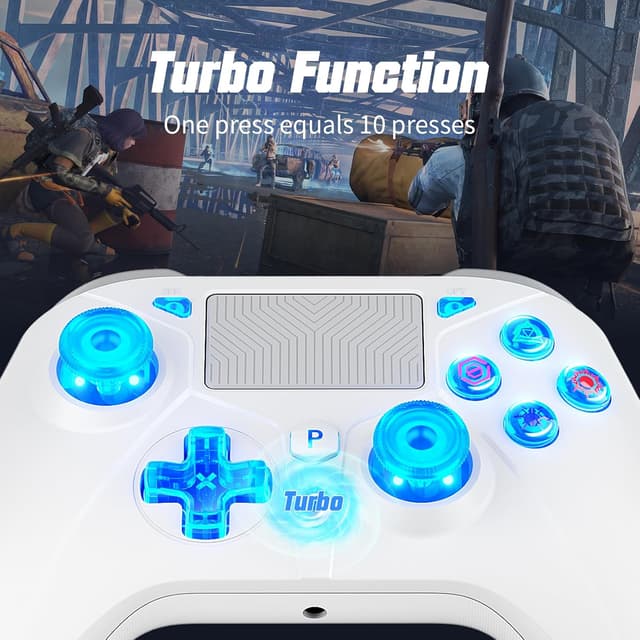
It also supports Turbo & Macro features. Over the long run, that’s the sort of addition that can matter if you play games where repetitive inputs are part of the rhythm.
What matters most in everyday use
Because this is wired, the experience is more consistent in one key way: you’re not thinking about charging or battery life. The 3m braided USB cable is also meant to reduce tangles, which helps when you’re sat at a distance from the console/PC.
A practical micro-example: say you’re playing on the sofa and want to jump into a quick session. You plug the USB cable in, use the wired controller immediately, and you can route voice chat through the 3.5mm audio jack if you prefer headphones rather than relying on speakers.
One limitation to keep in mind is that wired controllers can be less convenient if your setup is spread out or you move around a lot while playing. If freedom of movement is a big priority, a wired pad can feel like the wrong compromise.
Tech details (the part you’ll double-check)
- 3.5mm stereo audio jack for direct headphone connection
- 6-axis gyroscope for motion sensing
- Dual impact motors for rumble/haptic feedback
- Touchpad included
- 7-colour RGB LED with 3 modes and colour memory
- Turbo & Macro support
- Wired connection via a 3m USB cable (plug-and-play as described)
- Compatibility listed: PS5 (including Pro/Slim), PS4, Windows PC, Switch, iOS, Android
Also, the brand includes a PS5 connection note: on PS5, go to System Settings > Accessories > Controller (General) > Communication Method > Use USB Cable, then pair and connect. If you hit connection issues, they mention performing an upgrade (with an upgrade guide link provided in the package information).
Pros, cons and who it suits
Where it shines: - If you want a wired controller approach for quick, steady sessions without worrying about battery. - If RGB lighting and controller feedback (dual-motor vibration + motion sensing) are part of your “I actually notice it” checklist. - If you’ll use turbo/macro-style controls and 3.5mm audio for voice chat.
Where it may not suit you: - It might not be a great match if you strongly prefer wireless freedom. - If you expect fully frictionless setup across every device mentioned (PS5/PC/Switch/iOS/Android), keep expectations realistic: the PS5 pairing steps and the “perform an upgrade” note suggest compatibility can depend on setup.
Worth considering if you’re after a feature-rich, wired gamepad for home use—more of a practical, middle-ground choice than a “no compromises” enthusiast pad.
Should you buy it?
It makes sense if you like wired reliability, want dual-motor rumble plus a 6-axis sensor, and you’ll actually use the 3.5mm audio jack and RGB modes. If your PS5/PS4 setup is close enough for a 3m cable, the plug-and-play angle can be genuinely convenient.
However, you may want to skip it if you’re looking for a wireless controller experience, or if your priority is absolute simplicity on every platform with zero setup steps. And if you don’t care about turbo/macro, touchpad, motion sensing, or headphone audio, the extra features can end up being more “nice extras” than a reason to choose this over a simpler wired pad.
Before buying, it’s worth checking that the connection process on your specific device matches the PS5 instructions provided, and reading the included upgrade guidance note in case you run into connection issues.
Final verdict
This GGiking wired controller is the kind of buy that can feel good on paper and in practice for people who want a feature-packed pad without going wireless. The combination of turbo/macro, dual-motor vibration, 6-axis sensing, touchpad, and 3.5mm audio gives it plenty to work with.
It’s not perfect for everyone—wired convenience and device setup still matter—but if your setup fits the cable length and you’ll use the extra functions, it’s a solid “plug in and play” option to consider.
Mini FAQ
Is it easy to connect to PS5? The brand suggests using the PS5 System Settings to set the communication method to USB cable, then pairing and connecting.
Does it need charging? As a wired controller, it doesn’t rely on batteries in the way a wireless pad does.
Can I use wired headphones with it? Yes, it includes a 3.5mm stereo audio jack for direct headphone connection.
What RGB modes are available? It offers 7-colour switching with three modes: single colour always on, off, and 7-colour breathing, plus colour memory.
What should I do if it won’t connect properly? The included guidance mentions performing an upgrade if you encounter connection issues.