

Thrustmaster Sol-R 1 Flightstick with Magnetic Precision (H.E.A.R.T) – Space Simulation Joystick for PC
Reviews
Price
Product description
The essentials
If you’re into PC space sims, the Thrustmaster Sol-R 1 is aimed at one clear job: giving you a flightstick set-up that feels comfortable for long sessions and stays precise where it matters. It’s built around Thrustmaster’s H.E.A.R.T. magnetic precision approach (HallEffect AccuRate Technology), and it leans into a space-simulation style control layout rather than trying to be a generic “all-round” stick.
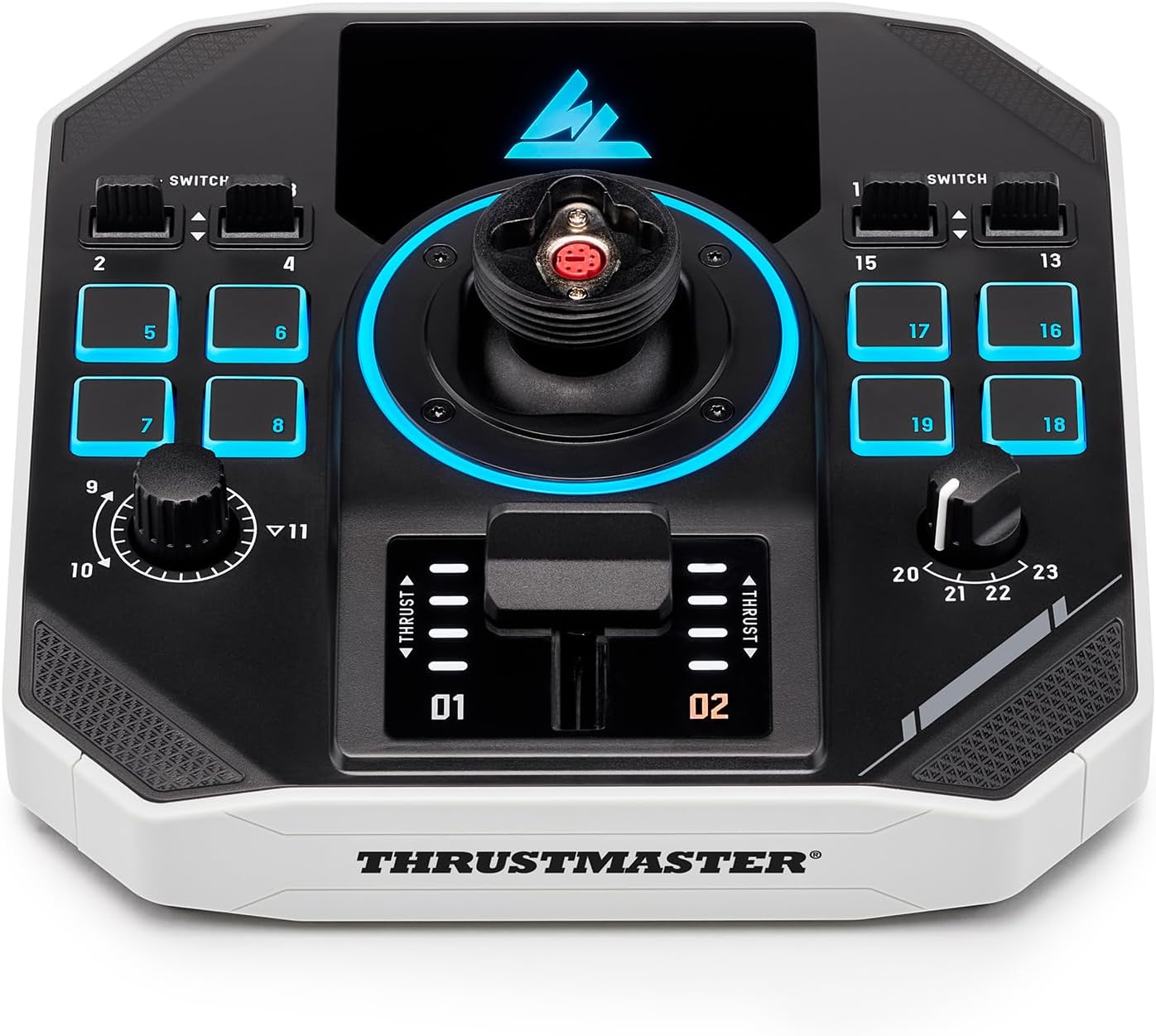
On paper, the most compelling angle is the combination of an ambidextrous, detachable grip with a base that includes central power controls and plenty of extra inputs. In practice, that can translate into fewer compromises when you’re mapping controls across both “stick” actions and base functions.
That said, it’s not necessarily the best choice if you’re after the simplest, smallest flightstick setup or if you strongly prefer ultra-minimal hardware—this one is quite firmly designed for simulation-style control.
What you’ll notice in use
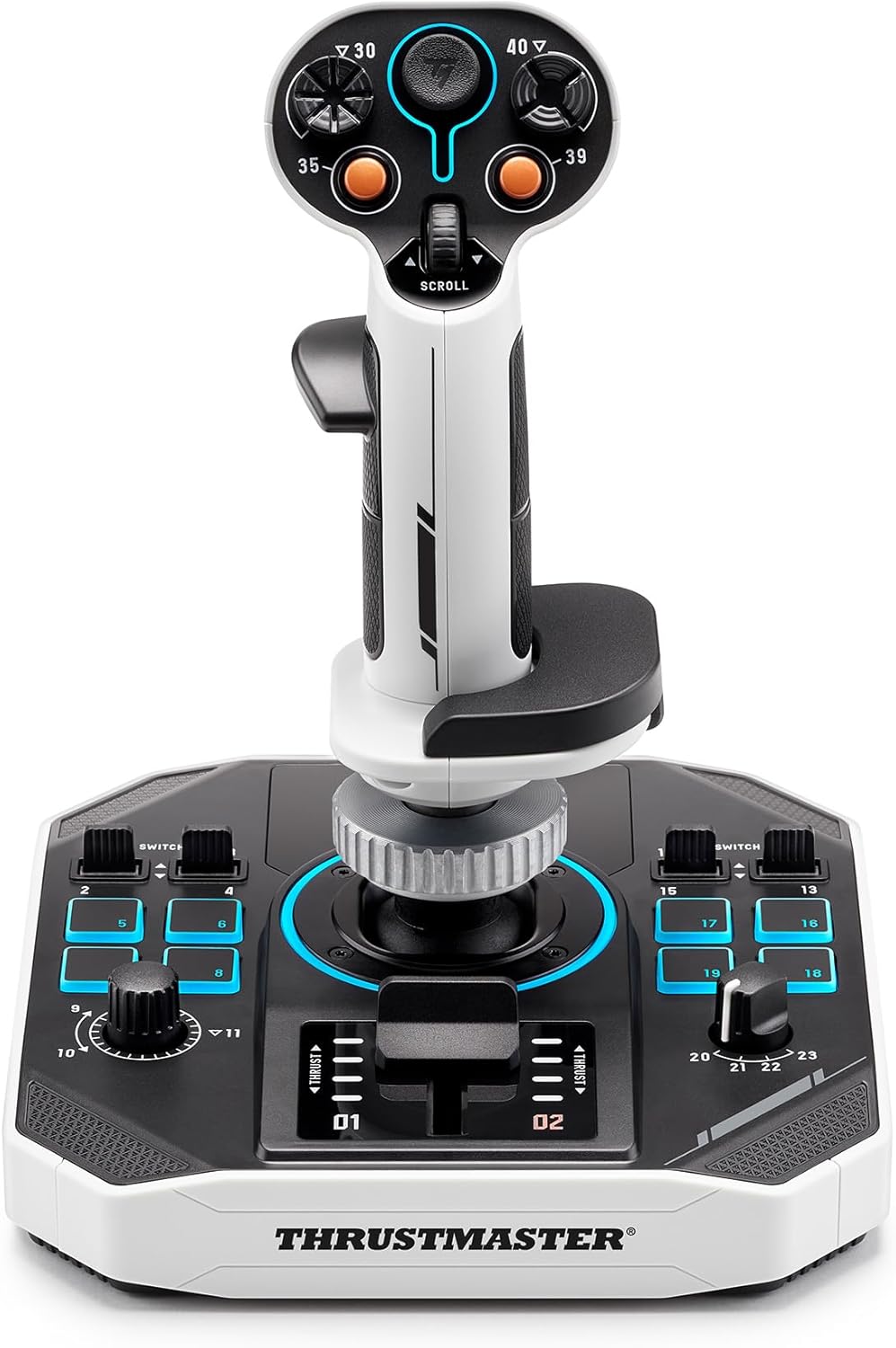
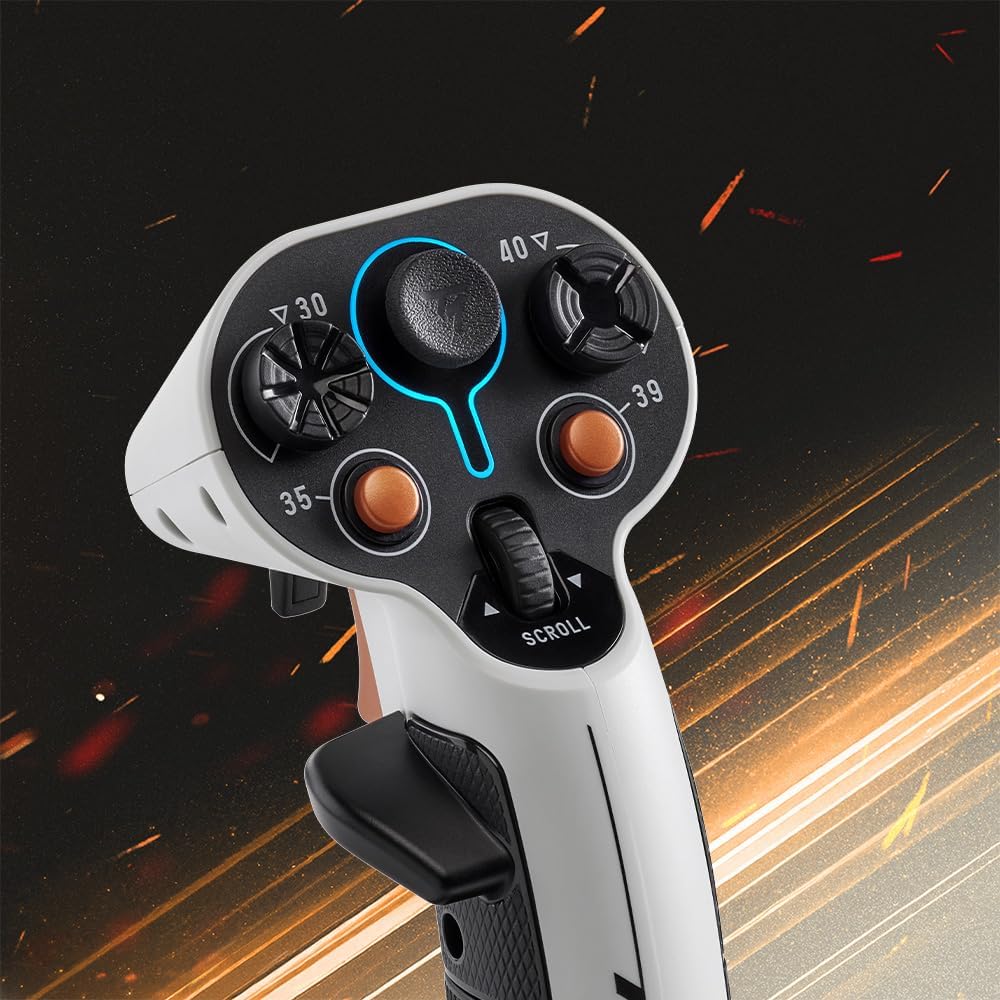
The Sol-R 1 uses a flightstick with 21 action buttons, including 2 triggers, 2 hat switches, a mini-stick, and a thumb wheel. That’s a lot of direct inputs clustered where you’d normally want them for speed control, weapon selection, comms or shifting modes in flight—depending on your game’s mapping.
The thumb wheel and mini-stick are the sort of controls that can reduce the “keyboard grabs” habit. For example, during docking or fine manoeuvres in a space title, you can keep your hands mostly on the stick while adjusting a secondary axis or function via the thumb controls, rather than hunting for keys.
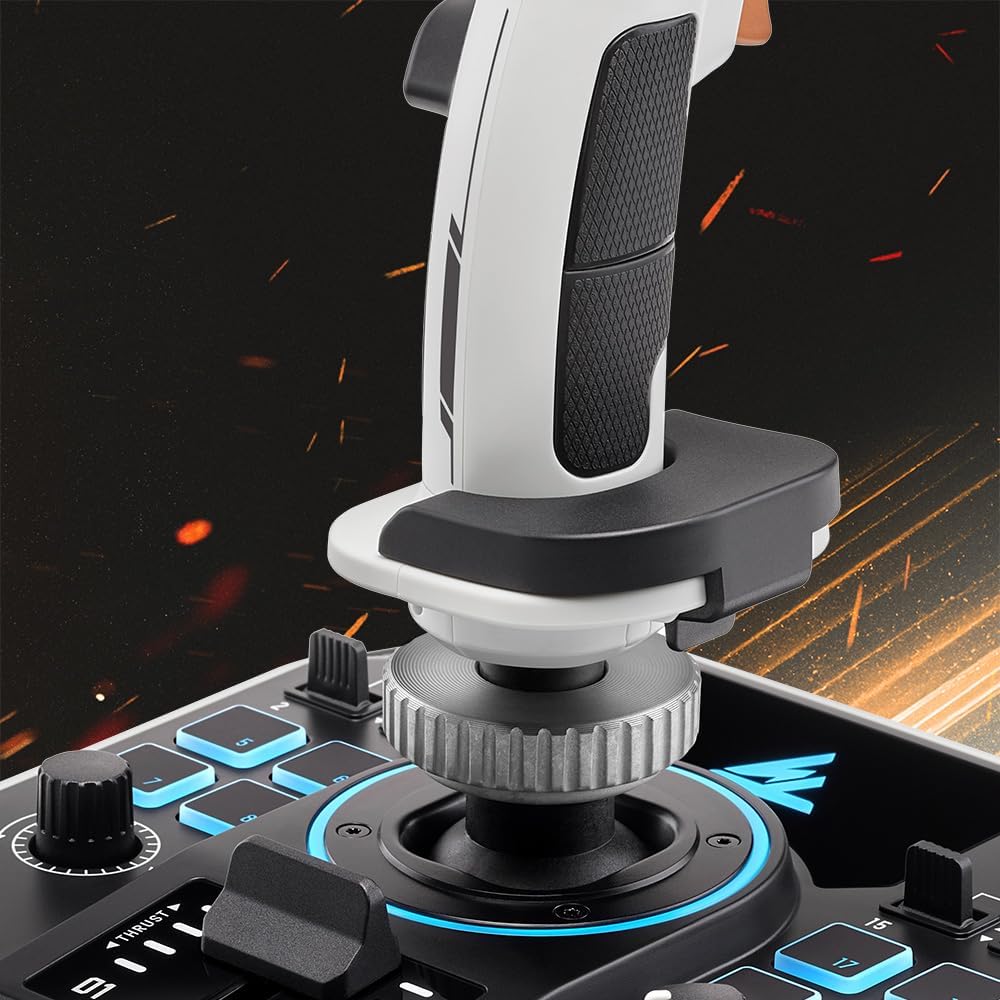
Then there’s the grip and comfort design. The product description calls out an ambidextrous ergonomic approach with interchangeable rest pieces for your wrist and thumb. If you’re switching handedness (or you simply like adjusting where your thumb/wrist sits), that flexibility is the kind of detail that can genuinely matter when you’re flying for hours.
And yes, it’s lit. The joystick has a retroiluminated design with a sci-fi-inspired look—more “set it up and look cool” than “subtle desk accessory”.
Precision and controls
This is the centre of gravity for many sim players, and here the Sol-R 1’s axes (X, Y and Z) are described as using H.E.A.R.T. magnetic precision with 16-bit accuracy. Compared with more basic potentiometer-style approaches, HallEffect magnetic sensing is generally chosen for its focus on consistent feel over time—though the real-world result depends on your setup and how you use the stick.
One limitation to keep in mind: the description tells you about precision and the sensing approach, but it doesn’t explain calibration behaviour, centring feel or how it performs under every mapping scenario. If you’re very sensitive to micro-centre behaviour, it’s worth checking return options before committing.
Buttons, versatility and the base
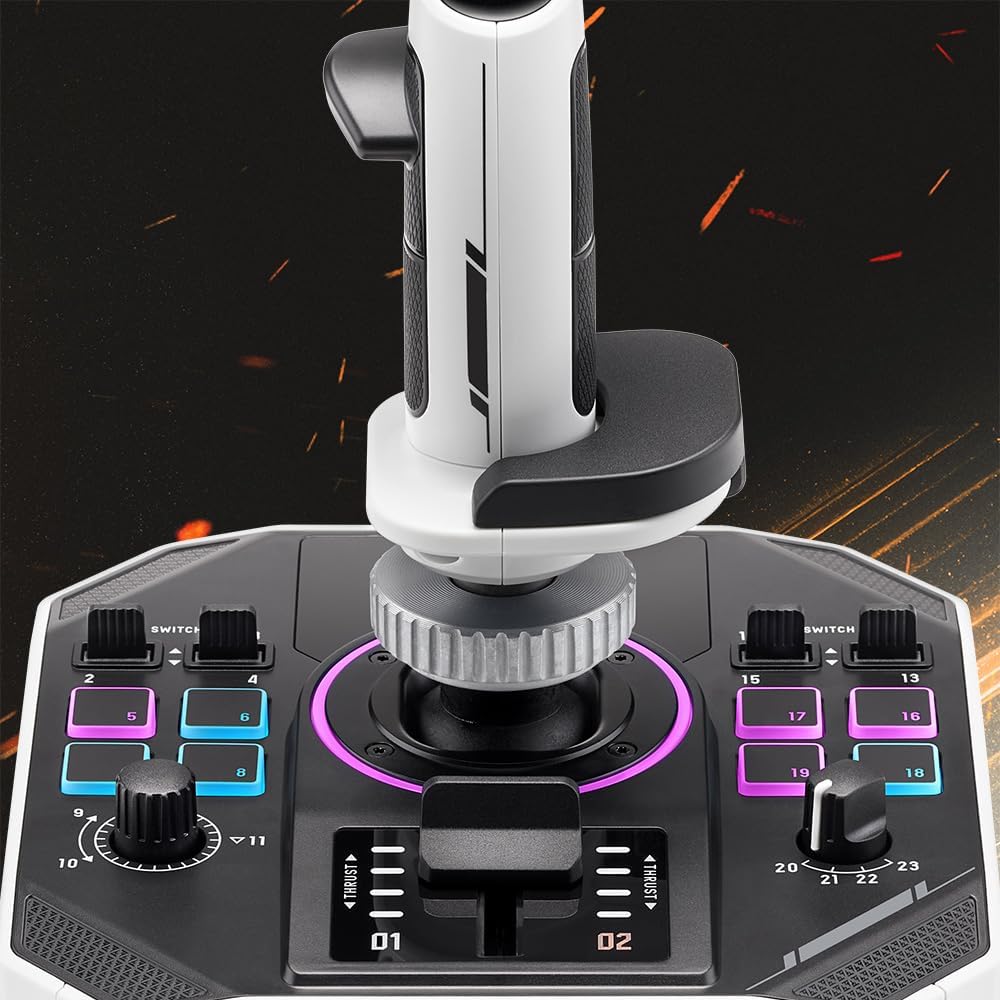
Beyond the flightstick itself, the base includes additional controls, bringing the total to 44 action buttons. The base also features a central power control (as described), plus stability supports for the base.
This “stick + base” concept is handy if you like separating flight-critical controls from cockpit-like actions. For example, you might keep the stick for pitch/yaw/throttle-related actions, then use base buttons for power states, gear toggles, camera modes, or other functions that don’t need continuous analogue changes.
Just be aware that with this kind of layout, you’ll likely want time to map everything the way you fly. If you prefer plug-and-play simplicity with very few assignments, a dense control set may feel like more work than you want.
Who it suits (and who should be cautious)
It makes sense if you’re playing PC space simulation titles and you want a flightstick that supports magnetic precision, lots of direct inputs, and comfort tweaks via an ambidextrous, interchangeable grip set-up.
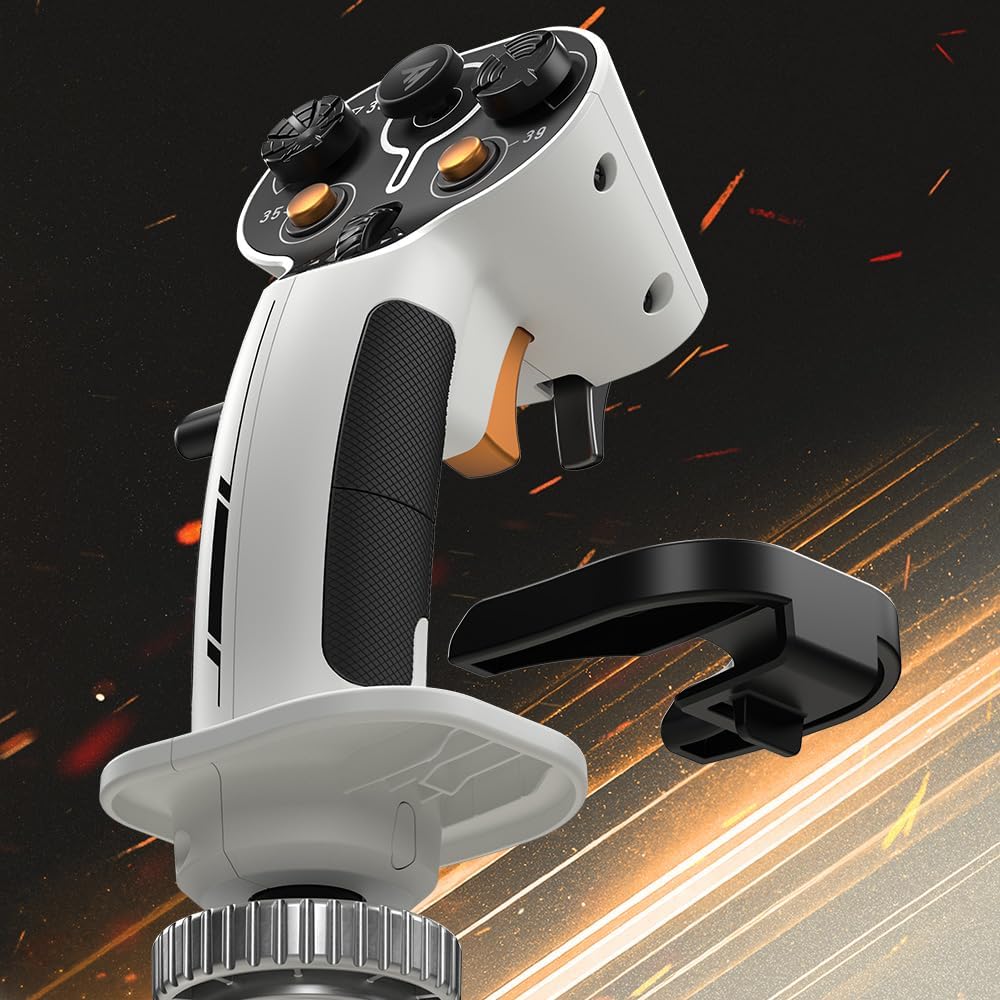
It’s also a good fit if you like the idea of an ecosystem approach—because the grip and base are described as compatible with the Thrustmaster ecosystem. That matters if you think you might add or adapt hardware later.
You may want to skip it if you’re after a compact, lightweight desk setup, or if you don’t want to spend time setting up button mappings. It also might not suit you if you primarily play titles where a basic gamepad approach already covers everything you need.
Tech specs
- Name: Thrustmaster Sol-R 1 Flightstick
- Type: Space simulation flightstick for PC
- Format: Magnetic precision (H.E.A.R.T) joystick with action buttons on grip and base
- Capacity: 21 action buttons on the flightstick (plus additional base controls, total 44 action buttons)
- Resolution: 16-bit precision for X, Y and Z axes (H.E.A.R.T)
- Processor: HallEffect AccuRate Technology (H.E.A.R.T)
- Colour: Lighted / retroiluminated sci-fi inspired design (as described)
Final verdict
A strong choice if you want a simulation-style flightstick with magnetic precision, plenty of direct controls, and comfort details that can be adjusted for different hand positions. It’s the kind of hardware that tends to reward players who like mapping controls thoughtfully and sticking with the same setup for the long run.
It’s less ideal if you prefer minimal inputs, a simpler desk footprint, or you don’t want to configure anything beyond the basics.
Mini FAQ
What makes the Sol-R 1 different from simpler flightsticks?
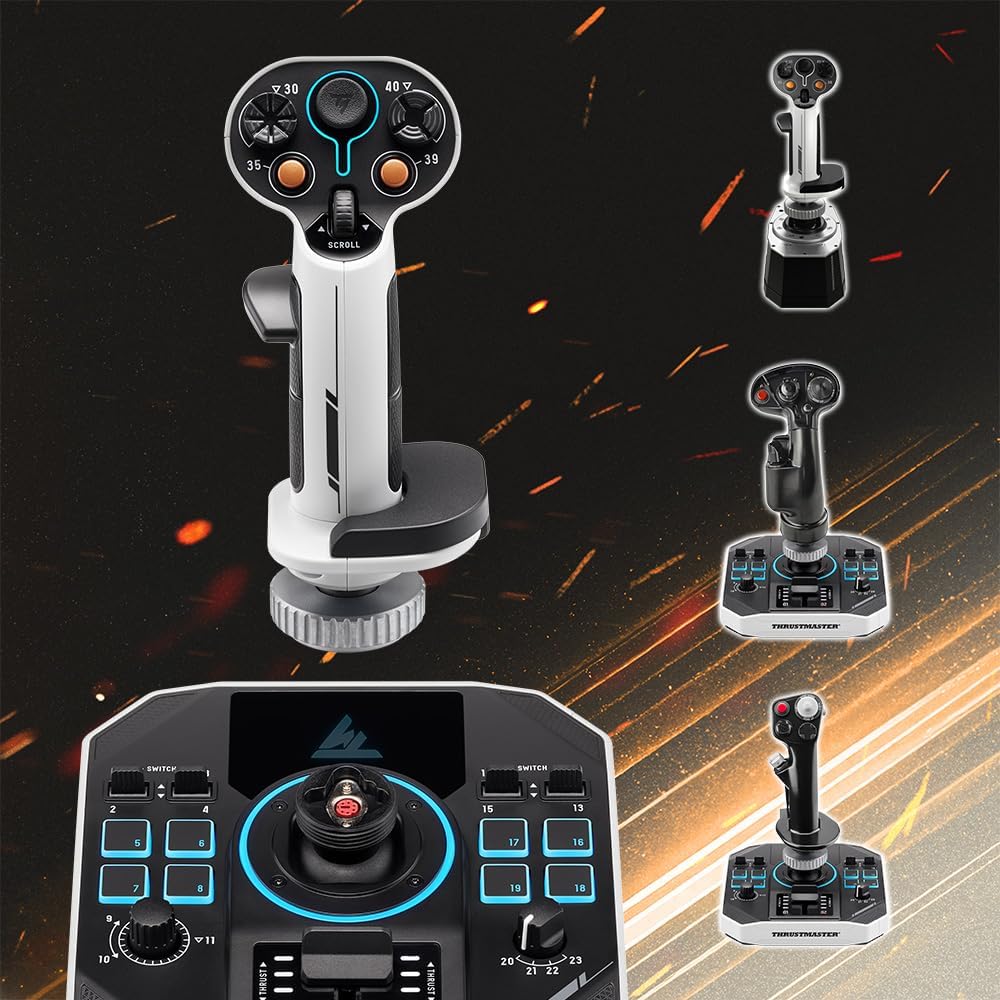
It focuses on magnetic precision (H.E.A.R.T) for the X, Y and Z axes, and it pairs a 21-button grip with a base that adds more controls, bringing the total to 44 action buttons.
Is it suitable for both left- and right-handed players?
The description highlights an ambidextrous ergonomic design with interchangeable rest pieces, so it’s designed to be flexible rather than locked into one handedness.
Does the base add anything beyond the stick?
Yes. The base includes a central power control and additional action buttons, plus it’s supported for stability.
Is it only for space games?
The product description specifically positions it for space simulation, and it also mentions it as ideal for Star Citizen and MSFS, so it’s clearly aimed at that kind of flight-sim workflow.
Should I buy it if I’m not ready to map lots of controls?
If you want very simple, limited bindings, you might find the number of buttons and control options more than you need. It can still be worth it, but you’ll likely want to invest a bit of time in setup.