

Gen CCleaner Pro Plus: 3 Devices, 1 Year – Activation Code by Email
Product description
What it is and what it’s for
Gen CCleaner Pro Plus is presented as a multi-device software package, offered as a 1-year subscription with an activation code delivered by email for up to 3 devices. The material positions CCleaner Pro Plus as a tool aimed at cleaning, speeding up, and maintaining computers, with emphasis on automated optimisation and routine maintenance.
How it’s framed in the marketplace
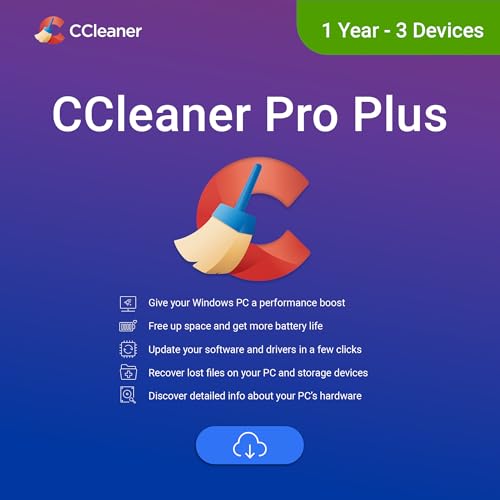
On paper, the package appears to bundle core cleaning and maintenance features that help keep a Windows PC running more smoothly over time. While the description references a broader ecosystem of related utilities (such as file recovery and system information tools) within the wider CCleaner/Gen range, the core focus of CCleaner Pro Plus is framed around decluttering, speed improvements, and ongoing upkeep rather than one-off repairs.
Who this is for
If you prioritise a straightforward approach to keeping multiple devices tidy and running decently, and you want a subscription model with a single activation via email, this offering could fit. It’s likely aimed at users seeking practical, ongoing maintenance rather than deep, technical tinkering.
What stands out (pros)
- Clear bundle for multiple devices (3 devices) over a year, with activation by email.
- Emphasises automated cleaning and maintenance, which can save time for busy users.
- Presenting a cohesive option for users who prefer a single vendor approach to PC upkeep.
What might put you off (cons)

- The description combines several tools from a broader ecosystem, which can make it hard to tell exactly which features are included in CCleaner Pro Plus itself.
- There’s no explicit detail on specific cleaning scopes, performance gains, or compatibility beyond the general Windows/macOS/Android mentions in the related material.
- The mixed presentation with other products raises the question of whether some claimed capabilities are part of a broader suite rather than CCleaner Pro Plus alone.

When it makes sense to buy
Consider CCleaner Pro Plus if you want a simple, authoritatively branded solution with a 1-year horizon for up to three devices and you value automated maintenance. If your priority is not only cleaning but a broader toolkit with features like file recovery or deep system insights, you may need to verify exactly which features are included in this specific Pro Plus package.
When to rethink buying
- If you require explicit, detailed feature lists or compatibility information before purchase, the current description may feel insufficient.
- If your devices are primarily non-Windows or you rely on niche system optimisations, you may find the offering lacks specificity.
- If you expect a love-it-or-hate-it pricing model or aggressive upsell, the subscription model may not align with your budget plan.
What to check before purchasing

- Confirm exactly which devices count towards the 3-device limit and how activation is managed by email.
- Look for a clear statement on which CCleaner Pro Plus features are included (e.g., cleaning routines, scheduling, maintenance scripts) and any limitations.
- Verify renewal terms, price after the initial year, and how activation codes are delivered.
Practical use case (micro-experience)
Imagine a typical work-from-home setup with a laptop, a desktop, and a tablet running Android. You subscribe to CCleaner Pro Plus, receive three activation codes by email, and set up a weekly automated cleaning schedule. Over a few weeks you notice fewer irritations from clutter and more responsive performance on the Windows machines, with less manual maintenance required.
FAQ (limited, based on available data)
- Q: How many devices can you cover with this package? A: Up to 3 devices.
- Q: How is access provided? A: Activation codes are delivered by email for the subscription.
- Q: What platform scope is implied? A: The description references Windows PCs and mentions broader ecosystem tools, but exact inclusions for CCleaner Pro Plus aren’t itemised.
Is it worth it?
Is it worth it? If you want a pragmatic, subscription-based maintenance kit for multiple devices with automatic cleaning, it could be worth considering. However, given the lack of explicit feature detail in the provided description, you may want to confirm the exact capabilities and ensure the claims align with your needs before committing.