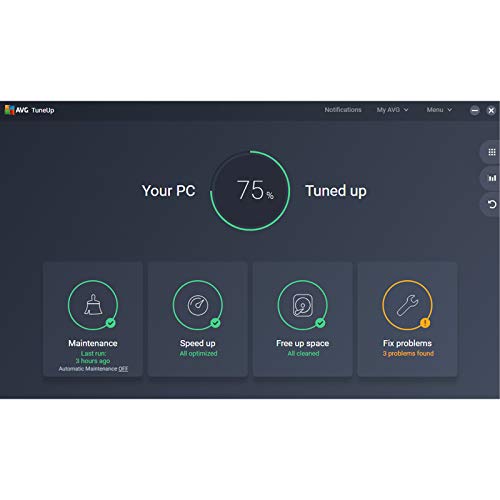
What it is and what it aims to solve\nAVG TuneUp 2026 is a PC/Mac cleaner designed to refresh devices by removing unwanted files, improving speed and startup times, and keeping software up to date. For households or small offices with multiple machines, the 10-device licence promises a centralised approach to maintenance without installing separate tools on each device. On the surface, it resembles a sensible way to reclaim storage and reduce clutter from everyday use, rather than a dramatic hardware upgrade.\n\n## How it works in practice\nThe software scans for junk files, duplicate data and leftover traces from uninstalled programs. It offers a one-click cleanup that aims to free space and streamline performance. It also utilises automated program updates to help minimise security risks that arise from outdated software. For many users, this translates to faster boot times and a smoother daily experience, particularly on ageing hardware where every megabyte and startup delay counts.\n\n## The positives you’ll notice\nOn compatible devices, you may experience shorter load times and more responsive general use after running a cleanup. The automatic update feature helps keep security gaps small, which can be appealing if you prefer not to manage updates manually across several machines. The multi-device licence is convenient for families or small teams who want to standardise a maintenance routine.\n\n## Potential drawbacks and who it might not be for\nIf your devices are already clean and up to date, the marginal gains from a tune-up could be modest. Some users report that automated scans can pick up only so much, especially on newer systems with ample free space. Also, the value proposition hinges on a clean drive and active use of the cleaning features, if you don’t routinely manage several devices, the cost-per-device may not stack up as well. It’s not a perfect substitute for hardware upgrades or a complete OS optimisation, so expect it to complement rather than replace other maintenance habits.\n\n## Who it’s for\nThis product tends to suit households or small teams that want a practical, centralised tool to reclaim storage and keep programs current across multiple devices. It’s reasonable if you prefer a pragmatic approach to speed and security rather than diving into manual optimisations on each machine.\n\n## When it makes sense to buy\nIf you operate multiple PCs or Macs and want a straightforward way to tidy up, speed up startup, and automate updates, a 1-year licence for up to 10 devices can be a straightforward purchase. It makes particular sense if there are devices with limited storage or slow boot times that you’d like to improve without immediate hardware investment.\n\n## When to hold off\nIf you have a single device or if you rely on alternative maintenance methods that already cover cleanup and updates, this might be harder to justify. Also, if you prioritise deep, technical optimisation or custom security setups, you may find the tool’s scope too broad or simplistic.\n\n## What to check before buying\nConfirm the activation method (email delivery) and ensure you can allocate licences to all devices you intend to cover. Consider whether you need automatic updates across every machine and how you’ll manage settings consistently.\n\n## A practical example of use\nImagine a family with a few laptops and a desktop. Each morning, a quick AVG TuneUp sweep clears temporary files, trims caches, and updates apps in the background. The result could be a noticeably quicker login for the grandchildren’ laptop and a snappier desktop for work-from-home tasks, without having to supervise maintenance on every device simultaneously.\n\n## Final verdict\nIt makes sense if you need a pragmatic, multi-device maintenance solution and you value automation for updates and cleanup, especially in a small network or family environment. It may not be the strongest option if you only require episodic maintenance on a single machine or if you’re seeking highly granular control over every cleaning action.\n\n## FAQ\n- What platforms are supported? \nThe description references PC/Mac cleaning, but specific OS coverage isn’t detailed here.\n- How does activation by email work? \nActivation is delivered by email, ensure you have access to the email used during purchase.\n- Can I transfer licences between devices? \nLicence transfer policies aren’t specified in the available details. Check the vendor’s terms for confirmation.\n