

CorelDRAW Essentials 2024 for Graphic Design | 1 User
Product description
What it is
CorelDRAW Essentials 2024 is a single-user graphic design suite focused on approachable vector illustration, page layout and light photo editing. It’s marketed as an entry point for DIY projects like invitations, greeting cards, calendars and social media visuals, with post-delivery access meaning the software is ready to use after purchase.
How it helps your projects
On the paper, the product aims to simplify bringing ideas to life through a user-friendly set of tools. You’ll find vector drawing and layout features designed to handle common creative tasks without requiring steep learning curves. The inclusion of photo editing tools means you can perform basic retouching and enhancements within the same environment, which can be convenient for small businesses, hobbyists or someone who wants a cohesive workflow rather than bouncing between programmes.
What stands out in use
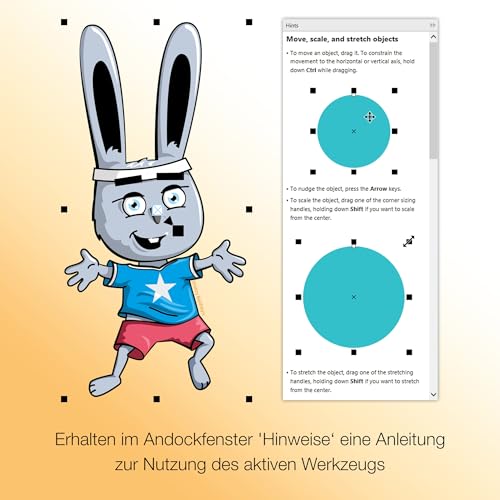
The newest iteration highlights improved import/export support and broader compatibility with various document formats. For someone who often works with diverse sources or needs to share files with collaborators who use different software, this could reduce friction and save time. A learning aid called the Hints docker is mentioned as a way to build confidence while you select design tools, which may help when you’re picking up techniques for the first time.
What may not convince you on first use
If your needs extend beyond simple layouts or you require advanced typography, 3D effects, or high-end photo editing, this Essentials version may feel limited compared with more feature-rich suites. The claim of “significant product quality improvements” sounds promising, but it’s worth testing how well it handles your typical workloads and whether the imported assets retain fidelity after export.
Who it’s for

This package is likely to suit beginners, students or small-business owners who want a practical, affordable toolset for creating invitations, cards, social images and basic marketing materials. If you prioritise a lightweight, all-in-one workflow over specialised software, it could fit well. It’s probably less ideal if you regularly export large, complex layouts or require extensive advanced effects.

When it makes sense to buy
It makes sense if you need a straightforward vector and layout solution bundled with light photo editing, under a single licence, with a focus on ease of learning and everyday design tasks. If you’re upgrading from a more basic design tool and want a more cohesive workstream, the Essentials 2024 may offer a smoother transition.
When you might want to skip it
Not the best match if you rely on depth of tools for professional photo manipulation, intricate typography workflows, or if you work heavily with 3D elements. If your projects demand high-end printing workflows, colour management, or cross-application integration beyond what’s offered, you may outgrow this version quickly.
What to check before buying


Consider how closely your typical projects align with the included features: vector illustration, basic layout, and essential photo edits. Verify whether the formats you frequently exchange with clients or collaborators are well supported in the updated import/export flow. Also think about whether you’ll benefit from the guided learning hints or if you prefer to self-teach using other resources.
Practical example in use
Picture designing a suite of wedding invitations: you can sketch the layout, add decorative vector elements, adjust type to fit the space, insert photos, and export a print-ready file without leaving the application. The capability to edit photos inside the same window as you work on the card layout reduces back-and-forth between programmes, which is handy when timelines are tight.
Final thought: Is it worth it?
Should you buy it? It’s worth considering if you prioritise a value-for-money, beginner-friendly toolset that covers core design needs in one place and you don’t require advanced professional features. If flexibility and a gentle learning curve matter, this could be a sensible addition to your creative toolkit. Better avoided if you anticipate needing high-end photo manipulation or advanced typography far beyond entry level.
FAQ
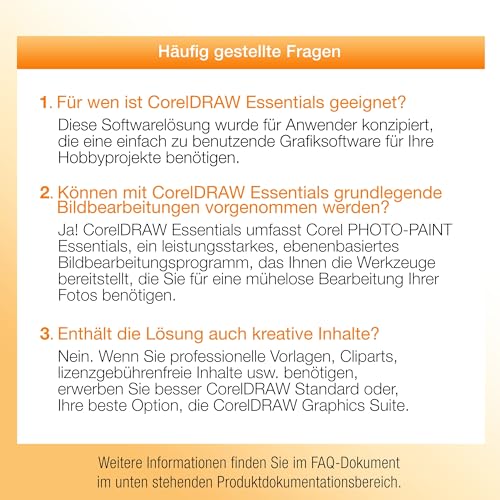
- What kinds of projects is CorelDRAW Essentials 2024 best for? Entry-level vector illustrations, basic layouts and simple photo edits for invitations, cards and social visuals.
- Does the software import formats well? The latest version emphasises improved import/export support and broader document format compatibility.
- Is it suitable for small business branding work? It can support basic branding tasks and marketing visuals, but may fall short for high-volume, extensive brand guidelines or complex print workflows.