

Nero Find Duplicates: Clean Your Photo Library with Smart Duplicate Detection
Product description
What this product is and what it solves
Nero Find Duplicates is a Windows utility designed to help you identify and manage duplicate photos. It focuses on recognising similar images, including those that have been slightly edited through cropping, rotation, or colour adjustments. The goal is to help you reclaim storage space by removing unnecessary duplicates from your hard drive or external storage.
How it works in practice
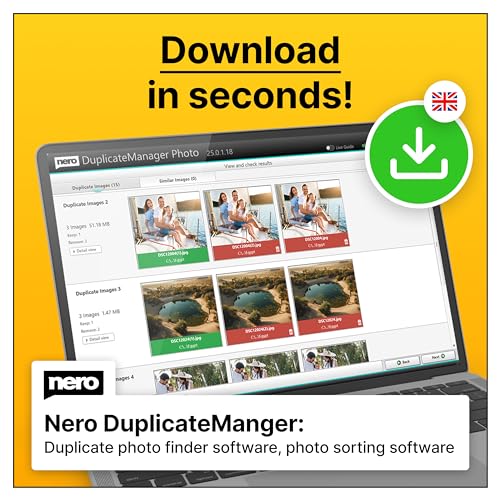
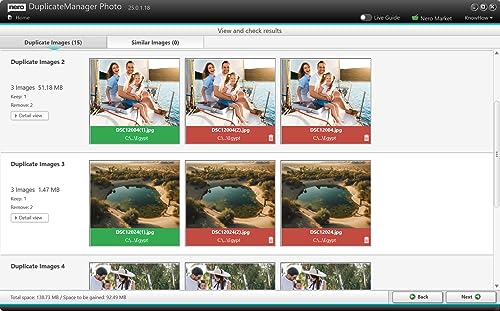
The software offers automated clean-up options to delete duplicates, while also providing a manual review process so you can decide which files to remove. A preview feature lets you compare duplicates before you commit to deletion, which reduces the risk of losing valuable originals. Support for multiple image formats means you can scan a wide range of files without switching tools.
What stands out on paper
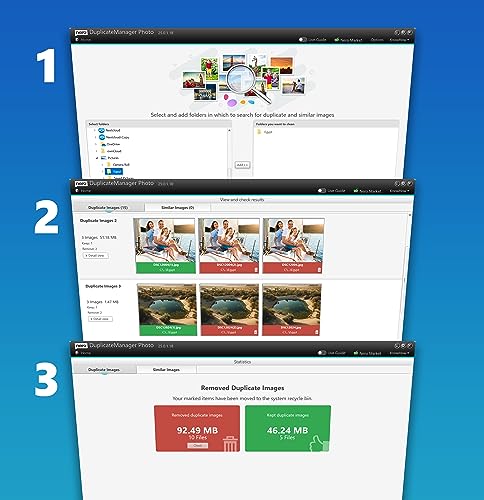
On the surface, Nero Find Duplicates combines robust duplicate detection with flexible cleanup. The ability to recognise edited variants is particularly useful if your photo collection has been touched up or adjusted for different displays or projects. The preview and decision-making workflow helps you stay in control, rather than applying a blanket delete.
Limitations and caveats to consider
While the tool emphasises automatic deletion, some users may prefer to review every suggested removal. If you have niche or rarely used formats, you’ll want to confirm the software supports them all in your library. Also, since this is a single-device licence with activation via email, you’ll need to ensure you’re analysing photos on that device or manage licences accordingly if you change machines.
Who it’s for (and who it isn’t)
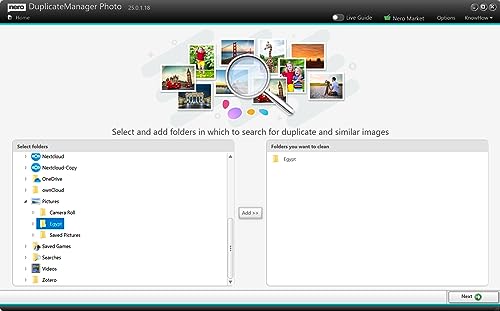
This product is well suited for home photographers or anyone who maintains a growing photo library across Windows systems. If you frequently edit images and want to keep only the best versions, the similarity detection may save time. It may not be the best fit if you manage a large, multi-user workstation or require network-wide deployment, given the 1 Device / Unlimited licence model.
When does it make sense to buy
If you’re running low on storage and repeatedly find yourself duplicating photos after edits, this tool offers a practical path to reclaim space without sacrificing too much control. It’s sensible to use when you have a sizeable photo archive with mixed formats and edits, and you want a straightforward way to trim the clutter.
What to check before buying
- Confirm your primary device matches the 1 Device licensing.
- Verify the image formats you regularly use are recognised by the software.
- Consider whether you prefer automatic deletion or hand-on review for every item.
- Ensure activation via email aligns with your current setup.
Practical use case
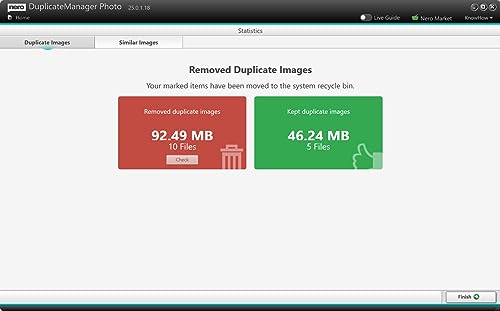
Imagine you’ve just backed up a year of photos from a camera, a smartphone, and a drone. You start Nero Find Duplicates, let it scan for similar images, and preview the flagged duplicates. You then allow automated deletion for obvious duplicates while keeping edited originals that you still want. In minutes, your photo library looks tidier and has more free space for new shots.
Technical snapshot (brief)
The core capability is intelligent duplicate recognition with tolerance for edits, and it supports multiple image formats. The interface offers both automatic deletion and manual review, plus a preview before removal. This keeps the process practical and under your control.
FAQ (quick answers)
- Does it work on Windows 11, 10, 8, and 7? Yes, it’s designed for those versions.
- Can I preview duplicates before deleting? Yes, preview is available to help you decide.
- Is the license per device or per user? The licence is described as 1 Device with an Unlimited licence, activation code sent by email.
Is it worth it?
It makes sense if you prioritise reclaiming storage with a balance between automation and control, especially when you have edited photos that might still be similar to originals. If you need multi-user or network deployment, you may want to explore options that accommodate those needs.