

Z-Edge 49-inch Curved Gaming Monitor (DQHD 5120x1440) 144Hz IPS with FreeSync, HDR10, USB-C 65W & KVM
Product description
The essentials
If you’re shopping for a big ultrawide gaming monitor, the Z-Edge 49 inch curved model is designed to do two things at once: make games feel more “around you”, and keep day-to-day productivity practical with plenty of inputs. The 32:9 ultrawide format is a key part of the pitch here, since it can help you fit more on screen without constantly resizing windows.
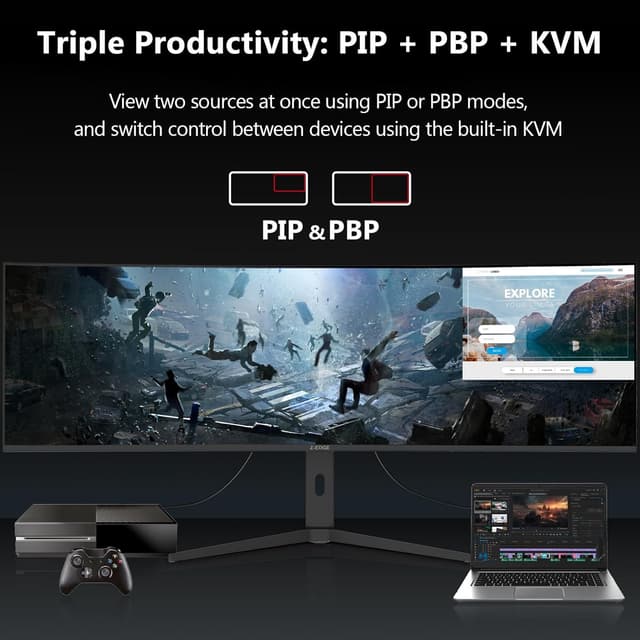
On paper, it’s the sort of monitor you’d consider when you want a smoother gaming experience (144Hz, 1ms MPRT, FreeSync) and also prefer not to juggle multiple cables between a PC and other devices. The built-in KVM, plus PIP/PBP for viewing two inputs, is where it starts to separate itself from simpler ultrawide options.

That said, “49 inch” also comes with a reality check: you’ll want enough desk depth and the right viewing distance, otherwise the curve can be less comfortable than you hoped, and text can feel demanding if you sit very close.
Key takeaways
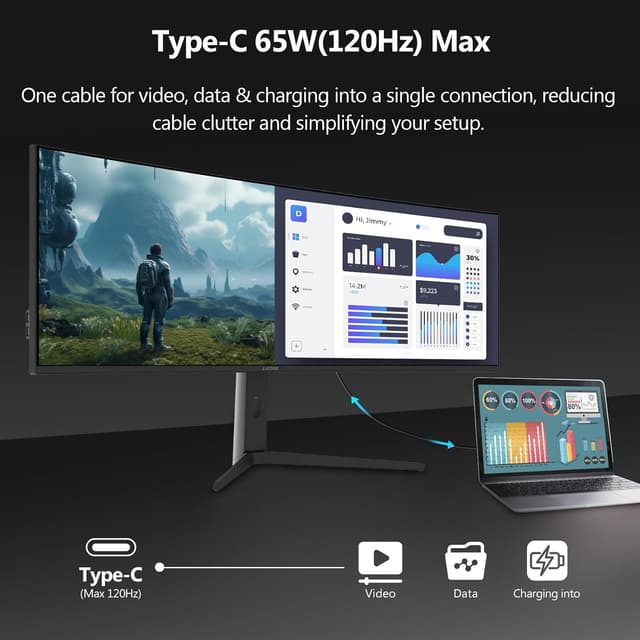
What stands out most is the feature stack for both gaming and multi-device use. You’re getting a curved IPS panel approach (aimed at consistent colour and viewing angles), a high refresh rate focus for smoother motion, and a connectivity package that includes HDMI, DisplayPort, USB-C (65W), and additional USB ports.
The built-in KVM switch is particularly relevant if you switch between, say, a work laptop and a desktop. Instead of reaching behind the desk or swapping leads, you can route sources through the monitor and switch with less hassle. And if you like monitoring a second feed while gaming or working, the PIP/PBP modes are there to support that.
In other words: this isn’t only for tournaments and FPS nights. It’s also meant for a more “everything in one screen” setup.
What you’ll notice day to day
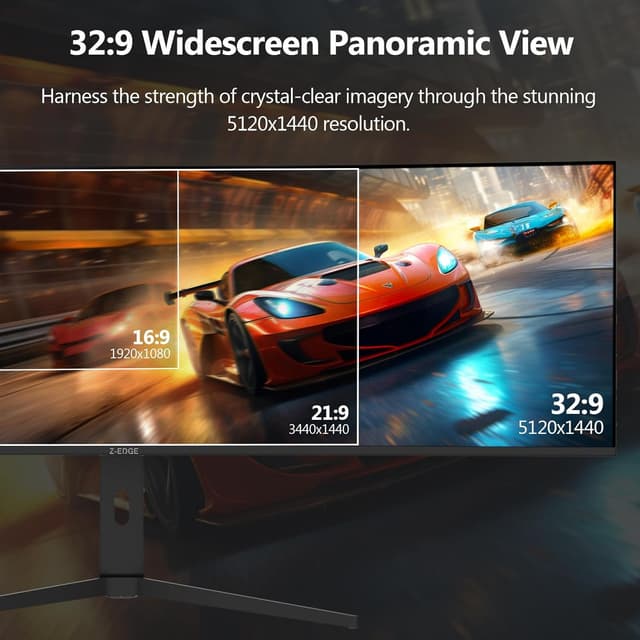
The 5120x1440 DQHD resolution and 32:9 aspect ratio are the big everyday drivers. They’re likely to feel most useful when you do multitasking—spreadsheets side-by-side, editing timelines, or having a chat window visible while you play. The curved form is intended to widen your field of view and pull more of your peripheral vision into the experience.
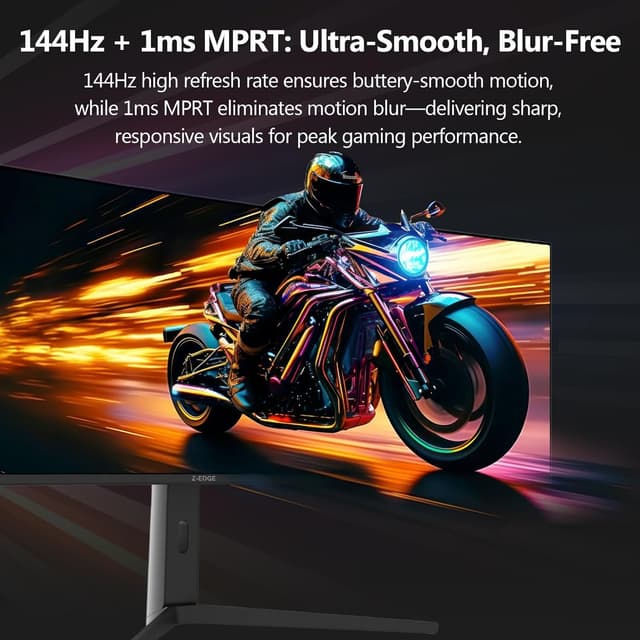
For gaming and fast action, the combination of up to 144Hz refresh rate, 1ms MPRT (as stated), and FreeSync is meant to reduce ghosting and motion blur and smooth out motion. If you mostly play action games or you watch fast-moving sports content, you may notice the difference more than you would on a standard 60Hz panel.
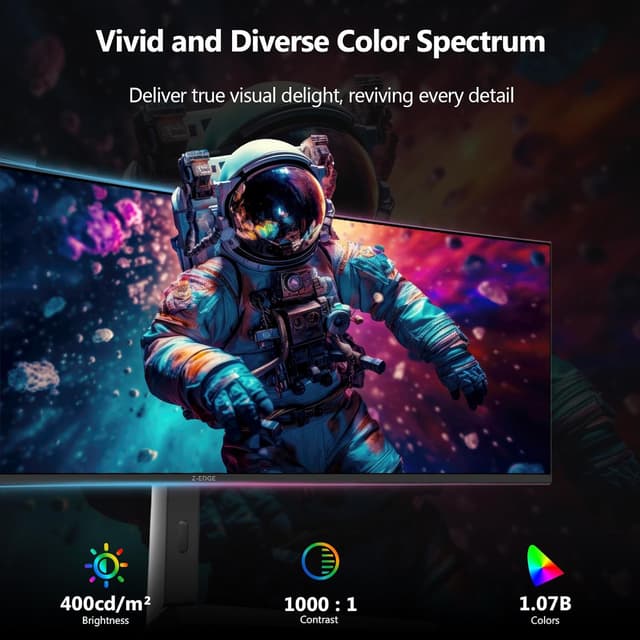
There’s a small limitation to keep in mind: the spec mentions HDR10 support, but it doesn’t tell you anything about brightness levels or peak performance. HDR can still look good, but without more detail, it’s wise to treat it as “HDR10 compatible” rather than assume it’s a top-tier HDR performer.
Tech specs
- Name: Z-Edge 49 Inch Curved Gaming Monitor 144Hz DQHD 5120x1440 IPS Monitor
- Type: Curved gaming monitor
- Size: 49 inch
- Resolution: DQHD 5120x1440
- Aspect ratio: 32:9 ultrawide
- Refresh rate: up to 144Hz
- Response: 1ms MPRT
- Panel: IPS
- HDR format support: HDR10
- Adaptive sync: FreeSync
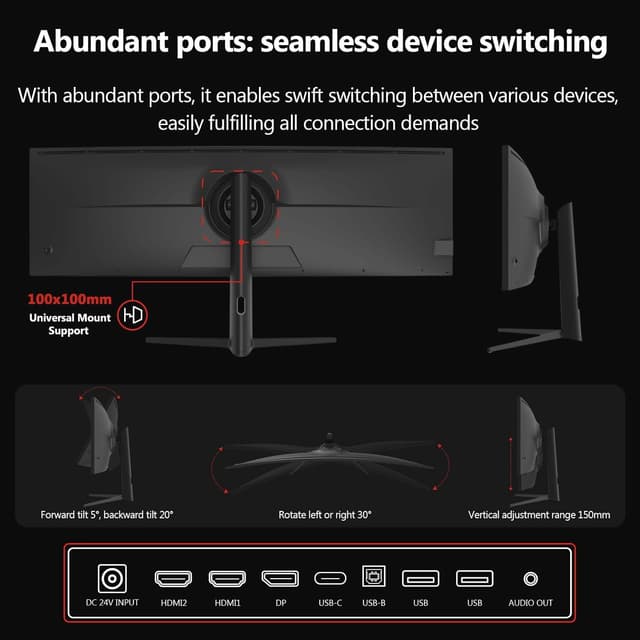
- Connections: HDMI x2, DisplayPort x1, USB-C (65W), USB-B (upstream), 2x USB ports
- Features: built-in KVM switch, PIP/PBP
- Stand adjustment: tilt/swivel/height adjustable (and VESA mounting support)
Where it shines (and where it doesn’t)
This monitor makes sense if you want an immersive ultrawide gaming setup and also value desk-friendly connectivity. The mix of USB-C charging (65W), multiple video inputs, and a KVM switch is a strong argument for anyone who regularly alternates between devices.
It might not be the best match if: - you sit close to the screen and you’re sensitive to very wide layouts (32:9 can take a little time to get used to) - your main priority is “maximum HDR performance”, because the entry only states HDR10 compatibility, not brightness or advanced HDR behaviour - you need simple, minimal setup—this one comes with lots of features and ports, which is great if you’ll use them, but a little overkill if you just want one source and nothing else
Practical tips for choosing before you buy
Before committing, it’s worth checking a few real-world things:
- Desk fit: A 49 inch curved panel is large. Make sure you have the depth and clearance for comfortable viewing.
- Input needs: If you plan to switch between sources, confirm that your devices can connect via the listed ports (HDMI, DisplayPort, USB-C) and that USB-C is actually the right route for your workflow.
- Mounting plan: The stand is adjustable, and it’s VESA compatible, but your space will decide which setup is most comfortable.
- Expectations for HDR: “HDR10 compatible” is a good sign, but if HDR quality is your deciding factor, you’ll likely want more detail than this listing provides.
Mini-use case
Imagine you start your day with a work laptop connected via USB-C. You tweak spreadsheets on the same big ultrawide canvas, then later switch to a desktop for gaming. With the KVM and PIP/PBP features available, you can keep a second input view up while you game—useful for a strategy guide, a walkthrough window, or even a live feed—without constantly changing cables.
Is it worth it?
Buy the Z-Edge 49 inch curved ultrawide if you’re after a 32:9, 5120x1440 IPS gaming monitor with a smoother feel (144Hz + FreeSync) and you genuinely want multi-device convenience via USB-C (65W), multiple inputs, built-in KVM, and PIP/PBP.
Skip it or look elsewhere if you’re sensitive to the physical size/curve of very wide screens, you want the most detail on HDR performance (beyond HDR10 compatibility), or you only need a straightforward single-source monitor with no switching or multi-input features.