

Cozyla Calendar Plus 2: 24" Digital Wall Calendar & Family Planner
Product description
What it is and what it solves
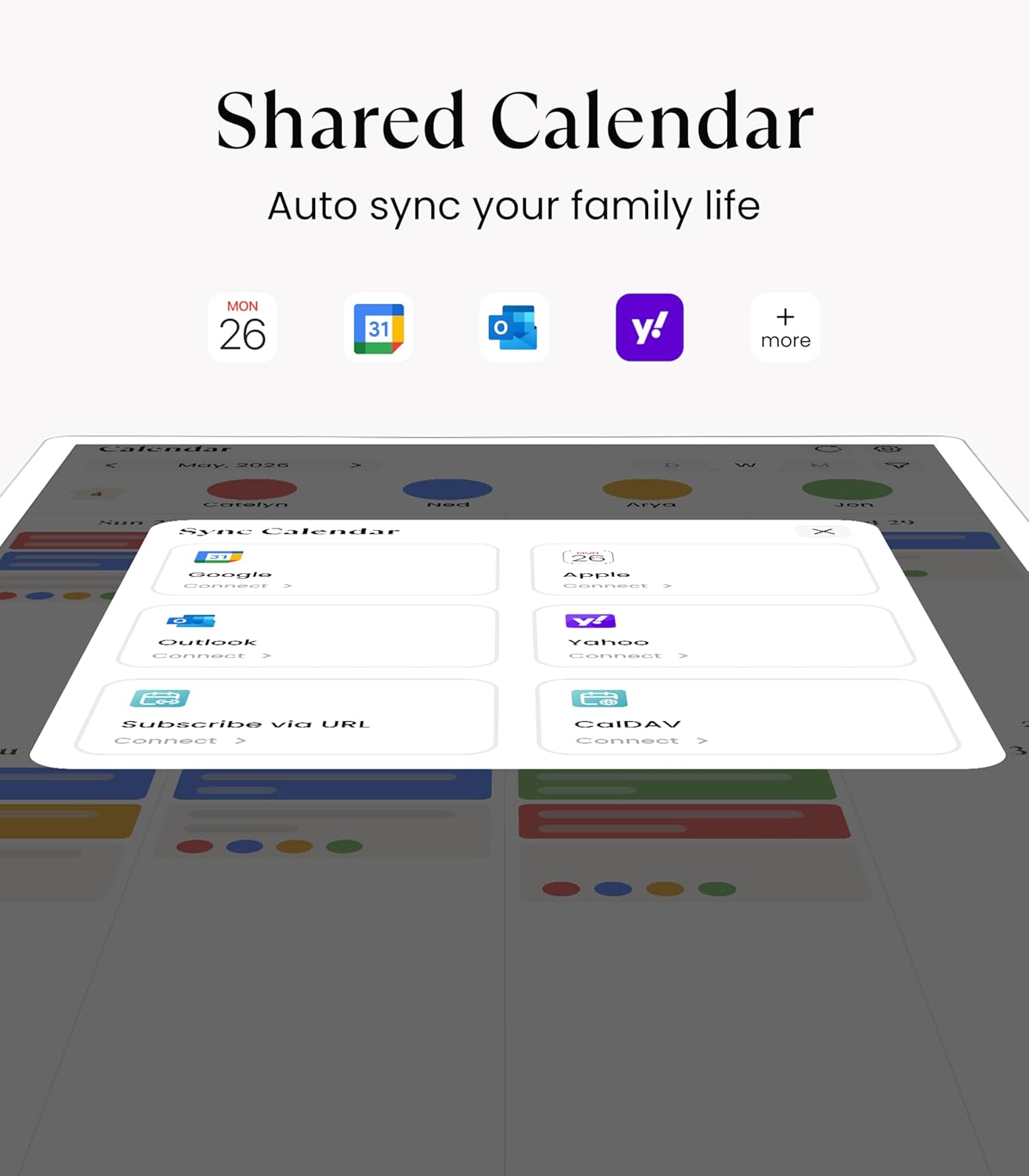
Cozyla Calendar Plus 2 is a large 24-inch digital wall calendar designed to act as a central hub for family organisation. It syncs in real time with Google, Apple, Outlook, Yahoo and more, so everyone’s events can be viewed from one shared screen. It also doubles as a planning centre for chores, meals and daily tasks, offering a wall-mounted display that aims to reduce household clutter and miscommunication.
How it works in practice
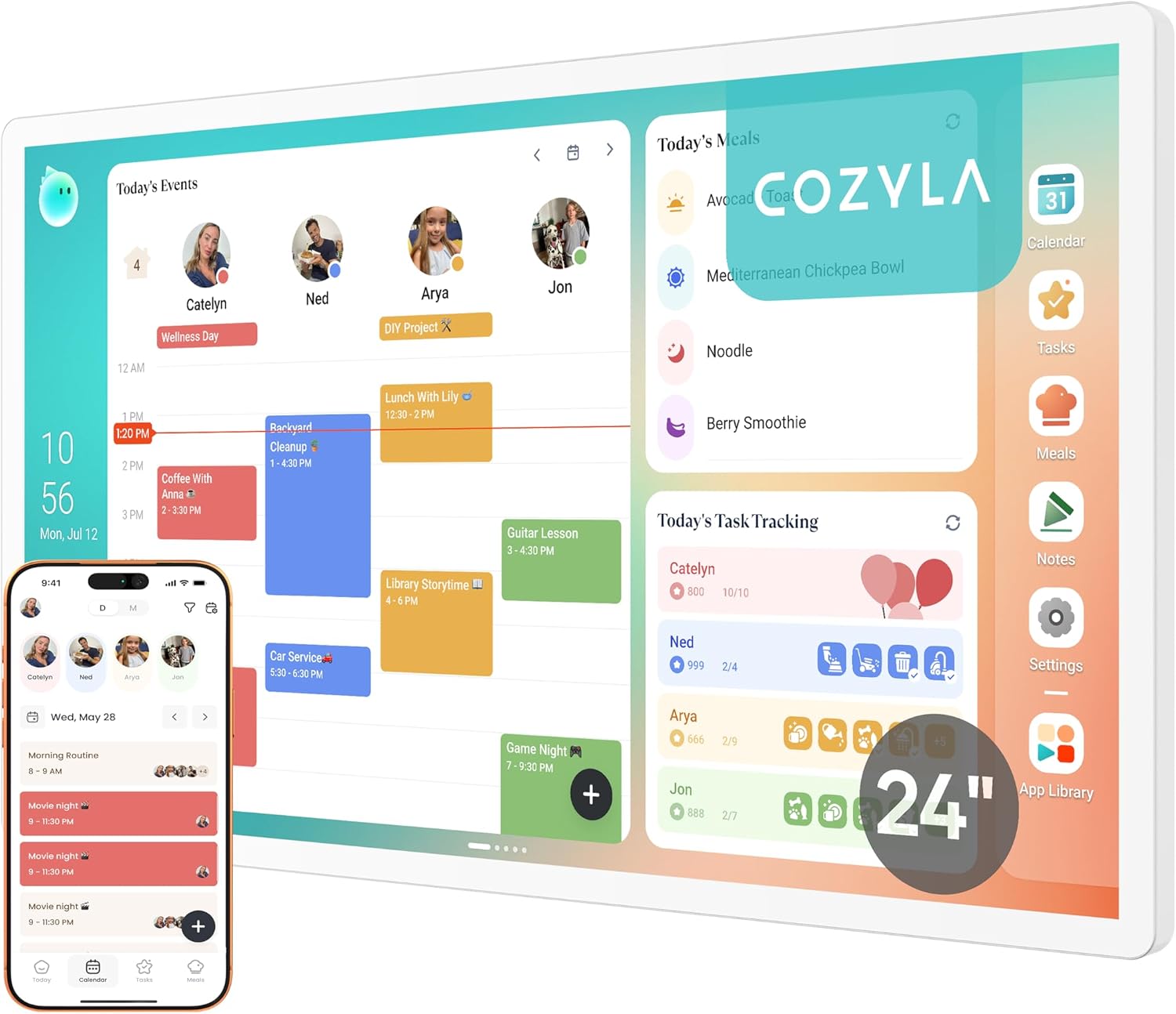
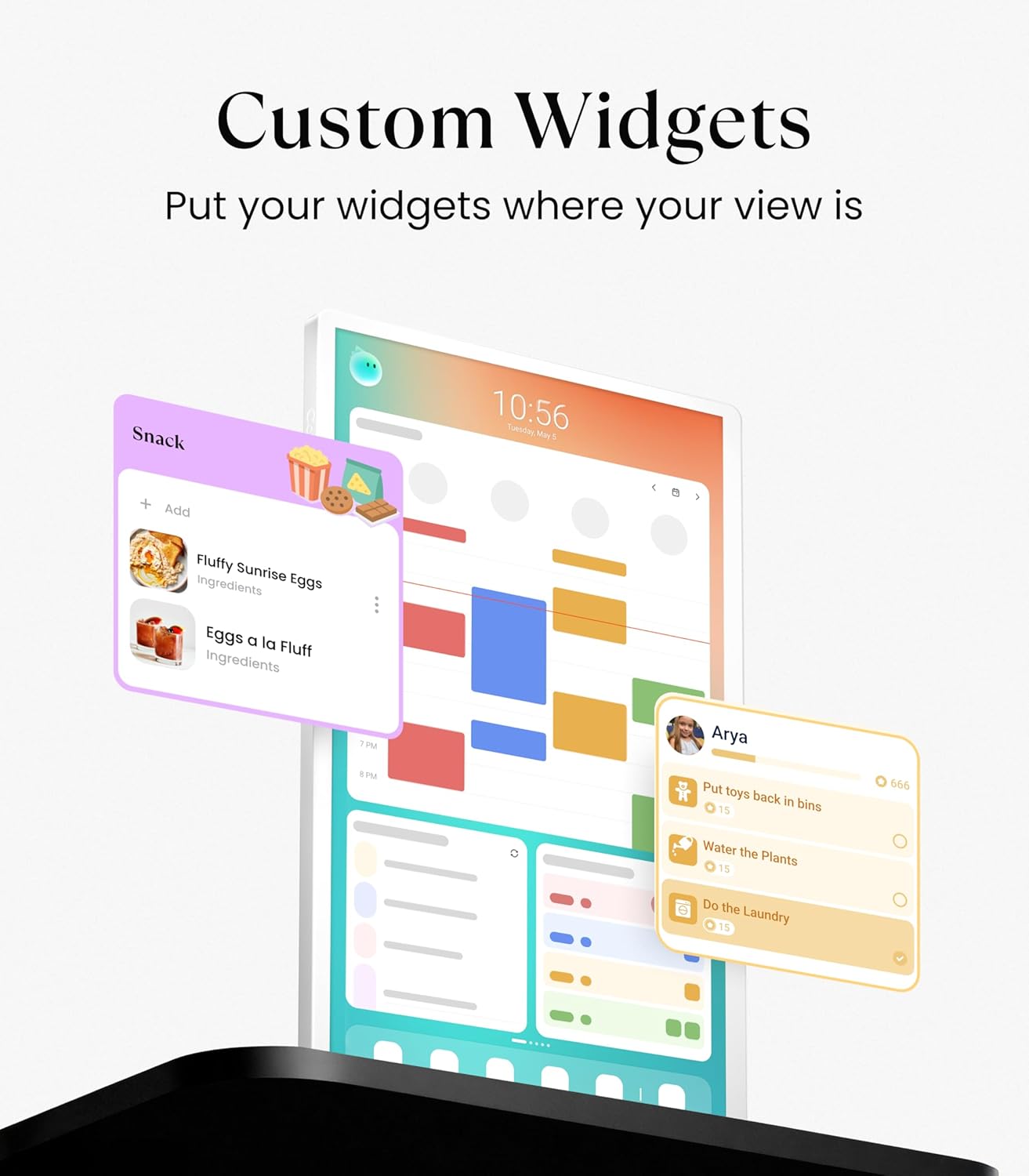
The Calendar uses the Cozyla+ companion app to share and edit events remotely, which can be handy for families on the go. On the display, you can drag and drop widgets like calendars, chore charts, meal planners, to-do lists and weather updates. The dashboard is customisable via the Google Play Store, so you can tailor the layout to your needs and preferences. A notable feature is the digital chore chart with a points system and avatars, designed to make family duties more engaging rather than a strict scoreboard.
Everyday use and suitability
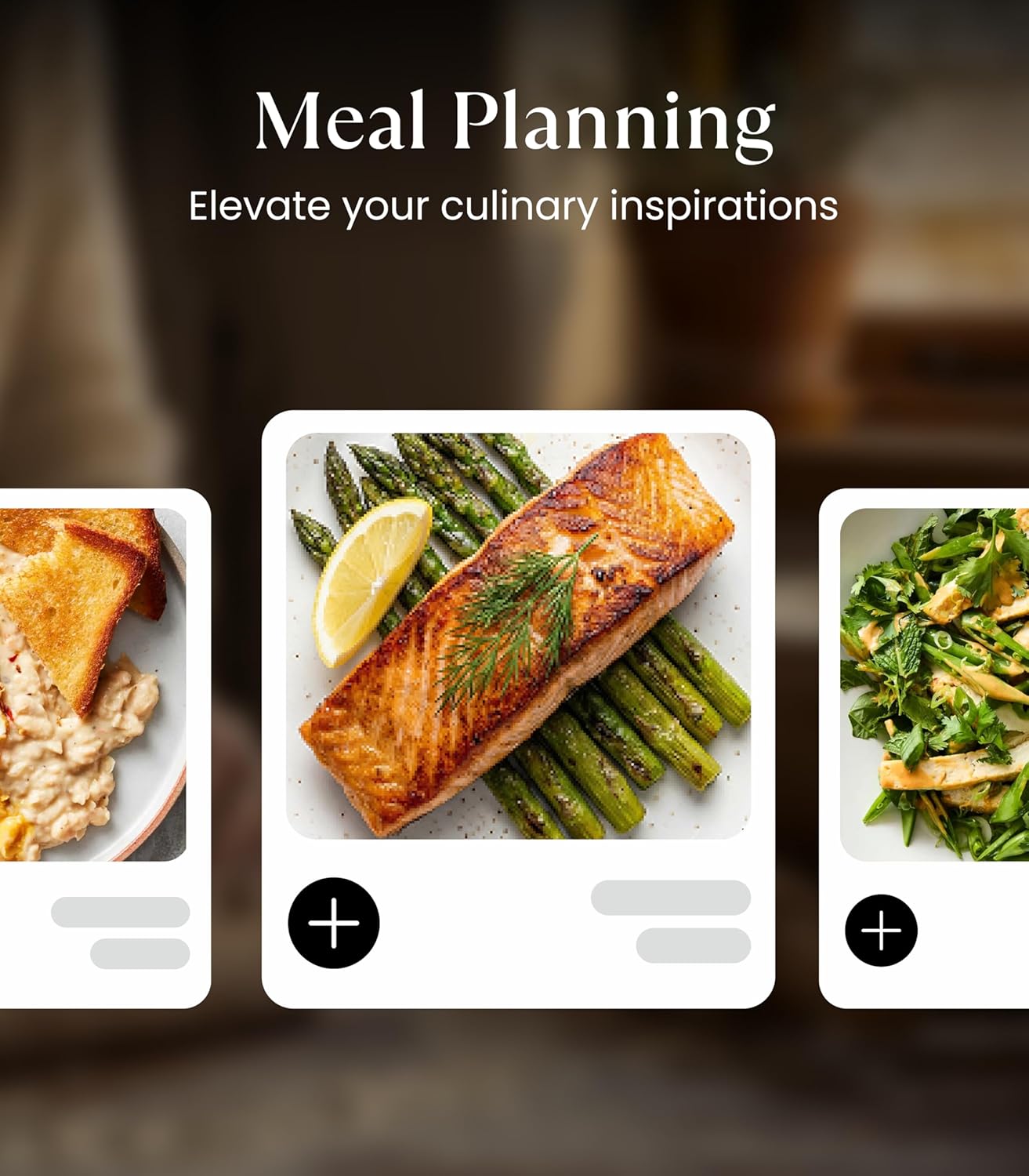
If you’re looking to replace paper calendars with a digital alternative, this wall calendar can function as a shared calendar, a meal planner and a simple home command centre. The ability to upload recipes or stream cooking videos and auto-generate shopping lists could help streamline meal planning, while pantry tracking adds a practical edge for week-by-week organisation.
What stands out and what may fall short
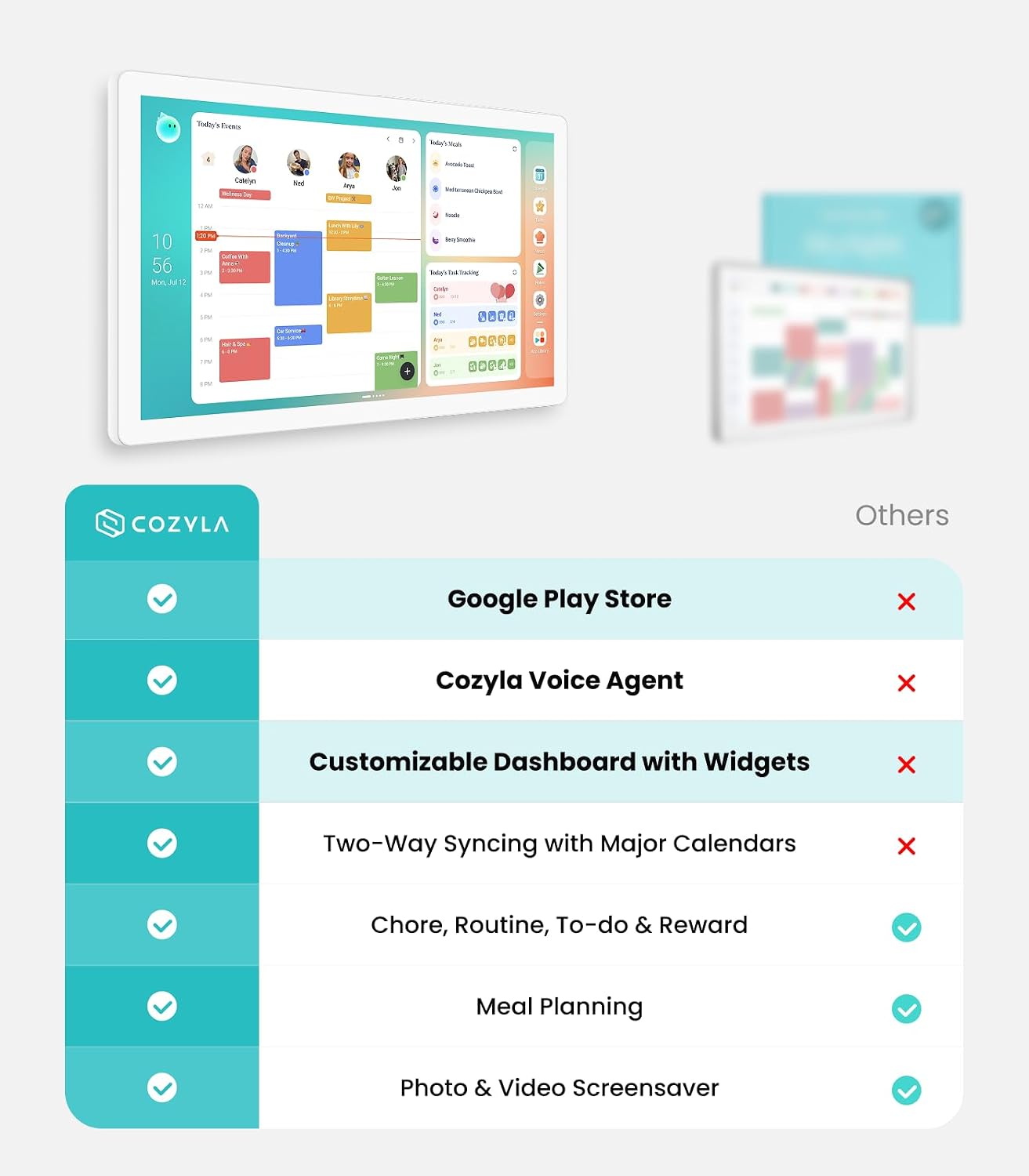
On the plus side, the device offers real-time syncing without a subscription, a sizeable touch screen, and a flexible orientation that can rotate between portrait and landscape. The integration with a broad ecosystem (Google, Apple, Outlook, Yahoo) is convenient for households using multiple platforms. On the caveats, the system relies on a connected ecosystem and apps for best use, if your household isn’t invested in app-based planning, you may not extract maximum value. Also, the setup and day-to-day use depend on comfortable navigation with a touchscreen and widgets rather than a traditional paper planner.
Who it’s for and who might skip it
Conviene to have in mind if you want a central digital planner for a busy family, with tasks and meal planning in one place. It might suit households already comfortable with digital calendars, smart home workflows, and a wall-mounted hub. If you prefer a purely analogue approach or don’t want the responsibility of keeping a digital calendar up to date, it may not be the best fit.
What to review before buying
Consider the installation space (wall area and orientation needs), whether you’ll primarily use it for calendar sharing or for meal planning and chores, and how well the Cozyla+ app integrates with your existing calendars. Also think about durability, ease of navigation for all family members, and the warranty terms (the product includes a 1-year warranty and 24/7 support).
Practical comparison and use case
Compared with traditional paper calendars or single-use planning tools, the Cozyla Calendar Plus 2 offers a centralised digital experience with real-time syncing and a child- or family-friendly chore and rewards system. If you value consolidated family planning on a single screen and are comfortable with app-based workflows, it can be more efficient than juggling multiple apps and note pads.
What you’ll notice day to day
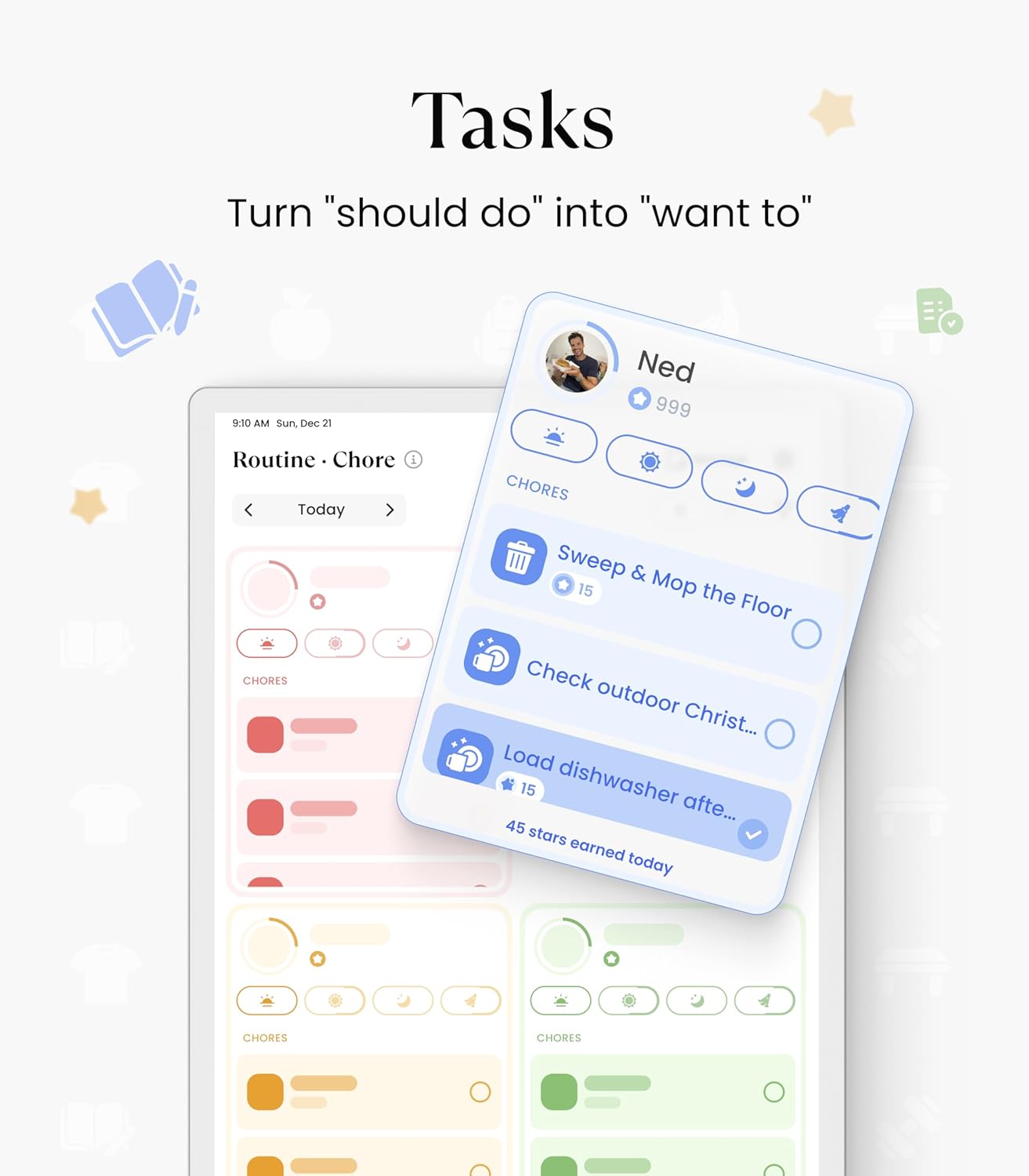
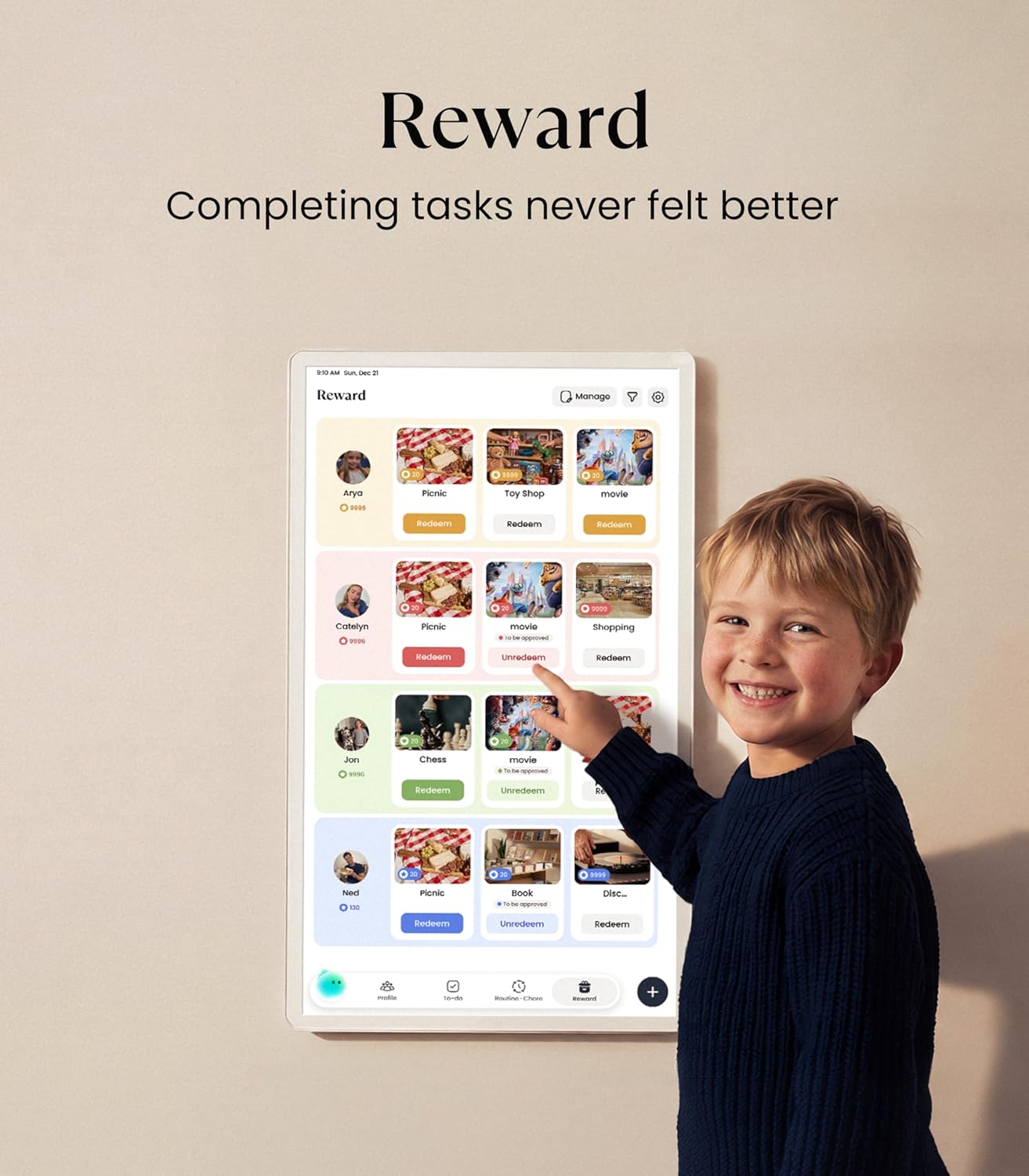
Expect a modern, clutter-free wall display that updates in real time and adapts to your preferred layout. The drag-and-drop widgets let you tailor the home screen, while the chore chart and meal planner features add a participatory element for family members. The occasional learning curve is possible for those new to digital calendars, and the value grows as everyone engages with the shared system.
Decision: Is it worth it?
It’s worth considering if your goal is a central, app-enabled family hub that combines scheduling with practical planning (chores, meals, lists) and you’re prepared to invest time in setup and ongoing use. If you prioritise simplicity, a low-tech approach, or don’t require cross-platform syncing, you may want to weigh alternatives.
FAQ
- How does syncing work without a subscription? It updates in real time through standard calendar services like Google, Apple and Outlook.
- Can the screen be mounted in either orientation? Yes, it supports both portrait and landscape orientations.
- Is there a limit to the number of family members or events? The data mentions sharing and editing via the Cozyla+ app, but no explicit user or event limits are provided in the available information.
Final thought
For households ready to move from paper to a central digital system, the Cozyla Calendar Plus 2 offers a practical mix of calendar sharing, chore management and meal planning on a single wall display. It may require a bit of initial setup and some ongoing engagement from all family members to realise its full potential.