

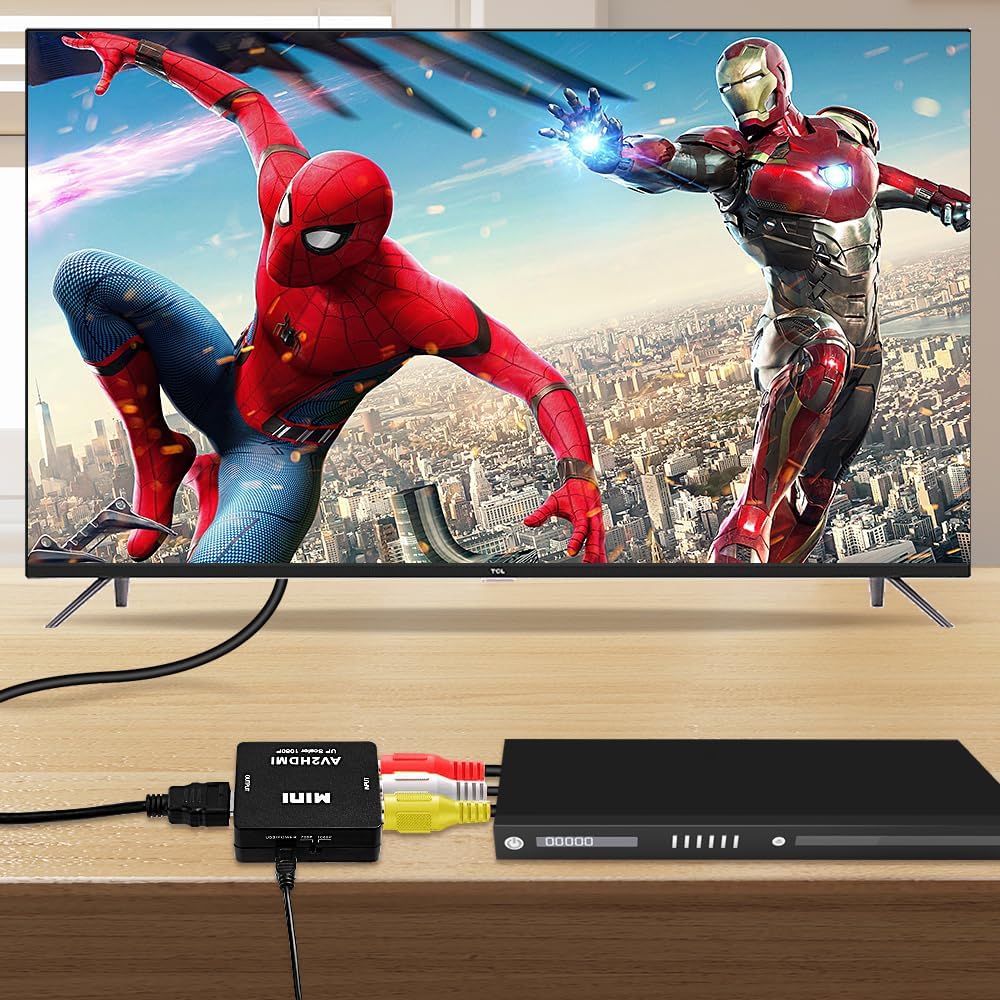
AXFEE RCA to HDMI Converter (Composite CVBS to HDMI) with USB Power Cable for 1080P Output
Product description
If you’ve still got devices that output composite video (RCA/CVBS), an RCA to HDMI converter is often the simplest bridge into a modern HDMI display. The AXFEE RCA to HDMI Converter is designed specifically for that job: taking the usual yellow/red/white composite input and producing an HDMI signal for TVs and monitors.
That said, it’s not a two-way adapter. On paper it converts RCA (composite) to HDMI only, so if you’re hoping to go the other direction you’ll need a different type of converter.
The essentials
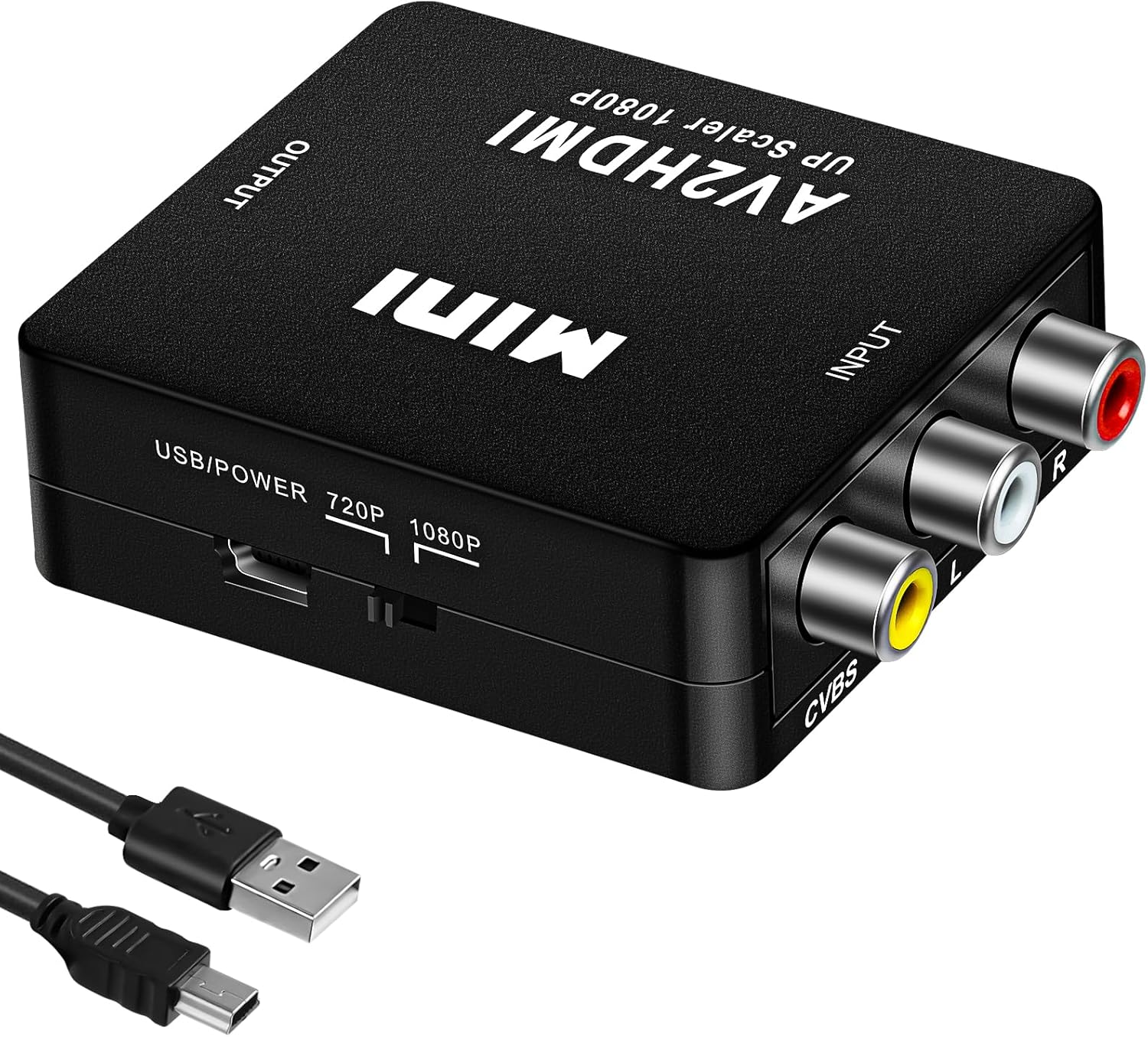
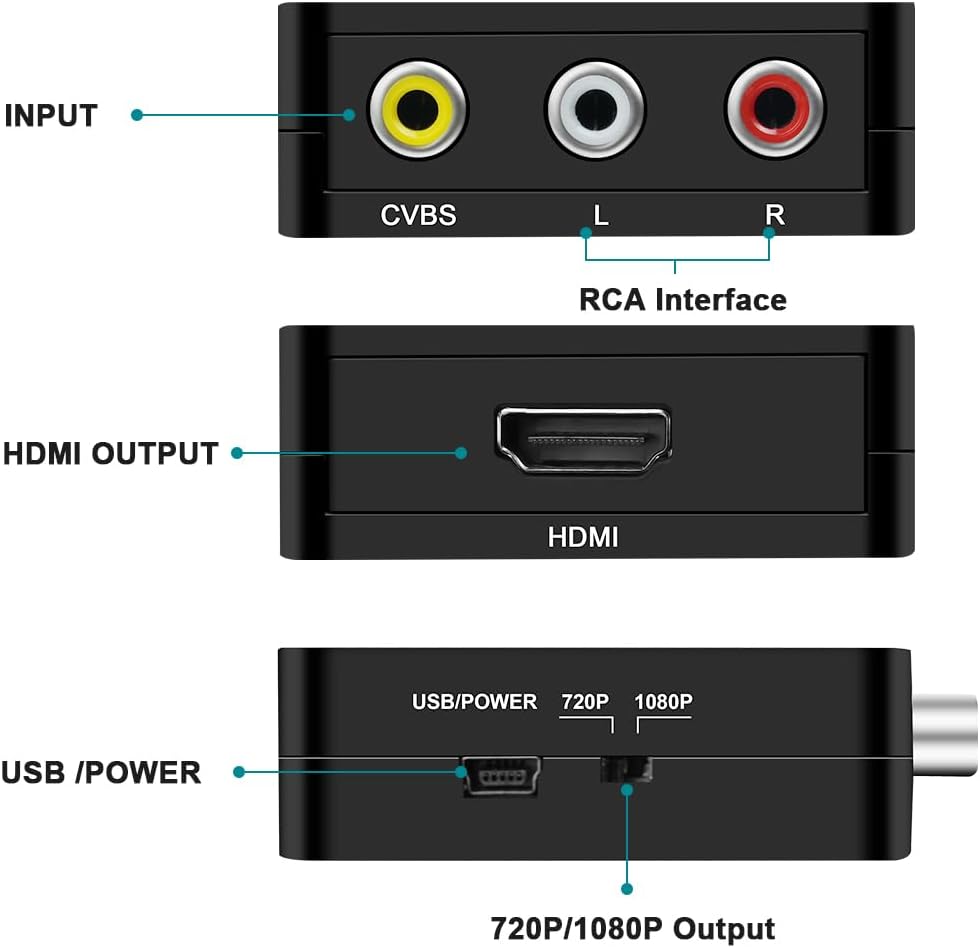
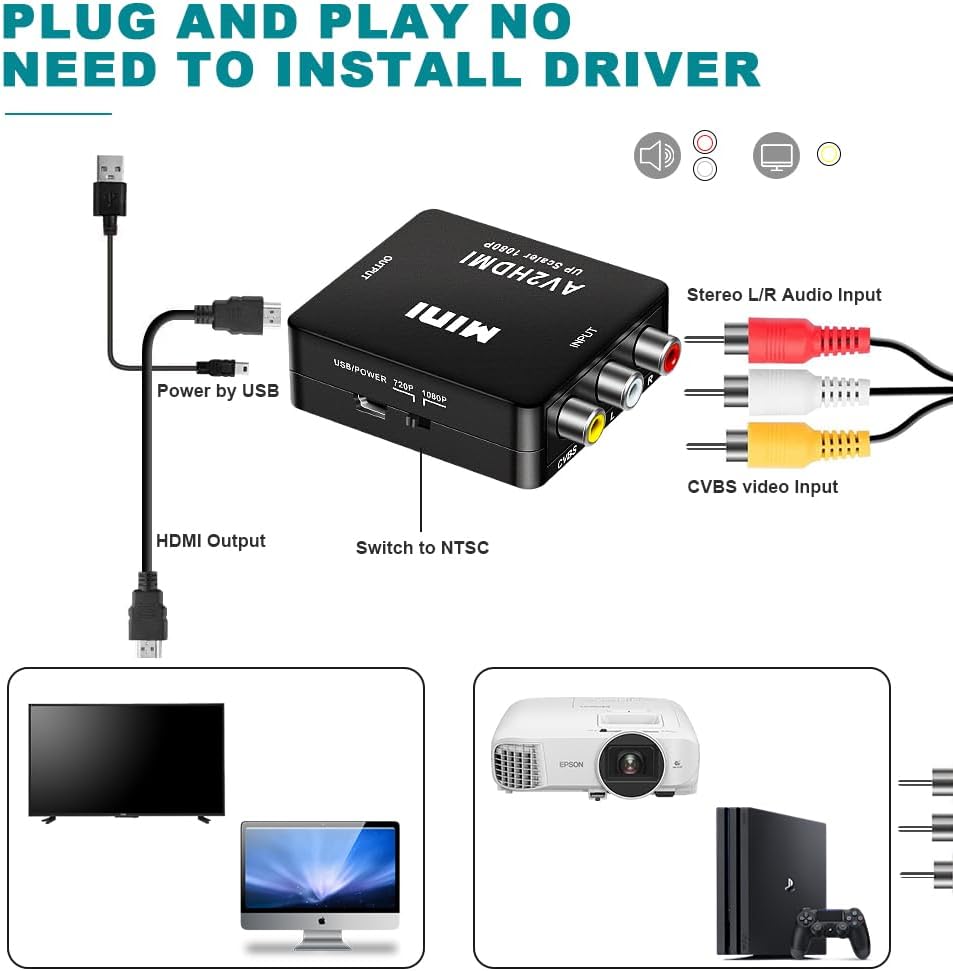
This AXFEE converter turns an analog composite RCA signal into a digital HDMI output. The brand claims output up to 1080P at 60Hz, and it’s described as a plug-and-play style adapter (no driver mentioned). There’s also an included USB power cable, and the instructions are clear that you’ll need to connect it to a 5V power source when using.
The practical point is simple: it’s for composite sources like older consoles, VCR/VHS players, and certain cameras or players that still use RCA connectors. In use, you’d connect RCA from the source into the AXFEE adapter, power the adapter via USB, then plug the HDMI into your screen. If your display has HDMI (most do), this is the straightforward way to avoid replacing the older device just to watch footage.
What it’s for (and what to expect)
Where this converter fits best is legacy hardware and “still useful but outdated” audio/video. The description lists support for PAL and NTSC variants, plus SECAM, and it mentions compatibility with composite signal standards like PAL/M and PAL/N.
On the processing side, the converter is presented as doing analog-to-digital conversion with features like black and white level extension, color transition improvement, dynamic range extension, and automatic detection/conversion of the composite signal. The idea is to produce a cleaner, more stable picture than you might get from a basic capture or cheap adapter.
That said, composite is composite—so if your source is low-quality (old tapes, worn outputs, or very noisy signals), the converter can only do so much. It may sharpen the picture “on paper”, but it can’t magically recreate a signal that wasn’t there in the first place.
Key specifications (from the provided details)
- Type: RCA composite (CVBS) to HDMI converter (not HDMI to RCA)
- Output: HDMI up to 1080P, 60Hz (claimed)
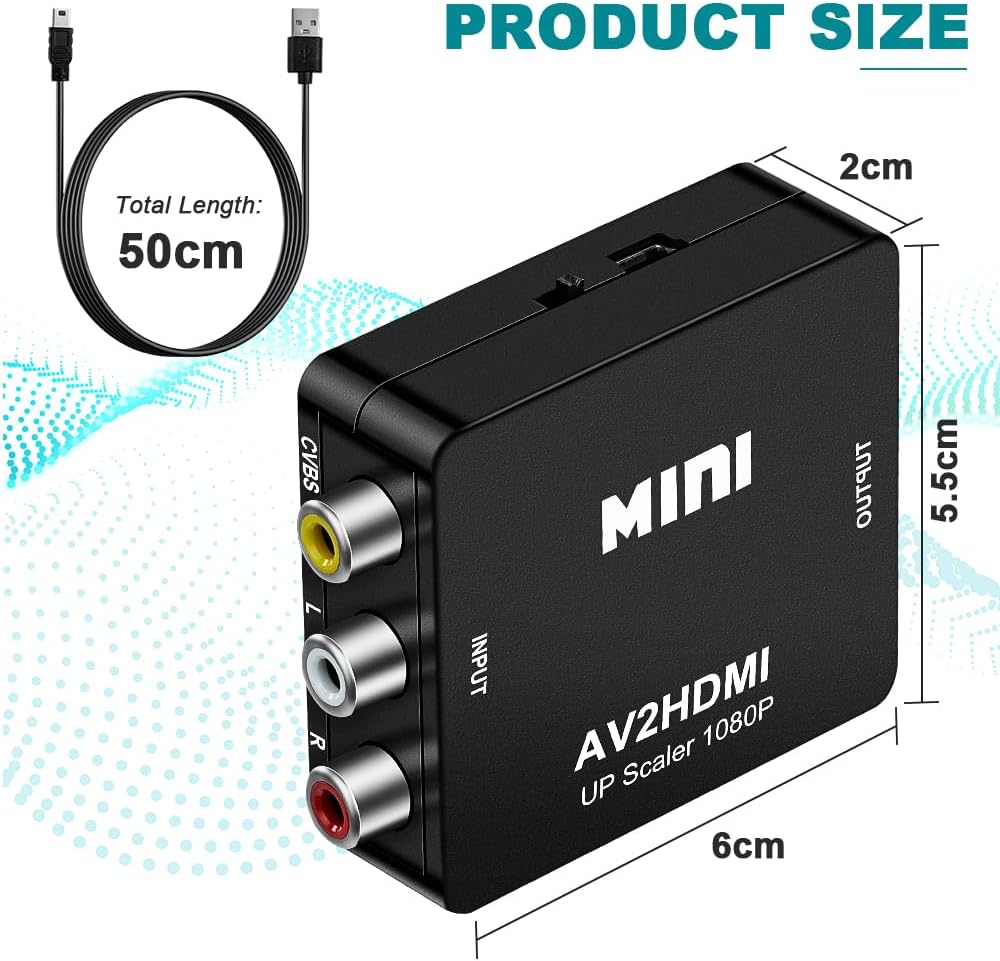
- Power: USB power cable required, connect to a 5V power source
- Video standards supported: PAL, NTSC 3.58, NTSC 4.43, SECAM, PAL/M, PAL/N
- Connection types: RCA composite input (yellow/white/red) to HDMI output
- Use case: analog-to-digital conversion for composite AV sources
What stands out in everyday use
The biggest day-to-day win is convenience. The adapter is described as plug and play without any driver, which matters if you just want it working quickly for a one-off setup—say, bringing a PS2-era console or an old VHS player into a modern living-room TV.
You’ll also like that it’s powered via USB. For many setups, USB power is easy to manage using a TV’s USB port or a nearby 5V adapter. The included USB cable lowers friction too, even if you might still need to find the right 5V power point.
One nuance to keep in mind: you’ll only get value if your source really outputs composite via RCA. If your device uses component (YPbPr), S-Video, or something else entirely, this converter won’t be the match.
Who it suits best
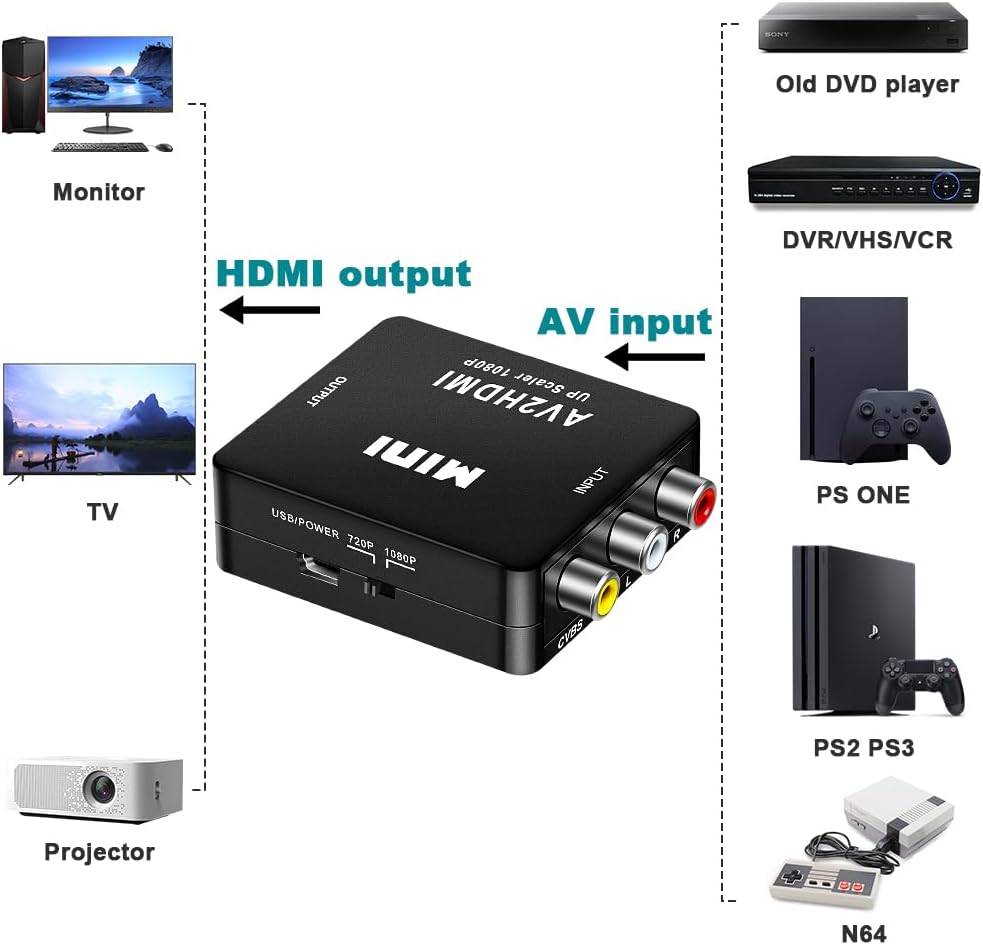
It’s a solid pick if you have legacy composite devices and you want HDMI output for a TV or monitor. Examples from the included compatibility list include PS2, Wii, Xbox, SNES, N64, VHS/VCR, and some camera/DVD/player/projector setups that offer standard composite AV input.
It may be a bit less convincing if you’re chasing the best possible picture quality from modern sources, because composite isn’t the same starting point as digital outputs. In that situation, a more direct HDMI source or a different input type usually makes more sense.
Things to check before you buy
Before committing, it’s worth double-checking a few basics:
- Your source uses RCA composite (yellow for video, red/white for audio).
- Your target screen has an HDMI input.
- You have access to a 5V USB power source for the adapter.
- You’re sure you need RCA to HDMI only (this one cannot be used as an HDMI to RCA/AV converter).
It’s also a good idea to think about your TV’s picture settings. Converters can make the picture look more stable, but you’ll still likely need to adjust overscan, aspect ratio, or picture mode depending on the display.
Final verdict
Should you buy it?
Worth considering if you want a straightforward way to connect composite RCA devices (PAL/NTSC/SECAM compatible) to an HDMI TV or monitor, and you’re fine with composite being the limiting factor. It suits practical, home-use setups where convenience matters and you don’t want to replace older kit.
You may want to skip it if you need HDMI-to-RCA functionality, or if your source doesn’t actually output composite via RCA. It might not be a great match if you’re expecting it to turn low-quality composite signals into near-HD “digital” quality.
Mini FAQ

Does this converter work both ways?
No. It’s described as an RCA to HDMI converter, so it isn’t meant for HDMI to RCA/AV conversion.
Do I need a computer or driver?
The description says it can be plug and play without a driver.
What power does it need?
You’ll need to connect the included USB power cable to a 5V power source when using.
What video standards does it support?
It claims support for PAL, NTSC (3.58 and 4.43), SECAM, plus PAL/M and PAL/N.
Will it work with any device?
It should only make sense for devices with standard composite AV (RCA/CVBS) output and an HDMI-capable display on the other end.