

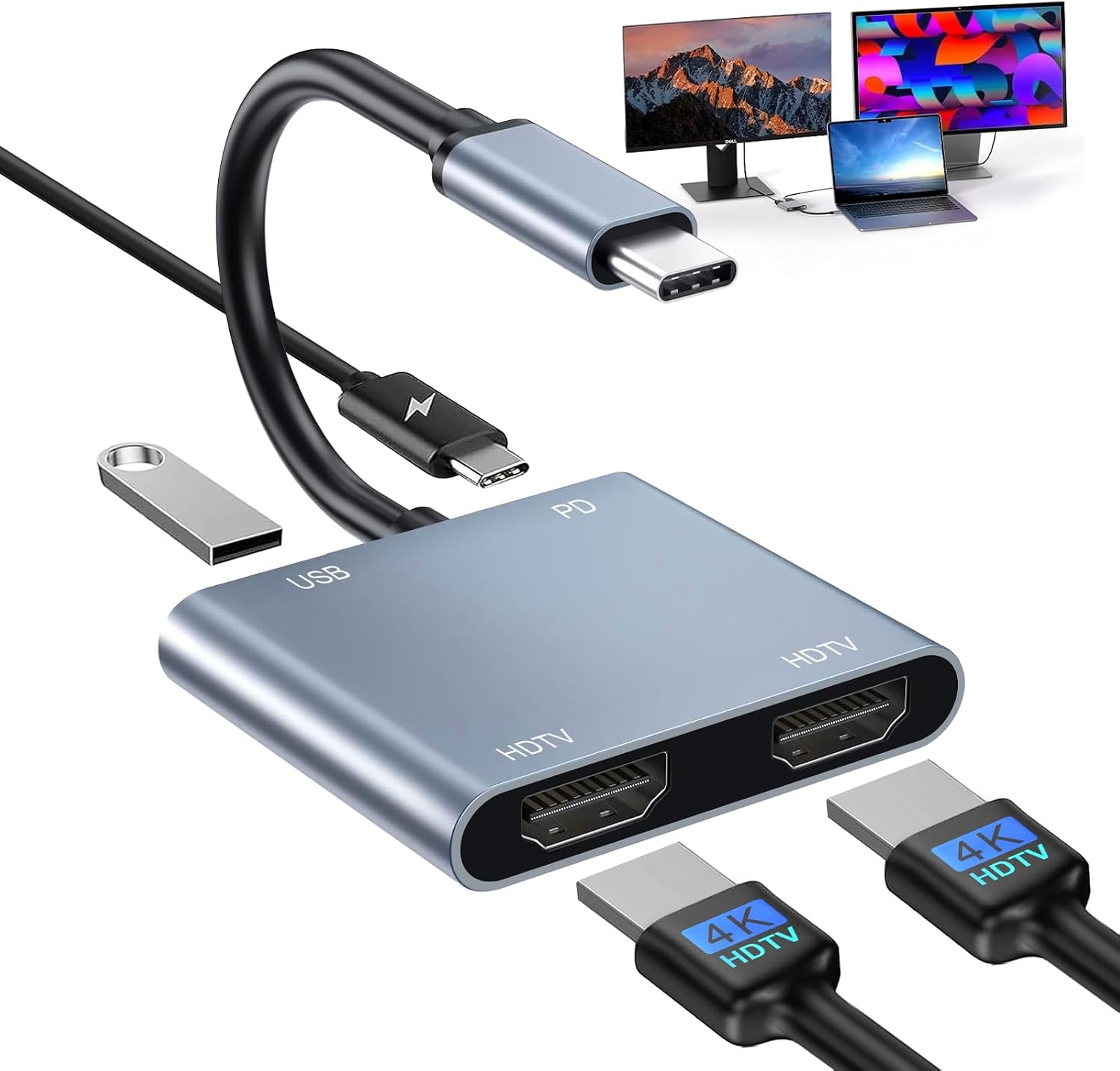
USB C to Dual HDMI Adapter 4 in 1: 4K@60Hz single HDMI, 4K@30Hz dual, 100W PD, USB C Hub for MacBook Pro/Air, iPad and more
Product description
The essentials
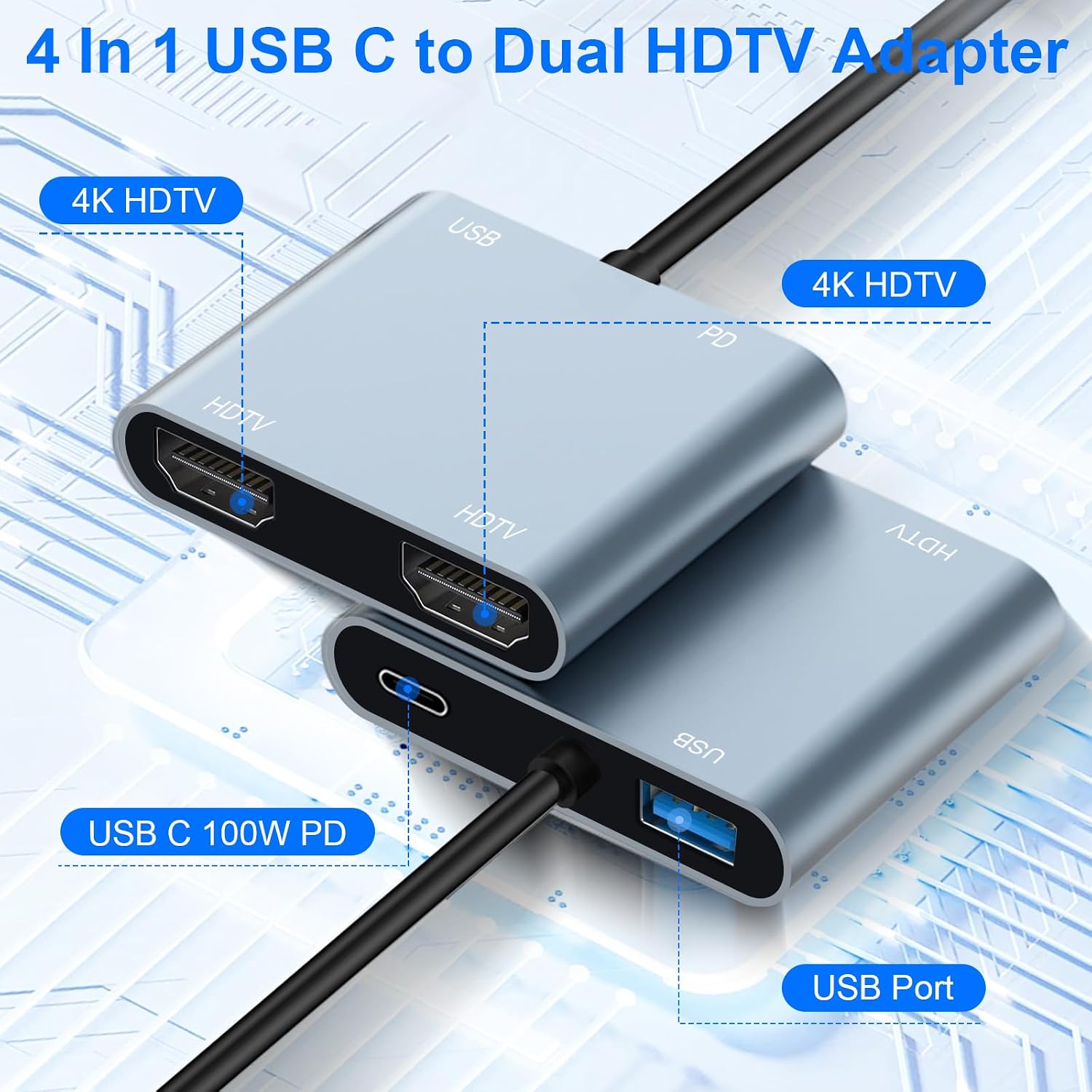
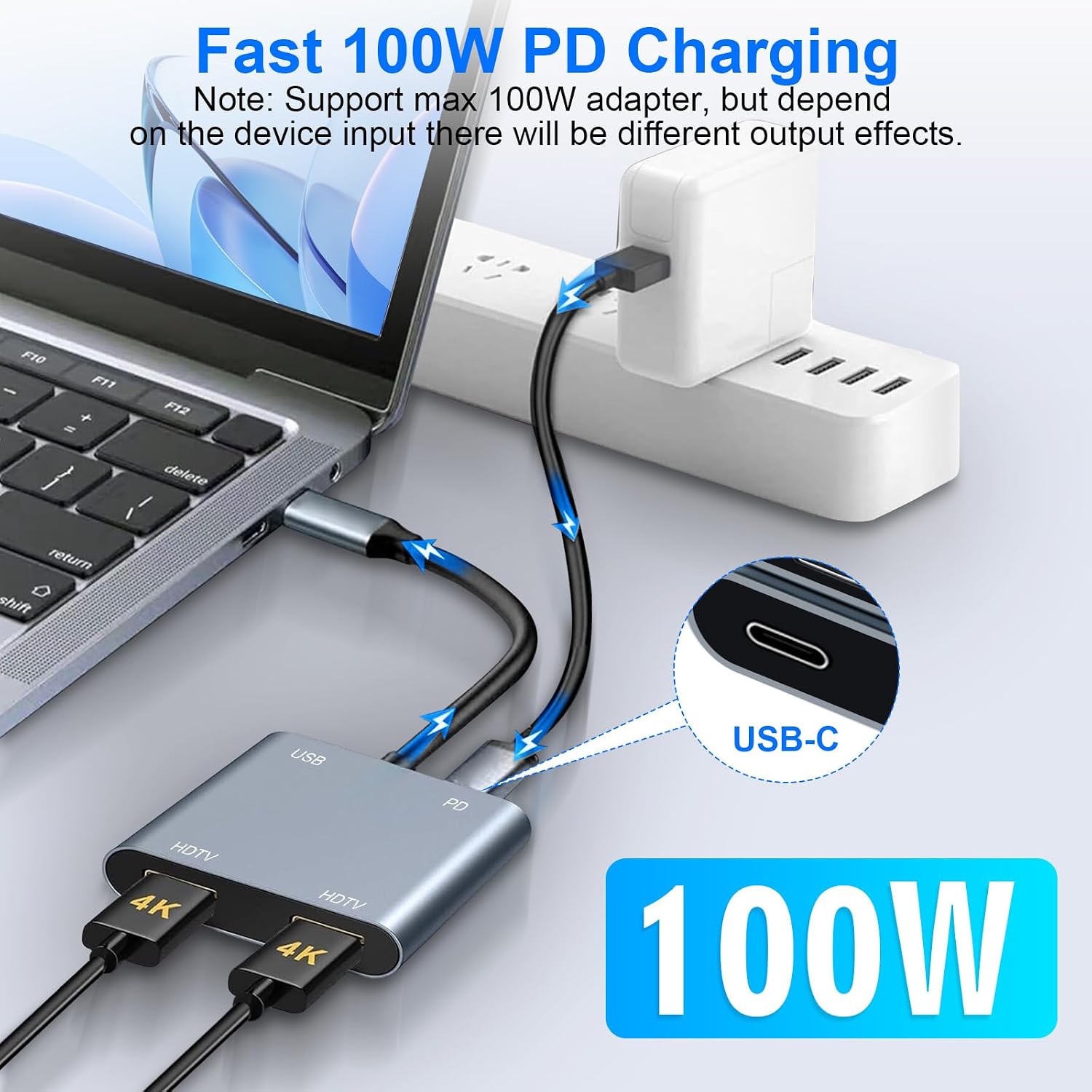
This USB C to Dual HDMI Adapter is a compact multiport solution designed to extend or mirror your laptop or tablet display across two external screens. With two HDMI outputs, it can drive a single 4K display at 60Hz when used solo, or two displays at 4K 30Hz when both HDMI ports are active. It also includes a USB-C Power Delivery (PD) charging port up to 100W and a USB 2.0 data port, giving you a way to keep devices powered and peripherals connected while you work or watch.
What it’s for
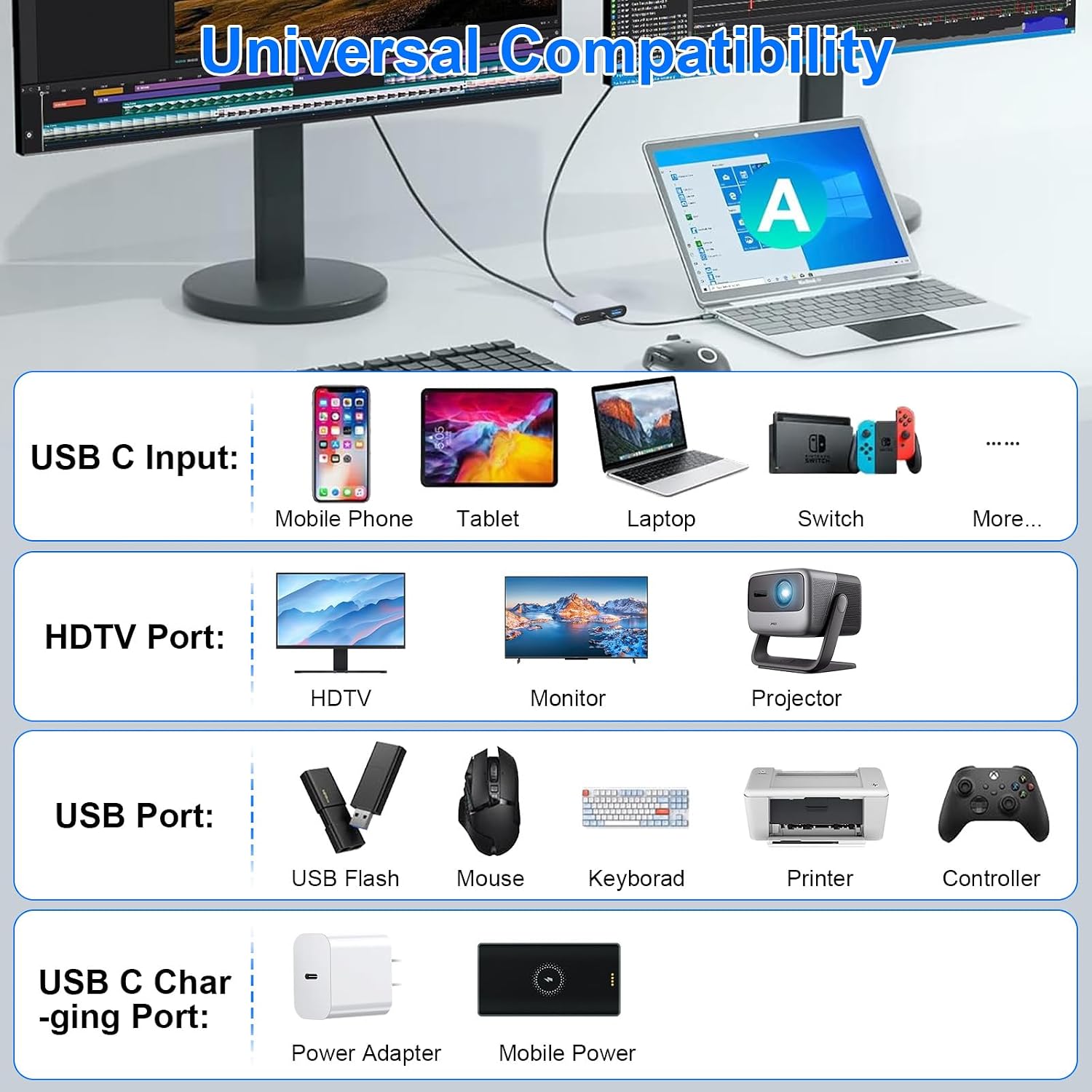
If you’re juggling work across two monitors, presenting on a bigger screen, or simply wanting a denser workspace setup, this hub aims to provide a practical plug‑and‑play solution. It’s especially useful for those who want to peg an external monitor setup to a laptop, desktop‑lite device, or tablet that supports USB‑C with DisplayPort Alt Mode.
How it performs
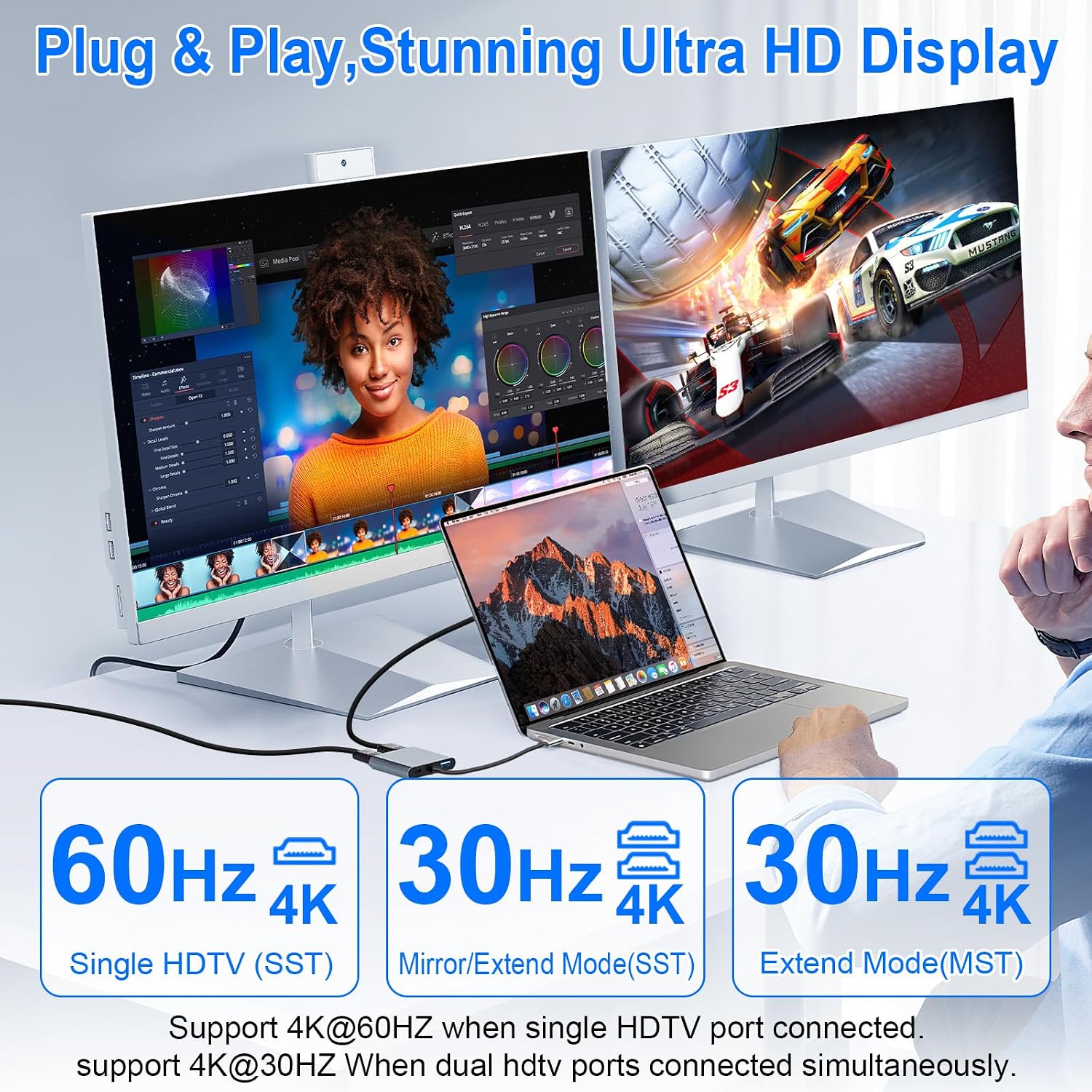
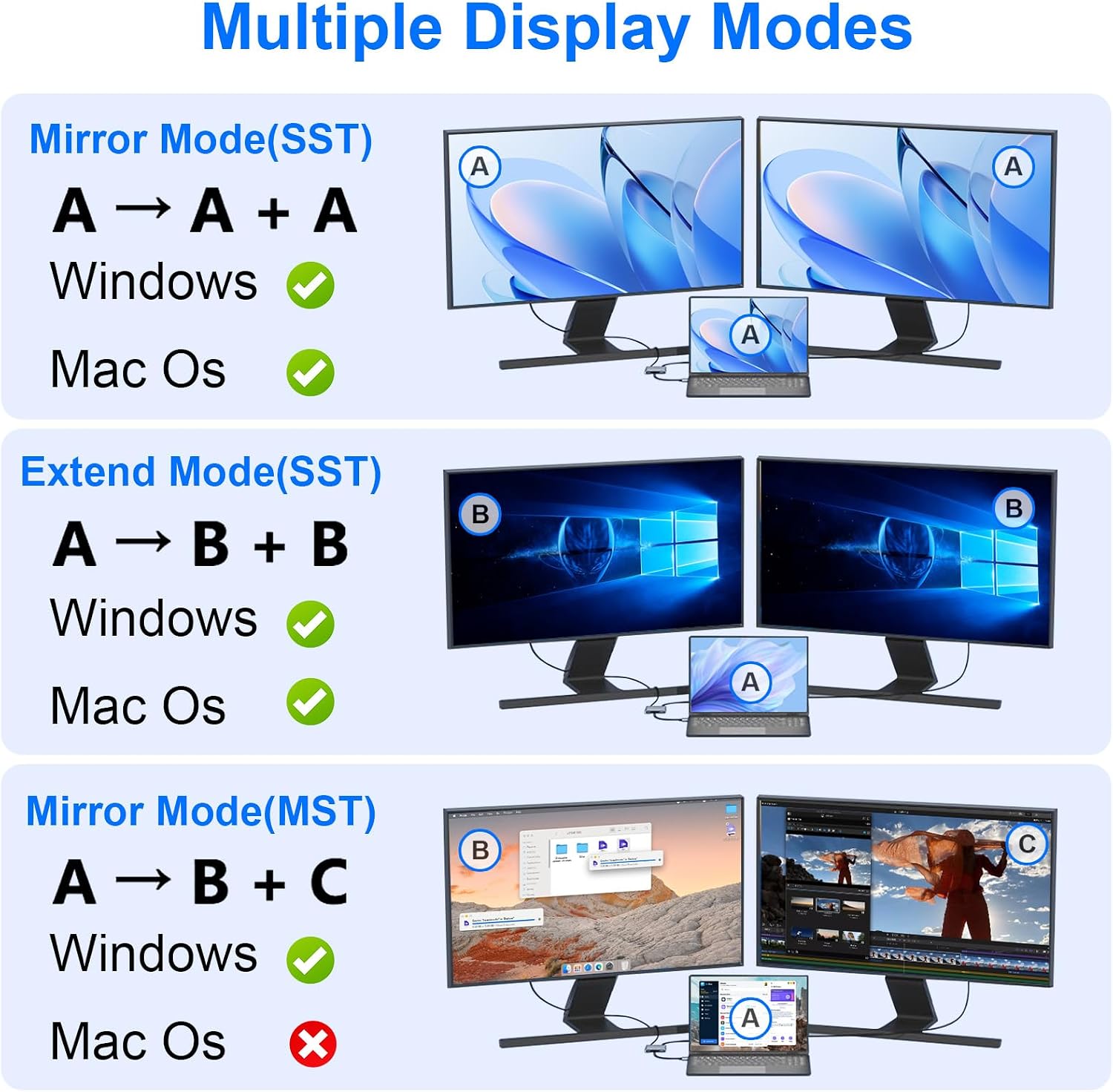
On paper, you get up to 4K at 60Hz on a single HDMI output and 4K at 30Hz across two screens. The dual HDMI approach is designed to support both mirror mode (identical output on both displays) and extend mode (two different displays). For Mac devices, note that macOS limitations may prevent extending to two independent screens, often resulting in mirrored output. Windows machines typically support both mirror and extend modes, provided the host USB‑C port supports video output.
What stands out
The inclusion of a 100W PD charging port is a meaningful plus, helping to keep laptops or tablets charged during long sessions. The USB 2.0 port adds basic peripheral compatibility, useful for keyboards, mice, or flash drives. The aluminium shell helps with heat dissipation and durability, while the device remains compact enough for a laptop bag.
Potential drawbacks
If you rely on true independent two‑monitor extensions on a Mac, you may find the configuration depends on macOS limitations rather than the adapter itself. Some users might notice that the two external displays mirror the same image rather than showing separate desktops. Also, not all USB‑C laptops will provide video output via DP Alt Mode or Thunderbolt 3/4, so compatibility should be checked before purchase.
Who it’s for
This adapter is well suited to memos‑heavy workloads, travel work, educators, and professionals who want an economical way to expand to two screens and keep devices charged at the same time. It’s particularly sensible if you primarily use Windows or want a straightforward setup for dual‑monitor productivity rather than chasing high‑end, multi‑display gaming rigs.
Who it isn’t for
It may not be the best fit if you rely on two entirely independent displays from a MacBook, or if your laptop’s USB‑C port does not support video output. In those scenarios, you may experience limitations around extending rather than mirroring.
Before you buy
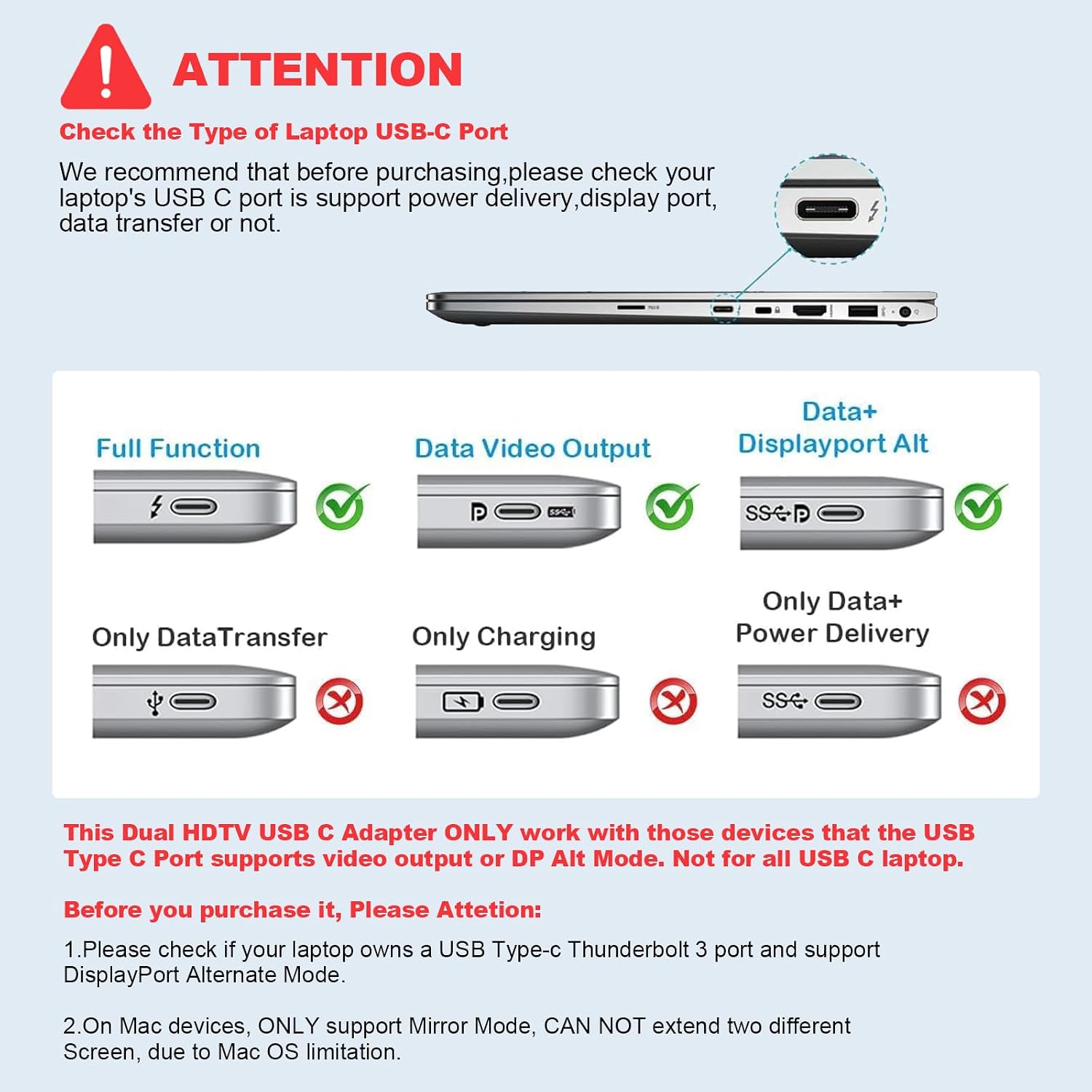
Check that your USB‑C port supports video output via DisplayPort Alt Mode or Thunderbolt 3/4. Consider your main use case: if you want two extended displays at high refresh and resolutions, you may need to test if your gear sustains 4K 30Hz on both outputs. For charging, confirm your power needs match the 100W PD capability, particularly if you’re using a power‑hungry workstation or charging while heavy tasks run.
How it compares to alternative approaches
Compared with a simple single‑HDMI dongle or a basic USB‑C hub, this 4‑in‑1 option bridges two HDMI displays and adds PD charging in one compact package. If your priority is building a flexible, portable dual‑screen desk setup without investing in dedicated docking hardware, this type of adapter offers a pragmatic middle ground. If you require two truly independent 4K displays with very high refresh rates on macOS, you might explore higher‑spec dongles or dedicated docking stations, bearing in mind cost and portability.
Is it worth it?
Final verdict: Worth considering if you want dual‑screen capability and convenient charging from a single compact USB‑C hub, with a sensible power delivery option and reasonable 4K support. It’s a more mid‑range, practical tool than a premium multi‑port dock, so manage expectations on macOS extension capabilities and be prepared for some setup nuance.
FAQ
- Can I use both HDMI ports at 4K 60Hz? Not simultaneously, one port supports 4K@60Hz when used alone, the other typically operates at 4K@30Hz when both are used.
- Will it charge my laptop while I’m using the displays? Yes, via the 100W PD charging port, subject to your laptop’s charging needs and port capabilities.
- Is it compatible with all USB‑C laptops? Compatibility depends on the host’s USB‑C port supporting video output (DisplayPort Alt Mode or Thunderbolt). If unsure, check your device specs before buying.
- Do I need drivers? No, plug and play in most cases.
- Is the output mirrored or extended on Windows? Windows generally supports both modes, macOS may mirror on some devices due to system limitations.