

Avast Premium Security 2026 for 1 Device — Activation Code by Email
Product description
What it is and what it aims to solve
Avast Premium Security 2026 for 1 device is a security subscription delivered as an activation code by email. It’s geared toward users who want real-time protection against viruses, spyware and other online threats without the complexity of enterprise-grade solutions. On paper, it combines malware blocking with privacy improvements and safer browsing, aiming to reduce everyday security risks from online activity and app usage.
What it protects and how it helps
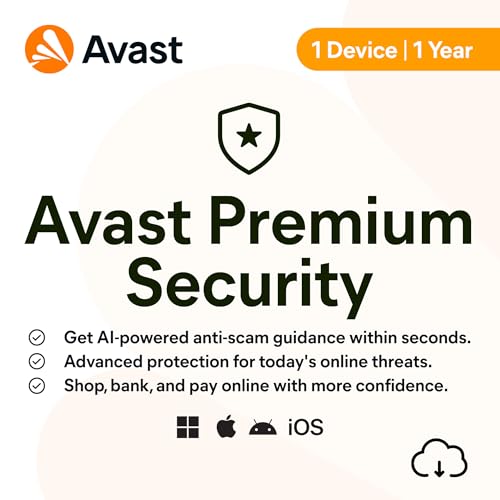
The base idea is straightforward: real-time threat blocking to prevent malware and spyware from taking hold, plus a layer of AI assistance via Avast Assistant to help identify scams online. The product also emphasises warning you about risky Wi‑Fi networks and intruders on your local network, which can be a practical feature when you’re using public or home networks for online banking and shopping. The overarching goal is to give you more control over your privacy and personal data, reducing general security risks that come with routine device use.
Who it’s for

If you value practical, consumer-focused protection that you can manage yourself on a single device, this could fit well. It’s likely most suitable for individuals who want straightforward, real-time protection rather than enterprise-grade managed security. Those who frequently shop or bank online from a home network, or who want an extra layer of awareness about suspicious sites, may find it appealing.
What stands out and where it may fall short
On the plus side, the inclusion of AI-powered assistance for detecting online scams could help in day-to-day decision making when browsing. Real-time threat blocking and warnings about network weaknesses are tangible benefits for responsible internet use. The mention of “activation code by email” streamlines the purchase flow for quick setup.
However, there are natural caveats. The description provided emphasizes features on broad terms, not specific protection layers, performance metrics, or impact on system resources. For some users, the value hinges on how the AI assistance performs in practice and how intrusive the protection becomes during normal tasks. In addition, the offer is for a single device and a one-year window, as with many security suites, long-term value depends on ongoing renewal decisions and compatibility with your device OS version.

How to decide if it’s the right choice

Conviene tener en cuenta your current security setup. If you already use a reputable security programme with real-time protection and you’re satisfied, this Avast offer should be weighed against incremental improvements and total cost over the year. If you prioritise a straightforward setup, clear email activation and a focus on privacy protection with network warnings, it could be worth trying. If, however, you need multi‑device coverage, centralised management, or advanced enterprise features, you might need a broader licence or another solution.
What to check before buying
- Confirm you’re buying a 1 device, 1 year licence that aligns with your device’s OS and version.
- Check how activation is delivered (via email) and whether you’ll need to sign into an Avast account to manage renewals or re-licensing later.
- Consider how much you value AI-assisted scam detection versus core antivirus protection and privacy features.
- Review potential impact on system performance during scans or live protection, particularly on older hardware.
Practical usage: what you can expect in daily life
Imagine using your laptop for online banking. The suite’s real-time protection acts in the background to stop suspicious downloads and links, while Avast Assistant nudges you when a site looks dubious. If you’re connecting to a new Wi‑Fi network at a cafe, you’ll get a reminder about potential weaknesses, which can prompt you to avoid entering sensitive information until you’re on a trusted network. Over time, these patterns can make everyday online tasks feel safer, even if you don’t notice overt changes in performance.

Quick comparison: what you’re choosing between
This single-device licence suits someone who wants a pragmatic, less-perimeter heavy security layer without committing to multi-device coverage. If you prioritise cross‑device protection, family sharing, or centralised controls, a different licence or multi‑device option could be a better fit. In short, it makes sense for a user who wants straightforward protection and privacy prompts on one device, rather than a broader security footprint.
FAQ (based on available information)
- Is it compatible with my operating system? The data provided does not specify OS compatibility details. Check the product page for system requirements before purchase.
- What does the activation process involve? Activation is delivered by email as a code, which implies a quick setup after purchase.
- Does it protect against identity theft beyond online scams? The description mentions privacy protection and scam detection, but it does not detail identity theft protections. Clarify with the retailer or Avast support.
- Can I upgrade to cover more devices later? The information here does not confirm upgrade paths, investigate licensing options if you anticipate needing more devices.
Is it worth it?
Final verdict: worth considering if you want a practical, single-device security suite with real-time protection, scam-detection assistance, and network‑level alerts, all accessible via a straightforward activation flow. It may not be the best option if you need multi-device coverage or advanced enterprise features, or if you require detailed technical specifications upfront.