

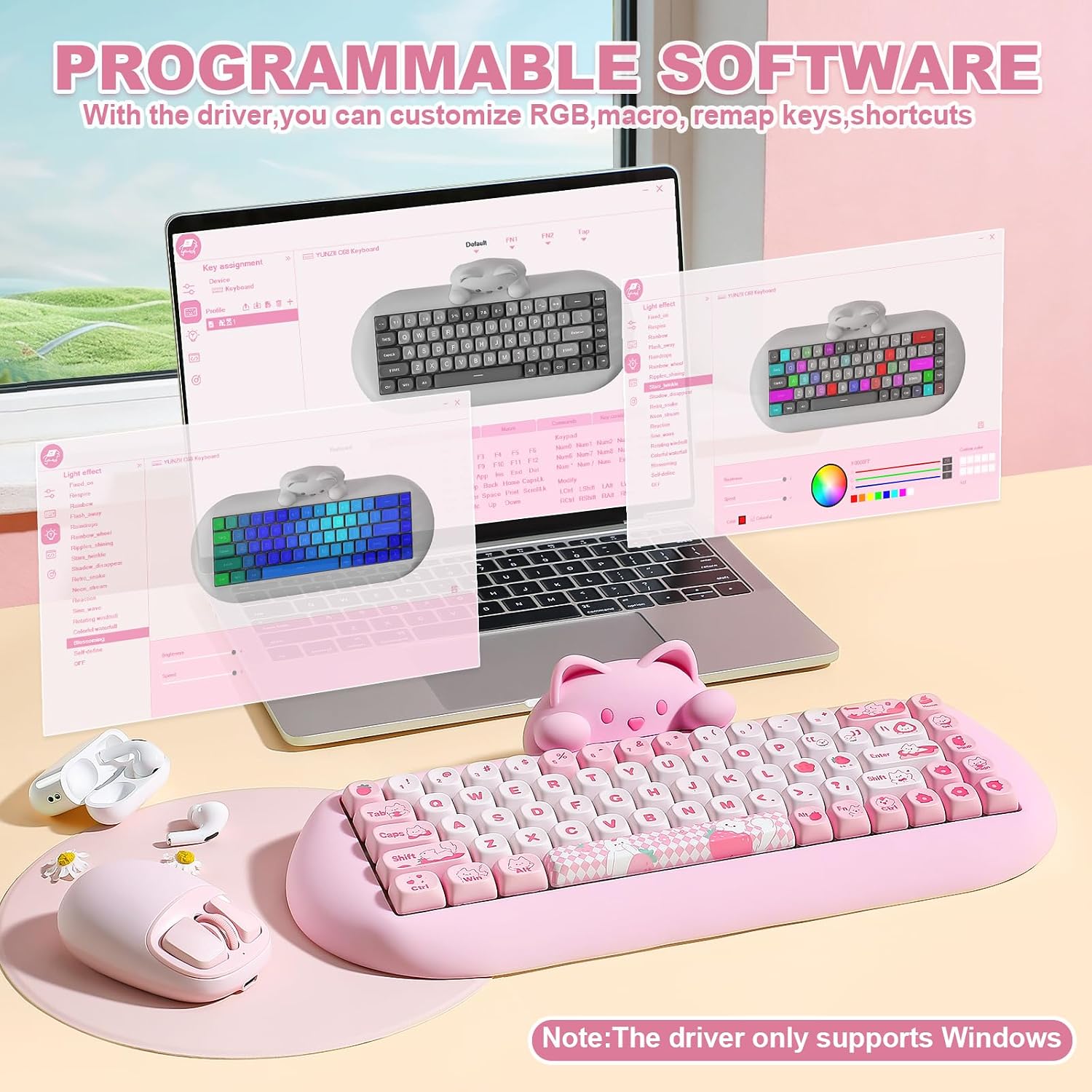
YUNZII C68 Wireless Mechanical Keyboard: 65% Cat-Inspired, Hot-Swap, Tri-Mode Connectivity
Product description
Overview
The YUNZII C68 is a compact 65% wireless mechanical keyboard designed to blend playful aesthetics with practical typing performance. If you’re after a small footprint that still fits a full keyboard’s feature set, this model aims to strike that balance. The silicone cat-head design is detachable, offering a cute, customizable look while keeping the core compactness you’d expect from a 65% layout.
Design and feel
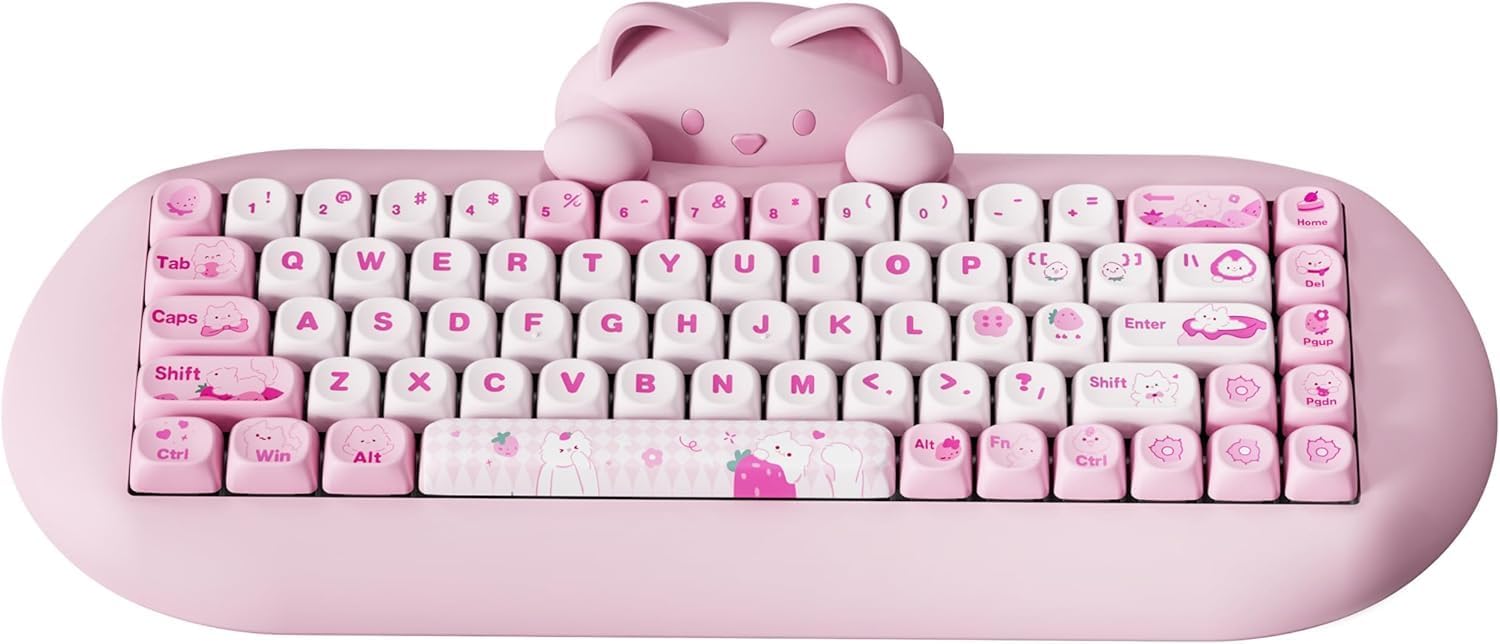
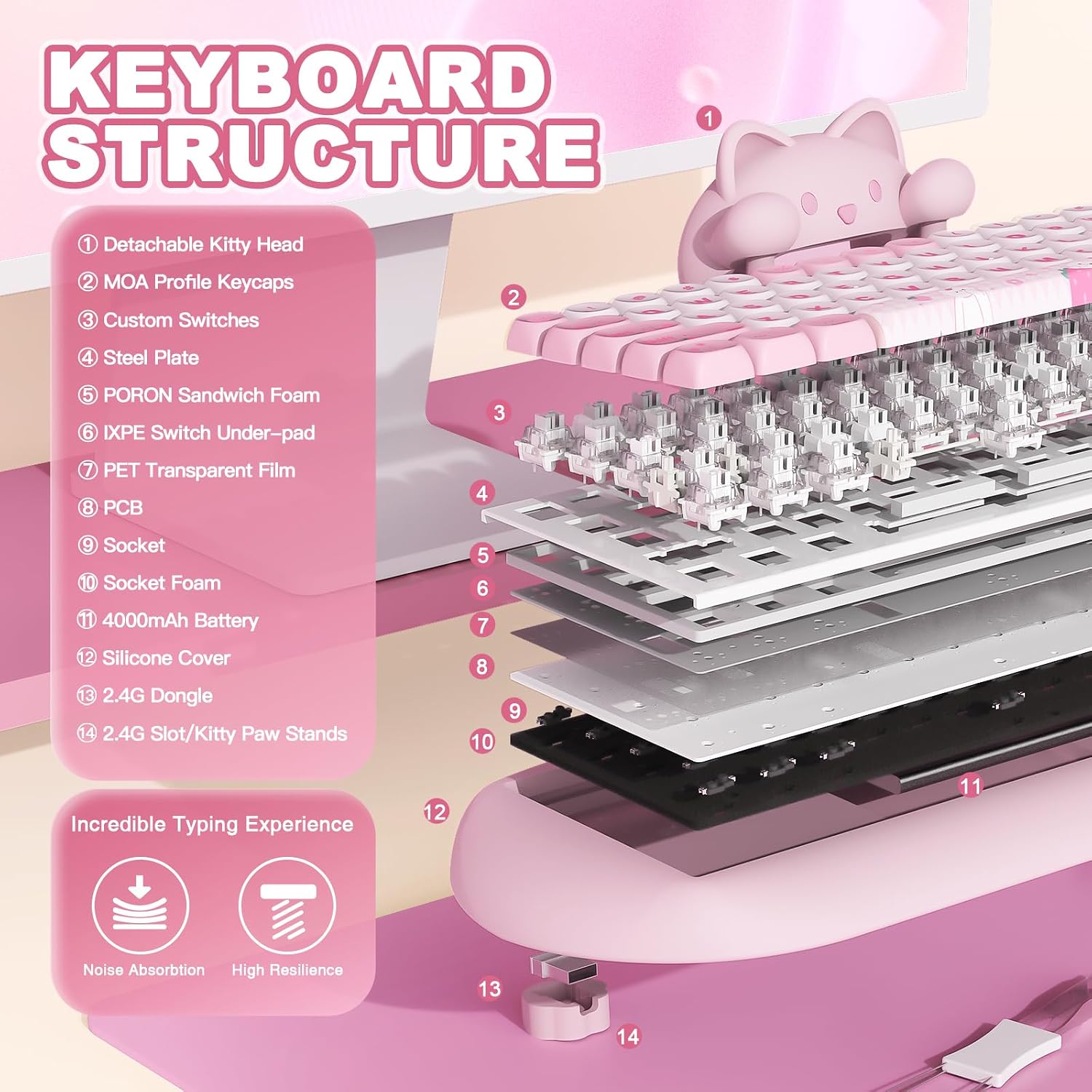
On the surface, the silicone chassis and MOA-profile PBT keycaps underscore a focus on pleasant feel and easy cleaning. The board is built to reduce typing fatigue with a smoother, oil-sprayed finish that’s easier to wipe down than many standard plastics. Multiple sound-absorbing layers, pre-lubed switches, stabilizers, and a solid silicone shell work together to minimize typing noise, which can be a noticeable plus if you share a workspace or game at night.
Connectivity and versatility
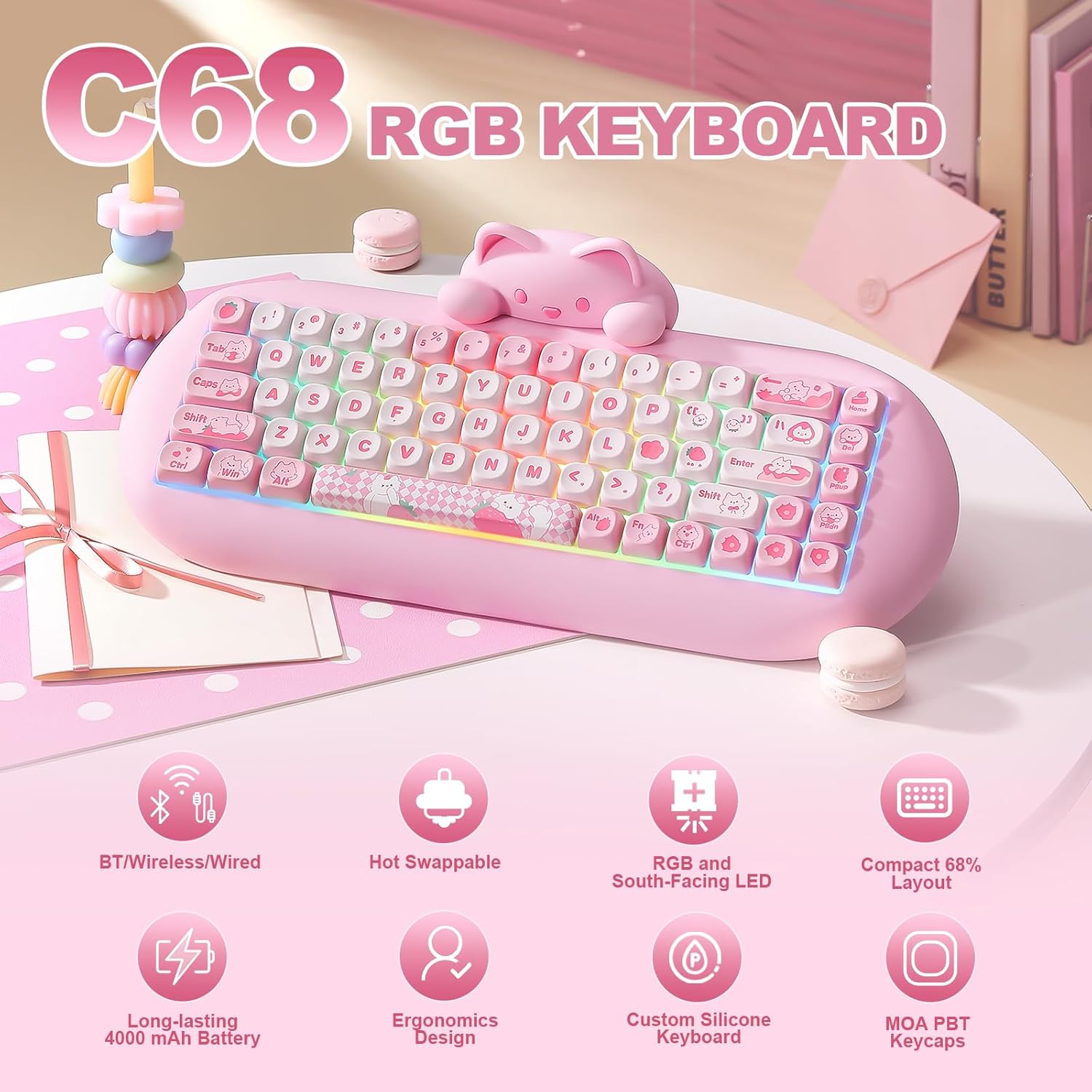
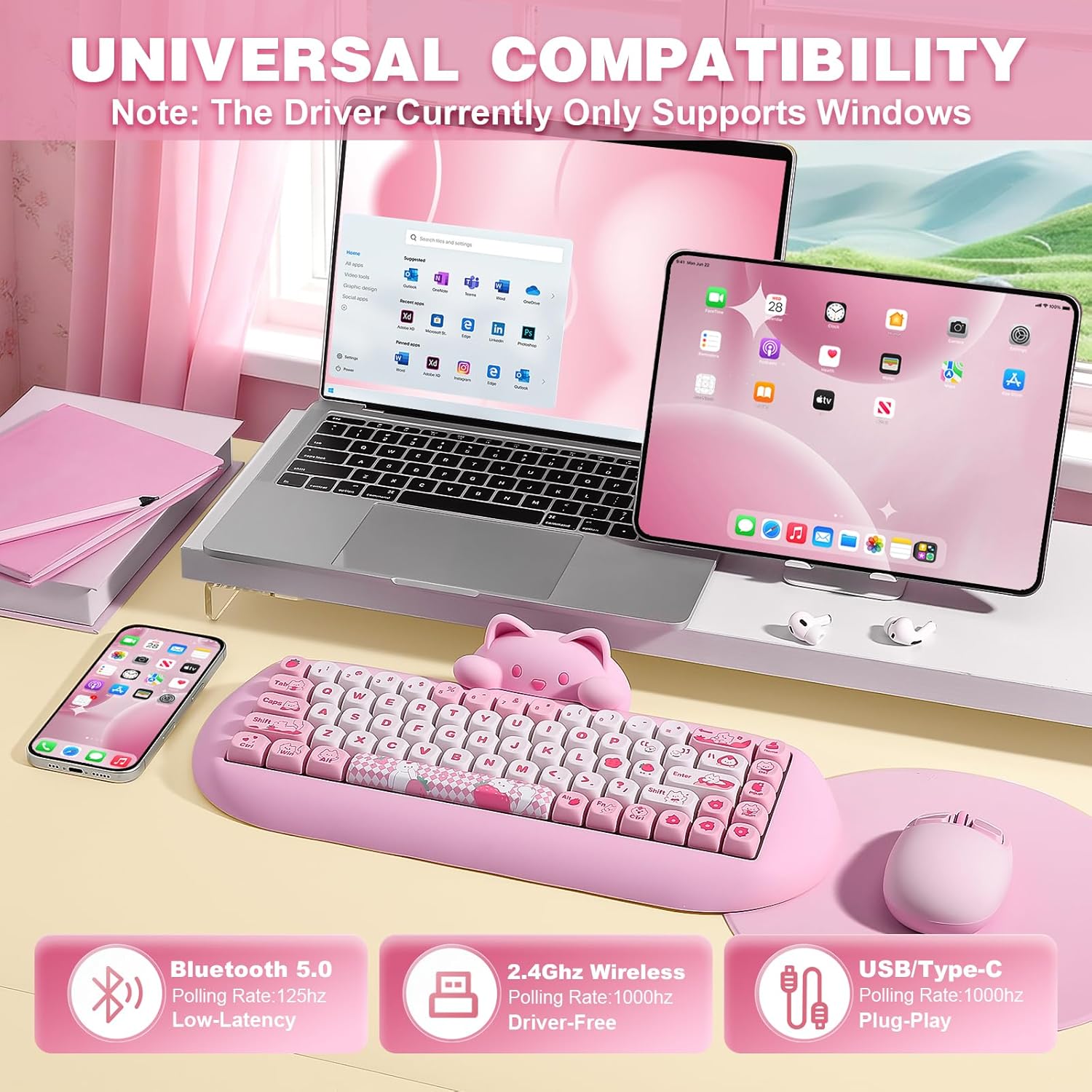
The C68 supports three modes: Bluetooth 5.0, 2.4G wireless, and wired Type-C. In practice, you can connect to up to four devices at once and switch between them without much fuss—handy if you juggle a PC, a tablet, and a work laptop. Battery life is claimed at up to 72 hours of typing on a single charge with a fairly large 4000 mAh cell, though real-world results will vary with RGB usage and backlight intensity.
Typing and switches
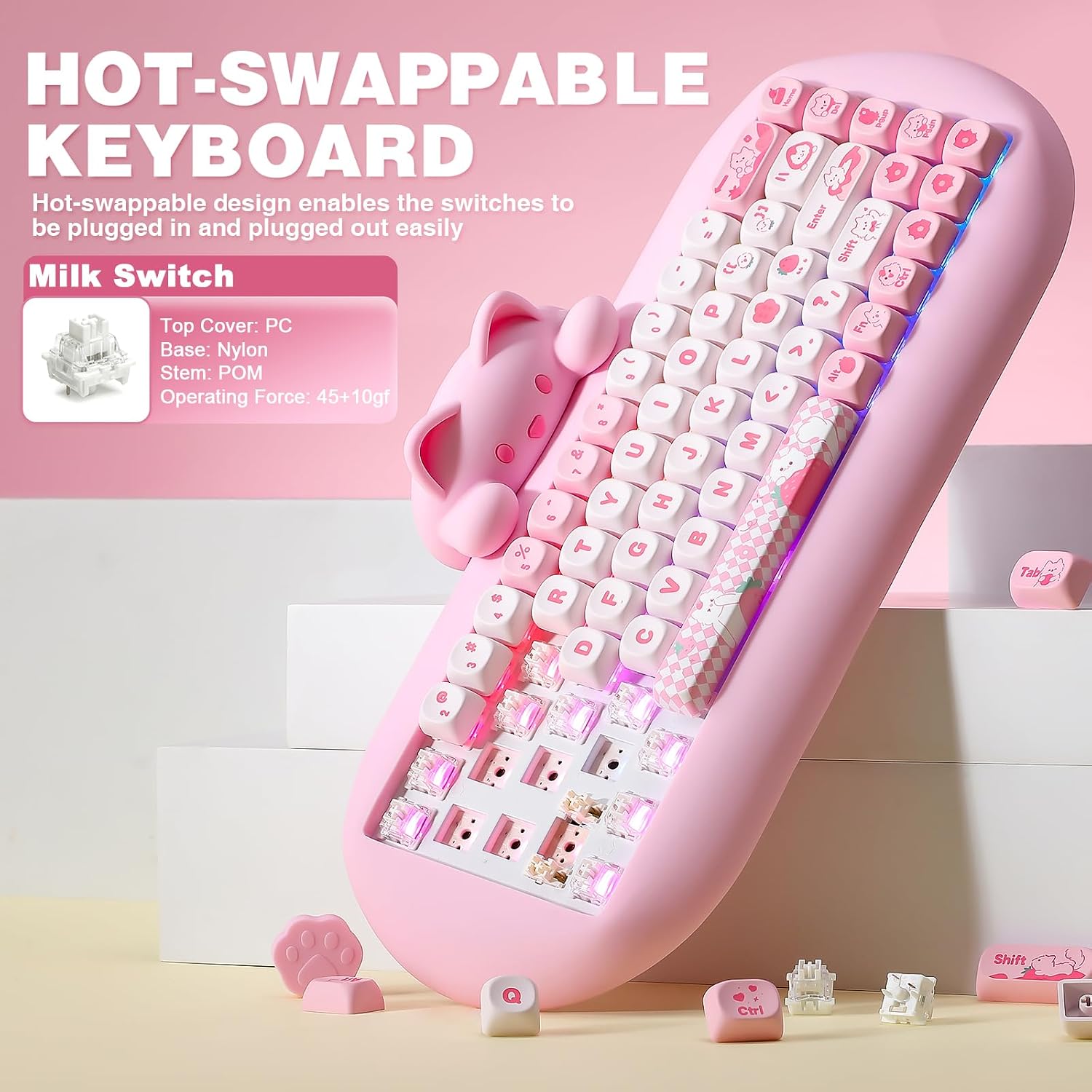
This is a hot-swap keyboard, compatible with 3-pin and 5-pin mechanical switches, so you can swap without soldering. The combination of pre-lubed switches and stabilized keys aims to deliver a smoother, more consistent keystroke. If you’re curious about sound and feel, the silicone padding and MOA keycaps contribute to a softer, more contained sound profile than some all-plastic builds.
Customization and software
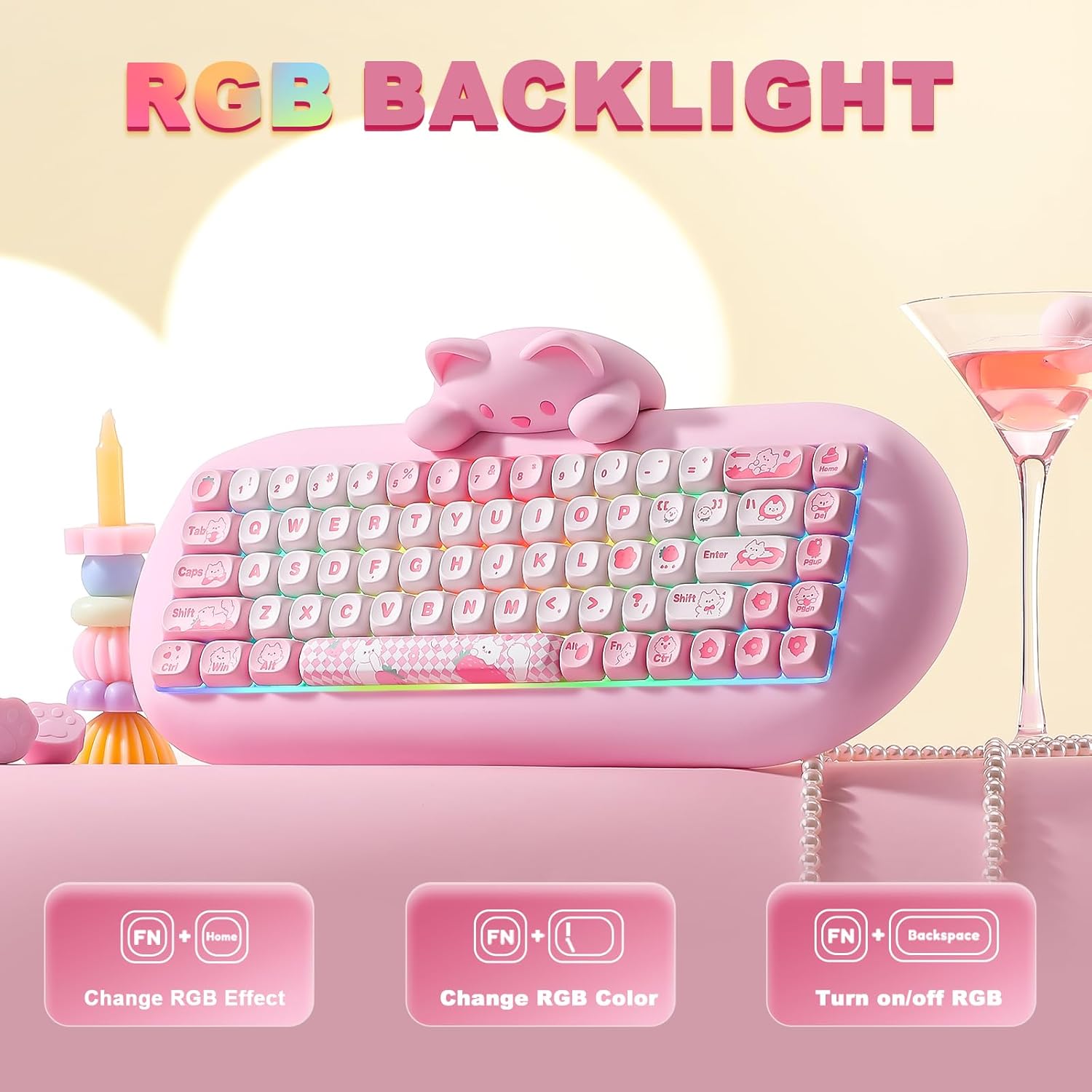
RGB is one of the highlighted draws, with 18 modes and 8 backlight colors, plus south-facing LEDs for better illumination in dim settings. The vendor software allows for macro programming and RGB customization, which can help you tailor keystrokes and lighting to your workflow or gaming setup. If you prioritize deep customization, this is a notable capability—though it may require a bit of setup to unlock its full potential.
Practical use and who it’s for
This keyboard fits fine for home computing, office work, casual gaming, and travel because of its compact size and multiple connectivity options. It’s particularly appealing if you value a unique, cute product aesthetic and you enjoy customizing lighting and macros. On the other hand, if you need a traditional, full-size layout, or you’re aiming for the quietest keystrokes possible, there may be other options that align more closely with those priorities.
What to review before buying
- Confirm compatibility with your primary devices and operating system, especially if you rely heavily on macOS or Windows-specific keyboard layouts.
- Consider how often you’ll use RGB or wireless modes, those features drive battery life and may affect how you manage power.
- If you plan to swap switches, verify you’re comfortable with hot-swapping and the 3-pin/5-pin compatibility.
- Think about maintenance: silicone needs a bit of care to stay clean, the detachable cat head is a cute feature, but you’ll want to ensure it’s not easy to lose.
The comparison angle
Compared to larger or fully wired keyboards, the C68 offers a smaller footprint with flexible connectivity, which can be a real advantage for compact desks or on-the-go setups. It’s not the most minimal option if you’re seeking a completely silent or ultra-sleek build, but it stands out for its quirky design, hot-swappable capability, and multi-device versatility.
Real-world use example
Imagine you’re juggling work on a MacBook and gaming on a PC desktop. You can pair the C68 via Bluetooth for the Mac, switch to 2.4G for the PC, and keep a wired connection as a stable backup. The cat head gives a touch of personality during long typing sessions, and the rounded keycaps make long typing stints feel more comfortable.
FAQ (based on available data)
- Is it truly hot-swappable with 3-pin and 5-pin switches? Yes, the design supports both, allowing switch changes without soldering.
- How many devices can it connect to simultaneously? The keyboard can connect to up to four devices across Bluetooth, 2.4G, and wired USB-C.
- What about compatibility with Mac vs. Windows? It’s designed to work with both platforms, with a layout that supports cross-OS usage.
Decision call
Is it worth it? Worth considering if you want a compact, cute, highly customizable keyboard that supports multiple devices and easy switching between them, with the option to swap switches over time. If your priority is maximal silence, a more traditional, larger, or non-hot-swap keyboard might be a better fit. If you value a playful aesthetic and programmable RGB with a practical form factor, this model has a compelling mix of features.