



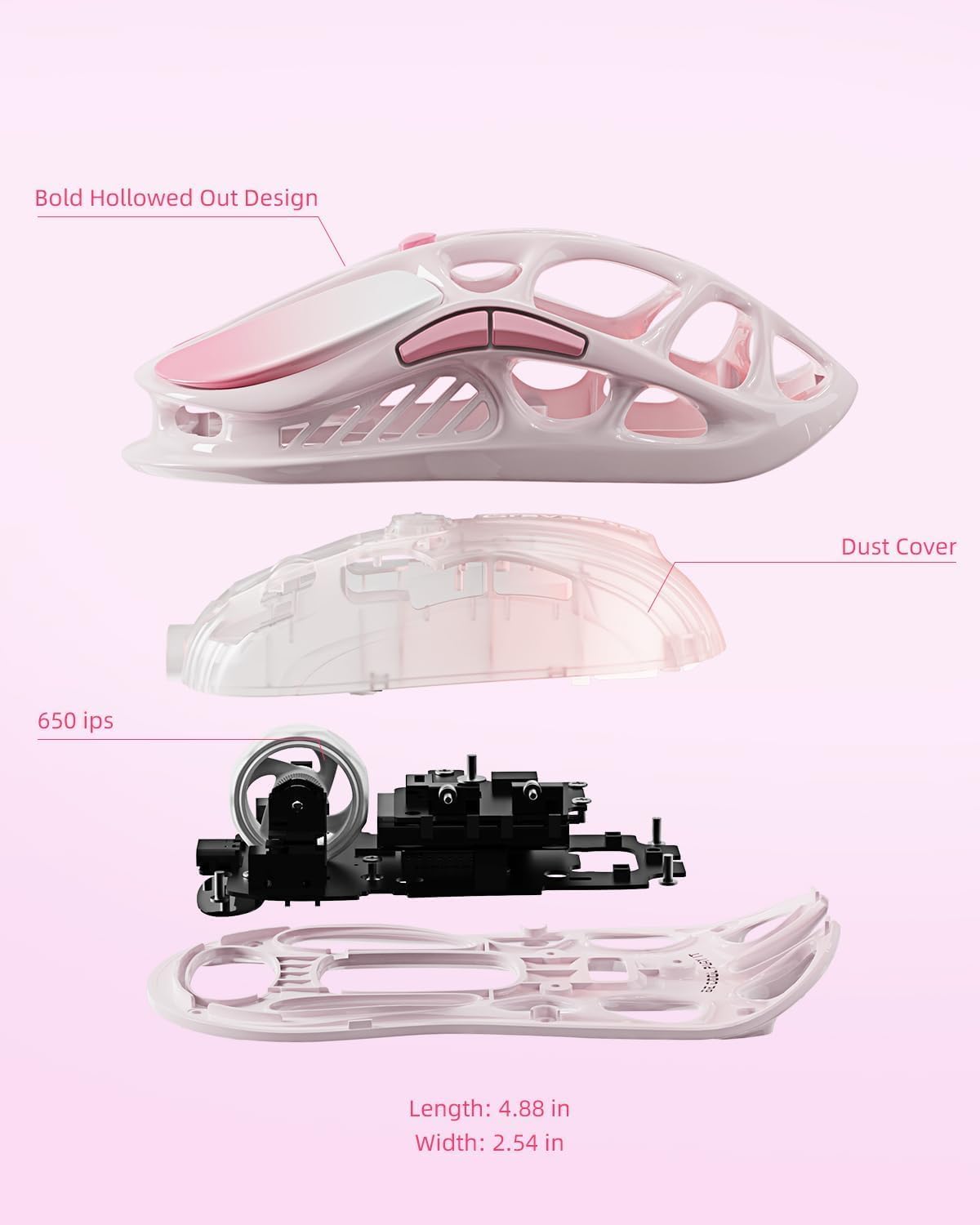
GravaStar Mercury M1 Pro 26,000 DPI
Product description
This lightweight gaming mouse combines precise tracking and long runtime for marathon sessions. Sculpted with a magnesium alloy frame, the Mercury M1 Pro reduces hand fatigue and keeps control steady during intense play.
Key points

The M1 Pro focuses on responsiveness and comfort. It pairs a PAW3395 sensor with up to 26,000 DPI and a 4K polling rate for pixel-precise aiming, according to the manufacturer. Triple-mode connectivity lets you switch between wired, 2.4 GHz wireless, and Bluetooth, so you can adapt to desktop setups or on-the-go use. RGB lighting adds customizable flair without getting in the way of performance 🎮.

Tech specs
- Name: GravaStar Mercury M1 Pro Wireless Gaming Mouse
- Sensor: PAW3395
- DPI: 26,000
- Connectivity: Wired, 2.4 GHz, Bluetooth
- Battery: Up to 200 Hours
Where it shines


Expect tactile, crisp buttons that register clicks with minimal travel and clear feedback, helping with fast target acquisition. The low-lag receiver aims to maintain stable input during ranked matches. Build materials are chosen to keep weight down while feeling solid under hand.
Usage tips
For best results, use 2.4 GHz mode on a stable desk setup and switch to Bluetooth for casual laptop use. Customize button mapping and lighting in the software to match game profiles, and fine-tune DPI steps to balance speed and accuracy. Want consistent tracking across surfaces? Try a dedicated mousepad for optimal performance.
What’s included
The package typically includes the mouse, USB receiver, and a charging cable, with software available for macros and lighting customization. Keep in mind battery life figures are provided by the manufacturer and actual longevity depends on usage patterns.