Download app on Google Play


Imagen de TP-Link Archer A54 AC1200 Dual Band Router 📶 en OfertitasTOP
New offer
Thumbnail principal de TP-Link Archer A54 AC1200 Dual Band Router 📶
Thumbnail 1 de TP-Link Archer A54 AC1200 Dual Band Router 📶
Thumbnail 2 de TP-Link Archer A54 AC1200 Dual Band Router 📶
Thumbnail 3 de TP-Link Archer A54 AC1200 Dual Band Router 📶
Thumbnail 4 de TP-Link Archer A54 AC1200 Dual Band Router 📶
Thumbnail 5 de TP-Link Archer A54 AC1200 Dual Band Router 📶
Thumbnail 6 de TP-Link Archer A54 AC1200 Dual Band Router 📶

TP-Link Archer A54 AC1200 Dual Band Router 📶

amazon US
Reviews
4,4
+8.724

Reviews

4,4
+8.724 reviews

Price

$34.99$28.98-17%
View in store
amazon US
Price evolution · Historical minimum: $39.34

Product description

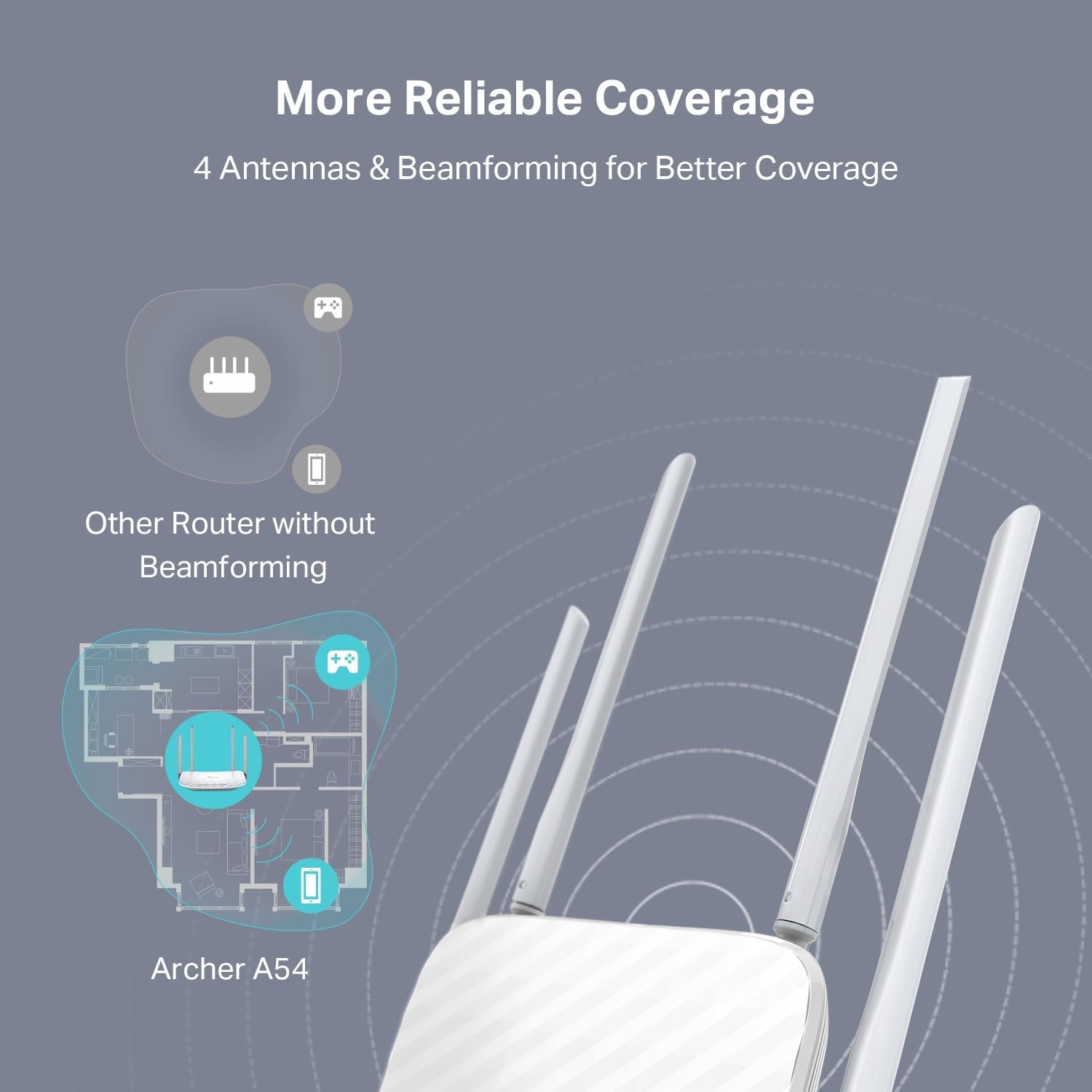
This dual-band WiFi router brings balanced home networking with separate 2.4 GHz and 5 GHz radios that together deliver up to 1200 Mbps of total bandwidth, making it suitable for streaming, web browsing and light gaming. The Archer A54 from TP-Link focuses on stable coverage through four external antennas and simple setup, so you can expand or manage your home network without complex configuration.

Key Points
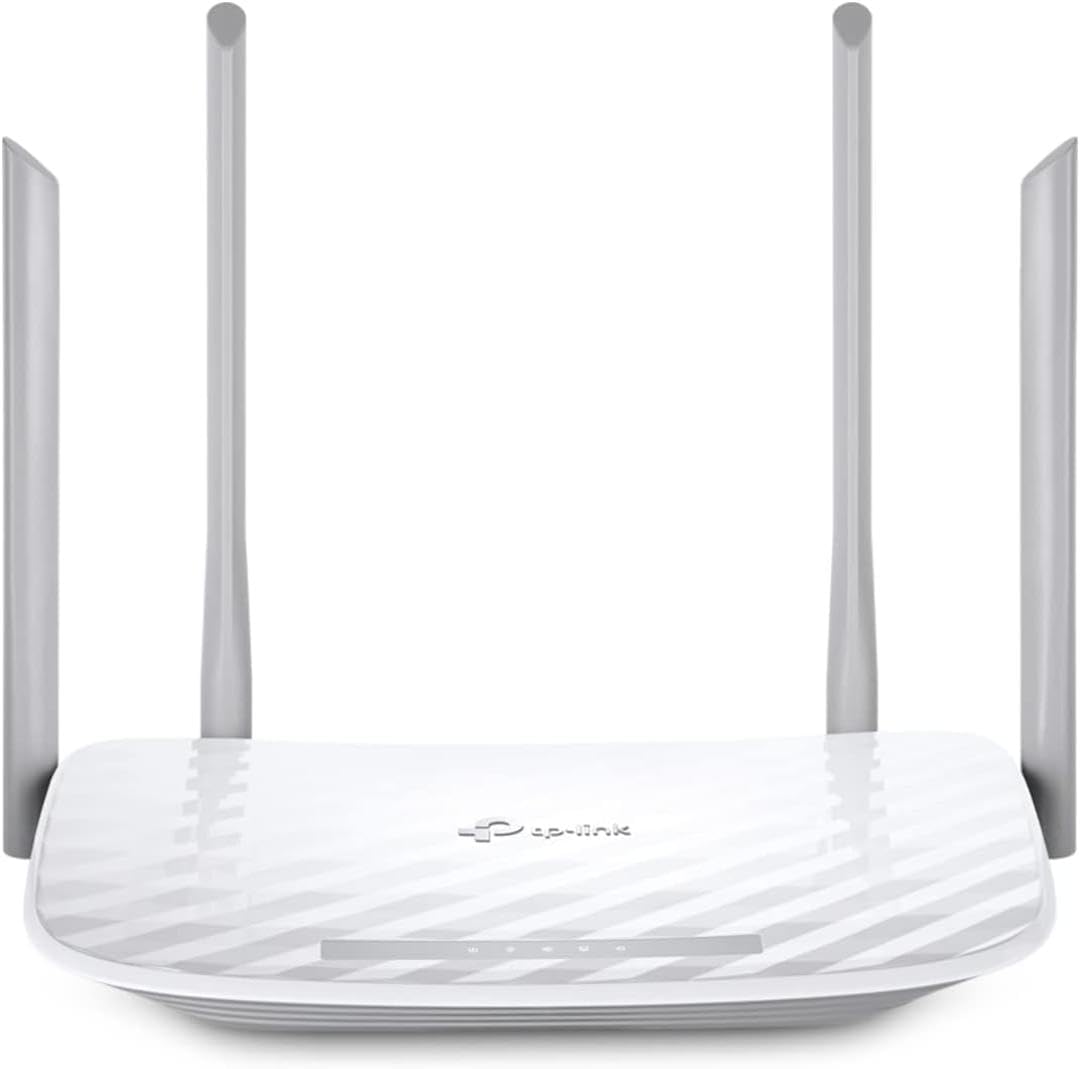
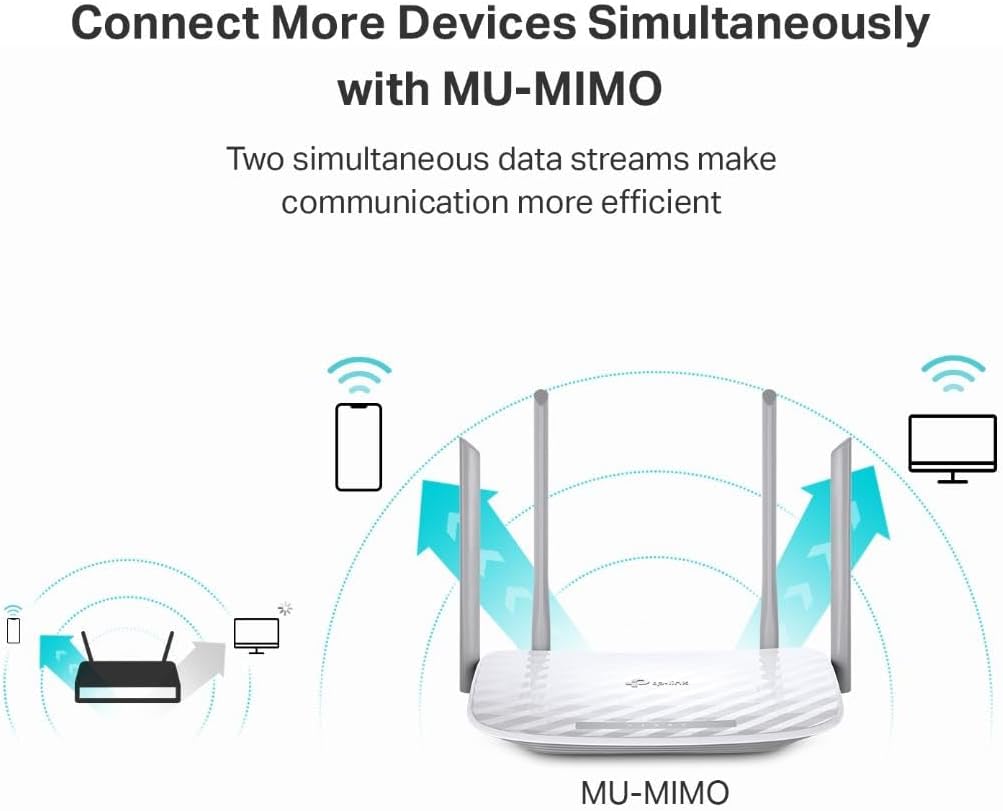
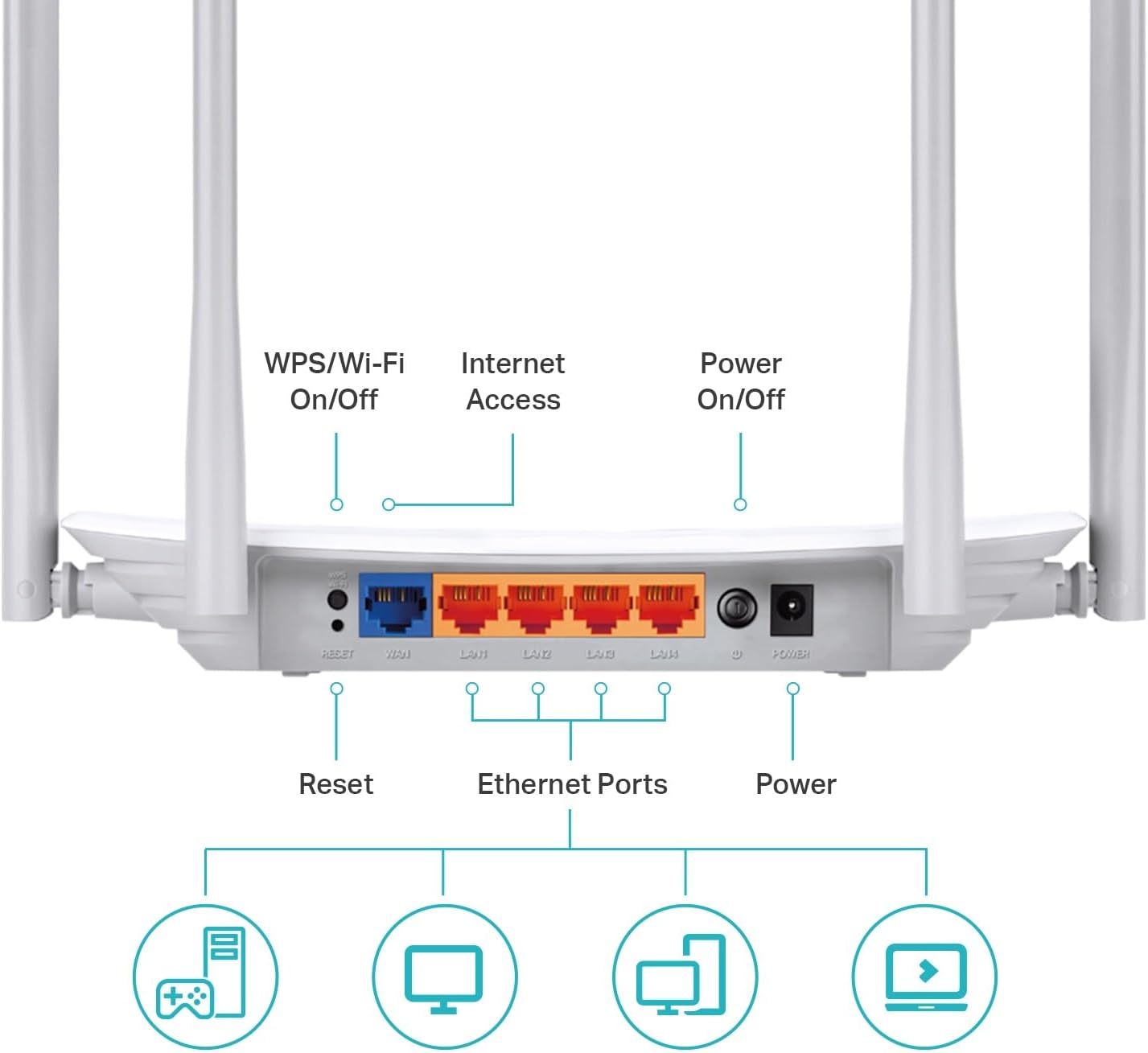
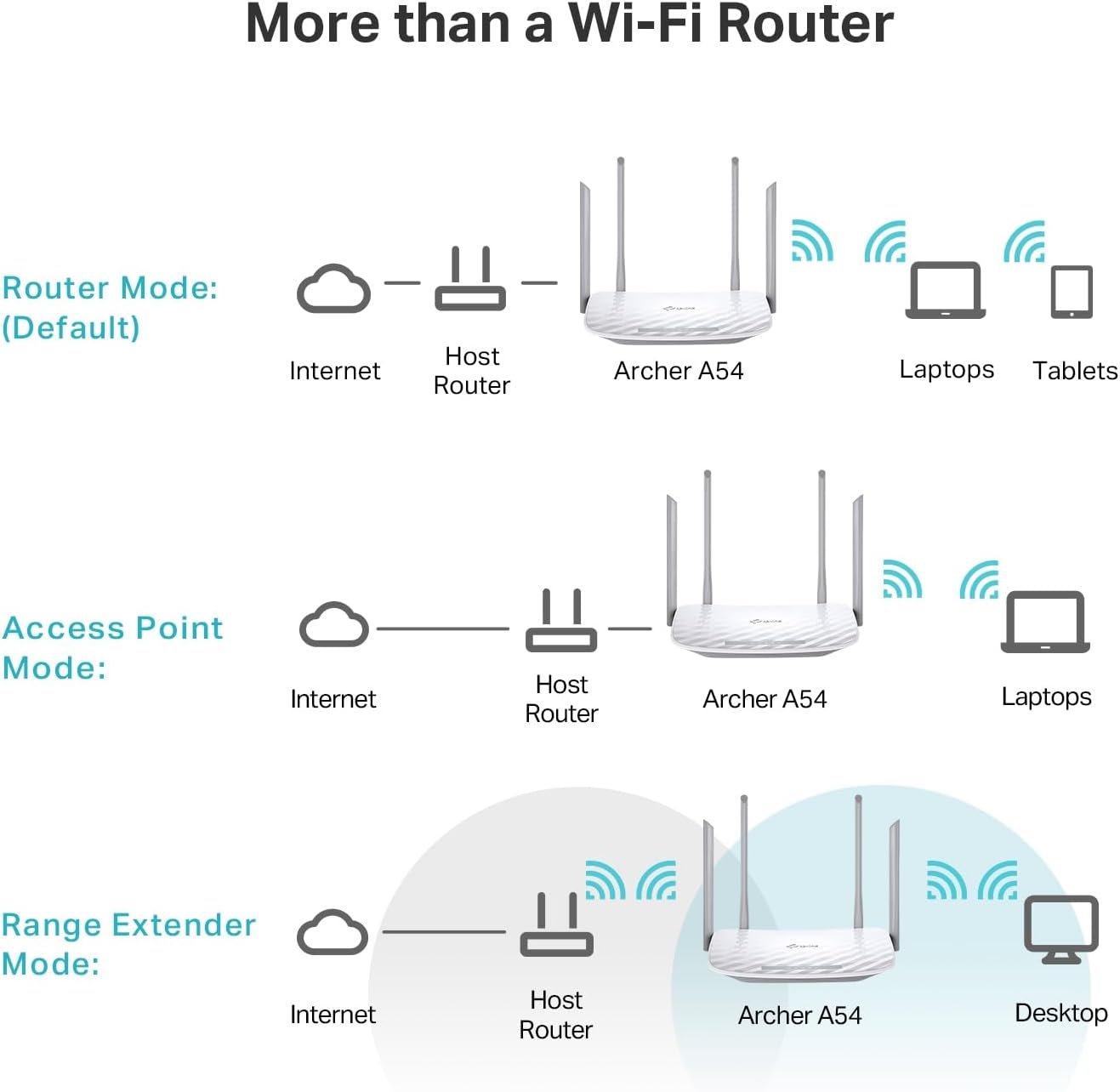
The router supports simultaneous 2.4 GHz at 300 Mbps and 5 GHz at 867 Mbps, which helps distribute devices across bands for smoother performance. It includes four 10/100 Mbps Fast Ethernet ports for wired devices and an access point mode for converting a wired connection into a wireless network. According to the manufacturer, the device also supports guest WiFi and parental controls for basic network management.
Technical Specifications

  • Name: TP-Link Archer A54
  • Wireless: Dual-band, 2.4 GHz 300 Mbps + 5 GHz 867 Mbps
  • Ethernet ports: 4 x 10/100 Mbps Fast Ethernet
  • Antennas: 4 external antennas
  • Security: WPA3 support

Benefits

The inclusion of WPA3 improves local network security compared with older protocols, which is useful for households handling personal data. The EasyMesh compatibility allows you to pair this router with other EasyMesh-capable devices to create a seamless mesh network and expand coverage room to room. The Tether app gives a straightforward interface for monitoring connected devices and adjusting settings from a phone.

Usage Recommendations

Place the router centrally and elevated to reduce signal obstacles and get more consistent coverage. For devices that need steady throughput, such as streaming boxes or desktop computers, use the wired Fast Ethernet ports. If you plan to cover a larger home, consider adding an EasyMesh-compatible extender or router to extend the wireless footprint and reduce dead zones.

Notes: the Ethernet ports are Fast Ethernet rather than Gigabit, so wired transfers will be limited to 100 Mbps per port. Also, some advanced users may miss more granular QoS or enterprise features that are not emphasized for this consumer model.

View in store

Price evolution

Historical minimum: $39.34

Description:

This dual-band WiFi router brings balanced home networking with separate 2.4 GHz and 5 GHz radios that together deliver up to 1200 Mbps of total bandwidth, making it suitable for streaming, web browsing and light gaming. The Archer A54 from TP-Link focuses on stable coverage through four external antennas and simple setup, so you can expand or manage your home network without complex configuration.

Key Points

The router supports simultaneous 2.4 GHz at 300 Mbps and 5 GHz at 867 Mbps, which helps distribute devices across bands for smoother performance. It includes four 10/100 Mbps Fast Ethernet ports for wired devices and an access point mode for converting a wired connection into a wireless network. According to the manufacturer, the device also supports guest WiFi and parental controls for basic network management.

Technical Specifications

  • Name: TP-Link Archer A54
  • Wireless: Dual-band, 2.4 GHz 300 Mbps + 5 GHz 867 Mbps
  • Ethernet ports: 4 x 10/100 Mbps Fast Ethernet
  • Antennas: 4 external antennas
  • Security: WPA3 support

Benefits

The inclusion of WPA3 improves local network security compared with older protocols, which is useful for households handling personal data. The EasyMesh compatibility allows you to pair this router with other EasyMesh-capable devices to create a seamless mesh network and expand coverage room to room. The Tether app gives a straightforward interface for monitoring connected devices and adjusting settings from a phone.

Usage Recommendations

Place the router centrally and elevated to reduce signal obstacles and get more consistent coverage. For devices that need steady throughput, such as streaming boxes or desktop computers, use the wired Fast Ethernet ports. If you plan to cover a larger home, consider adding an EasyMesh-compatible extender or router to extend the wireless footprint and reduce dead zones.

Notes: the Ethernet ports are Fast Ethernet rather than Gigabit, so wired transfers will be limited to 100 Mbps per port. Also, some advanced users may miss more granular QoS or enterprise features that are not emphasized for this consumer model.