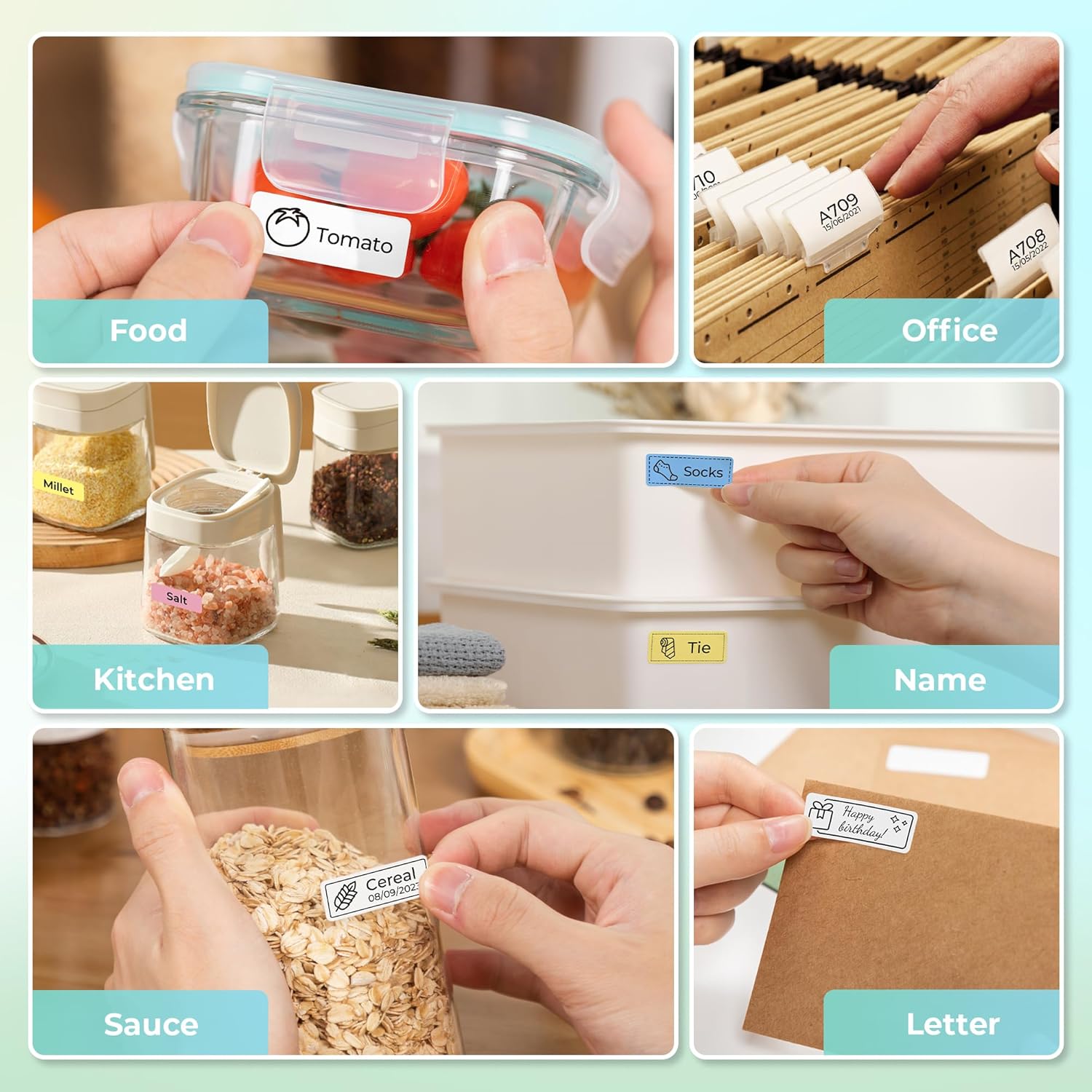
Download app on Google Play


Imagen de Nelko P21 label maker 203 DPI 🖨️ en OfertitasTOP
New offer
Thumbnail principal de Nelko P21 label maker 203 DPI 🖨️
Thumbnail 1 de Nelko P21 label maker 203 DPI 🖨️
Thumbnail 2 de Nelko P21 label maker 203 DPI 🖨️
Thumbnail 3 de Nelko P21 label maker 203 DPI 🖨️
Thumbnail 4 de Nelko P21 label maker 203 DPI 🖨️
Thumbnail 5 de Nelko P21 label maker 203 DPI 🖨️
Thumbnail 6 de Nelko P21 label maker 203 DPI 🖨️

Nelko P21 label maker 203 DPI 🖨️

amazon US
Reviews
4,5
+20.054

Reviews

4,5
+20.054 reviews

Price

$32.99$17.99-45%
View in store
amazon US
Price evolution · Historical minimum: $17.09

Product description

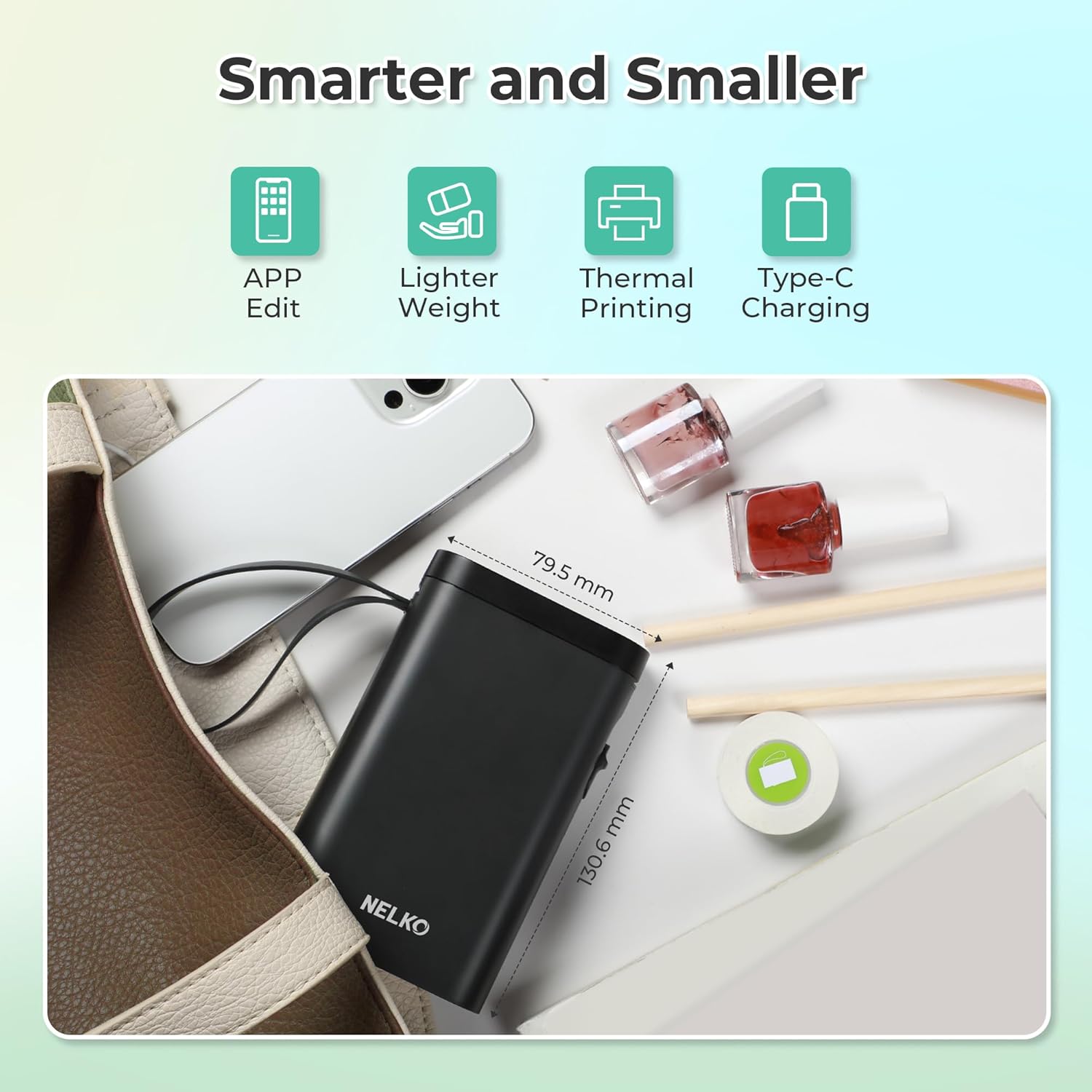
This compact label maker brings order to busy spaces with fast, inkless printing and mobile convenience. As a portable Bluetooth label printer it slips into a pocket and prints on the go, making small storage tasks and classroom labeling quicker and less fussy.

Key points
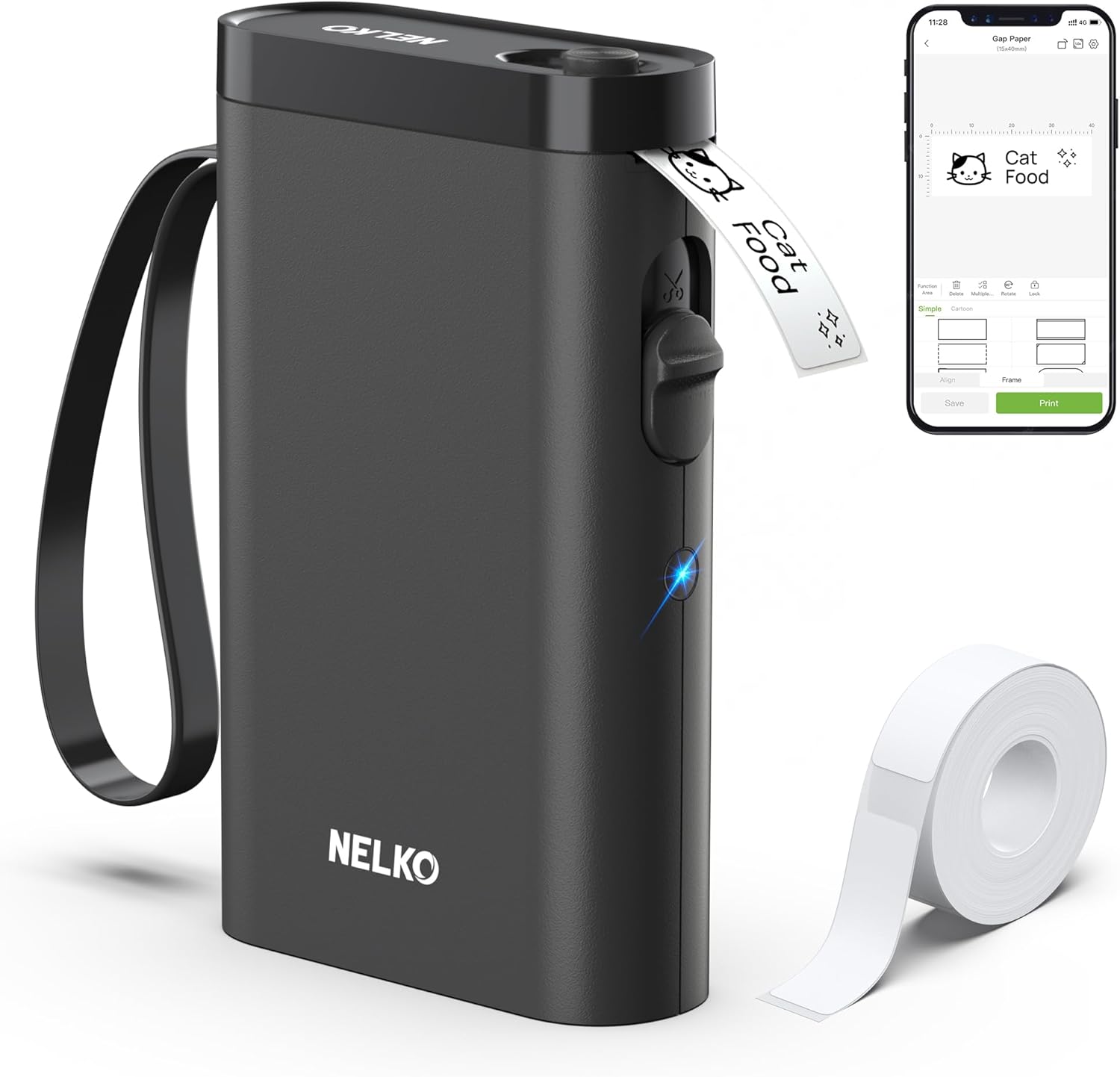
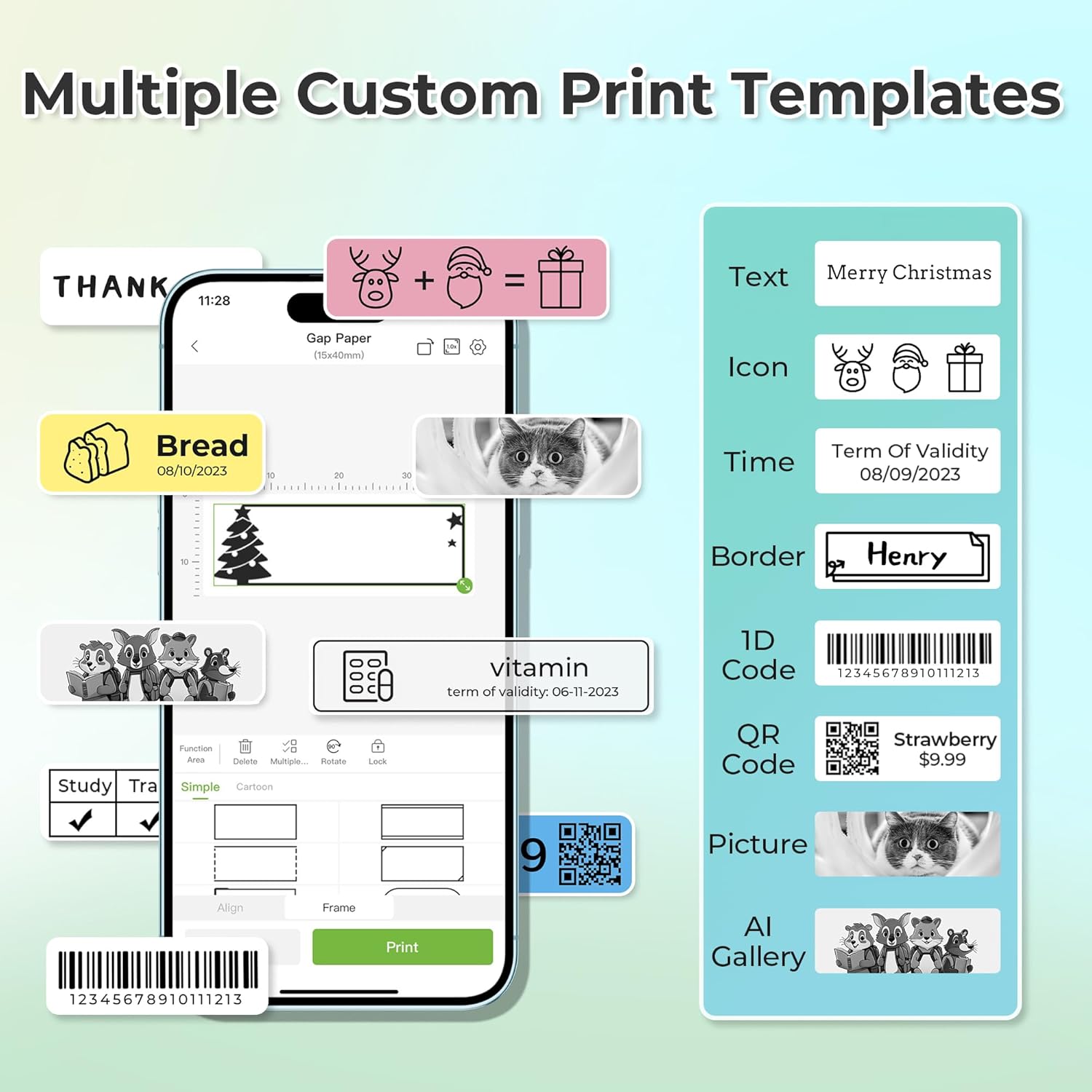
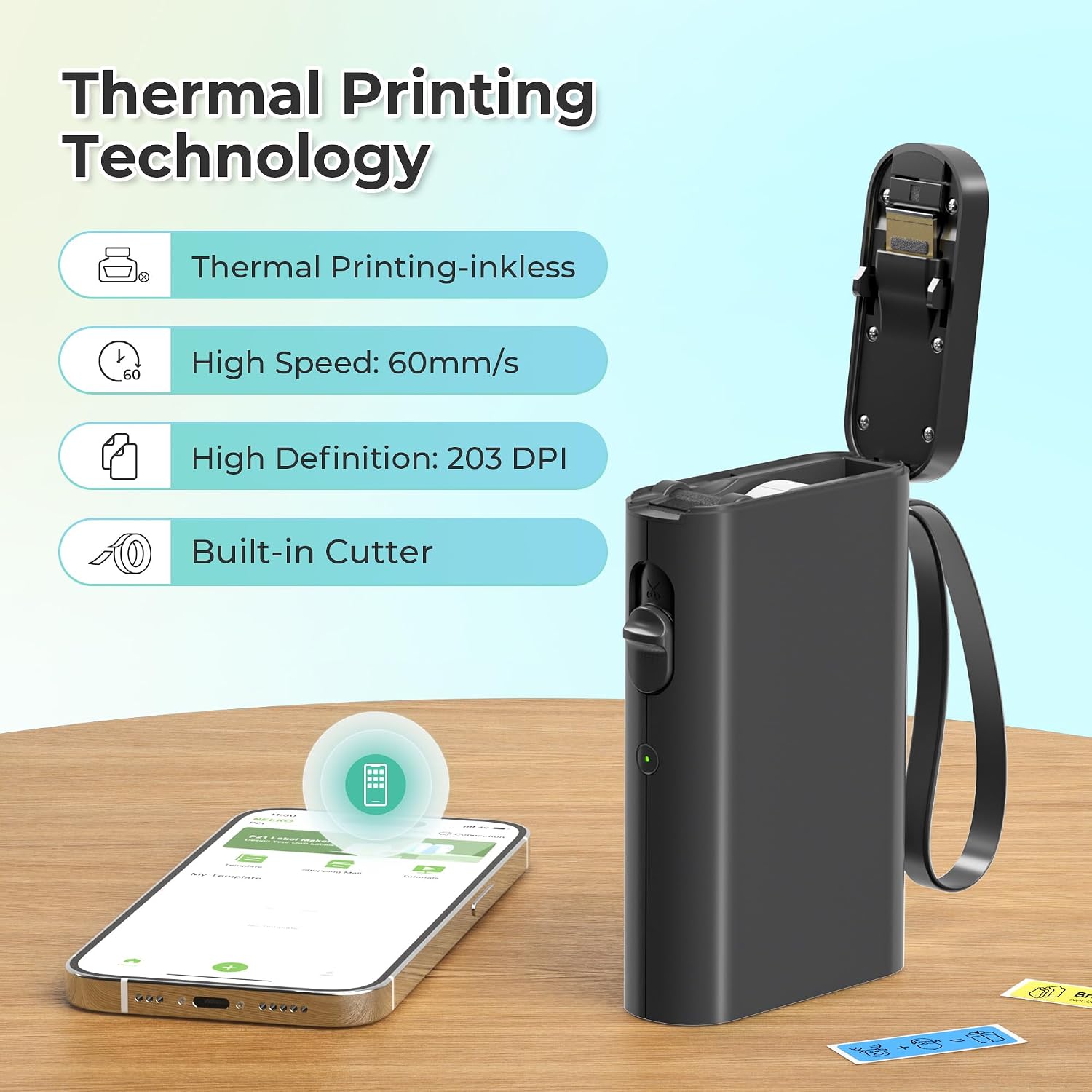
Lightweight and pocketable, the P21 targets everyday labeling needs both at home and in school. It uses direct thermal technology so no ink or toner is required, and you get crisp monochrome text at 203 DPI for legible tags. The companion app includes many templates and allows barcode and QR code printing, so you can make everything from pantry labels to inventory tags with a few taps. Batteries are rechargeable and rated for extended use according to the manufacturer, which reduces interruptions when you need multiple labels in a row. Note the device prints black text only unless you use patterned color tapes that rely on preprinted color, and continuous label tapes are not supported.
Technical details

  • Name: Nelko P21
  • Connectivity: Bluetooth mobile pairing with iOS and Android
  • Battery: Rechargeable internal battery
  • What’s included: Label maker machine with tape
  • Color: Black

Who it’s for

You’ll appreciate it if you want a simple way to tag belongings, classroom supplies, or home storage without bulky equipment, modern printers, or ink cartridges. It makes quick batches of standardized labels straightforward and keeps workspace clutter down. It may not suit you if you need desktop connectivity or computer-based printing workflows, or if your phone runs Android 14 since the device is not compatible with Google phones on that OS. Also keep in mind the charger is not included and very fast charging adapters are not recommended, according to the product notes.

Practical tips

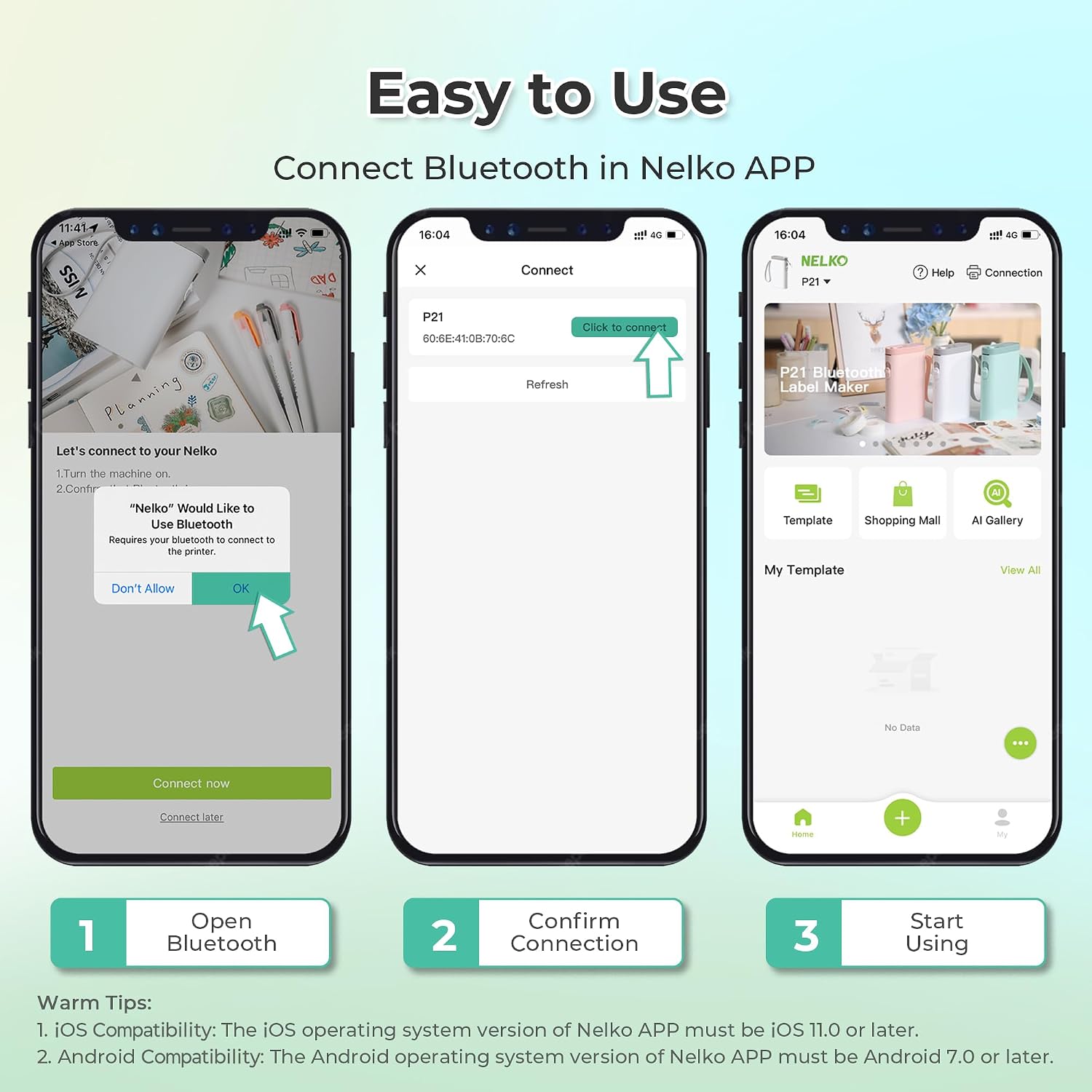
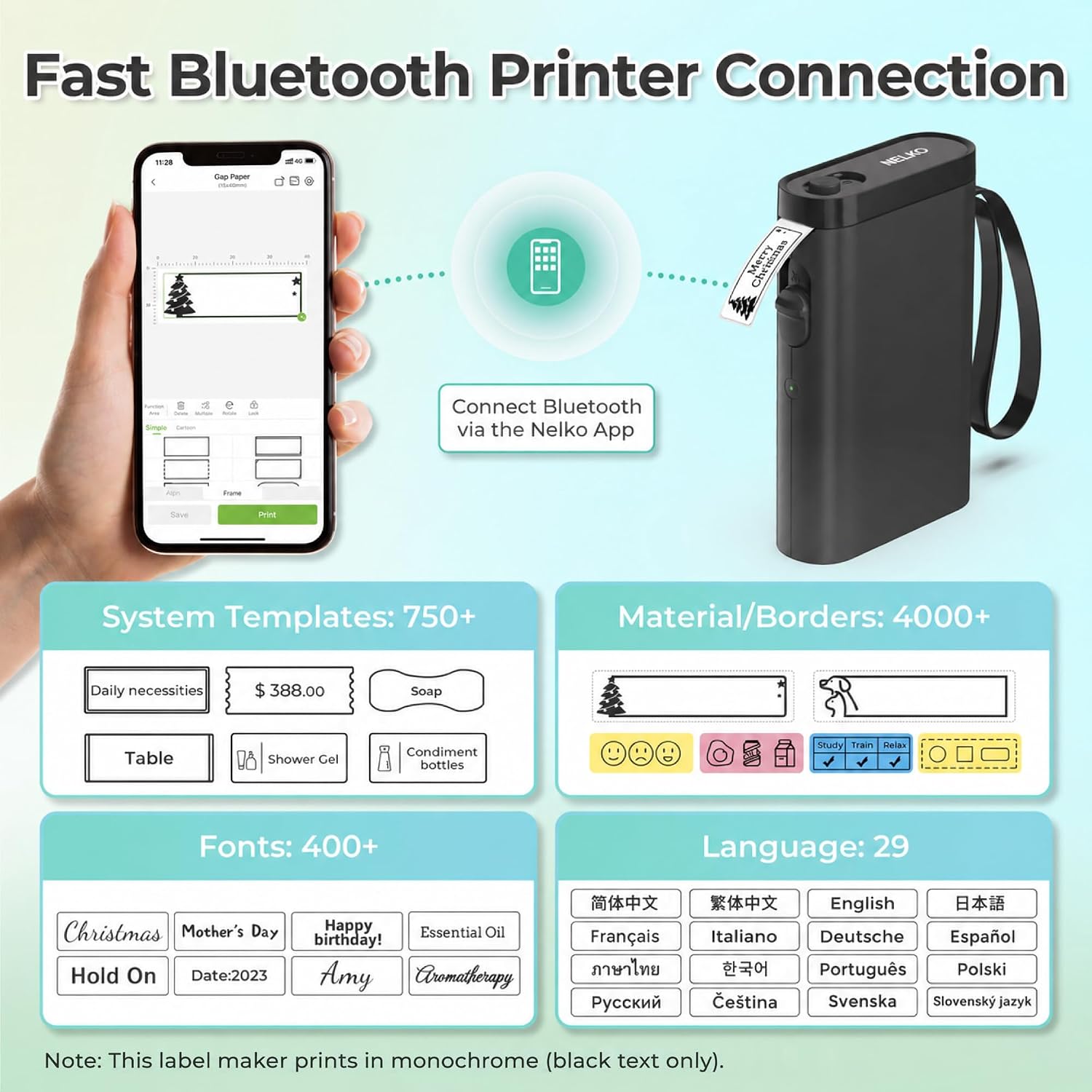
Install the Nelko app and follow the four-step setup to get started, and use the recommended Nelko thermal label paper for best results. Avoid removing the green backing sticker on the label strip to prevent print issues. Distribute templates across different label sizes to match jars, folders, and school supplies, and test a sample label before printing long runs. Emojis and borders are available in-app for a more visual layout, and the app packs over 90 fonts and 450 materials for varied use. Keep the unit charged between sessions and update the iOS app to the latest version if you encounter multiple-copy printing issues while using iOS V2.7.0. The label maker does not support computer connections, so all design and printing must be done from a phone app.

View in store

Price evolution

Historical minimum: $17.09

Description:

This compact label maker brings order to busy spaces with fast, inkless printing and mobile convenience. As a portable Bluetooth label printer it slips into a pocket and prints on the go, making small storage tasks and classroom labeling quicker and less fussy.

Key points

Lightweight and pocketable, the P21 targets everyday labeling needs both at home and in school. It uses direct thermal technology so no ink or toner is required, and you get crisp monochrome text at 203 DPI for legible tags. The companion app includes many templates and allows barcode and QR code printing, so you can make everything from pantry labels to inventory tags with a few taps. Batteries are rechargeable and rated for extended use according to the manufacturer, which reduces interruptions when you need multiple labels in a row. Note the device prints black text only unless you use patterned color tapes that rely on preprinted color, and continuous label tapes are not supported.

Technical details

  • Name: Nelko P21
  • Connectivity: Bluetooth mobile pairing with iOS and Android
  • Battery: Rechargeable internal battery
  • What’s included: Label maker machine with tape
  • Color: Black

Who it’s for

You’ll appreciate it if you want a simple way to tag belongings, classroom supplies, or home storage without bulky equipment, modern printers, or ink cartridges. It makes quick batches of standardized labels straightforward and keeps workspace clutter down. It may not suit you if you need desktop connectivity or computer-based printing workflows, or if your phone runs Android 14 since the device is not compatible with Google phones on that OS. Also keep in mind the charger is not included and very fast charging adapters are not recommended, according to the product notes.

Practical tips

Install the Nelko app and follow the four-step setup to get started, and use the recommended Nelko thermal label paper for best results. Avoid removing the green backing sticker on the label strip to prevent print issues. Distribute templates across different label sizes to match jars, folders, and school supplies, and test a sample label before printing long runs. Emojis and borders are available in-app for a more visual layout, and the app packs over 90 fonts and 450 materials for varied use. Keep the unit charged between sessions and update the iOS app to the latest version if you encounter multiple-copy printing issues while using iOS V2.7.0. The label maker does not support computer connections, so all design and printing must be done from a phone app.