

Linkdaze Digital Calendar 15.6" Smart Wall Planner with Interactive Touchscreen, 64GB Photo Frame (Smart Calendar) — White
Product description
A family schedule screen that actually gets used
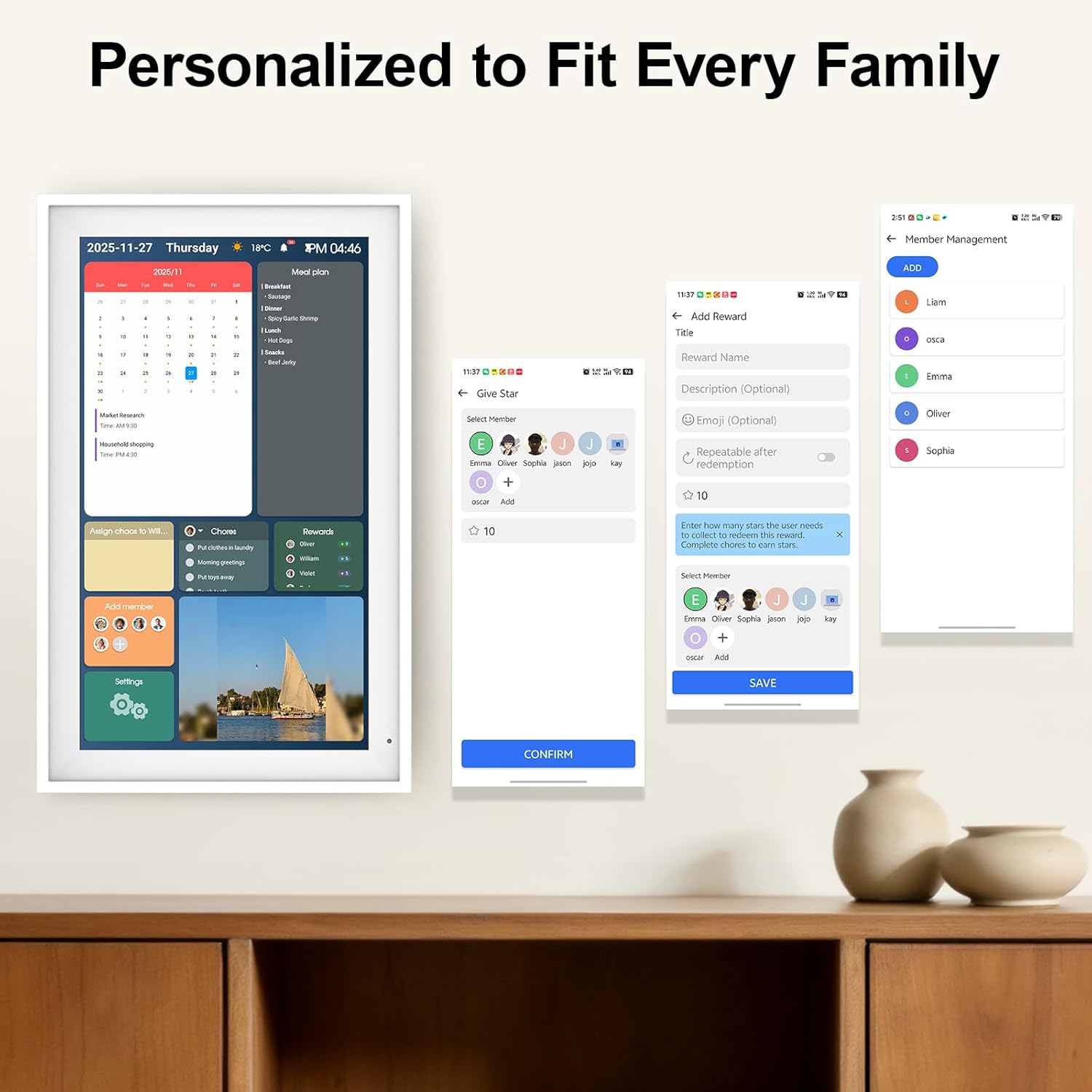
A lot of calendars turn into “somewhere to write things down.” Linkdaze’s Digital Calendar is different: it’s a 15.6" digital wall planner built around an interactive touchscreen, with a layout designed to show family schedules in color. On paper, that’s exactly what helps when multiple people are running different timelines—work meetings, school events, sports practice, and those “we’re leaving earlier than planned” moments.
The idea is simple: each family member’s calendar can display in their own color, so you’re not hunting through notes. You get a quick visual snapshot of what’s coming up and when. If your household already shares calendars on phones but still misses things, this kind of shared display can reduce the friction.
One caveat to keep in mind: the experience depends on how your family actually uses it day to day. If everyone is used to private, separate schedules and won’t check a wall screen, it may feel like extra hardware.
What to expect from the interactive touchscreen
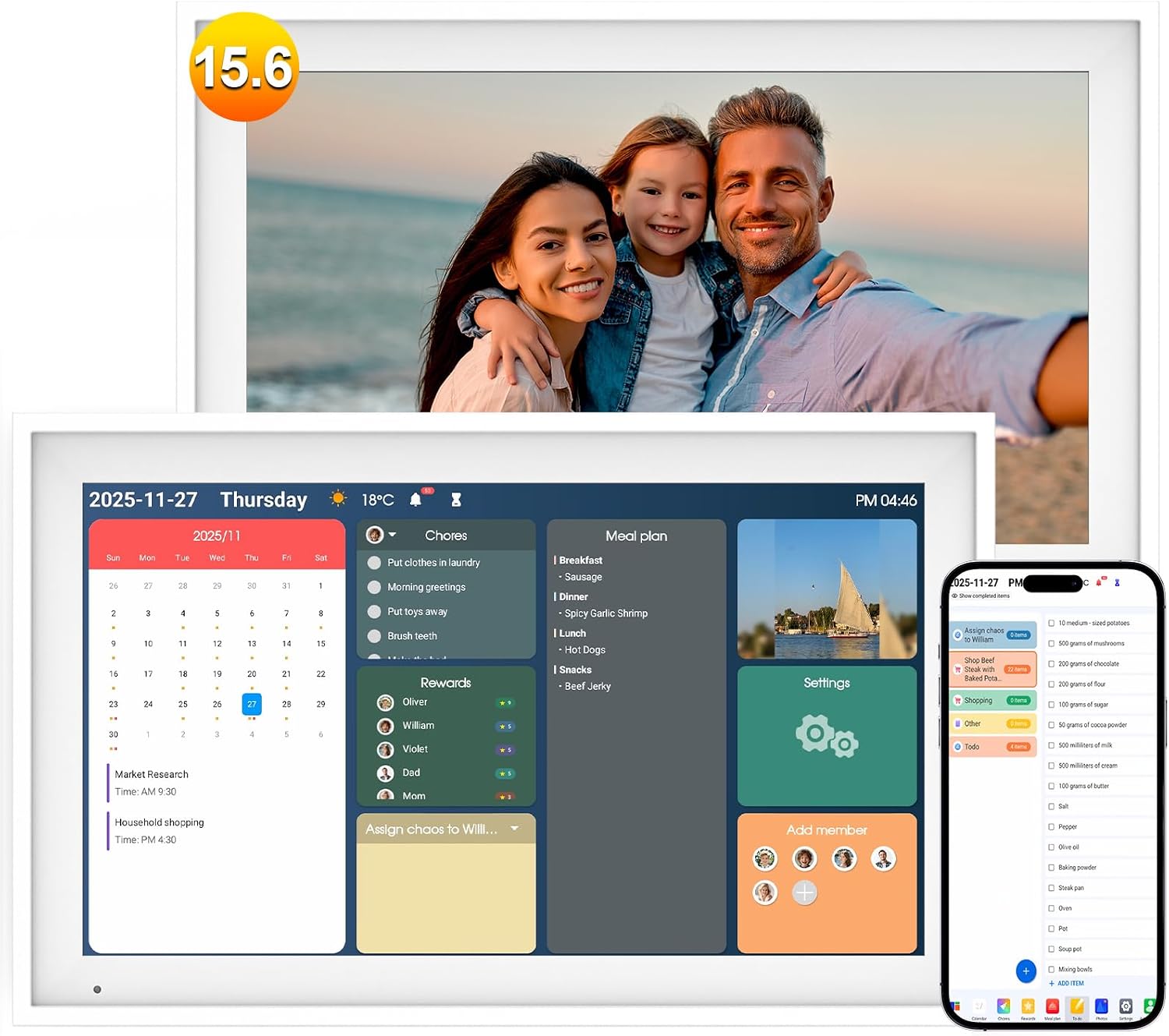
The core of the product is a large touchscreen meant for kitchen walls or countertops. The “interactive” part matters in a practical way: schedules and items are designed to appear onscreen instead of being handwritten.
The touchscreen concept pairs nicely with real-life routines. For example, imagine you finish breakfast and someone taps to add an event before leaving—rather than searching for a pen, writing it down, then hoping it’s seen later. Or think about weekend planning: you can review what’s already on the screen at a glance before committing to plans.
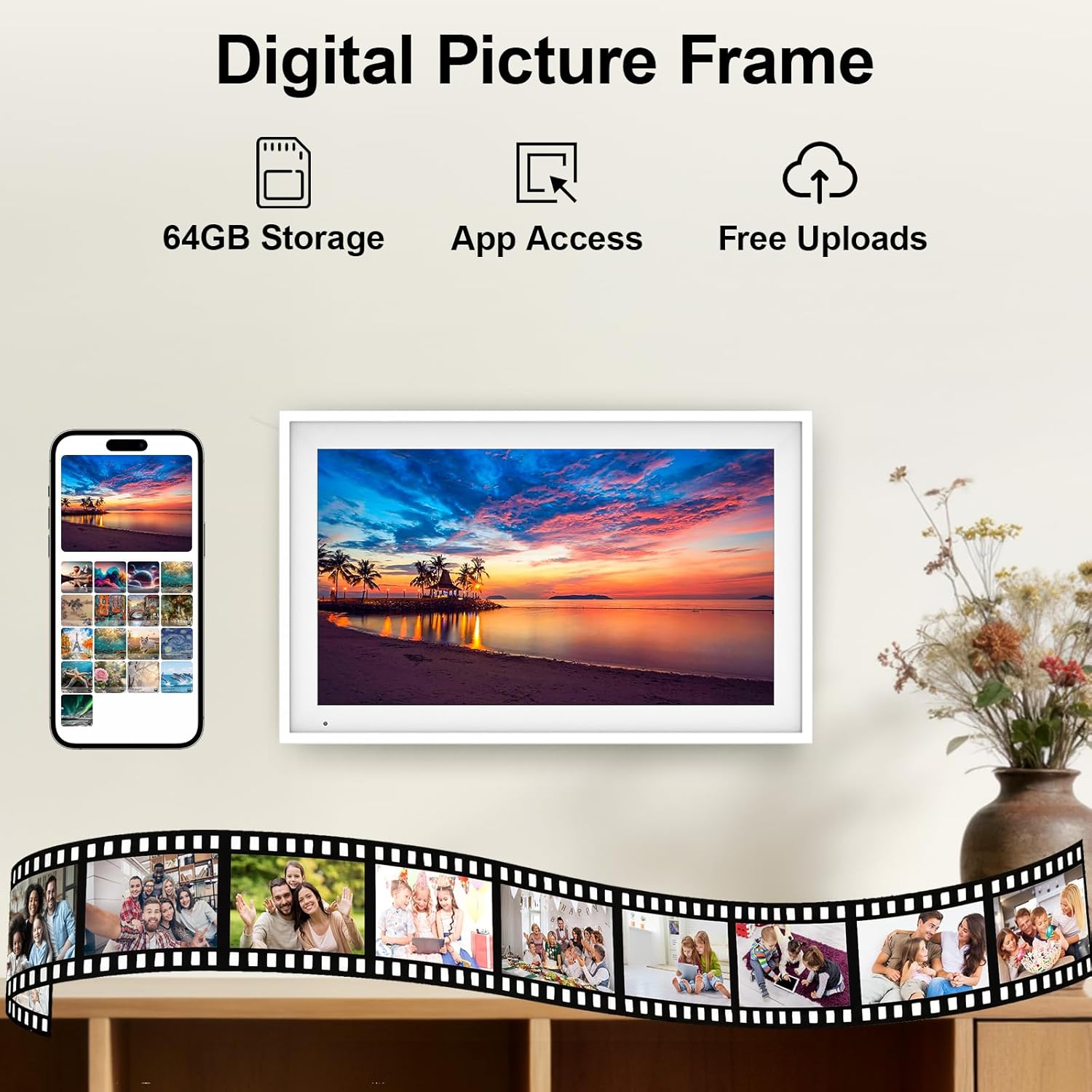
On top of scheduling, the unit also works as a digital photo frame. When you’re not focused on calendar updates, it can switch into displaying family photos, turning the display into a daily “memory spot” rather than a device that only gets attention once a week.
Syncing calendars across accounts
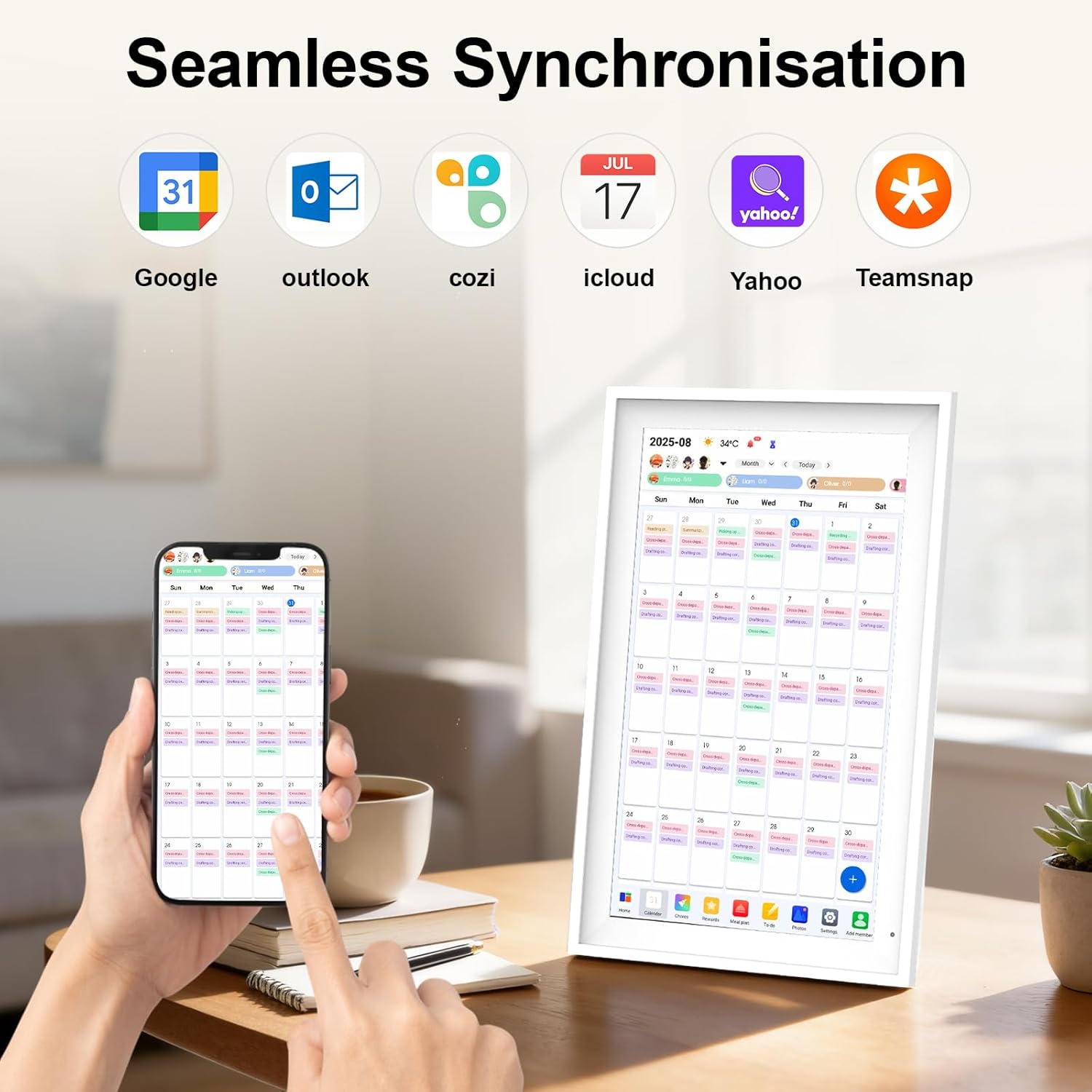
Linkdaze is designed to connect to Wi‑Fi and bring multiple family calendars together. The base description specifically calls out syncing with services like Google, iCloud, Outlook, and more.
That matters because the calendar only helps if it reflects what’s already on everyone’s existing accounts. The pitch here is that birthdays, appointments, and special events can appear automatically, so you don’t have to manually transfer details.
If you’re the person who usually copy-pastes dates from one app to another, this could be a genuine time saver. But do note a realistic limitation: syncing features can vary based on what exactly your accounts provide and how they’re connected on your side. It’s worth checking compatibility with the specific services your household uses before committing.
Chores, meal planning, and the “why” behind the screen
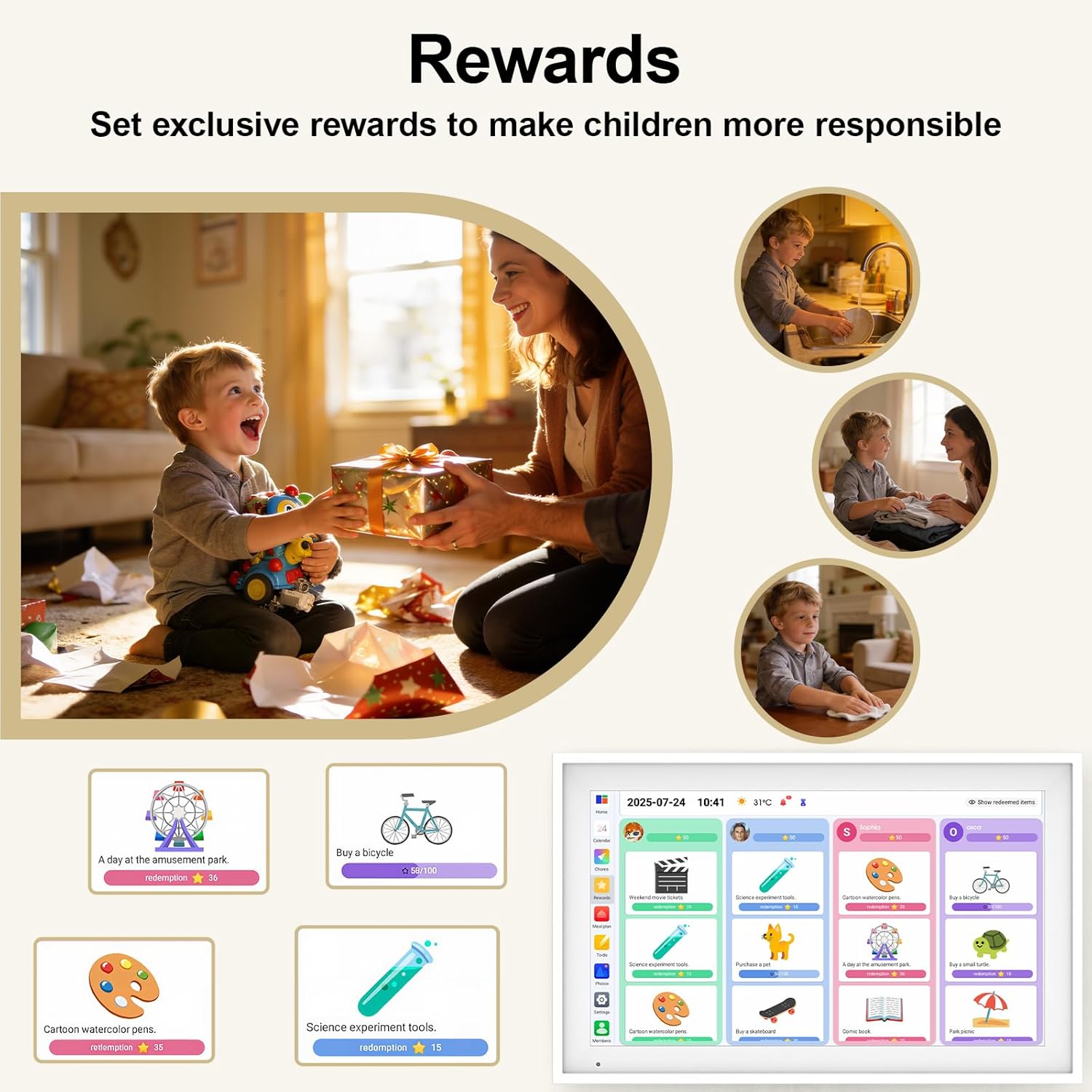
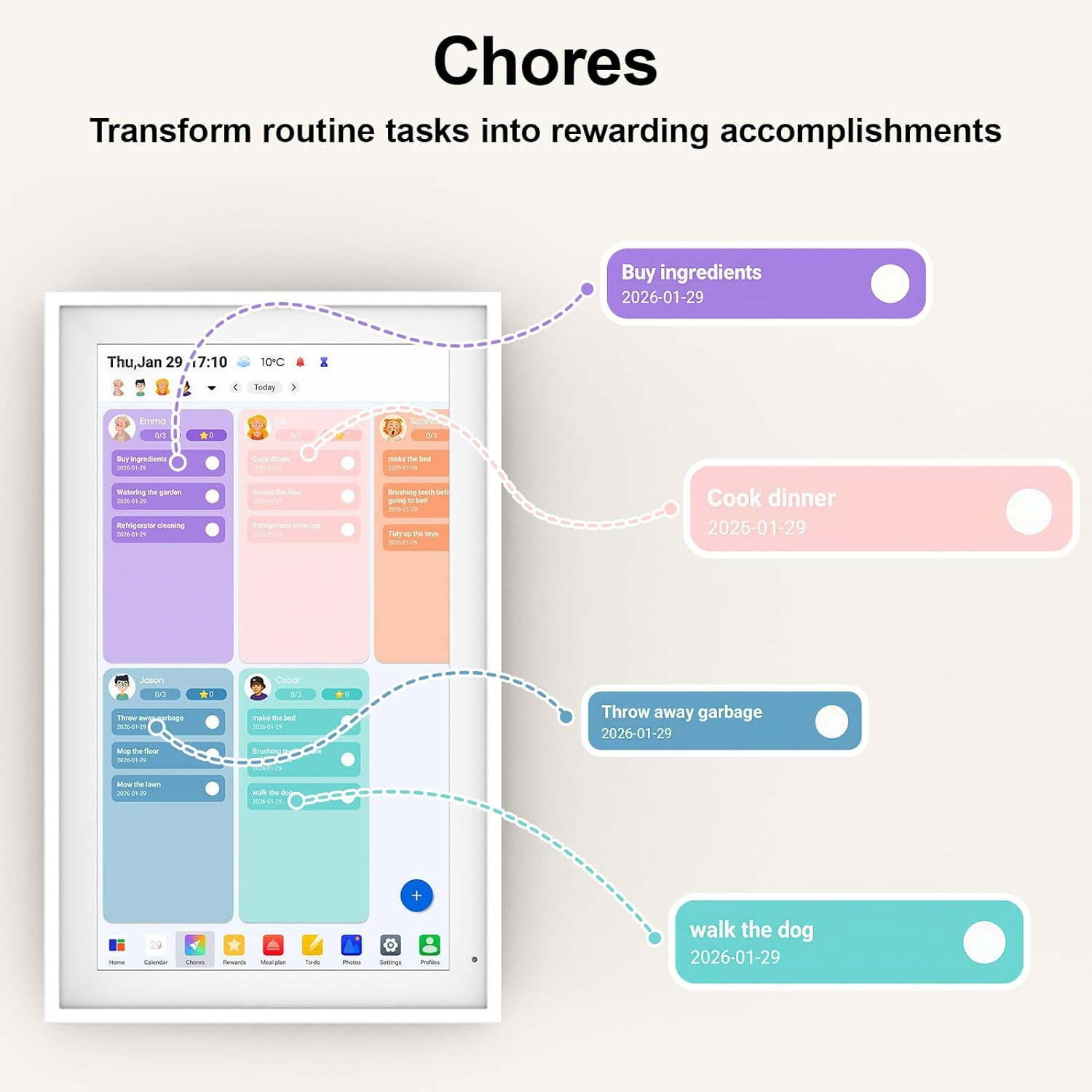
This calendar isn’t only about dates. According to the description, it includes tools for assigning chores through an interactive chart—plus an option for meal planning.
Chore assignment can be a nice motivational layer for kids, especially when the screen makes “done” feel immediate. The description also mentions earning stars, which is the kind of game-like feedback that often works better than generic reminders. Still, it’s not going to replace house rules or consistent parenting—think of it as a support tool, not a magic fix.
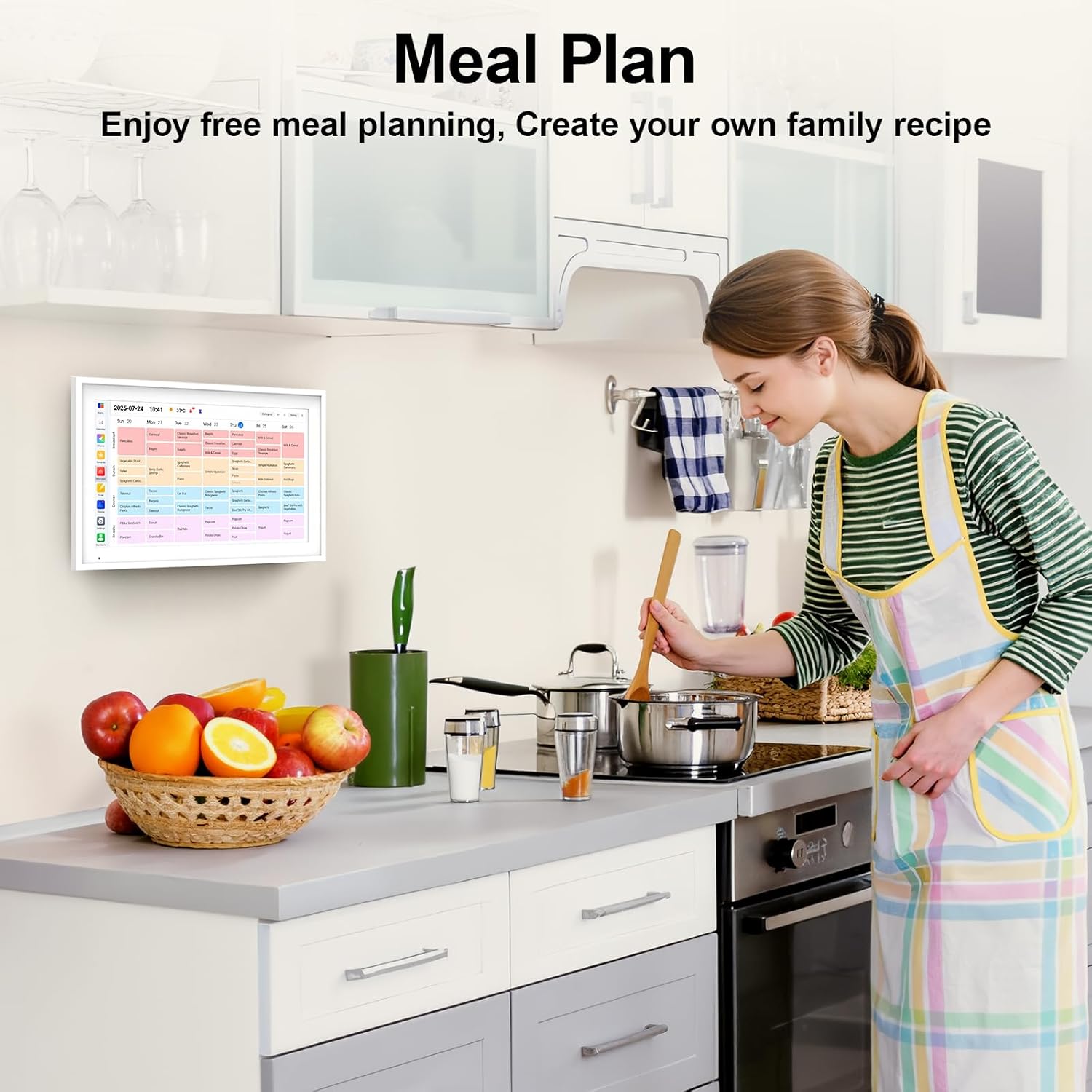
For dinner, the built-in meal planner is aimed at reducing the daily “what’s for dinner?” chaos. The description says it lets you browse recipes, create a weekly menu, and generate a shopping list, all visible on the big screen. If your household tends to coordinate by talking in the kitchen (instead of by sending messages), having that shared info in one place can genuinely make planning easier.
The essentials (tech and storage, without the fluff)
Key specifications
- Display: 15.6" interactive touchscreen (1920 × 1080)
- Storage: built-in 64GB memory
- Power/OS: powered by Android
- Color: White
- Connectivity: connects to Wi‑Fi
Where it shines vs. where it may fall short
This is the type of smart wall calendar that makes the most sense when your goal is shared visibility: everyone sees what’s happening without having to ask or pull up separate apps constantly.
Where it shines: - Households that already use online calendars and want them unified on a single screen - Families who would benefit from color-coded schedules and quick daily checking - Homes where the wall display becomes part of the routine (kitchen, entry area, common countertop) - People who want the device to do more than calendar-only, thanks to the built-in digital photo frame
Where you might want to skip it: - If you prefer a purely low-tech calendar experience (this is an interactive, connected device) - If your family won’t engage with chores/meal planning features and only wants basic dates - If you’re expecting it to be a full replacement for every scheduling app action—depending on how your household works, you may still use phones for day-to-day changes
Is it worth it?
It’s worth considering if you want one central, color-coded touchscreen display that brings together family schedules over Wi‑Fi and also doubles as a digital photo frame. The built-in chore and meal planning angles are compelling on paper because they turn the screen into a daily planning tool, not just a date board.
You may want to avoid it if your household is comfortable staying fully inside separate phone calendars, or if you’re looking for a simple, offline wall planner with no syncing layer. In other words: if you’ll use the shared screen consistently, it has a clear purpose, if you won’t, it can turn into one more device that doesn’t change your routine much.
Mini FAQ
Quick questions before you buy
Does it replace everyone’s phone calendar? Not necessarily. The goal is to make your family’s schedule visible and coordinated on one shared screen, but phones may still be needed for personal day-to-day updates.
Which calendar services does it sync with? The description calls out Google, iCloud, Outlook, and more. It’s a good sign for most common setups, but you should still verify your exact services before ordering.
Can it show photos when it’s not being used for scheduling? Yes. The product is described as also functioning as a built-in digital photo frame using its storage.
Is it kid-friendly for chores? The description suggests an interactive chores chart where children mark chores “done” and earn stars. That can work well in households that already like visual incentives.
Is it mainly for kitchen wall use? It’s designed to fit on a kitchen wall or countertop, which makes sense for family routines where everyone passes by it.