

JDGPOKOO PS5 Controller Charging Station with RGB Headphone Stand (2 USB Ports)
Product description
The essentials
If you leave your PS5 controllers charging on random cables, you already know the problem: it’s easy to forget, and it’s also easy to clutter your desk. This JDGPOKOO PS5 controller charging station is built to make that routine feel more organized. It combines a controller charging dock, an RGB headphone stand, and two extra USB ports so you can charge or connect other gear in the same spot.
On paper, it also leans into protection features. The station uses an “intelligent chip” meant to help prevent overcharging, overheating, and short circuits. Still, it’s not positioned as a high-end charging accessory with lots of advanced display detail—think of it as a practical desk setup with a bit of lighting personality.
Key points
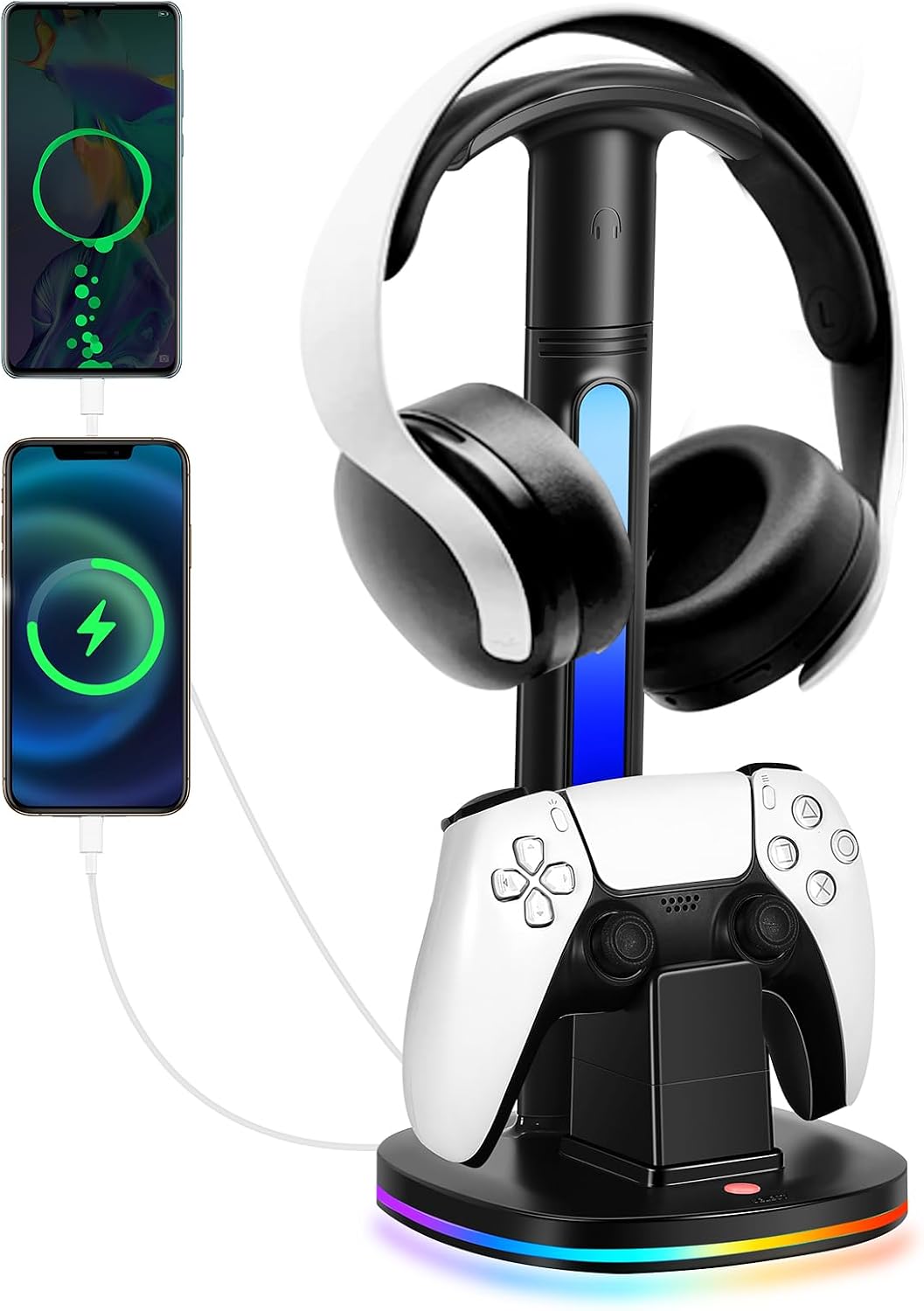
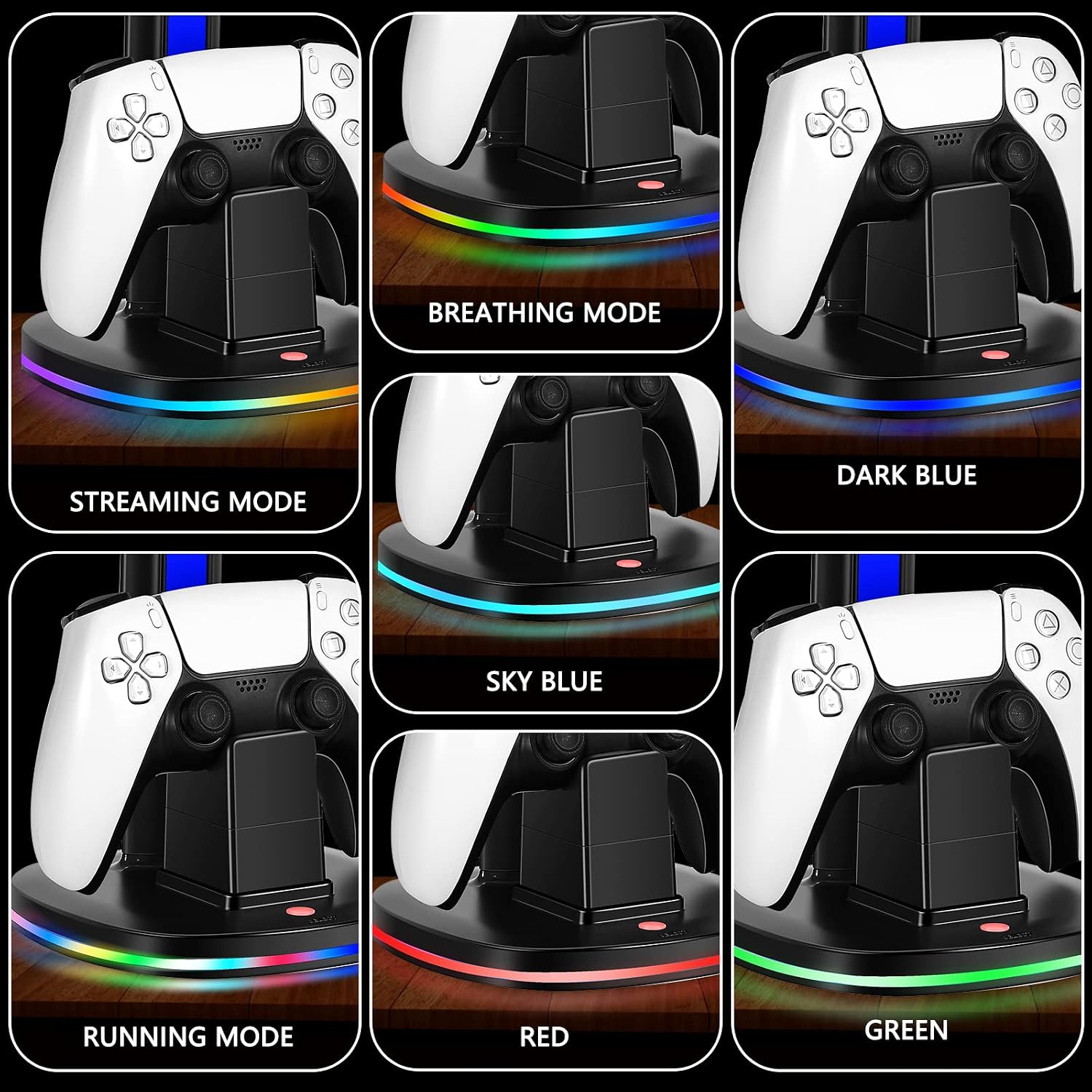
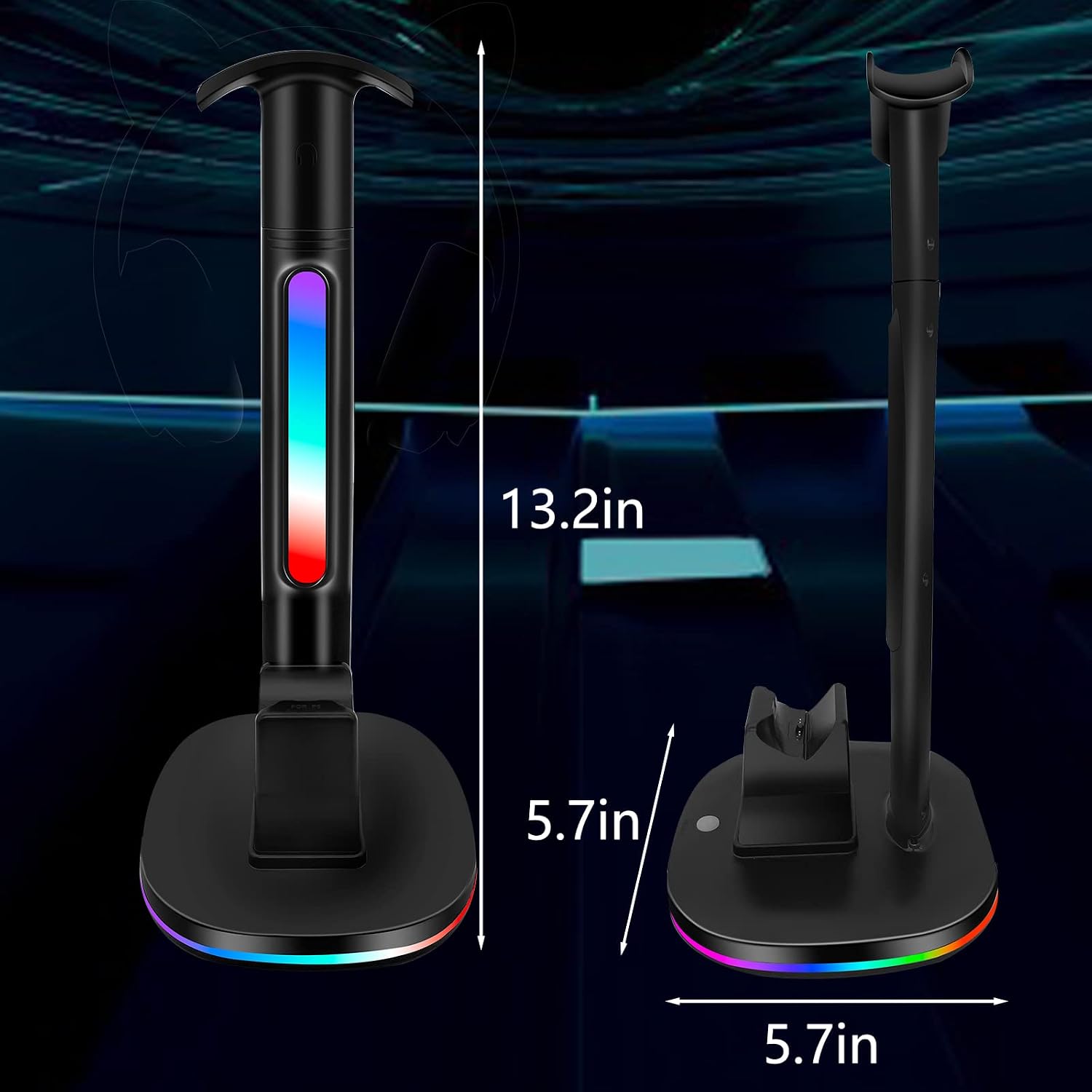
What stands out most is the “one stand, multiple roles” idea. You can rest a wireless headset on the headphone stand while the setup also provides a dedicated charging dock for the controller. The RGB lighting adds a gaming-atmosphere touch, with a simple button to switch between the listed color modes.
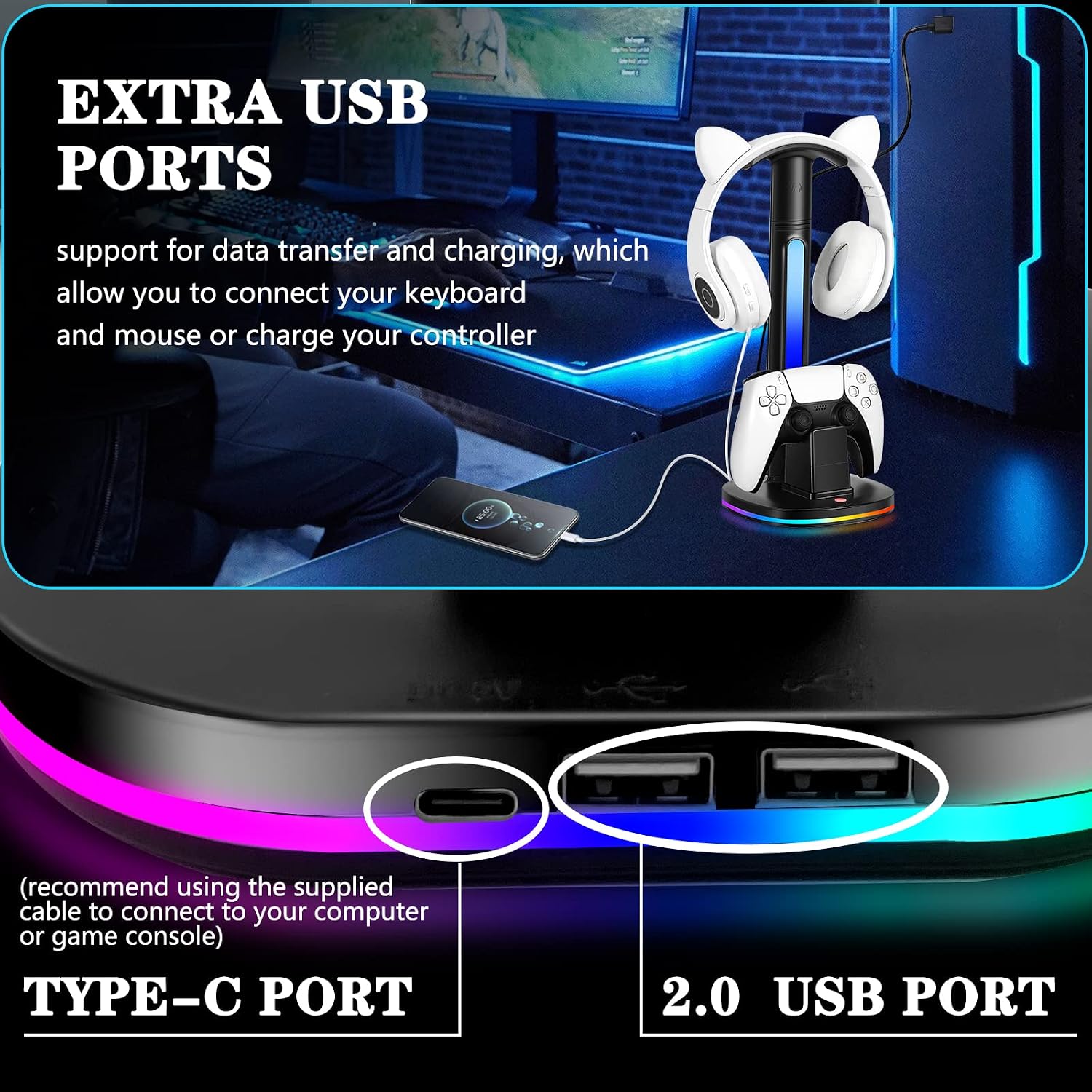
The two additional USB ports are the other big deal. Depending on your needs, they can be used for charging a smartphone, a wireless headset, or other compatible smart devices, and the listing also mentions data transfer so you could connect things like a keyboard and mouse.
There’s also a smart indicator design: the display changes color while charging progresses, and it’s designed to show status even when the controller isn’t seated on the base.
What matters in use
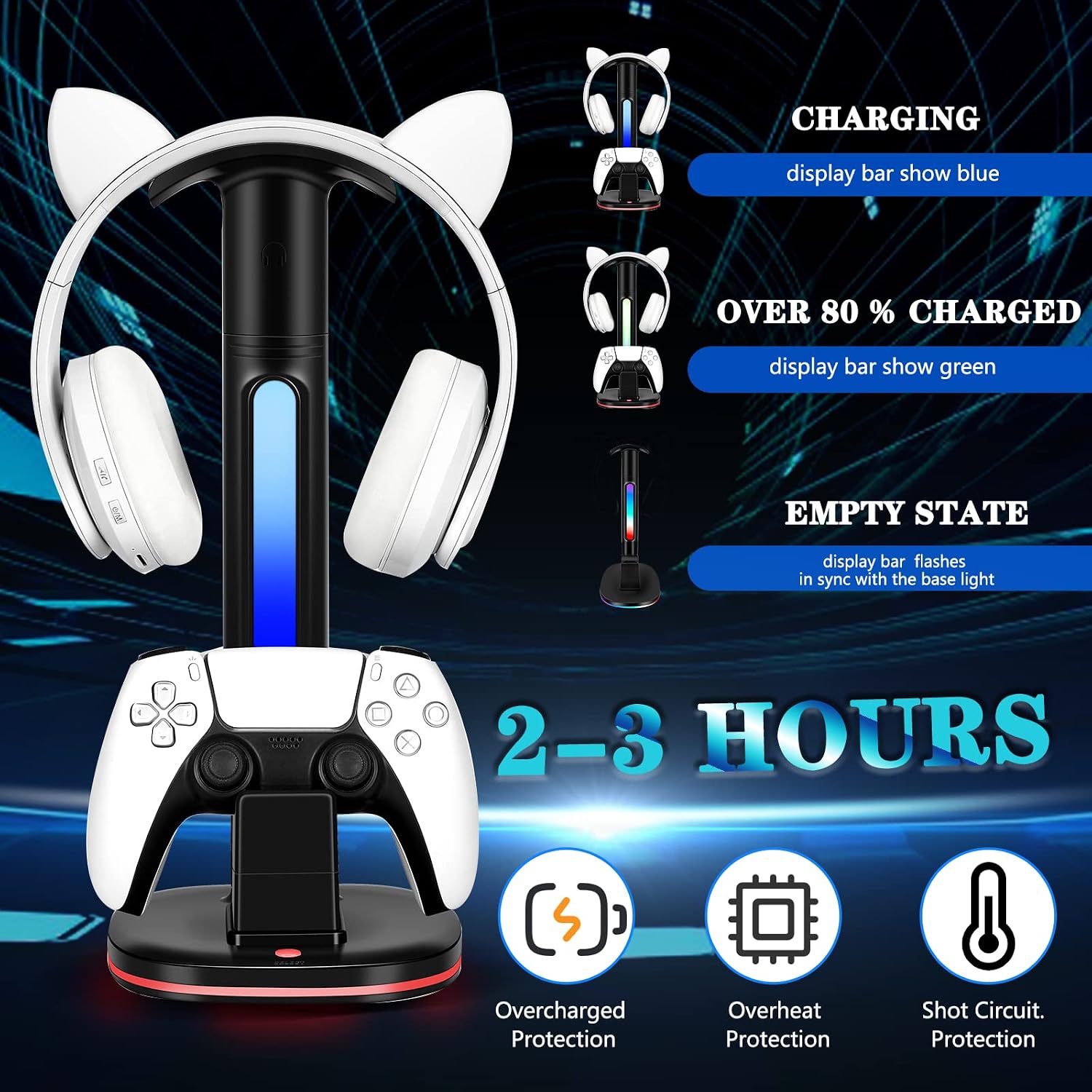
A charging dock only helps if the placement and timing work for you. In this case, the listing describes “quick charging,” stating you can charge a PS5 controller within 2-3 hours. That’s reasonably quick for a dock-style setup, but keep expectations realistic: it’s still a dedicated 5V/2.4A-rated charging station, and charging speed can be influenced by how you power it.
The station includes an important note about power delivery. It recommends using the USB port of a computer or game console to power the product to ensure functions work properly. If you plan to use a different power source, it’s worth double-checking that it aligns with the station’s intended input.
Practical example: set the controller on the dock at night, leave your wireless headset on the stand, and wake up to a setup where the controller is indicated as charging (blue) and then shows a different color once it’s above the 80% threshold—so you’re not constantly guessing.
Tech specs
- Type: PS5 controller charging dock with RGB headphone stand
- Charging dock: 1 controller charging dock (for PS5 controller / PS5 Elite controller and also compatible with DualSense Edge controllers)
- Charging time (listed): about 2-3 hours
- Charging voltage rating (listed): 5V/2.4A
- RGB modes (listed): 7 color modes
- USB ports (listed): 2 additional USB ports
- Charging protection (listed): intelligent chip to prevent overcharged, overheat, and shot circuit
- Indicator behavior (listed): blue when charging, turns green over 80% charged, display bar flashes if controller isn’t placed on the base
Who it’s for (and who should skip it)
This setup makes sense if you want a cleaner PS5 desk routine: dock the controller, park your headset, and keep small accessories powered without reaching for extra cables. The RGB lighting is also a clear win if you like that “at-a-glance” gaming vibe.
It may not be the best match if you expect a premium charging station that does more than basic dock charging and a status light. Also, if you want faster charging than what the 5V/2.4A design and the listed 2-3 hour window suggests, you may find it a bit limiting.
It might not suit you if you don’t want lighting effects at all—while you can switch modes, it’s still built around an RGB headphone stand.
Care & maintenance
This is a desk accessory, so the main maintenance is keeping the charging area clear and avoiding dust buildup around the dock contacts and the indicator area. If you notice the display behaving unexpectedly, the listing’s indicator logic suggests reseating the controller on the base can help confirm proper placement.
Is it worth it?
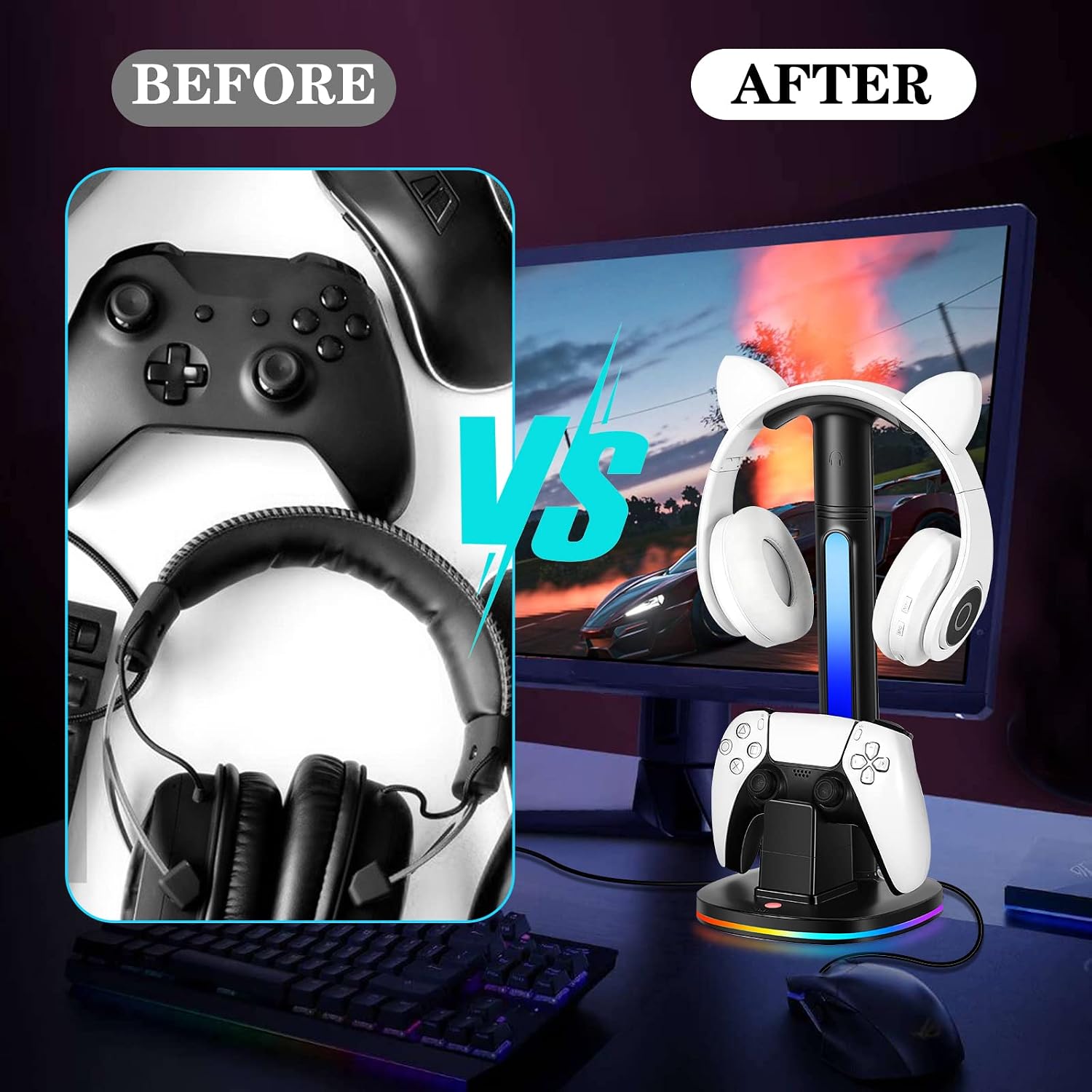
Buy it if you’re trying to reduce cable clutter while charging your PS5 controller and storing your wireless headset in one spot. The combination of a dedicated charging dock, 7-mode RGB lighting, a status indicator that changes based on charging progress, and two extra USB ports is a strong “day-to-day convenience” package for most casual PS5 setups.
Skip it if your priority is maximum charging speed above what the station’s 5V/2.4A rating and the stated 2-3 hour timeframe imply. Also, if you don’t want RGB lighting in your setup or you’re not planning to power it using a computer/console USB port as recommended, it’s smart to reconsider.
Mini FAQ
Will the RGB headphone stand charge the headset?
The listing says the station can support storing a headset on the headset stand while charging needs are handled via the docking setup and the extra USB ports. It doesn’t fully spell out charging compatibility details for every headset type, so if charging your exact headset is a must, you’ll want to confirm it matches what you plan to connect.
What do the blue and green indicator lights mean?
According to the listing, the display shows blue when the controller is charging and turns green over 80% charged. It’s also described as flashing in sync if the controller isn’t placed on the charging base.
How do you switch the RGB lighting modes?
The listing indicates you just press the button to switch between the 7 RGB modes.
What can the extra USB ports be used for?
The listing mentions data transfer and charging, including connecting devices like a keyboard and mouse, or charging a controller, smartphone, wireless headphones, or other smart devices (within the limits of what your devices require).
How should I power the charging station?
The listing recommends using the USB port of your computer or game console to power the product to ensure that all functions can be used properly.