

OIVO PS5 Slim/Pro Stand & Cooling Station with 3-Level Fan, Dual Controller Charging, USB Ports, LED Controller Charging
Reviews
Price
Product description
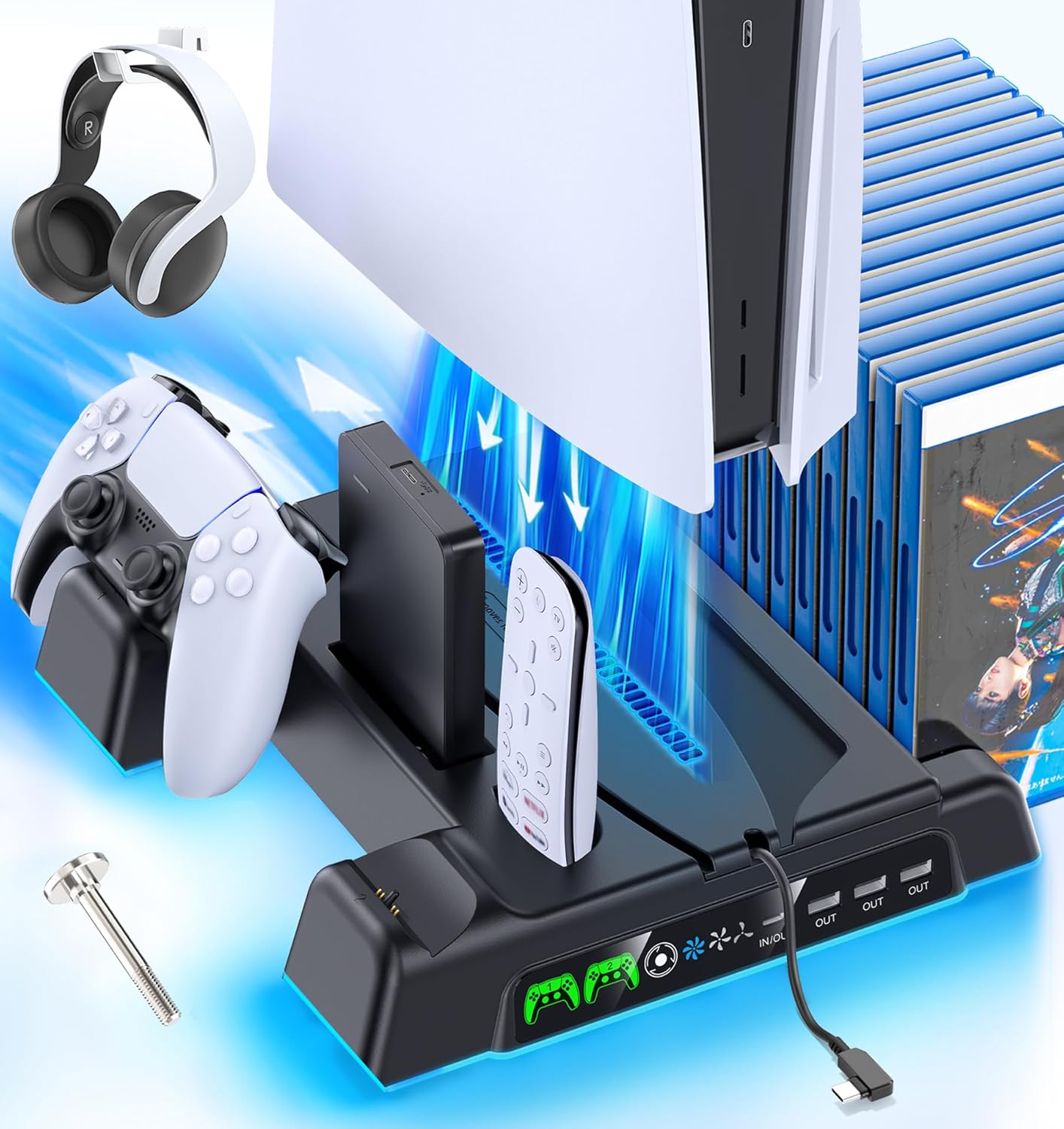
If your PS5 setup has turned into a pile of accessories, this OIVO PS5 stand and cooling station is built to bring order back. It combines a vertical console stand, a 3-level cooling fan system, and a controller charging dock in one place—plus extra USB ports, a place for headphones, and storage slots for discs and more.
That “all-in-one” approach is the main reason to consider it. Still, it’s not a miracle solution: the cooling and charging depend on how you place your console and how you use the included controls.
The essentials (what it is and what it solves)
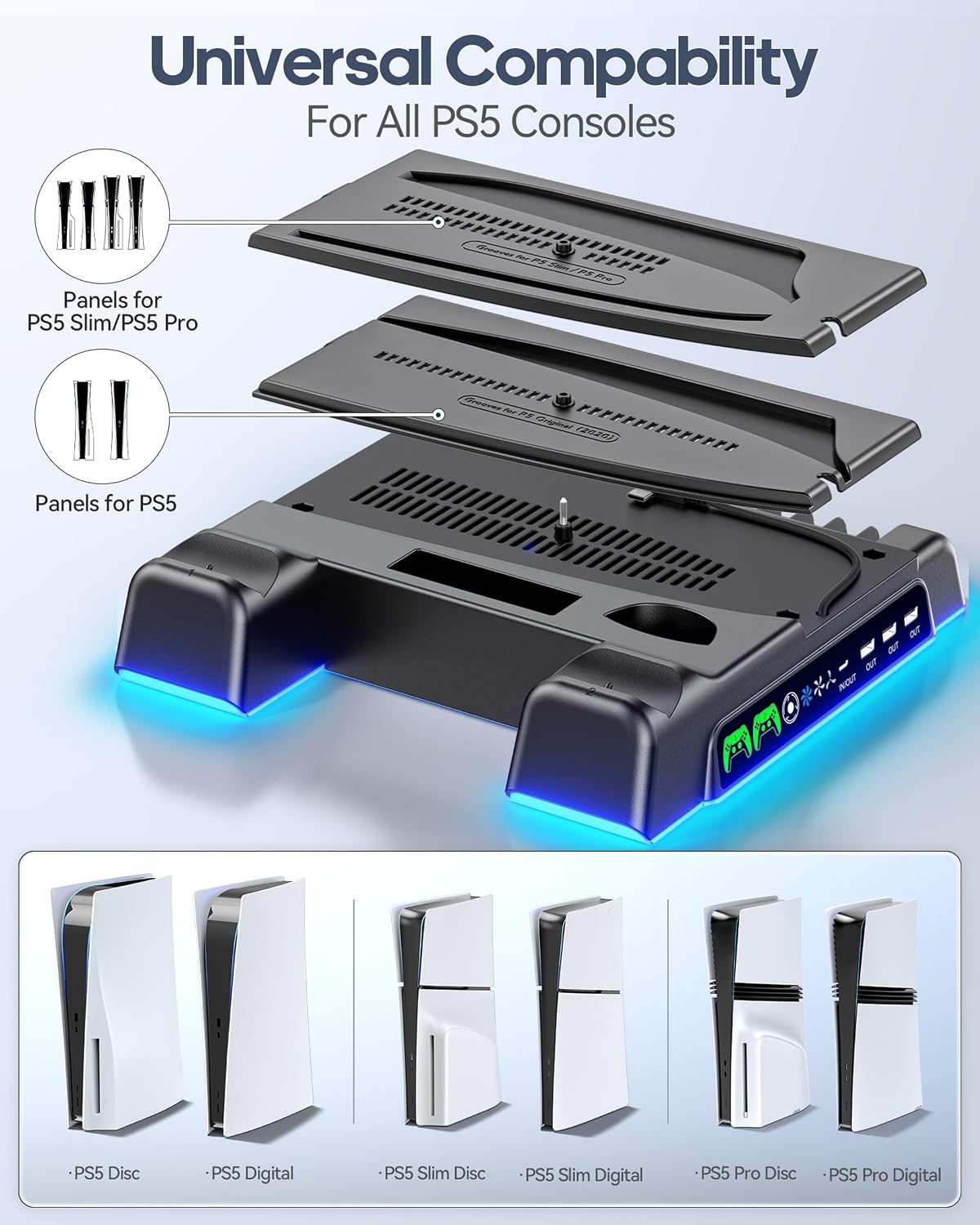
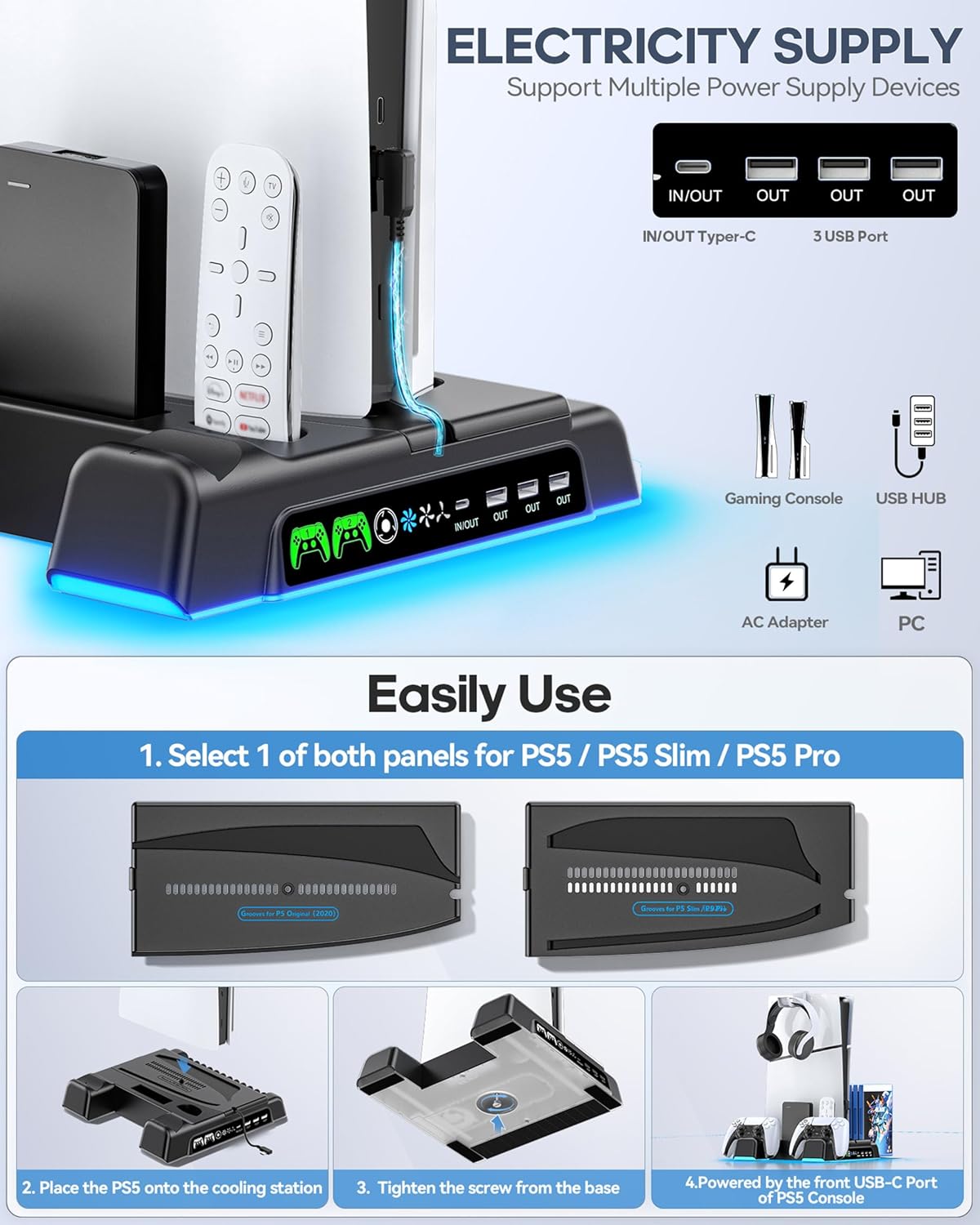
This is a multifunction PS5 accessory kit designed to work with PS5 / PS5 Slim / PS5 Pro consoles. On paper, the pitch is straightforward: mount the console on the stand, charge up to two controllers on the dock, and use the integrated cooling airflow to help reduce overheating risk during long sessions.
It also includes practical organization features so you’re not hunting for small items. You can store items like the controller, headphones support, remote, and game discs in a single vertical setup. For many people, that’s the difference between a clean entertainment center and a “where did it go?” routine.
What you’ll notice day to day
The storage design is one of the better parts of this kit. Keeping everything in one vertical station can save space and reduce clutter, especially if your console normally lives on a shelf with loose accessories nearby.
The cooling control is also meant to be simple: there are multiple fan speeds and the ability to adjust (or turn it off) using the fan switch on the side of the stand through a touch switch.
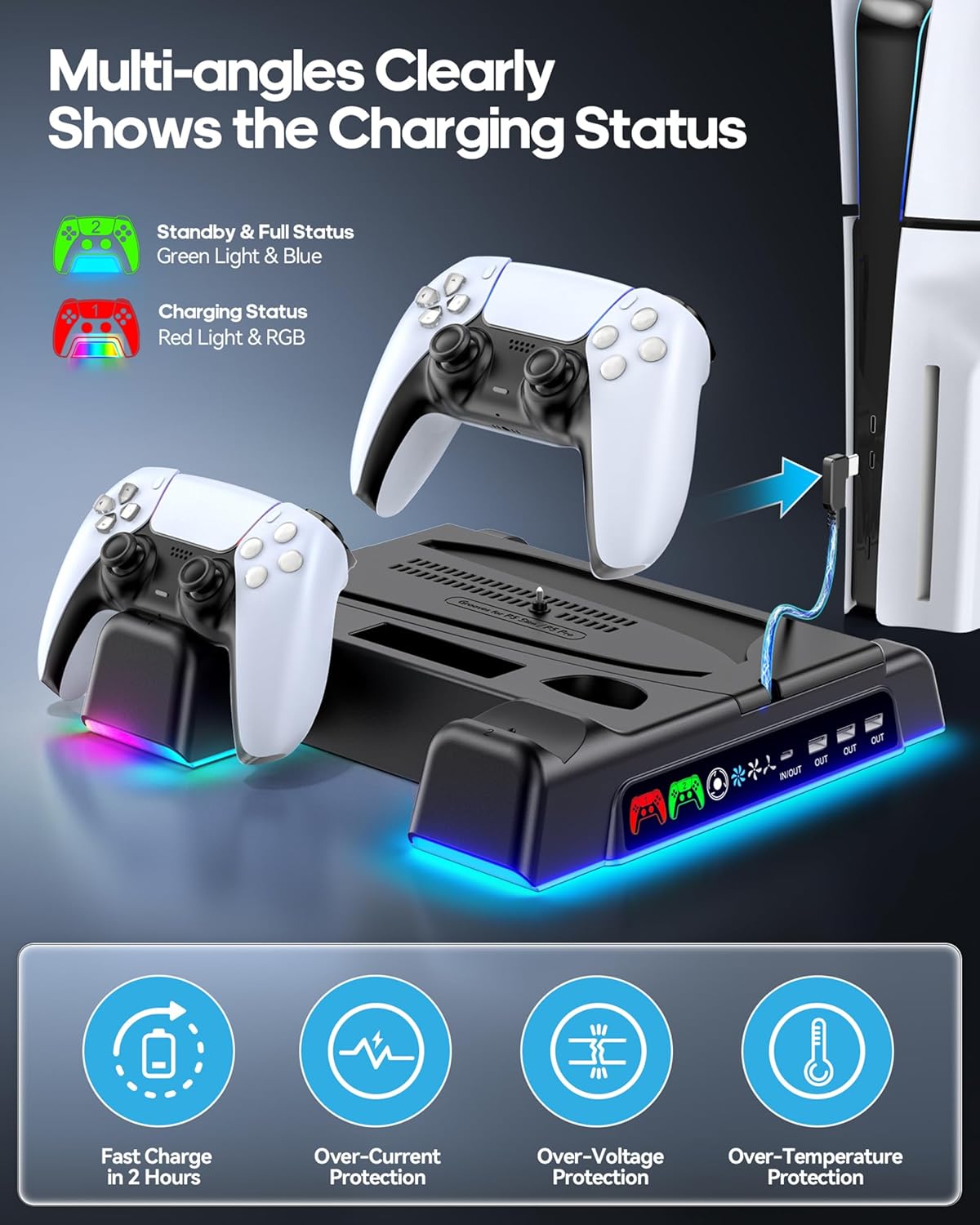
There’s also a visible charging experience. The controller charging status is shown via LED indicators so you can tell at a glance whether controllers are charging, fully charged, or in standby.
One limitation to keep in mind: it’s a stand + dock combo, so it’s most compelling if you actually want a vertical “station” layout. If your current setup already handles cooling and charging separately, the space-saving benefit may feel smaller.
Key features that matter (and where they fit)
Cooling in 3 phases is a big part of the design. The kit references a suction-based airflow system to help dissipate heat from the console after extended play. It offers three fan speeds, listed from 3100 to 3500 RPM, which gives you some control depending on how demanding your sessions are.
For charging, the dock is positioned as a dual-controller station. It’s described as able to charge two PlayStation 5 controllers at the same time, with a stated time of 2.5 hours. That’s useful if you rotate controllers for longer gaming nights.
The stand also includes additional utility touches: - Extra USB ports (3 additional ports are mentioned) - A spot for headphones - Slots for storing hard drive disks (“hard drive” slots are referenced) - A remote and game storage area, with a claim of storage for 14 games
Tech specs (only what’s provided)
- Type: PS5 stand, cooling station, and controller charging dock with accessories kit
- Compatibility: PS5 / PS5 Slim / PS5 Pro
- Cooling: integrated 3-level fan with suction-style airflow
- Fan speeds: 3100 to 3500 RPM (3 speed levels)
- Controller charging: charge 2 controllers simultaneously
- Charging time (stated): 2.5 hours
- Cooling control: fan switch on the side of the stand (touch switch mentioned)
- Charging indicators: LED status light (red = charging, green = fully charged/standby)
- Protection features: overload protection, overheating protection, over-voltage protection, and short-circuit protection
- Important note for charging: due to an automatic protection chip built into the PS5 controller, charging won’t start with 70% power
The trade-offs before you buy
This is a practical “one base, many jobs” accessory, but it does have a couple of realistic boundaries.
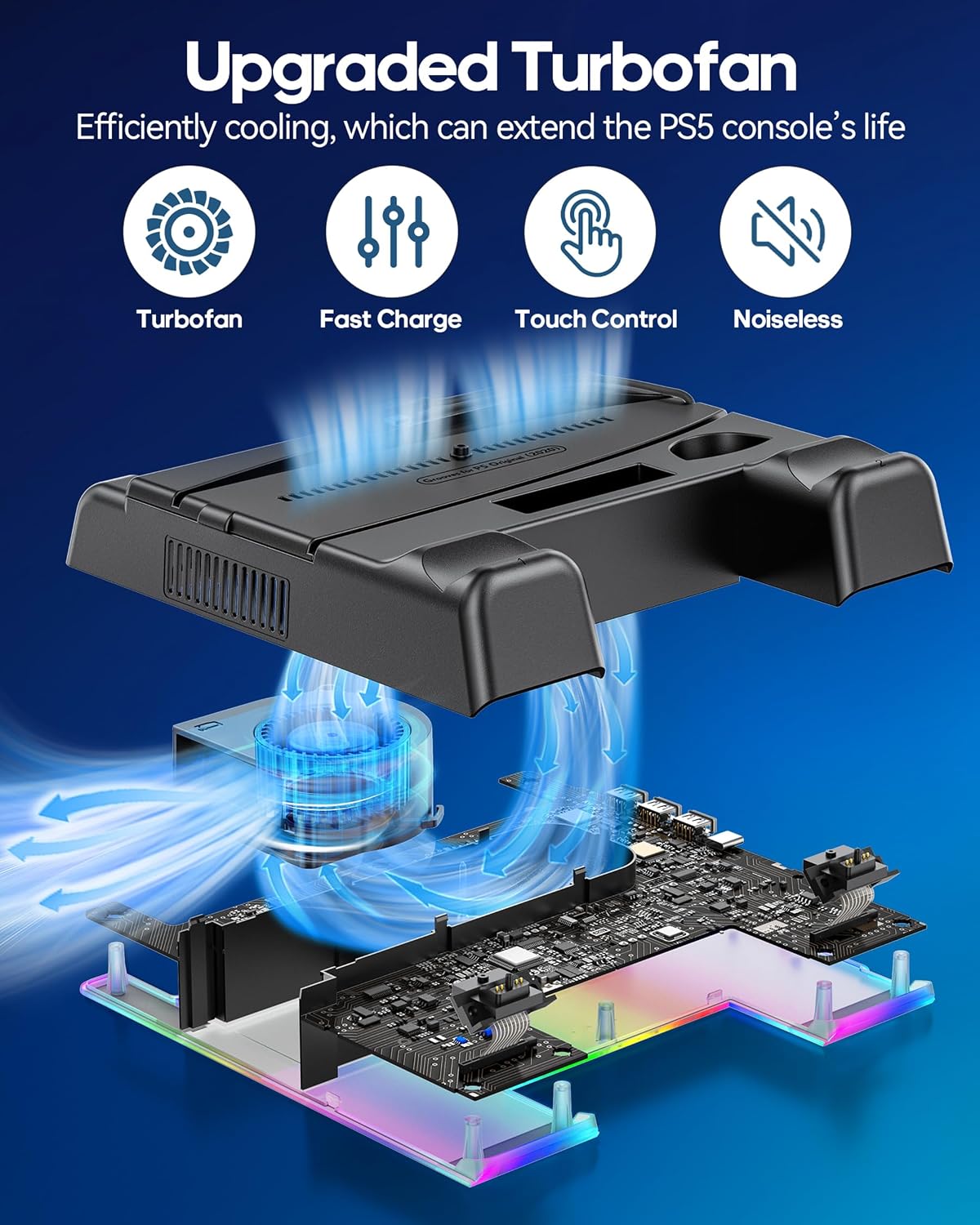
First, the cooling benefit is tied to airflow design and how you run the fan. If you tend to play with the fan off or at the lowest setting, you may not get the same cooling effect implied by the multi-level airflow.
Second, charging behavior has a quirk worth noting. The included information says the controller’s built-in automatic protection chip means charging won’t start when the controller is at 70% current. That doesn’t make it useless, but it can surprise you if you expect charging to begin instantly every time you dock a controller.
Finally, it’s designed as a vertical station meant to organize accessories. If your priority is minimal hardware or your desk/entertainment center layout doesn’t suit a vertical stand, you might find it a bit less convenient than a simpler stand-alone cooling accessory.
Is it worth it?
Buy it if you want a compact PS5 setup that bundles cooling, dual-controller charging, and tidy storage into one vertical station. It’s especially worth considering if you regularly use multiple controllers, store accessories in one place, and like being able to check charging status via LED indicators.
Skip it if you already have your cooling and charging handled separately, or if your space doesn’t work well with a vertical “dock + stand” layout. Also, if you expect controllers to start charging immediately regardless of battery level, keep the 70% automatic protection note in mind.
If your goal is a more organized console area and you’re comfortable using a 3-level cooling fan system, this OIVO kit makes a lot of sense on paper—and for many households, that’s exactly the kind of day-to-day improvement that matters.
Quick FAQ
Will it work with PS5, PS5 Slim, and PS5 Pro?
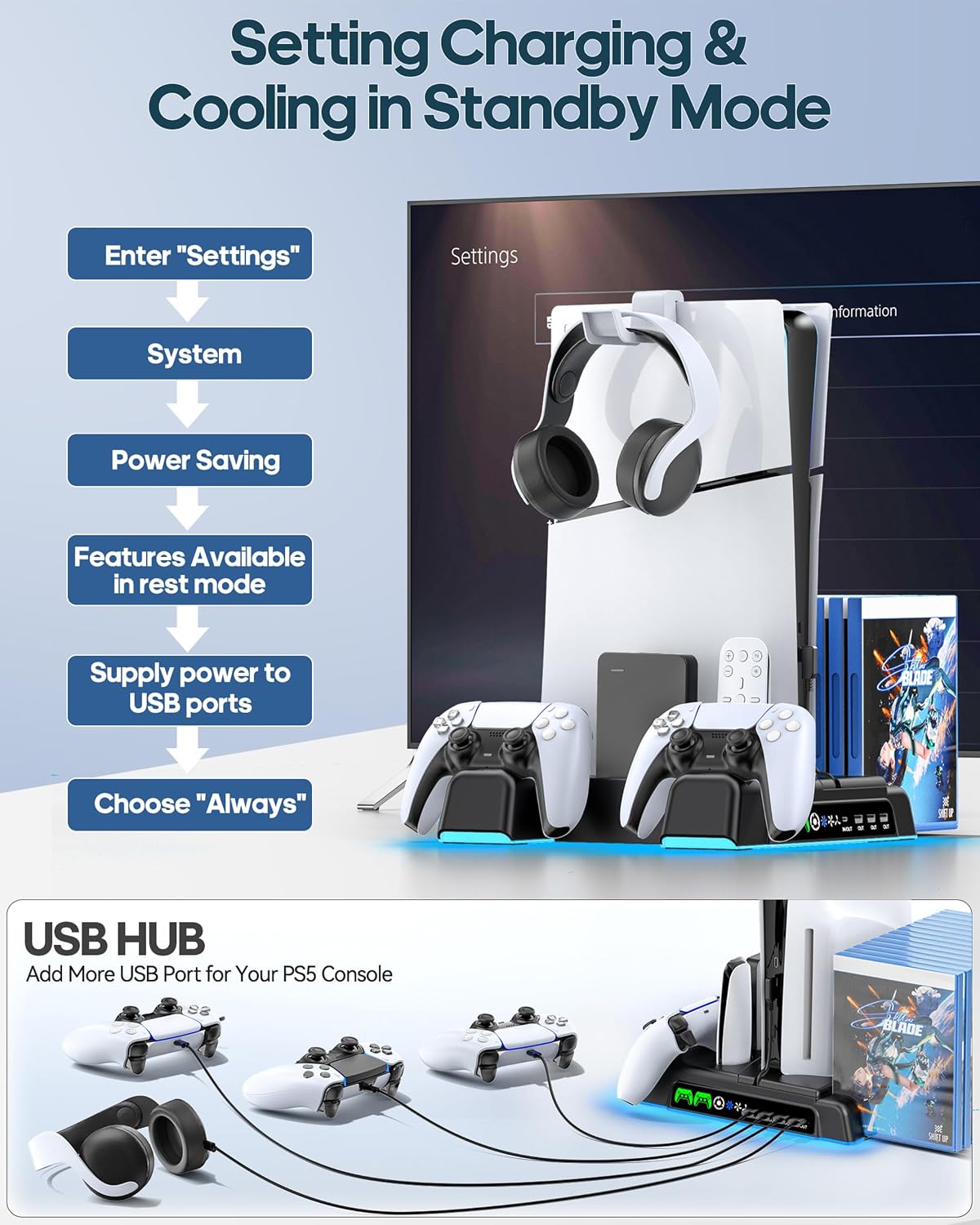
The kit is described as compatible with PS5, PS5 Slim, and PS5 Pro.
Can it charge two controllers at the same time?
Yes. It’s described as a charging station for two PlayStation 5 controllers simultaneously.
How do I know whether the controllers are charging?
The LED status is described as red for charging, and green for fully charged or standby.
Does the fan have multiple speeds?
Yes. Three fan levels are mentioned, with speeds listed from 3100 to 3500 RPM.
Why might charging not start right away?
The provided note says the controller’s built-in automatic protection chip can prevent charging from starting when the controller is at 70% power.