

KEDIERS PC Case ATX P4 with Pre-Installed 7 PWM ARGB Fans, Full-View Dual Tempered Glass Mid Tower
Product description
What you’re really buying with the KEDIERS P4 case
This KEDIERS mid tower is built around one simple idea: make it easier to cool a gaming/desktop build while keeping the inside of your PC on full display. It ships with 7 pre-installed PWM ARGB fans, so you’re not stuck sourcing the first round of airflow yourself—at least on paper, that removes a common early-buyer hassle.
The other big draw is the full-view dual tempered glass design with a wide-angle, “270°” panoramic look. If you care about showing off components (ARGB lighting, GPU shape, tidy cabling), this case leans hard into that.
Still, it’s not perfect for everyone. A glass-heavy design can look great, but it can also make you more mindful about airflow planning and cable management—something you’ll want to get right if you’re aiming for consistently cool temps.
Key takeaways (cooling + visibility + everyday I/O)
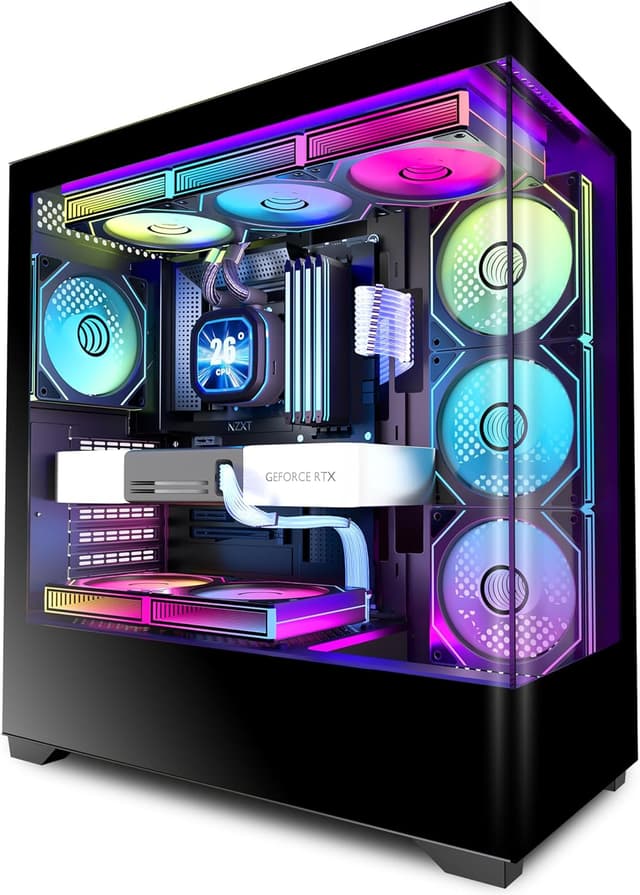
- Pre-installed airflow: The case comes with 3 side intake fans (120mm), 3 top/rear exhaust fans, and 1 additional 120mm exhaust fan.
- Panoramic tempered-glass look: front and side panels are fully glass-covered, designed to make internal hardware easy to see.
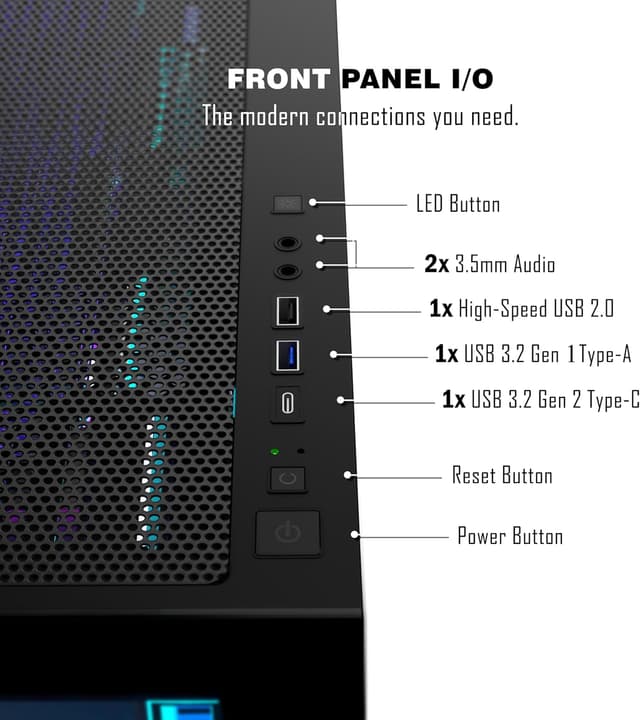
- Front/top access for modern devices: the I/O panel includes a USB3.2 Gen 2 Type-C port plus other USB/audio controls.
In day-to-day use, you’ll likely notice the difference most in two places: the lighting and the “no-guesswork” first install. If you’ve ever opened a bare case and realized you need to plan fan layout before you can even start, this one starts you closer to a usable setup.
What stands out in real use
The “full-view” part matters more than people expect. With a tempered-glass front and side, lighting effects tend to look more dramatic, especially when fans are included from the beginning. It’s the kind of case where your build looks presentable even when you’re not messing with settings.
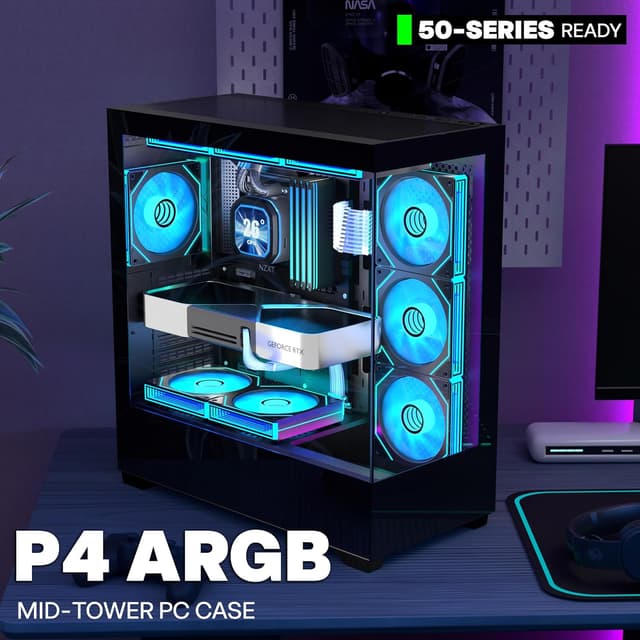
On the airflow side, the layout is designed to move air without requiring you to immediately order additional fans. Side intakes help feed components that typically run warm, while multiple top/rear exhaust positions support expelling hot air. Again, results depend on your specific hardware and fan curves, but the baseline configuration is there.
And the I/O panel looks aimed at people who want convenience: Type-C, multiple USB ports, HD audio, plus restart/reset-type controls and an LED switch button.
The limits to keep in mind
This case supports common motherboard and component sizes, but you still need to measure against your build parts. The listing states:
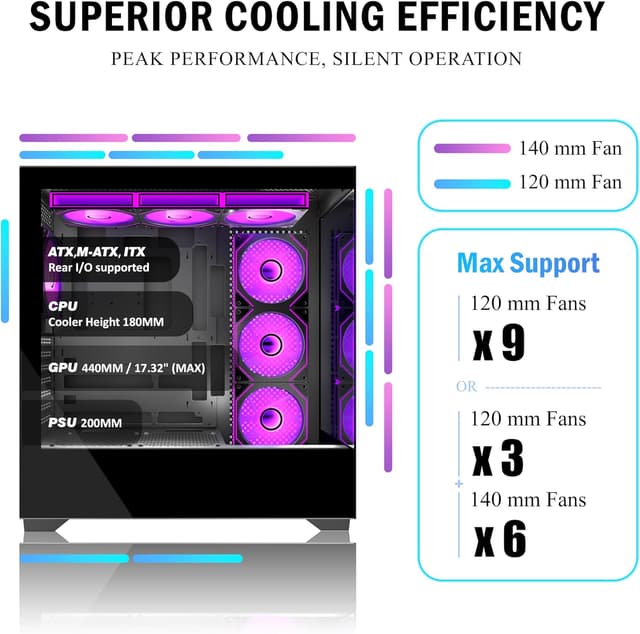
- Motherboard support includes ATX, Micro-ATX, and Mini-ITX.
- Radiator support up to 360mm.
- CPU cooler height up to 180mm.
- GPU length up to 440mm.
- PSU type ATX up to 220mm.
- 7 PCIe slots.
Where it may feel more “mid range” than high-end is in the fact that the spec targets broad compatibility rather than extreme custom flexibility. If you’re building something unusually tall (cooler-heavy) or planning a very tight custom loop layout, you’ll want to double-check clearances early.

Tech specs
- Type: Mid Tower computer case
- Motherboard support: ATX / Micro-ATX / Mini-ITX
- Tempered glass: Full-view dual tempered glass (front and side)
- Front I/O: 1× Type-C, 1× USB3.0, 1× USB2.0, HD audio, power button, restart button, LED switch button
- Pre-installed fans (PWM ARGB): 3× 120mm intake (side), 3× exhaust (top and rear), plus 1× 120mm exhaust fan
- Radiator support: up to 360mm
- CPU cooler height max: 180mm
- GPU length max: 440mm
- PSU support: ATX type up to 220mm
- Drive trays: includes HDD and SSD trays
- Expansion: 7× PCIe slots, supports up to 9× 120mm case fans and fits 2× simultaneous radiators (per listing)
Compatibility & what to check before buying
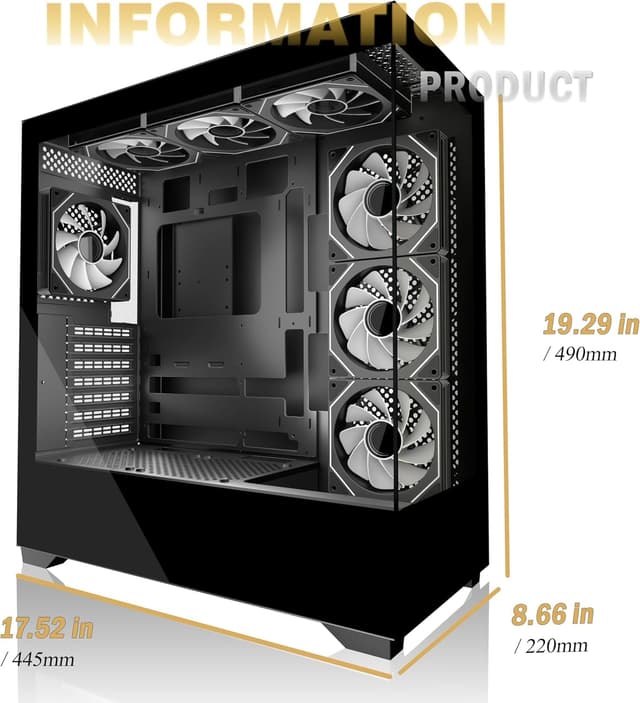
This is meant for typical ATX-class gaming/desktop setups, but you should confirm a few things before you commit:
First, compare your GPU length and CPU cooler height against the 440mm GPU and 180mm cooler maximums. If your build uses a tall air cooler or a long graphics card, that’s where surprises usually happen.
Second, if you plan water cooling, verify the 360mm radiator plan you’re imagining actually fits where you want it. The listing also mentions support for simultaneous radiators, but you’ll still want to check spacing for your exact layout.
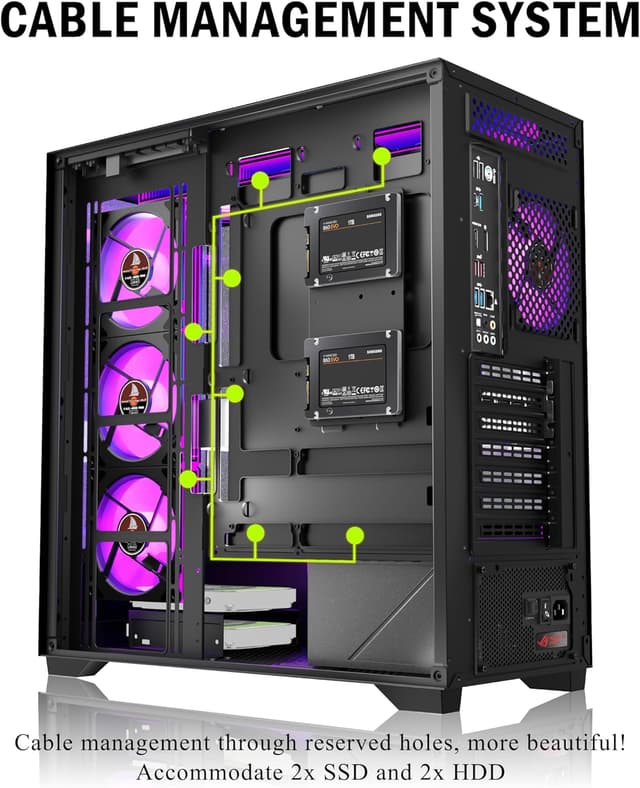
Third, because it’s built to look open and “showcase” your components, cable routing matters. The case includes large cable management space and a back-connect ready design, which should help keep the front cleaner and airflow healthier.
Mini FAQ
Is this case good if I don’t want to buy fans right away?
If you want a ready-to-go baseline, yes—it ships with 7 pre-installed PWM ARGB fans, which covers intake and exhaust from the start.
Does the KEDIERS P4 support ATX builds?
It does. The listing explicitly supports ATX, along with Micro-ATX and Mini-ITX.
What motherboard sizes does it fit?
According to the listing: ATX / Micro-ATX / Mini-ITX.
Can I use a 360mm radiator?
The listing says it supports a 360mm radiator.
Should I choose this if I care more about airflow than looks?
It can still make sense, because the airflow setup is built-in. But if you’re prioritizing maximum airflow efficiency over visibility and glass panels, you may want to compare against cases that are more airflow-focused and less showcase-driven.
When it makes sense
Buy the KEDIERS P4 case if you want a mid tower that already includes multiple PWM ARGB fans, gives you USB Type-C (USB3.2 Gen 2) in the I/O panel, and lets you show off your build through full-view tempered glass. It’s especially appealing if your “first PC build” pain point is figuring out fan planning and getting a clean front look from day one.
Skip it if your priority is a super airflow-optimized, minimal-glass build or if you already know your specific parts may push past the stated limits for GPU length, CPU cooler height, or your chosen radiator layout. In short: great for a showcase-style gaming setup, but don’t assume it’s the best match for every cooling or component configuration.