

ACEMAGIC Mini PC Intel Core 3 304
Product description
A bulky desktop can take over a small work area, while a basic mini PC may not offer enough display connections for a multi-screen setup. The ACEMAGIC K5 puts a Core 3 304 processor and a range of display outputs in a compact desktop format.
It’s aimed at everyday office work, video calls, and multitasking—not a replacement for a high-end workstation.
The mix of Windows 11 Pro, wireless networking, and three 4K display outputs makes it worth considering for a tidy home or business desk.
What to know

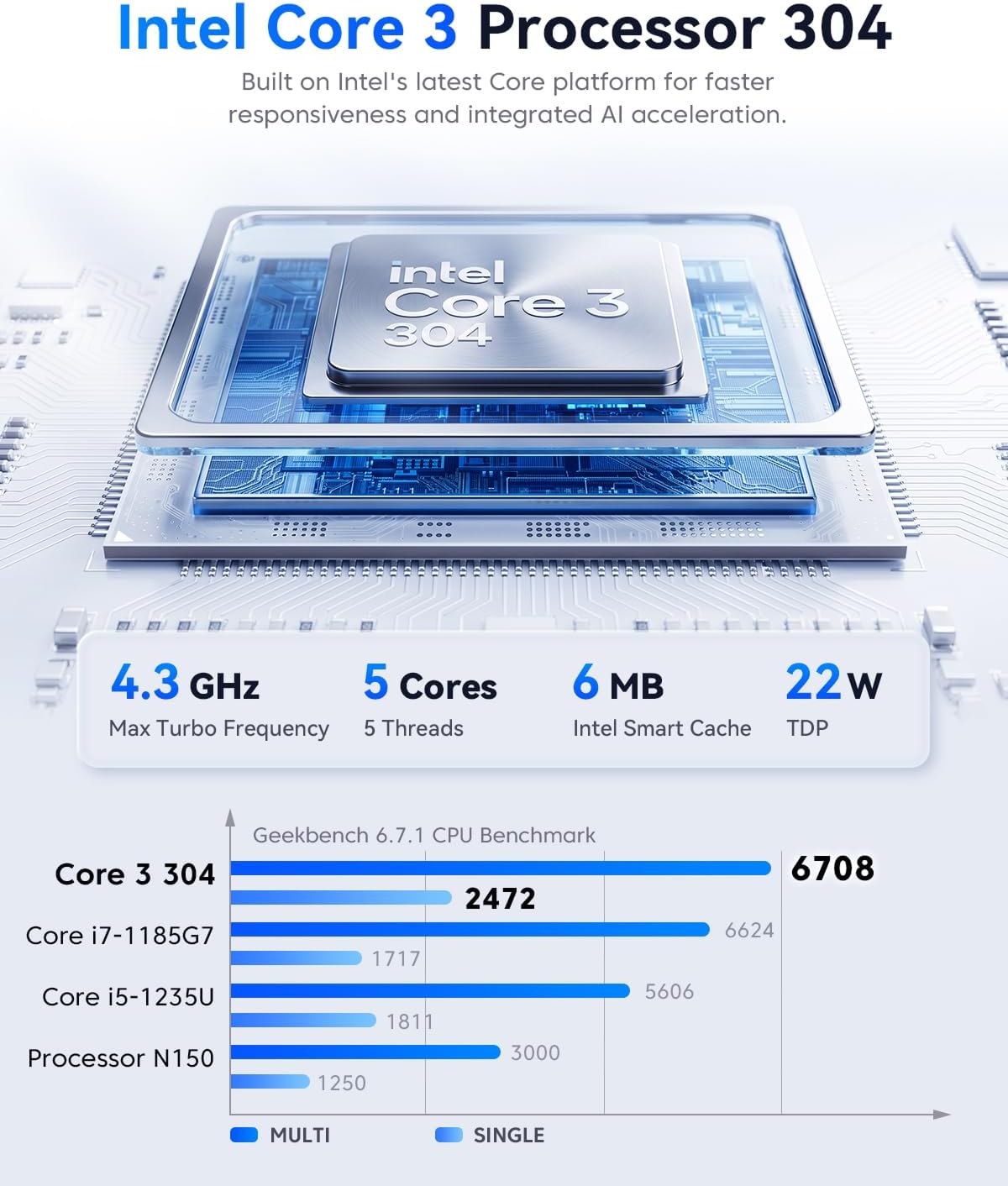
The Intel Core 3 304 has five cores, runs at up to 4.3GHz, and has a 22W TDP. The system pairs it with 12GB of LPDDR5 memory and a 256GB M.2 2280 NVMe SSD. For office apps, browser tabs, and meetings, that gives you a ready-to-use setup without the footprint of a tower. Keep in mind that the listed storage expansion applies to the SSD, not the 12GB of memory.
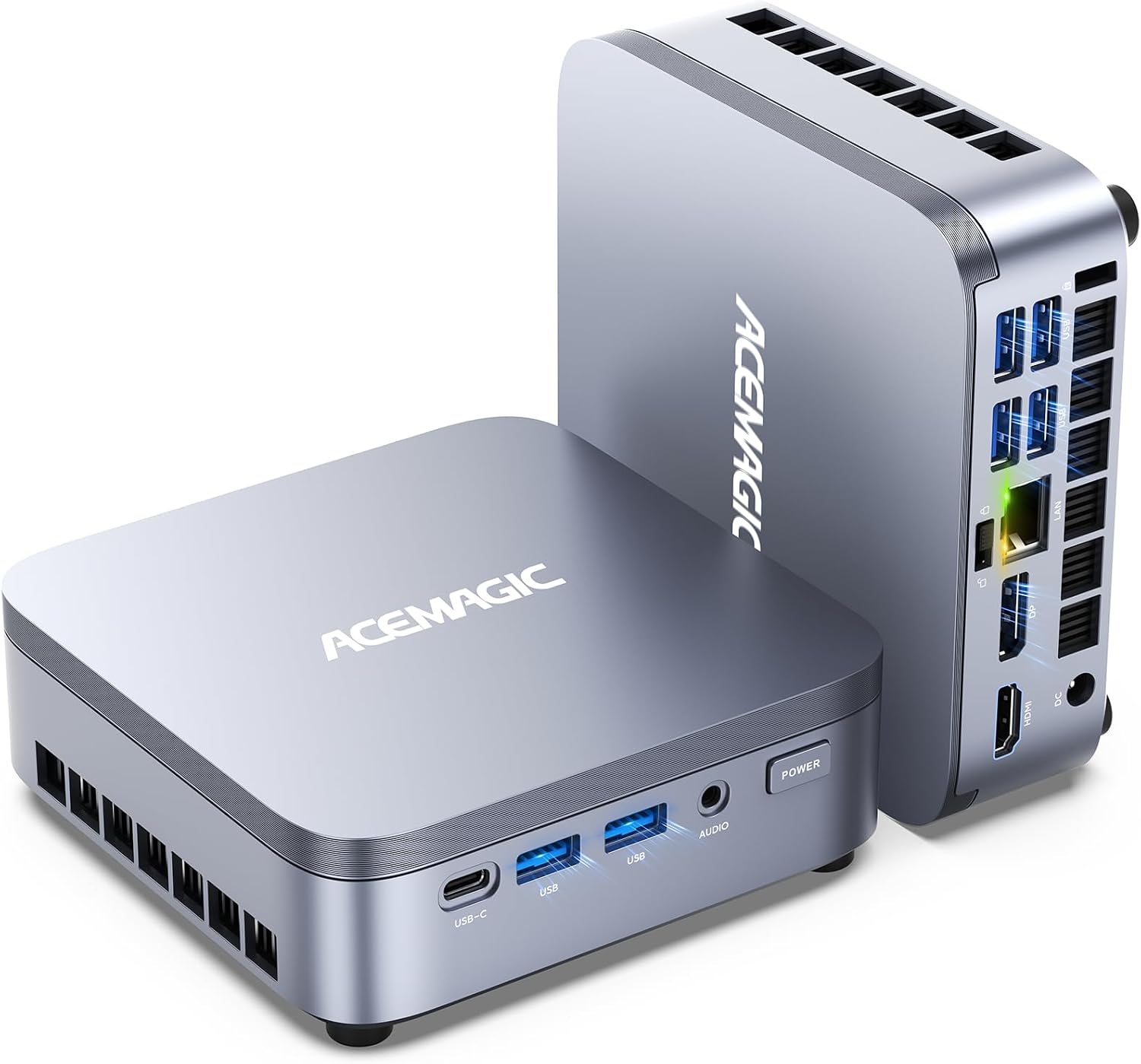
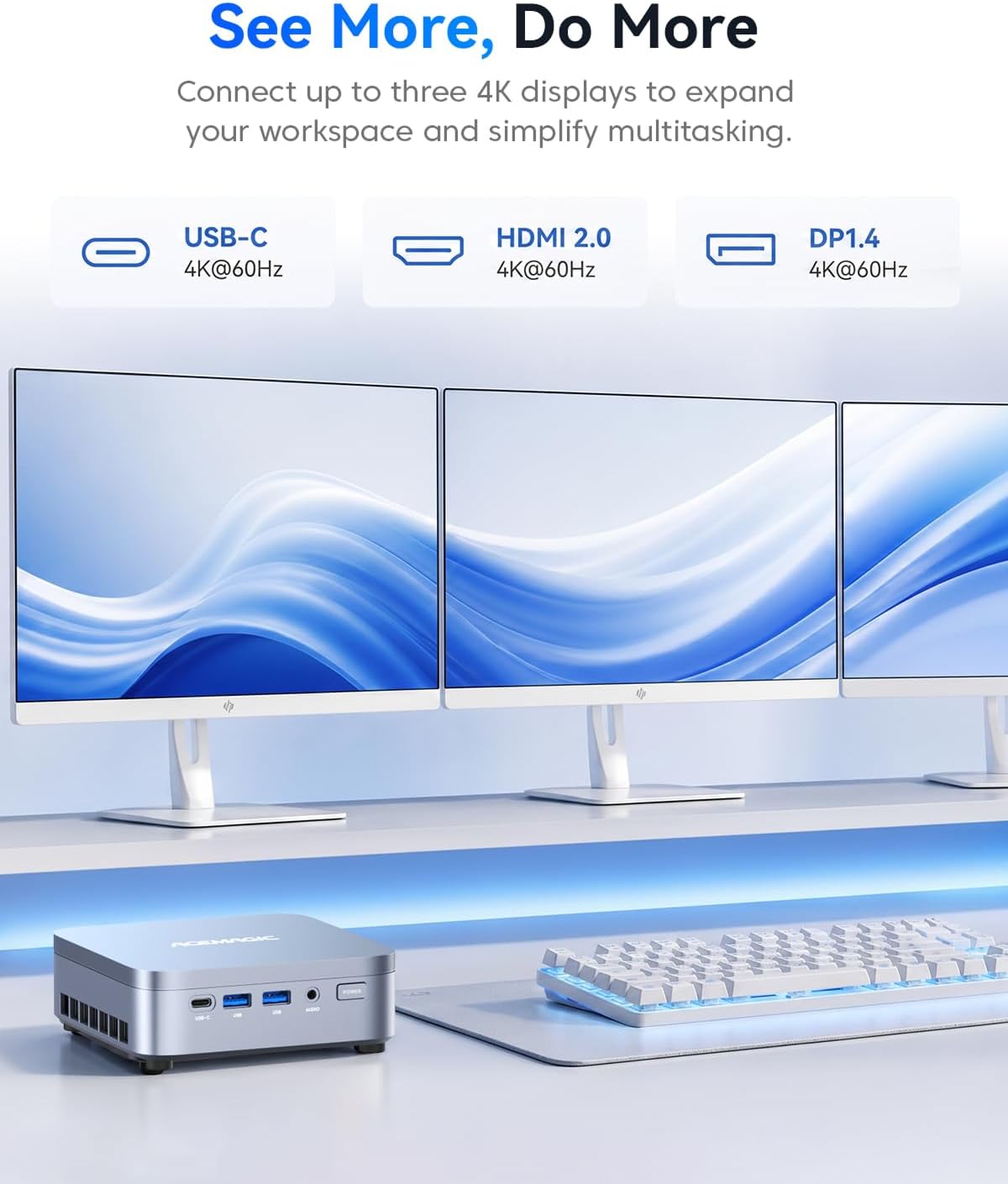
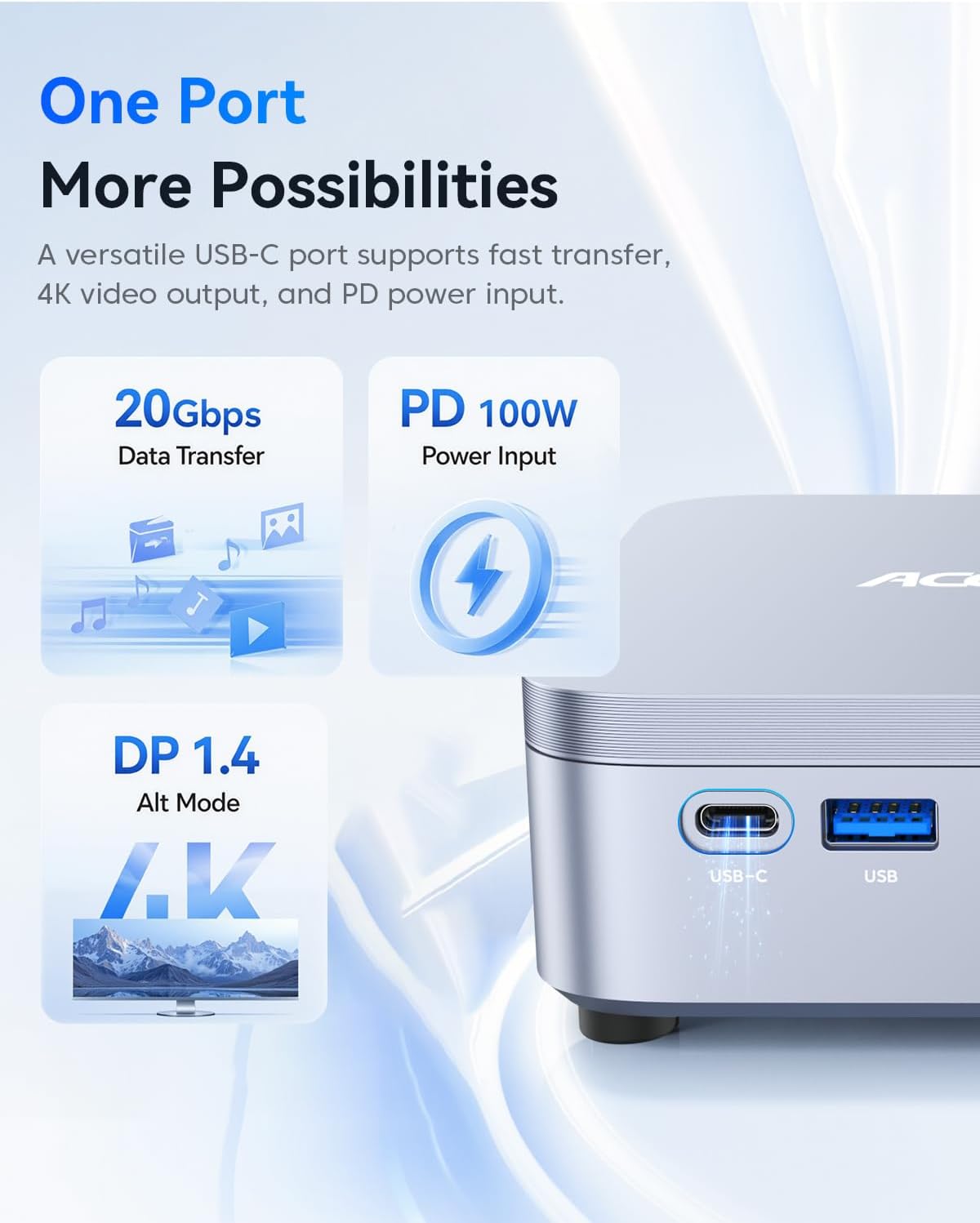
Its HDMI 2.0, DisplayPort 1.4, and full-function USB-C connections can drive up to three 4K displays at 60Hz. The USB-C port also supports data transfer up to 20Gbps and 100W PD. That flexibility is useful when a desk needs multiple screens, though the actual setup depends on the displays and cables you use.
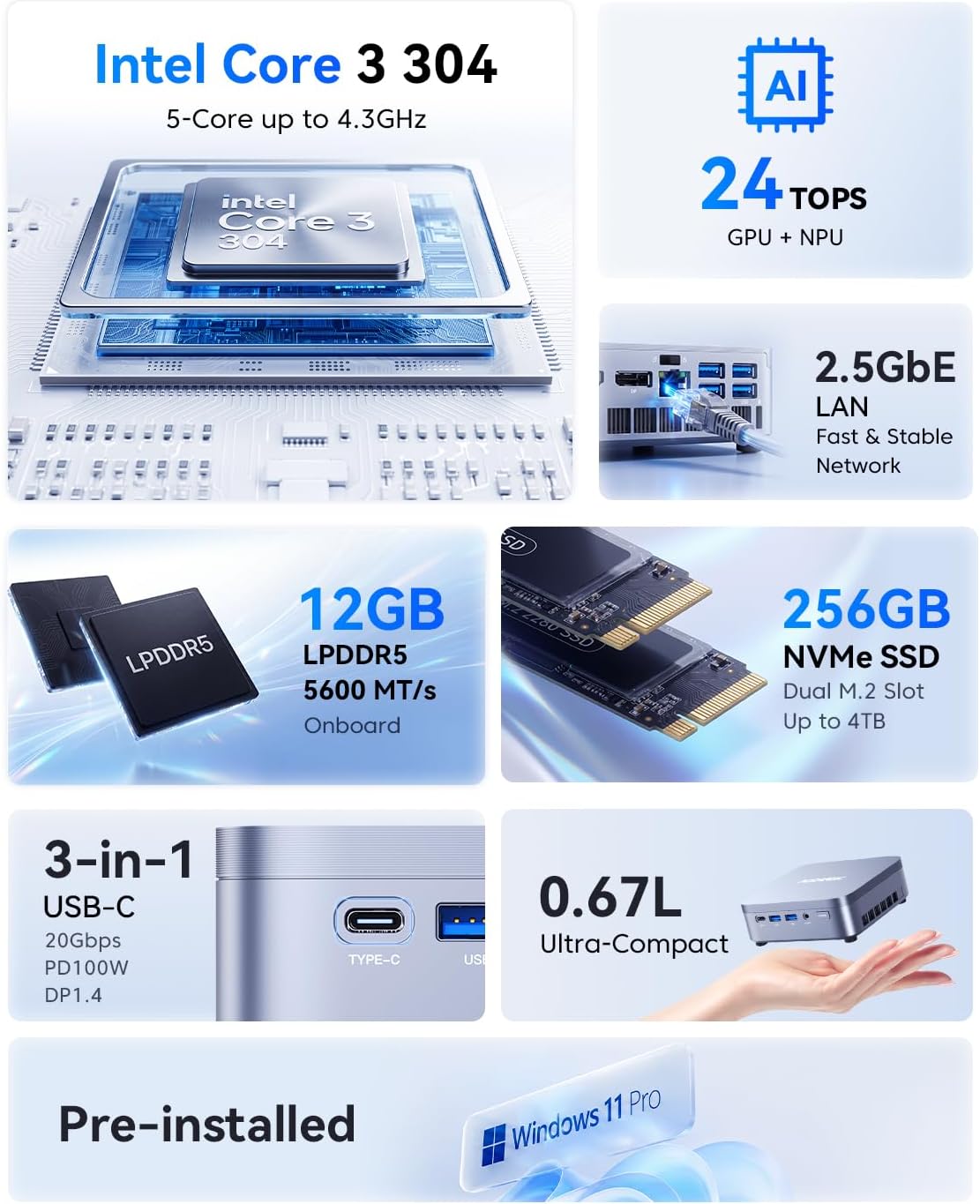
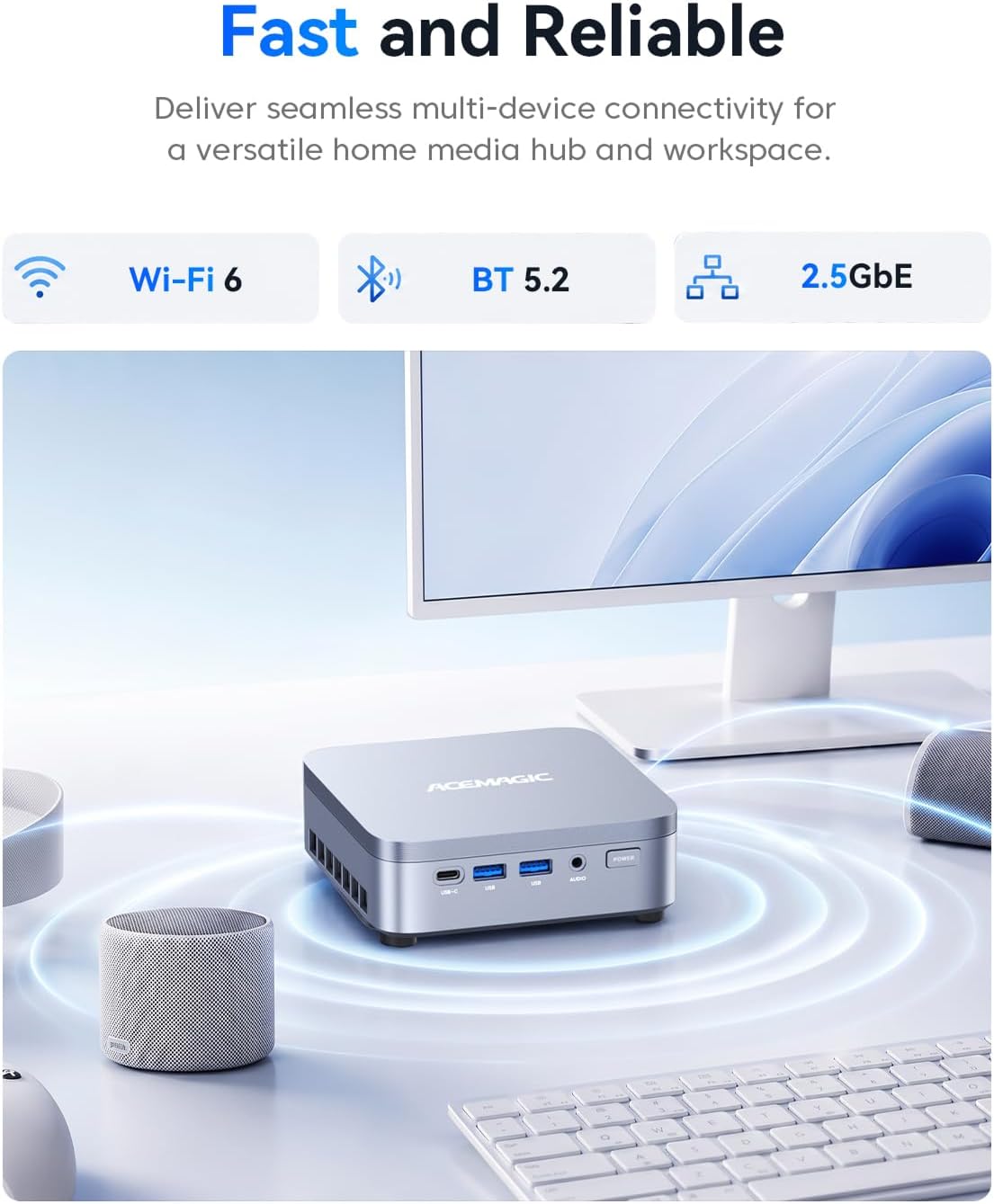
The system includes Wi-Fi 6, Bluetooth 5.2, and 2.5GbE LAN, plus Windows 11 Pro. Intel NPU and graphics provide up to 24 TOPS of AI acceleration in supported apps, that figure isn’t a promise that every AI task will run locally or faster. The 5.05 × 5.05 × 1.61-inch footprint can free up desk space compared with a conventional desktop tower.
How to use it
Connect a monitor through HDMI, DisplayPort, or USB-C, then add a keyboard, mouse, and any other peripherals you need. For example, a home-office user could keep email and documents open on one screen while using another for a video meeting. Ethernet is available for a wired connection, while Wi-Fi 6 and Bluetooth 5.2 support compatible wireless devices.
ACEMAGIC describes the cooling as optimized for extended use and the fan as low-noise. From the way it is set up, this is geared toward regular desk work, streaming, and meetings rather than demanding workloads that call for a more powerful desktop.
Practical tips
The 256GB SSD is the starting capacity, and the product description says you can add an M.2 2280 NVMe SSD for up to 4TB of additional storage. That may help if your work involves keeping local documents or media, but it doesn’t change the listed memory capacity. Before building a three-screen desk, check that your monitors have suitable inputs and that you have the cables needed for the connections you plan to use.
It makes sense if you want a compact Windows 11 Pro computer with several display options and both wired and wireless networking. A larger desktop may suit you better if your priority is more headroom for demanding work or future hardware changes.
When it makes sense
This mini PC is most compelling for home-office tasks, business applications, video calls, and everyday multitasking where saving desk space matters. It also gives you more display-output flexibility than a simpler setup built around a single screen. You may want to skip it if you need more than the listed 12GB of memory, expect storage to be ready for a large local library out of the box, or need a system aimed at heavier workloads. The description lists a one-year warranty and lifetime technical support, which may be useful if setup or display configuration raises questions.
Before you decide
Can it connect to three 4K displays? Yes. HDMI 2.0, DisplayPort 1.4, and USB-C support up to three 4K displays at 60Hz.
Can the storage be expanded? The description says an M.2 2280 NVMe SSD can be added, for up to 4TB of additional storage.
Does it include Windows 11 Pro? Yes, Windows 11 Pro is listed as the operating system.