

AV Access USB Extender Power Over Ethernet (PoC) Kit, 4-Port USB 2.0, up to 196ft/60m over Cat5e/6/6a/7
Product description
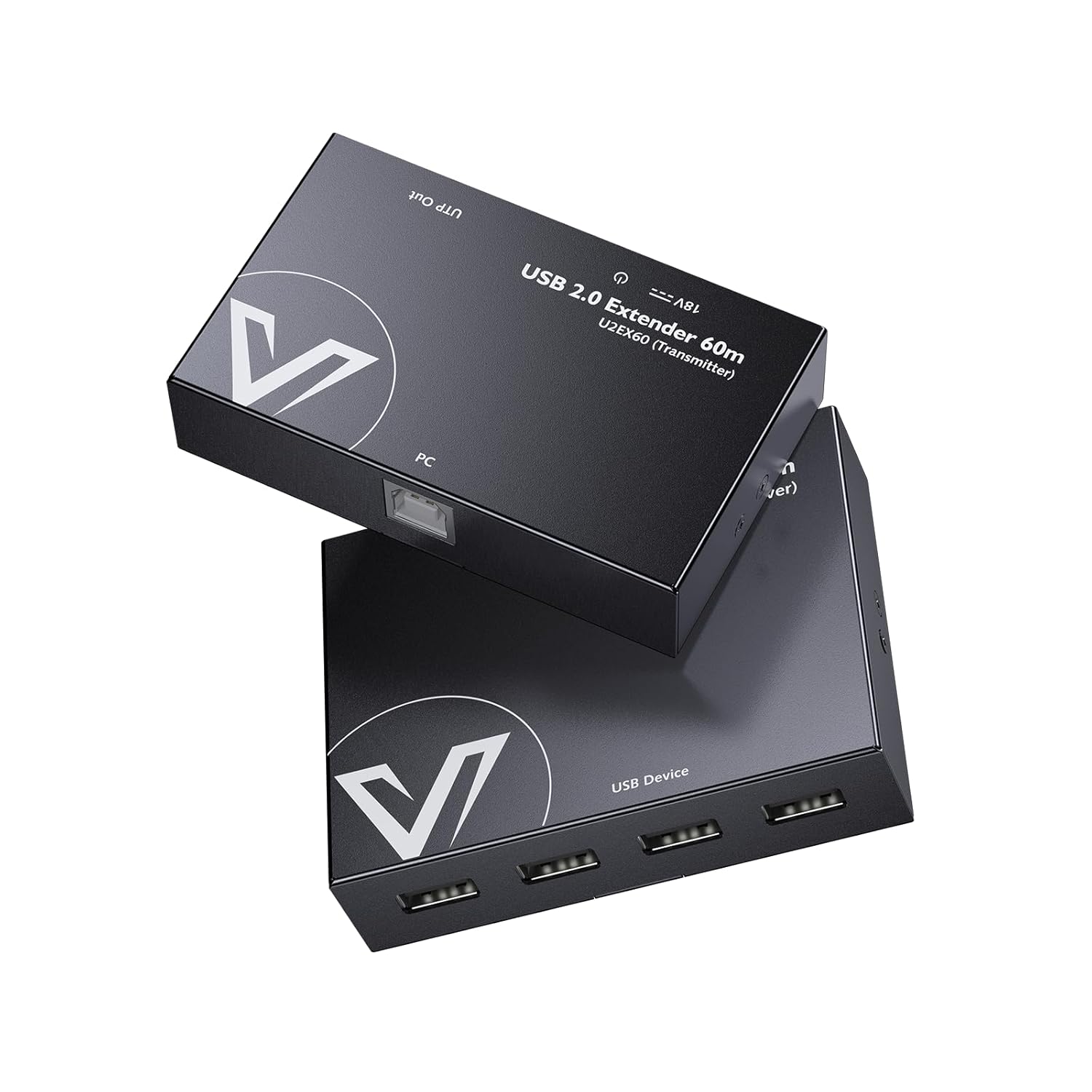
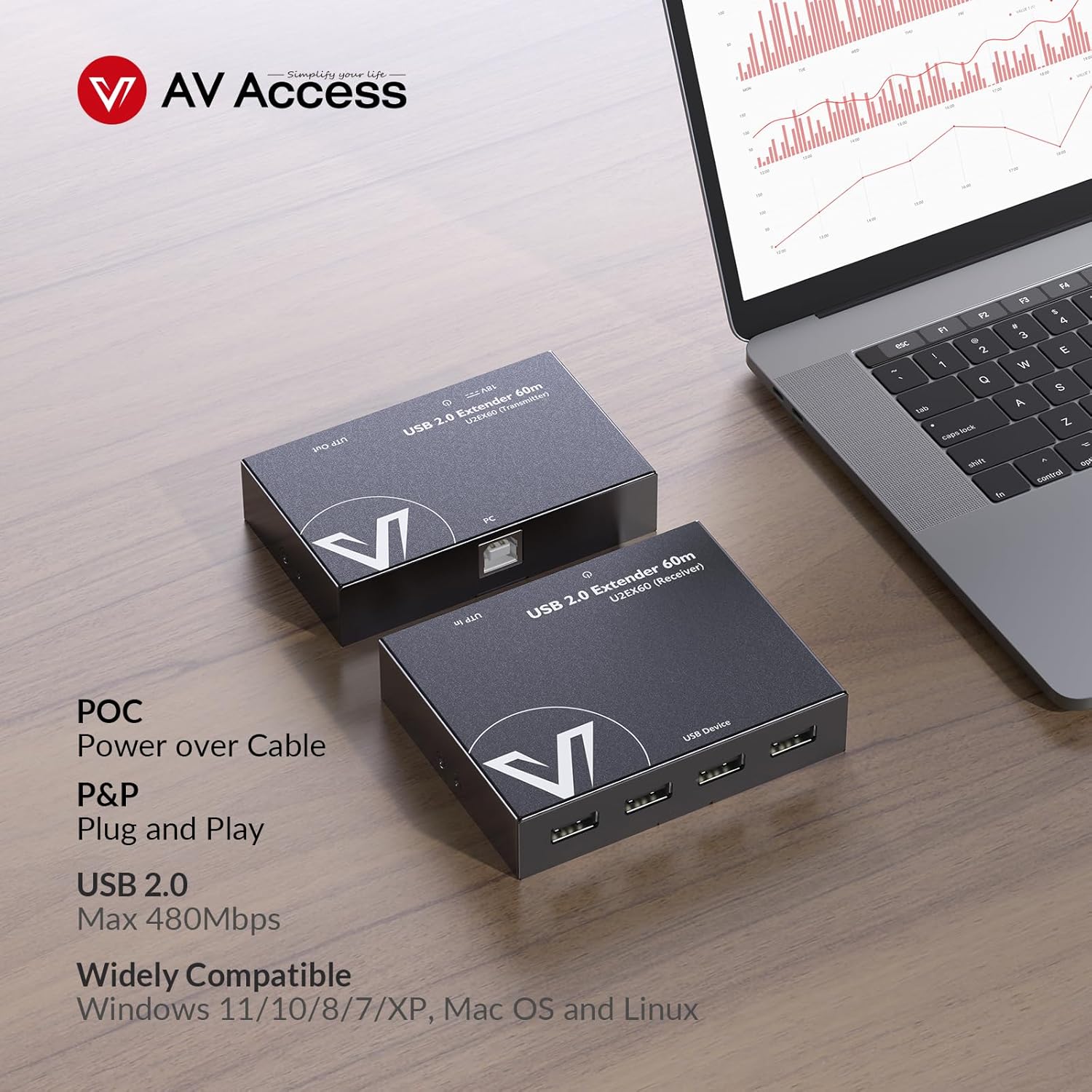
If you need USB devices somewhere they just don’t physically reach—this AV Access USB extender kit is built for that. It’s a plug-and-play setup that carries USB 2.0 data over Ethernet cabling, and it uses PoC (power over cable) so you’re not stuck feeding the remote side from a wall outlet.
In plain terms: you can keep your computer closer while moving keyboards, mice, webcams, USB microphones, and other USB peripherals up to the stated reach using Cat5e/6/6a/7 Ethernet.
What you get and what it solves
This kit is designed to extend USB 2.0 signals over Ethernet, with four USB ports on the extender side. That matters if you’re trying to run a small “USB cluster” from a distant location—think a monitor-adjacent desk in one room, while the camera/mic setup sits in a different corner.
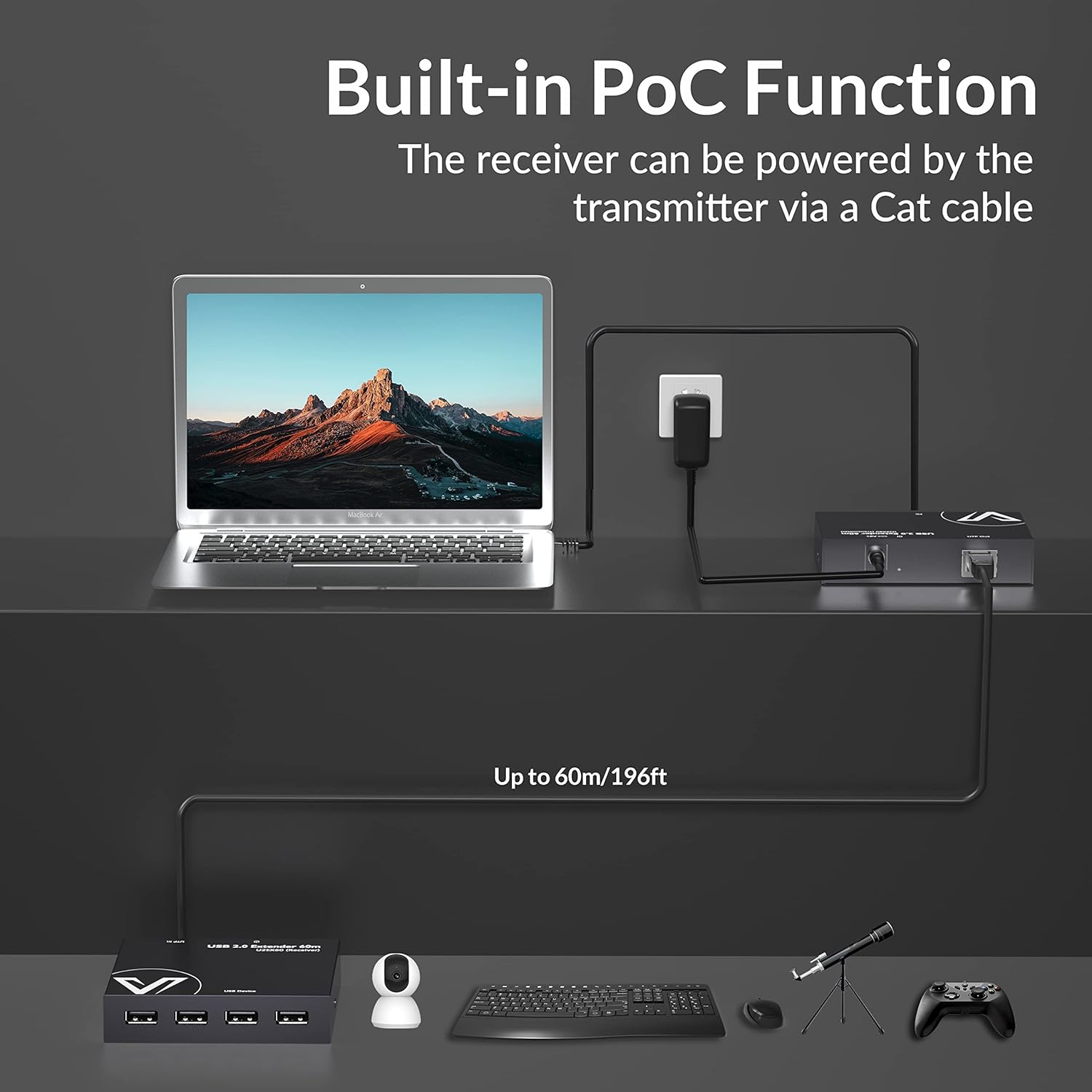
The PoC approach is a big part of the appeal. Power is supplied over the Ethernet cable (from the transmitter side), and only one power supply is included at the transmitter. So the receiver can be placed where AC outlets are inconvenient—such as tight ceiling runs.
Where it shines (and where it may fall short)
Where it shines is distance and placement. Over the Ethernet link, the kit targets up to 196-ft (60m) away, which is the kind of reach that can genuinely change what you can install without adding local power outlets.
The PoC design also helps reduce clutter. Instead of planning for another power brick near the remote device, you’re planning around Ethernet routing.
That said, there are a couple of limits to keep in mind. First, this is positioned for USB 2.0 data transfer (up to 480 Mbps on paper), not the faster performance class you’d expect from newer high-speed USB setups. Second, while “zero latency” is claimed, real-world behavior can still depend on cabling quality and device behavior—so if you’re extremely sensitive to timing, you’ll want to verify expectations before committing.
Setup experience: plug and play, but plan your cabling
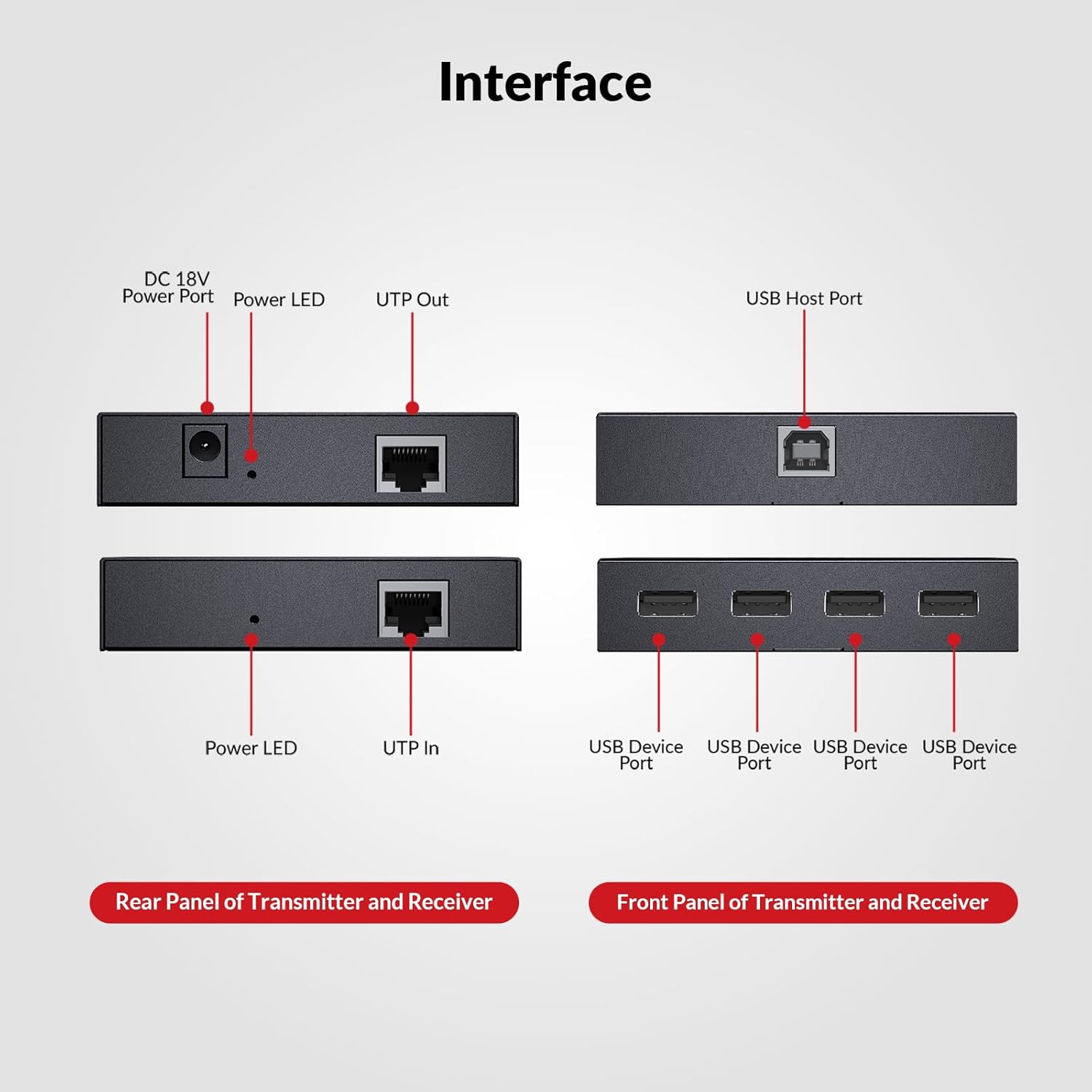
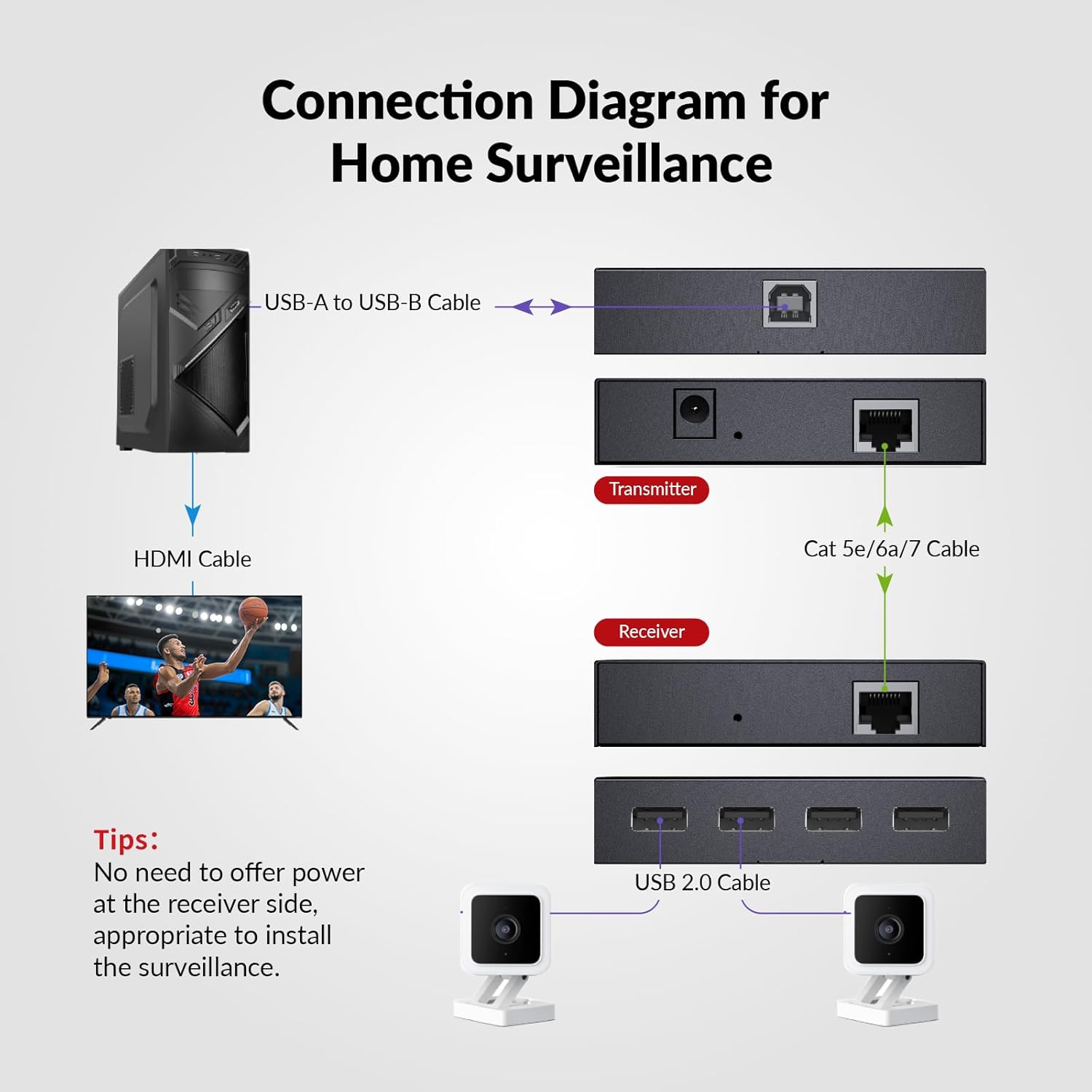
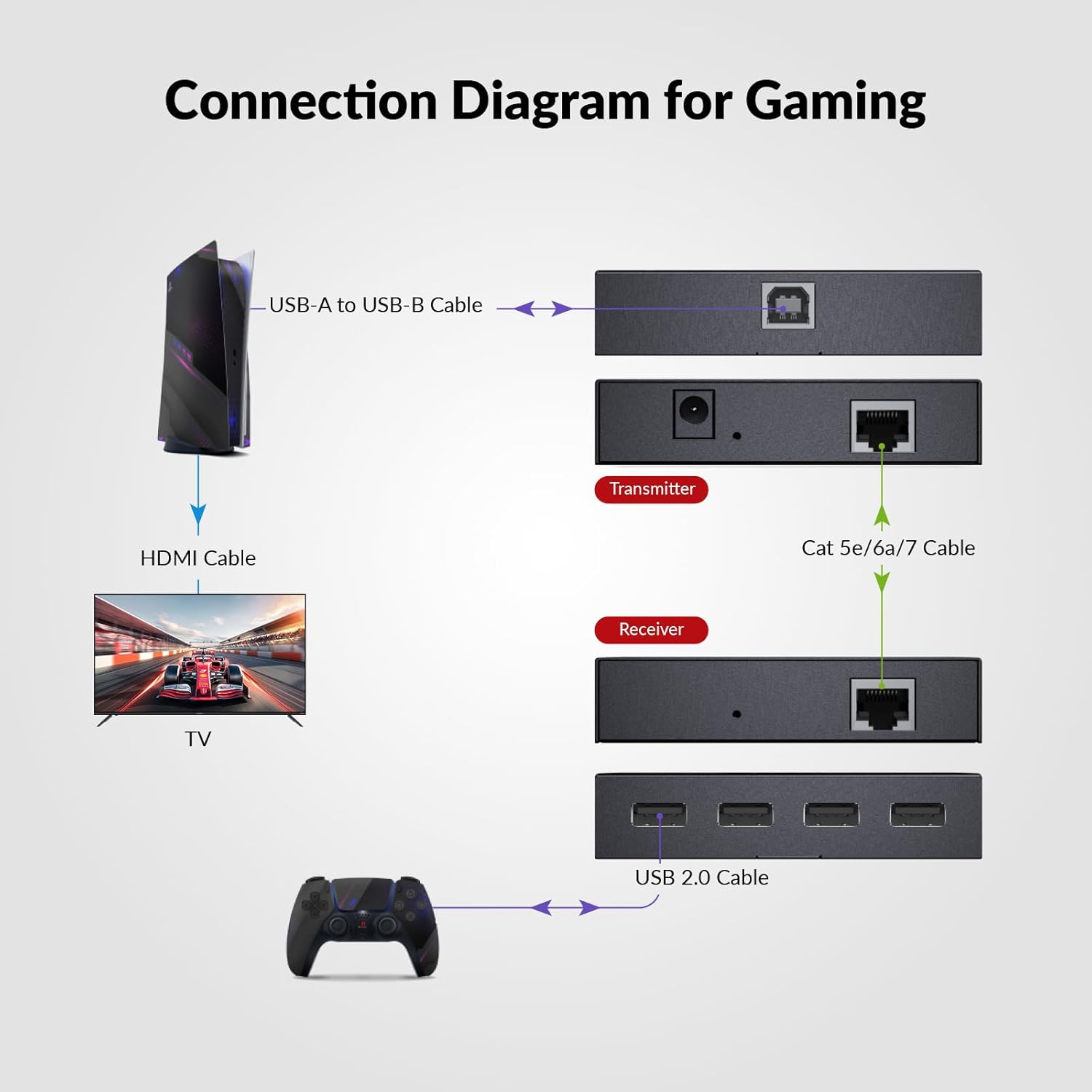
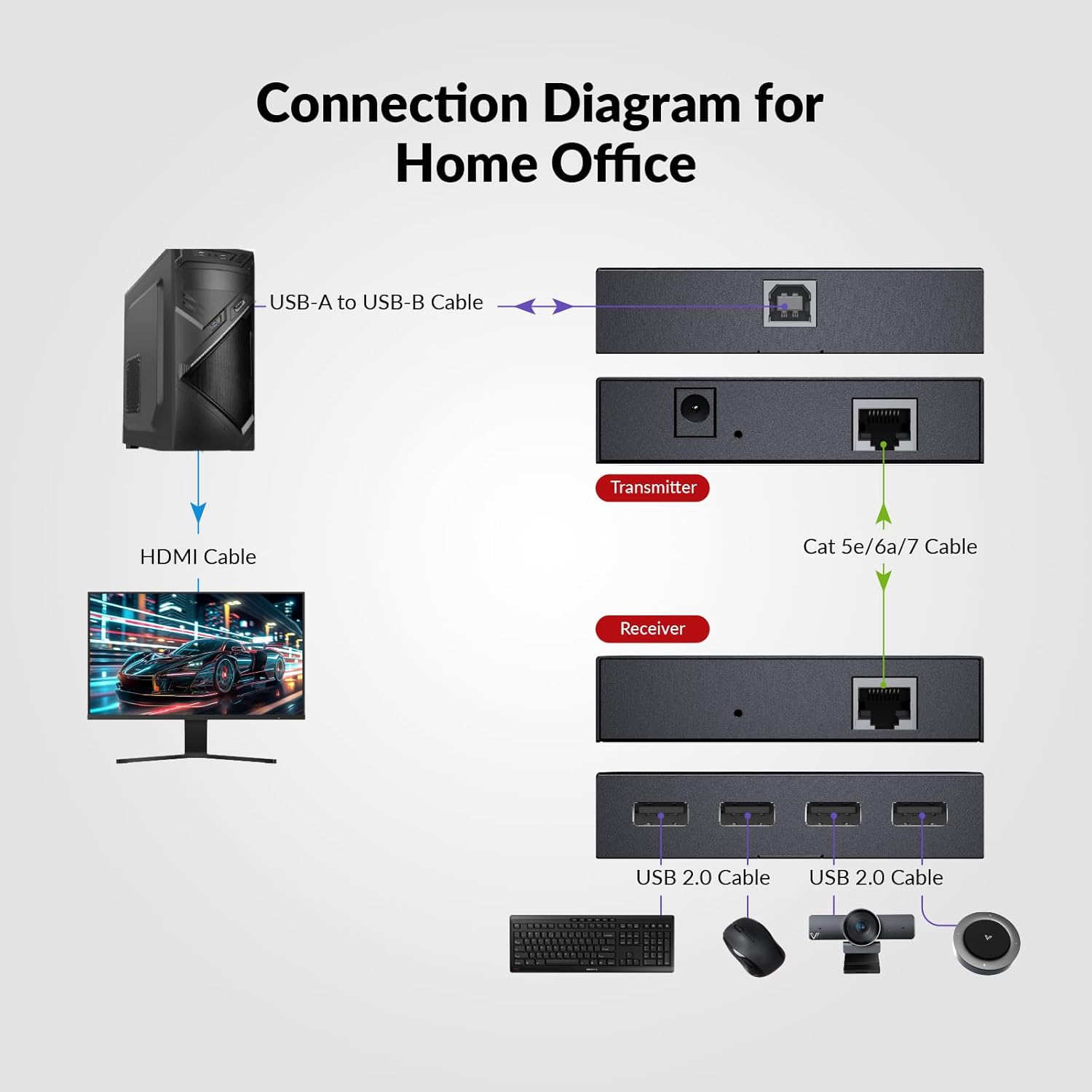
The kit is meant to be straightforward: no extra driver or software is required. You connect your computer to the transmitter side, plug your USB devices into the receiver/extender ports, run the appropriate Ethernet cable between the two sides, and connect the included power adapter at the transmitter.
A practical way to think about it: run Ethernet first, then attach USB devices. For example, if you’re placing a webcam in a ceiling-mounted security camera spot where power outlets aren’t available, you route Ethernet to that location, mount the receiver where it needs to sit, then connect the webcam and any necessary USB accessories on the receiver.
Also note the power direction detail: it’s described as “Power on TX Side,” which means the receiver is powered via PoC from the transmitter side.
Compatibility: broad OS support, broad device support
On compatibility, the manufacturer claims it works with Windows 10/8/7/XP, Mac OS, and Linux. It also supports USB 1.1 and USB 2.0 peripheral devices.
The device examples listed include keyboards, mouse, webcam, USB microphone, printer, and scanner. That’s a useful range for typical office or small installation setups.
Tech summary you should actually check before buying
Here are the specs that tend to matter most for purchase decisions, based on the information provided:
Tech specs
- Type: USB extender over Ethernet with PoC (power over cable)
- Ports: 4 USB 2.0 ports
- Supported cabling: Cat5e/6/6a/7
- Maximum distance: up to 196-ft (60m)
- USB data rate: USB 2.0 up to 480 Mbps
- Power approach: PoC powers the receiver from the TX side (only one power supply included)
- Operating systems supported: Windows 10/8/7/XP, Mac OS, Linux
- Plug and play: No extra driver or software required
- Case/build: Metal shell with heat dissipation ports
Buying verdict
This is worth considering if you’re trying to move USB devices over a longer run without adding a power outlet at the remote location—especially for ceiling or hard-to-reach placements where a second power adapter would be annoying.
It’s also a reasonable match if your goal is USB 2.0 devices (keyboard/mouse/webcam/mic and similar) and you can run Cat5e/6/6a/7 Ethernet between the computer and the remote install.
You may want to skip it if you need performance beyond the USB 2.0 range, or if your devices are very sensitive and you can’t confirm they’ll behave well over an extender link. And if you’re missing the cabling path you need, the “simple install” depends heavily on having Ethernet routing already planned.
Mini FAQ
For what use cases does an AV Access USB extender over Ethernet make sense?
It’s meant for extending USB devices up to the stated distance using Ethernet—use cases like ceiling installations, security-camera-adjacent setups, or any situation where USB devices need to be farther from the computer than standard USB cable allows.
Does it need a power supply on the receiver side?
No—based on the PoC description, power is provided to the receiver via the Ethernet link from the transmitter side, using only one power supply included at the transmitter.
Does it require drivers or software?
The kit is described as plug and play with no extra driver or software required.
Will it work with my computer?
The manufacturer states compatibility with Windows 10/8/7/XP, Mac OS, and Linux.