


Amazon Fire 7 Kids tablet (newest model, 7", Purple)
Reviews
Price
Product description
What it is and who it’s for
The Amazon Fire 7 Kids tablet is a compact, kid-friendly tablet designed for ages 3–7. It combines a sturdy build with kid-focused content and parental controls, aiming to balance screen time with safe, educational usage. If you’re looking for a tablet that can handle daily reading, learning games, and light video viewing without constant parental tinkering, this model provides a structured option that’s a step above a toy while still prioritizing child safety and ease of use.
Why it stands out on paper

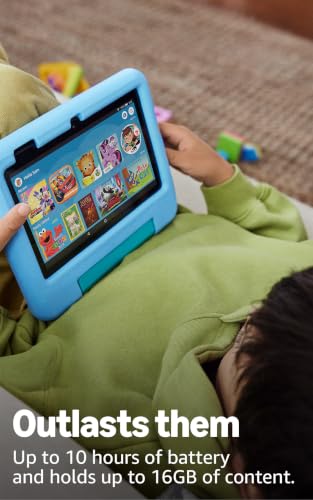
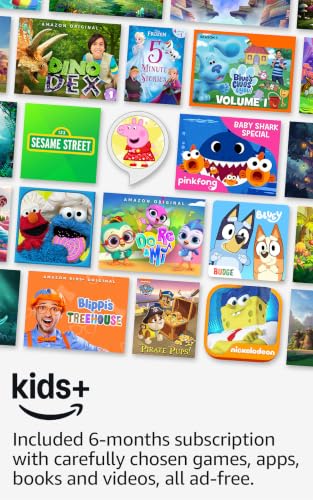
On the surface, this bundle includes a full-featured tablet, a 1-year Amazon Kids+ subscription, and a kid-proof case, all in one purchase. The Kids+ library promises thousands of ad-free books, games, videos, and apps from trusted brands, plus access to STEM and language activities. The device itself offers a 10-hour battery life and optional storage expansion with microSD, up to 1TB, which helps when your child wants to download favorites for offline use. A sturdy Kid-Proof case is designed to withstand drops and bumps, which matters for younger users.
What’s strong in usage
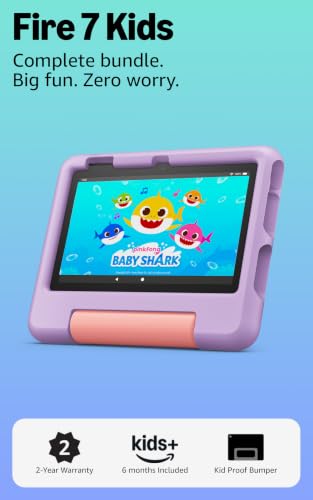
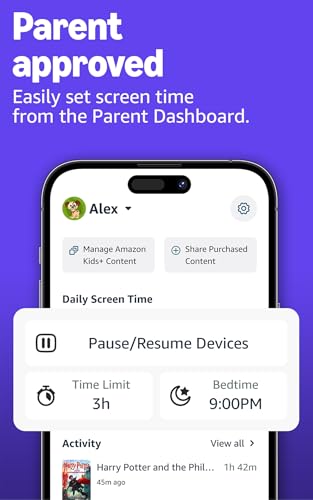
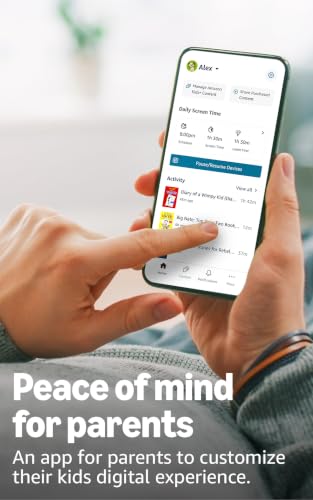
If you prioritize simple, parent-controlled access, the no-hassle parental controls live in a Parent Dashboard. You can filter content by age, set educational goals, and enforce time limits. The ad-free environment in Kids+ is a recurring advantage for many families, reducing interruptions during learning or storytelling. The combined bundle can be more economical than buying components separately, and the two-year worry-free guarantee adds peace of mind if things take an accidental tumble.
Limitations and things to watch
No gadget is perfect for every family. While Kids+ sounds compelling, the auto-renewal after the first year means ongoing costs to maintain access unless you cancel. Also, while 16 GB of internal storage is standard for this tier, expanding up to 1TB via microSD is a crucial detail if your child loves downloading apps, games, or videos, you’ll want to factor in microSD pricing and compatibility. If your child’s needs lean toward more advanced apps or high-end gaming, this model may feel constrained compared to higher-tier tablets.
Ideal user profile
This tablet makes sense for families seeking a structured, supervised digital environment for preschool and early elementary use. It suits kids who enjoy a mix of reading, educational games, and light multimedia consumption, with parents who appreciate built-in controls and an ad-free experience. If you value a bundled solution with a case and a long-term warranty, this can be a strong fit.

When it might not be the best option
If your child routinely uses resource-intensive apps or requires extremely fast processing for complex games, this model could feel limited. If you’re budgeting strictly and don’t need a year-long Kids+ subscription, the value proposition shifts toward the base device and case, but you’d lose the curated content and safety features that the bundle touts.
What to review before buying
- Confirm you’re comfortable with the 16 GB base storage and the option to expand via microSD up to 1TB.
- Consider the 10-hour battery life as a realistic expectation under typical kid usage (video streaming, games, reading). Usage can shorten the battery life.
- Remember the 2-year guarantee means you’re covered for accidental breakage, keep the return process in mind if needed.
- Check the upcoming renewal terms for Amazon Kids+ after the first year to align with your family budget.
Practical usage snapshot


Imagine a weekday afternoon: your child finishes a short read-along, then switches to a science game from the Kids+ library, while you set a time limit for the session and later unlock a new batch of content the next day. The case protects against a few drops, and you appreciate that everything in this ecosystem stays within a parent-controlled, ad-free environment.
How this compares to more basic approaches
If you’re choosing between a dedicated kids’ tablet with strict parental controls versus a regular tablet with a kids’ profile, this option pools content access, safety filters, and a single ecosystem. It’s a practical middle ground: more structured than a generic tablet, but not as feature-rich as the top-end models. For a family that wants ready access to curated content and straightforward controls, this bundle is a sensible compromise.
Final thoughts
Final verdict: It’s a thoughtful, all-in-one solution for families prioritizing safety, curated content, and ease of use in a kid-focused tablet. It may not be the best choice if your child needs high-end performance or if you’re aiming to avoid ongoing subscription costs after year one, but if you want a dependable, family-friendly setup now, this bundle deserves serious consideration.
FAQ
- How does the parental control dashboard work? It allows filtering by age, setting educational goals, and applying time limits, with optional access to additional content from apps like Netflix.
- Can content be accessed offline? Yes, with offline downloads supported by the expandable storage, depending on app availability.
- Is the included Kids+ subscription ad-free? Yes, the subscription is described as ad-free within its library.
- What happens after the first year of Amazon Kids+? It automatically renews monthly starting at $7.99/month plus tax unless canceled.