

2026 Fastest WiFi Extender WiFi Repeater with Ethernet Port, Covers Up to 10,000 Sq.ft and 80 Devices
Product description
The essentials
If your home Wi‑Fi feels fine in one room and suddenly “falls off a cliff” in another, a WiFi extender like the 2026 Fastest WiFi Extender is meant to solve that. On paper, it’s designed to boost your wireless range, help you reach dead zones in hard-to-reach areas, and support a busy mix of devices—up to 80 devices are mentioned, including smartphones, laptops, tablets, speakers, IP cameras, IoT devices, and Alexa-style smart devices.
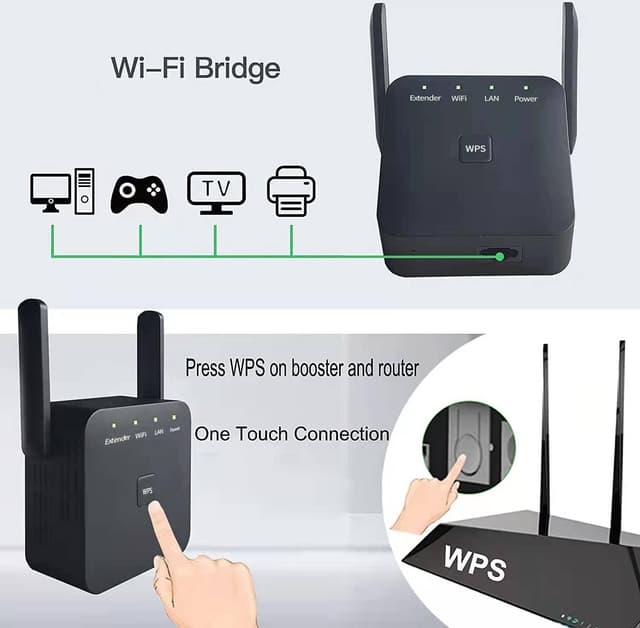
It also leans into convenience. The setup is framed as one-touch via WPS (push WPS on your router, then on the extender), plus an option for smartphone-based setup. And there’s an Ethernet port included, which matters if you want one wired connection for a device that doesn’t play nicely over Wi‑Fi.
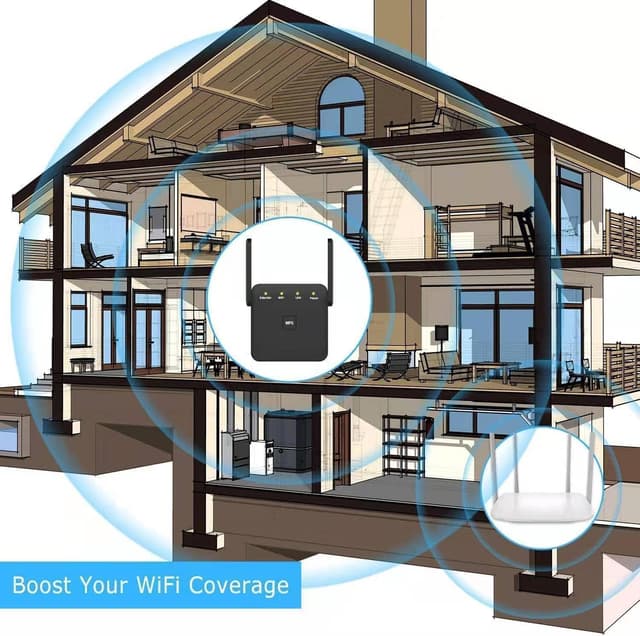
One small caveat: the product claims strong coverage (including up to 10,000 sq.ft). Real results can depend heavily on your home’s layout, wall material, and how your router signal behaves—so it can be a great fix, but it’s not magic.
Key points
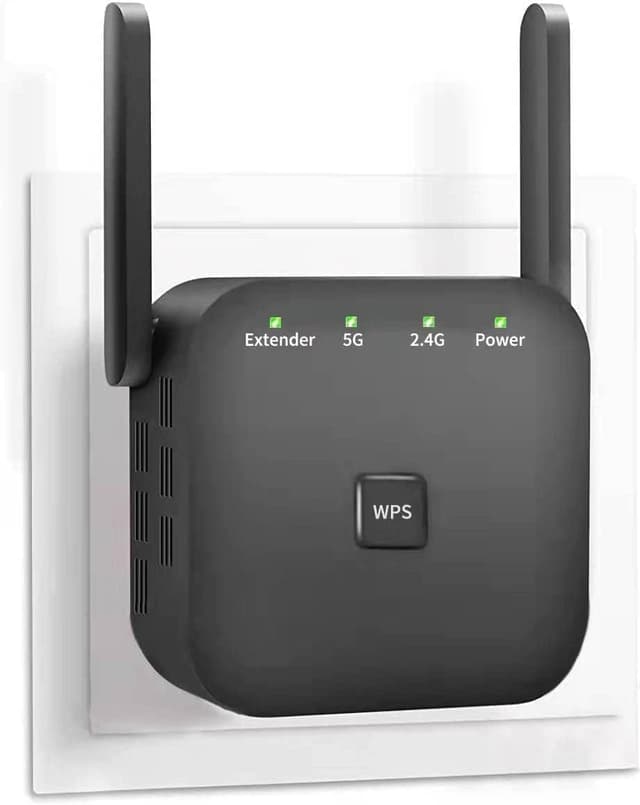
This extender stands out for the way it’s positioned: not just “more range,” but easier placement and faster pairing. The included smart signal lights are meant to help you find a better spot instead of guessing blindly. The two external high-gain antennas are the other big clue: the design intent is to strengthen signal reliability, especially when you’re trying to get Wi‑Fi into zones farther from the main router.
Device capacity is also part of the pitch. If your home has multiple connected gadgets—cameras, smart speakers, IoT sensors—this is aimed at keeping things connected without immediately turning into a single-device-at-a-time experience.
Still, it may not be the best fit if your issue is more about weak internet speed from your provider than weak Wi‑Fi coverage. Extenders can improve the Wi‑Fi signal path, but they can’t replace a slow internet connection.

Tech specs
- Type: WiFi extender / WiFi repeater / WiFi booster
- External antennas: 2 high-gain antennas
- Connection method: WPS (one-touch) and smartphone setup option
- Coverage claim: up to 10,000 sq.ft
- Device support claim: up to 80 devices
- Port: Ethernet port
What you’ll notice day to day
The practical win here is how quickly you can get it working. The description calls out that you can extend wireless coverage within about 8 seconds using the WPS buttons—router WPS first, then the extender WPS. That’s the kind of “no drama” setup that helps if you want coverage sooner rather than spending a weekend tweaking settings.
The placement experience is also part of the value. Instead of plugging it in and hoping, the smart signal lights are meant to guide you toward a location that gives the best coverage. In a typical scenario, you’d place the extender about halfway between your router and the problem area, watch the signal lights, and adjust until the LEDs indicate a stronger placement.
The Ethernet port is worth calling out for everyday use too. If you have an IP camera, a smart TV, or another device that benefits from a stable wired link, you can run it through Ethernet while still relying on the extender for wireless coverage.
Who it’s for—and who should skip it
It makes sense if you want broader coverage across a house and you have multiple connected devices that need to stay online—especially devices like smart speakers, IoT gear, and IP cameras mentioned in the description.

It might not suit you if you’re expecting a dramatic upgrade that fixes everything at once. If the underlying problem is intermittent internet service, the extender can’t solve that. Also, if you live in a very small space and already have strong Wi‑Fi everywhere, you may not need additional hardware.
And a more subtle limitation: if the extender ends up too far from the router (even with the lights), the link back to the main network can be weak. That’s when performance can feel inconsistent, even though the lights suggest setup success.
Should you buy it?
Buy it if you want a relatively straightforward way to reduce Wi‑Fi dead zones, like getting coverage into a backyard area, upstairs rooms, or an office tucked behind a couple of walls. The WPS one-touch setup, the option for smartphone setup, and the smart signal lights are all designed to reduce the “placement headache.” If you also want the option to use an Ethernet port for at least one device, that’s a practical bonus.
Skip it if your Wi‑Fi problem is primarily internet speed or connection drops that originate from your service provider rather than signal range. Also, if you’re only trying to cover a tiny area where the current router signal is already strong, adding an extender may feel like unnecessary extra complexity.
As always with repeaters/boosters, the best results usually come from thoughtful placement—so if you’re willing to plug it in, check the signal lights, and reposition once or twice, you’ll likely get more out of what this extender is designed to do.
Mini FAQ
Does this support WPS setup?
Yes. The description says you can use WPS by pressing the WPS button on your router and then on the WiFi extender.
What devices is it meant to connect?
The entry mentions support for up to 80 devices, including smartphones, laptops, tablets, speakers, IP cameras, IoT devices, and Alexa devices.
Is the Ethernet port useful?
It includes an Ethernet port, which can be helpful if you want at least one device connected via a wired link instead of relying on Wi‑Fi for that device.
How fast is setup?
The description claims you can extend coverage within about 8 seconds using the WPS method.
How do I choose where to plug it in?
The description references smart signal lights to help you find the best location for optimal Wi‑Fi coverage, so placement guidance is part of the intended experience.