

XINGLT A1582 A1502 Battery Replacement for 13-inch MacBook Pro
Product description
What it is and what it aims to solve
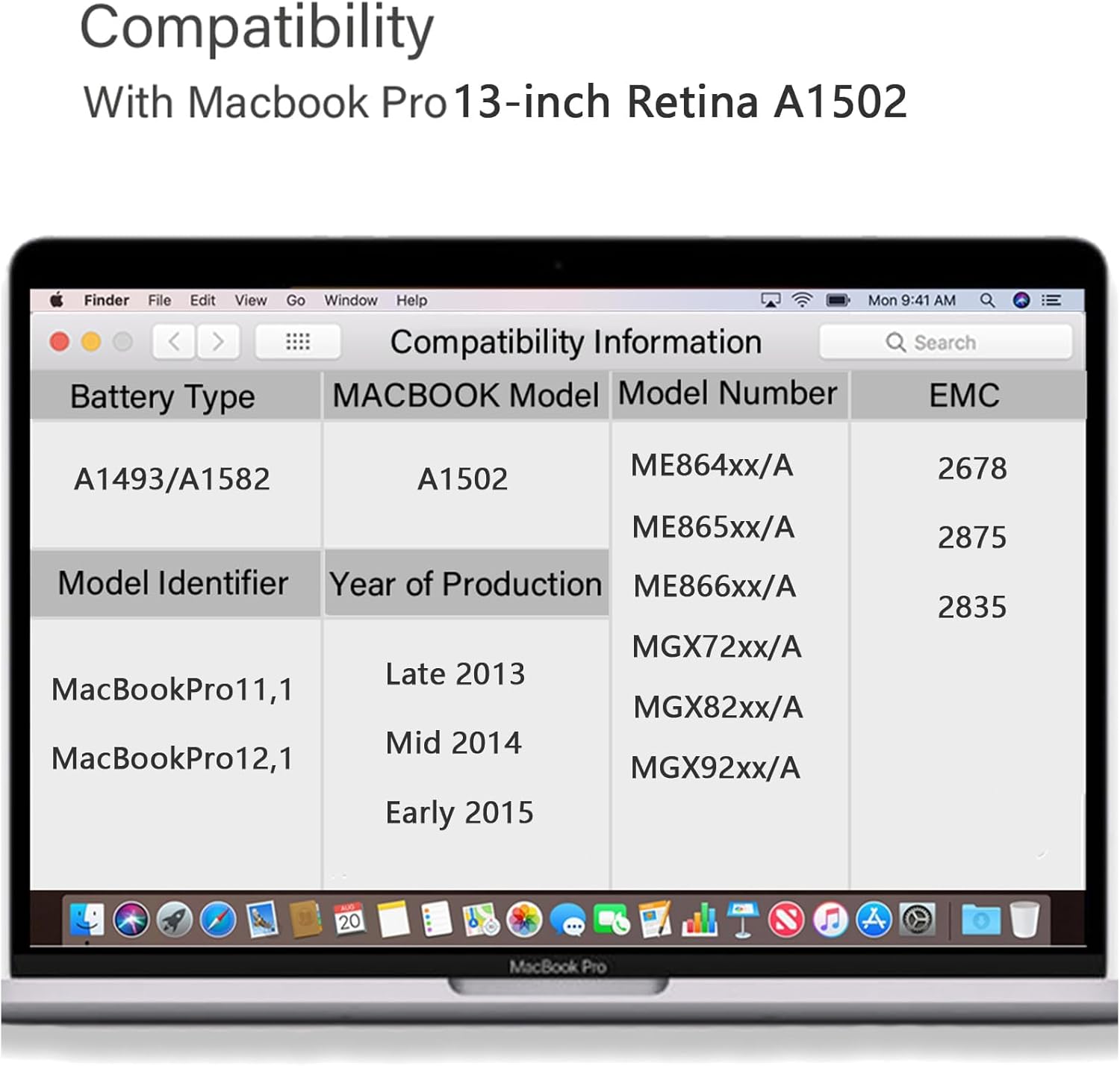
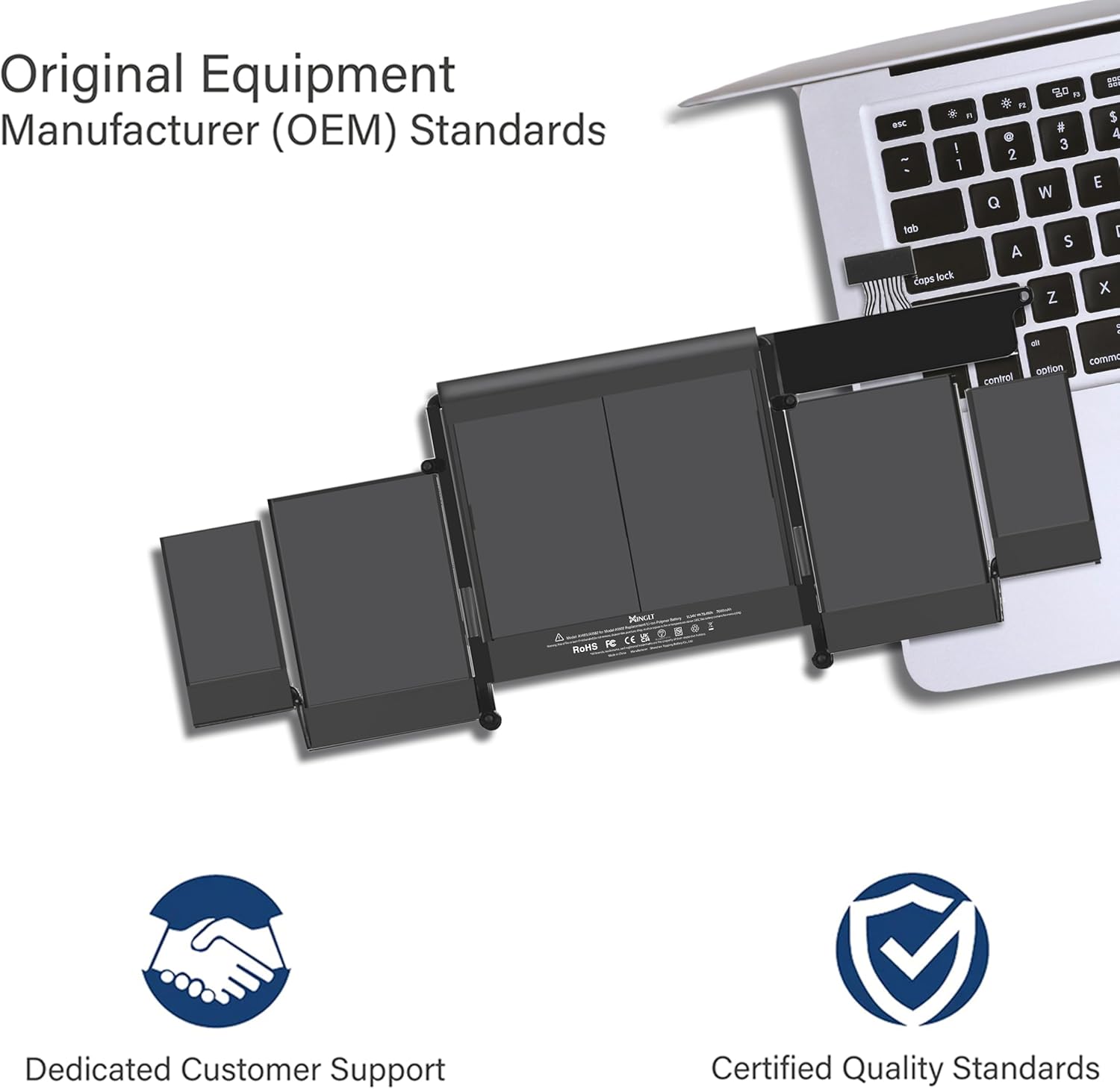
The XINGLT A1582/A1502 battery is a replacement option designed for the 13-inch MacBook Pro models (Late 2013, Mid 2014, Early 2015). It targets users who need a practical, no-nonsense refresh to extend portable productivity when the original battery shows signs of ageing. On paper, this pack is a Li-Polymer cell with a capacity of 7000mAh and a nominal 11.34V, paired with an overcharge and overdischarge protection circuit to help manage charging and discharging more safely. If you rely on your MacBook Pro for work or study and want to avoid frequent plugging in, this could be worth considering as an economical alternative to replacing the entire device.
What to know before buying
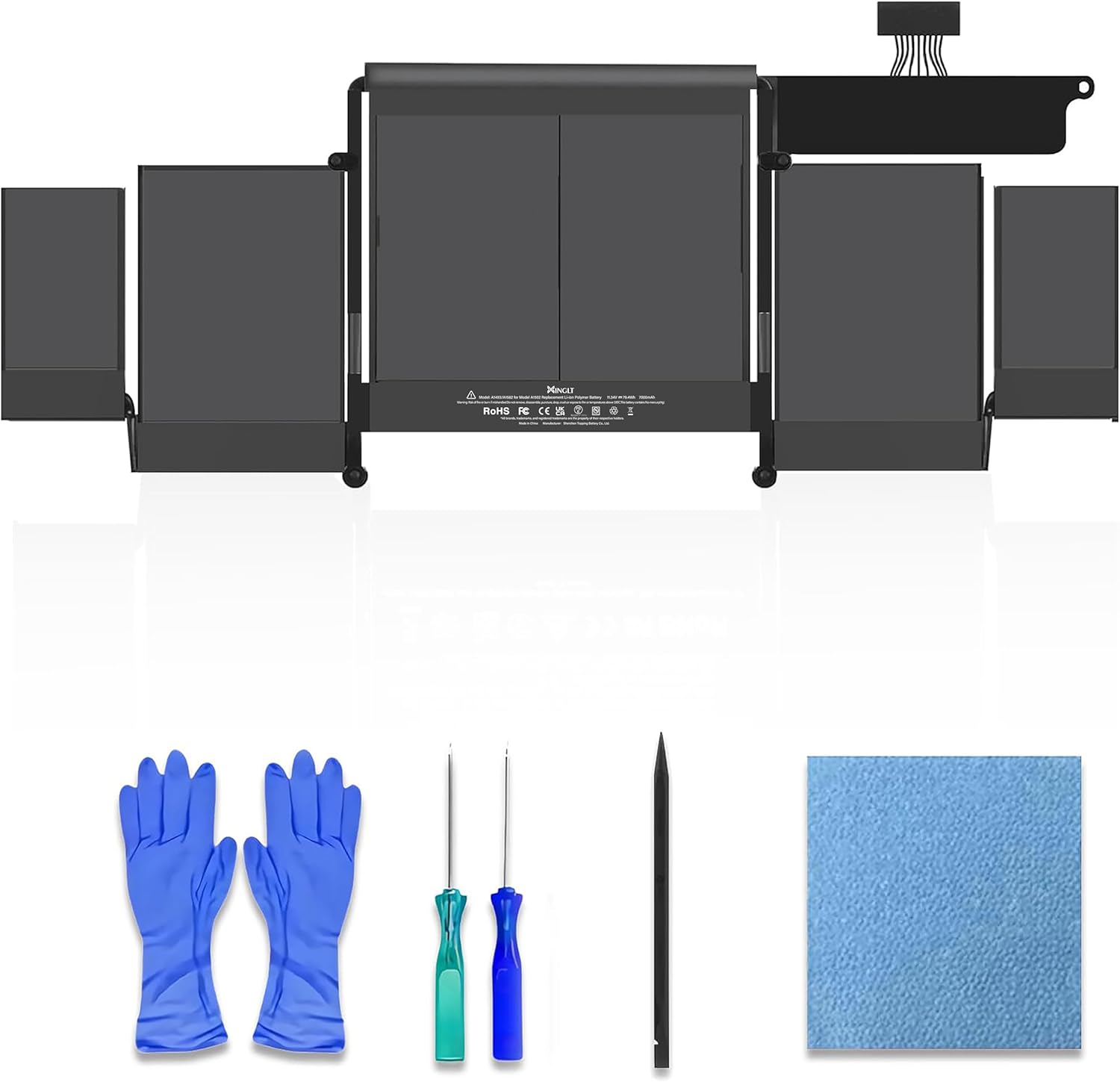
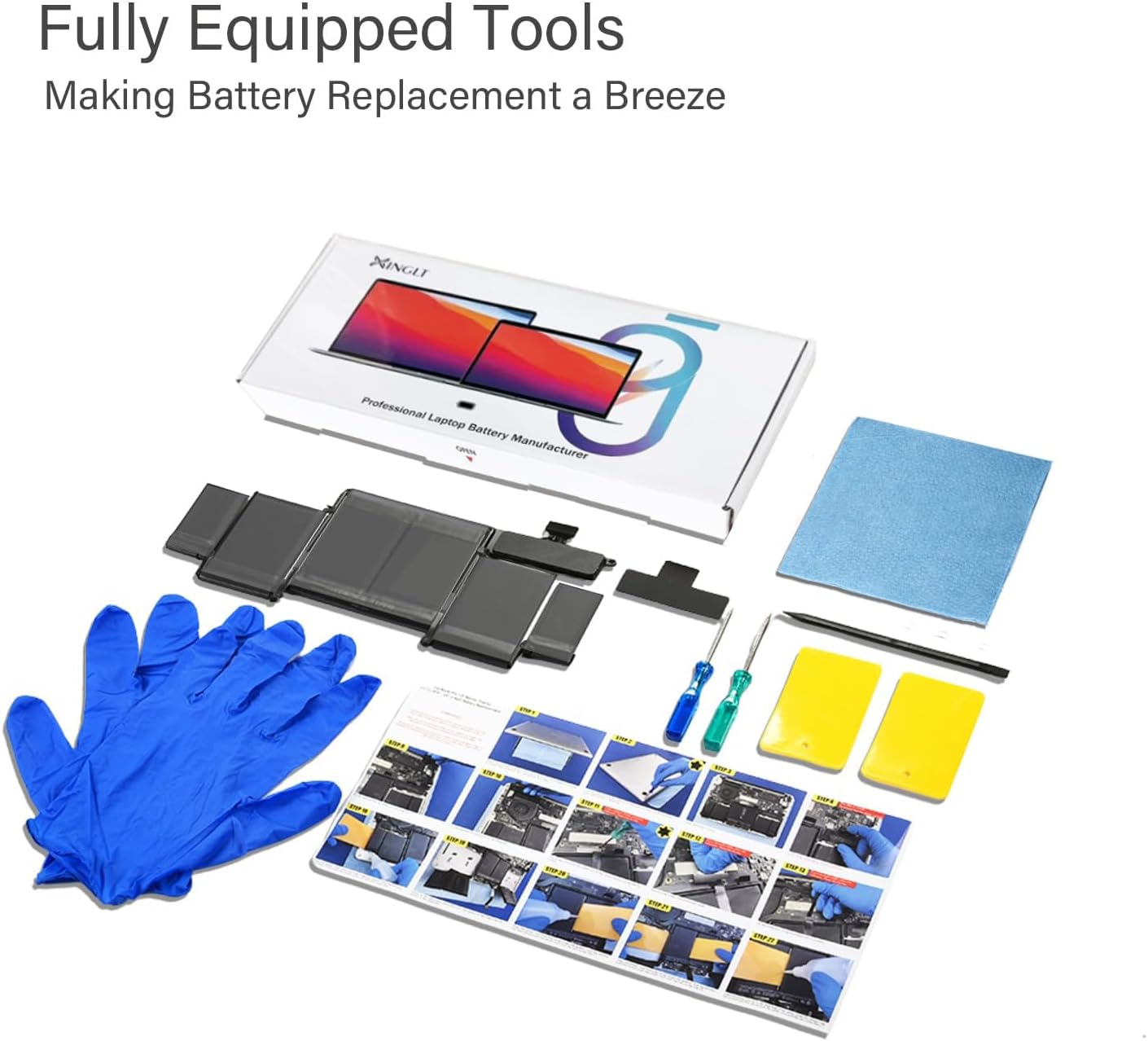
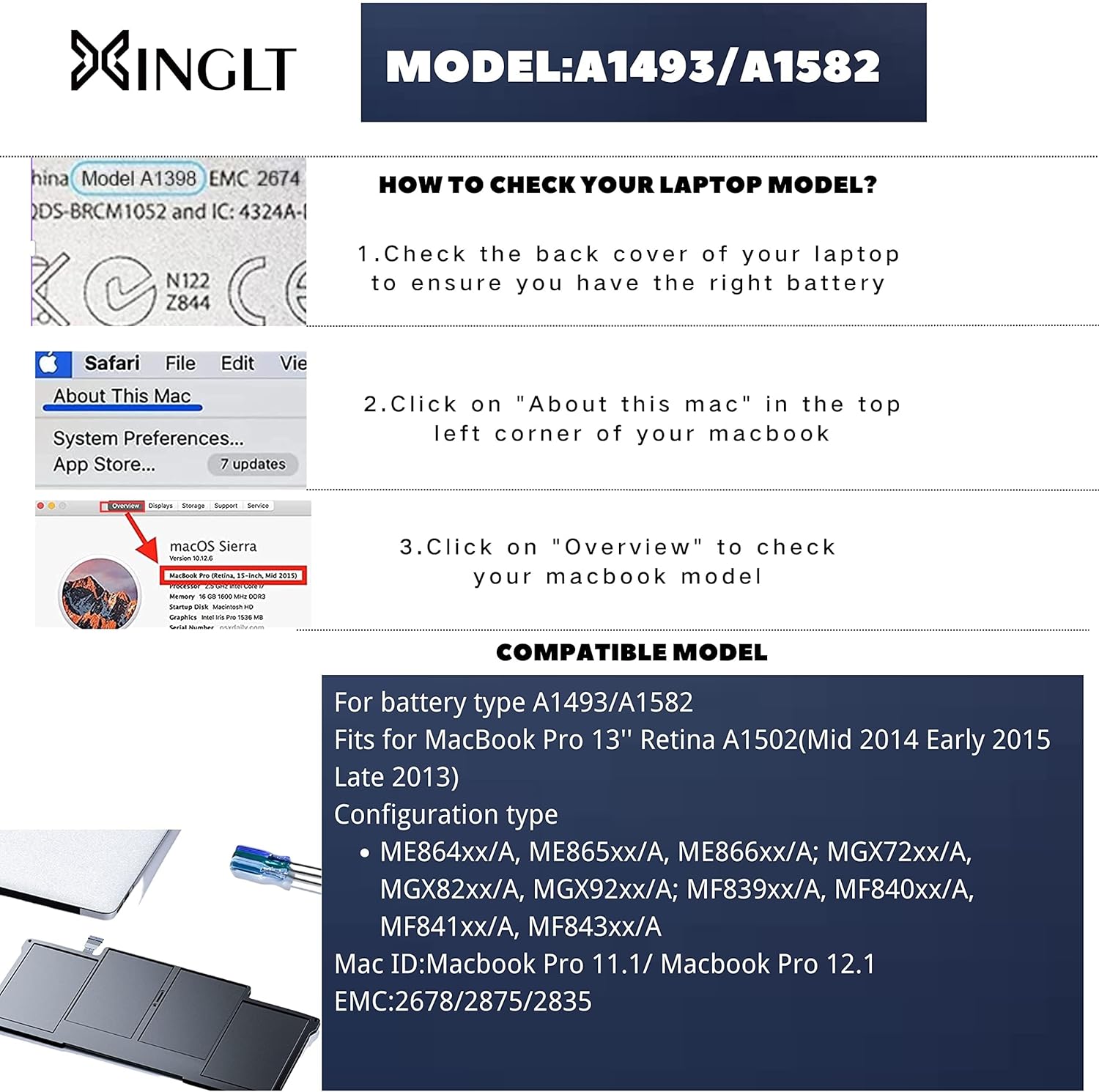
This replacement kit comes with more than just a battery. The package includes dustproof paper, two screwdrivers, a crowbar, crowbar plates, gloves and an extra piece of protective film for the battery surface during installation. The kit is framed as suitable for MC IDs ME864xx/A to MGX92xx/A and related configurations, which is typical for third‑party replacement batteries. However, as with all non‑original components, outcomes can depend on the specific unit and the refurbishment process. Importantly, the surface film may show air bubbles, this is described as a protective layer rather than a fault in the battery itself.
Design and performance: what to realistically expect
On the surface, the battery aims to deliver longer runtime via 7000mAh capacity. It supports multiple recharge cycles—stated as 1500+—which suggests a level of durability beyond a few dozen cycles. In practice, real‑world results depend on your MacBook’s existing power management, usage patterns, and battery health. For everyday tasks such as web browsing, document editing, and streaming, it should provide a usable extension of unplugged time, though you may not achieve identical longevity to an original Apple battery. If you’ve been accustomed to strong peak performance from a fresh unit, this replacement might feel more like a reliable mid‑range option rather than a flawless Apple‑level match.
Strengths you’ll notice day to day
- Visible gains in portable time compared with a failing or aged battery
- Includes installation tools and protective measures to help during the swap
- Built‑in protection circuits favour safer charging and lower risk of overdischarge
- Manufactured with a recognisable form factor for MacBook Pro 13" A1502 models
Limitations and cautions to consider
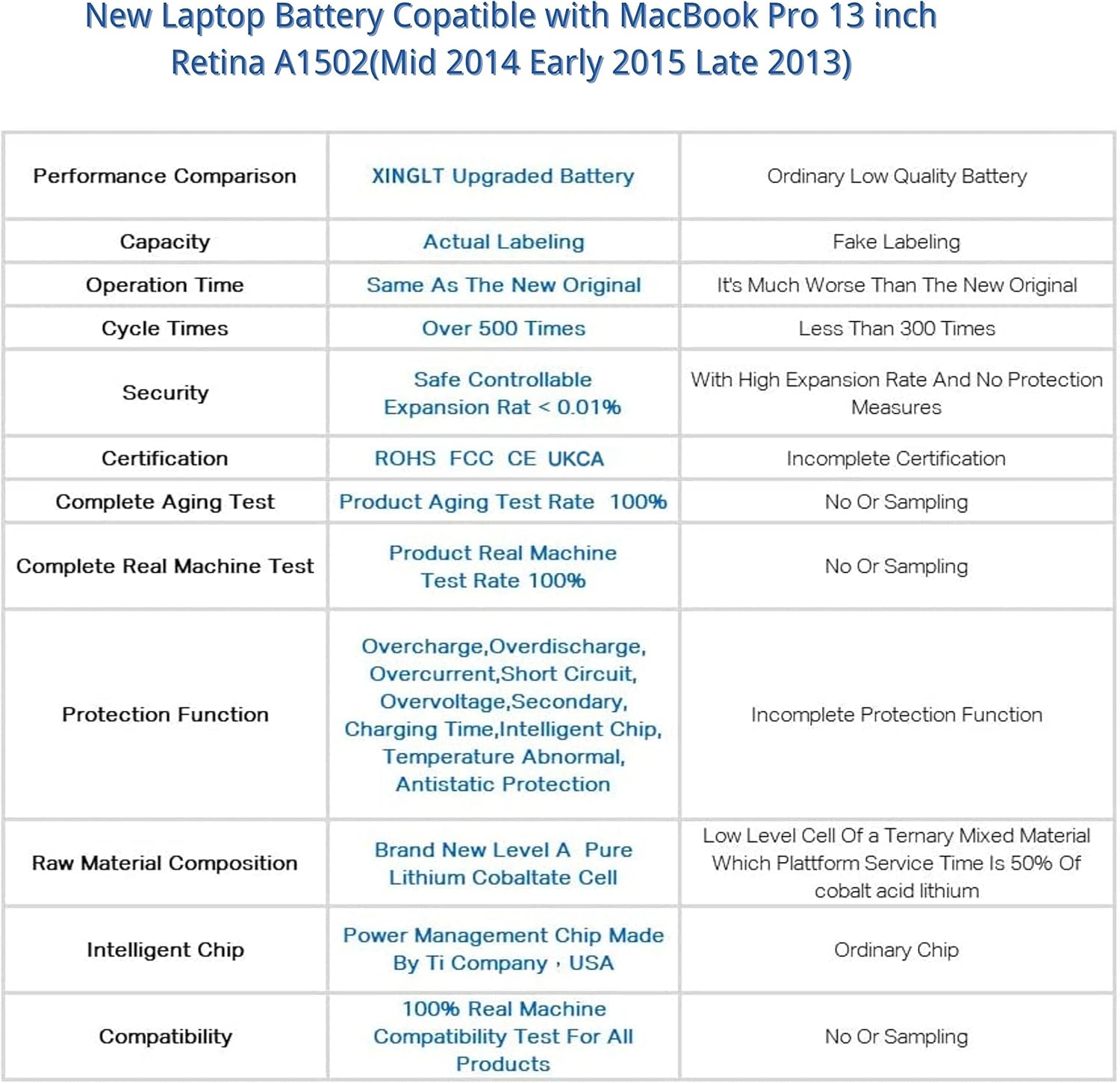
- It remains a third‑party replacement, so long‑term reliability and compatibility can vary by unit and maintenance history
- The packaging notes a protective film on the surface with potential air bubbles, this is not a defect but a note to installers
- Compatibility is stated for specific ME configuration codes, if your Mac uses an unusual variant, verify compatibility before purchase
- The installation demands careful handling of delicate logic boards and connectors, if you’re not confident with hardware work, professional installation is advisable
Who this is best for
- MacBook Pro 13" users with aging battery seeking a cost‑effective refresh rather than a full machine upgrade
- Users comfortable with a DIY or semi‑self‑service approach who value a complete kit (not just the battery alone)
- Those who want a cautious upgrade with a warranty and support window, recognising that third‑party options can offer good value for money
Who it isn’t ideal for
- Anyone requiring guaranteed Apple‑brand compatibility and absolute parity with OEM performance
- Users with very high expectations for peak performance or zero compromise on charge cycles
- People who rely on their MacBook for critical, battery‑intensive workloads and cannot tolerate any downtime during replacement
When it makes sense to buy
- If your current battery shows reduced run time and you’re comfortable with the swap, this kit provides a practical path to renewed mobility
- When price sensitivity matters but you still want a complete kit with installation tools included
- If you’re comfortable managing minor installation risks and want a 12‑month warranty as a safeguard
When to skip it
- If you must have an OEM Apple battery with guaranteed OEM performance and maximum compatibility
- If you’re uncertain about handling internal components and lack access to a reliable technician
- If your device has other hardware issues beyond the battery, where replacement alone won’t resolve the problem

What to check before buying
- Confirm your MacBook Pro 13" model is compatible with A1502/A1582 batteries and whether your configuration matches the supported ME codes
- Inspect the battery’s stated capacity and voltage to ensure it aligns with your expectations for runtime
- Consider whether you’re prepared for a disassembly process and whether your workspace is suitable for a careful, static‑safe procedure
- Check the warranty terms and the return policy in case the unit doesn’t perform as hoped
Practical use scenario
Imagine you’re proofreading a document on a plane and need a few extra hours of power without scuttling your plan to work remotely. After swapping in the XINGLT battery, you notice a tangible lift in unplugged time compared with the aged pack, allowing you to finish edits before landing. It’s not about peak gaming or video rendering, but about dependable, everyday MacBook use when you’re away from a power outlet.
FAQ
- Q: Is this battery compatible with my exact MacBook Pro 13" model? A: It’s designed for A1502 variants (Late 2013, Mid 2014, Early 2015). Check your model identifier and ME code to be sure.
- Q: Does it come with installation tools? A: Yes, the kit includes screwdrivers, crowbars and gloves among other items to assist with the swap.
- Q: Will the battery be as reliable as the original? A: It offers practical reliability and a long recharge life on paper, but behave like a third‑party option, so results may vary and performance will depend on usage and maintenance.
- Q: What if it fails within warranty? A: The seller advertises a 12‑month warranty and a free replacement if the battery fails within that period.
- Q: Should I get it professionally installed? A: If you’re not confident with laptop internals, yes, installation involves handling sensitive components and requires care.
Final decision
Is it worth it?
Worth considering if you prioritise value for money and the ability to extend your MacBook Pro’s usable life without a full device upgrade. It suits users who are comfortable with DIY maintenance and want a practical, warranty‑backed replacement. It may not be the best fit if you demand OEM parity or require the absolute highest possible performance from a new battery.