

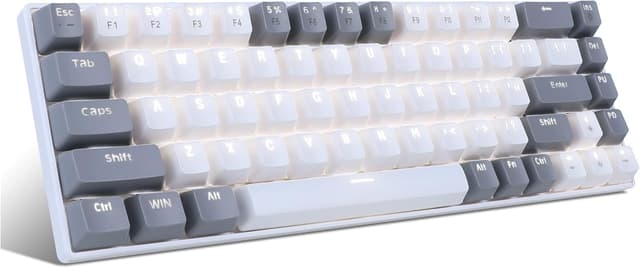
MageGee Portable 60% Mechanical Keyboard (MK-Box) – 68-key wired gaming keyboard with blue switches
Product description
The essentials
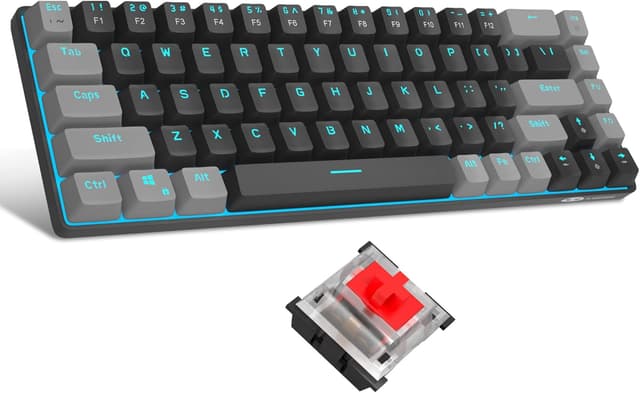
MageGee’s Portable 60% mechanical keyboard is a compact, wired option aimed at people who want mechanical feel without the desk space of a full-size layout. On paper, it’s built around a 68-key design, a detachable USB Type-C cable for portability, and blue switches that are described as fast and sensitive.
This sort of keyboard is usually chosen for two reasons: you either do a lot of computer work and gaming on a smaller footprint, or you want something you can move around easily (home desk to study setup, shared room, or even for gaming nights). The stepped keycaps and sculpted feel are also positioned as an ergonomic touch to reduce hand fatigue during longer sessions.
One thing to keep in mind, though: because the brief focuses on features like N-key rollover and anti-ghosting rather than comfort details, you may find it more “functional ergonomic” than “premium comfort” if you’re especially picky about key feel and typing acoustics.
What stands out in day-to-day use
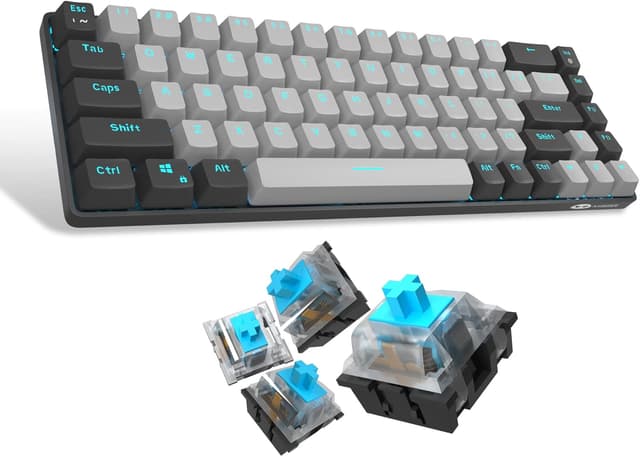
The headline here is the 60% / 68-key compact layout. In practice, that can mean a cleaner desk and more room for your mouse. If you’re constantly reaching for a volume slider or media keys, the inclusion of FN shortcuts (for things like calculator, email, web browser, volume, and media) is the kind of convenience that makes compact layouts feel less limiting.
The all-metal panel and floating keys design are another detail that sounds reassuring for everyday durability, particularly if the keyboard is going to travel. The keyboard is also described as having individual switches for all 68 keys, with full N-key rollover and anti-ghosting. That’s exactly the kind of combo you look for when you’re playing fast games where multiple inputs happen quickly.
A small practical example: if you’re switching between web browsing and media, you can use the FN+N shortcuts instead of hunting for extra keys. With a compact board, that reduces the “where is it?” friction that some people experience.

Key features to check before you buy
Blue switch behaviour
Blue switches are often associated with a crisp, responsive feel. MageGee specifically claims sensitive triggering and fast response, with full anti-ghosting and N-key rollover. That’s useful for gaming and fast typing, but it also means you should consider whether you’ll be happy with the overall sound profile that blue switches typically bring to the table.
Compact layout trade-off
A 68-key compact keyboard generally means fewer dedicated keys. Even with FN shortcuts for common tasks, it may not suit you if you rely heavily on dedicated navigation or macro-heavy workflows.
Wired + portability
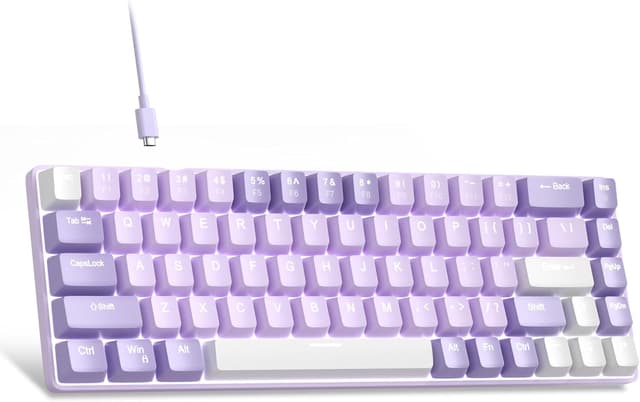
It’s wired, but the detachable USB Type-C cable is there for portability. If you mainly care about “no fuss” desk use, that’s straightforward. If you expected fully wireless, then this one may feel like it misses the brief.
Tech specs
- Type: Mechanical keyboard
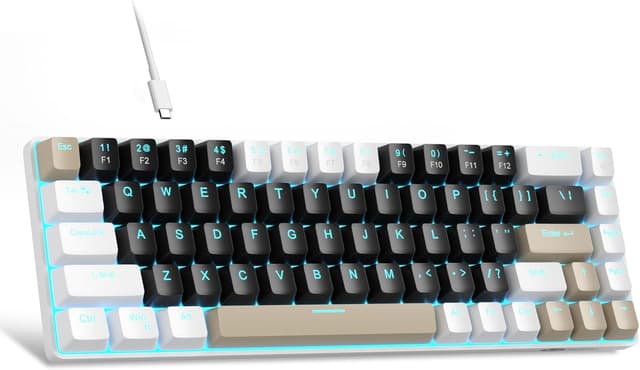
- Keys: 68 keys (60% compact layout)
- Connection: Detachable USB Type-C cable (wired)
- Switch type: Blue switch mechanical
- Anti-ghosting: Yes
- Key rollover: Full N-key rollover
- Compatibility: Plug-and-play (no driver stated), Windows 2000/Vista/Win7/Win8/Win10, Mac, Linux
Who it suits (and who should skip it)
It’s a solid pick if you want a compact mechanical keyboard that gives you more desktop space, supports fast input recognition (full N-key rollover and anti-ghosting are mentioned), and you like the idea of FN+shortcuts for everyday actions.
It may not be for you if you need a fully wireless gaming keyboard, or if you want a board with a more minimal FN layer (where every function is on a dedicated key). Also, if you’re very sensitive to switch sound or you prefer a different switch feel, blue switches are a gamble worth thinking through.
Worth considering if you’re buying for a Windows laptop setup, a home office desk, or a Mac/Linux workstation where plug-and-play compatibility is important.
Is it worth it?
If you’re shopping for a 60% mechanical keyboard to save desk space and still cover gaming inputs reliably, the MageGee Portable 68-key layout makes practical sense. The all-68-switch design with full N-key rollover and anti-ghosting is the kind of checkbox gamers look for, while the FN+shortcuts and calculator/email/browser/volume/media access are aimed at daily convenience.
That said, it’s not the best choice if you’re specifically after a wireless keyboard, or if you want a compact board that feels fully “no-FN” for everything. On balance, this one is more for people who can adapt to a compact layout and like blue switch feedback, rather than those expecting top-tier comfort or a quiet typing experience.

Mini FAQ
Compatibility and drivers
It’s described as plug-and-play with no driver needed, and it’s listed as compatible with Windows 2000/Vista/Win7/Win8/Win10, Mac and Linux.
Is it wireless?
No—this is a wired keyboard. It uses a detachable USB Type-C cable for portability.
How many keys is it?
It’s a 68-key keyboard in a 60% compact layout.
What does FN+N do?
The brief says FN+N gives quick access to common functions like calculator, email, web browser, volume and media.
Is it suitable for gaming?
The description positions it for gaming thanks to fast/sensitive triggering and features such as full N-key rollover and anti-ghosting.