

Hama USB-A to C Adapter, SuperSpeed Plus 10Gbps, 2-Port (Black)
Product description
The essentials
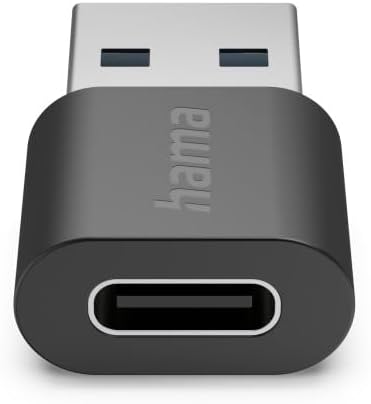
If you’ve got a device with USB-C but your cables, drives, or peripherals are still mostly USB-A, an adapter like this Hama USB-A to C unit is the sort of practical fix that saves faffing about. It’s built around SuperSpeed Plus, with data transfer rates of up to 10Gbps, and it comes as a 2-port adapter in black.
It’s also positioned as an everyday transmission and power helper. The description mentions internal copper wiring aimed at faster data transfer and a solid supply of power, plus the materials are made up of at least 20% recycled content—so on paper it’s trying to tick both performance and a more eco-aware box.
That said, it’s still an adapter. Depending on how your setup works, you may find it’s a convenience purchase rather than a complete “upgrade”, especially if you’re expecting something to magically remove bandwidth limits from older ports.
What it’s for (and a quick example)
This adapter is aimed at bridging USB-A to USB-C so you can keep using existing USB-A peripherals without needing to replace everything at once.
For a real-world example: imagine you’re transferring files from a USB-A external drive to a laptop that only has USB-C. With a suitable USB-C connection on the laptop side, this adapter can slot in between and let the drive communicate over USB-C—at least within the limits of your source and cable environment.
Key takeaways
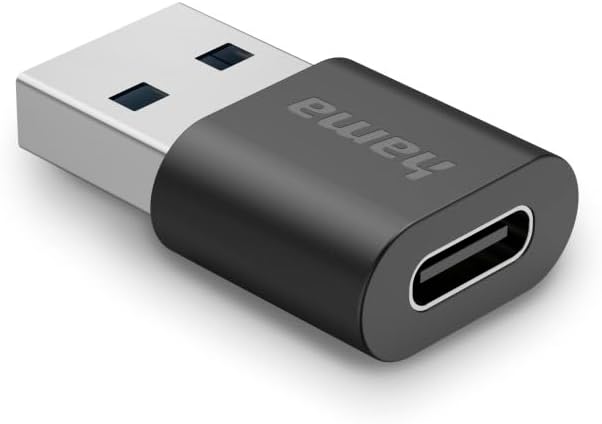
SuperSpeed Plus up to 10Gbps is the headline here. If you’re moving larger files—photo batches, video clips, or backups—higher transfer figures matter more than for tiny documents.
The two-port design is also the kind of detail you’ll notice in day-to-day use. You’re not constantly unplugging one thing to connect another, which is handy if your routine involves switching between a drive and a device.
On the build side, the mention of copper internal wires is reassuring for consistent transmission. And the at-least-20% recycled materials claim is a sensible extra, though it doesn’t replace the basics: it’s still worth checking that your target device and cables are compatible with your expected speed.
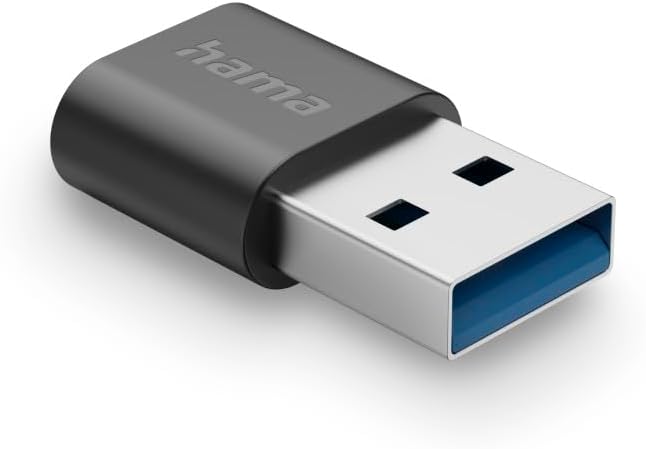
Where it shines
- For users who want less cable clutter: a 2-port approach can keep your desk setup more organised.
- For faster transfers on supported setups: SuperSpeed Plus up to 10Gbps is a good fit if your USB-A source and USB-C destination both support high-speed modes.
- For keeping existing kit in use: instead of replacing older USB-A peripherals, you bridge the gap.
In other words, it makes sense if you’re trying to modernise your USB-C workflow without doing a full equipment overhaul.
Things to be careful about
The biggest limitation is that “up to 10Gbps” depends heavily on what’s on both ends. If your USB-A port, the peripheral, or the cable path can’t actually negotiate those speeds, you won’t see the headline rate.
Also, since this is an adapter, it can’t fix non-ideal power delivery, protocol support, or bandwidth bottlenecks elsewhere in your chain. If you’re planning to use it for something demanding, it’s worth double-checking your device specs and your existing connection setup.
And while the power supply is described as part of the design intent, adapters are often where real-world behaviour can vary—so don’t expect it to be identical to a dedicated native USB-C port.
Is it worth it?
Buying this Hama USB-A to C Adapter is a good fit if you mainly need a practical bridge between USB-A peripherals and a USB-C device, and you care about keeping data transfers snappy on setups that actually support SuperSpeed Plus.
It’s not the best choice if your devices or peripherals are older and you mostly transfer small files where speed differences won’t really show, or if you’re relying on the adapter to overcome compatibility gaps. In those cases, you might be better focusing on native ports or a full connection rethink.
Worth considering if you want two ports for day-to-day convenience, appreciate the copper wiring approach on paper, and like the idea of at least some recycled-material content.
Mini FAQ
Will this definitely hit 10Gbps?
Not guaranteed. The description says “up to 10Gbps”, so the real speed depends on your USB-A source, the USB-C device, and the negotiation over your particular setup.
Is it mainly for data transfer or power too?
It’s described as supporting rapid data transfer and the best supply of power, but adapters still share performance with what your devices can provide and negotiate.
Why choose a 2-port adapter?
Because it can reduce unplugging and reconnecting in a typical desk or home-office routine—useful if you swap between two USB-connected items.
What should I check before buying?
Check whether your USB-A devices and your USB-C target device support the high-speed modes you’re hoping for, since “up to” figures can only apply when both sides cooperate.
What’s the eco angle here?
The description claims the product is made up of at least 20% recycled materials, which is a positive extra if that matters to your purchasing choices.